Last updated: May 13, 2026
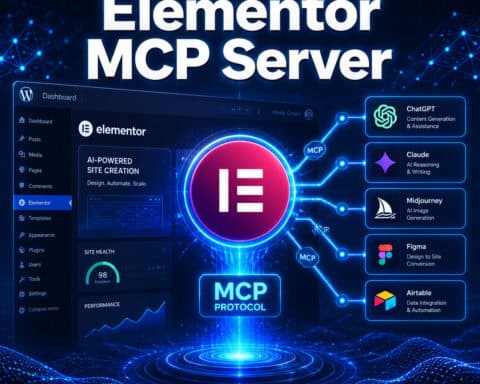
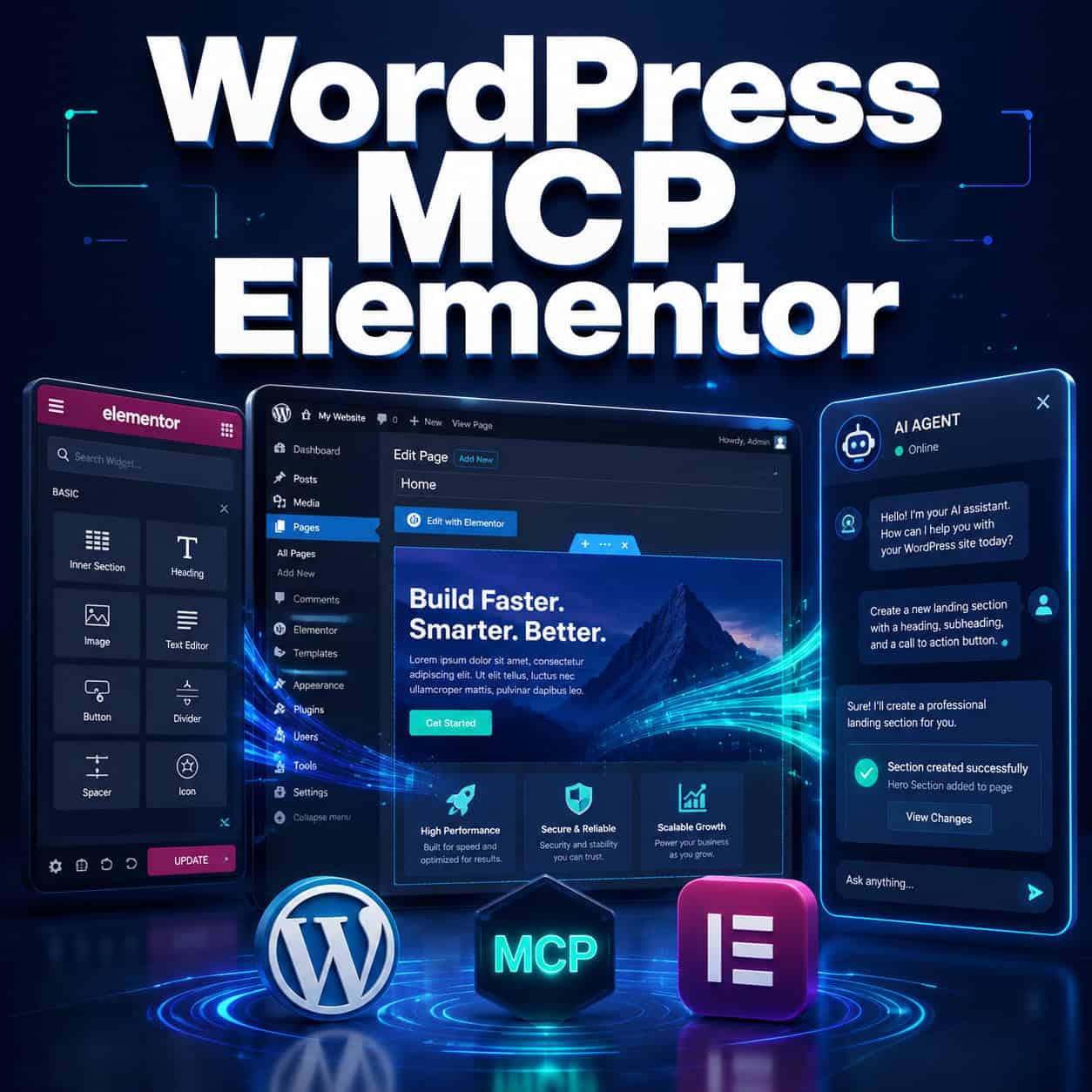
Quick Answer: WordPress MCP Elementor is a plugin that connects AI agents (like Claude) to your Elementor-powered WordPress site through the Model Context Protocol (MCP). It exposes up to 97 AI-ready tools so an AI can programmatically create pages, edit layouts, manage widgets, and modify site content without you touching the Elementor editor manually [5]. Think of it as giving an AI assistant direct access to your page builder.
Key Takeaways
- MCP stands for Model Context Protocol, an open standard that lets AI models interact with external tools and data sources in a structured way [8].
- Elementor MCP extends the WordPress MCP Adapter specifically for Elementor, adding widget-level and layout-level control that the base adapter doesn’t provide [2].
- 97 AI-ready tools are available through the Elementor MCP plugin, covering page creation, section editing, widget management, and design adjustments [5].
- You need WordPress Application Passwords for authentication; the AI connects via direct HTTP to your site [5].
- Version 4.2.0 preview introduced markdown rendering for pages, making it easier for AI agents to read and understand page content [6].
- Alternatives exist but lack Elementor-specific features: the native WordPress MCP Adapter focuses on Gutenberg blocks, and Novamira targets general WordPress access.
- This is best for developers, agencies, and power users who already use Elementor and want to automate repetitive site-building tasks with AI.
- Performance matters: Elementor sites should use caching (WP Rocket or similar) since MCP adds API calls on top of existing page builder overhead.
What Is WordPress MCP Elementor and How Does It Work?
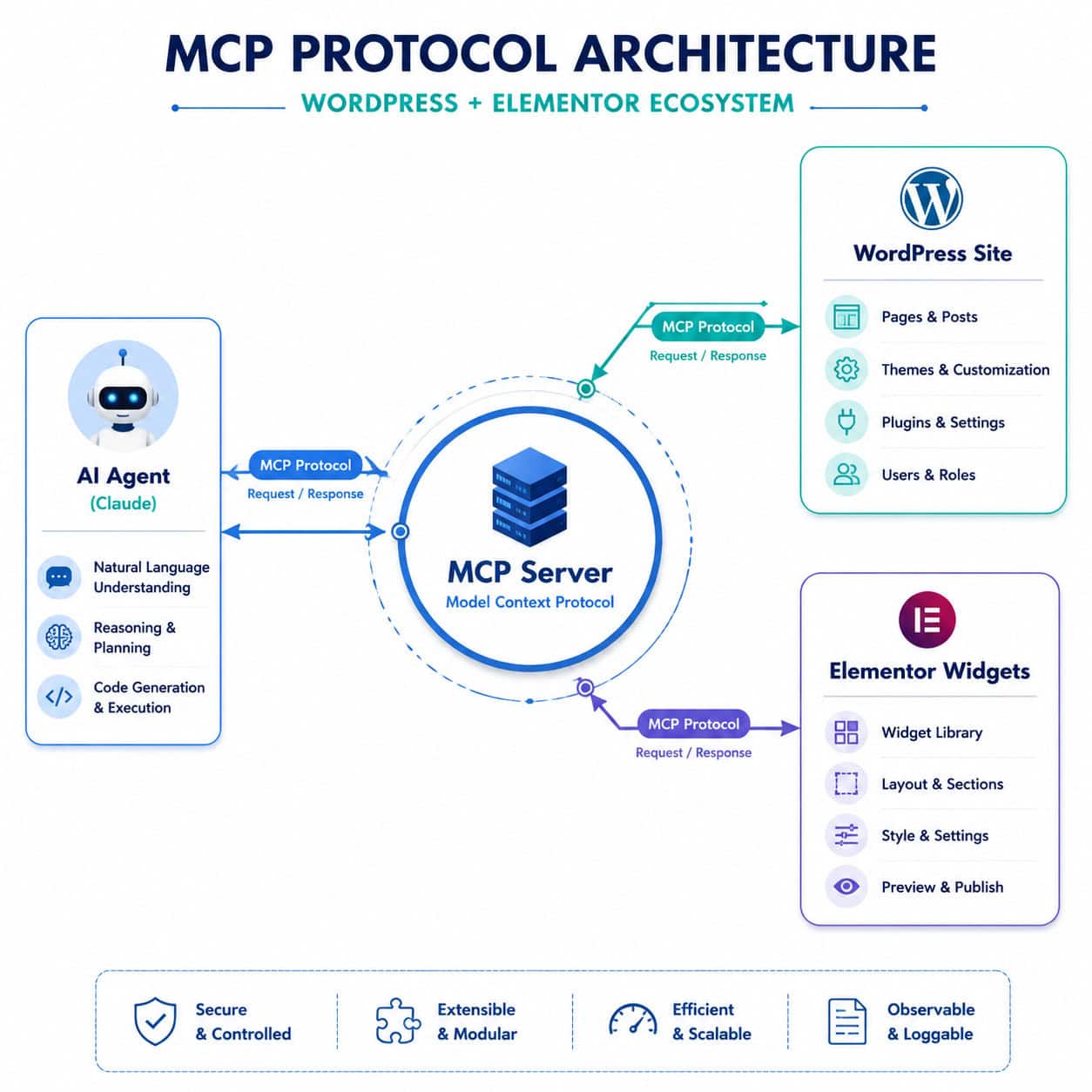
WordPress MCP Elementor is a WordPress plugin that acts as a bridge between AI agents and the Elementor page builder. It uses the Model Context Protocol, an open standard Anthropic introduced, to give AI models structured access to your site’s design tools [1].
Here’s how the pieces fit together:
- MCP Server: The plugin installs on your WordPress site and registers as an MCP server, exposing Elementor’s capabilities as callable tools.
- AI Agent: An AI client (Claude Desktop, Claude Code, or another MCP-compatible agent) connects to your site over HTTP using WordPress Application Passwords for authentication [5].
- Tool Execution: The AI can then call specific tools like “create page,” “add widget,” “edit section layout,” or “update styling” — all without opening the Elementor editor.
The original WordPress MCP Adapter, released by the WordPress core team on February 3, 2026, focused on Gutenberg blocks and general site management. The Elementor MCP plugin, maintained by msrbuilds on GitHub, extends this specifically for Elementor’s widget ecosystem [2]. A separate fork by bvisible (elementor-mcp-api) offers similar functionality with a different API approach [9].
Common mistake: Don’t confuse the WordPress MCP Adapter with Elementor MCP. The base adapter doesn’t understand Elementor widgets, templates, or the Elementor data structure. You need both installed for full functionality.
Who Should Use WordPress MCP Elementor (and Who Shouldn’t)?
This tool is designed for people who build WordPress sites with Elementor regularly and want AI to handle repetitive design and content tasks.
Choose Elementor MCP if you:
- Build multiple client sites per month and want to speed up initial page scaffolding
- Already use Elementor Pro and are comfortable with its widget system
- Want to automate content updates across many pages
- Are experimenting with AI-powered automation for WordPress
Skip it if you:
- Use Gutenberg (the block editor) as your primary builder — the native WordPress MCP Adapter covers that
- Have a single small site with infrequent updates
- Aren’t comfortable with API authentication and command-line AI tools
- Need a fully visual, no-code experience (MCP requires some technical setup)
For those exploring broader AI integration with WordPress, our guide on AI plugins for WordPress automation covers additional options beyond MCP.
How to Set Up WordPress MCP Elementor Step by Step
Setting up the connection requires installing the plugin, configuring authentication, and connecting your AI client. Here’s the process:
Prerequisites
- WordPress 6.7 or later
- Elementor (free or Pro) installed and active
- WordPress MCP Adapter plugin installed
- An MCP-compatible AI client (Claude Desktop or Claude Code)
Installation Steps
- Download the plugin from the GitHub repository [2].
- Upload to WordPress via Plugins > Add New > Upload Plugin, then activate it.
- Create an Application Password in WordPress under Users > Your Profile > Application Passwords. Copy this password — you’ll need it for the AI client.
- Configure your AI client by adding your site URL and Application Password to the MCP server settings in Claude Desktop or your preferred client [5].
- Test the connection by asking the AI to list available tools. You should see Elementor-specific tools alongside the standard WordPress MCP tools.

Edge case: If you’re running a multisite WordPress installation, you’ll need to configure Application Passwords per site. The MCP connection targets a single WordPress instance.
For deeper guidance on plugin setup patterns, see our guide to WordPress plugin development best practices.
What Can AI Agents Actually Do With Elementor MCP?
The plugin exposes 97 AI-ready tools that cover most of what you’d do manually in the Elementor editor [5] [7]. Here’s a breakdown by category:
| Category | Example Tools | What They Do |
|---|---|---|
| Page Management | Create page, delete page, list pages | Build and organize pages programmatically |
| Section/Layout | Add section, set column structure, reorder sections | Control page structure and layout grids |
| Widgets | Add heading, add image, add button, add form | Insert and configure any Elementor widget |
| Styling | Set typography, set colors, set spacing | Adjust design properties per element |
| Templates | Apply template, save as template | Work with Elementor’s template system |
| Global Settings | Site settings, theme styles | Modify site-wide design tokens |
A YouTube demonstration from April 2026 showed Claude Code using Elementor MCP to build a complete landing page — adding hero sections, testimonial carousels, and CTA buttons — entirely through AI commands [3]. The AI handled layout decisions, widget placement, and basic styling without the user dragging a single element.
Version 4.2.0 preview added a markdown rendering feature: appending ?format=markdown to any page URL returns the page content in markdown format, making it much easier for AI agents to read and understand existing page structures before making edits [6].
If you’re interested in how AI tools can also help with content and SEO alongside design, check out how to use AI SEO tools for WordPress.
How Does Elementor MCP Compare to Alternatives?
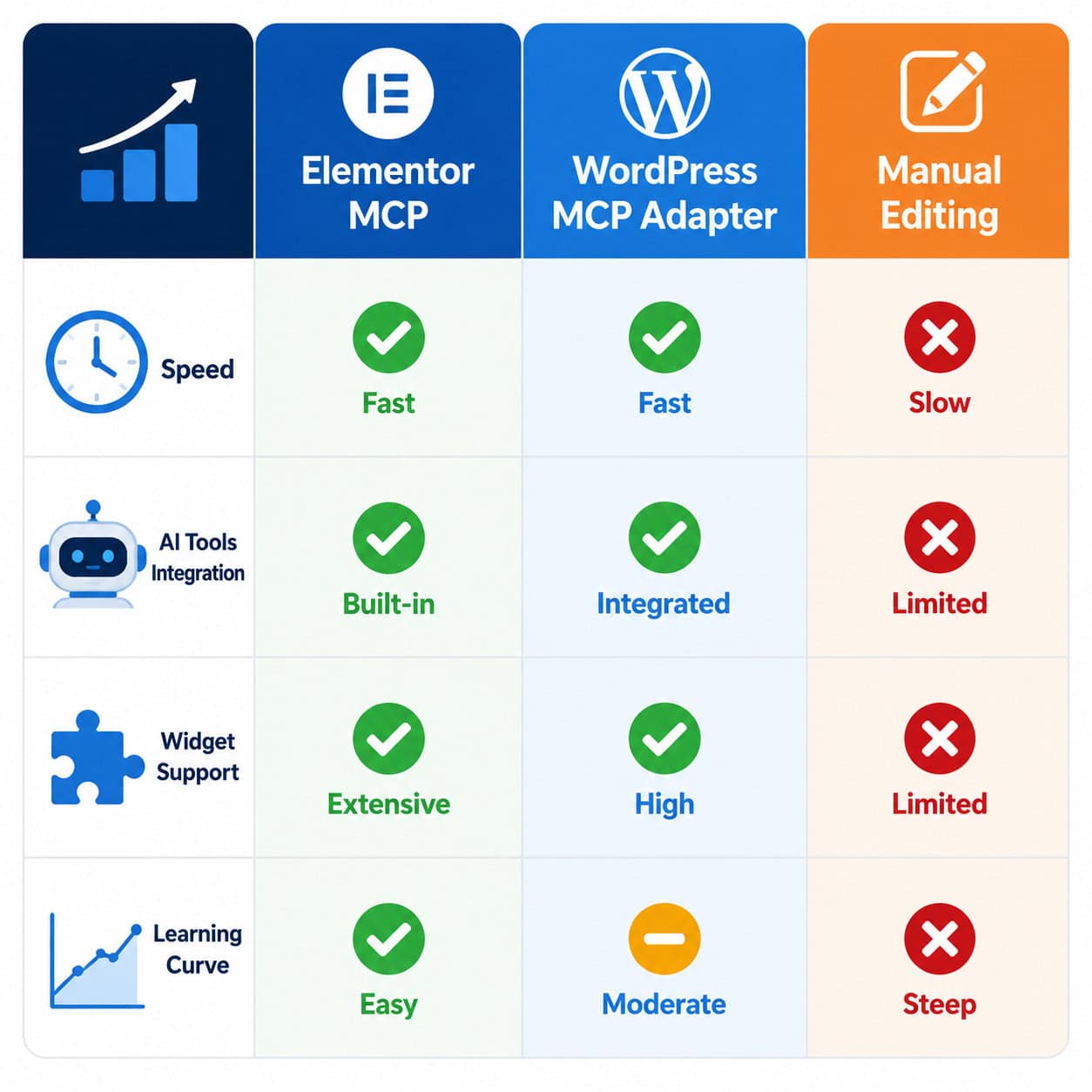
Several options exist for AI-powered WordPress editing. Here’s how they stack up:
| Feature | Elementor MCP | WordPress MCP Adapter | Manual Elementor Editing |
|---|---|---|---|
| Elementor widget support | Full (97 tools) | None (Gutenberg only) | Full (visual) |
| AI agent compatible | Yes | Yes | No |
| Setup complexity | Moderate | Low | None |
| Gutenberg support | Via base adapter | Native | N/A |
| Best for | Elementor power users | Block editor users | Visual-first builders |
| Authentication | Application Password | Application Password | WordPress login |
Other page builder alternatives like Bricks Builder, Breakdance, and Beaver Builder don’t have dedicated MCP plugins as of May 2026. If you’re evaluating builders more broadly, our review of drag-and-drop website builders covers the wider landscape.
Decision rule: Choose Elementor MCP if you’re already invested in the Elementor ecosystem and want AI automation. Choose the base WordPress MCP Adapter if you’ve moved to Gutenberg. Consider platforms like Webflow or Framer if you want built-in AI features without plugin dependencies.
Common Mistakes and Troubleshooting Tips
Most issues with WordPress MCP Elementor fall into a few predictable categories:
Authentication failures
- Double-check that Application Passwords are enabled (some security plugins disable them)
- Ensure your site uses HTTPS — Application Passwords won’t work over plain HTTP
- Verify the username and application password are correctly entered in your AI client config
AI making unexpected design changes
- Be specific in your prompts. “Make the hero section look better” gives the AI too much freedom. “Change the hero heading to 36px Inter Bold with #1a1a1a color” gets precise results.
- Always test on a staging site first, not production
Performance concerns
- Elementor already adds overhead to WordPress sites. MCP API calls add more. Use a caching plugin and consider a CDN.
- For sites where speed is critical, review our guide to WordPress theme customization for performance-friendly approaches.
Plugin conflicts
- Elementor Pro version 4.0.4 (April 28, 2026) fixed Flexbox and Div Block display issues that could affect MCP-generated layouts. Keep Elementor updated.
- Disable other MCP-related plugins if you experience duplicate tool registrations.
What’s Next for WordPress MCP Elementor?
The MCP ecosystem is moving fast. Elementor’s own blog positions MCP as the foundation for AI automation on WordPress, standardizing how AI interacts with site structure [1] [8]. The markdown rendering feature in the 4.2.0 preview suggests Elementor is actively building for AI readability, not just AI writability [6].
For agencies and freelancers building WordPress sites at scale, MCP represents a shift from “AI assists me while I build” to “AI builds while I direct.” The 97-tool surface area already covers most common page-building tasks, and the open-source nature of the GitHub repositories means community contributions will likely expand capabilities further [2] [9].
If you want to explore the broader AI-WordPress intersection, our coverage of integrating AI chatbots into WordPress and AI-powered content generation tools covers complementary use cases.
Conclusion
WordPress MCP Elementor bridges the gap between AI agents and visual page building. It gives structured, tool-based access to Elementor’s full widget and layout system, so AI can do the building work you’d normally do by hand.
Your next steps:
- If you’re new to MCP: Read Elementor’s official explainer on MCP for web creators [8] to understand the protocol basics.
- If you’re ready to try it: Install the plugin from GitHub [2], set up Application Passwords, and start with simple tasks like creating a blank page and adding a heading widget.
- If you’re evaluating options: Test both the Elementor MCP plugin and the native WordPress MCP Adapter on a staging site to see which fits your workflow.
- If you’re already using it: Update to the latest version and experiment with the markdown rendering feature from the 4.2.0 preview [6] for better AI comprehension of existing pages.
The technology is still maturing, but the foundation is solid. For anyone building Elementor sites regularly, WordPress MCP Elementor is worth testing now rather than later.
FAQ
What does MCP stand for in WordPress MCP Elementor? MCP stands for Model Context Protocol, an open standard that allows AI models to interact with external tools and data sources through a structured interface [8].
Is Elementor MCP free? Yes. The elementor-mcp plugin by msrbuilds is open source and available on GitHub at no cost [2]. You do need Elementor (free or Pro) and WordPress installed.
Do I need Elementor Pro for MCP to work? No. The MCP plugin works with both the free version and Pro version of Elementor, though Pro widgets are only available if you have an active Pro license [2].
Which AI agents work with Elementor MCP? Any MCP-compatible AI client works. The most common choices are Claude Desktop and Claude Code by Anthropic. Other MCP clients are emerging as the protocol gains adoption [5].
Can Elementor MCP break my live site? Yes, if used carelessly. AI agents make real changes to your site. Always test on a staging environment first and keep backups current.
How many tools does Elementor MCP provide? The plugin exposes 97 AI-ready tools covering page management, sections, widgets, styling, templates, and global settings [5].
Is WordPress MCP Elementor the same as the WordPress MCP Adapter? No. The WordPress MCP Adapter is a core plugin for general WordPress and Gutenberg interaction. Elementor MCP extends it with Elementor-specific widget and layout tools [2].
Does MCP affect my site’s loading speed? MCP API calls happen server-side when the AI agent is actively working. They don’t affect frontend page load times for visitors, but they do add server load during editing sessions.
Can I use Elementor MCP with other page builders? No. Elementor MCP is specifically designed for Elementor’s data structure and widgets. Other builders would need their own MCP implementations.
What is the markdown rendering feature in Elementor 4.2.0?
Adding ?format=markdown to any page URL returns the page content as markdown text, making it easier for AI agents to read and understand page structure before editing [6].
References
[1] Make Your Website Ai Ready With Mcp – https://elementor.com/blog/make-your-website-ai-ready-with-mcp/ [2] Elementor Mcp – https://github.com/msrbuilds/elementor-mcp [3] Watch – https://www.youtube.com/watch?v=tCRt5m4jsY8 [5] Elementor Mcp – https://skillsllm.com/skill/elementor-mcp [6] Elementor Mcp Features 420 Preview – https://www.reddit.com/r/elementor/comments/1t97233/elementor_mcp_features_420_preview/ [7] Elementor – https://mcpmarket.com/server/elementor [8] Mcp Explained For Web Creators – https://elementor.com/blog/mcp-explained-for-web-creators/ [9] Elementor Mcp Api – https://github.com/bvisible/elementor-mcp-api