Last updated: May 13, 2026
Quick Answer: Automatic WordPress MCP connects AI assistants like Claude directly to your WordPress site using the Model Context Protocol, letting them read, write, and manage content without manual dashboard work. Since WordPress 7.0 shipped with native MCP Adapter integration in April 2026, any site owner on WordPress 6.9 or later can give AI agents controlled access to posts, pages, media, and comments through a standardized protocol.
Key Takeaways
- MCP stands for Model Context Protocol, an open standard that acts like a universal connector between AI tools and WordPress.
- WordPress 7.0 (April 2026) includes built-in MCP Adapter support and a Connectors UI for managing AI clients.
- The MCP Adapter bridges WordPress’s Abilities API to AI agents, so registered functions become discoverable AI tools automatically [2].
- Write capabilities were added in March 2026, enabling AI agents to create and edit posts, pages, comments, and media on WordPress.com paid plans [9].
- Security is handled through permission callbacks and dedicated user accounts, not open access.
- You don’t need to write custom code — the adapter exposes existing WordPress functions to AI clients like Claude Desktop or Cursor.
- Alternatives exist (REST APIs, Zapier, FlowMattic, WP-MCP), but MCP offers standardized discovery that others lack.
- Self-hosted and cloud-hosted options are both available, including serverless setups on Cloudflare Workers.
What Is Automatic WordPress MCP and Why Does It Matter?
Automatic WordPress MCP refers to using the Model Context Protocol to let AI assistants perform WordPress tasks automatically — publishing posts, managing media, moderating comments, generating reports — without you touching the admin dashboard.
Think of MCP as a “USB-C port for AI,” as Michele Bedin described it [7]. Just as USB-C lets any compatible device connect to any compatible port, MCP lets any compatible AI client connect to any compatible server. WordPress becomes the server. Claude, Cursor, or another AI tool becomes the client.
Before MCP, connecting AI to WordPress meant building custom REST API integrations for each tool. Every new AI assistant required new code. MCP eliminates that by providing a single protocol that handles discovery (what can the AI do?), execution (do it), and security (should it be allowed?) in one standard layer.
This matters because WordPress powers roughly 40% of the web. When the world’s most popular CMS speaks the same language as AI assistants, automation scales from a developer-only activity to something any site owner can set up. For more on AI-driven WordPress workflows, see our guide to advanced WordPress strategies for power users in 2026.
How Does the WordPress MCP Adapter Work?
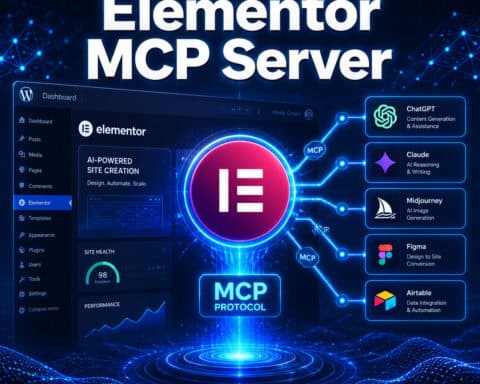
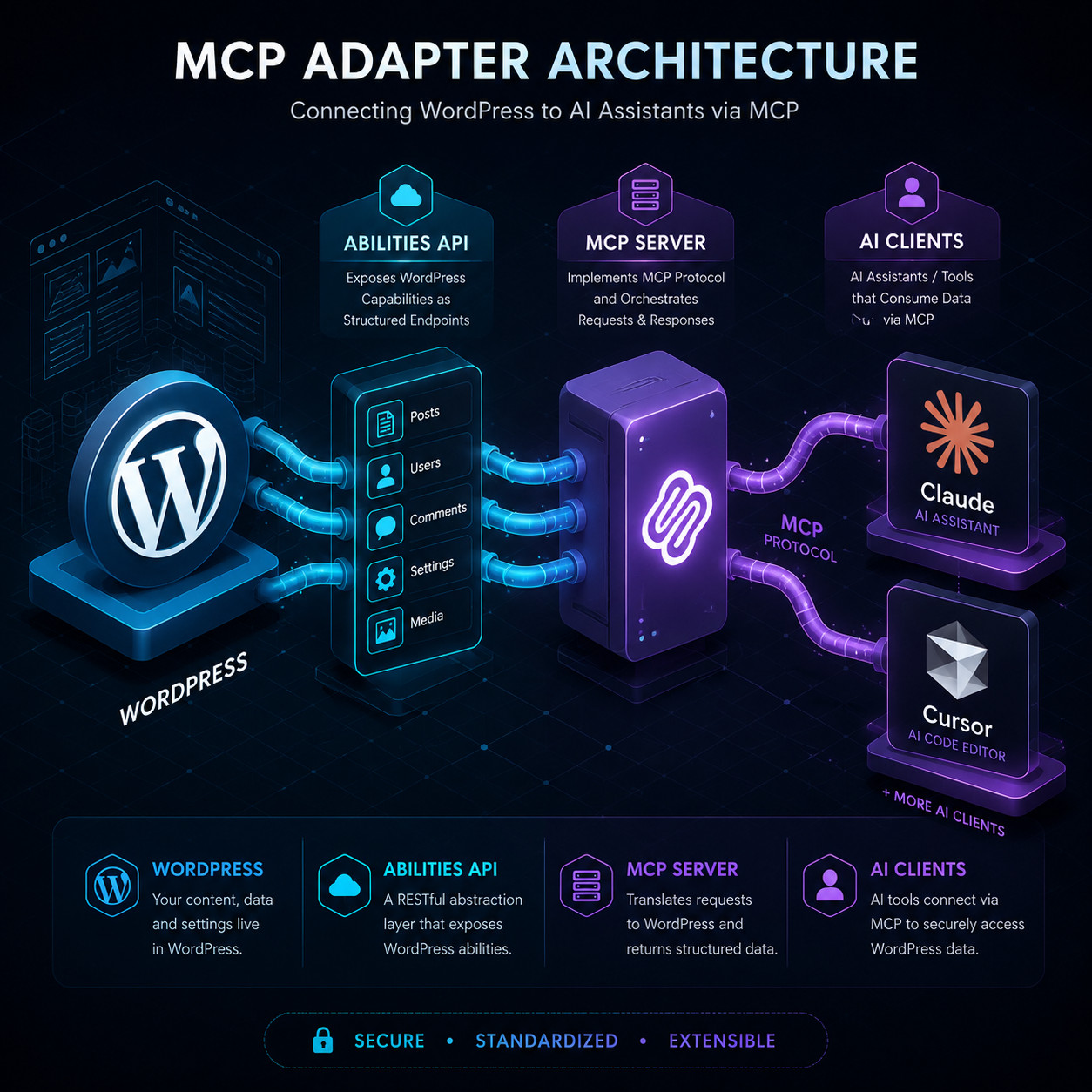
The MCP Adapter translates WordPress’s internal Abilities API into tools and resources that AI agents can discover and use [2]. Here’s the flow:
- You register Abilities in WordPress (or use ones already registered by plugins and core).
- The MCP Adapter exposes those Abilities as MCP-compatible tools with descriptions, parameters, and permission rules.
- An AI client connects to your site’s MCP endpoint and asks: “What can I do here?”
- The adapter responds with a list of available actions — create post, upload image, fetch analytics, etc.
- The AI executes actions through the adapter, and WordPress logs every change with full tracking.
The key detail: AI agents don’t get unrestricted database access. Every action runs through WordPress’s existing permission system. You create a dedicated user account for the AI, assign it a role, and the adapter enforces those permissions on every request [2].
This is fundamentally different from tools like WP-MCP (by @rnaga), which bypasses PHP and wp-admin to perform direct database CRUD operations [8]. The official adapter is heavier but safer for production sites.
How to Set Up Automatic WordPress MCP on Your Site
Setting up MCP on a WordPress site takes about 15–30 minutes depending on your hosting setup. Here’s the process:
Prerequisites
- WordPress 6.9 or later (WordPress 7.0 recommended for native Connectors UI)
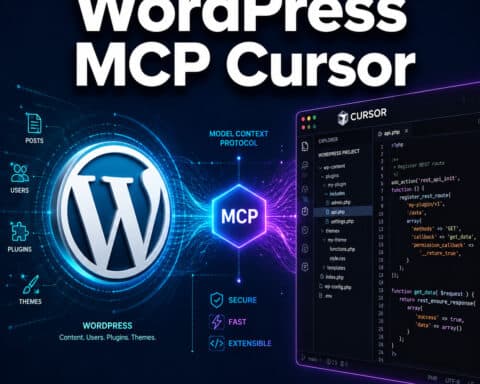
- An AI client that supports MCP (Claude Desktop, Cursor, or similar)
- Admin access to your WordPress installation
- PHP 8.1+ on your server
Step-by-Step Setup
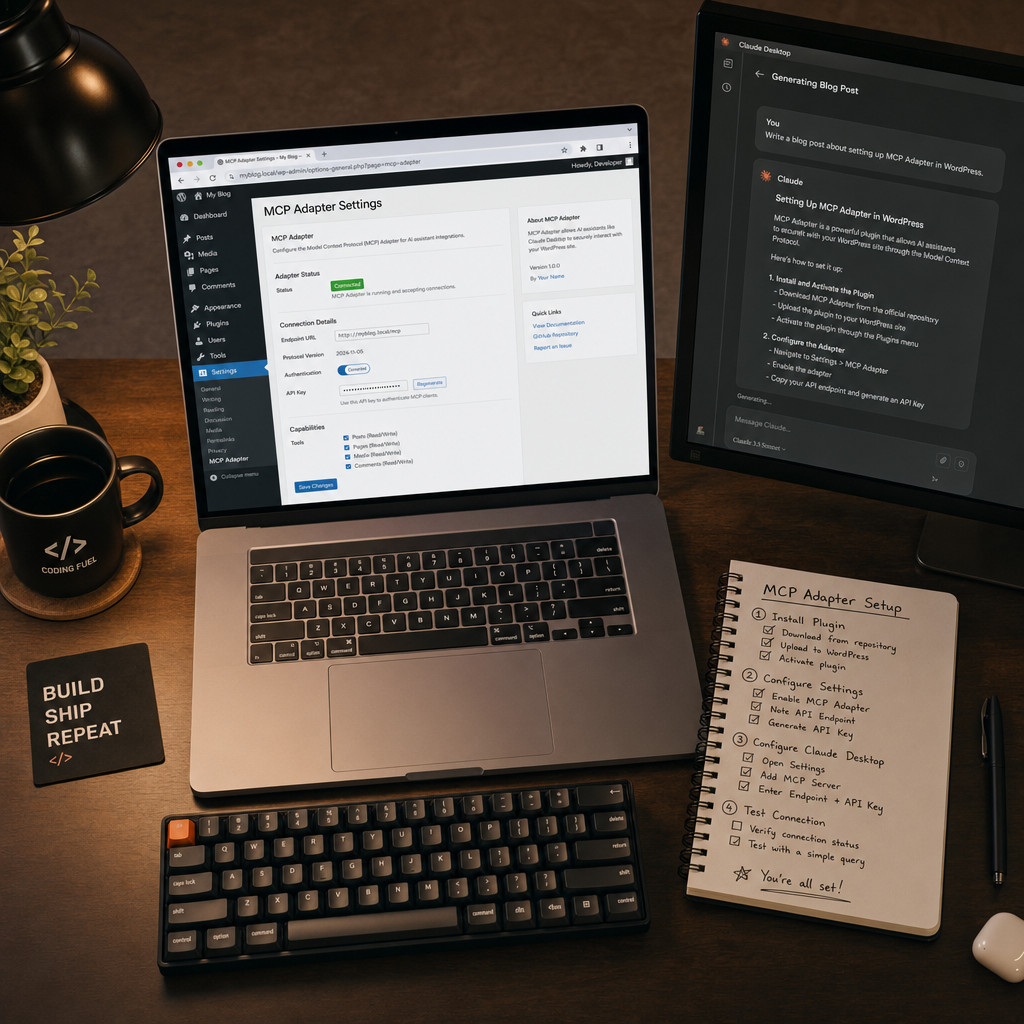
- Install the MCP Adapter plugin. If you’re on WordPress 7.0, it’s available through the built-in Connectors UI. For older versions, install it from the official GitHub repository [3].
- Create a dedicated AI user account. Go to Users > Add New. Give it a descriptive name like “Claude AI Agent.” Assign the Editor or Author role depending on what you want the AI to do.
- Configure the adapter settings. Navigate to Settings > MCP Adapter. Enable the endpoint and set the authentication method (application passwords work well for local AI clients).
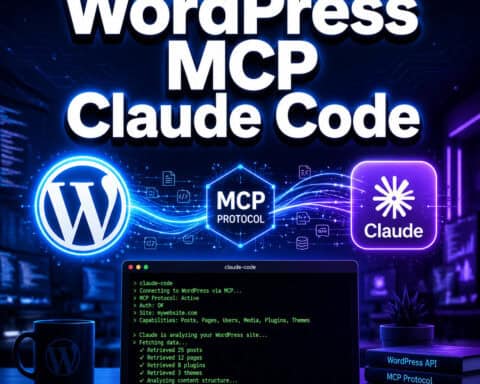
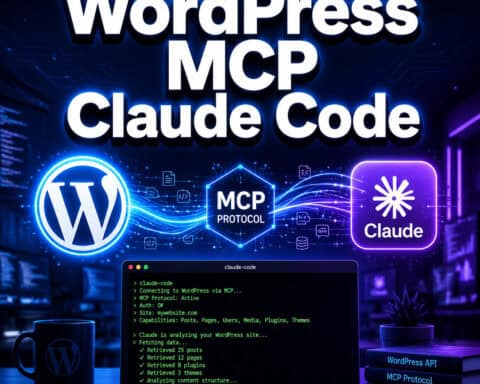
- Register your AI client. In your AI tool’s MCP configuration file, add your WordPress site’s MCP endpoint URL and credentials. For Claude Desktop, this goes in the
claude_desktop_config.jsonfile. - Test the connection. Ask your AI client to list available tools. You should see WordPress actions like
create_post,get_posts,upload_media, and others. - Set permission boundaries. Review which Abilities are exposed and disable any you don’t want the AI to access.
Common mistake: Using your personal admin account for the AI agent. If the AI has admin-level access, a prompt injection or misconfigured command could modify site settings, install plugins, or delete content. Always use a limited-permission dedicated account.
For WordPress.com users on paid plans, MCP write capabilities are already available without plugin installation — Automattic enabled this in March 2026 [9].
What Can You Actually Automate with WordPress MCP?
The practical use cases fall into three categories: content operations, site management, and integrations.
Content Operations
- Draft and publish blog posts from a conversation with your AI assistant
- Bulk-edit existing content (update meta descriptions, fix formatting, add internal links)
- Generate and upload featured images with proper alt text
- Moderate comments based on rules you define in natural language
- Create WooCommerce product listings with descriptions and pricing [7]
Site Management
- Pull analytics summaries without logging into dashboards
- Generate reports on content performance, broken links, or SEO issues [10]
- Monitor form submissions and trigger responses automatically
- Manage user accounts and role assignments
Integrations
- Connect to social media for auto-sharing WordPress blog posts after publishing
- Sync with email marketing tools through AI-orchestrated workflows
- Bridge to other MCP-compatible services for multi-step automations
The Hallam Agency noted that MCP moves AI beyond summarization into actual read/write actions — generating reports, creating content, and modifying site data in real time [10]. If you’re exploring broader AI plugin options, our roundup of the 12 best AI plugins for WordPress covers additional tools worth considering.
Automatic WordPress MCP vs. Alternatives: Which Should You Choose?
MCP isn’t the only way to connect AI to WordPress. Here’s how the main options compare:
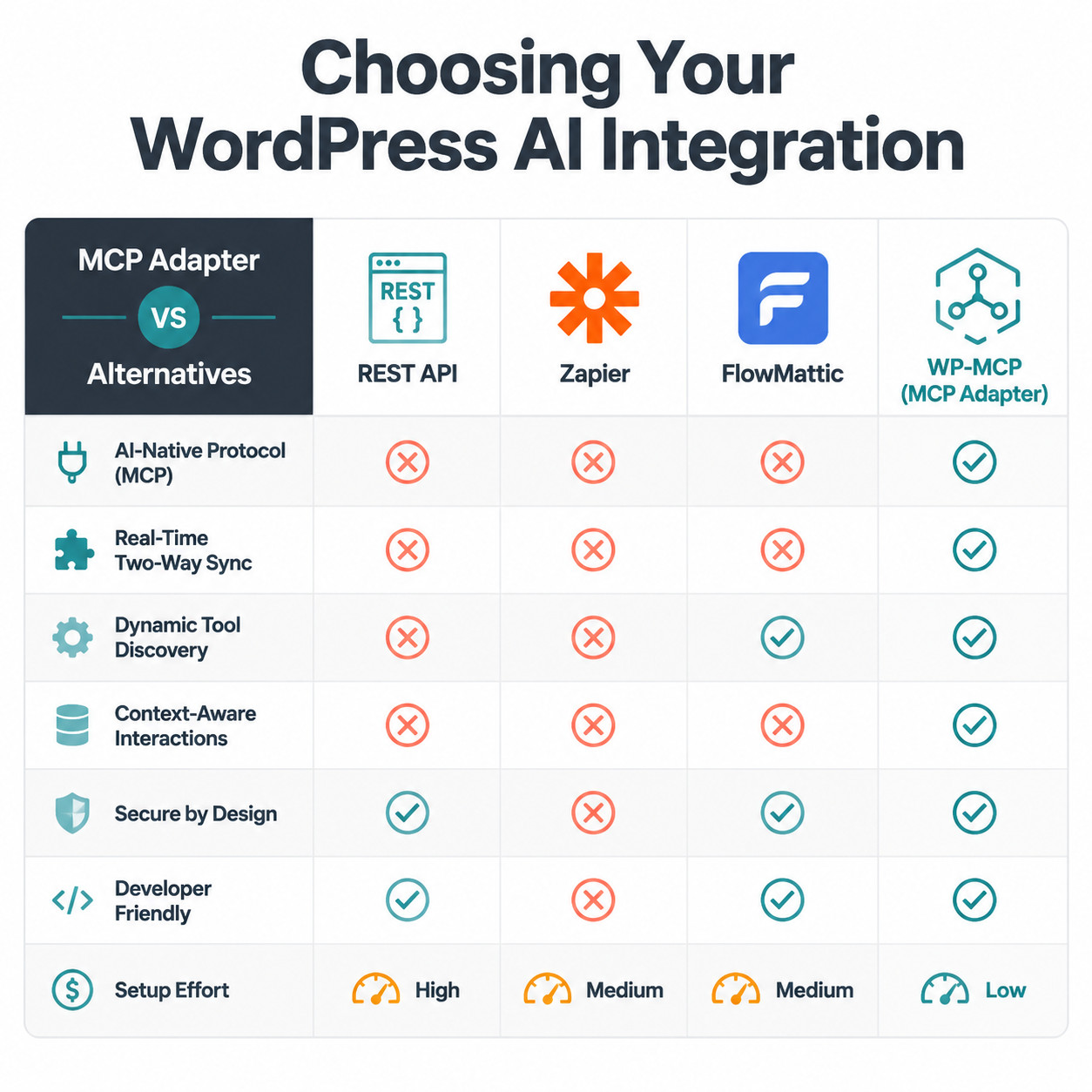
| Feature | MCP Adapter (Official) | WP-MCP (@rnaga) | FlowMattic | Custom REST API | Zapier/Make |
|---|---|---|---|---|---|
| Setup difficulty | Low–Medium | Medium | Low | High | Low |
| Security model | WordPress permissions | Direct DB access | Plugin-level | Custom | OAuth/API keys |
| AI client support | Claude, Cursor, etc. | Claude Desktop | Claude, others | Any | Any |
| Write capabilities | Yes (posts, pages, media, comments) | Yes (direct CRUD) | Yes (via workflows) | Yes (custom) | Yes (via actions) |
| Standardized discovery | Yes | Yes | Partial | No | No |
| Cost | Free | Free | $129–$449/year | Dev time | $20+/month |
| Best for | Most WordPress sites | Developers, testing | No-code users | Custom enterprise needs | Non-technical users |
Choose the official MCP Adapter if you want the safest, most supported option that works within WordPress’s permission system and will receive ongoing updates from the WordPress core team.
Choose WP-MCP if you’re a developer who needs lightweight, direct database access for testing or internal tools and understands the security trade-offs [8].
Choose FlowMattic if you prefer visual workflow builders and want to connect AI to existing no-code automations without touching configuration files.
Choose custom REST APIs if you have specific enterprise requirements that MCP doesn’t cover, or you need to avoid protocol lock-in to any single AI client ecosystem.
Choose Zapier/Make if you’re already using these platforms and want AI-adjacent automation without learning a new protocol.
For deeper guidance on building custom WordPress solutions, check our essential guide to WordPress plugin development best practices.
What Are the Risks and Limitations of WordPress MCP?
MCP is powerful but not without trade-offs. Here’s what to watch for:
AI client dependency. MCP currently works best with Claude Desktop and Cursor. If you use ChatGPT, Gemini, or other AI tools as your primary assistant, MCP support may be limited or unavailable. This is the most common criticism of the protocol — it doesn’t yet have universal client support [10].
Prompt injection risks. If your AI agent processes user-generated content (like comments or form submissions), a malicious user could craft input that tricks the AI into performing unintended actions. Mitigation: limit the AI user’s permissions and never give it admin access.
Deprecation of the original plugin. Automattic’s original wordpress-mcp GitHub repository was deprecated in July 2025, with users directed to migrate to the newer mcp-adapter [1]. If you set up MCP before that date, you’ll need to switch.
Performance overhead. Every MCP request runs through WordPress’s PHP stack, permission checks, and hook system. For high-volume automation (hundreds of operations per minute), this can slow down your site. The serverless Southleft approach using Cloudflare Workers addresses this but requires more technical setup.
No offline fallback. If your AI client loses its connection or the MCP endpoint goes down, automations stop. Build monitoring into your workflow.
For related AI integration considerations, our guide on integrating an AI-powered chatbot into WordPress covers similar security and performance concerns.
Who Should (and Shouldn’t) Use Automatic WordPress MCP?
Good fit:
- Content teams publishing 10+ posts per week who want AI-assisted drafting and editing
- WooCommerce store owners managing large product catalogs [7]
- Agencies managing multiple WordPress sites who need scalable content operations
- Developers building AI-powered WordPress tools and plugins
Not a good fit (yet):
- Sites on WordPress versions below 6.9 (the Abilities API isn’t available)
- Teams locked into AI tools that don’t support MCP
- Sites with strict compliance requirements that prohibit AI write access to production databases
- Very simple blogs where manual publishing takes five minutes anyway
If you’re using AI tools for SEO alongside MCP, our guide on using AI SEO tools for WordPress pairs well with this setup.
Conclusion
Automatic WordPress MCP is the most significant change to WordPress automation since the REST API. With WordPress 7.0’s native support and Automattic’s continued investment, MCP is quickly becoming the default way AI agents interact with WordPress sites.
Your next steps:
- Check your WordPress version. Update to 7.0 if possible, or at minimum 6.9.
- Install the MCP Adapter from the official repository [3] or through the Connectors UI.
- Create a dedicated, limited-permission user for your AI agent.
- Start small. Use MCP for content drafting before enabling write access for publishing.
- Monitor and audit. Review the AI’s actions regularly using WordPress’s built-in tracking.
The protocol will only get more capable as more AI clients adopt it and WordPress expands its Abilities API. Getting comfortable with it now puts you ahead of the curve.
FAQ
What does MCP stand for in WordPress? MCP stands for Model Context Protocol. It’s an open standard created by Anthropic that lets AI assistants connect to external tools and data sources, including WordPress, through a unified interface [2].
Is automatic WordPress MCP free to use? Yes. The official MCP Adapter plugin is free and open source. WordPress.com users on paid plans get MCP write capabilities included [9]. Third-party tools like FlowMattic charge separately.
Which AI assistants work with WordPress MCP? As of 2026, Claude Desktop and Cursor have the strongest MCP support. Other AI clients are adding MCP compatibility, but coverage varies.
Can MCP break my WordPress site? It can if you give the AI agent excessive permissions. Always use a dedicated user account with limited roles, and test in a staging environment first.
Do I need coding skills to set up WordPress MCP? No. WordPress 7.0’s Connectors UI provides a visual interface for managing MCP connections. Basic configuration of your AI client’s settings file is the most technical step.
What’s the difference between wordpress-mcp and mcp-adapter?
wordpress-mcp was Automattic’s original GitHub repository, deprecated in July 2025. mcp-adapter is the current, actively maintained replacement [1][3].
Can MCP manage WooCommerce products? Yes. MCP can automate product creation, inventory updates, order alerts, and more through WooCommerce’s registered Abilities [7].
Is WordPress MCP secure? The official adapter uses WordPress’s built-in permission system, application passwords, and dedicated user accounts. It’s as secure as any other authenticated WordPress integration, provided you follow best practices [2].
Does MCP work with WordPress.org self-hosted sites? Yes. Install the MCP Adapter plugin on any self-hosted WordPress site running version 6.9 or later.
Can I use MCP with multiple AI clients at once? Yes. You can create separate dedicated users for each AI client, each with its own permissions and access scope.
References
[1] WordPress Mcp – https://github.com/Automattic/wordpress-mcp [2] From Abilities To AI Agents Introducing The WordPress MCP Adapter – https://developer.wordpress.org/news/2026/02/from-abilities-to-ai-agents-introducing-the-wordpress-mcp-adapter/ [3] MCP Adapter – https://github.com/wordpress/mcp-adapter [7] Automate WordPress With AI MCP – https://www.michelebedin.com/en/automate-wordpress-with-ai-mcp/ [8] MCP For WordPress Write And Publish Posts From Your AI Assistant – https://dev.to/rnaga/mcp-for-wordpress-write-and-publish-posts-from-your-ai-assistant-lmb [9] WordPress.com Enables AI Agents To Write Manage Content – https://www.cmswire.com/digital-experience/wordpresscom-enables-ai-agents-to-write-manage-content/ [10] How MCP Will Supercharge AI Automation In 2026 – https://hallam.agency/blog/how-mcp-will-supercharge-ai-automation-in-2026/