Key Takeaways
- This is important because automating your WordPress blog posts saves you loads of time, not having to enter the data manually, and instead lets you concentrate on creating high quality content.
- Consistent social media presence builds audience trust and keeps your content visible across all your digital properties.
- Schedule auto-shares and recurring reposts to boost site traffic and increase the shelf life of evergreen content.
- A hybrid approach to auto-sharing WordPress blog posts that includes both automated link sharing and real-time manual engagement keeps you connected with your readers in an authentic way.
- Optimizing your sharing plan needs to be an ongoing process involving the analysis of engagement and referral traffic to find what formats work best.
- Conduct periodic health checks of your plugin configuration to avoid broken links and keep your social media accounts properly authenticated.
===
Auto-sharing WordPress blog posts is through automated plugins or social media management tools that post your site updates automatically to your profiles.
These tools auto-share new posts to Facebook, X, or LinkedIn when you publish. You save time by eliminating manual copy-pasting.
Regular posting schedules extend your reach and inform readers of your new work. Below are the optimal tools and configurations to auto-share your WordPress blog posts.
The strategic value of auto-sharing wordpress blog posts
Auto-sharing WordPress blog posts is the strategic cornerstone of contemporary viral marketing. With almost 63% of the world’s population on social media, typing posts by hand just doesn’t make sense. Using automated tools guarantees your content reaches different audiences on various platforms without the drudgery of manual entry.
1. Time reclamation
It saves you hours each week. You avoid the drudgery of logging into each account to post a link.
This eliminates the double entry. After all, you can finally spend time with your community or produce higher quality posts without clicking share buttons.
2. Consistent presence
Regularity instills confidence with your audience. When your feed remains active, readers know when to anticipate new wisdom.
Auto-sharing WordPress blog posts keeps your social channels fresh and topical while you’re tied up doing other things.
3. Traffic amplification
Each new post is another chance to get traffic. By auto-pushing links to LinkedIn or X, you convert social followers to blog readers.
This strategy indirectly helps your SEO. Being highly interacted with on social sites means more exposure and more new users finding your site.
4. Content longevity
Evergreen content tends to get lost beneath the waves of new posts. You can use scheduling to auto-share your older articles again.
This simple gesture breathes new life into your top notch work. It gets you in front of followers who, for whatever reason, scooted past the first post and maintains your site’s momentum.
5. Audience nurturing
Appearing consistently in personal profiles fuels genuine growth. You add value by bringing useful content right to where your audience is hanging out.
Regular updates remind subscribers that your blog is there. This ritual brings them back to your site and develops long-term loyalty.
Automation is nice, but watch that you’re not cross-posting or sharing random items that result in an over-posted feed that is low quality.
How to implement auto-sharing
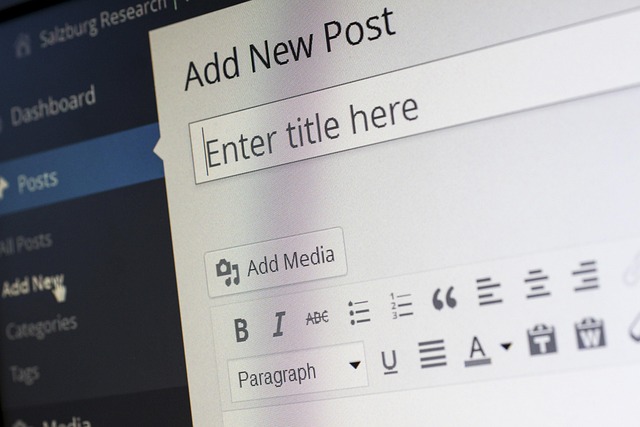
Auto-sharing is easy to set up, as you simply link your WordPress site to the relevant social networks using a plugin or automation tool. This automates content sharing and can increase site traffic by 25%!
Choosing a tool
When selecting a tool for auto-sharing, consider the following options:
Plugin | Rating | Cost |
|---|---|---|
Jetpack | 4.5 | Freemium |
Social Auto Poster | 4.8 | Premium |
Revive Old Posts | 4.4 | Freemium |
Premium versions generally include superior support and additional features. Always check if a plugin conflicts with your theme before installation. Check the documentation to make sure the tool suits your particular purposes.
Connecting accounts
You must first authorize your social accounts via the plugin settings. If you have a WordPress.com account that acts as a central hub, this makes it pretty easy.
Just be sure you wire up both your personal profiles and business pages properly. Authenticate each channel to avoid publishing fails.
Verify in your plugin dashboard once you’ve linked your accounts. Check the status to make sure the connection is still solid.
Initial configuration
Follow this checklist to get started:
- Name your automation recipe clearly.
- Configure the CMS trigger for new posts.
- Select your target social platforms.
- Draft a default message template for your links.
- Time-delay posts to avoid feed spam.
Choose where the auto-sharing goes when you publish. This way you ensure your content gets to the right audience without the hassle.
Develop a message template to wrap your links in. This adds a nice uniform voice to your posts across networks.
Try out the whole integration on a dummy site first. This protects your live visitors from mistakes.
Check your settings regularly to keep up with your changing content strategy. If they break, check the knowledge base or contact support for assistance. Connections come and go, so check your credentials if sharing ceases.
Customize shares for each platform

Because each social network operates differently, your auto-sharing approach needs subtlety. Customizing makes your posts native to each platform and helps you build credibility with your followers. For example, you can leverage WordPress plugins to specifically tune metadata, images, and copy for Facebook, LinkedIn, and Twitter before they are live. This bypasses the spammy, autobot appeal that tends to repel readers.
Unique messaging
Writing tailored text for each network keeps your feed from looking bot-like. Go professional on LinkedIn and keep your Twitter updates casual and punchy.
Add a quick, insightful quote from your blog to hook the reader. Testing different phrases lets you see which approach generates the most clicks. Just remember, your objective is to talk directly to the particular community on each site.
Image optimization
Professional pictures are key to sharp previews on Facebook and Pinterest. Use Facebook’s developer tools to test that your image sizes appear crisp on mobile devices.
So, don’t just use your blog’s main header image! Design custom graphics for social feeds to halt the scroll. A nice, properly scaled image makes your link look professional and inviting.
Hashtag strategy
Customizing the shares per platform is essential. Research your keywords so people can find your content easily. Keep hashtag count low for a clean, professional look.
Put these tags at the end of your message so the meat stays up front. Look at trending topics to find out if your post belongs to a broader discussion. It makes your content more visible to people who don’t follow you yet.
Call to action
Give your readers specific directions as to what they should take action on next. Use descriptive phrases that describe the benefit they receive by clicking your link.
Pose a question in your post to inspire a discussion. Try different prompts and see which get the most responses. With UTM tags, you can see what specific call to action works best on which platform.
By planning these posts in advance, you keep your presence consistent without the manual grind. You can even configure recurring shares to keep older content fresh. This configuration saves you time and helps you communicate with more people efficiently.
Balancing automation with authenticity

Automation saves you from spending hours on mindless manual tasks managing your WordPress content distribution. Too much botting makes your brand seem chilly and remote, which is a turn-off to readers. This balanced approach allows you to save time with automation while maintaining that authentic human tone that people trust.
The hybrid model
Employ services to spam your primary blog links to social sites. This frees you for the boring stuff. Leave your schedule open for live updates. Hand-share your own thoughts or quick industry news. This combination keeps your brand fresh and clever.
Engaging replies
You have to monitor your social feeds once an auto-post is released. If someone comments, you need to respond. Treat each response as an opportunity to expand your hive. Responding to queries develops credibility and boosts your SEO. Foster chat below each post. Real talk brings people back.
Manual highlights
Post stuff unconnected to your blog. Something like publishing a picture of your desk or a snapshot of your working style. These bits indicate that a real person is operating the site. When big things happen in your industry, blog about them manually. That demonstrates you are listening.
You can even sprinkle in shout-outs for guests or followers to make them feel seen. By sprinkling in these touches, it keeps your feed from feeling like a machine and more like a living, breathing human space.
How to measure your sharing impact

To gauge the success of your auto-sharing strategy, you need to see clearly how your audience responds to your content on all channels. By following this simple data, you can hone your sharing strategy so that your blog entries are shared with the right people at the right time.
Referral traffic
Metric | Purpose |
|---|---|
Referral Volume | Tracks visitors from social sites |
Bounce Rate | Measures visitor interest levels |
Goal Completion | Monitors sales or sign-ups |
You should track how many people land on your blog from social links. This indicates which platforms generate the highest amount of traffic.
By comparing social media visitors to organic search users, you get a handle on intent. Social users may click and bounce quickly. Search users tend to hang around.
Referral data directs you to your most popular posts. If a post gets a lot of clicks, it obviously resonates with your readers.
You can put UTM codes on your links and see exactly where traffic originates. This assists you in selecting optimal social channels for your blog.
Engagement rates
It’s easy to calculate engagement. You divide the combined likes, comments, and shares by your follower count. This provides you with a bare-bones percentage of how many people really care about what you post.
Pay attention to what gets the most response. If your tutorials get more comments than your photo posts, lean into that format.
You should pivot your focus around these numbers. If a particular style generates lots of interaction, do more of that. Use this information to create a stronger content calendar moving forward.
Follower growth
See if your auto-sharing pace keeps up with your follower growth. Regular updates are good to maintain your account lively and apparent to fresh users.
Check your content cocktail to find out if it attracts new users. If growth plateaus, your content may not be timely enough.
See how post engagement converts to new subscribers. High interaction frequently serves as a beacon to followers to subscribe.
Change your schedule if the numbers plateau for too long. A shift in timing or frequency is all it takes to restart your growth.
Avoid common auto-sharing mistakes
While automated sharing tools make it easy to share content, they make it easy to damage your brand if you don’t manage them carefully. You can prevent these issues by following these practices:
- Avoid spamming: Do not link every minor update.
- Check links: Use tools to ensure URLs are not broken.
- Audit connections: Run monthly health checks on authentication tokens.
- Use diagnostic tools: Employ privacy software to confirm your links are not blocked by security filters.
Over-posting
Drowning feeds is a fast track to gaining unfollowers. When you dump five posts all at once, your audience experiences clutter, not value. Don’t make the same auto-sharing mistakes as everyone else.
This strategy keeps your followers intrigued instead of irritated! Respect their time and share only your best work. Keep your updates useful so they don’t feel spammy.
Ignoring analytics
Mindless auto-sharing is a wasted effort. Without data checking, you will never know which posts really drive traffic to your site. Check your dashboard to identify platforms with high bounce rates.
If a certain social network is sending you people who leave right away, stop sending your content there. Don’t make your next move on auto-sharing mistakes. Tailoring your posts to each site does more than using the same, generic blurb everywhere. Quality counts.
Broken connections
Social platforms change their rules a lot. If your dashboard icons gray out or show error codes, repair them immediately. Re-authenticate your accounts whenever you change a password.
If you miss this, your site will cease pushing updates to your followers, leaving your feed barren. Verify that your site URLs will not change. Broken links annoy visitors and damage your professional image.
Test your system with a dummy post once a month. This easy habit keeps your network humming and your content landing where it belongs, mistake-free. Hopefully, you proofread before it goes live and keep your brand looking sharp.
Top-notch images assist in capturing attention. Use quality link shorteners to keep it clean.
Conclusion
Auto-sharing saves you time. It keeps your site live on your social networks. You get more eyes on your posts with less overhead. Your content expands to new locations as you concentrate on your writing. Choose the appropriate tools for your brand objectives. Monitor your stats frequently to discover what is most effective. Customize your options to stay fresh for your fans. Mix in a few manual posts to keep it real. It strikes a balance that fosters cultivating a loyal readership. You create a consistent flow of visitors through easy actions. Get your setup going today and watch your numbers multiply. Check out our guide on social tools to select the most suitable for your blog.
Frequently Asked Questions
Does auto-sharing hurt my website’s SEO?
No, auto-sharing does NOT wreck SEO when implemented properly. It aids in spreading your content to more people, which adds traffic and social signals. Make your posts valuable or social media platforms will consider them spam.
Which tools are best for auto-sharing WordPress content?
Some popular tools are Jetpack, Revive Old Posts, and Buffer. These plugins let you schedule posts across multiple platforms automatically. Select a tool that fits your existing workflow and provides the particular set of social networks you use.
How often should I auto-share my blog posts?
Quality, not quantity. Sharing your new post once at publication is normal. For the older content, there’s the option to schedule a reshuffle every few weeks. Don’t clog your followers’ stream or they’ll unfollow you!
Can I customize my posts for different social networks?
Yes. Most automation tools will let you create custom captions, hashtags, and image sizes for each platform. By customizing your message, you are able to better connect with the particular audience on each site, which results in better click-through rates.
Should I automate all my social media interactions?
No. Automation is for content sharing, not engagement. Be smart and use tools to publish your links, but always reply to comments and messages yourself. Show up and be real and you will earn the trust of your readers and build a truly loyal audience.
How do I track the success of my auto-shared posts?
Use URL tracking parameters or social media analytics dashboards. These tools tell you how many people click your links and which platforms send the most traffic to your WordPress site. Keep coming back to this data to tweak your strategy.