
Last updated: May 9, 2026
Quick Answer
Make.com is a no-code automation platform that connects YouTube with over 3,000 apps, letting creators automate repetitive tasks like uploading videos, setting thumbnails, scheduling content, and promoting across channels. [3] You build visual “scenarios” by linking app modules together, no programming needed. [5] The result is more time spent creating and less time doing admin work.
Key Takeaways
- Make.com connects YouTube with 3,000+ apps using a drag-and-drop visual editor, no coding required [7]
- Core YouTube modules include: Watch Videos in a Channel, Upload a Video, Set a Video Thumbnail, and Create a Playlist [3]
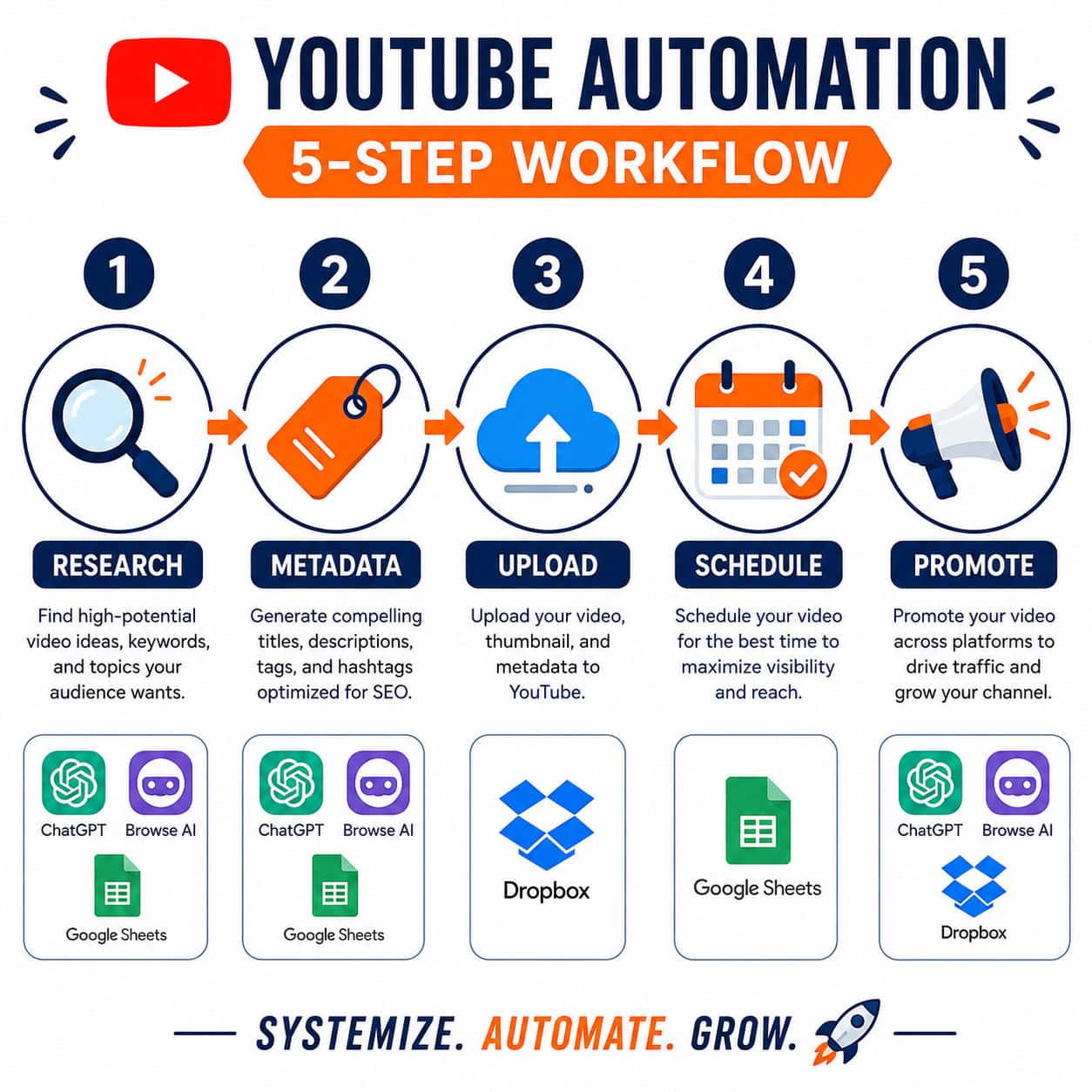
- You can automate the full content cycle: research, metadata creation, upload, scheduling, and promotion [3]
- Dropbox-to-YouTube upload automation is a practical starting point for new users [3]
- Make’s routers and filters add conditional logic so automations respond differently based on triggers or data [5]
- Integrating ChatGPT with Make enables AI-driven metadata generation and content management [9]
- Google Sheets, Slack, and CRM tools connect easily to track performance and send team alerts [1]
- Browse AI and similar web scraping tools feed research data directly into your content pipeline [5]
What Is Make.com and Why Does It Matter for YouTube Creators?
Make.com (formerly Integromat) is a visual workflow automation platform. It lets you connect apps and services so they pass data and trigger actions automatically, without writing a single line of code. [5]
For YouTube creators, this matters because channel growth involves far more than filming. Uploading, writing descriptions, setting thumbnails, promoting on social media, tracking analytics in spreadsheets — these tasks eat hours every week. Make handles that operational layer so you can focus on the content itself. [3]
Who this is for: Solo creators, small production teams, and marketing agencies managing YouTube channels. It’s less useful if you only post once a month and don’t mind manual work.
How Does Make.com Work with YouTube Specifically?
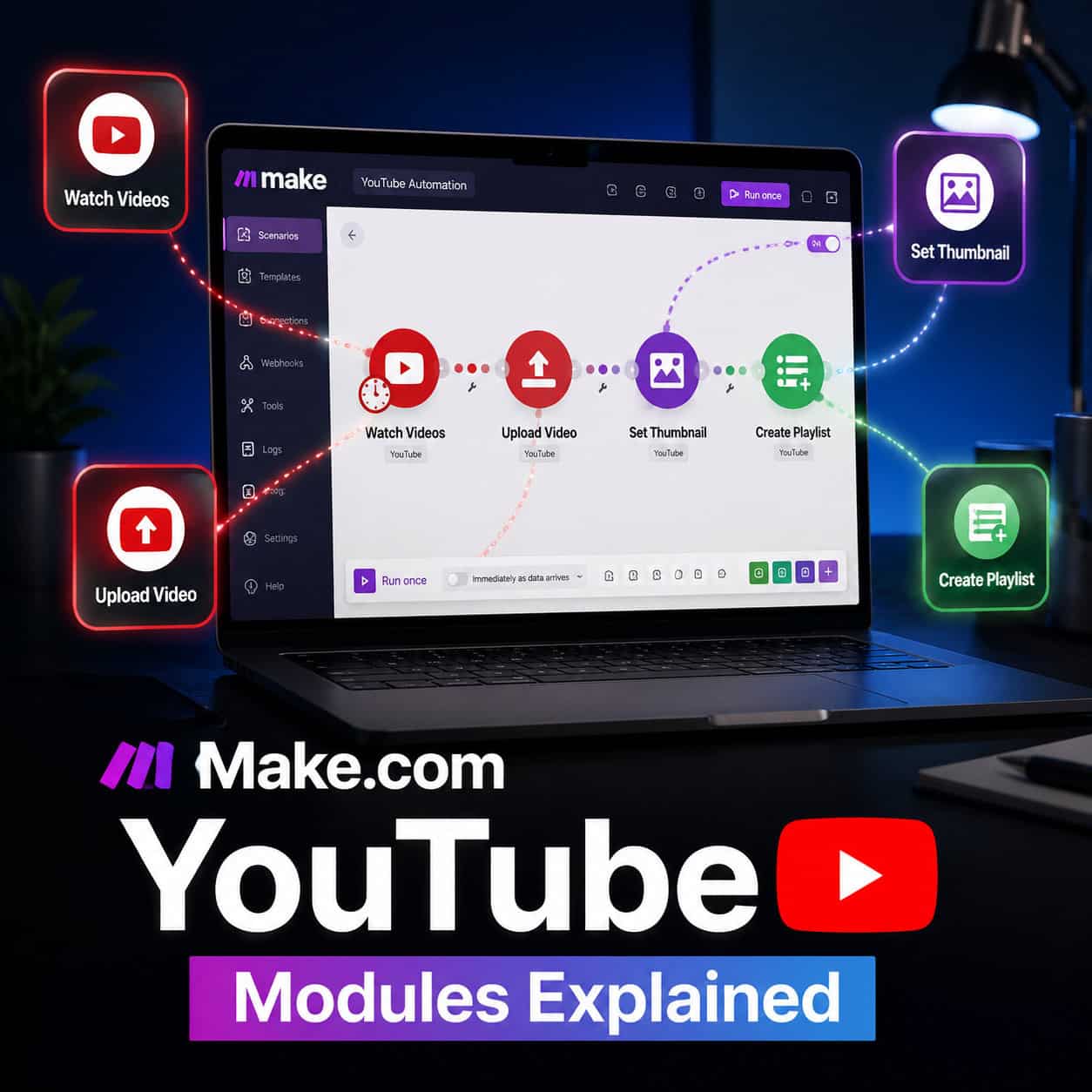
Make.com connects to YouTube through dedicated modules that map directly to YouTube’s API actions. [3]
Core YouTube modules available in Make:
| Module | What It Does |
|---|---|
| Watch Videos in a Channel | Triggers a workflow when a new video is published |
| Upload a Video | Pushes a video file to your channel automatically |
| Set a Video Thumbnail | Assigns a thumbnail image to a published video |
| Create a Playlist | Builds and organizes playlists programmatically |
| Update Video | Edits metadata like title, description, or tags |
Each module slots into a larger “scenario” — Make’s term for an automated workflow. You chain modules together visually, connecting a trigger (something that starts the workflow) to one or more actions. [5]
Common mistake: New users try to build one giant scenario for everything. Start with one specific task, like auto-uploading from Dropbox to YouTube, then expand from there. [3]
What YouTube Tasks Can You Actually Automate with Make.com?
Make.com covers the full content lifecycle, from idea research to post-publish promotion. [3]
Five workflow categories worth automating:
- Research — Use Browse AI or similar web scraping tools to pull trending topics and keyword data automatically into a Google Sheet [5]
- Metadata creation — Connect ChatGPT to generate titles, descriptions, and tags based on your video topic [9]
- Publishing — Auto-upload video files from cloud storage (Dropbox, Google Drive) directly to YouTube [3]
- Scheduling — Trigger uploads at specific times using Make’s scheduling feature combined with a calendar app
- Promotion — Automatically share new video links to Slack channels, email lists, or social media platforms [1]
This kind of end-to-end automation is what “Supercharge Your YouTube Channel: A Complete Guide to Make.com Automation” is really about — not just saving clicks, but building a system that runs while you’re focused on filming.
For creators already using AI tools in their content process, this pairs well with AI-powered content optimization strategies that improve how your videos perform after they’re live.
How Do You Build Your First YouTube Automation in Make.com?
Building your first scenario takes about 20–30 minutes if you follow a clear path. [4]
Step-by-step: Auto-upload from Dropbox to YouTube
- Log into Make.com and click Create a new scenario
- Search for and add the Dropbox module — select “Watch Files in a Folder”
- Connect your Dropbox account and choose the folder where you’ll drop finished videos
- Add a second module: YouTube > Upload a Video
- Connect your YouTube account via OAuth
- Map the Dropbox file output to the YouTube upload fields (title, description, file)
- Add a YouTube > Set a Video Thumbnail module if you want thumbnails auto-applied
- Click Run once to test, then set a schedule or leave it on real-time trigger
- Activate the scenario
“The visual editor makes it easy to see exactly what data flows between each step — you’re not guessing what the automation does.” [5]
Choose this workflow if: You have a consistent folder structure for finished videos and want to cut manual upload time to zero.
How Do You Add AI to Your YouTube Automation Workflow?
Connecting ChatGPT to Make.com is one of the highest-value additions for YouTube creators. [9]
Make’s ChatGPT integration lets you send a prompt mid-workflow and use the AI’s response as input for the next module. For example, you can pass a video transcript to ChatGPT and get back an SEO-optimized description, a list of tags, and a suggested title — all automatically written into your YouTube upload module. [9]
Practical AI automation ideas:
- Generate 5 title variations for A/B testing based on your video topic
- Summarize a long transcript into a pinned comment or description
- Create chapter timestamps from a transcript
- Draft a promotional tweet or LinkedIn post for each new upload
Make integrates with over 1,000 AI-compatible apps, so you can build smart content pipelines that go well beyond basic scheduling. [9] If you want to go deeper on AI content tools, the comprehensive guide to AI-powered content generation tools covers the broader landscape.
What Are the Best Make.com Integrations for YouTube Channel Growth?
The most useful integrations connect YouTube to the tools you’re already using for tracking, communication, and content creation. [1]
Top integrations by use case:
- Google Sheets — Log every new upload automatically with title, publish date, view count triggers, and metadata for performance tracking [1]
- Slack — Send instant team notifications when a video goes live or hits a view milestone [1]
- Dropbox / Google Drive — Trigger uploads from cloud storage without touching YouTube Studio [3]
- Browse AI — Scrape competitor channels or trend data to feed your research pipeline [5]
- ChatGPT / OpenAI — Generate metadata, scripts, or promotional copy mid-workflow [9]
- Email / CRM tools — Notify your subscriber list or manage creator partnerships automatically [1]
Make’s conditional logic (routers and filters) means these integrations don’t have to fire every time. You can set rules like “only notify Slack if the video is in the ‘published’ state, not ‘draft.'” [5]
This kind of cross-platform automation mirrors what’s possible when you auto-share WordPress blog posts to social media — the same logic applies across content types.
For teams managing multiple content channels, check out the broader automation workflows and strategies available for different platforms.
What Are the Costs, Limits, and Alternatives to Make.com?
Make.com uses an operation-based pricing model. Each action a module performs counts as one operation. [7]
Make.com pricing tiers (as of 2026):
| Plan | Operations/Month | Price (approx.) |
|---|---|---|
| Free | 1,000 | $0 |
| Core | 10,000 | ~$10/month |
| Pro | 40,000 | ~$19/month |
| Teams | 80,000+ | ~$29/month+ |
Note: Prices are based on Make.com’s published pricing and may vary by region or promotion.
Alternatives to consider:
- Zapier — Simpler interface, higher price point, fewer advanced logic options
- n8n — Open-source, self-hostable, steeper learning curve
- Pabbly Connect — One-time pricing model, good for budget-conscious creators
Choose Make.com if: You want advanced conditional logic, multi-step scenarios, and broad app coverage at a mid-range price. Zapier is better if you need something extremely simple and don’t mind paying more per task.
Common Mistakes to Avoid When Automating Your YouTube Channel
Even well-designed automations fail if you skip a few basics.

Mistakes that waste time or break workflows:
- Not testing before activating — Always run a scenario once manually before turning on real-time triggers
- Skipping error handling — Add an error handler module so failed runs notify you instead of silently stopping
- Over-automating metadata — AI-generated descriptions still need a human review pass before publishing; don’t set uploads to “public” automatically until you’ve verified quality
- Ignoring API rate limits — YouTube’s API has daily quota limits; large batch operations can hit these quickly
- Using one giant scenario — Break complex workflows into smaller, modular scenarios that are easier to debug
The same discipline applies whether you’re automating YouTube or building advanced WordPress automation strategies — modular beats monolithic every time.
Conclusion: Your Next Steps to Automate YouTube Growth
Supercharge Your YouTube Channel: A Complete Guide to Make.com Automation comes down to one core idea: stop doing manually what a workflow can handle for you. Make.com gives you the tools to automate research, uploads, metadata, scheduling, and promotion — all without writing code. [3][5]
Actionable next steps:
- Start small — Build one scenario this week: auto-upload from Dropbox to YouTube [3]
- Add AI — Connect ChatGPT to generate metadata for every new upload [9]
- Track everything — Log each video to Google Sheets automatically for performance analysis [1]
- Layer in promotion — Add a Slack or email notification step when videos go live
- Review monthly — Check which scenarios are running, which are failing, and refine
The creators gaining ground in 2026 aren’t necessarily filming more — they’re operating smarter. A well-built Make.com system handles the repetitive work so your energy goes into the videos themselves.
For more on building efficient digital workflows, explore AI-powered content generation tools and social media automation strategies to extend what you’ve built here.
FAQ
Q: Do I need coding skills to use Make.com for YouTube automation? No. Make.com uses a visual drag-and-drop editor. You connect modules by clicking and configuring fields, not writing code. [5]
Q: Can Make.com upload videos directly to YouTube? Yes. The “Upload a Video” module lets you push video files from cloud storage or other sources directly to your YouTube channel. [3]
Q: How many apps does Make.com connect with? Make.com integrates with over 3,000 apps, including Google Sheets, Slack, Dropbox, ChatGPT, and CRM platforms. [7]
Q: Is Make.com free to use? There is a free tier with 1,000 operations per month. Paid plans start at approximately $10/month for 10,000 operations.
Q: What’s the difference between a trigger and an action in Make.com? A trigger starts the scenario (for example, a new file appearing in Dropbox). An action is what happens next (for example, uploading that file to YouTube). [4]
Q: Can I use Make.com to auto-generate YouTube titles and descriptions? Yes. By connecting the OpenAI/ChatGPT module mid-scenario, you can generate titles, descriptions, and tags automatically based on your video content. [9]
Q: What happens if a Make.com scenario fails? By default, Make logs the error. You can add error-handler modules to send yourself a notification or retry the operation automatically.
Q: Can Make.com set video thumbnails automatically? Yes. The “Set a Video Thumbnail” module assigns a thumbnail image to a video after upload. [3]
Q: Is Make.com better than Zapier for YouTube automation? Make.com offers more advanced conditional logic and lower pricing for complex workflows. Zapier is simpler but costs more per operation. Choose based on your workflow complexity.
Q: How do I avoid hitting YouTube’s API quota limits? Schedule batch operations during off-peak hours, break large scenarios into smaller ones, and monitor your API usage in Google Cloud Console.
References
[1] Watch – https://www.youtube.com/watch?v=h2uexKI-Bn4 [3] Youtube Automation 2025 – https://www.make.com/en/how-to-guides/youtube-automation-2025 [4] community.make – https://community.make.com/t/make-com-automation-tutorial-for-beginners-step-by-step-guide/55299 [5] Watch – https://www.youtube.com/watch?v=CLutx-rqGgc [7] Youtube – https://www.make.com/en/integrations/youtube [9] Watch – https://www.youtube.com/watch?v=8A4yKnPQLUk