Last updated: May 9, 2026
Quick Answer
Make.com is a no-code automation platform that connects 1,900+ apps and services into visual, multi-step workflows called “scenarios.” For businesses of any size, the top use cases include lead management, invoice automation, social media scheduling, customer onboarding, and AI-powered content workflows. Getting started requires no coding knowledge, and most scenarios can be built and deployed in under an hour.
Key Takeaways
- 🔗 Make.com integrates with over 1,900 applications, including HubSpot, Google Sheets, Slack, and monday.com [2]
- ⚡ Automation can reduce lead response time by up to 99%, directly improving sales conversion rates [2]
- 🤖 AI usage in Make scenarios quadrupled during 2024, signaling a major shift toward intelligent workflow automation [3]
- 📄 Make’s own documentation team produced 700 community app guides in two weeks using AI-powered automation [1]
- 💰 Financial automation (invoicing, dunning, forecasting) is one of the highest-ROI use cases for small and mid-size businesses [2]
- 🏆 Make.com won Product Hunt’s Golden Kitty Award in 2022 as the best no-code product [2]
- 🌐 Nearly 2 million users now rely on Make.com, with 60% community growth reported [2]
- 🧠 Agentic Process Automation (autonomous AI-driven workflows) is Make’s primary development focus for 2026 [9]
- 🔄 Hyperautomation — combining AI, RPA, and integration tools — is now achievable without enterprise-level budgets [7]
- ✅ Most Make.com use cases require zero code; complex scenarios may benefit from basic JSON or API knowledge

What Is Make.com and Why Does It Matter for Workflow Automation?
Make.com (formerly Integromat) is a visual automation platform that lets you build workflows connecting hundreds of apps without writing code. It matters because it removes the technical barrier between having a repetitive process and automating it completely.
Unlike simpler tools that handle one-to-one app connections, Make.com supports complex, branching logic — meaning a single scenario can pull data from a form, filter it, update a CRM, send a Slack message, and create an invoice, all in sequence. That flexibility is why nearly 2 million users have adopted it, with the community growing at roughly 60% [2].
Who it’s for: Small business owners, marketing teams, operations managers, freelancers, and developers who want to automate repetitive tasks without hiring a developer.
Who it’s not ideal for: Teams that need deep enterprise-grade security compliance or highly custom backend logic that goes beyond API-based integration.
How Does Make.com Actually Work?
Make.com uses a building-block model. Each “scenario” is a visual flowchart made of modules — each module represents an action in a connected app. You link modules together, set triggers, add filters, and the scenario runs automatically on a schedule or in real time.
Core components:
- Trigger: The event that starts the scenario (e.g., a new form submission, an email received, a scheduled time)
- Modules: Individual actions or searches within connected apps
- Filters & Routers: Conditional logic that sends data down different paths
- Aggregators & Iterators: Tools for handling lists and bulk data
Make.com connects to 1,900+ apps [2], so the practical question isn’t “can it connect?” but “how do I design the logic?”
The platform’s visual interface means you can map out a multi-step business process the same way you’d draw it on a whiteboard — then run it automatically.
Unlocking Business Efficiency: 10 Game-Changing Make.com Use Cases That Transform Workflow Automation
Here are the 10 most impactful use cases, organized by business function.

1. 🎯 Lead Capture and CRM Enrichment
What it does: When a prospect fills out a contact form or clicks an ad, Make.com instantly captures that data, enriches it (via tools like Clearbit or Hunter.io), and pushes it into your CRM — no manual entry required.
Automation can cut lead response time by up to 99% [2]. That speed advantage alone can meaningfully improve close rates, since studies consistently show that first-responder wins the deal.
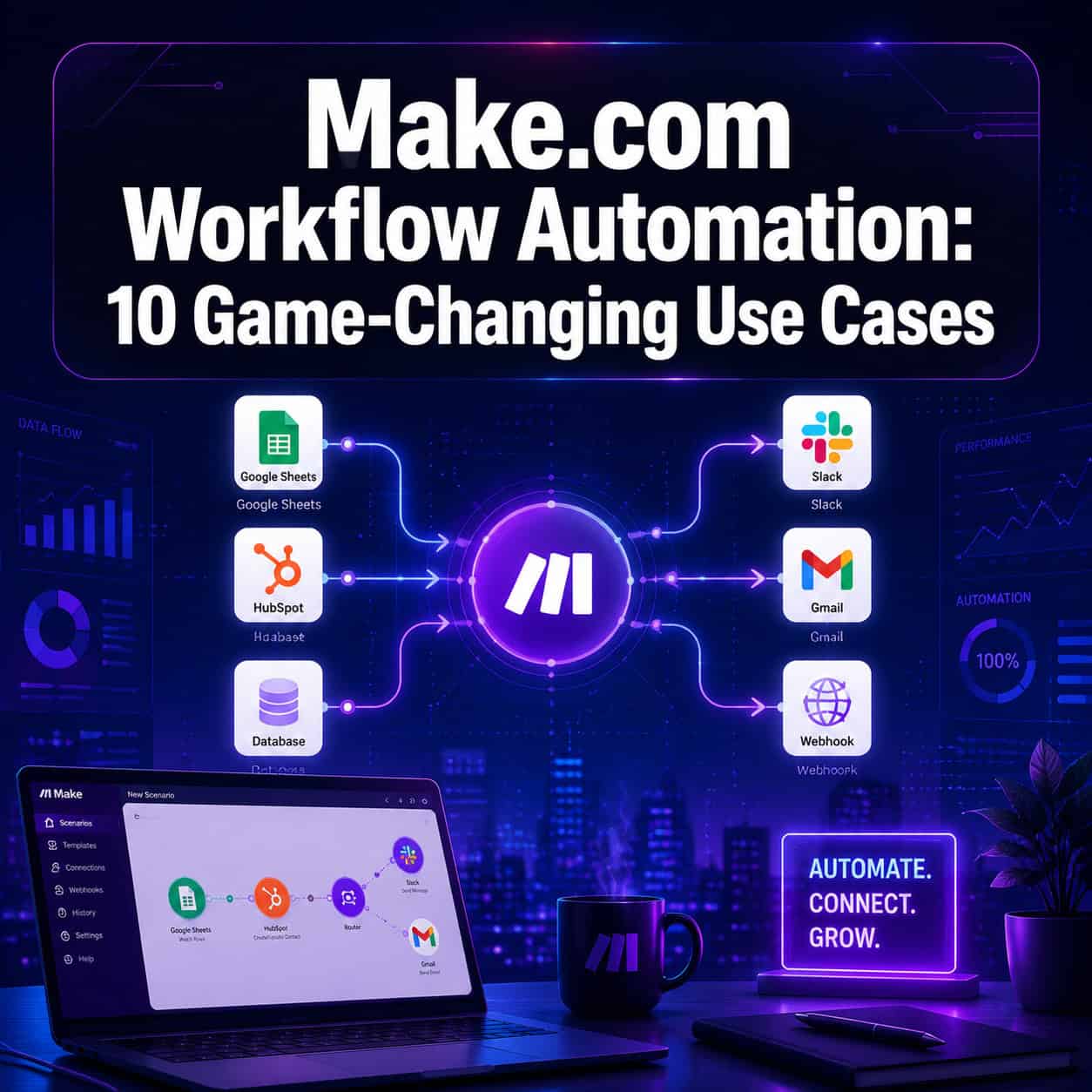
Example flow: Website form → Google Sheets log → HubSpot contact creation → Slack notification to sales rep → personalized welcome email via Gmail.
2. 📧 Personalized Email Sequences
What it does: Trigger multi-step email campaigns based on user behavior, form data, or CRM tags — without a dedicated email marketing platform.
This pairs well with AI modules. In 2024, AI usage in Make scenarios quadrupled [3], and email personalization is a primary driver. You can use OpenAI modules to generate personalized email copy based on each lead’s industry or job title before sending.
3. 🧾 Automated Invoice and Financial Workflows
What it does: Generate, send, and track invoices automatically based on project milestones, subscription renewals, or CRM deal stages.
Key financial automation capabilities include invoice generation, cashflow management, dunning (automated payment reminders), sales forecasting, and profitability analysis [2]. One real-world example: a business using monday.com and Xero together through Make.com reported faster payment cycles, improved accuracy, and better record-keeping [2].
Choose this if: You’re spending more than 2 hours per week on billing admin.
4. 📱 Social Media Scheduling and Cross-Posting
What it does: Publish content across multiple platforms simultaneously from a single content calendar (Google Sheets, Airtable, or Notion).
For teams managing WordPress-based content, combining Make.com with an automated social sharing workflow can eliminate manual posting entirely. Make.com supports Instagram for Business, Facebook Pages, LinkedIn, and Twitter/X natively [2].
5. 🤝 Customer Onboarding Automation
What it does: Trigger a full onboarding sequence the moment a new client signs a contract or makes a payment — welcome emails, Slack channel creation, task assignment, and CRM updates all fire automatically.
This is one of the highest-impact use cases for service businesses because onboarding quality directly affects retention.
6. 📊 Automated Reporting and Data Sync
What it does: Pull data from multiple sources (ad platforms, CRMs, spreadsheets) and compile it into a single dashboard or report on a schedule.
Common mistake: Building reports that pull raw data without transformation. Use Make’s aggregator modules to summarize and format data before it reaches your reporting tool — otherwise you’re just moving noise.
7. 🛠️ IT Helpdesk and Ticket Routing
What it does: Capture support requests from email, Slack, or a form, then automatically create tickets, assign them by category, and notify the right team member.
This works especially well for teams already using tools like Jira, Zendesk, or Notion. Make.com’s router module handles the conditional logic (e.g., “if subject contains ‘billing,’ assign to finance team”).
8. 🧠 AI-Powered Content Generation
What it does: Combine Make.com with OpenAI or other AI APIs to auto-generate first drafts, product descriptions, SEO meta tags, or social captions based on structured inputs.
Make’s own documentation team demonstrated this at scale — generating 700 community app guides in two weeks using AI automation [1]. For teams producing high-volume content, this approach can dramatically reduce production time. Pairing this with AI-powered content generation tools creates a full content pipeline with minimal manual intervention.
9. 📅 Meeting Scheduling and Follow-Up
What it does: Automate the full meeting lifecycle — from calendar booking confirmation to pre-meeting reminders, post-meeting notes distribution, and CRM activity logging.
A 2026 tutorial demonstrates this end-to-end: contact form submission triggers website research, meeting scheduling, and personalized follow-up emails, all within a single Make scenario [6].
10. 🔄 E-commerce Order and Inventory Management
What it does: Sync orders from Shopify, WooCommerce, or other platforms to your fulfillment system, update inventory counts, trigger shipping notifications, and log transactions in your accounting tool — automatically.
Edge case: Multi-warehouse setups require careful router logic to avoid double-fulfillment. Test with a filter that checks stock location before routing the order.
What’s the Difference Between Make.com and Other Automation Tools?
Make.com sits between simple tools (like Zapier) and enterprise platforms (like MuleSoft). The key differences are visual complexity, pricing, and execution logic.
| Feature | Make.com | Zapier | n8n |
|---|---|---|---|
| Visual builder | Advanced (branching) | Basic (linear) | Advanced |
| App integrations | 1,900+ | 6,000+ | 400+ |
| Free tier | Yes (1,000 ops/month) | Yes (100 tasks/month) | Yes (self-hosted) |
| AI-native features | Yes (2024 expansion) | Limited | Growing |
| Pricing model | Operations-based | Task-based | Node-based |
| Best for | Complex multi-step flows | Simple one-to-one zaps | Technical/self-hosted |
Choose Make.com if you need multi-branch logic, data transformation, or AI integration at a reasonable cost. Choose Zapier if you need the widest app library and simplest setup. Choose n8n if you want full self-hosted control.
How Do You Build Your First Make.com Scenario?
Building a first scenario takes about 20–30 minutes for a simple use case. Here’s a practical starting process:
- Identify one repetitive task that currently takes manual steps (e.g., copying form responses into a spreadsheet)
- Create a free Make.com account at make.com [8]
- Click “Create a new scenario” and select your trigger app
- Authenticate your apps — Make.com uses OAuth for most popular tools
- Add modules in sequence, mapping data fields between each step
- Add a filter if you only want the scenario to run under certain conditions
- Run once manually to test with real data
- Set a schedule or webhook to activate the scenario automatically
- Monitor the execution history for errors in the first 48 hours
For teams also managing WordPress-based workflows, the 12 best AI plugins for WordPress can complement Make.com automations by handling on-site triggers that then feed into broader scenarios.
What Are the Biggest Mistakes When Automating with Make.com?
Most automation failures come from design errors, not platform limitations.
Common mistakes:
- No error handling: Scenarios break silently when an API returns an unexpected value. Always add an error handler module on critical paths.
- Over-automating too fast: Automating a broken process just makes it break faster. Map the manual process first, fix it, then automate.
- Ignoring data mapping: Mismatched field types (text vs. number) cause silent failures. Check field formats before going live.
- No test environment: Running live scenarios on production data from day one risks duplicated records or sent emails.
- Skipping documentation: Scenarios built without notes become unmaintainable within months.
The broader strategy matters too. Make’s hyperautomation framework — combining AI, RPA, and integration tools [7] — works best when you have a clear automation roadmap rather than building ad hoc.
For teams building content or design workflows alongside automation, resources like Figma AI workflow automation and AI-powered content optimization can extend your automation stack beyond Make.com’s core strengths.
What Does the Future of Make.com Automation Look Like in 2026?
The platform’s 2026 roadmap centers on Agentic Process Automation — building autonomous AI agents that can make decisions and take actions without human triggers [9]. Natural language automation is also advancing, letting users describe a workflow in plain English and have Make.com generate the scenario structure [5].
This shift means that by late 2026, setting up even complex multi-step automations may require nothing more than a clear description of the desired outcome.

For teams exploring automation resources more broadly, the convergence of AI and no-code tools is creating opportunities that were enterprise-only just two years ago.
FAQ
Q: Is Make.com free to use? Make.com offers a free plan with 1,000 operations per month and up to 2 active scenarios. Paid plans start at around $9/month and scale by operation volume.
Q: Do I need coding skills to use Make.com? No. Most use cases require zero code. Basic JSON knowledge helps for advanced API calls, but the visual builder handles the majority of real-world scenarios.
Q: How is Make.com different from Zapier? Make.com supports complex branching logic, data transformation, and multi-path routing that Zapier’s linear model doesn’t handle well. Zapier has a larger app library but is better suited to simple one-trigger, one-action flows.
Q: What apps does Make.com connect to? Make.com connects to 1,900+ apps including Google Workspace, HubSpot, Slack, Shopify, monday.com, Xero, Instagram for Business, Discord, OneDrive, and most major SaaS tools [2].
Q: How reliable is Make.com for business-critical workflows? Make.com offers execution history, error logs, and retry logic. For mission-critical processes, add error handler modules and set up email alerts for failed executions.
Q: Can Make.com handle AI-powered workflows? Yes. Make.com has native modules for OpenAI, Anthropic, and other AI providers. AI usage in Make scenarios quadrupled in 2024 [3], and AI-native features continue to expand in 2026.
Q: What’s an “operation” in Make.com pricing? Each module execution counts as one operation. A scenario with 5 modules that runs 100 times uses 500 operations. The free plan includes 1,000 operations per month.
Q: How long does it take to set up a Make.com automation? Simple scenarios (2–3 modules) take 15–30 minutes. Complex multi-branch workflows with AI modules may take 2–4 hours to design, test, and deploy.
Q: Is Make.com suitable for enterprise use? Make.com has enterprise plans with higher operation limits, team permissions, and priority support. For very large-scale or compliance-heavy environments, evaluate whether a dedicated iPaaS solution is more appropriate.
Q: Can Make.com replace a developer for automation tasks? For most marketing, sales, and operations automation, yes. For custom backend logic, database management, or complex security requirements, a developer is still needed.
Conclusion
Unlocking business efficiency through Make.com’s workflow automation is less about technology and more about identifying where your team’s time is being consumed by repetitive, rule-based tasks. The 10 use cases covered here — from lead capture and invoice automation to AI-powered content generation and agentic workflows — represent the clearest paths to measurable time savings in 2026.
Actionable next steps:
- Audit your week: List every task you repeat more than three times. Those are your automation candidates.
- Start with one scenario: Pick the highest-frequency task and build it first. Complexity can come later.
- Use Make.com’s free tier to validate the workflow before committing to a paid plan.
- Add error handling from day one — don’t wait until something breaks in production.
- Explore AI modules once your core automations are stable. The combination of structured workflows and AI decision-making is where the biggest efficiency gains now live [3][9].
The businesses seeing the most value from Make.com aren’t the ones with the most complex scenarios — they’re the ones who automated the right things first.
References
[1] Blog – https://www.make.com/en/blog [2] Make Com Use Cases – https://www.fruitionservices.io/post/make-com-use-cases [3] What Is Ai Automation – https://www.make.com/en/blog/what-is-ai-automation [5] Natural Language Automation – https://www.make.com/en/blog/natural-language-automation [6] Watch – https://www.youtube.com/watch?v=CLutx-rqGgc [7] How To Build Automation Strategy – https://www.make.com/en/how-to-guides/how-to-build-automation-strategy [8] make – https://www.make.com/en [9] Agentic Process Automation – https://www.make.com/en/blog/agentic-process-automation