Quick Answer: N8N is an open-source, self-hostable workflow automation platform that connects 400+ apps and APIs through a visual node-based editor. It lets developers and technical teams build complex automations with native JavaScript support, real-time error handling, and flexible trigger options — without being locked into a proprietary SaaS pricing model.
N8N supports 400+ integrations and 200+ native connectors, including LLM providers like OpenAI, Hugging Face, and Cohere [3]
The platform is open-source and self-hostable, giving teams full data control and no per-task pricing penalties [5]
Function nodes support native JavaScript, so you can write custom logic directly inside your workflows [3]
Webhooks, scheduled triggers, and event-based triggers let you start workflows from virtually any source [3]
The Split In Batches node handles batch processing and rate limiting to prevent API throttling [2]
Credential management is centralized, keeping API keys and secrets out of workflow definitions [2]
Git-based versioning is available for teams managing workflows in production environments [3]
N8N combines AI agent capabilities with business process automation, making it practical for both simple and complex use cases [5]
Common mistakes include skipping error handling nodes, hardcoding credentials, and ignoring rate limits on external APIs
What Is N8N and Why Does It Matter for API Integration?
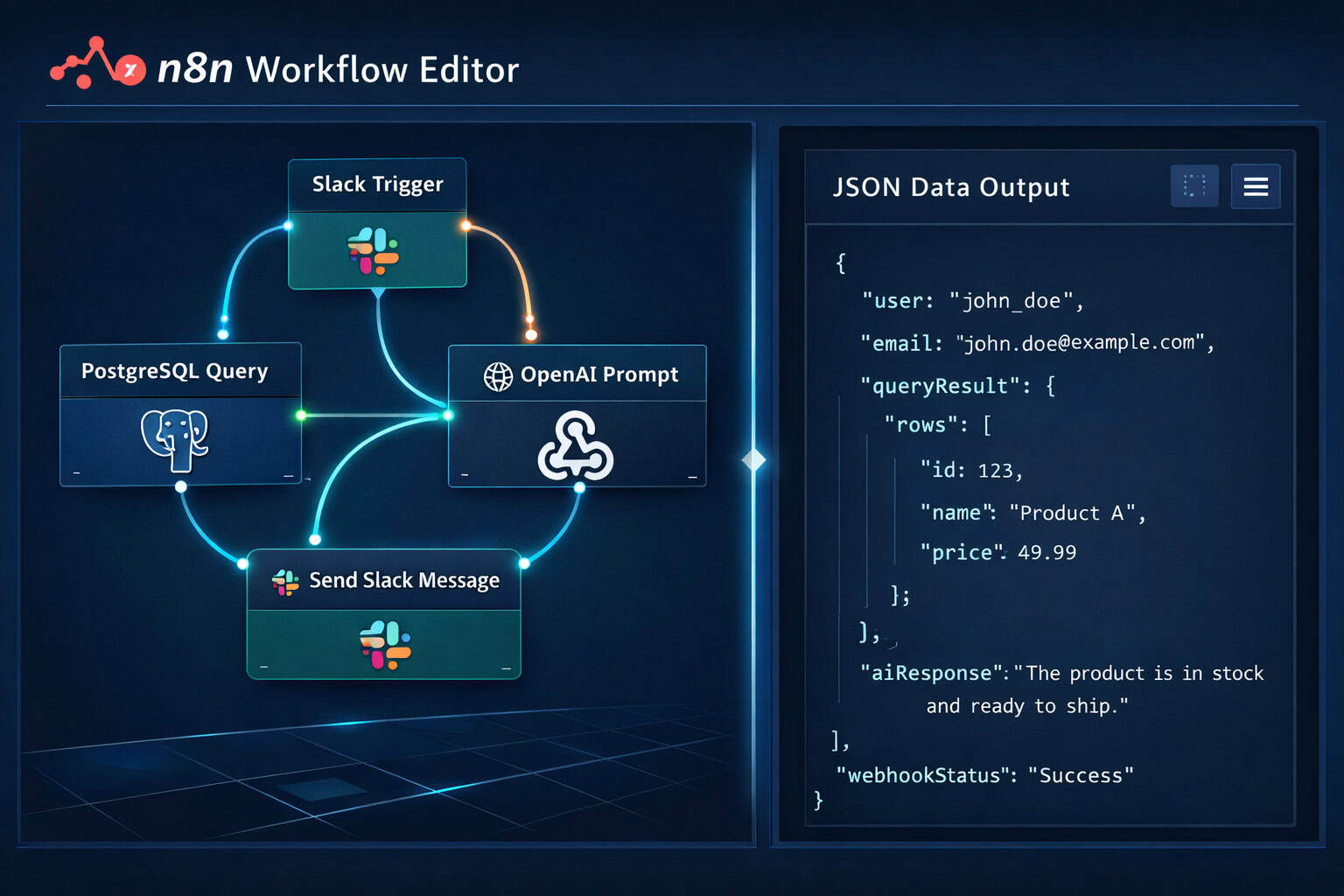
N8N is an open-source workflow automation platform that lets you connect APIs, databases, and services through a visual canvas of linked nodes. Each node represents a single action — fetch data, transform it, send it somewhere — and you chain them together to build automated workflows [1].
What separates N8N from tools like Zapier or Make is the combination of visual simplicity and code flexibility. You can drag in a pre-built Slack node, then immediately drop in a Function node and write JavaScript to reshape the data before it moves on. That hybrid approach is why it’s become a go-to for developers who want automation speed without giving up control [2].
Who it’s for:
Developers and DevOps engineers building internal integrations
Technical marketers automating data pipelines between CRMs, ad platforms, and analytics tools
Small teams that want self-hosted automation without monthly per-task fees
Who it’s NOT ideal for: Non-technical users who want zero-code setup and don’t want to manage infrastructure. For those users, fully managed tools like Zapier are easier to start with.
How Does N8N Handle API Connections and Credentials?
N8N provides a centralized credential store that keeps API keys, OAuth tokens, and database passwords separate from your workflow logic [2]. When you configure a node, you reference a saved credential by name — the actual secret never appears in the workflow JSON.
This matters for two reasons:
Security: Credentials aren’t exposed if you export or share a workflow file
Reusability: One saved credential can be used across dozens of workflows without re-entering it
Setting Up Your First API Credential
Go to Settings > Credentials in the N8N interface
Click Add Credential and choose the service type (e.g., HTTP Header Auth, OAuth2, API Key)
Enter the required fields and save
Reference the credential by name inside any compatible node
💡 Quick example: If you’re connecting to a REST API that uses Bearer token auth, create an “Header Auth” credential with Authorization: Bearer YOUR_TOKEN. Every HTTP Request node in your account can then use it without seeing the raw token.
For the HTTP Request node specifically — N8N’s most flexible API connector — you can set method, headers, query parameters, body type (JSON, form-data, raw), and pagination handling all from one panel [1].
What Are the Core Node Types You Need to Know?
Understanding N8N’s node categories is the fastest way to go from beginner to productive. Here’s a practical breakdown:
Node Type
Purpose
Common Examples
Trigger nodes
Start a workflow
Webhook, Cron, Email Trigger
Action nodes
Perform an operation
HTTP Request, Slack, PostgreSQL
Data transformation
Reshape or filter data
Set, Function, Item Lists
Flow control
Branch or loop logic
IF, Switch, Split In Batches
Infrastructure
Connect to backend systems
Redis, RabbitMQ, S3, PostgreSQL
The Function Node: Your JavaScript Escape Hatch
The Function node gives you direct access to JavaScript inside your workflow [3]. You can use it to:
Parse and reformat API responses
Build conditional logic too complex for the IF node
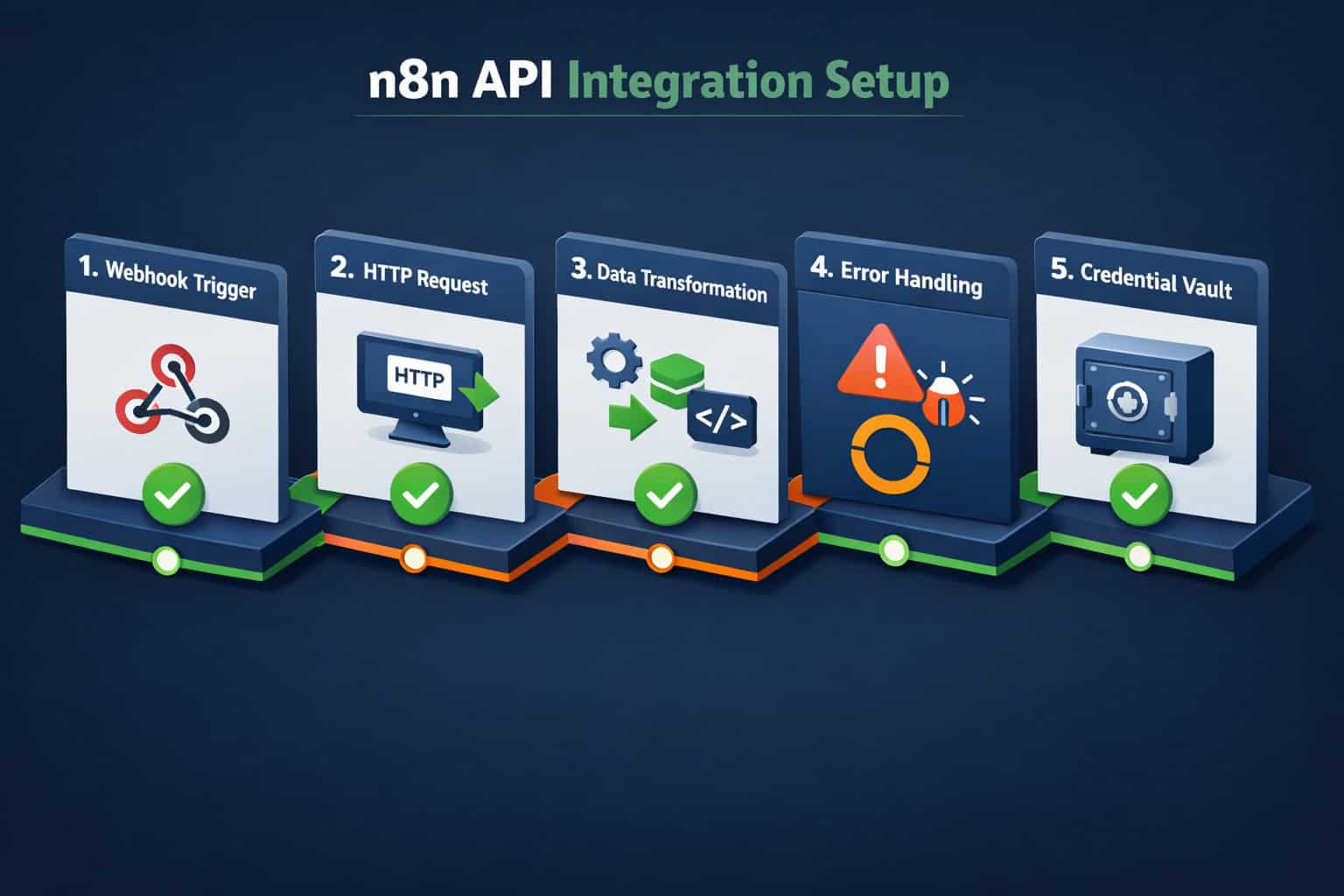
Step 1: Define the trigger
Choose what starts your workflow. Options include:
Webhook — an external service sends a POST request to N8N
Cron — runs on a schedule (every hour, daily at 9am, etc.)
Polling trigger — checks an API endpoint at intervals for new data
Step 2: Fetch or receive data
Use the HTTP Request node or a native integration node (e.g., Airtable, HubSpot) to pull in the data you need to work with [1].
Step 3: Transform the data
Use Set nodes to rename or map fields. Use Function nodes for complex transformations. Use Item Lists to split arrays into individual items for processing.
Step 4: Add error handling
Wrap critical nodes with the Error Trigger workflow pattern. N8N’s visual logs show exactly which node failed and what the payload looked like at that point [3]. Don’t skip this step in production workflows.
Step 5: Send the output
Route your processed data to its destination — a database, a Slack message, an email, another API endpoint, or a file in S3 [3].
Step 6: Test with real data
Use N8N’s Execute Node feature to run individual nodes with live data before activating the full workflow. Check the output panel at each step.
⚠️ Common mistake: Building the entire workflow before testing any individual node. Test each node as you add it. Debugging a 15-node workflow from scratch is much harder than catching an issue at node 3.
For teams building multiple interconnected automations, it’s worth exploring advanced WordPress automation strategies and how similar workflow thinking applies across platforms.
How Does N8N Handle Batch Processing and Rate Limiting?
When working with large datasets or APIs that enforce rate limits, N8N’s Split In Batches node is the solution [2]. It takes a list of items and processes them in configurable chunk sizes, pausing between batches as needed.
Why This Matters
Most external APIs limit how many requests you can make per second or per minute. Without batching, a workflow processing 10,000 records might fire 10,000 API calls simultaneously, triggering rate limit errors and partial failures.
How to configure batch processing:
Add a Split In Batches node after the node that produces your list of items
Set Batch Size (e.g., 50 items per batch)
Add a Wait node after your API call node to introduce a delay between batches (e.g., 1 second)
Connect the output back to the batch node to loop until all items are processed
Choose this approach if:
Your API enforces rate limits (most do)
You’re processing more than a few hundred records
You need to track progress or resume after failures
This is one of the more advanced patterns in mastering API integration with N8N workflow automation, and it’s also one of the most valuable for real production use.
How Does N8N Compare to Zapier and Make?
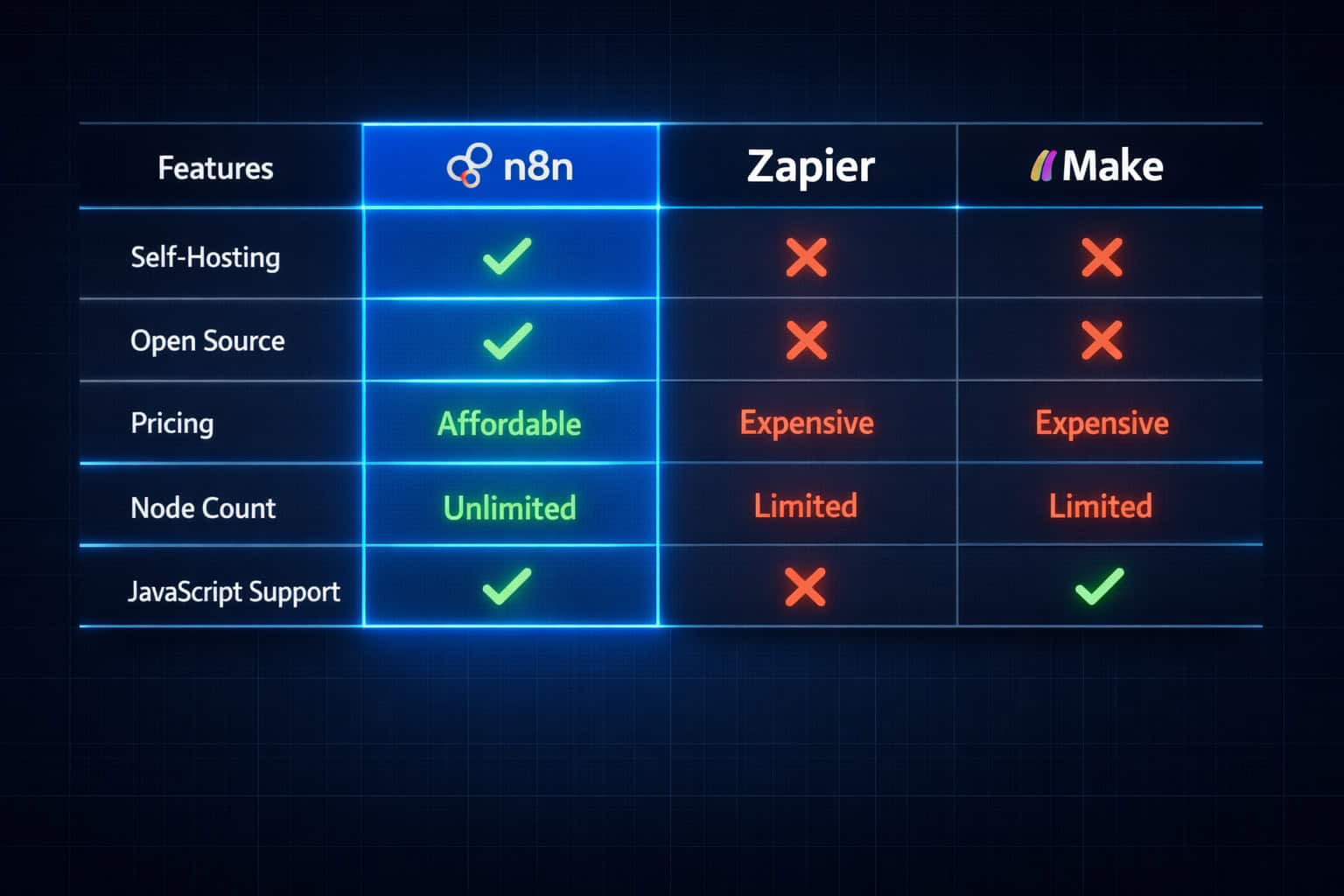
This is a direct comparison for teams deciding which tool fits their needs. N8N, Zapier, and Make all automate workflows, but they serve different priorities.
Feature
N8N
Zapier
Make
Open source
✅ Yes
❌ No
❌ No
Self-hostable
✅ Yes
❌ No
❌ No
Pricing model
Free (self-hosted) / Cloud plans
Per-task pricing
Per-operation pricing
Native integrations
400+ [4]
6,000+
1,500+
JavaScript in workflows
✅ Function nodes
❌ Limited
⚠️ Limited
AI/LLM connectors
✅ OpenAI, Hugging Face, Cohere [3]
✅ OpenAI
✅ OpenAI
Git versioning
✅ Yes [3]
❌ No
❌ No
Learning curve
Moderate
Low
Moderate
Choose N8N if: You want self-hosting, code flexibility, and no per-task fees. Ideal for developers and teams with moderate technical skill.
Choose Zapier if: You need the widest app library and the simplest setup, and cost-per-task isn’t a concern at your volume.
Choose Make if: You want a visual tool with more logic control than Zapier but less technical overhead than N8N.
For teams already using no-code tools, the no-code automation category covers additional platform comparisons worth reviewing.
What Are the Best Practices for Production N8N Deployments?
Running N8N in production requires more than just building working workflows. Here are the practices that separate reliable deployments from fragile ones.
Infrastructure and Security
Use environment variables for all sensitive configuration (database URLs, encryption keys) — never hardcode them [2]
Enable N8N’s built-in encryption for the credential store
Set up a reverse proxy (Nginx or Caddy) in front of N8N for SSL termination and access control
Use PostgreSQL as the database backend instead of the default SQLite for any serious workload [3]
Workflow Management
Enable Git-based versioning so workflow changes are tracked and reversible [3]
Use sub-workflows (the Execute Workflow node) to break large automations into reusable modules
Name every node clearly — “Get Active Users from CRM” is infinitely more useful than “HTTP Request 3”
Add notes to complex nodes using N8N’s sticky note feature
Monitoring and Alerting
Configure the Error Trigger workflow to send alerts (Slack, email, PagerDuty) when any production workflow fails
Review execution logs regularly — N8N’s visual logs show input/output at every node [3]
Set execution timeouts on long-running workflows to prevent zombie processes
How Do You Integrate AI and LLMs into N8N Workflows?
N8N has native connectors for major LLM providers including OpenAI, Hugging Face, and Cohere, making it practical to embed AI capabilities directly into business process automation [3].
Common AI Workflow Patterns
1. Content classification pipeline
Trigger: new item in a database or form submission
Action: send text to OpenAI Chat Completions API
Transform: parse the classification result
Output: tag the item in your CRM or database
2. Automated document summarization
Trigger: file upload to S3 or Google Drive
Action: extract text, chunk it if needed, send to LLM
Output: store summary in Notion, Airtable, or email it
3. AI-assisted customer support routing
Trigger: incoming support ticket webhook
Action: classify intent via LLM
Flow control: IF node routes to correct team queue based on classification
N8N’s AI agent nodes (introduced in recent versions) also allow you to build multi-step reasoning agents that can call tools, check results, and iterate — all within a single workflow [5].
What Are Common N8N Mistakes and How Do You Fix Them?
Even experienced developers run into the same N8N pitfalls. Here are the most frequent ones and how to avoid them.
Mistake 1: No error handling
Workflows without error nodes fail silently. Fix: always add an Error Trigger workflow that sends a notification when something breaks [3].
Mistake 2: Hardcoded credentials
Pasting API keys directly into node fields instead of using the credential store. Fix: use the credential manager for every secret [2].
Mistake 3: Ignoring rate limits
Sending thousands of API requests without batching. Fix: use Split In Batches + Wait nodes for any bulk operation [2].
Mistake 4: Not testing with real data
Testing only with sample data that doesn’t reflect edge cases. Fix: use production-like data in staging, and test with null values, empty arrays, and unexpected field types.
Mistake 5: Monolithic workflows
Building one giant 30-node workflow instead of modular sub-workflows. Fix: break complex logic into Execute Workflow sub-flows that can be tested and reused independently.
Mistake 6: Skipping execution logs
Not reviewing logs after activation. Fix: check the execution history after every new workflow goes live, especially in the first 24 hours.
Q: Is N8N really free to use?
The self-hosted version of N8N is free and open-source. N8N also offers a cloud-hosted plan with a free tier and paid plans for teams needing more executions or features [5].
Q: Can N8N replace Zapier for most use cases?
For technical users, yes. N8N handles most of what Zapier does, plus adds JavaScript support, self-hosting, and no per-task pricing. The trade-off is a steeper setup process and fewer pre-built integrations [4].
Q: How do I connect to an API that isn’t in N8N’s native integrations?
Use the HTTP Request node. It supports any REST API with configurable method, headers, authentication, body, and pagination. Almost any API accessible over HTTP can be connected this way [1].
Q: What database should I use for N8N in production?
PostgreSQL is the recommended database for production deployments. SQLite (the default) works for local testing but isn’t suitable for high-volume or multi-user environments [3].
Q: Can N8N handle real-time data?
Yes. Webhook trigger nodes receive data in real time as soon as an external service sends a request. There’s no polling delay with webhooks [3].
Q: How do I version control my N8N workflows?
N8N supports Git-based versioning in production environments. You can export workflows as JSON and commit them to a repository, or use N8N’s built-in Git integration [3].
Q: Is N8N suitable for non-developers?
It’s best suited for developers or technically comfortable users. The visual interface is accessible, but concepts like webhooks, JSON data structures, and API authentication require some technical background.
Q: How many workflows can I run simultaneously?
This depends on your server resources and N8N configuration. N8N supports concurrent workflow execution, and you can configure the number of concurrent processes in your environment settings [5].
Q: Can I run N8N on Docker?
Yes. Docker is one of the most common deployment methods. N8N provides an official Docker image and Docker Compose configuration in its documentation [4].
Q: Does N8N support multi-step AI agents?
Yes. Recent N8N versions include AI agent nodes that support tool use and multi-step reasoning, allowing you to build agents that can call APIs, evaluate results, and loop until a goal is met [5].
Q: What’s the difference between a workflow and a sub-workflow in N8N?
A workflow is any complete automation. A sub-workflow is a workflow called by another workflow using the Execute Workflow node. Sub-workflows enable modular, reusable logic across your automation system.
Q: How do I handle pagination when fetching data from an API?
The HTTP Request node has built-in pagination support. You can configure it to follow next links, use offset-based pagination, or loop until a condition is met — without writing custom loop logic [1].
Conclusion: Your Next Steps for N8N Mastery
Mastering API integration through N8N workflow automation is a practical skill that compounds over time. Start with one real problem — a manual process you do repeatedly — and build a workflow to handle it. You’ll learn more from one working production workflow than from reading ten tutorials.
Actionable next steps:
Install N8N locally using Docker to explore without commitment: docker run -it --rm --name n8n -p 5678:5678 n8nio/n8n
Build your first webhook workflow — create a webhook trigger, log the incoming data, and send a Slack notification
Add one AI node to an existing workflow using the OpenAI connector to see how LLM integration works in practice
Set up error handling on every workflow before you consider it production-ready
The combination of visual workflow building, native JavaScript, self-hosting, and growing AI capabilities makes N8N one of the most capable automation platforms available in 2026. The learning curve is real, but so is the payoff.
var cg_answers = {};function cg_select(btn) {
var q = btn.getAttribute('data-q');
var val = parseInt(btn.getAttribute('data-val'));
cg_answers[q] = val;
var siblings = document.querySelectorAll('[data-q="' + q + '"]');
siblings.forEach(function(b) { b.classList.remove('cg-selected'); });
btn.classList.add('cg-selected');
}function cg_calculate() {
var keys = ['1','2','3','4','5'];
for (var i = 0; i < keys.length; i++) {
if (!cg_answers[keys[i]]) {
alert('Please answer all 5 questions before getting your recommendation.');
return;
}
}var score = 0;
keys.forEach(function(k) { score += cg_answers[k]; });var tier, badge, subtitle, recs;if (score <= 7) {
tier = 'Starter Setup';
badge = '🟢';
subtitle = 'N8N Cloud Free Tier or Local Docker Install';
recs = [
'Use N8N Cloud free tier — no server management needed',
'Start with pre-built native nodes (Slack, Gmail, Google Sheets)',
'Use Cron or Webhook triggers for your first workflows',
'SQLite database is fine at this scale',
'Focus on 1–2 workflows before expanding'
];
} else if (score <= 12) {
tier = 'Intermediate Setup';
badge = '🟡';
subtitle = 'Self-Hosted Docker with PostgreSQL Backend';
recs = [
'Deploy N8N via Docker Compose on a VPS (2GB RAM minimum)',
'Switch to PostgreSQL for reliable execution history',
'Set up Nginx as a reverse proxy with SSL',
'Use the credential store for all API keys',
'Add error handling workflows with Slack/email alerts',
'Consider sub-workflows for reusable logic blocks'
];
} else if (score <= 17) {
tier = 'Advanced Setup';
badge = '🔵';
subtitle = 'Self-Hosted with Queue Mode and Git Versioning';
recs = [
'Enable Queue Mode with Redis for concurrent workflow execution',
'Use Split In Batches nodes for all bulk API operations',
'Implement Git-based workflow versioning',
'Set up separate worker and main N8N instances',
'Use environment variables for all configuration',
'Monitor execution logs and set up alerting dashboards',
'Consider N8N Enterprise for team access controls'
];
} else {
tier = 'Enterprise Setup';
badge = '🔴';
subtitle = 'Kubernetes Deployment with Full Observability Stack';
recs = [
'Deploy N8N on Kubernetes with horizontal pod autoscaling',
'Use managed PostgreSQL (RDS, Cloud SQL) for the database',
'Integrate with Redis Cluster for queue management',
'Set up centralized logging (Datadog, Grafana, ELK stack)',
'Implement strict credential rotation policies',
'Use N8N Enterprise for SSO, audit logs, and team permissions',
'Build a workflow registry with Git CI/CD for deployment',
'Plan for disaster recovery and workflow backup strategies'
];
}var pct = Math.round((score / 20) * 100);document.getElementById('cg-result-tier').innerHTML =
'