Last updated: May 1, 2026
Quick Answer
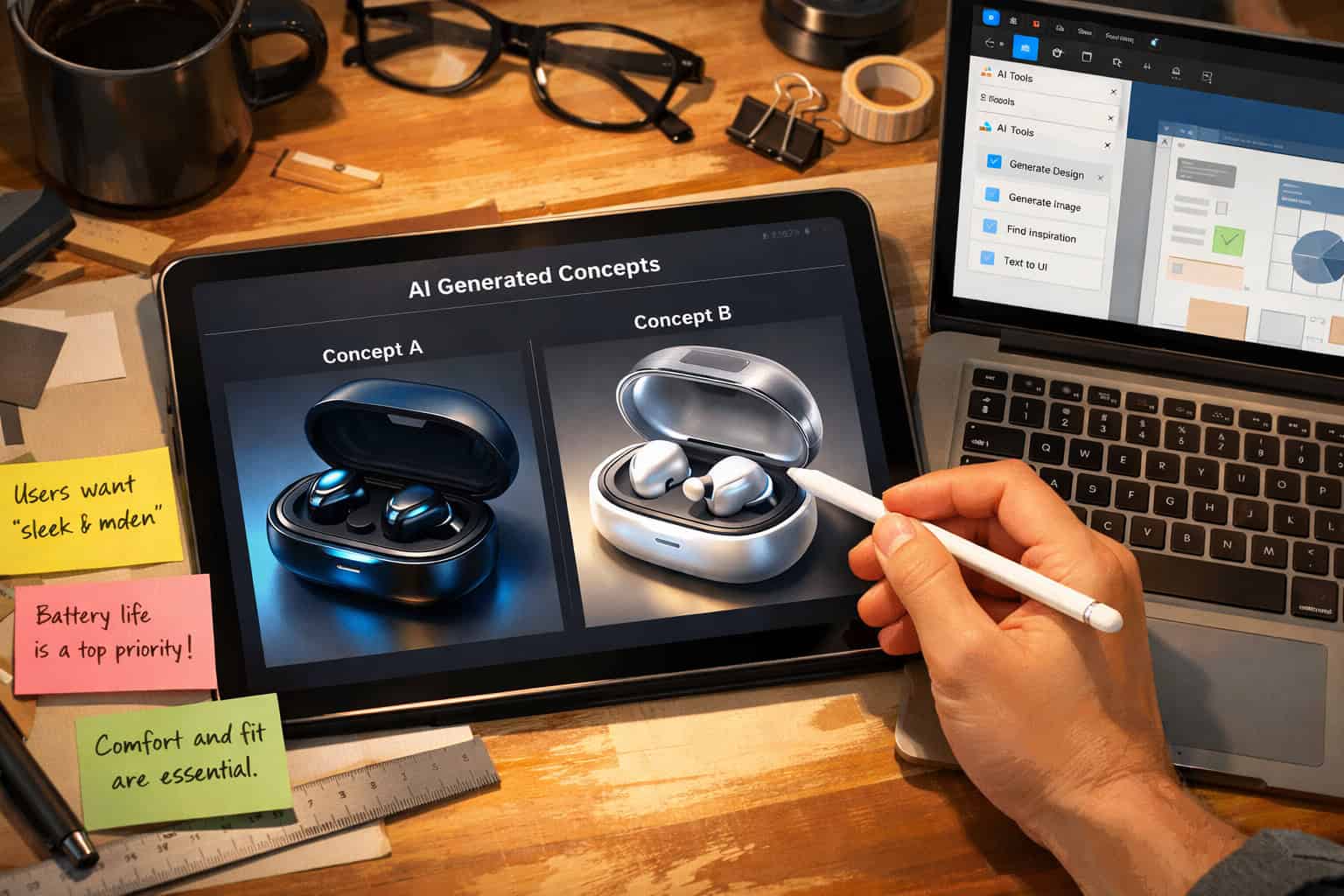
The 10 game-changing AI tools that are transforming product design include Figma AI, Adobe Firefly, Midjourney, Uizard, Framer AI, Galileo AI, Microsoft Designer, Khroma, Maze AI, and Relume. Each tool targets a specific stage of the design process, from ideation and wireframing to user research and handoff, making them most effective when used for focused, single-purpose tasks rather than replacing the entire design workflow.
Key Takeaways
- 🎯 Narrow-scope AI tools win: AI tools that specialize in one task (wireframing, color, user testing) are adopted faster and deliver more consistent results than broad “design everything” platforms [1]
- ⚡ Speed gains are real but not magic: Designers can now explore roughly 10 concept directions in the time it used to take to sketch two, but human judgment still drives quality [3]
- 📉 Cycle times can drop by up to 70%: When applied throughout the product development lifecycle, generative AI tools can reduce development cycle times significantly [8]
- 💰 Productivity potential is massive: McKinsey estimates generative AI could unlock $60 billion in productivity in product research and design alone [8]
- 🔄 Designers are shifting roles: As AI handles repetitive production work, designers are moving toward strategy, systems thinking, and problem framing [6]
- 🤝 Handoffs are getting cleaner: AI is reducing back-and-forth between designers and developers by generating cleaner specs and fewer ambiguities [3]
- ⚠️ AI isn’t replacing designers yet: As of mid-2025, AI design tools remain “nowhere near” the fully autonomous systems that were promised, according to Nielsen Norman Group [1]
- 🏢 Adoption is accelerating fast: 65% of companies are already using generative AI tools, per a recent McKinsey survey [8]

Why Are AI Tools Changing Product Design Right Now?
Product design is changing because AI has moved from a novelty into a practical workflow tool that handles the time-consuming parts of the job. The shift isn’t about AI replacing designers; it’s about AI absorbing the repetitive, low-judgment tasks so designers can focus on decisions that actually require human insight.
Here’s what’s driving the change:
- Speed at the ideation stage: Designers can now explore approximately 10 design directions in the time previously required to sketch two, with AI generating wireframes, UI layouts, and visual concepts from text prompts [3]
- Automation of production work: Asset generation, component resizing, annotation, and documentation tasks that previously consumed hours weekly are now handled by AI [3]
- Faster user research synthesis: AI is making it faster to analyze user interviews, synthesize usability test results, and surface patterns from large feedback volumes [3]
- Code-aware design systems: AI-powered tools are evolving from static canvases into intelligent systems that can generate responsive layouts, reusable components, and front-end code [2]
As AI automates repetitive production work, designers are moving beyond creating screens and concepts toward higher-level thinking — framing problems, shaping solutions, and designing systems that meet user and business goals.” — FutureMind [6]
The 65% of companies already using generative AI tools [8] aren’t doing it because it’s trendy. They’re doing it because the time savings are measurable and the output quality is good enough for early-stage work.
What Makes an AI Design Tool Actually Worth Using?
The best AI design tools solve a specific problem well rather than trying to do everything. Nielsen Norman Group’s research is clear on this: narrow-scope AI tools that specialize in one or a few tasks are more readily adopted by practicing designers than broad platforms attempting to generate entire designs [1].
Choose a tool if it:
- Targets one clear pain point (wireframing, color selection, user testing, code generation)
- Integrates into your existing workflow without a steep learning curve
- Produces output that saves you time even after editing
- Gives you control over the final result
Skip a tool if it:
- Promises to “replace” your design process entirely
- Requires you to rebuild your workflow from scratch
- Generates output that takes longer to fix than to create manually
The most effective tools right now are the ones that sit inside tools you already use, like AI plugins inside Figma, or standalone tools with a single clear function.
The 10 Game-Changing AI Tools That Are Transforming Product Design in 2026
Here’s a breakdown of the 10 tools making the biggest impact across different stages of the product design process.

1. Figma AI
What it does: Figma’s native AI features (including auto-layout suggestions, component generation, and design-to-code output) are built directly into the tool most product teams already use.
Figma AI can generate UI components from text prompts, suggest layout improvements, and produce cleaner developer handoff specs. For teams already on Figma, this is the lowest-friction AI upgrade available. You can explore Figma AI workflow automation to see how teams are integrating it into daily design sprints.
Best for: Product designers who want AI assistance without switching tools.
2. Adobe Firefly
What it does: Adobe Firefly is a generative AI image and asset creation tool built into Adobe Creative Cloud, trained on licensed content to reduce copyright risk.
Firefly excels at generating product mockup backgrounds, brand-consistent visual assets, and texture variations. It’s particularly strong for teams working across physical and digital product design, where visual consistency across materials matters.
Best for: Teams using Adobe CC who need fast, brand-safe asset generation.
3. Midjourney
What it does: Midjourney generates high-quality visual concepts from text prompts, making it one of the fastest ways to explore visual directions before committing to detailed design work.
Product designers use Midjourney to generate mood boards, product aesthetic concepts, and packaging ideas in minutes. It’s not a UI tool, but it’s excellent for early-stage visual exploration. The output quality for photorealistic and stylized product concepts is consistently strong.
Best for: Early ideation, mood boarding, and visual direction exploration.
4. Uizard
What it does: Uizard converts hand-drawn sketches or text descriptions into digital wireframes and interactive prototypes automatically.
This is one of the most practical tools for non-designers or early-stage product teams. You can sketch a rough screen layout on paper, photograph it, and Uizard converts it into a working digital wireframe. It also generates multi-screen app flows from text prompts. For teams building mobile products, pairing Uizard with solid mobile wireframe design principles in Figma creates a fast ideation-to-prototype pipeline.
Best for: Early-stage product teams and non-designers who need fast prototypes.
5. Framer AI
What it does: Framer AI generates complete, responsive website designs and interactive components from text prompts, with live code output.
Framer sits at the intersection of design and development. Its AI can generate a full landing page layout from a one-sentence description, and the output is actual code, not just a mockup. This makes it particularly useful for product teams that need to move quickly from concept to testable prototype without a developer.
Best for: Product teams that need design-to-code output without a dedicated developer.
6. Galileo AI
What it does: Galileo AI generates high-fidelity UI designs from text descriptions, producing screens that look closer to finished product designs than typical wireframe tools.
Where most AI tools generate rough wireframes, Galileo produces polished UI screens with real components, typography, and color choices. It’s still early-stage software, but for rapid concept validation it’s one of the fastest tools available [9].
Best for: Designers who need polished concept screens quickly for stakeholder presentations.
7. Microsoft Designer
What it does: Microsoft Designer uses AI to generate social media graphics, product visuals, and marketing materials from text prompts, integrated with Microsoft 365.
For product teams already in the Microsoft ecosystem, Designer reduces the need for a dedicated graphic designer for marketing and communication assets. It’s not a product UI tool, but it’s useful for the visual communication layer around product launches.
Best for: Product teams in Microsoft 365 environments needing fast visual content.
8. Khroma
What it does: Khroma is an AI color tool that learns your color preferences and generates personalized, accessible color palettes for product design.
Color decisions that used to take hours of trial and error can be compressed into minutes. Khroma generates palettes based on your preferences, shows them in context (typography, UI components, backgrounds), and flags accessibility issues. For teams working on professional design color systems, Khroma is a strong starting point.
Best for: Designers who want AI-assisted color palette generation with accessibility awareness.
9. Maze AI
What it does: Maze AI automates usability testing analysis, surfacing patterns from user test recordings, heatmaps, and survey responses faster than manual review.
User research synthesis is one of the most time-consuming parts of product design. Maze AI reduces the manual effort of reviewing test sessions, tagging observations, and writing research summaries. It connects directly to Figma prototypes for testing, making the research-to-design feedback loop significantly shorter [3].
Best for: Product designers and UX researchers who run regular usability testing.
10. Relume AI
What it does: Relume AI generates website sitemaps and wireframe component libraries from text prompts, with direct export to Figma and Webflow.
Relume is particularly strong for web product design. It can generate a full website sitemap and matching wireframe layouts in minutes, which then export directly into Figma for refinement or Webflow for development. Teams using Relume with Webflow integration can move from brief to testable prototype in a fraction of the traditional time.
Best for: Web product designers who need fast sitemap-to-wireframe-to-prototype pipelines.
How Do These Tools Compare? A Quick Reference Table
| Tool | Primary Use | Best Stage | Figma Integration | Price Range |
|---|---|---|---|---|
| Figma AI | UI design + handoff | All stages | Native | Included in Figma plans |
| Adobe Firefly | Asset generation | Ideation, production | Via plugin | Included in CC plans |
| Midjourney | Visual concepts | Ideation | No | ~$10–$60/month |
| Uizard | Sketch-to-wireframe | Early ideation | Export only | Free tier + paid plans |
| Framer AI | Design-to-code | Prototyping | Limited | Free tier + paid plans |
| Galileo AI | High-fidelity UI | Concept validation | Export only | Waitlist/paid |
| Microsoft Designer | Marketing visuals | Communication | No | Included in M365 |
| Khroma | Color palettes | Any stage | Manual export | Free |
| Maze AI | User testing analysis | Research | Native | Free tier + paid plans |
| Relume AI | Sitemaps + wireframes | Planning, wireframing | Native export | Free tier + paid plans |
How Are These AI Tools Actually Changing the Design Workflow?
The most honest answer: they’re changing which parts of the job designers spend time on, not eliminating the job itself [6].
Here’s how the workflow is shifting in practice:
Before AI tools:
- Sketch concepts manually (2–4 hours)
- Build wireframes from scratch (3–6 hours)
- Create assets individually (2–4 hours)
- Write design specs manually (1–2 hours)
- Manually review user research (3–5 hours per study)
With AI tools:
- Generate 10+ concept directions from prompts (30–60 minutes)
- Refine AI-generated wireframes (1–2 hours)
- Generate and adapt assets with AI (30–60 minutes)
- AI-assisted spec generation with review (30 minutes)
- AI-synthesized research with designer review (1–2 hours)
The time savings are real. McKinsey’s research suggests generative AI can reduce product development cycle times by up to 70% when applied throughout the lifecycle [8]. But that number assumes the AI output is good enough to use as a starting point, which requires designers who know how to prompt well and edit critically.
What Are the Biggest Mistakes Designers Make With AI Tools?

Adopting AI tools without a clear plan leads to wasted time and mediocre output. Here are the most common mistakes and how to avoid them:
Mistake 1: Treating AI output as finished work AI-generated designs are starting points, not final deliverables. Every output needs a designer’s eye for context, brand fit, and user needs.
Mistake 2: Choosing broad tools over focused ones Teams that try to use one AI tool for everything end up with a tool that does nothing well. Pick tools that solve one specific problem in your workflow [1].
Mistake 3: Skipping the prompt quality step Poor prompts produce poor output. Investing 10 minutes in a detailed, specific prompt saves hours of editing.
Mistake 4: Ignoring accessibility in AI-generated designs AI tools don’t automatically produce accessible designs. Color contrast, touch target sizes, and screen reader compatibility still need manual checks.
Mistake 5: Not integrating AI into team workflows Individual designers adopting AI tools without team alignment creates inconsistency. The biggest gains come when teams agree on which tools to use at which stages.
Are These AI Tools Worth the Cost for Small Teams?
For most small product design teams, yes, with some caveats. The tools with free tiers (Figma AI on existing plans, Khroma, Uizard free tier, Maze free tier, Relume free tier) provide real value with zero additional spend. Paid tools like Midjourney at $10–$60 per month are worth it if you’re doing regular visual concept work.
Choose paid AI tools if:
- You’re running more than 2–3 design projects per month
- Your team spends significant time on tasks the tool directly automates
- The time saved per month exceeds the tool cost by at least 3x
Stick to free tiers if:
- You’re evaluating fit before committing
- Your design volume is low
- You’re a solo designer with limited budget
For teams building web products, tools like Relume and Figma AI often pay for themselves in the first week of use. For more on building efficient design systems without heavy cost, see our guide to best AI graphic design tools for creative workflows.
How Is AI Changing the Role of Product Designers?
The short answer: designers are becoming more strategic and less production-focused [6].
As AI absorbs asset generation, annotation, resizing, and documentation, the designer’s time shifts toward:
- Problem framing: Defining what problem to solve before jumping to solutions
- Systems thinking: Designing how features, flows, and data work together as a whole [6]
- User advocacy: Spending more time with users and less time building screens
- AI output curation: Developing judgment about which AI-generated concepts are worth pursuing
This shift is positive for experienced designers who can operate at a strategic level. It’s a challenge for junior designers who traditionally learned by doing production work. Teams need to think deliberately about how junior designers develop skills when AI handles the entry-level tasks.
“With AI accelerating the design process, designers are thinking increasingly about the big picture — how features, flows, and data work together as single systems — rather than focusing on individual screens and components.” — FutureMind [6]
For teams exploring no-code and AI-assisted design workflows together, the 11 best no-coding website design software platforms guide covers how these tools complement AI design assistants.
Frequently Asked Questions
Q: Are these AI design tools replacing human product designers? No. As of 2026, AI design tools handle repetitive, production-level tasks but cannot replace the strategic judgment, user empathy, and systems thinking that experienced designers provide. Nielsen Norman Group confirmed in mid-2025 that AI tools remain “nowhere near” the fully autonomous design systems that were promised [1].
Q: Which AI design tool is best for beginners or non-designers? Uizard is the most accessible for non-designers because it converts hand-drawn sketches into digital wireframes without requiring design knowledge. Microsoft Designer is also beginner-friendly for creating marketing visuals. Both have free tiers to start with.
Q: How much do AI design tools cost? Costs vary widely. Several tools (Khroma, Figma AI on existing plans, Uizard free tier, Maze free tier) cost nothing extra. Midjourney runs $10–$60 per month depending on usage. Adobe Firefly is included in Creative Cloud subscriptions. Most tools offer free tiers for evaluation before committing to paid plans.
Q: Can AI tools generate production-ready code from designs? Framer AI and Figma AI both generate front-end code from designs, but the output typically needs developer review before going to production. The code is useful for rapid prototyping and reducing the designer-developer gap, not for replacing engineering entirely [2].
Q: How do I know which AI tool to use at which stage? Match the tool to the task: Midjourney and Galileo AI for ideation, Uizard and Figma AI for wireframing, Khroma for color, Maze AI for research, Relume and Framer AI for web prototyping, and Figma AI or Adobe Firefly for production assets. Narrow-scope tools used at the right stage consistently outperform broad tools [1].
Q: Is Figma AI worth it if I already use Figma? Yes, for most teams. Figma AI features are included in existing plans and require no workflow change. Auto-layout suggestions, component generation, and improved developer handoff specs save meaningful time with zero additional learning curve. See how teams are using Figma AI for workflow automation.
Q: How does AI affect the design-to-development handoff? AI tools are producing cleaner handoff specs with fewer ambiguities, reducing the back-and-forth between designers and developers. Tools like Figma AI generate more complete and accurate developer annotations, and Framer AI produces live code, which shortens the handoff cycle significantly [3].
Q: What’s the biggest risk of relying too heavily on AI design tools? The biggest risk is accepting AI output without critical review. AI-generated designs often miss brand nuance, accessibility requirements, and user context. Teams that treat AI output as a starting point rather than a finished product consistently get better results than those who ship AI output directly.
Q: Do AI design tools work for physical product design, not just digital? Yes, particularly Adobe Firefly and Midjourney. Both are strong for generating product concept visuals, packaging designs, and material texture explorations. McKinsey’s research specifically covers generative AI’s role in physical product design, noting it can reduce development cycle times significantly when used well [8].
Q: How do small teams with limited budgets get started with AI design tools? Start with free tiers: Khroma (free), Uizard free tier, Maze free tier, Relume free tier, and Figma AI on your existing Figma plan. This gives you AI assistance across ideation, wireframing, color, and research without additional spend. Add paid tools only when the time savings clearly exceed the cost.
Conclusion: Where to Start With AI in Your Product Design Workflow
The 10 game-changing AI tools that are transforming product design in 2026 are most valuable when you treat them as focused assistants rather than full replacements for design thinking. The evidence is clear: narrow-scope tools used at the right stage of the design process deliver the best results [1], while broad AI platforms that promise to do everything tend to underdeliver.
Actionable next steps:
- Audit your current workflow and identify the two or three tasks that consume the most time without requiring deep creative judgment (asset resizing, wireframe drafting, research synthesis)
- Pick one tool that directly addresses your biggest time drain and use it for two weeks before adding another
- Start with free tiers — Khroma, Uizard, Maze, and Relume all offer free access that’s enough to evaluate fit
- If you’re on Figma, turn on Figma AI features immediately — they’re already included in your plan and require no workflow change
- Build prompt quality skills — the quality of your AI output is directly tied to the quality of your prompts; invest time here early
- Review AI output critically — always apply a designer’s eye for accessibility, brand consistency, and user context before using AI-generated work
For teams building web products, the combination of Figma AI, Relume, and Maze AI covers planning, design, and research in a tightly integrated pipeline. For teams focused on visual product concepts, Midjourney plus Adobe Firefly handles ideation and asset production efficiently.
The designers who will benefit most from these tools are those who use AI to reclaim time for the work that actually requires human judgment: understanding users, framing problems, and making decisions that AI cannot make alone.
Explore more AI-assisted design resources in our AI design tools and creative workflows guide and browse the full Design Archives for deeper dives into specific tools and techniques.

References
[1] AI Design Tools Update 2 – https://www.nngroup.com/articles/ai-design-tools-update-2/ [2] AI Product Design – https://productschool.com/blog/artificial-intelligence/ai-product-design [3] Best AI Product Design Tools – https://www.imagine.art/blogs/best-ai-product-design-tools [4] AI Tools For Designers – https://www.uxpin.com/studio/blog/ai-tools-for-designers/ [5] Revolutionizing Generative AI Product Design For Innovative Solutions – https://www.neuralconcept.com/post/revolutionizing-generative-ai-product-design-for-innovative-solutions [6] How AI Is Redefining The Job Of Product Designers – https://www.futuremind.com/insights/how-ai-is-redefining-the-job-of-product-designers/ [7] Best AI Tools For Designers – https://www.builder.io/blog/best-ai-tools-for-designers [8] Generative AI Fuels Creative Physical Product Design But Is No Magic Wand – https://www.mckinsey.com/capabilities/tech-and-ai/our-insights/generative-ai-fuels-creative-physical-product-design-but-is-no-magic-wand [9] Best Product Design Tools – https://uxpilot.ai/blogs/best-product-design-tools [10] Top AI Tools For Product Managers – https://chisellabs.com/blog/top-ai-tools-for-product-managers/
Related: Mastering ChatGPT: A Comprehensive Guide to Maximizing AI Productivity
Related: AI Magic: Crafting the Perfect Christmas Photo with ChatGPT's Creative Tools
Related: Claude Cowork vs OpenClaw: The Ultimate Collaboration Platform Showdown in 2024
Related: Maximizing Team Productivity: A Comprehensive Guide to Using Claude in Collaborative Environments