Last updated: June 9, 2026This guide will show you how to use AI Magic to craft the perfect Christmas photo with ChatGPT.
Quick Answer: ChatGPT’s image generation tools, powered by DALL-E integration, let you create stunning, customized Christmas photos from a text description alone. You describe the scene, the style, and the mood, and the AI produces a high-quality image in seconds. Whether you want a cozy family portrait backdrop, a festive greeting card, or a professional holiday banner, AI magic: crafting the perfect Christmas photo with ChatGPT’s creative tools is now accessible to anyone with a ChatGPT Plus subscription or access to a compatible API.
Key Takeaways
- ChatGPT (via DALL-E) can generate, edit, and reimagine Christmas photos from plain text prompts, no design skills required.
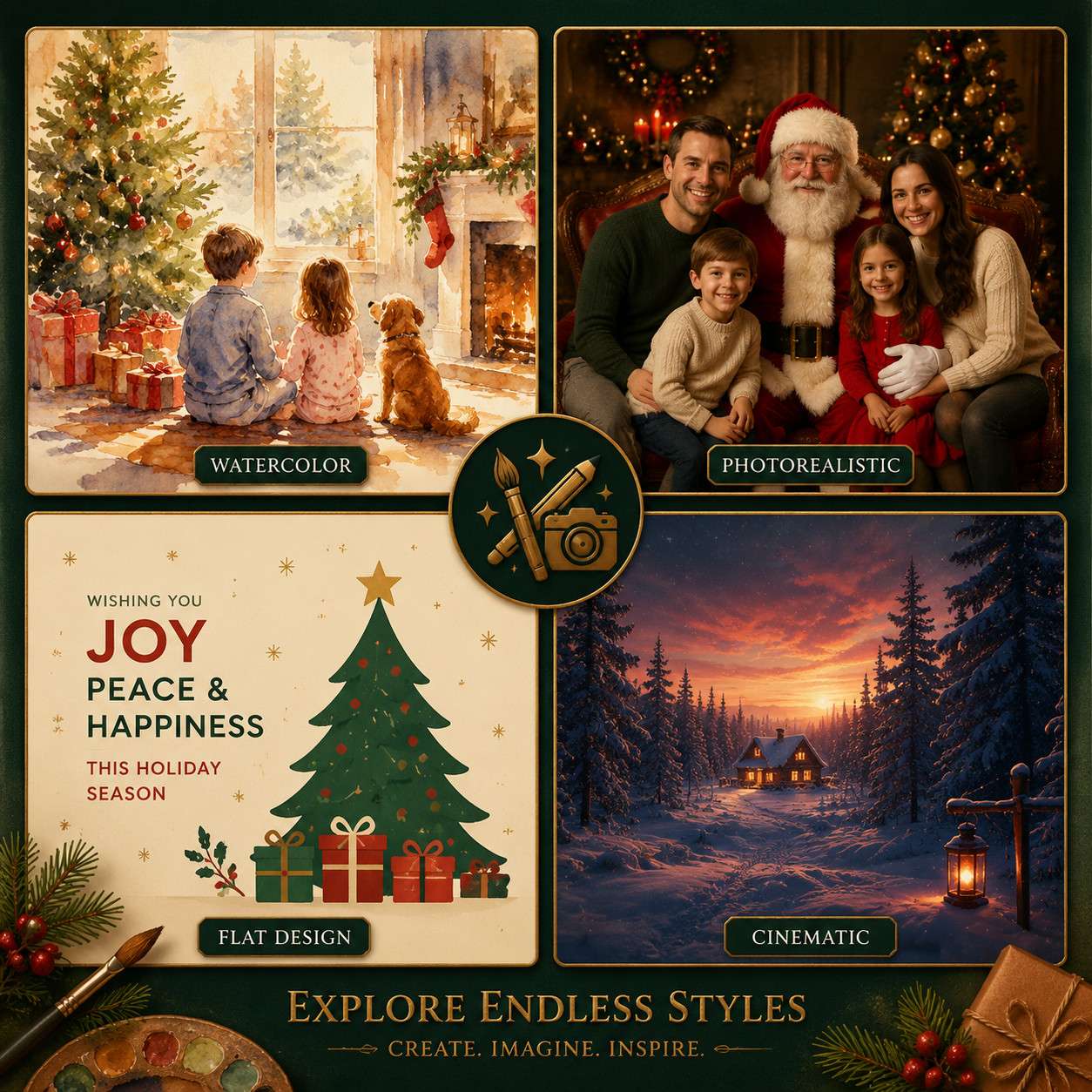
- Photorealistic, watercolor, flat-design, and cinematic styles are all achievable with the right prompt structure.
- ChatGPT Plus costs $20/month as of 2026; free-tier users have limited image generation access.
- Specific, layered prompts produce far better results than vague one-liners.
- Common mistakes include over-crowding the prompt, ignoring lighting instructions, and skipping style references.
- AI-generated images raise real copyright questions; commercial use requires careful review of platform terms.
- Free alternatives like Adobe Firefly, Canva AI, and Microsoft Designer exist but vary in quality.
- Professional photographers can use AI tools for concept mockups, client previews, and background generation.
- Complex multi-character Christmas scenes are possible but require iterative prompting.
- Background detail in AI Christmas images can reach near-photographic levels with precise prompts.
What Exactly Can ChatGPT Do with Christmas Photos
ChatGPT, when paired with its DALL-E image generation capability, can create original Christmas images from scratch, edit existing photos by adding festive elements, and generate multiple style variations of the same scene. It does not edit your personal photos directly inside the chat unless you upload them and use the in-painting or variation features available to Plus users.
Here is a breakdown of what the tool handles well:
- Scene generation from text: Describe a snowy cabin with a lit Christmas tree and a golden retriever by the fire, and you get a fully rendered image.
- Style variation: The same scene can be rendered as a watercolor painting, a vintage holiday postcard, or a photorealistic photograph.
- Background creation: Generate a Christmas backdrop for a portrait session without booking a studio.
- Greeting card design: Produce ready-to-print holiday card artwork with custom color palettes.
- Concept mockups: Photographers and designers use it to pitch visual ideas to clients before a shoot.
Edge case: ChatGPT cannot reliably insert a specific real person’s face into a generated image. For personalized family portraits, you will need a dedicated face-swap or photo-editing tool after generation.
How Is AI Photo Generation Different from Photoshop
AI photo generation creates images from nothing using a text description, while Photoshop edits existing images using manual tools and layers. The two approaches serve different purposes, and the best holiday photo workflows often combine both.
| Feature | AI Generation (ChatGPT/DALL-E) | Photoshop |
|---|---|---|
| Starting point | Text prompt | Existing photo or blank canvas |
| Skill required | Low (writing) | High (design expertise) |
| Speed | Seconds | Minutes to hours |
| Control over detail | Moderate | Very high |
| Best for | Concept creation, backgrounds | Precise retouching, compositing |
| Cost | $20/month (Plus) | $54.99/month (Creative Cloud) |
Choose AI generation if you need a fast festive background or concept image. Choose Photoshop if you need pixel-level control over a real photo, such as removing a distracting background from a family Christmas portrait.
For broader AI design workflows, the best AI graphic design tools for creative workflows covers how these tools fit together in a professional pipeline.
How Much Does It Cost to Create AI Christmas Images
Creating AI Christmas images with ChatGPT costs $20/month for a Plus subscription, which includes access to DALL-E image generation as of 2026. Free-tier ChatGPT users have limited or no image generation access depending on current OpenAI rollouts.
Cost breakdown by platform:
- ChatGPT Plus: $20/month, includes image generation with DALL-E 3.
- Canva AI (Magic Media): Free plan available with limited credits; Pro plan at approximately $15/month.
- Adobe Firefly: Included with Creative Cloud ($54.99/month) or available with limited free credits.
- Microsoft Designer / Bing Image Creator: Free with a Microsoft account, powered by DALL-E.
- Midjourney: Starts at $10/month for basic access.
For budget-conscious users, Microsoft’s Bing Image Creator offers DALL-E quality at no cost, though with usage caps. For a deeper look at no-cost options, the Canva AI design creation guide walks through free creative tools in detail.
What Kind of Prompts Work Best for Festive AI Images
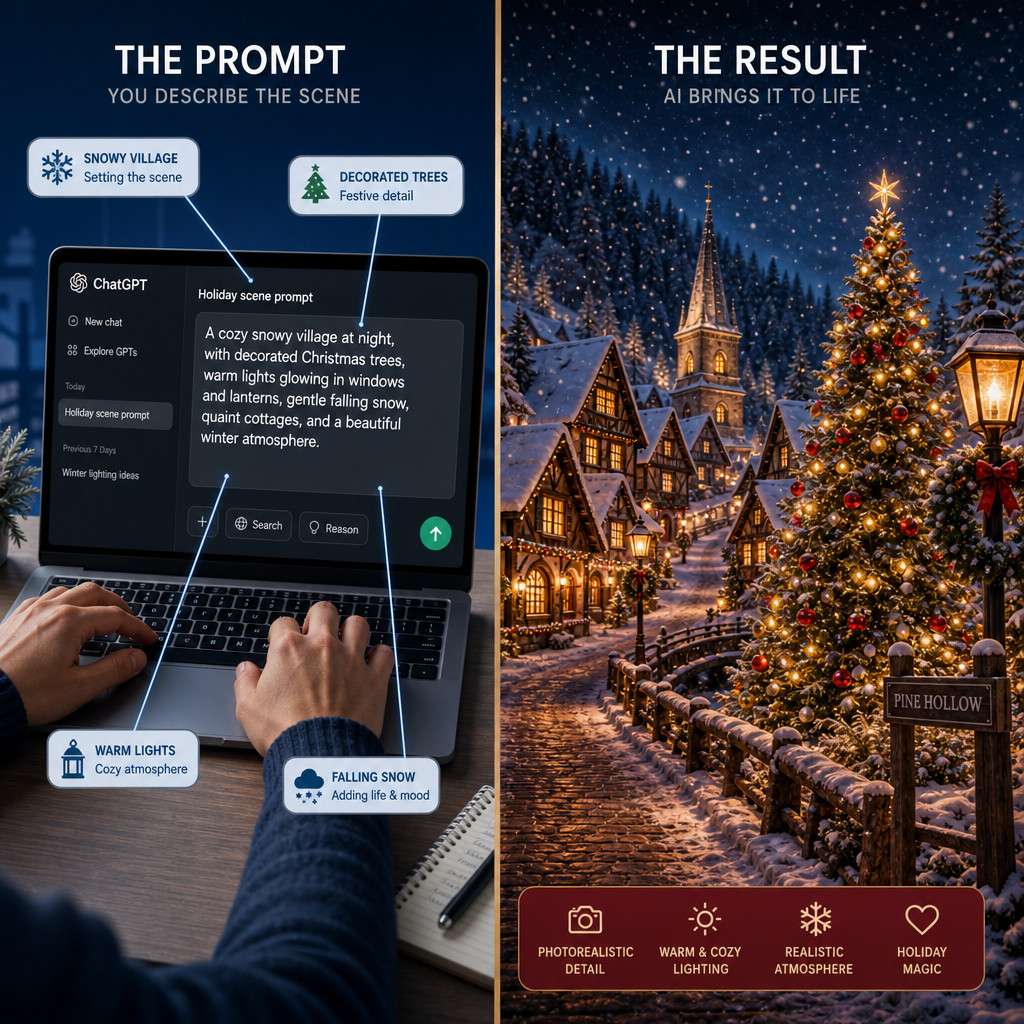
Specific, layered prompts consistently outperform vague ones. A good Christmas image prompt includes the subject, setting, lighting, style, mood, and camera angle. Vague prompts like “Christmas scene” produce generic results; detailed prompts produce images worth sharing.
Prompt formula that works:
- Subject: Who or what is in the image (e.g., “a young girl in a red coat”)
- Setting: Where the scene takes place (e.g., “standing in front of a decorated Christmas tree”)
- Lighting: How the scene is lit (e.g., “warm golden fairy lights, soft candlelight”)
- Style: The visual treatment (e.g., “photorealistic, shot on 85mm lens” or “watercolor illustration”)
- Mood: The emotional tone (e.g., “cozy, nostalgic, peaceful”)
- Details: Specific props, colors, or textures (e.g., “red and gold ornaments, fresh pine smell implied through visible needles”)
Example prompt: “A cozy living room on Christmas morning, a golden retriever sitting beside a lit fireplace, wrapped gifts in red and green paper stacked nearby, warm amber lighting, photorealistic style, shallow depth of field, 50mm lens perspective.”
This approach applies to any AI content creation task. The comprehensive guide to AI-powered content generation tools explains how structured inputs consistently improve AI outputs across platforms.
Why Are My AI Christmas Images Looking Weird or Unnatural
Unnatural-looking AI Christmas images usually result from one of three causes: conflicting style instructions, too many subjects in one scene, or missing lighting context. AI models struggle when the prompt sends mixed signals.
Common causes and fixes:
- Hands and fingers look distorted: AI still struggles with hands. Fix: ask for images where hands are not the focal point, or use gloves as a prop detail.
- Text in the image is garbled: AI-generated text is notoriously unreliable. Fix: add any text in a design tool like Canva after generation.
- Lighting looks flat: You did not specify a light source. Fix: add “warm side lighting from a fireplace” or “soft diffused window light” to your prompt.
- Scene looks overcrowded: Too many elements requested at once. Fix: simplify to three to four key elements per prompt.
- Style feels inconsistent: Mixing style references (e.g., “photorealistic watercolor oil painting”) confuses the model. Fix: pick one style per generation.
What Are the Best Free AI Image Tools for Holiday Photos
The best free AI image tools for Christmas photos in 2026 are Microsoft Bing Image Creator (DALL-E powered), Canva’s Magic Media (free tier), and Adobe Firefly (free credits). Each has trade-offs in quality, usage limits, and style range.
- Microsoft Bing Image Creator: Free, DALL-E 3 quality, best for quick photorealistic scenes. Limited to a set number of “boost” credits per week before slowing down.
- Canva Magic Media: Free plan includes limited AI image generations per month. Strong for holiday card designs because you can immediately drop the image into a Canva template.
- Adobe Firefly: Free credits available without a Creative Cloud subscription. Particularly strong for commercially safe images since Adobe trains on licensed content.
- NightCafe Creator: Free daily credits, supports multiple AI models, good for artistic holiday styles.
For users exploring free design options more broadly, free AI home design generators shows how free AI tools have matured across creative categories.
Is AI Photo Generation Good for Professional Photographers or Just Hobbyists
AI photo generation is genuinely useful for professional photographers, not just hobbyists, but the use cases differ. Professionals use it for client concept mockups, background plate generation, and creative brainstorming rather than as a replacement for actual photography.
How professionals use AI Christmas image tools:
- Generate three to four background options to show a client before a studio booking.
- Create composite elements (snow, bokeh, light effects) to blend into real portraits in post-production.
- Produce social media content and holiday marketing materials between shoot seasons.
- Prototype album cover layouts or greeting card designs quickly.
Hobbyists benefit from the low barrier to entry: no camera, no studio, no editing software expertise required. A parent can generate a professional-looking Christmas card image in under five minutes.
The honest trade-off: AI cannot replicate the emotional authenticity of a real family photo. For milestone moments, real photography still wins. AI fills the gap for decorative, commercial, and concept imagery.
For more on how AI fits into professional creative workflows, see the ChatGPT resources and guides available at WebAIStack.
Common Mistakes People Make When Generating Christmas Images with AI
The most common mistake is writing a one-sentence prompt and expecting a magazine-quality result. AI image generation rewards specificity, iteration, and patience.
Top mistakes and how to avoid them:
- Vague prompts: “Christmas tree” gives you a generic result. Add setting, lighting, and style.
- Ignoring aspect ratio: Default square outputs may not fit a banner or card. Specify “wide landscape format” or “portrait orientation” in your prompt.
- Skipping iteration: The first output is rarely the best. Generate four to six variations and refine the prompt based on what works.
- Requesting real people or brand logos: AI tools will refuse or produce distorted results. Use fictional characters or generic representations.
- Forgetting the background: A detailed subject with a blank or muddy background looks unfinished. Describe the background explicitly.
- Over-relying on one tool: Different AI tools have different strengths. Test the same prompt in two platforms and compare.
Can ChatGPT Handle Complex Christmas Scene Compositions
ChatGPT’s DALL-E integration can handle moderately complex Christmas scenes, but performance drops as the number of distinct elements increases. Scenes with two to four key elements produce the most reliable results.
What works well:
- A family of four around a Christmas table (though faces may vary in consistency)
- A snowy outdoor village with multiple buildings and a lit town square
- A Christmas market with stalls, crowds, and string lights
What gets difficult:
- Precise spatial relationships (“the dog is sitting to the left of the child, who is facing the camera”)
- Consistent character appearances across multiple generated images
- Scenes requiring accurate text on signs or banners
Workaround for complex scenes: Break the scene into layers. Generate the background separately, generate foreground subjects separately, then composite them in a tool like Canva or Photoshop. This approach gives you far more control than trying to generate everything in one prompt.
What Image Styles Work Best for Holiday AI Art and How Detailed Can Backgrounds Get
Photorealistic, cinematic, and vintage illustration styles consistently produce the strongest holiday AI images. Background detail in AI Christmas images can reach near-photographic levels when the prompt is specific about textures, lighting sources, and environmental conditions.
Top-performing styles for Christmas AI images:
- Photorealistic: Best for greeting cards and social media posts that need to feel authentic.
- Watercolor illustration: Ideal for warm, handcrafted holiday card aesthetics.
- Cinematic wide-angle: Great for dramatic snowy landscapes and atmospheric scenes.
- Flat design / vector: Works well for digital banners and website headers.
- Vintage/retro postcard: Evokes nostalgia; pairs well with muted, warm color palettes.
Background detail potential: With a well-written prompt, AI can render snow texture on pine branches, individual ornament reflections on a Christmas tree, frost patterns on a window, and the glow of a distant town through falling snow. The key phrase to include is “highly detailed background” combined with specific environmental descriptors.
For users who want to extend these visuals into full design projects, Canva AI design creation and the AI art tools collection are practical next stops.
Are There Any Legal Issues with Using AI-Generated Christmas Photos
Yes, there are real legal considerations. AI-generated images occupy an unsettled area of copyright law in most countries as of 2026. In the United States, the Copyright Office has generally held that purely AI-generated images without sufficient human creative input are not eligible for copyright protection, meaning you may not own exclusive rights to images you generate.
Key legal points to know:
- Commercial use: Check each platform’s terms of service. OpenAI’s terms for ChatGPT Plus allow commercial use of generated images, but this can change.
- Copyright ownership: You likely cannot copyright a purely AI-generated image in the US. Adding substantial human creative editing may change this.
- Training data concerns: Some AI models were trained on copyrighted images. Adobe Firefly explicitly uses licensed content, making it a safer choice for commercial work.
- Likeness rights: Do not generate images that realistically depict real, identifiable people without consent.
- Brand logos and trademarks: AI tools will typically refuse to generate recognizable brand logos, and attempting to do so may violate trademark law.
Practical rule: For personal holiday cards and non-commercial social posts, legal risk is minimal. For commercial campaigns, consult your legal team and prefer platforms with clear commercial licensing terms.
FAQ
Can I use ChatGPT to add a Christmas background to my existing photo? ChatGPT Plus allows you to upload an image and request edits, including adding festive backgrounds. Results vary; for precise compositing, combine AI generation with a manual editing tool.
How many Christmas images can I generate per day with ChatGPT Plus? OpenAI applies usage limits that vary by demand. As of 2026, Plus users typically get 40 to 50 image generations per three-hour window before hitting a cap.
Do I need any design skills to use ChatGPT for Christmas photos? No design skills are required. You need the ability to write a clear, descriptive sentence. The more specific your description, the better the result.
Can AI generate a Christmas photo that looks like it was taken with a real camera? Yes. Specifying “photorealistic, shot on a Canon 5D with 85mm f/1.4 lens, natural bokeh, warm ambient light” in your prompt produces images that closely mimic real photography.
What is the best prompt length for Christmas AI images? Prompts between 40 and 100 words tend to perform best. Shorter prompts lack detail; longer prompts can confuse the model with competing instructions.
Can I print AI-generated Christmas photos on cards or gifts? Yes, for personal use. For commercial printing or resale, review the platform’s commercial use terms before proceeding.
Will AI-generated Christmas images look the same every time I use the same prompt? No. AI image generation is non-deterministic, meaning the same prompt produces different outputs each time. Use a “seed” value if the platform supports it to get more consistent results.
Is Midjourney or DALL-E better for Christmas photos? Both produce high-quality results. DALL-E (via ChatGPT) handles photorealistic scenes and follows instructions more literally. Midjourney tends to produce more stylized, artistic outputs. Try both for your specific use case.
Can I generate a Christmas image with a specific color palette? Yes. Include color instructions like “color palette of deep forest green, burgundy red, and antique gold” in your prompt for reliable palette adherence.
Are AI Christmas images safe to post on social media? Generally yes, for personal use. Disclose AI generation where platform policies require it, and avoid generating content that depicts real people without consent.
Conclusion
AI magic: crafting the perfect Christmas photo with ChatGPT’s creative tools is no longer a niche skill reserved for tech enthusiasts. In 2026, anyone with a clear description and a few minutes can produce holiday imagery that rivals professional design work. The gap between a mediocre result and a stunning one comes down to prompt quality, style clarity, and a willingness to iterate.
Actionable next steps:
- Start with a free tool like Microsoft Bing Image Creator to test prompts before committing to a paid plan.
- Use the prompt formula from this guide: subject, setting, lighting, style, mood, and detail.
- Generate at least four variations of each scene before settling on a final image.
- For commercial use, choose Adobe Firefly or verify ChatGPT Plus commercial terms before publishing.
- Combine AI-generated backgrounds with real photos in Canva or Photoshop for the most polished results.
- Explore the full range of AI design tools to find the platform that fits your workflow best.
The holiday season is short. AI tools make it possible to produce beautiful, personalized Christmas visuals without the cost of a studio or the learning curve of professional software. Start with one prompt today and refine from there.
Useful Resources: ChatGPT by OpenAI & OpenAI research blog