Last updated: June 14, 2026
Quick Answer: Claude AI, developed by Anthropic, is a conversational AI assistant that teams use to draft content, analyze data, manage shared projects, and automate repetitive tasks inside a collaborative workspace. Real-world deployments in 2026 show productivity gains ranging from 50% to 85%, with companies like Hub International and Zapier reporting measurable time savings and high user satisfaction. The five core ways Claude transforms coworking are: shared context management, intelligent drafting, workflow automation, cross-team knowledge retrieval, and structured decision support.
Key Takeaways
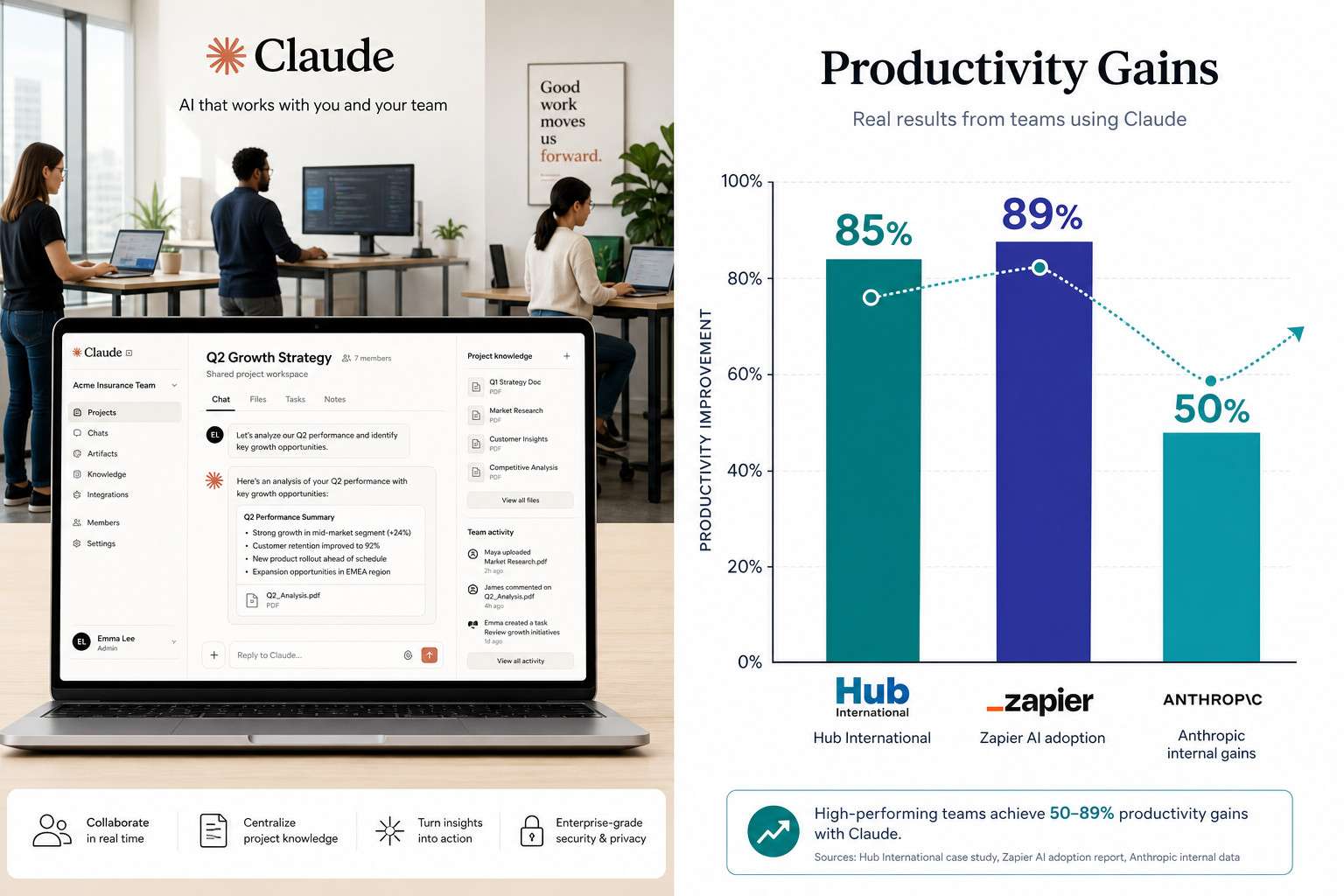
- Hub International reported an 85% productivity increase and 2.5 hours of weekly time savings per employee after deploying Claude AI enterprise-wide [2]
- Zapier achieved 89% AI adoption across all staff by integrating Claude, deploying over 800 internal AI agents [3]
- Anthropic’s own employees used Claude in 60% of their work by March 2026, with 27% of AI-assisted tasks being entirely new initiatives they wouldn’t have attempted otherwise [4]
- Claude Cowork, launched in general availability on April 9, 2026, gives teams a shared workspace with role-based access, group spend limits, and usage analytics [1]
- AI cost overruns are a real risk: Uber burned through its annual AI budget in four months, and some enterprises face “tokenmaxxing” problems where agentic AI consumes up to 1,000 times more tokens than standard models [6][7]
- Most team members need no coding skills to use Claude effectively; a short onboarding period of one to two weeks is typically sufficient
- Privacy controls, including role-based permissions and data handling policies, are central to Claude’s enterprise design, but teams should still review Anthropic’s data retention terms before sharing sensitive information
- Claude has real limitations: it can produce incorrect outputs, and a 2026 study found more than 67% of bugs in AI coding tools relate to functionality issues [10]
What Exactly Is Claude AI and How Does It Help Teams Work Together
Claude AI is a large language model built by Anthropic, designed to read, write, reason, and converse at a high level across a wide range of tasks. For teams, it acts as a shared intelligent assistant that can hold context across a project, contribute to documents, summarize meetings, and answer complex questions without starting from scratch each time.
The April 2026 launch of Claude Cowork made this collaborative function official. Teams on paid plans now get a shared workspace where project context, files, and AI-generated outputs are organized in one place. Role-based access controls mean a manager can see everything while a contractor sees only what they need [1].
What this looks like in practice:
- A marketing team loads a product brief into a shared Claude project. Every team member can then ask Claude questions about the brief without re-uploading it.
- A legal team uses Claude to summarize lengthy contracts and flag clauses that need human review.
- A software team pairs Claude with their code repository to get instant explanations of unfamiliar functions.
The key difference from using a personal AI tool is persistence. Shared context means the whole team benefits from every interaction, not just the person who typed the prompt.
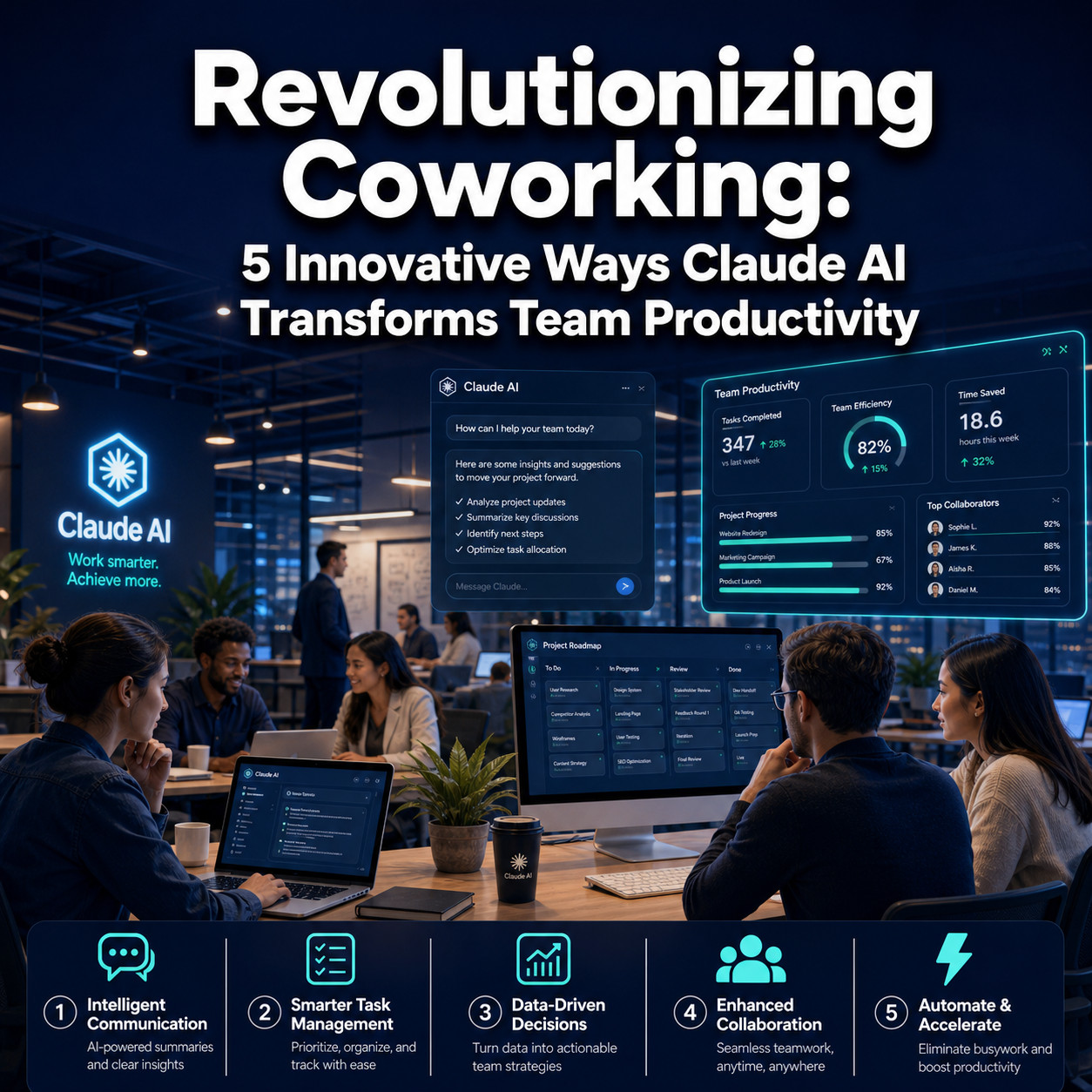
Revolutionizing Coworking: The 5 Innovative Ways Claude AI Transforms Team Productivity
Here are the five specific mechanisms through which Claude changes how coworking teams operate, backed by data from real deployments in 2026.
1. Shared Context Management
Claude Cowork’s project workspaces store documents, instructions, and conversation history so every team member starts from the same informed baseline. This eliminates the common problem of team members asking the same questions repeatedly or working from outdated information.
2. Intelligent Drafting and Editing
Claude drafts emails, reports, proposals, and code at a speed no human team can match. At Anthropic internally, 27% of AI-assisted tasks were entirely new work that employees wouldn’t have attempted without AI support, because the drafting burden was simply too high before [4]. Teams use Claude to produce first drafts that humans then refine, which is faster than starting from a blank page.
3. Workflow Automation Inside Collaborative Tools
Claude integrates with project management platforms and communication tools to automate status updates, ticket summaries, and meeting notes. If you want to see how automation layers compound productivity, our guide on n8n automation agents and business workflows shows how AI-driven pipelines reduce manual handoffs across teams.
4. Cross-Team Knowledge Retrieval
Large teams lose enormous time searching for information that already exists somewhere in the organization. Claude can be loaded with internal documentation, past project outputs, and policy guides, then queried in plain language. This is especially valuable in coworking environments where teams from different departments share a space but not necessarily a knowledge base.
5. Structured Decision Support
Claude can analyze options, list tradeoffs, and produce structured comparisons on demand. A product team deciding between two feature roadmaps can ask Claude to summarize customer feedback, weigh development costs, and outline risks, all in a format ready for a leadership meeting. Anthropic’s internal data shows this kind of task, previously impractical due to time constraints, is now routine [4].
How Much Does Claude AI Cost for Small Businesses vs. Enterprise Teams
Claude’s pricing in 2026 follows a tiered model. The free tier gives individuals limited access. The Pro plan (around $20 per user per month) unlocks higher usage limits and priority access. The Team plan adds shared workspaces and admin controls. Enterprise pricing is custom and includes advanced security, SSO, and dedicated support.
Choose the Team plan if: your group is 5 to 50 people and you primarily need shared project context and basic admin controls.
Choose Enterprise if: you need role-based permissions, group spend limits, compliance features, or you’re in a regulated industry like insurance or finance.
Cost warning: AI budgets can spiral fast. Uber exhausted its annual AI budget in four months before implementing a $1,500 monthly per-employee cap [7]. Agentic AI tasks, where Claude takes multiple steps autonomously, can consume up to 1,000 times more tokens than a simple chat message [6]. Set spend limits from day one using Claude’s built-in group budget controls.
Is Claude AI Better Than ChatGPT for Collaborative Work
For team-based coworking specifically, Claude has some structural advantages over ChatGPT in 2026. Claude Cowork’s shared project workspaces are purpose-built for multi-user collaboration, while ChatGPT’s team features are more individually oriented. Claude also tends to produce longer, more nuanced outputs with fewer refusals on complex professional topics, which matters for legal, research, and consulting teams.
That said, ChatGPT has a larger plugin ecosystem and broader third-party integrations. If your team relies heavily on specific tools that only connect to OpenAI’s API, that’s a real consideration.
Bottom line: Choose Claude if your priority is shared context, long-form reasoning, and enterprise privacy controls. Choose ChatGPT if your team needs the widest possible integration library or already has significant OpenAI infrastructure. For a direct comparison of AI development platforms, see our Replit vs. Claude Code showdown.
Can Claude AI Integrate with My Existing Project Management Tools
Yes, Claude integrates with major project management and communication platforms through its API and official connectors. In 2026, supported integrations include Slack, Jira, Notion, Google Workspace, and several CRM platforms. Zapier, which achieved 89% AI adoption using Claude, built over 800 internal AI agents that connect Claude to dozens of business tools [3].
For teams that want custom integrations without heavy engineering work, automation platforms like Make.com and n8n act as bridges. Our guide on Make.com and Slack integration for team productivity covers how to connect AI tools to your existing communication stack without writing code.
Common mistake: Teams often try to integrate Claude with every tool at once. Start with one high-frequency workflow, such as meeting summaries posted to Slack, and expand after you’ve confirmed the integration works reliably.
What Kind of Teams Benefit Most from Claude AI
Knowledge workers who produce a lot of written output see the fastest returns: legal teams, marketing departments, consulting firms, software developers, and research groups. Hub International, an insurance brokerage, saw an 85% productivity gain and over 90% user satisfaction after rolling Claude out enterprise-wide [2].
Teams that benefit less immediately include those doing primarily physical, visual, or highly specialized numerical work where Claude’s text-based outputs don’t map directly to their deliverables.
Best fit checklist:
- Your team spends more than two hours per day writing, summarizing, or searching for information
- You have recurring documentation tasks (reports, proposals, status updates)
- Your team works across time zones and needs asynchronous AI support
- You’re in a coworking environment where context-sharing between members is a daily challenge

Are There Privacy Concerns with Using Claude AI in Team Settings, and How Does It Handle Sensitive Information
Privacy is a legitimate concern, and teams should not assume all AI tools handle data the same way. Claude’s enterprise plan includes data controls that prevent conversation data from being used to train future models, which is a key distinction from consumer-tier tools.
For sensitive information, Claude’s role-based access in Cowork means you can restrict which team members see which projects. However, any data you send to Claude’s API does pass through Anthropic’s servers, so teams in heavily regulated industries (healthcare, finance, legal) should review Anthropic’s data processing agreements and, if needed, explore private deployment options.
Practical rules for sensitive data:
- Never paste raw personally identifiable information (PII) into a shared Claude workspace unless your enterprise agreement explicitly covers it
- Use Claude to analyze anonymized or aggregated data, then apply findings to specific cases separately
- Enable audit logs through Claude’s observability features so you can track who accessed what
What Technical Skills Do Team Members Need, and What Training Is Required
Most team members need no technical skills to use Claude effectively. If you can write an email, you can write a Claude prompt. The learning curve is mostly about prompt quality: learning to give Claude enough context to produce useful outputs.
A typical onboarding plan for a coworking team looks like this:
- Day 1-2: Introduction session covering what Claude can and can’t do, plus a demo of the shared workspace
- Week 1: Each team member completes three to five real tasks using Claude with a buddy or manager reviewing outputs
- Week 2: Team reviews what worked, refines prompt templates for recurring tasks, sets up first automation
- Month 1 end: Review usage analytics from Claude’s dashboard to identify which workflows are saving the most time
For teams using Claude with coding or automation tools, some familiarity with APIs is helpful but not required if you use a no-code connector. You can explore AI agent workflow resources for deeper technical guidance when your team is ready to scale.
What Are Common Mistakes Companies Make When Implementing AI Collaboration Tools
The biggest mistakes are predictable and avoidable.
Mistake 1: No spend controls. Uber’s experience is the clearest warning: unlimited AI access leads to budget overruns fast [7]. Set group spend limits on day one.
Mistake 2: Treating AI output as final. A 2026 analysis of AI coding tools found more than 67% of reported bugs were functionality-related [10]. Human review of AI outputs is not optional.
Mistake 3: Rolling out to everyone at once. Start with a pilot group of 10 to 20 people, measure results, then expand.
Mistake 4: Ignoring skill erosion. Some Anthropic engineers reported concern that relying on Claude for debugging and dashboard creation was gradually reducing their own technical sharpness [5]. Build in time for team members to practice skills independently alongside AI use.
Mistake 5: No clear use-case prioritization. Teams that try to use Claude for everything often end up using it well for nothing. Pick two or three high-value workflows and master those first.
Can Claude AI Really Improve Our Team’s Productivity, or Is It Just Hype
The productivity gains are real, but they’re not automatic. The evidence from 2026 is specific enough to be credible: Hub International’s 85% productivity gain [2], Zapier’s 89% adoption rate [3], and Anthropic’s internal finding that employees used Claude in 60% of their work with 50% average productivity gains [4] all point in the same direction.
A 13-month study of three agile teams at a large technology consulting firm found that generative AI tools significantly improved both performance and team well-being, with performance rising sharply without a corresponding increase in raw developer activity, suggesting AI increased the quality and value of work rather than just the volume [9].
The hype risk is real too. Teams that implement Claude without clear goals, spend controls, or human review processes often see costs rise without proportional output gains. The difference between teams that see 50% gains and teams that see 5% gains is almost always process design, not the tool itself.
What Are the Limitations of Claude AI in a Collaborative Workspace
Claude has meaningful limitations that every team should understand before deploying it.
- Accuracy is not guaranteed. Claude can produce confident-sounding incorrect answers, especially on very recent events or highly specialized technical topics. Always verify outputs that will be used in client-facing or compliance-sensitive contexts.
- Context window limits. While Claude handles long documents well, extremely large knowledge bases still require chunking and retrieval strategies.
- No real-time data by default. Unless connected to a live data source via integration, Claude’s knowledge has a training cutoff.
- Cost at scale. Agentic tasks that chain multiple Claude calls together can generate token costs that multiply quickly [6].
- Not a replacement for domain expertise. Claude is a capable generalist, but it doesn’t replace a specialist lawyer, doctor, or engineer. It accelerates their work; it doesn’t substitute for their judgment.
For teams exploring how AI compares across different development and productivity contexts, our Claude archives cover a wide range of use cases and tool comparisons.
FAQ
What is Claude Cowork and when was it released? Claude Cowork is Anthropic’s shared team workspace feature that gives groups a persistent project environment with role-based access, spend controls, and usage analytics. It became generally available on April 9, 2026, across all paid Claude plans [1].
Does Claude AI work for non-technical teams? Yes. Claude is designed for plain-language interaction. Non-technical users in marketing, HR, legal, and operations consistently report high satisfaction and productivity gains without any coding knowledge required.
How is Claude different from a simple chatbot? Claude maintains long context windows, reasons across complex documents, and in Cowork mode, shares that context across an entire team. A standard chatbot follows scripted decision trees; Claude generates original responses based on nuanced understanding of the input.
Is my company’s data safe with Claude? Enterprise plan users get data agreements that prevent their conversations from being used for model training. For highly sensitive industries, review Anthropic’s data processing terms and consider whether a private deployment option fits your compliance requirements.
What’s the fastest way to see ROI from Claude in a coworking setting? Identify one high-frequency, time-consuming task your team does every week, such as writing status reports or summarizing meeting notes, and automate it with Claude first. Measure time saved over 30 days before expanding to other workflows.
Can Claude replace a project manager? No. Claude can assist with task tracking, summarizing updates, and drafting communications, but it doesn’t replace human judgment in stakeholder management, conflict resolution, or strategic prioritization.
How many people can share a Claude workspace? Team and Enterprise plans support multiple users in a shared project. Enterprise plans have custom seat limits. Check Anthropic’s current pricing page for exact seat counts by tier.
What happens if Claude gives wrong information to my team? Wrong outputs are a real risk. Build a review step into any workflow where Claude’s output goes directly to a client or into a compliance document. For internal drafts, a quick human scan is usually sufficient.
Is Claude better for async or real-time collaboration? Both, but it shines in async settings. Team members in different time zones can query the same shared project context without waiting for a colleague to be online, which is one of the strongest arguments for using it in distributed coworking environments.
How does Claude handle multiple languages in a team setting? Claude performs well in major European and Asian languages, though English remains its strongest. Multilingual teams should test Claude’s output quality in their specific languages before deploying it for client-facing work.
Conclusion
The case for revolutionizing coworking with Claude AI is grounded in 2026 data, not speculation. Hub International’s 85% productivity gain [2], Zapier’s near-total adoption [3], and Anthropic’s own internal numbers [4] show that when teams implement Claude with clear goals and proper controls, the results are substantial.
The path forward is straightforward:
- Start with a pilot. Pick a team of 10 to 20 people and two or three specific workflows.
- Set spend limits immediately. Use Claude Cowork’s group budget controls before anyone starts generating heavy usage.
- Build a review habit. AI outputs need human eyes before they reach clients or compliance-sensitive contexts.
- Measure outcomes, not consumption. Track time saved and quality of output, not just how often people use Claude.
- Expand based on evidence. After 30 days, review usage analytics and double down on what’s working.
For teams ready to go deeper on automation and AI-driven workflows, explore our resources on AI agent automation and workflow automation strategies to build on your Claude foundation.
The productivity gains are real. The risks are manageable. The teams that move thoughtfully and measure carefully will be the ones that look back on 2026 as the year their coworking model fundamentally changed.
References
[1] Cowork For Enterprise – https://claude.com/blog/cowork-for-enterprise?utm_source=openai
[2] Broker Hub Says Anthropics Claude Ai Delivers 85 Productivity Gains – https://www.reinsurancene.ws/broker-hub-says-anthropics-claude-ai-delivers-85-productivity-gains/?utm_source=openai
[3] Zapier – https://claude.com/customers/zapier?gsid=273b0434-5b38-44f6-957d-3159ae3aed2e&utm_source=openai
[4] Anthropic Found Ai Makes Impractical Work Worth Doing – https://www.pymnts.com/artificial-intelligence-2/2026/anthropic-found-ai-makes-impractical-work-worth-doing/?utm_source=openai
[5] Anthropic Ai Skill Erosion Report – https://www.interviewquery.com/p/anthropic-ai-skill-erosion-report?utm_source=openai
[6] Ai Cost Crisis Hits Tech Giants As Employee Tokenmaxxing Backfires – https://www.tomshardware.com/tech-industry/artificial-intelligence/ai-cost-crisis-hits-tech-giants-as-employee-tokenmaxxing-backfires-agentic-ai-eats-up-to-1000x-more-tokens-than-standard-ai-sparks-corporate-pullback-at-microsoft-meta-and-amazon?utm_source=openai
[7] Ubers Eye Watering Ai Bill Shows Enterprises Are Still Measuring Ai Success Through Consumption Rather Than Outcomes – https://www.itpro.com/technology/artificial-intelligence/ubers-eye-watering-ai-bill-shows-enterprises-are-still-measuring-ai-success-through-consumption-rather-than-outcomes-and-its-warping-our-perception-of-roi-and-productivity?utm_source=openai
[8] Microsofts Own Data Suggests Ai Is More Expensive Than Hiring Humans – https://www.windowscentral.com/artificial-intelligence/microsofts-own-data-suggests-ai-is-more-expensive-than-hiring-humans-as-a-mystery-firm-burns-usd-500-million-on-claude-in-one-month?utm_source=openai
[9] arxiv – https://arxiv.org/abs/2602.13766?utm_source=openai
[10] arxiv – https://arxiv.org/abs/2603.20847?utm_source=openai