Last updated: May 1, 2026
Quick Answer: n8n is an open-source, AI-native workflow automation platform that lets businesses build multi-step automation agents connecting hundreds of apps and AI models, all without writing complex code. It reduces manual work, cuts errors, and frees teams to focus on higher-value tasks. For businesses of any size, n8n automation agents can replace entire categories of repetitive work within days of setup.
Key Takeaways
- n8n is open-source and self-hostable, giving businesses full data control and no per-task pricing surprises.
- AI agents in n8n can chain multiple actions — fetching data, making decisions, generating content, and notifying teams — all without human input. [1]
- Native integrations with OpenAI, Hugging Face, Cohere, and 400+ other apps make AI-powered workflows accessible without custom development. [3]
- Both technical and non-technical users can build workflows using n8n’s visual canvas, while developers can drop into JavaScript or Python when needed.
- Common use cases include lead management, content publishing, customer support triage, data reporting, and social media scheduling.
- Self-hosted deployment is free; n8n’s cloud plans start at a predictable monthly rate, making cost planning straightforward.
- Errors in manual processes drop significantly when automation handles repetitive data movement and validation. [4]
- n8n competes with Zapier and Make but stands out on pricing transparency, code flexibility, and AI-agent depth.
What Is n8n and Why Are Businesses Paying Attention?
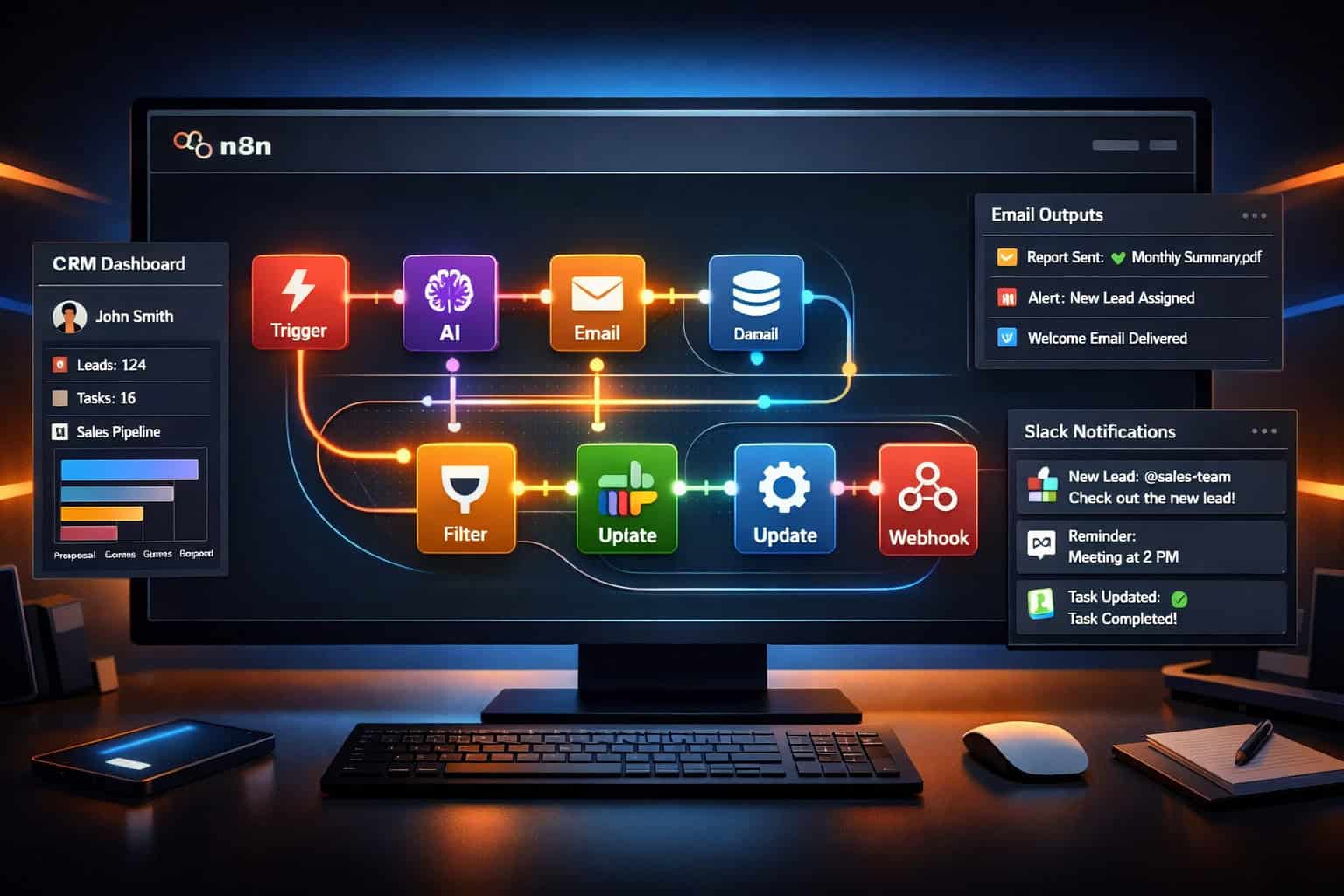
n8n (pronounced “n-eight-n”) is an open-source workflow automation platform built to connect apps, APIs, and AI models into automated pipelines called workflows. Unlike simpler tools that only handle one-to-one app connections, n8n supports complex, branching logic where each step can trigger multiple actions, evaluate conditions, and call AI models to make decisions. [3]
Businesses are paying attention for three reasons:
- Cost structure — Self-hosting is completely free. You pay for cloud hosting or n8n’s managed cloud, not per workflow execution.
- AI depth — n8n has native nodes for major LLM providers, so you can build agents that actually think, not just move data. [3]
- Code escape hatch — When visual nodes aren’t enough, developers can write custom JavaScript or Python directly inside the workflow.
💡 Who it’s for: Small businesses wanting to automate without hiring developers, and engineering teams wanting to ship internal tools fast. It’s less suited for teams that need enterprise SLA guarantees without any self-management.
How Do n8n Automation Agents Actually Work?
An n8n automation agent is a workflow that uses AI decision-making at one or more steps, rather than just following a fixed script. The agent can read inputs, call an LLM to interpret them, take action based on the result, and loop back if needed — all automatically. [1]
Here’s a simplified breakdown of how a typical agent workflow runs:
Step-by-step flow:
- Trigger — A webhook, scheduled timer, or app event starts the workflow (e.g., a new form submission).
- Data fetch — The agent pulls relevant data from a CRM, database, or API.
- AI processing — An LLM node (OpenAI, Cohere, etc.) analyzes the data, classifies it, or generates a response.
- Decision branch — Based on the AI output, the workflow splits: high-priority leads go one route, low-priority go another.
- Action — The agent sends an email, updates a spreadsheet, posts to Slack, or creates a task in a project tool.
- Logging — Results are written to a database or Google Sheet for reporting. [1]
The whole chain runs without anyone clicking a button. That’s the core value: n8n automation agents transform business workflows by replacing human handoffs with automated, intelligent routing.
Common mistake: Building a workflow that has no error handling. If an API call fails mid-chain, the entire workflow can silently stop. Always add an “On Error” branch to catch failures and alert a human.
What Business Workflows Can n8n Automate?
n8n supports automation across virtually any business function that involves moving data between systems, responding to events, or generating content. [2]
| Business Function | Example Automation | Tools Connected |
|---|---|---|
| Lead management | Score and route new leads automatically | HubSpot, OpenAI, Slack |
| Content publishing | Draft, review, and post blog content | WordPress, GPT-4, Google Docs |
| Customer support | Triage tickets and draft AI responses | Zendesk, OpenAI, Gmail |
| Data reporting | Pull metrics and email weekly summaries | Google Sheets, Airtable, SMTP |
| Social media | Schedule and auto-publish posts | Buffer, Twitter/X, LinkedIn |
| E-commerce | Sync orders, update inventory, notify teams | Shopify, WooCommerce, Slack |
For teams already managing content workflows, pairing n8n with tools like WordPress becomes especially powerful. For example, you can auto-share WordPress blog posts to social media using an n8n workflow that triggers on new post publication, formats platform-specific copy with an AI node, and pushes to each channel automatically.
Similarly, if your team uses AI for content creation, integrating n8n with your existing AI-powered content generation tools can create end-to-end pipelines from ideation to publication.
Choose n8n if: Your workflow involves more than two steps, requires conditional logic, or needs an AI model to interpret data at any point.
Choose a simpler tool if: You only need to sync two apps with no conditions (Zapier’s free tier may be sufficient).
Unleashing Productivity: How n8n Automation Agents Transform Business Workflows in Practice
This is where theory meets reality. Let me walk through a concrete example of unleashing productivity through n8n automation agents transforming business workflows for a mid-sized marketing agency.
The problem: The agency’s team spent roughly 6–8 hours per week manually pulling campaign performance data from Google Ads, writing summary reports in Google Docs, and emailing them to clients.
The n8n solution:
- A scheduled trigger fires every Monday at 8 AM.
- n8n pulls campaign data via the Google Ads API.
- An OpenAI node analyzes performance trends and writes a plain-English summary.
- The summary is inserted into a Google Doc template.
- The Doc is converted to PDF and emailed to the client via Gmail.
- A Slack message notifies the account manager that the report was sent.
The result: The entire process runs in under 3 minutes with no human involvement. The account managers now spend that reclaimed time on strategy calls instead. [4]
This kind of workflow isn’t unusual. n8n’s architecture supports chaining these steps because each node passes structured data to the next, and the AI node can handle the “thinking” step that previously required a human. [1]
🔑 Pull quote: “The best automation workflows don’t just save time — they eliminate the category of work entirely, so your team never has to think about it again.
For teams managing multiple digital tools, exploring the broader automation resources and guides available can help identify which workflows to tackle first.
How Does n8n Compare to Zapier and Make?
n8n, Zapier, and Make (formerly Integromat) all automate workflows, but they serve different needs and budgets. Here’s a direct comparison:
| Feature | n8n | Zapier | Make |
|---|---|---|---|
| Open-source | ✅ Yes | ❌ No | ❌ No |
| Self-hostable | ✅ Yes | ❌ No | ❌ No |
| AI agent support | ✅ Native | ⚠️ Limited | ⚠️ Limited |
| Pricing model | Flat monthly or free (self-hosted) | Per task/zap | Per operation |
| Code support | ✅ JS + Python | ❌ No | ❌ No |
| App integrations | 400+ | 6,000+ | 1,500+ |
| Learning curve | Moderate | Low | Moderate |
Key trade-offs:
- Zapier wins on sheer number of app integrations and ease of use for non-technical users. But costs scale quickly with volume.
- Make offers more visual complexity than Zapier at a lower price, but lacks n8n’s AI-native depth.
- n8n wins on cost at scale, AI agent capabilities, and flexibility for developers. The trade-off is a steeper initial setup, especially for self-hosting. [9]
Users on G2 consistently praise n8n’s flexibility and value, while noting that the documentation can be challenging for complete beginners. [10]
Edge case: If your team has zero technical staff and needs 50+ simple automations running immediately, Zapier may be faster to deploy. Once you hit volume or need AI reasoning in your workflows, n8n becomes the more economical and capable choice.
What Are the Real Costs of Running n8n?
n8n’s pricing is straightforward compared to per-task tools, but there are real costs to understand before committing.
Option 1: Self-hosted (free)
- Download and run on your own server or a cloud VM (DigitalOcean, AWS, etc.)
- You pay only for server costs — typically $5–$20/month for a small VPS
- You manage updates, backups, and uptime
- Best for: Technical teams comfortable with server management [7]
Option 2: n8n Cloud
- Managed hosting, automatic updates, no server management
- Pricing tiers based on workflow executions per month
- Starter plans begin around $20/month (as of 2026); check n8n.io for current pricing [6]
- Best for: Teams that want reliability without DevOps overhead
Hidden costs to budget for:
- LLM API costs (OpenAI, Anthropic, etc.) — these are separate and scale with usage
- Developer time for initial workflow setup (estimate 2–8 hours per complex workflow)
- Ongoing maintenance when connected APIs change their schemas
For WordPress-heavy businesses, pairing n8n with the best AI plugins for WordPress can extend automation coverage without adding significant cost.
How Do You Build Your First n8n Workflow? A Practical Checklist
Building your first workflow is simpler than it looks. Here’s a checklist that gets you from zero to a running automation:
Pre-build checklist:
- Identify one specific, repetitive task that happens on a schedule or trigger
- List every app involved in that task
- Confirm you have API credentials for each app
- Decide: self-hosted or n8n Cloud?
Build steps:
- Create a new workflow in the n8n canvas
- Add a trigger node (Webhook, Schedule, or app-specific trigger)
- Add action nodes for each step in your process
- Connect nodes by dragging from output to input
- Test each node individually using n8n’s “Execute Node” feature
- Add error handling with an “Error Trigger” workflow
- Activate the workflow and monitor the first 3–5 runs manually
Common beginner mistakes:
- Skipping the test phase and activating directly — always test with real data first
- Not handling API rate limits — add a “Wait” node between high-volume API calls
- Forgetting to store credentials securely in n8n’s credential manager, not hardcoded in nodes [8]
For teams also managing design and content workflows, tools like AI-powered content optimization can complement n8n automations that handle content distribution.
Unleashing Productivity: Key Mistakes That Undermine n8n Automation Agents in Business Workflows
Even well-intentioned automation projects fail. Here are the most common reasons n8n implementations don’t deliver, and how to avoid them.
Mistake 1: Automating a broken process If a manual workflow is chaotic, automating it just makes the chaos faster. Map and fix the process first, then automate. [4]
Mistake 2: No monitoring or alerting Workflows can fail silently. Set up a dedicated error workflow that sends a Slack or email alert whenever any production workflow fails. [5]
Mistake 3: Over-engineering the first workflow Teams often try to automate their most complex process first. Start with something simple — a weekly report or a lead notification — to build confidence and learn the platform.
Mistake 4: Ignoring data privacy n8n workflows often handle sensitive customer data. If you’re self-hosting, ensure your server is secured. If using cloud, review n8n’s data processing agreements against your compliance requirements. [7]
Mistake 5: Not documenting workflows n8n lets you add notes to nodes. Use them. When a workflow breaks six months later, documentation is the difference between a 10-minute fix and a 3-hour investigation.
n8n Workflow Automation ROI Calculator
Use the interactive tool below to estimate how much time and money your team could save by automating a specific workflow with n8n.
⚡ n8n Automation ROI Calculator
Estimate how much time and money your team saves by automating a workflow with n8n.
<div class="cg-field-group">
  <label for="cg-hours">Hours spent on this task per week (per person)</label>
  <input type="number" id="cg-hours" min="0.5" max="40" step="0.5" value="5" />
</div>

<div class="cg-field-group">
  <label for="cg-people">Number of people doing this task</label>
  <input type="number" id="cg-people" min="1" max="100" step="1" value="2" />
</div>

<div class="cg-field-group">
  <label for="cg-rate">Average hourly cost per person (salary + overhead, USD)</label>
  <input type="number" id="cg-rate" min="10" max="500" step="5" value="45" />
</div>

<div class="cg-field-group">
  <label for="cg-plan">n8n plan cost (monthly, USD)</label>
  <select id="cg-plan">
    <option value="0">Self-hosted (Free)</option>
    <option value="10">Self-hosted + VPS (~$10/mo)</option>
    <option value="20" selected>n8n Cloud Starter (~$20/mo)</option>
    <option value="50">n8n Cloud Pro (~$50/mo)</option>
  </select>
</div>

<div class="cg-field-group">
  <label for="cg-setup">Estimated one-time setup hours (developer time)</label>
  <input type="number" id="cg-setup" min="1" max="80" step="1" value="6" />
</div>

<button class="cg-calc-btn" onclick="cg_calculateROI()">Calculate My Savings</button>

<div class="cg-results" id="cg-results-panel">
  <h3>📊 Your Automation ROI Estimate</h3>
  <div class="cg-result-row">
    <span class="cg-result-label">Hours saved per week</span>
    <span class="cg-result-value" id="cg-res-hours-week">—</span>
  </div>
  <div class="cg-result-row">
    <span class="cg-result-label">Hours saved per year</span>
    <span class="cg-result-value" id="cg-res-hours-year">—</span>
  </div>
  <div class="cg-result-row">
    <span class="cg-result-label">Monthly labor cost saved</span>
    <span class="cg-result-value" id="cg-res-monthly-save">—</span>
  </div>
  <div class="cg-result-row">
    <span class="cg-result-label">Annual labor cost saved</span>
    <span class="cg-result-value" id="cg-res-annual-save">—</span>
  </div>
  <div class="cg-result-row">
    <span class="cg-result-label">Total first-year cost (n8n + setup)</span>
    <span class="cg-result-value" id="cg-res-total-cost">—</span>
  </div>
  <div class="cg-result-row">
    <span class="cg-result-label">First-year net savings</span>
    <span class="cg-result-value cg-highlight" id="cg-res-net">—</span>
  </div>
  <div class="cg-result-row">
    <span class="cg-result-label">Estimated payback period</span>
    <span class="cg-result-value" id="cg-res-payback">—</span>
  </div>
  <p class="cg-note">* Estimates assume 100% automation of the selected task. Actual savings vary based on workflow complexity, error rates, and team adoption. Setup hours are billed at the same hourly rate entered above.</p>
</div>
Frequently Asked Questions
Q: Does n8n require coding knowledge to use? No. n8n’s visual canvas lets non-technical users build workflows by connecting nodes. Coding is optional and only needed for advanced custom logic. [8]
Q: Is n8n free? The self-hosted version is free and open-source. n8n’s cloud-managed service has paid tiers. You still pay separately for any third-party API usage (like OpenAI). [6]
Q: How is n8n different from Zapier? n8n is open-source and self-hostable, supports AI agents natively, and uses flat-rate pricing. Zapier has more app integrations and a lower learning curve but charges per task, which gets expensive at volume. [9]
Q: Can n8n handle AI agents, or just simple automations? n8n supports full AI agent workflows, including multi-step chains where an LLM reads data, makes decisions, and triggers follow-up actions — all in one workflow. [1]
Q: What happens if a workflow fails mid-run? By default, n8n logs the error and stops the workflow. You should set up a dedicated error-handling workflow that sends an alert when failures occur. [5]
Q: How many apps does n8n integrate with natively? n8n has 400+ native integrations. For apps without a native node, you can connect any REST API using the HTTP Request node. [3]
Q: Is my data safe with n8n? Self-hosted n8n keeps all data on your own servers. For cloud users, review n8n’s privacy policy and data processing agreements. Sensitive workflows should always use self-hosted deployments. [7]
Q: How long does it take to build a workflow? Simple workflows (2–3 steps) take 30–60 minutes for a first-time user. Complex AI agent workflows with branching logic typically take 4–8 hours to build and test properly.
Q: Can n8n replace a full-time employee? For specific, repetitive task categories — yes. n8n can fully automate work that previously required hours of human time per week. It won’t replace strategic judgment, but it eliminates the execution burden. [4]
Q: Does n8n work with WordPress? Yes. n8n has a WordPress node and can also connect via webhooks and the WordPress REST API. This makes it practical for automating content publishing, user management, and plugin-triggered events. See also: advanced WordPress automation strategies for deeper integration ideas.
Conclusion: Where to Start with n8n Automation
Unleashing productivity through n8n automation agents that transform business workflows isn’t a six-month project. Most teams can ship their first working automation in a single afternoon.
Actionable next steps:
- Pick one workflow that costs your team more than 2 hours per week. That’s your first candidate.
- Sign up for n8n Cloud (or spin up a self-hosted instance if you’re technical) and complete the onboarding tutorial.
- Build the simplest version first — even if it only automates one step of the process.
- Add AI nodes once the basic workflow is stable. Start with a summarization or classification task.
- Measure the time saved after 30 days and use that data to justify expanding automation to other workflows.
- Explore related automation opportunities across your stack — from WordPress plugin automation to content pipelines and beyond.
The businesses that move fastest with automation in 2026 aren’t necessarily the ones with the biggest budgets. They’re the ones that identify the right workflows, start small, and iterate. n8n gives you the tools to do exactly that.
References
[1] 4 Automating Business Workloads with n8n and AI Agents – https://www.scribd.com/document/969779267/4-AutomatingBusinessWorkloadswithn8nandAIAgents
[2] Supercharging Your Business With N8n – https://agnt.one/blog/supercharging-your-business-with-n8n
[3] N8n Guide – https://hatchworks.com/blog/ai-agents/n8n-guide/
[4] AI Workflow Automation – https://blog.n8n.io/ai-workflow-automation/
[5] N8n Workflow Automation (2025) – https://www.infralovers.com/blog/2025-05-09-n8n-workflow-automation/
[6] n8n Official Site – https://n8n.io
[7] N8n Workflow Automation Guide – https://www.digitalocean.com/community/conceptual-articles/n8n-workflow-automation-guide
[8] No-Code Workflow Automation With N8n – https://hatchworks.com/blog/ai-agents/no-code-workflow-automation-with-n8n/
[9] N8n Review – https://hackceleration.com/n8n-review/
[10] N8n Reviews – https://www.g2.com/products/n8n/reviews