Last updated: May 13, 2026
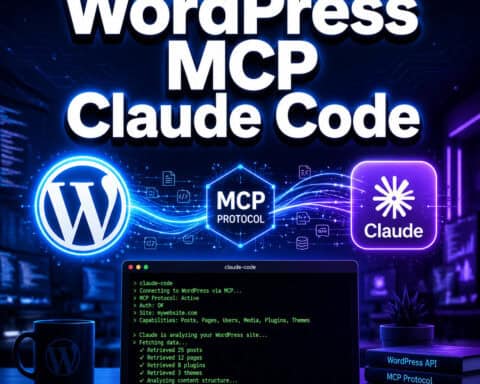
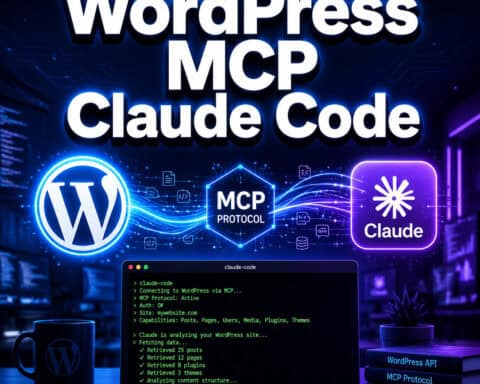
Quick Answer: A WordPress MCP server plugin connects your WordPress site to AI assistants like Claude, ChatGPT, and Gemini using the Model Context Protocol (MCP) standard. The official WordPress MCP Adapter, released in February 2026, translates WordPress’s Abilities API into MCP primitives so AI agents can discover and use your site’s capabilities directly [1]. Several third-party plugins like Royal MCP and Easy MCP AI offer alternative approaches with different security and ease-of-use tradeoffs.
Key Takeaways
- The official WordPress MCP Adapter bridges the Abilities API (introduced in WordPress 6.9) to the MCP standard, making WordPress sites discoverable by AI agents [1]
- WordPress Plugin Directory launched its own MCP server in March 2026 for plugin validation and submission through AI assistants [5]
- WordPress Playground now supports MCP via the
@wp-playground/mcppackage for local development and testing [4] - Royal MCP offers a security-first approach with API key authentication, rate limiting, and activity logging
- About 40% of WordPress sites use page builders (Divi, Elementor, etc.), and current MCP tools can’t safely edit page builder components at the module level [7]
- MCP doesn’t replace the WordPress REST API; it adds a standardized AI-agent interface layer on top of it
- Enterprise users can use managed MCP gateways from providers like Merge.dev for centralized authentication across multiple integrations
What Is a WordPress MCP Server Plugin and Why Does It Matter?
A WordPress MCP server plugin turns your WordPress site into an endpoint that AI assistants can connect to, read from, and interact with using the Model Context Protocol. MCP is an open standard (originally developed by Anthropic) that defines how AI models communicate with external tools and data sources.
Before MCP, connecting an AI assistant to WordPress meant custom API integrations, manual prompt engineering, or copy-pasting content back and forth. MCP standardizes this into three primitives:
- Tools: Actions the AI can perform (create a post, update a setting, run a query)
- Resources: Data the AI can read (posts, pages, site configuration)
- Prompts: Pre-defined templates that guide AI behavior for specific WordPress tasks
The WordPress Core AI team released the official MCP Adapter on February 4, 2026, marking the first time WordPress offered native AI-agent connectivity at the core level [1]. Automattic positioned this as part of their broader “AI Building Blocks for WordPress” initiative [2].
This matters because WordPress powers a significant share of the web. Making those sites AI-accessible through a standard protocol means developers and site owners can automate content management, plugin development, and site administration through conversational AI rather than manual dashboard work. For more on how AI is changing WordPress workflows, see our guide to AI plugins for WordPress automation.
How Does the Official WordPress MCP Adapter Work?
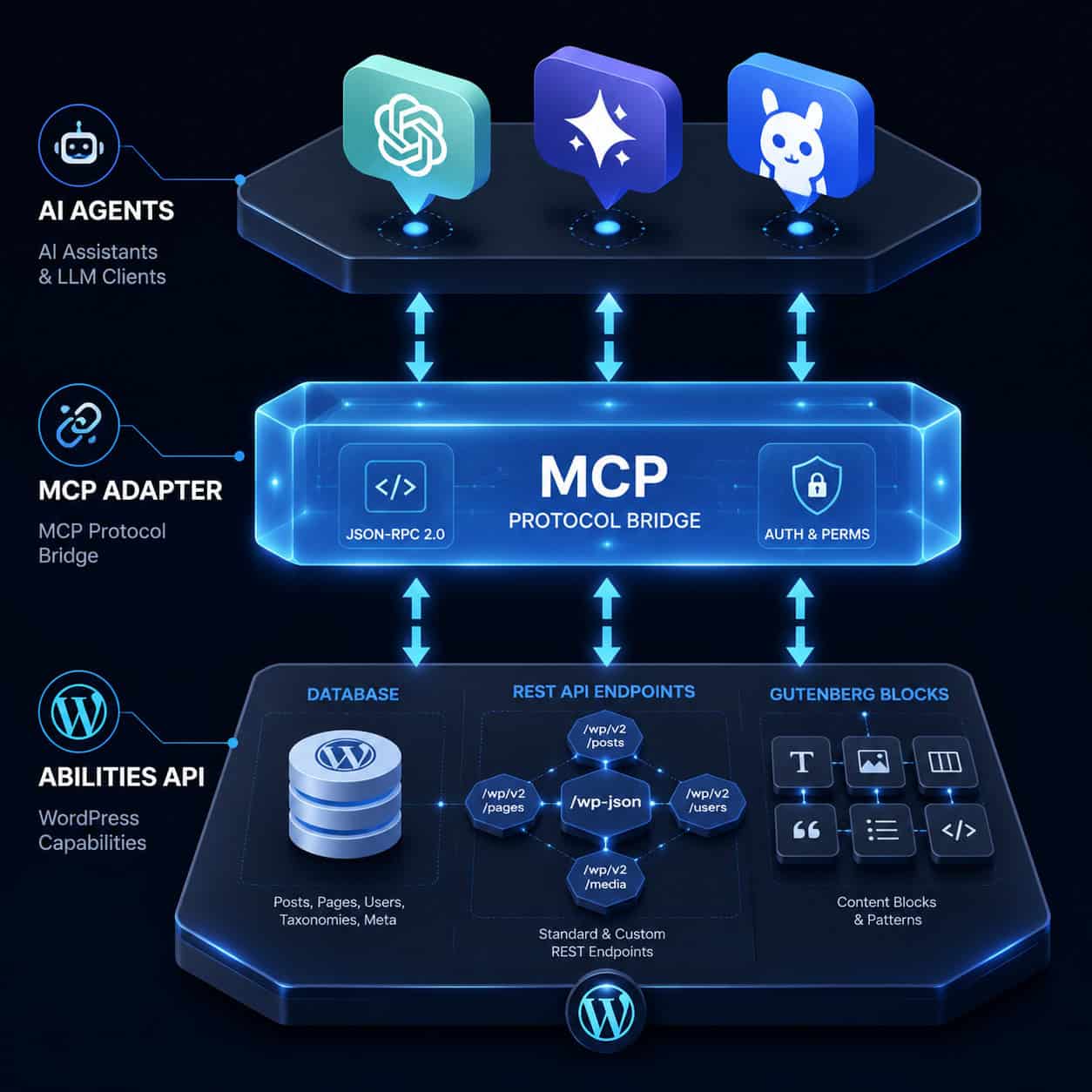
The official MCP Adapter acts as a translation layer between WordPress’s internal Abilities API and the external MCP standard. It doesn’t replace existing WordPress infrastructure; it wraps it.
Here’s the flow:
- WordPress 6.9+ registers Abilities — These are structured declarations of what your site can do (e.g., “create post,” “manage users,” “edit theme settings”)
- The MCP Adapter translates Abilities into MCP primitives — Each Ability becomes a tool, resource, or prompt that any MCP-compatible AI client can discover
- AI agents connect and query — Claude, ChatGPT, or any MCP client sends requests to the adapter, which routes them through WordPress’s existing permission system
The key design decision: the adapter respects WordPress’s existing user roles and capabilities. An AI agent authenticated as an Editor can’t perform Administrator-level actions. This is a meaningful security boundary [1][7].
According to Respira’s analysis, this represents WordPress becoming “AI-native” through a layered infrastructure rather than bolting AI on as an afterthought [7]. The combination of the Abilities API, MCP Adapter, and third-party MCP servers creates an ecosystem where AI agents can work with WordPress at multiple levels.
If you’re interested in broader WordPress AI strategies, our advanced WordPress strategies for power users covers related automation approaches.
Which WordPress MCP Server Plugins Are Available in 2026?
Several options exist, each targeting different use cases. Here’s a comparison:
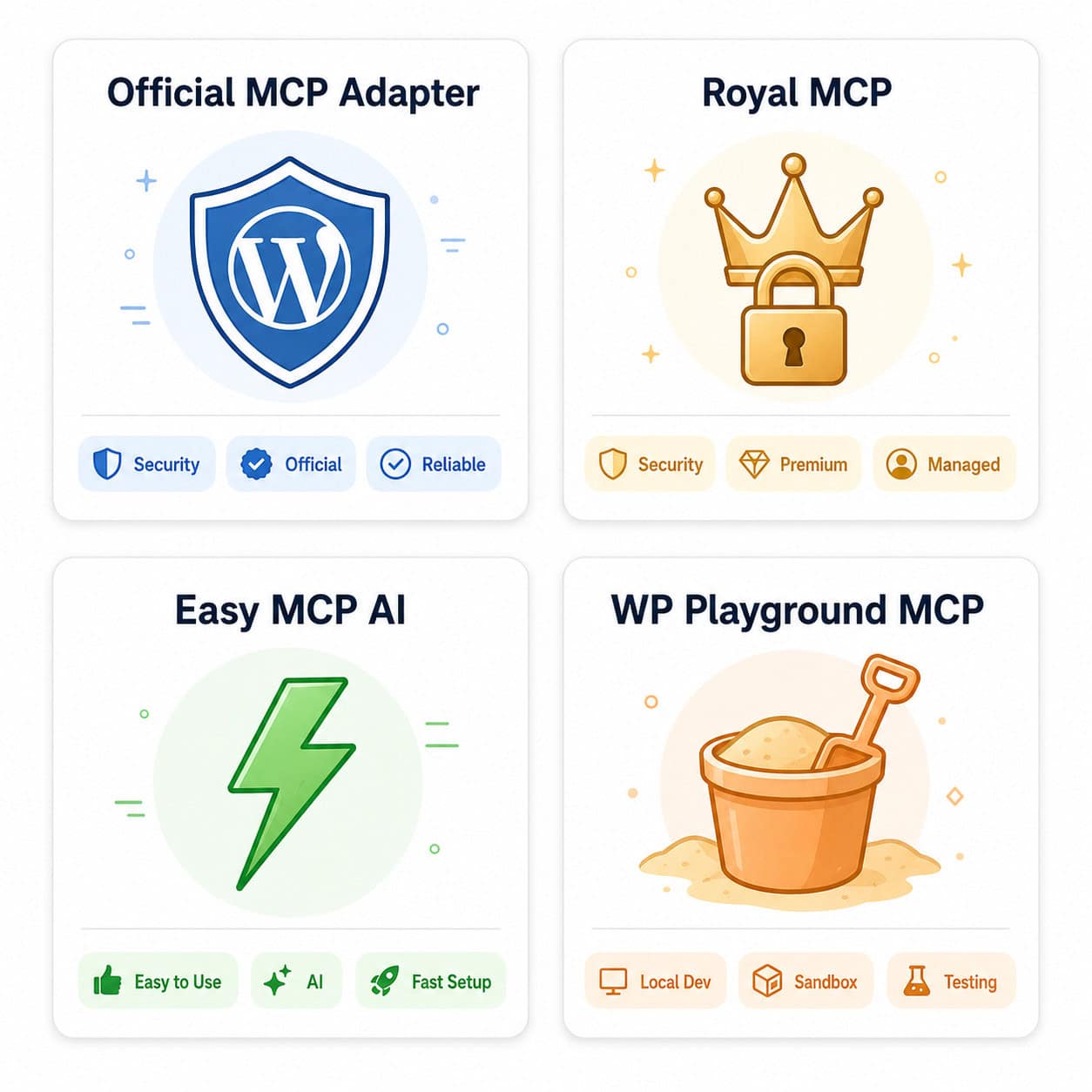
| Plugin/Server | Type | Best For | Auth Method | Cost |
|---|---|---|---|---|
| Official MCP Adapter | Core integration | Sites on WP 6.9+, Gutenberg users | WP user roles | Free |
| Royal MCP | Plugin (wp.org) | Security-conscious sites | API key + rate limiting | Free |
| Easy MCP AI | Plugin (wp.org) | Non-technical users | Token-based | Free |
| WP Playground MCP | npm package | Local dev/testing | Local only | Free |
| Plugin Directory MCP | npm package | Plugin developers | WordPress.org auth | Free |
| InstaWP MCP | Third-party | Staging/disposable sites | API key | Freemium |
Choose the Official MCP Adapter if you’re running WordPress 6.9+ with Gutenberg and want the most integrated, future-proof option.
Choose Royal MCP if security is your top priority. It includes activity logging and rate limiting out of the box, which the official adapter doesn’t provide at the plugin level.
Choose Easy MCP AI if you want the simplest setup. It turns your site into an MCP server without requiring Node.js, npm, or any command-line work.
Choose WP Playground MCP if you’re a developer testing AI integrations locally. It runs over WebSocket and lets AI agents read/write files, execute PHP, and manage sites without touching wp-admin [4].
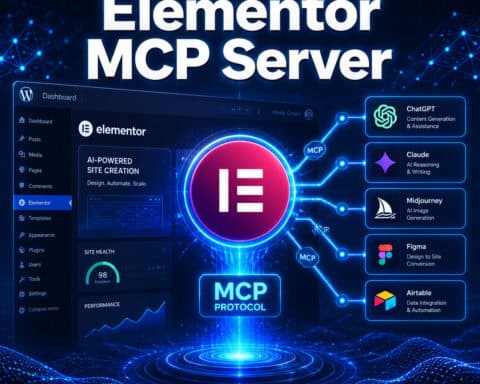
One critical gap to know about: if your site uses a page builder like Elementor, Divi, or WPBakery, current MCP tools cannot safely edit content at the component level. These builders use proprietary storage formats that the MCP adapter and most plugins don’t understand [7]. You’ll be limited to basic post/page operations through the standard WordPress API layer.
How to Set Up a WordPress MCP Server Plugin (Step by Step)
Setup varies by plugin, but I’ll cover the two most common paths: the official MCP Adapter and Easy MCP AI.
Official MCP Adapter Setup
Requirements: WordPress 6.9+, Node 18+, an MCP-compatible AI client
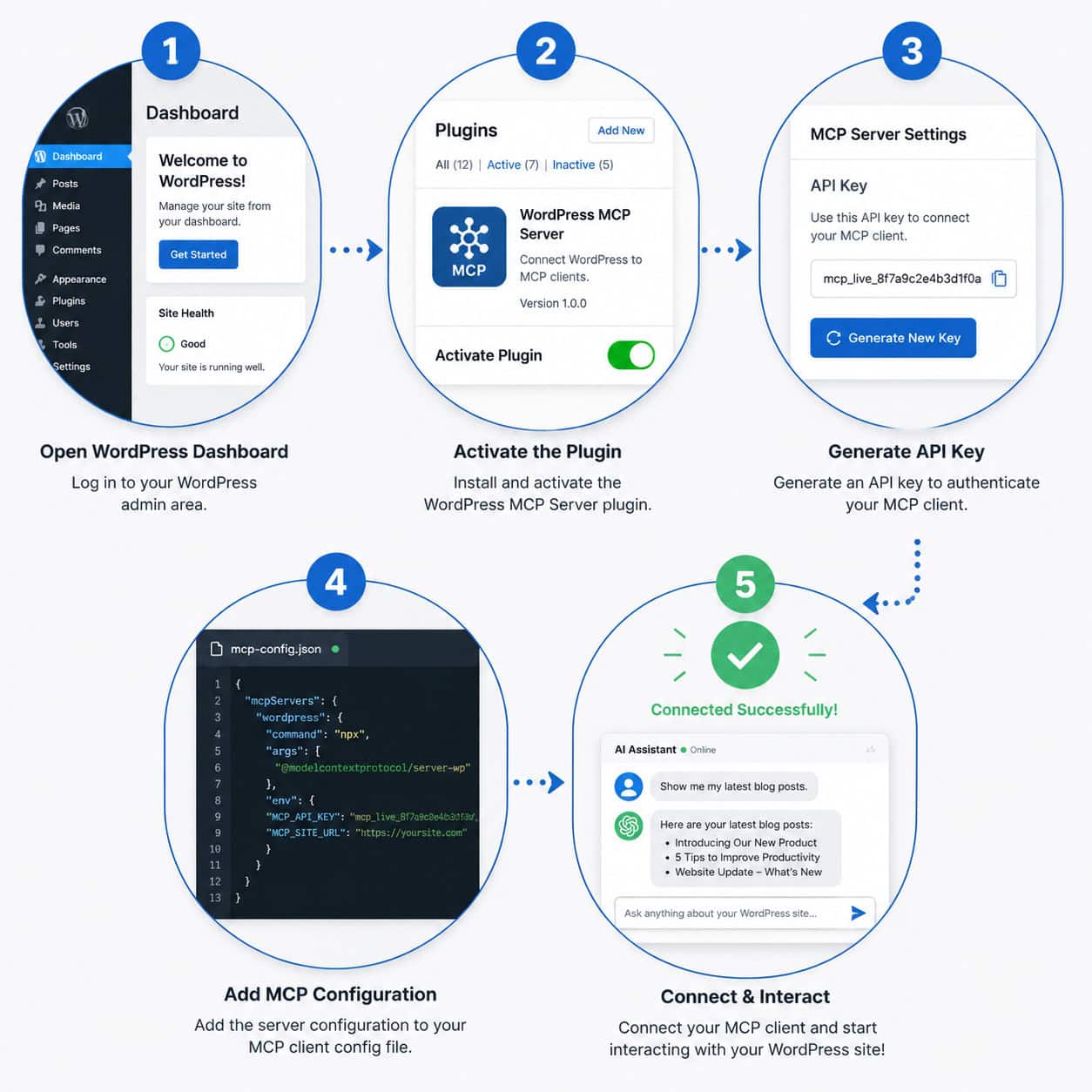
- Install the MCP Adapter plugin from the WordPress plugin directory or via Composer
- Activate the plugin in wp-admin under Plugins
- Configure Abilities — The adapter auto-discovers registered Abilities from your WordPress installation. Review them under Settings > MCP Adapter
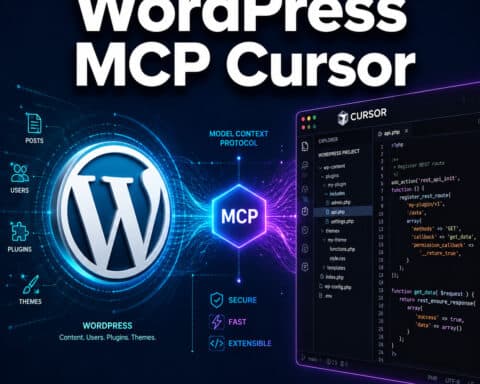
- Set up your AI client — In Claude Desktop, Cursor, or another MCP client, add the server configuration pointing to your site’s MCP endpoint
- Authenticate — Use application passwords or the authentication method specified in your client config
- Test the connection — Ask your AI assistant to list available tools. It should return your site’s registered Abilities
Easy MCP AI Setup
Requirements: WordPress 5.0+, any MCP-compatible AI client
- Install and activate the Easy MCP AI plugin from wp-admin
- Generate an access token under Settings > Easy MCP AI
- Copy the MCP endpoint URL displayed on the settings page
- Add the endpoint and token to your AI client’s MCP server configuration
- Connect and verify — The plugin exposes standard WordPress operations as MCP tools
Common mistake: Forgetting to set proper user permissions before connecting an AI agent. Always create a dedicated WordPress user with only the capabilities your AI agent needs. Don’t connect AI agents using an Administrator account unless absolutely necessary.
For developers building custom plugins that expose MCP capabilities, our guide to WordPress plugin development best practices covers the foundational patterns you’ll need.
WordPress MCP Server Plugin vs. REST API: When to Use Which
The WordPress REST API and MCP aren’t competing technologies. The REST API is the foundation; MCP adds a standardized discovery and interaction layer on top.
Use the REST API directly when:
- You’re building a custom application with specific, known endpoints
- You need fine-grained control over request/response formats
- Your integration doesn’t involve AI agents
- Performance is critical and you want minimal overhead
Use an MCP server plugin when:
- You want AI assistants to discover and use your site’s capabilities automatically
- You’re building workflows where AI agents need to interact with WordPress conversationally
- You need standardized tool descriptions that any MCP client can understand
- You want to expose WordPress functionality to multiple AI platforms without building separate integrations for each
The MCP layer adds overhead because it wraps REST API calls in the MCP protocol. For high-frequency automated tasks (like syncing thousands of posts), direct REST API calls will be faster. For AI-assisted content creation, site management, and development tasks, MCP provides a much better developer experience.
Enterprise organizations managing multiple WordPress sites might also consider managed MCP gateway solutions from providers like Merge.dev, which offer centralized authentication and data encryption across all integrations without building individual servers for each site.
Security Considerations for WordPress MCP Server Plugins
MCP actually improves security in one important way: AI agents never get direct database access. They interact through the MCP server, which routes requests through WordPress’s permission system [7]. This is a smaller attack surface than giving an AI model raw database credentials.
That said, you should still:
- Use dedicated API keys or application passwords for each AI agent connection
- Create purpose-limited WordPress user accounts for AI agents (don’t reuse admin credentials)
- Enable rate limiting — Royal MCP includes this; for the official adapter, consider a WAF or plugin-level rate limiting
- Monitor activity logs — Track what your AI agents are doing. Royal MCP logs all MCP interactions automatically
- Keep plugins updated — MCP is new, and security patches will be frequent in 2026
- Restrict exposed Abilities — Don’t expose user management or plugin installation capabilities unless your workflow specifically requires them
InformationWeek’s analysis notes that MCP’s architecture inherently reduces risk because AI agents only need to know which MCP servers are available, not how to directly access underlying systems.
For more on securing and optimizing your WordPress site with AI tools, check out our guide on using AI SEO tools for WordPress.
What Can You Actually Do With a WordPress MCP Server Plugin?
Here are concrete use cases people are using MCP for right now:
- Content creation and editing — Ask Claude to draft a blog post, format it in Gutenberg blocks, and publish it directly to your site
- Plugin development — Use the Plugin Directory MCP server to validate, check status, and submit plugins through your AI assistant [5]
- Site auditing — Have an AI agent crawl your site’s content, identify outdated posts, and suggest updates
- Bulk operations — Update categories, tags, or meta fields across hundreds of posts through conversational commands
- Local development — Use WP Playground MCP to spin up test sites, run PHP code, and debug issues without leaving your AI client [4]
- Content optimization — Connect MCP with AI-powered content optimization workflows for automated SEO improvements
The Reddit community has shared examples of Claude managing entire WordPress sites through MCP, including theme customization and plugin configuration [9]. WP Engine also launched Smart Search AI MCP integration for enhanced search capabilities [10].
FAQ
What version of WordPress do I need for the official MCP Adapter? WordPress 6.9 or later, because the Abilities API that the adapter depends on was introduced in that version [1].
Can I use a WordPress MCP server plugin with ChatGPT? Yes. Any MCP-compatible AI client works. Royal MCP explicitly supports Claude, ChatGPT, and Gemini. The official adapter works with any client that implements the MCP standard.
Is the WordPress MCP server plugin free? The official MCP Adapter, Royal MCP, and Easy MCP AI are all free. Some third-party MCP servers and managed gateway solutions have paid tiers.
Does MCP work with Elementor or Divi? Only partially. MCP can perform basic post and page operations, but it cannot edit page builder components at the module level because these builders use proprietary storage formats [7].
Do I need Node.js installed? For the official MCP Adapter and Plugin Directory MCP server, yes (Node 18+). Easy MCP AI runs entirely within WordPress and doesn’t require Node.js.
Is it safe to let AI agents modify my live site? Use a staging environment first. Create a dedicated WordPress user with limited capabilities for AI agent access. Enable activity logging and rate limiting. Never connect AI agents with full admin privileges on production sites.
What’s the difference between the MCP Adapter and third-party MCP servers? The official adapter translates WordPress’s native Abilities API to MCP. Third-party servers typically connect directly to the REST API for standard CRUD operations but lack the deeper integration with WordPress’s permission system [7].
Can I use multiple MCP server plugins at once? Technically yes, but it’s not recommended. Running multiple MCP endpoints on the same site can create conflicting tool definitions and authentication confusion. Pick one approach and stick with it.
Will MCP work with WordPress multisite? The official adapter supports multisite, but each site in the network needs its own MCP configuration. AI agents connect to individual sites, not the network as a whole.
Conclusion
The WordPress MCP server plugin ecosystem is moving fast. In just the first few months of 2026, we’ve seen the official MCP Adapter launch, a Plugin Directory MCP server go live, and multiple third-party options emerge.
Here’s what to do next:
- If you’re on WordPress 6.9+, start with the official MCP Adapter for the most integrated experience
- If you want simplicity, install Easy MCP AI and have a working MCP server in under 10 minutes
- If security is your priority, go with Royal MCP for built-in rate limiting and logging
- Test in staging first before connecting any AI agent to your production site
- Follow the WordPress Developer Blog for updates, as MCP integration is actively evolving with WordPress 7.0
The sites that adopt MCP early will have a significant head start in building AI-powered workflows. But don’t rush into production without understanding the security implications and limitations, especially if you’re running page builders.
For more WordPress insights and AI integration strategies, explore our WordPress resource hub and our coverage of AI-powered chatbot integration for WordPress.
References
[1] From Abilities To AI Agents Introducing The WordPress MCP Adapter – https://developer.wordpress.org/news/2026/02/from-abilities-to-ai-agents-introducing-the-wordpress-mcp-adapter/ [2] WordPress MCP (Automattic GitHub) – https://github.com/Automattic/wordpress-mcp [4] What’s New For Developers April 2026 – https://developer.wordpress.org/news/2026/04/whats-new-for-developers-april-2026/ [5] Plugin Directory MCP Server – https://make.wordpress.org/meta/2026/03/20/plugin-directory-mcp-server/ [7] WordPress Just Got An AI Layer Here’s What It Means – https://respira.love/p/wordpress-just-got-an-ai-layer-heres [9] Claude Takes Over WordPress With MCP (Reddit) – https://www.reddit.com/r/Wordpress/comments/1kbdrji/claude_takes_over_wordpress_with_mcp/ [10] WP Engine Smart Search AI MCP – https://wpengine.com/blog/wp-engine-smart-search-ai-mcp/