Last updated: May 13, 2026
Quick Answer
WordPress 7.0 is the biggest core release in eight years, scheduled for final release on May 20, 2026 [1][2]. It introduces real-time multi-user collaboration, a provider-agnostic Web Client AI API, visual revisions, a refreshed admin interface, and two new core blocks (Breadcrumbs and Icons) [1]. This release marks the first major Phase 3 (Collaboration) milestone for WordPress core.
Key Takeaways
- Release date: May 20, 2026, pushed back from the original April 9 target to improve stability [2]
- Real-time collaboration: Multiple users can edit the same post simultaneously using HTTP polling by default, with WebSocket support available via hooks [1]
- AI integration: A new Web Client AI API lets any plugin register an external AI provider without locking users into a single service [1]
- Visual revisions: See layout-level diffs between page versions, not just text changes [1]
- New blocks: Breadcrumbs and Icons join core, plus Cover block video backgrounds and Gallery lightbox support [1]
- Admin redesign: Cross-document view transitions create smooth animations between admin screens [1]
- Phase 3 progress: Builds on WordPress 6.9’s Notes feature with fragment notes, @mentions, and digest notifications [5]
- Backward compatibility: Requires PHP 7.4+ minimum, but PHP 8.2+ is recommended for full feature support [10]

What Is WordPress 7.0 and Why Does It Matter?
WordPress 7.0 is the next major version of the world’s most popular content management system, and it represents the largest architectural change since WordPress 5.0 introduced the block editor in 2018. According to White Label IQ, this is the biggest core release in eight years, requiring agencies and site owners to prepare with a technical roadmap for stability.
The release focuses on three pillars:
- Collaboration — bringing Google Docs-style multi-user editing to WordPress
- AI readiness — providing a standardized way for the ecosystem to integrate generative AI
- Editor maturity — polishing the block editor with visual revisions, new blocks, and smoother navigation
For site owners running any of the 40%+ of websites powered by WordPress, this update changes how teams work together and how developers build on the platform. If you’re managing a WordPress site in 2026, understanding what’s new and how to prepare is essential.
For those already exploring advanced workflows, our guide to advanced WordPress strategies for power users in 2026 covers automation techniques that pair well with 7.0’s new capabilities.
What Is the WordPress 7.0 Release Schedule?
The final release date is May 20, 2026, after being rescheduled from the original April 9 target [2]. The WordPress core team posted an updated schedule on April 22, 2026, explaining that additional time was needed for architectural improvements focused on stability and performance [2].
Here’s the complete timeline:
| Milestone | Date | Status |
|---|---|---|
| Original release target | April 9, 2026 | Rescheduled [4] |
| Updated schedule posted | April 22, 2026 | Complete [2] |
| RC 3 (treated as Beta 1) | May 8, 2026 | Complete [1] |
| RC 4 (new RC 1) | May 14, 2026 | Upcoming [1] |
| Dry run + code freeze | May 19, 2026 | Upcoming [1] |
| Final release | May 20, 2026 | Upcoming [1][8] |
Why the delay? The milestone labels were renumbered during development. What was originally called RC 3 is now treated as a beta, and RC 4 became the first formal release candidate [1]. This renumbering reflects the team’s decision to extend the community testing window, with hosting providers specifically called on to test real-time collaboration features under production conditions [8].
Common mistake: Don’t assume the delay signals instability. WordPress has a history of pushing dates to ship cleaner code. The extra six weeks gave the team time to stress-test the collaboration sync engine across different hosting environments.
How Does Real-Time Collaboration Work in WordPress 7.0?
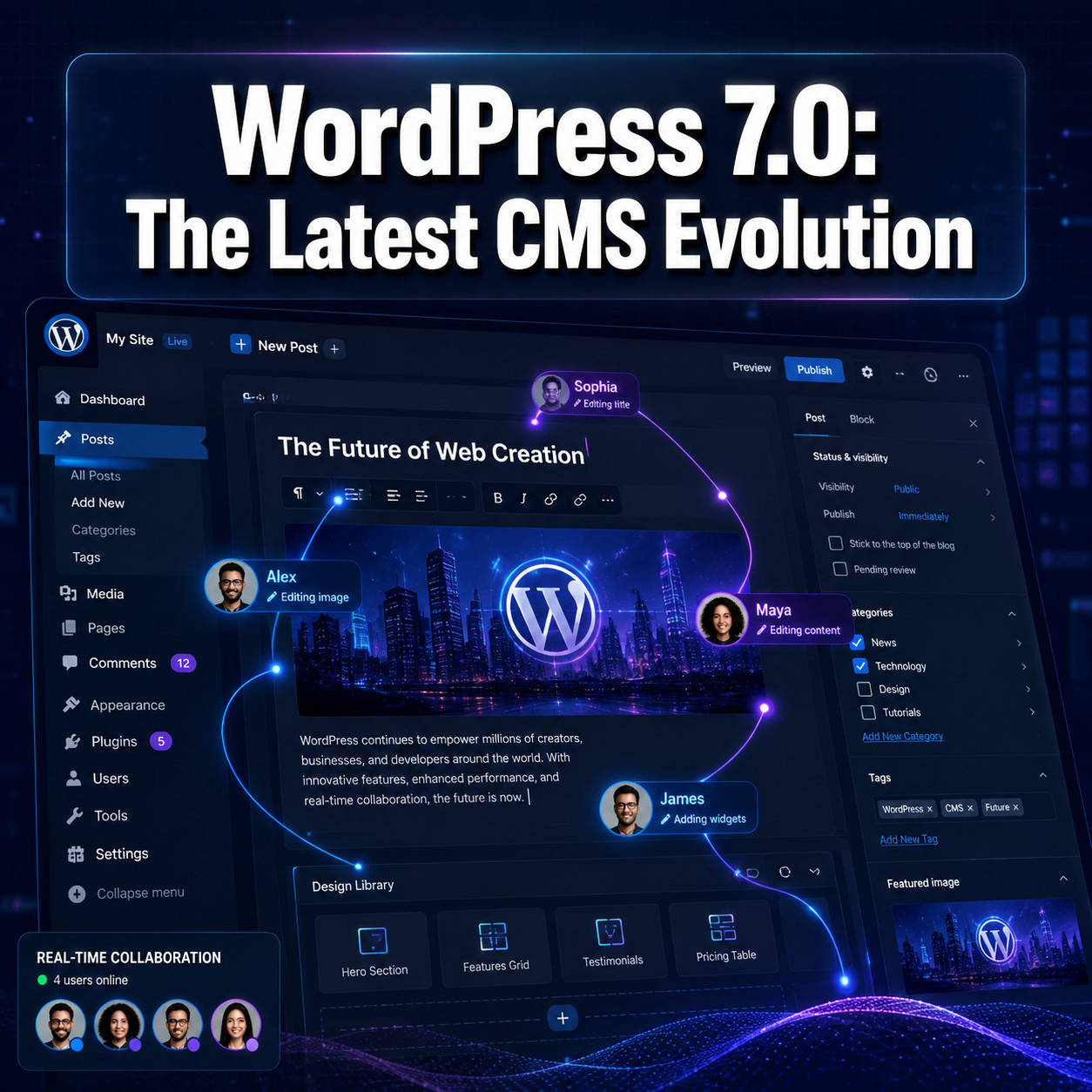
WordPress 7.0 ships real-time multi-user editing as a core feature, not a plugin. Multiple users can now edit the same post or page simultaneously, with changes syncing between collaborators automatically [1].

Technical implementation
The collaboration system uses HTTP polling as the default sync provider [1]. This means it works on any standard WordPress host without special server configuration. For sites that need lower latency, WordPress 7.0 opens a hook for hosts and plugins to add WebSocket support [1].
Key collaboration features include:
- Fragment notes: Attach comments to specific sections of a page layout, not just the overall post [5]
- @mentions: Tag team members directly within the editor to request feedback or assign tasks [5]
- Digest notifications: Receive summarized updates about changes made by collaborators [5]
- Offline sync: Edits made while disconnected automatically merge when the user reconnects [1]
Who benefits most
Choose real-time collaboration if:
- Your team has 2+ editors working on the same content
- You publish time-sensitive content where simultaneous editing saves hours
- You’re an agency managing client sites where feedback loops slow production
Skip it (for now) if:
- You’re a solo blogger with no collaborators
- Your hosting environment has strict request limits that could throttle polling
This builds directly on WordPress 6.9 “Gene,” which shipped the Notes feature as the first Phase 3 Collaboration milestone in December 2025 [5]. WordPress 7.0 expands that foundation into a full collaborative editing environment.
What Is the Web Client AI API and How Do Developers Use It?
WordPress 7.0 introduces a Web Client AI API in core — a standardized interface that lets plugins and themes connect to external generative AI providers without building custom integrations from scratch [1].

How it works
The API is provider-agnostic [1]. WordPress core doesn’t bundle any AI model. Instead, it provides:
- A registration system where any plugin can declare itself as an AI provider
- Standardized request/response formats for text generation, summarization, and content suggestions
- Permission controls so site admins decide which AI features are active and who can use them
Any plugin can register a provider using the new wp_register_ai_provider() function [1]. This means a site could connect to OpenAI, Anthropic, a self-hosted model, or any other service through the same interface.
Practical applications
For content teams, this opens up:
- In-editor content suggestions without leaving the block editor
- Alt text generation for images during upload
- Content summarization for creating excerpts or meta descriptions
- Translation assistance integrated into the publishing workflow
If you’re exploring AI tools for your WordPress site, our roundup of 12 best AI plugins for WordPress covers options that will likely adopt this new API. You might also find our guide on AI-powered content generation tools useful for understanding the broader landscape.
Edge case to watch
The AI API doesn’t include rate limiting at the core level. If you register multiple AI providers, each plugin manages its own API key and usage caps. Site admins should audit which plugins have AI provider access to avoid unexpected costs from third-party API calls.
What New Editor Features and Blocks Does WordPress 7.0 Include?
WordPress 7.0 adds visual revisions, two new core blocks, and cross-document view transitions that make the admin feel noticeably faster [1].
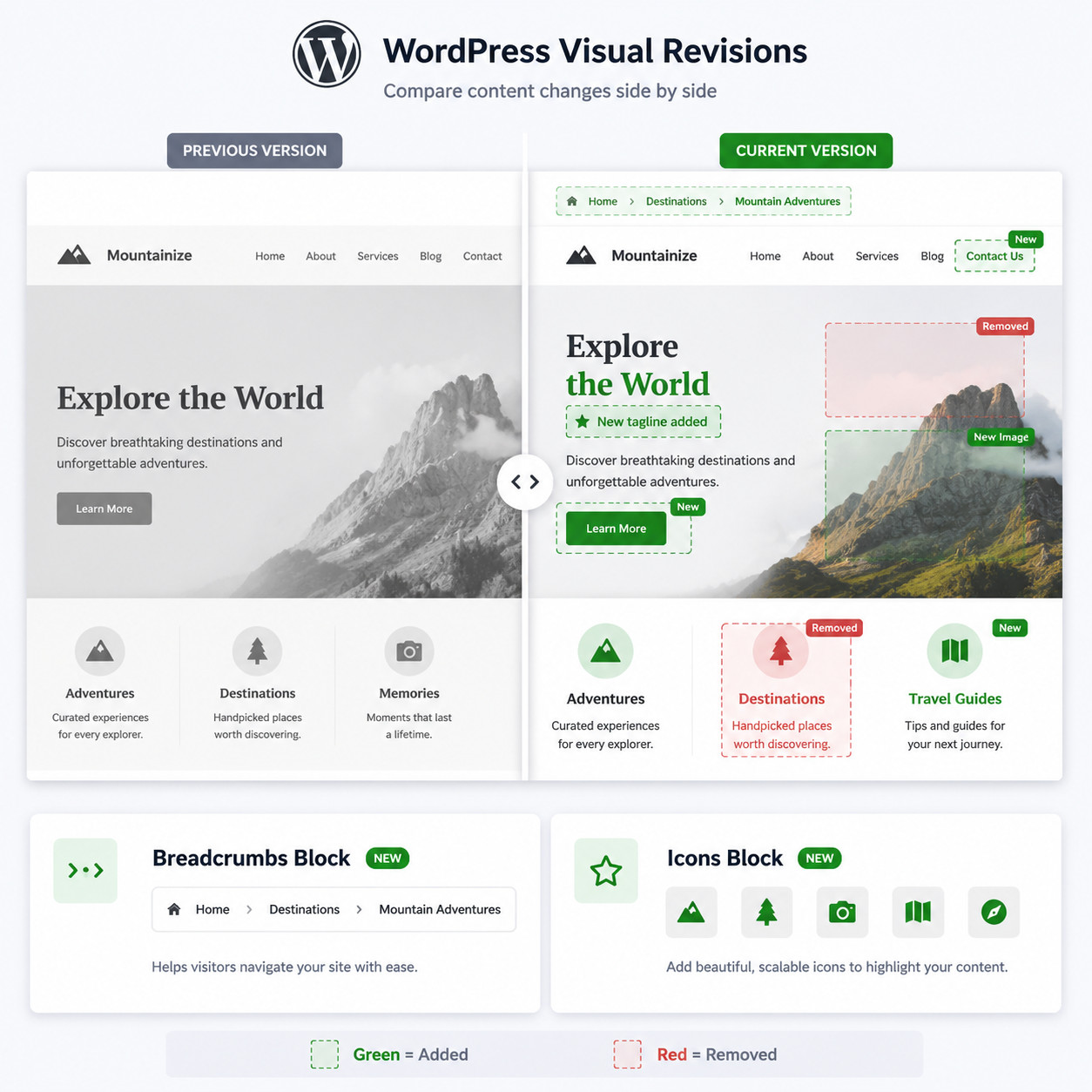
Visual revisions
Previously, WordPress revisions showed text-level diffs — you could see which words changed but not how the page layout shifted. WordPress 7.0’s visual diff shows exactly what changed in a page’s layout between versions [1]. You can compare full-page renders side by side, making it practical to review design changes, not just copy edits.
New core blocks
| Block | What it does | Use case |
|---|---|---|
| Breadcrumbs | Displays hierarchical navigation path | SEO-friendly site navigation without plugins |
| Icons | Insert and style SVG icons from a core library | Replace icon font dependencies, improve performance |
Additional block improvements:
- Cover block: Now supports embedded video as background [1]
- Gallery block: Built-in lightbox functionality without third-party plugins [1]
Cross-document view transitions
Admin screens now animate smoothly between pages using the View Transitions API [1]. No additional configuration is needed. When you click from the post list to the editor, or from settings to a plugin page, the transition is animated rather than a hard page reload.
Decision rule: If you’re currently using a plugin solely for breadcrumb navigation or icon insertion, WordPress 7.0 makes those plugins redundant. Test the core blocks in a staging environment before deactivating third-party alternatives.
For developers building custom themes that take advantage of these new blocks, our guide to custom WordPress theme development covers the fundamentals, and our theme customization guide addresses styling approaches.
How Should You Prepare Your Site for the WordPress 7.0 Upgrade?
Back up everything, test on staging, and verify plugin compatibility before updating production. This release touches core architecture, so the standard “click update and hope” approach carries more risk than a typical minor release.

Pre-upgrade checklist
- Create a full backup — database and files. Use your host’s snapshot feature or a backup plugin.
- Check PHP version — WordPress 7.0 requires PHP 7.4 minimum, but PHP 8.2+ is recommended for full feature support [10].
- Audit plugins — Check each plugin’s changelog or support forum for WordPress 7.0 compatibility statements. Pay special attention to page builders and caching plugins.
- Test on staging — Clone your production site and run the update there first. Test all critical flows: forms, checkout, login, and any custom functionality.
- Review custom code — If you have custom theme functions or mu-plugins, check for deprecated functions. The collaboration features introduce new REST API endpoints that could conflict with custom API routes.
- Disable object caching temporarily — During the update, persistent object caches can sometimes serve stale data. Re-enable after confirming the update succeeded.
- Plan your timing — Don’t update during peak traffic. Schedule the update during your lowest-traffic window.
Common mistakes
- Updating without checking hosting environment: Some shared hosts may not support the HTTP polling frequency needed for real-time collaboration. Contact your host to confirm compatibility.
- Ignoring the admin reskin: If your team uses custom admin CSS or white-label plugins, the refreshed admin interface may break visual customizations.
- Assuming all plugins are ready on day one: Major releases typically see a 2-4 week window before all popular plugins confirm compatibility. For mission-critical sites, waiting until late May or early June is reasonable.
For plugin developers preparing their own code, our essential guide to WordPress plugin development best practices covers testing strategies and compatibility standards.
WordPress 7.0 vs. WordPress 6.9: What Actually Changed?
WordPress 6.9 “Gene” released on December 2, 2025, and delivered the Notes feature as the first Phase 3 milestone [5]. WordPress 7.0 builds on that foundation substantially.
| Feature | WordPress 6.9 | WordPress 7.0 |
|---|---|---|
| Collaboration | Basic Notes on posts | Real-time multi-user editing, fragment notes, @mentions, digest notifications [1][5] |
| AI integration | None in core | Web Client AI API with provider registration [1] |
| Revisions | Text-only diff | Visual layout diff [1] |
| Admin navigation | Standard page loads | Cross-document view transitions [1] |
| Breadcrumbs | Plugin required | Core block [1] |
| Icons | Plugin required | Core block [1] |
| Cover block | Static image/color | Video background support [1] |
| Gallery | Basic grid | Built-in lightbox [1] |
| Sync method | N/A | HTTP polling default, WebSocket hook [1] |
The jump from 6.9 to 7.0 (skipping the 6.x numbering) signals that the WordPress project considers this a generational shift, not an incremental update. The version number reflects the magnitude of the architectural changes, particularly around collaboration infrastructure and AI readiness.
Who Is WordPress 7.0 For (and Who Should Wait)?
Update immediately if:
- You run a multi-author publication or agency with collaborative workflows
- You want native AI integration hooks without plugin sprawl
- You’re a developer building products on WordPress and need the new API surface
- Your site already runs PHP 8.2+ and you’ve tested on staging
Wait 2-4 weeks if:
- You rely heavily on page builders (Elementor, Beaver Builder, etc.) that haven’t confirmed compatibility
- Your site uses WooCommerce with extensive customizations
- You’re on shared hosting and haven’t confirmed your host supports the polling requirements
- You have no staging environment to test safely
Skip for now if:
- You’re running a simple blog with no collaborators and no AI needs
- Your hosting is on PHP 7.4 and you can’t upgrade (you’ll get the update, but performance won’t be optimal)
- You have mission-critical custom code that hasn’t been audited against the new REST endpoints
Frequently Asked Questions
When exactly does WordPress 7.0 release?
May 20, 2026 is the confirmed final release date, following a rescheduled timeline from the original April 9 target [1][2].
Is WordPress 7.0 a free update?
Yes. Like all WordPress core releases, 7.0 is free and available through the standard dashboard update mechanism.
Do I need special hosting for real-time collaboration?
No. The default HTTP polling sync works on any standard WordPress host [1]. WebSocket support is optional and available via a hook for hosts that want to offer lower-latency collaboration [1].
Will my plugins break after updating?
Some might. Major releases carry higher plugin incompatibility risk. Check each plugin’s support forum or changelog for 7.0 compatibility statements before updating. Waiting 2-4 weeks after release reduces this risk.
What PHP version does WordPress 7.0 require?
PHP 7.4 is the minimum requirement. PHP 8.2+ is recommended for optimal performance and full feature support [10].
Does WordPress 7.0 include a built-in AI model?
No. The Web Client AI API provides a standardized interface, but AI models remain external [1]. You need a plugin that registers an AI provider (like OpenAI or Anthropic) to use AI features.
Can I disable real-time collaboration?
Yes. The collaboration features can be toggled off at the site level through Settings. Individual users can also opt out of collaboration notifications.
What happened to the original April 9 release date?
The core team rescheduled to May 20 to allow additional time for architectural improvements focused on stability and performance [2]. The extra time was specifically used to stress-test collaboration features with hosting providers [8].
Is this really the biggest update in 8 years?
According to multiple sources in the WordPress ecosystem, yes. The combination of real-time collaboration infrastructure, a new AI API layer, and the admin redesign represents the most significant architectural change since WordPress 5.0 introduced the block editor in December 2018.
How do visual revisions differ from the old revision system?
The old system showed text-level changes (insertions and deletions in content). Visual revisions show layout-level diffs — you can see how the entire page design changed between versions, including block positioning and styling [1].
Should agencies update client sites immediately?
Most agencies should test on staging first and wait for plugin compatibility confirmations. The collaboration features are compelling for multi-person teams, but stability on production client sites takes priority. Plan updates for late May or early June 2026.
Conclusion
WordPress 7.0 is a genuine milestone for the platform. Real-time collaboration, a standardized AI API, visual revisions, and new core blocks collectively make this the most significant update since the block editor launched. The May 20, 2026 release date gives the community time to prepare.
Your action plan for the next week:
- Today: Check your PHP version and confirm it’s 8.2+ (or at minimum 7.4)
- This week: Set up a staging environment if you don’t have one
- May 14-19: Test the RC 4 release on staging and audit plugin compatibility
- May 20+: Update staging first, then production after confirming everything works
- Late May: Train your team on collaboration features and explore AI provider plugins
The collaboration features alone justify the update for any multi-person team. The AI API positions WordPress for the next wave of content tooling. And the editor improvements (visual revisions, breadcrumbs, icons) eliminate plugin dependencies that many sites have carried for years.
Whether you update on day one or wait a few weeks, WordPress 7.0 represents where the platform is heading. Understanding its capabilities now puts you ahead of the curve. For more WordPress insights and tutorials, explore our WordPress archives and learn how to use AI SEO tools for WordPress to maximize your site’s performance with the new release.
References
[1] WordPress 7 0 Release Candidate 3 – https://wordpress.org/news/2026/05/wordpress-7-0-release-candidate-3/ [2] WordPress 7 0 Release Party Updated Schedule – https://make.wordpress.org/core/2026/04/22/wordpress-7-0-release-party-updated-schedule/ [4] WordPress 70 Releases On For 9 April 2026 – https://www.reddit.com/r/CloudwaysbyDO/comments/1se6ooc/wordpress_70_releases_on_for_9_april_2026/ [5] Markmcneece WordPress WordPress70 Webdevelopment Activity – https://www.linkedin.com/posts/markmcneece_wordpress-wordpress70-webdevelopment-activity-7407027021026971648-pHAg [8] WordPress 7 0 Gets A New May 20 Release Date – https://www.therepository.email/wordpress-7-0-gets-a-new-may-20-release-date [10] WordPress 7 – https://www.accuwebhosting.com/blog/wordpress-7/