Last updated: May 7, 2026
Quick Answer: N8N is a free, open-source, fair-code workflow automation tool that connects apps, APIs, and services through a visual node-based editor. It lets individuals and teams automate repetitive tasks without writing much code — and it can run on your own server, giving you full data control. This guide covers everything from setup to advanced use cases so you can build reliable, production-ready automations in 2026.
Key Takeaways
- N8N is self-hostable and free to run on your own infrastructure, which makes it a strong choice for teams with privacy or compliance requirements.
- Node-based visual editor means you connect triggers and actions like building blocks, no deep coding knowledge required.
- 400+ integrations are available out of the box, covering CRMs, databases, communication tools, and AI services. [1]
- Code nodes let developers drop into JavaScript or Python when visual nodes aren’t enough.
- AI agent support is built in, so you can build LLM-powered workflows alongside traditional automations. [7]
- Common use cases include lead management, content publishing, data sync, customer support routing, and internal reporting.
- The biggest beginner mistake is building complex workflows before testing individual nodes — always test each node in isolation first.
- N8N Cloud is available if you don’t want to manage your own server, with a paid subscription model.
- Workflow templates in the n8n community library save hours of setup time for standard use cases.
What Is N8N and Why Does It Stand Out From Other Automation Tools?
N8N (pronounced “n-eight-n”) is a fair-code licensed workflow automation platform that gives you the flexibility of code with the speed of a visual, no-code builder. [1] Unlike fully proprietary tools, n8n lets you self-host, inspect the source code, and modify it for your own needs — which is rare in this category.
How it compares to alternatives:
| Feature | N8N | Zapier | Make (Integromat) |
|---|---|---|---|
| Self-hosting | ✅ Yes | ❌ No | ❌ No |
| Free tier | ✅ Community (self-hosted) | Limited | Limited |
| Code nodes | ✅ JS + Python | ❌ | Limited |
| AI agent support | ✅ Built-in | Limited | Limited |
| Open source | Fair-code | ❌ | ❌ |
| Visual editor | ✅ | ✅ | ✅ |
Choose n8n if:
- You need full data ownership (GDPR, HIPAA-adjacent use cases)
- You want to extend automations with custom code
- You’re running high workflow volumes and want to avoid per-task pricing
- You want to integrate AI agents into your automation stack [7]
Consider alternatives if:
- You need a plug-and-play tool with zero server management
- Your team has no technical members at all
- You only need simple two-step automations
“N8N combines the flexibility of code with the speed of no-code — making it one of the few automation tools that scales from solo developer to enterprise team.” [1]
How Do You Set Up N8N for the First Time?
Getting n8n running takes under 30 minutes if you follow the right path. There are two main options: self-hosted (free) or n8n Cloud (paid subscription). [9]
Option 1: Self-hosted with Docker (recommended for most users)
<code class="language-bash">docker run -it --rm
  --name n8n
  -p 5678:5678
  -v ~/.n8n:/home/node/.n8n
  n8nio/n8n
</code>
Then open http://localhost:5678 in your browser.
Option 2: N8N Cloud Go to n8n.io, sign up, and you’re running within minutes — no server needed.
Option 3: npm install
<code class="language-bash">npm install n8n -g
n8n start
</code>
Setup checklist:
- Choose hosting method (Docker, Cloud, or npm)
- Create your owner account on first launch
- Set environment variables for production (encryption key, webhook URL)
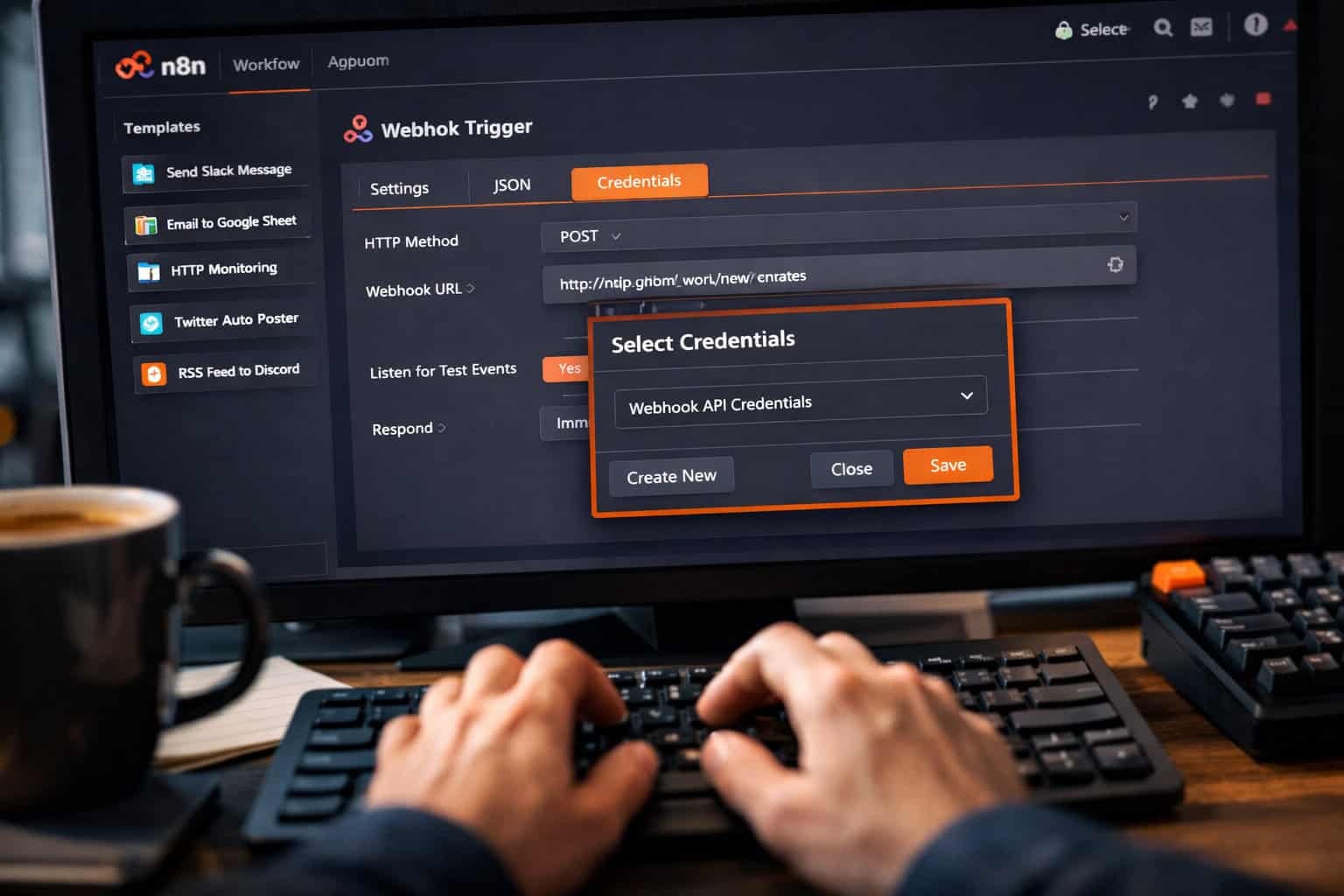
- Connect your first credential (e.g., Gmail OAuth or a Slack API token)
- Run a test workflow to confirm everything works
Common mistake: Skipping the webhook URL configuration when self-hosting. If your server doesn’t have a public URL set, incoming webhooks from external services won’t reach n8n. Set N8N_HOST and WEBHOOK_URL environment variables before you go live.
For teams building on WordPress who want to connect n8n to their CMS, our guide on advanced WordPress strategies for power users covers integration patterns worth knowing.
What Are N8N Nodes and How Do Workflows Actually Work?
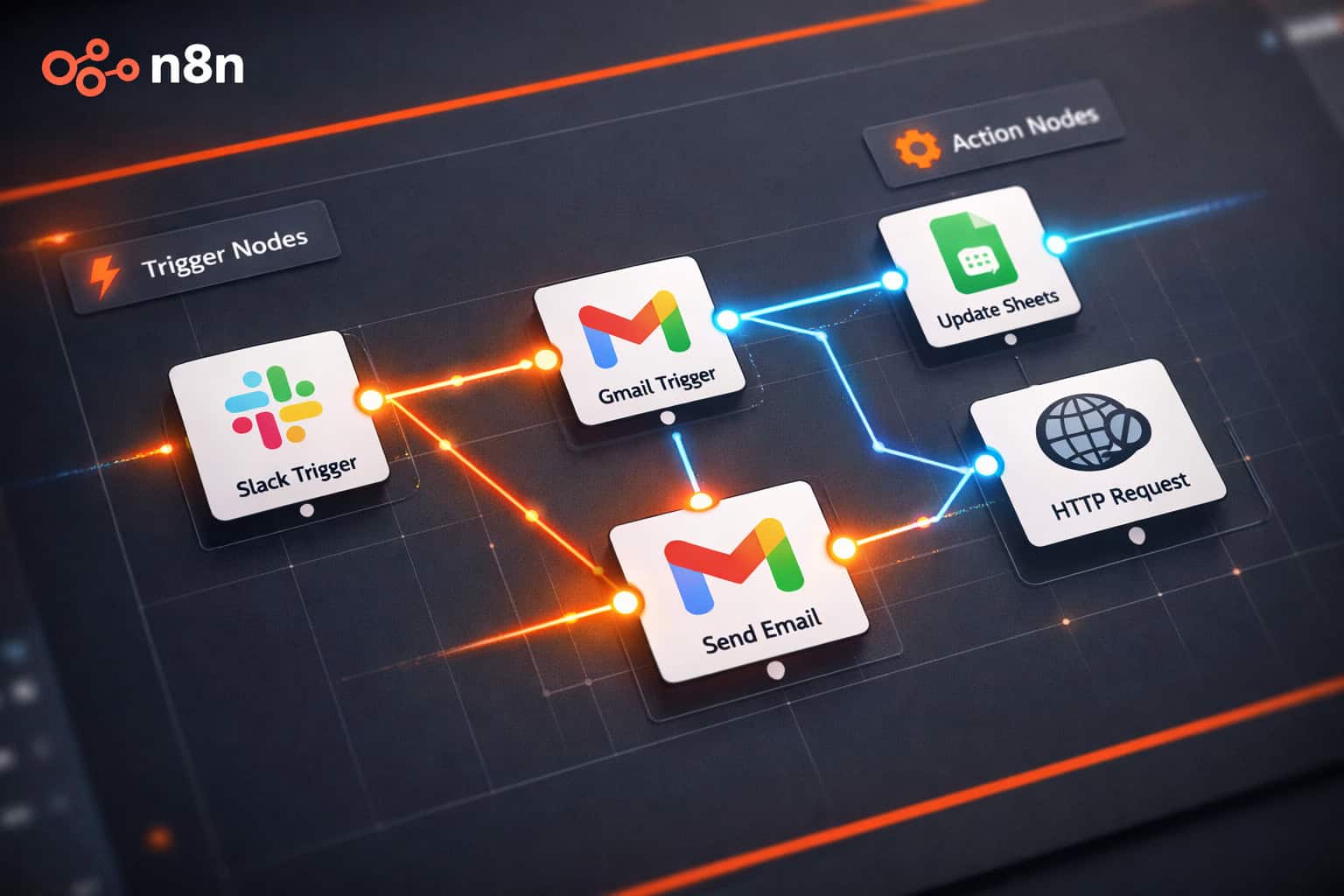
Every n8n workflow is built from nodes — individual blocks that each do one thing. A trigger node starts the workflow, and action nodes follow in sequence. [2]
The three node types you’ll use most:
- Trigger nodes — Start the workflow. Examples: Webhook, Schedule, Gmail Trigger, HTTP Request.
- Action nodes — Do something. Examples: Send Email, Create Row in Google Sheets, Post to Slack.
- Logic nodes — Control flow. Examples: IF, Switch, Merge, Loop Over Items.
How data flows:
Each node passes a JSON object (called an “item”) to the next node. You can reference data from previous nodes using expressions like {{ $json.email }}. This is where n8n’s power shows — you can transform, filter, and route data between any combination of services.
A simple lead capture workflow looks like this:
- Webhook trigger receives a form submission
- IF node checks if the email domain is valid
- Google Sheets node adds the lead to a spreadsheet
- Slack node sends a notification to your sales channel
- Gmail node sends a welcome email to the new lead
That entire workflow takes about 15 minutes to build from scratch. [2]
Edge case: When a node receives multiple items (say, 50 rows from a spreadsheet), n8n processes each item individually by default. If you want to batch them, use the Loop Over Items node or the Aggregate node to combine data first.

What Are the Most Valuable N8N Use Cases in 2026?
N8N automation mastery comes from knowing which workflows deliver the most time savings. Based on community usage patterns and documented examples, these are the highest-value categories. [9]
1. Marketing and content workflows
- Auto-publish blog posts to social media when new content goes live
- Sync leads from ad platforms (Meta, Google) into your CRM
- Send personalized email sequences triggered by user actions
If you run a WordPress site, pairing n8n with auto-publishing tools is straightforward. See our guide on how to auto-share WordPress blog posts to social media for the publishing side of that equation.
2. Data management
- Sync data between two databases on a schedule
- Clean and deduplicate CRM records weekly
- Generate weekly reports from multiple data sources into one Google Sheet
3. Customer support routing
- Classify incoming support tickets using an AI node
- Route tickets to the right team based on keywords or sentiment
- Auto-respond to common questions with templated replies
4. Internal operations
- Notify team channels when a deal closes in your CRM
- Create Jira tickets from Slack messages automatically
- Run daily health checks on your infrastructure and alert on failures
5. AI-powered workflows N8N has native AI agent nodes that connect to OpenAI, Anthropic, and other LLM providers. [7] You can build workflows that summarize emails, classify documents, or generate draft responses — all triggered automatically.
For teams exploring AI content tools alongside n8n, our comprehensive guide to AI-powered content generation tools covers complementary options.
How Do You Build Your First Real N8N Workflow Step by Step?
This is the practical core of N8N Automation Mastery: The Ultimate Guide to Streamlining Your Workflows — building something that actually runs in production.
Workflow: Auto-log new Gmail emails to Google Sheets
Step 1: Open the n8n canvas Click the “+” button to add your first node.
Step 2: Add a Gmail Trigger node
- Search for “Gmail” and select “Gmail Trigger”
- Connect your Google account via OAuth
- Set the trigger to “New Email Received”
- Filter by label if needed (e.g., only “Inbox”)
Step 3: Add a Google Sheets node
- Search for “Google Sheets” and select “Append Row”
- Connect the same or a different Google account
- Select your target spreadsheet and sheet tab
- Map fields:
{{ $json.from }}→ Column A,{{ $json.subject }}→ Column B,{{ $json.date }}→ Column C
Step 4: Test each node individually Click “Test Step” on each node before running the full workflow. This is the single most important habit for avoiding broken production workflows.
Step 5: Activate the workflow Toggle the workflow to “Active” in the top-right corner. N8N will now listen for new emails and log them automatically.
Step 6: Monitor executions Go to “Executions” in the left sidebar to see every run, its status, and the data that passed through each node.
Pro tip: Use the Error Trigger node to build a separate error-handling workflow. When any workflow fails, the Error Trigger fires and can send you a Slack message or email with the error details.
What Are the Most Common N8N Mistakes and How Do You Avoid Them?
Even experienced users hit predictable problems. Here are the ones that waste the most time:
Mistake 1: Not testing nodes individually Running the full workflow before checking each node means you won’t know which step broke. Always use “Test Step” on each node first.
Mistake 2: Hardcoding credentials in expressions Never paste API keys directly into expression fields. Use n8n’s Credentials system so keys are encrypted and reusable across workflows.
Mistake 3: Ignoring error handling A workflow with no error handling will silently fail. Add an Error Trigger workflow and at minimum send yourself a notification when something breaks.
Mistake 4: Building too much in one workflow Long, 20-node workflows are hard to debug. Break complex processes into smaller sub-workflows and call them using the Execute Workflow node.
Mistake 5: Not setting execution limits If a trigger fires very frequently (e.g., every minute), and the workflow takes longer than expected, you can end up with queued executions piling up. Set a concurrency limit in workflow settings.
Mistake 6: Forgetting timezone settings Schedule triggers use the server’s timezone by default. If your server is in UTC but you want workflows to run at 9 AM New York time, set the timezone explicitly in the Schedule node.
How Does N8N Handle AI Agents and Advanced Automation?
N8N’s AI capabilities make it one of the more forward-looking tools in the automation space as of 2026. [7] The platform includes dedicated AI agent nodes that let you build LLM-powered logic directly inside your workflows.
What the AI nodes can do:
- Call OpenAI, Anthropic Claude, Google Gemini, and other LLM APIs
- Use memory tools to maintain conversation context across runs
- Connect to vector databases for retrieval-augmented generation (RAG)
- Chain multiple AI calls with conditional logic between them
A practical AI workflow example:
- Gmail Trigger fires when a new support email arrives
- AI Agent node (using GPT-4o) classifies the email as “billing,” “technical,” or “general”
- Switch node routes to the appropriate Slack channel based on classification
- AI Agent node drafts a reply using a system prompt tailored to the category
- Gmail node saves the draft to the sender’s thread (not auto-sent — a human reviews it)
This kind of human-in-the-loop AI workflow is where n8n genuinely pulls ahead of simpler automation tools. [7]
For teams also exploring AI-powered content optimization alongside these workflows, our guide on AI-powered content optimization covers complementary strategies.
What Does N8N Cost and Is the Free Version Enough?
N8N’s pricing model is one of its strongest selling points. The self-hosted community edition is free with no workflow or execution limits imposed by the software itself — your only costs are server infrastructure. [1]
Pricing breakdown (as of 2026):
| Plan | Cost | Best For |
|---|---|---|
| Community (self-hosted) | Free | Developers, technical teams |
| N8N Cloud Starter | ~$20/month | Small teams, no server management |
| N8N Cloud Pro | ~$50/month | Growing teams, more executions |
| Enterprise | Custom | Large orgs, SSO, SLA support |
(Cloud pricing is approximate; check n8n.io for current rates.)
Is the free self-hosted version enough? For most solo developers and small teams: yes. You get all features, unlimited workflows, and no per-execution fees. The trade-off is that you manage the server, handle updates, and set up backups yourself.
Choose Cloud if:
- You don’t have DevOps resources
- You need guaranteed uptime SLAs
- You want automatic updates and managed infrastructure
Choose self-hosted if:
- You process sensitive data and need it to stay on your servers
- You run high execution volumes and want predictable costs
- You have someone who can manage a VPS or Docker environment
Teams also building no-code websites alongside their automation stack might find our roundup of no-code website design software platforms useful for a broader toolset overview.
Where Can You Find N8N Templates and Community Resources?
One of the fastest ways to reach N8N Automation Mastery: The Ultimate Guide to Streamlining Your Workflows goals is to start from proven templates rather than blank canvases.
Official resources:
- N8N Template Library at n8n.io/workflows — hundreds of community-contributed templates, searchable by app or use case
- N8N Documentation at docs.n8n.io — covers every node with examples [2]
- N8N Community Forum at community.n8n.io — active community for troubleshooting and sharing workflows
- N8N YouTube channel — video walkthroughs for common use cases [3]
How to use a template:
- Go to n8n.io/workflows and search for your use case
- Click “Use workflow” to import it directly into your n8n instance
- Add your own credentials to the relevant nodes
- Run a test execution with sample data
- Adjust field mappings to match your actual data structure
Community tip: The n8n Discord server (linked from the community forum) is the fastest place to get answers on specific node configurations. Most questions get a response within a few hours.
For teams also managing automation across design and development workflows, our guide on supercharging your design process with AI workflow automation covers adjacent tooling worth exploring.
Conclusion: Your Next Steps Toward N8N Automation Mastery
N8N is one of the most capable automation platforms available in 2026, and it’s accessible to anyone willing to spend a few hours learning its node-based logic. The combination of a free self-hosted option, 400+ integrations, built-in AI agent support, and a strong community makes it a serious tool — not a toy.
Here’s a practical action plan to get started:
- This week: Install n8n via Docker or sign up for Cloud. Build one simple workflow (e.g., Gmail to Google Sheets) and activate it.
- Week two: Browse the template library and import one workflow that matches a real pain point in your work. Customize it.
- Week three: Add error handling to every active workflow. Set up an Error Trigger notification so you know when something breaks.
- Month two: Explore AI agent nodes. Connect an LLM to one of your existing workflows to add classification or summarization.
- Ongoing: Join the n8n community forum. Share your workflows and learn from others who’ve solved similar problems.
The biggest barrier to automation mastery isn’t technical — it’s starting. Pick one repetitive task you do every week, and automate it this week. Everything else follows from there.
For more automation resources and workflow guides, browse our Automation Archives for related tutorials and deep dives.
Frequently Asked Questions
Q: Is n8n really free? Yes. The self-hosted community edition is free with no artificial limits on workflows or executions. You pay only for your server costs. N8N Cloud has paid plans if you prefer managed hosting.
Q: Do I need to know how to code to use n8n? No, but basic familiarity with JSON and expressions helps. Most workflows can be built entirely with the visual editor. Code nodes are optional for advanced use cases.
Q: How is n8n different from Zapier? N8N is self-hostable, supports custom code, has built-in AI agent nodes, and has no per-task pricing on the self-hosted version. Zapier is easier to start with but costs more at scale and doesn’t offer self-hosting.
Q: Can n8n handle high-volume workflows? Yes, with proper configuration. Self-hosted n8n can be scaled horizontally with queue mode (using Redis and workers). For very high volumes, this requires some DevOps setup.
Q: What happens when a workflow fails? By default, n8n logs the failed execution with full error details in the Executions panel. You can also set up an Error Trigger workflow to send notifications when failures occur.
Q: Is n8n secure for sensitive data? Self-hosted n8n keeps all data on your own infrastructure. Credentials are encrypted at rest. For regulated industries, self-hosting is the recommended approach since data never leaves your servers.
Q: Can I run n8n on a cheap VPS? Yes. N8N runs comfortably on a $5-10/month VPS (1 vCPU, 1GB RAM) for small workloads. Larger workflows with many concurrent executions need more resources.
Q: Does n8n support webhooks? Yes. The Webhook node is one of n8n’s most-used trigger types. It generates a unique URL that external services can POST data to, triggering your workflow instantly.
Q: How do I update n8n when new versions come out?
For Docker: pull the latest image and restart the container. For npm: run npm update -g n8n. Always back up your data directory before updating.
Q: Can multiple people use the same n8n instance? Yes. N8N supports multiple user accounts with role-based access (owner, admin, member). Teams can collaborate on workflows within a shared instance.
Q: What is “fair-code” licensing? Fair-code means the source code is publicly available and you can self-host for free, but commercial use (like selling n8n as a service) requires a license. It’s not fully open-source by the OSI definition, but it’s free for most users.
Q: Are there pre-built AI workflow templates? Yes. The n8n template library includes AI-specific workflows for email classification, document summarization, chatbot integration, and more. [7]
References
[1] N8n Io – https://github.com/n8n-io [2] Intro Tutorial – https://docs.n8n.io/advanced-ai/intro-tutorial/ [3] Watch – https://www.youtube.com/watch?v=AURnISajubk [7] n8n AI – https://n8n.io/ai/ [9] No Code Workflow Automation With N8n – https://hatchworks.com/blog/ai-agents/no-code-workflow-automation-with-n8n/