Last updated: June 14, 2026
Quick Answer
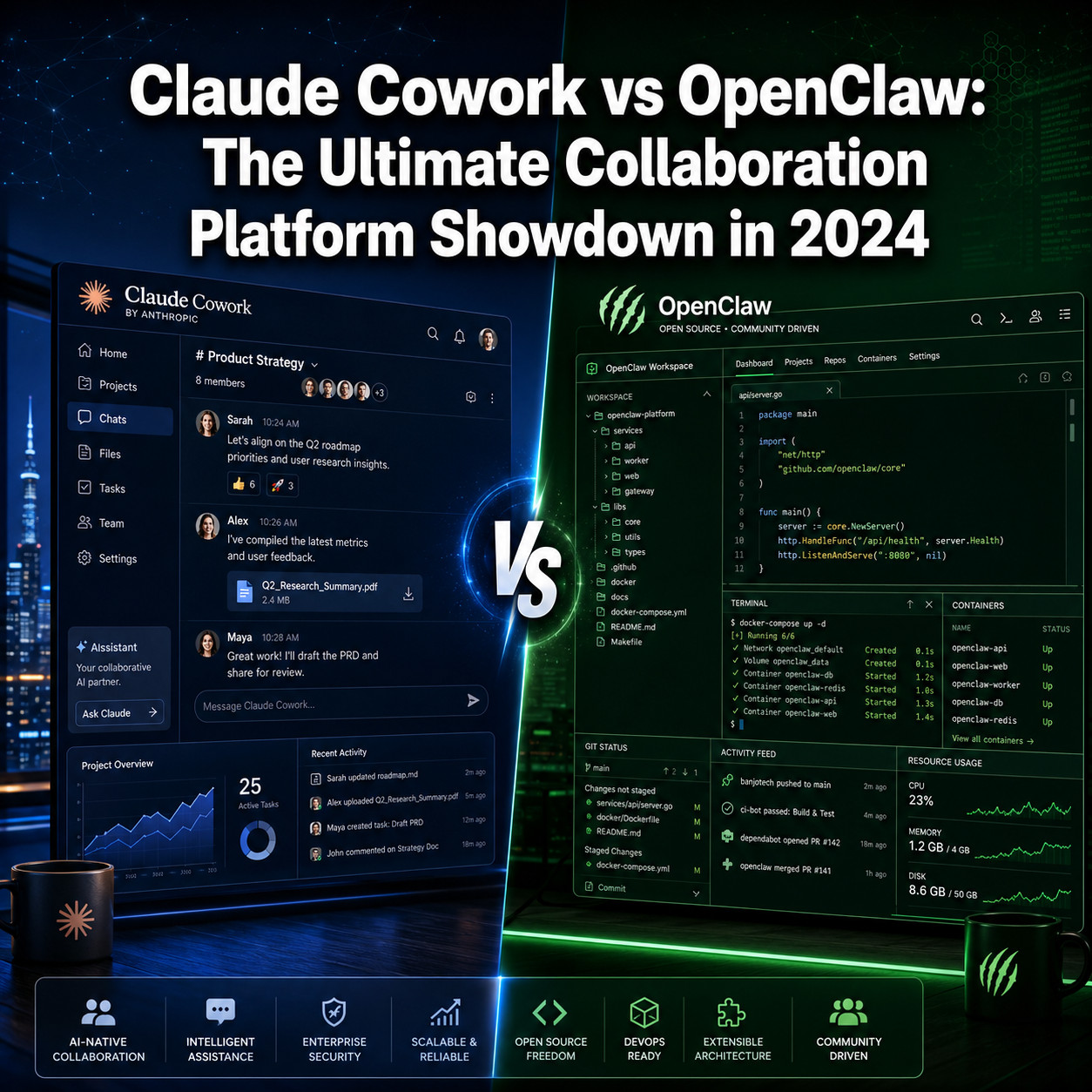
Claude Cowork is a polished, subscription-based desktop AI assistant built by Anthropic that works best for individuals and teams doing file-heavy, desktop-centric tasks. OpenClaw is a free, open-source, self-hosted alternative that supports multiple AI models and suits teams that need flexibility, full data control, and cross-platform automation. The right choice depends almost entirely on whether you prioritize ease of use or customization.
Key Takeaways
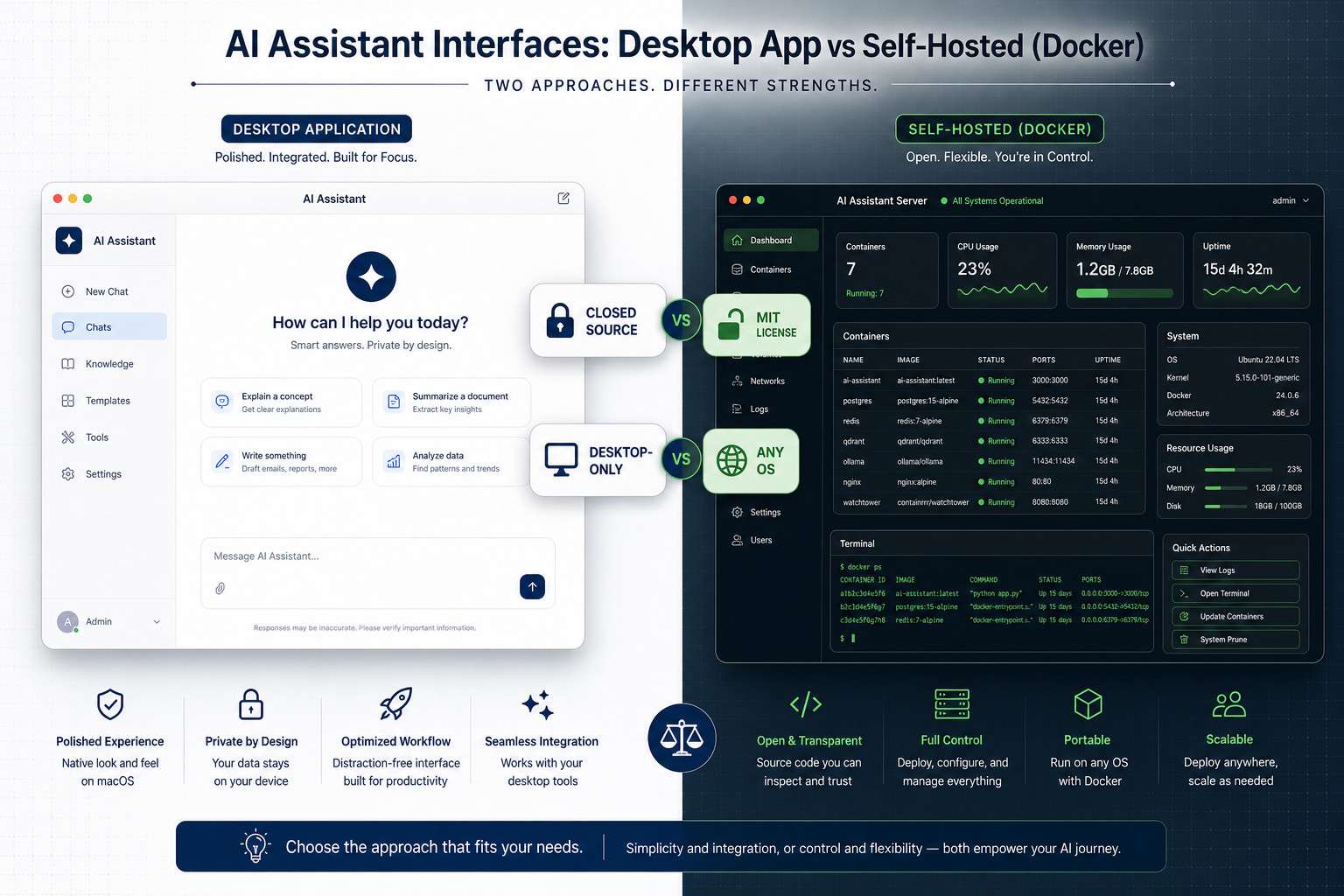
- Claude Cowork runs on macOS and Windows inside the Claude Desktop app; OpenClaw runs on any OS that supports Docker
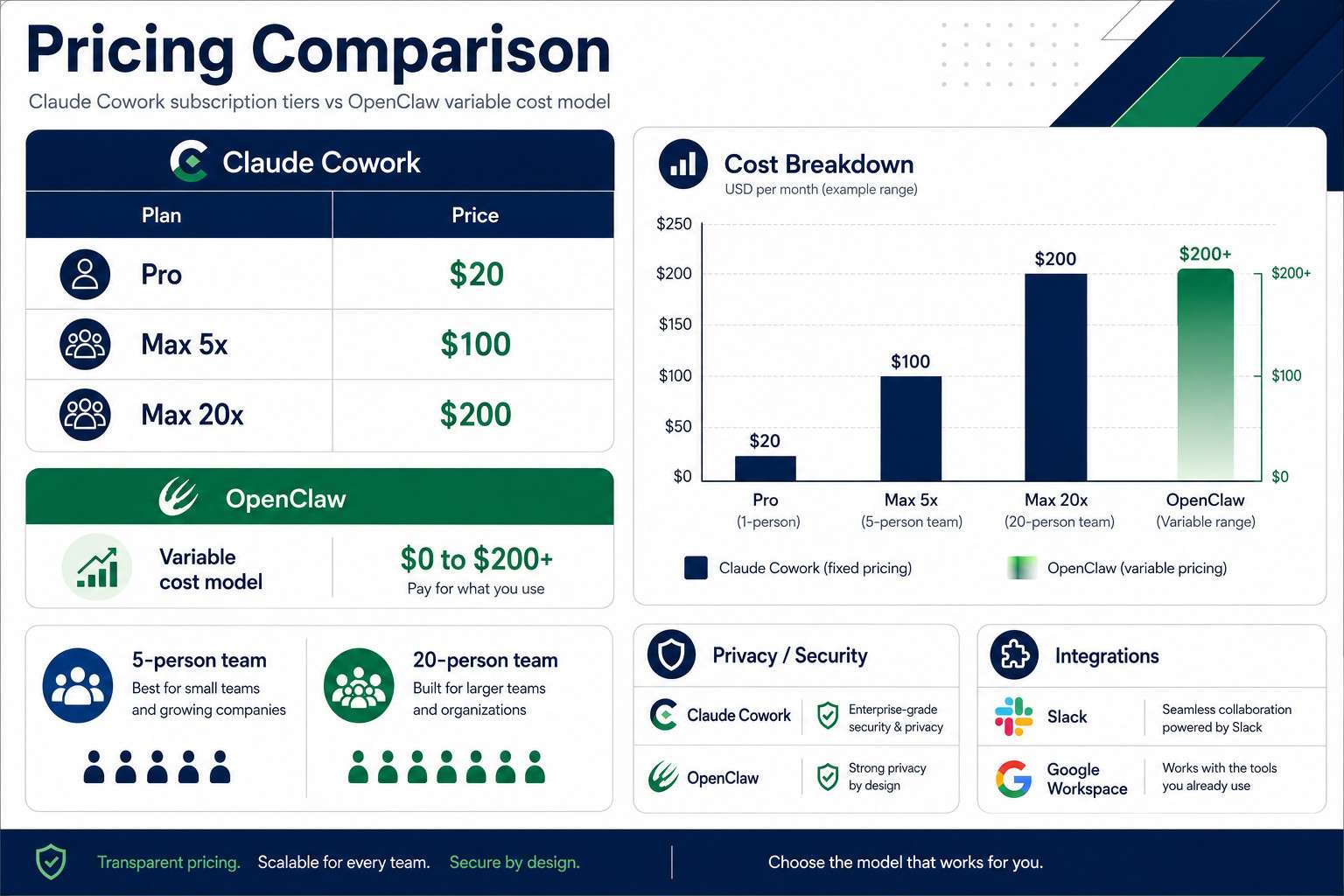
- Claude Cowork costs $20/month (Pro) to $200/month (Max 20x); OpenClaw’s software is free, but server and API costs can reach $200+/month
- OpenClaw supports multiple LLMs including OpenAI, Anthropic, and local models like Ollama; Claude Cowork works only with Claude models
- Both platforms support multi-step task execution, but Claude Cowork focuses on desktop tasks while OpenClaw targets messaging-platform automation
- OpenClaw processes all data on your own server by default; Claude Cowork stores conversation history locally inside an isolated virtual machine
- In April 2026, Anthropic briefly suspended OpenClaw creator Peter Steinberger’s account, highlighting tensions between proprietary and open-source AI ecosystems
- Designers and non-technical users generally find Claude Cowork easier to start with; developers and DevOps teams tend to prefer OpenClaw
- Neither platform is a clear winner for every team; the decision comes down to budget, technical skill, and workflow type
What Exactly Is Claude Cowork and How Does It Work
Claude Cowork is Anthropic’s desktop-native AI agent, built into the Claude Desktop app and available for macOS and Windows x64. It runs tasks inside an isolated virtual machine on your computer, which means it can read, organize, and create files without sending them to external servers [1].
When you give Claude Cowork a task, it breaks it into sub-tasks and can coordinate multiple sub-agents working in parallel. For example, ask it to reorganize a project folder and draft a summary document, and it handles both steps in sequence without you managing each one. Long-running sessions are supported, so you can start a task and come back to it later.
For more on how AI-powered tools are reshaping development workflows, see our comparison of Replit vs Claude Code.
Key technical facts:
- Closed-source, proprietary software developed by Anthropic
- Works exclusively with Claude family models
- Stores conversation history locally on the user’s device
- Supports parallel sub-agent processing for complex tasks [1]
What Features Do Claude Cowork and OpenClaw Have That Are Different
The biggest functional difference is model support and deployment flexibility. Claude Cowork locks you into Anthropic’s Claude models. OpenClaw lets you connect to OpenAI models, Anthropic’s API, or locally hosted models like Ollama, giving you far more control over cost and capability [1].
OpenClaw also adds features that Claude Cowork does not offer natively:
- Persistent memory across sessions and workspaces
- Cron jobs for scheduled, autonomous task execution
- Autonomous routing across multiple messaging platforms (Slack, Discord, etc.)
- Self-hosted deployment on any Docker-compatible server
Claude Cowork’s advantages are different in nature:
- Polished, no-setup UI inside the Claude Desktop app
- Isolated VM execution for safer local file handling
- Anthropic’s safety guardrails baked into every interaction
- Long-running desktop sessions with sub-agent coordination [1]
A comparative architecture study published in April 2026 found meaningful differences in how each platform handles safety classifications and access control, with Claude Cowork applying more rigid built-in constraints and OpenClaw offering more extensibility at the cost of requiring the user to configure safeguards manually [4].
Which Platform Is Cheaper for Small Teams
For a small team of five or fewer people, OpenClaw is almost always cheaper on paper, but the real cost depends on your technical capacity. Claude Cowork’s Pro plan is $20 per user per month. OpenClaw’s core software is free under the MIT license, but you’ll pay for server hosting and LLM API calls, which can range from near zero to over $200 per month depending on usage [1].
Choose Claude Cowork if: your team has no one to manage server infrastructure. The predictable subscription cost is worth it.
Choose OpenClaw if: you have a developer who can set up and maintain a Docker environment. You can keep costs very low, especially if you use a local model like Ollama.
| Plan | Claude Cowork | OpenClaw |
|---|---|---|
| Entry cost | $20/user/month (Pro) | $0 (software only) |
| Mid tier | $100/month (Max 5x) | $20-80/month (hosting + API) |
| High usage | $200/month (Max 20x) | $100-200+/month |
| Setup effort | None | Moderate to high |
How Much Does Claude Cowork Cost Per User Per Month
Claude Cowork offers three main tiers [1]:
- Pro: $20/month, standard usage limits
- Max 5x: $100/month, five times the compute capacity of Pro
- Max 20x: $200/month, twenty times the compute capacity of Pro
There is no free tier for Claude Cowork beyond any trial Anthropic may offer at a given time. OpenClaw has no per-user licensing fee, but every team member’s usage contributes to API costs if you’re using a paid LLM provider.
Is Claude Cowork Good for Remote Teams or Just In-Office
Claude Cowork works well for remote teams, but with one important constraint: it’s a desktop application. Each team member runs their own instance on their own machine. There is no shared cloud workspace where multiple users collaborate on the same session simultaneously.
For remote teams that need individual AI assistance on local files, Claude Cowork is a solid fit. For teams that want a shared AI agent operating across a central workspace or messaging platform, OpenClaw is better suited because it runs on a server that the whole team can access through Slack, Discord, or a custom interface [1].
If your remote team already uses Slack heavily, check out our guide on Make.com and Slack integration for complementary automation ideas.
Why Would a Startup Choose OpenClaw Over Claude Cowork
Startups with technical founders often choose OpenClaw for three reasons: cost control, model flexibility, and data ownership. A startup burning through API calls can switch to a cheaper or local model without changing platforms. They also avoid being locked into Anthropic’s pricing if rates change [1].
There’s also a practical autonomy argument. OpenClaw’s cron job and autonomous routing features let a small team automate repetitive workflows across Slack and other tools without paying for separate automation software. For startups already comfortable with Docker and self-hosting, the setup cost is a one-time investment rather than a recurring expense.
For broader automation context, our n8n workflow optimization guide covers how startups can build powerful pipelines without enterprise-level budgets.
What Are the Biggest Problems With Claude Cowork Right Now
Claude Cowork’s main limitations as of 2026 are:
- Model lock-in: You cannot use GPT-4o, Gemini, or local models. If Anthropic’s API goes down or prices rise, you have no fallback within the platform.
- No shared workspace: Each user runs an independent instance. Team-wide collaboration on a single AI session isn’t supported.
- Desktop-only: There is no web or mobile version. If you’re away from your primary machine, you lose access.
- Usage caps on lower tiers: The Pro plan at $20/month has limits that active users can hit quickly, pushing them toward the $100/month Max 5x tier.
The April 2026 account suspension incident involving OpenClaw’s creator also raised broader questions about Anthropic’s relationship with third-party developers building on its ecosystem [3]. While that event didn’t directly affect Claude Cowork users, it signaled that Anthropic monitors API usage closely.
Which Platform Integrates Better With Slack and Google Workspace
OpenClaw integrates more natively with Slack and other messaging platforms. It’s designed to operate as an autonomous agent inside messaging environments, with routing logic that can respond to messages, trigger workflows, and maintain memory across conversations [1].
Claude Cowork does not have native Slack or Google Workspace integration in the same sense. It operates on your desktop and handles local files. You can use it alongside Slack, but it won’t act as a bot inside your Slack workspace without additional setup.
Bottom line: If Slack-native AI assistance is a priority, OpenClaw wins this comparison clearly.
What Security Issues Should I Know About Before Choosing
Both platforms have solid security foundations, but with different risk profiles.
Claude Cowork processes files inside an isolated virtual machine, keeping data on your device. Conversation history is stored locally, not on Anthropic’s servers [1]. This is a meaningful privacy advantage for users handling sensitive documents.
OpenClaw gives you full control because you host it yourself. No data leaves your server by default. However, a 2026 research paper published on arXiv identified potential vulnerabilities in OpenClaw’s architecture, specifically around the need for systematic safeguards when personal AI agents operate autonomously [2]. In plain terms: self-hosting means you are responsible for patching, access control, and monitoring. If your server is misconfigured, your data is at risk.
For teams evaluating platform security more broadly, our Make.com security guide covers related principles around data handling in cloud automation tools.
Security decision rule:
- Choose Claude Cowork if you want security handled for you with minimal configuration
- Choose OpenClaw if you have a DevOps resource and want zero third-party data exposure
How Do Claude Cowork and OpenClaw Handle Project Management Differently
Neither platform is a dedicated project management tool, but both can assist with project-related tasks in different ways.
Claude Cowork handles project management tasks at the file and document level. It can organize folders, draft project briefs, summarize documents, and coordinate multi-step file operations on your desktop. Think of it as a capable personal assistant for document-heavy work [1].
OpenClaw approaches project management through automation and messaging. Its cron jobs can send scheduled updates, its persistent memory can track ongoing project context, and its Slack integration means it can act as a lightweight project bot that responds to team queries and routes tasks [1].
For teams that need full project management features, both platforms work best as supplements to dedicated tools like Notion or Linear, not replacements.
Is Claude Cowork Better for Designers or Developers
Claude Cowork is generally better for designers and non-technical users. The setup is minimal, the interface is clean, and it handles creative and document-focused tasks well. A designer can use it to organize asset folders, draft copy, or summarize client briefs without touching a command line.
Developers tend to get more value from OpenClaw. The self-hosted model, multi-LLM support, cron scheduling, and API flexibility align with how developers already think about tooling. OpenClaw also fits naturally into a developer’s existing Docker and server infrastructure [1].
For developers exploring AI-assisted coding environments specifically, our Replit online IDE guide and Claude Archives are worth reviewing for context on how these tools compare to coding-focused platforms.
Are There Any Free Alternatives to Claude Cowork and OpenClaw
Yes. Several free or low-cost options exist depending on your use case:
- Ollama with Open WebUI: Free, fully local, supports many open-source models. Requires technical setup.
- LM Studio: Free desktop app for running local LLMs. No server needed, but no team features.
- Jan.ai: Open-source, local-first AI assistant with a clean UI. Good for individuals.
- Anthropic’s Claude.ai free tier: Limited but usable for basic tasks without the Cowork agent features.
For teams exploring the broader AI tool landscape, our roundup of 45 must-visit AI websites covers many emerging platforms worth evaluating.
None of these free alternatives match OpenClaw’s autonomous agent capabilities or Claude Cowork’s desktop integration out of the box, but they’re worth testing before committing to a paid plan.
What Kind of Companies Use Claude Cowork Successfully
Claude Cowork works best for knowledge workers and small professional teams where individuals handle large volumes of documents, reports, or creative assets. Consulting firms, legal teams, content agencies, and solo operators who live inside their desktop environment get the most value from it.
Companies that have standardized on macOS or Windows enterprise deployments also find Claude Cowork easier to roll out because there’s no server infrastructure to manage. The subscription model fits standard SaaS procurement processes.
OpenClaw, by contrast, tends to attract developer-led companies, technical startups, and organizations with strong data privacy requirements who want to keep all AI processing in-house [1].
Conclusion
The Claude Cowork vs OpenClaw: The Ultimate Collaboration Platform Showdown in 2024 comparison doesn’t produce a single winner. It produces two distinct tools for two distinct audiences.
If you are a non-technical professional, designer, or small team without DevOps resources, start with Claude Cowork. Pay the $20/month Pro fee, install the desktop app, and you’ll have a capable AI agent running in under ten minutes. Upgrade to Max 5x if you hit usage limits.
If you are a developer, technical startup, or a team with serious data privacy requirements, evaluate OpenClaw first. Set up a Docker instance, connect your preferred LLM, and configure the Slack integration. Your ongoing costs will likely be lower, and you’ll have far more control over how the system behaves.
Actionable next steps:
- Audit your team’s primary workflow: desktop file tasks favor Claude Cowork; messaging and automation workflows favor OpenClaw
- Check whether anyone on your team can manage a self-hosted Docker deployment before committing to OpenClaw
- Run a two-week trial of Claude Cowork’s Pro plan before deciding whether the cost is justified
- If data sovereignty is a hard requirement, OpenClaw with a local model like Ollama is the only option that keeps all data fully on-premises
- Revisit your choice in six months; both platforms are evolving quickly and the feature gap may shift
FAQ
What is the main difference between Claude Cowork and OpenClaw? Claude Cowork is a closed-source, subscription-based desktop AI agent by Anthropic that works only with Claude models. OpenClaw is an open-source, self-hosted alternative that supports multiple LLMs and runs on any Docker-compatible server.
Can I use OpenClaw for free? The OpenClaw software itself is free under the MIT license. You will still pay for server hosting and LLM API usage, which can range from near zero (with a local model) to over $200 per month for heavy usage.
Does Claude Cowork store my files in the cloud? No. Claude Cowork processes files inside an isolated virtual machine on your local device and stores conversation history locally. Files do not leave your computer during normal operation.
Which platform is easier to set up? Claude Cowork is significantly easier. You install the Claude Desktop app and it’s ready. OpenClaw requires Docker knowledge and server configuration, which takes meaningful technical effort.
Can OpenClaw use Claude models? Yes. OpenClaw supports Anthropic’s models via API, along with OpenAI models and local models like Ollama. You choose which model to connect.
Is OpenClaw secure? OpenClaw can be very secure because you control the server and no data is shared externally by default. However, a 2026 arXiv study identified architectural vulnerabilities that require careful configuration to mitigate. Security depends heavily on how well you manage your own infrastructure.
Why did Anthropic suspend OpenClaw’s creator? In April 2026, Anthropic temporarily suspended Peter Steinberger’s account citing suspicious activity. The suspension was lifted shortly after following public attention. Anthropic did not provide detailed public reasoning beyond the initial classification.
Which platform works better with Slack? OpenClaw integrates natively with Slack as an autonomous agent. Claude Cowork does not have native Slack integration and operates as a standalone desktop application.
Is there a free version of Claude Cowork? There is no free tier for Claude Cowork’s agent features. Anthropic’s Claude.ai offers a free chat tier, but that does not include the desktop agent and file-handling capabilities of Claude Cowork.
Which is better for a team of two people? For a two-person team without technical resources, Claude Cowork at $20/person/month is the simpler choice. For two technical founders comfortable with Docker, OpenClaw with a local model can cost almost nothing.
Can I run Claude Cowork on Linux? No. Claude Cowork is available only for macOS and Windows x64. OpenClaw runs on any operating system that supports Docker, including Linux.
How do I decide between the two platforms? Ask one question: does your team have someone who can manage a self-hosted server? If yes, evaluate OpenClaw. If no, start with Claude Cowork.
References
[1] Claude Cowork Vs Openclaw – https://allclaw.org/blog/claude-cowork-vs-openclaw?utm_source=openai
[2] arXiv – Security vulnerabilities in personal AI agent architectures – https://arxiv.org/abs/2604.04759?utm_source=openai
[3] Anthropic Temporarily Banned OpenClaw’s Creator From Accessing Claude – https://techcrunch.com/2026/04/10/anthropic-temporarily-banned-openclaws-creator-from-accessing-claude/?utm_source=openai
[4] arXiv – Comparative architecture study of Claude Cowork and OpenClaw – https://arxiv.org/abs/2604.14228?utm_source=openai