Last updated: May 13, 2026
Quick Answer: The WordPress MCP Adapter is an official plugin from the WordPress Core AI team that bridges the WordPress Abilities API to the Model Context Protocol (MCP), letting AI agents like Claude Desktop and Cursor discover and execute actions on your WordPress site [1][2]. It’s currently in developer preview and works with WordPress 6.9 and above.
Key Takeaways
- The WordPress MCP Adapter connects AI tools to your WordPress site through the standardized Model Context Protocol [2].
- It requires WordPress 6.9+ because it depends on the Abilities API introduced in that release [1].
- The adapter is part of the broader WordPress AI Building Blocks initiative led by the Core AI team [2].
- Version 0.5.0 (April 2026) shifted to typed protocol DTOs for better compatibility with MCP clients.
- It’s still experimental — not recommended for production sites without thorough testing [6].
- Alternatives exist, including InstaWP MCP Server and Stifli Flex MCP, each with different trade-offs [7].
- No native MCP server ships with WordPress 7.0; you still need the adapter or a third-party solution [5].
What Is the WordPress MCP Adapter and Why Does It Matter?
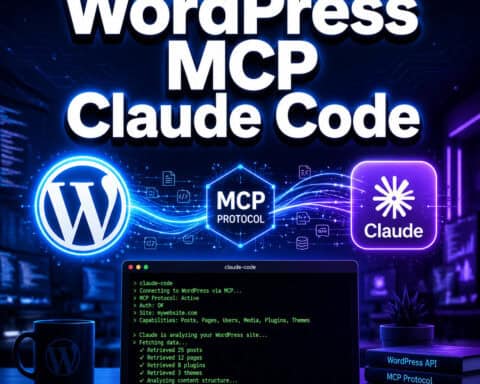
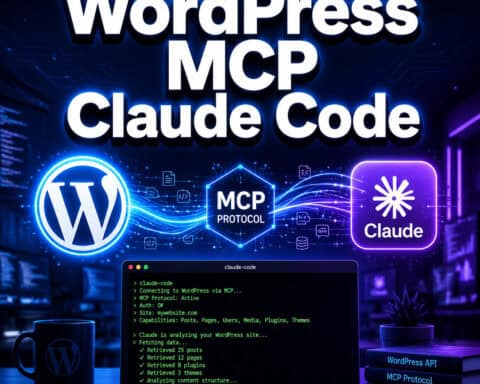
The WordPress MCP Adapter is an official plugin that translates WordPress capabilities into a format AI agents can understand and use [1]. It takes the Abilities API (a system for registering what WordPress can do) and exposes those abilities as MCP “tools” and “resources” that any compatible AI client can call.

Here’s why this matters: without a standard protocol, every AI tool would need custom WordPress integration code. The Model Context Protocol, originally developed by Anthropic, gives AI agents a universal way to interact with external systems. The adapter is the translation layer between WordPress and that universal standard [2].
Jonathan Bossenger from the Core AI team explained in February 2026 that the adapter “positions WordPress for AI automation by exposing standardized abilities securely via MCP primitives like tools and resources [1]. In practice, this means an AI agent can do things like create posts, manage taxonomies, or query site data — all through a consistent interface.
Choose this if you want AI agents to interact with your WordPress site using the official, WordPress-endorsed approach. Skip it if you need production-grade stability right now, since it’s still in developer preview.
For background on how AI tools are changing WordPress workflows, see our guide to AI plugins for WordPress automation.
How Does the WordPress MCP Adapter Work?
The adapter sits between two systems: the WordPress Abilities API on one side and an MCP-compatible AI client on the other. It works in three steps:
- Ability registration. WordPress plugins and core register “abilities” — discrete actions the site can perform (e.g.,
create_post,list_users,update_option). - MCP translation. The adapter converts each registered ability into an MCP tool definition, complete with input schemas and descriptions that AI agents can parse.
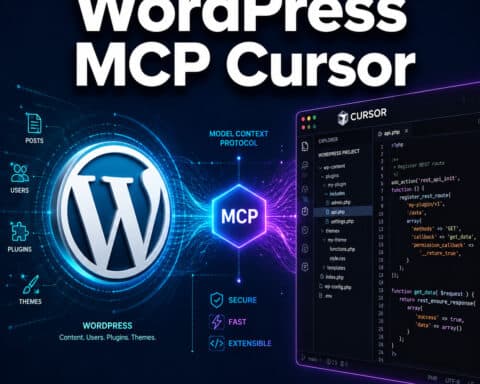
- Client connection. AI tools like Claude Desktop or Cursor connect to the adapter’s MCP endpoint, discover available tools, and execute them with proper authentication [2][4].
The connection typically happens over a local WebSocket or stdio transport. When an AI agent wants to create a blog post, it calls the corresponding MCP tool, the adapter validates permissions, executes the WordPress action, and returns the result.
Common mistake: Assuming the adapter gives AI agents unrestricted access. It doesn’t. Every ability respects WordPress’s existing capability system — if a user role can’t edit posts, the AI agent authenticated as that role can’t either [1].
This architecture is also what makes the WordPress Playground MCP server possible — it uses the @wp-playground/mcp package to let AI tools manage disposable WordPress instances over WebSocket.
How to Install and Configure the WordPress MCP Adapter

Setting up the adapter requires a few specific steps. Here’s the process as of May 2026:
Prerequisites
- WordPress 6.9 or higher (the Abilities API isn’t available in earlier versions)
- PHP 8.0+
- An MCP-compatible AI client (Claude Desktop, Cursor, or similar)
- Command-line access to your server (for stdio transport) or WebSocket support
Step-by-Step Installation
- Download the plugin from the official GitHub repository [1].
- Upload to WordPress via the admin dashboard (Plugins → Add New → Upload Plugin) or place it in
wp-content/plugins/manually. - Activate the plugin in your WordPress admin panel.
- Configure your AI client. Add the MCP server configuration to your client’s settings. For Claude Desktop, this means editing the
claude_desktop_config.jsonfile to point to the adapter’s endpoint. - Set authentication. Create an application password in WordPress (Users → Your Profile → Application Passwords) and configure it in your MCP client.
- Test the connection. Ask your AI agent to list available tools — it should return the registered WordPress abilities.
If you’re using Pressable hosting, the setup is simpler: navigate to MyPressable Tools → WordPress MCP and enable it directly [6].
Edge case: If you’re running WordPress behind a reverse proxy or in a Docker container, you may need to adjust the transport configuration. The stdio transport works best for local development, while WebSocket is better for remote setups.
For developers building custom abilities, our guide to WordPress plugin development best practices covers the fundamentals you’ll need.
What Can You Actually Do With the WordPress MCP Adapter?
The adapter exposes whatever abilities are registered on your WordPress site. Out of the box with WordPress 6.9+, this includes core content management actions. But the real power comes from plugins registering their own abilities.
Practical use cases:
- Content creation workflows. Ask an AI agent to draft posts, assign categories, set featured images, and schedule publication — all in one conversation.
- Site administration. Query plugin status, check for updates, review user accounts, and manage settings without opening the admin dashboard.
- Data analysis. Pull post analytics, comment summaries, or custom field data into an AI agent for analysis and reporting.
- Bulk operations. Update meta fields across hundreds of posts, re-categorize content, or clean up orphaned media — tasks that would take hours manually.
Redreamality’s analysis positions the adapter as “infrastructure for AI agents to query and operate WordPress workflows,” which is accurate [8]. It’s not a chatbot or content generator by itself — it’s the plumbing that lets AI tools do real work on your site.
Who it’s not for: Content creators who just want AI writing assistance. For that, a plugin like an AI-powered chatbot integration or a dedicated AI content tool is more appropriate.
WordPress MCP Adapter vs. Alternatives: Which Should You Use?

Several MCP server options exist for WordPress in 2026. Here’s how they compare:
| Feature | WordPress MCP Adapter | InstaWP MCP Server | Stifli Flex MCP |
|---|---|---|---|
| Official WordPress support | Yes (Core AI team) [2] | No (third-party) | No (third-party) [7] |
| Built-in undo | No | No | Yes [7] |
| Security model | WordPress capabilities + app passwords | API key based | Built-in security layer [7] |
| Maturity | Developer preview (v0.5.0) | Production-ready | Newly released (May 2026) |
| Best for | Developers wanting official standards | Quick setup, managed hosting | Security-focused deployments |
| Abilities API integration | Native | Partial | Independent |
Responsive Menu’s May 2026 ranking placed InstaWP MCP Server first and the official WordPress MCP Adapter second, largely because InstaWP offers a more polished onboarding experience at this stage.
Decision rule:
- Choose the official WordPress MCP Adapter if you want to build on the standard that WordPress core will likely adopt long-term [2].
- Choose InstaWP MCP Server if you need something production-ready today with less configuration [4].
- Choose Stifli Flex MCP if built-in undo functionality and an extra security layer are priorities [7].
For power users exploring advanced automation, our advanced WordPress strategies guide covers complementary techniques.
Common Issues and Troubleshooting
The adapter isn’t showing any tools to my AI client.
Check that you’ve activated the plugin and that at least one ability is registered. Run wp mcp list-tools from WP-CLI if available. Also verify your application password is correct and the user has sufficient capabilities.
Connection timeouts with Claude Desktop.
This usually means the transport configuration is wrong. Double-check the path to the PHP executable and the adapter’s entry point in your claude_desktop_config.json. On macOS, the PHP path is often /usr/bin/php or the Homebrew path.
“Ability not found” errors. The ability you’re trying to call may not be registered by your WordPress version or active plugins. The adapter only exposes abilities that exist — it doesn’t create them. Update WordPress and check plugin compatibility.
Performance concerns on shared hosting. The MCP adapter adds minimal overhead per request, but frequent AI agent calls can strain shared hosting. Consider a managed WordPress host or VPS for heavy automation workloads.
For improving your site’s overall performance alongside AI integrations, see our AI SEO tools guide for WordPress.
What’s Next for the WordPress MCP Adapter?
The adapter is evolving quickly. Version 0.5.0 (April 2026) introduced typed protocol DTOs, replacing hand-built arrays for better compatibility with MCP clients. Reddit discussions from April 2026 confirmed that WordPress 7.0 won’t include a native MCP server, so the adapter remains the official bridge for the foreseeable future [5].
The WordPress AI Building Blocks initiative suggests more abilities will be registered in core over time, expanding what AI agents can do without third-party plugins [8]. Expect tighter integration with WordPress Playground for testing and development workflows.
If you’re building plugins that register custom abilities, following WordPress plugin development best practices will ensure your abilities work well with the adapter.
FAQ
Is the WordPress MCP Adapter free? Yes. It’s open-source and available on GitHub under the WordPress project [1].
Does it work with WordPress.com sites? Only on WordPress.com Business or higher plans that allow plugin installation. Self-hosted WordPress (WordPress.org) has full support.
What AI clients are compatible? Claude Desktop, Cursor, and any client that supports the Model Context Protocol. The list is growing as MCP adoption increases [2].
Is it safe to use on a production site? It’s labeled as a developer preview and experimental tool [6]. Test thoroughly in a staging environment first. The adapter respects WordPress capabilities, but bugs in preview software can cause unexpected behavior.
Do I need coding skills to use it? Basic command-line familiarity helps for initial setup. Once configured, interaction happens through your AI client’s natural language interface.
Can it replace my WordPress admin dashboard? Not entirely. It handles tasks that can be expressed as abilities, but visual tasks like theme customization or layout editing still need the dashboard. For theme work, see our guide to WordPress theme customization.
How is this different from the WordPress REST API? The REST API is designed for applications to interact with WordPress programmatically. The MCP Adapter is specifically designed for AI agents, with tool discovery, natural language descriptions, and the MCP standard that AI clients already understand [2].
Will WordPress core eventually include MCP support natively? No confirmed timeline. As of WordPress 7.0, it’s still a separate plugin [5]. The Core AI team’s involvement suggests eventual core integration is possible but not guaranteed.
Conclusion
The WordPress MCP Adapter is the official way to connect AI agents to your WordPress site in 2026. It’s still maturing, but the foundation — built on the Abilities API and the Model Context Protocol — is solid and backed by the WordPress Core AI team.
Your next steps:
- Try it in a staging environment. Download from GitHub and connect it to Claude Desktop or Cursor [1].
- Register custom abilities if you’re a plugin developer — this is how you make your plugin AI-accessible.
- Monitor the project for updates. Version changes are frequent, and each release improves stability and compatibility.
- Evaluate alternatives like InstaWP or Stifli Flex MCP if you need production readiness today [4][7].
The AI-WordPress integration space is moving fast. Getting familiar with the MCP Adapter now puts you ahead of the curve when these tools reach full maturity.
References
[1] Mcp Adapter – https://github.com/wordpress/mcp-adapter [2] From Abilities To Ai Agents Introducing The WordPress Mcp Adapter – https://developer.wordpress.org/news/2026/02/from-abilities-to-ai-agents-introducing-the-wordpress-mcp-adapter/ [4] WordPress Mcp Adapter Review – https://instawp.com/wordpress-mcp-adapter-review/ [5] Mcp For WordPress – https://www.reddit.com/r/Wordpress/comments/1srtfhq/mcp_for_wordpress/ [6] Feature Release WordPress Mcp Adapter Beta – https://pressable.com/changelog/feature-release-wordpress-mcp-adapter-beta/ [7] Stifli Flex Mcp – https://mcpservers.org/servers/estebanstifli/stifli-flex-mcp [8] WordPress Ai Team Provider Infrastructure – https://redreamality.com/garden/chaos/wordpress-ai-team-provider-infrastructure/