Last updated: May 13, 2026
Quick Answer
Automattic mcp-wordpress-remote is an open-source MCP (Model Context Protocol) server that lets AI assistants like Claude, Cursor, and Windsurf interact directly with live WordPress sites through the REST API. It enables AI agents to create posts, manage content, upload media, and query site data — all with proper OAuth 2.1 authentication and user approval. The project lives on GitHub under Automattic’s organization and is part of a broader push to make WordPress the foundation of AI-agent workflows [1].
Key Takeaways
- Automattic mcp-wordpress-remote connects AI coding assistants and chatbots to self-hosted or WordPress.com sites via the WordPress REST API [1].
- It uses OAuth 2.1 authentication, which is more secure than the simple API tokens many community alternatives rely on [1].
- AI agents can draft posts, edit content, manage media, and query users — but every action requires user approval before execution [6].
- The project has 90 GitHub stars and 12 forks as of May 2026, indicating early-stage but growing adoption [1].
- It differs from WP-Playground MCP, which spins up browser-based WordPress instances for local testing rather than connecting to live sites.
- Automattic positions this tool as part of WordPress becoming the “operating system of the agentic web” [4].
- The broader MCP ecosystem hit 97 million monthly SDK downloads by March 2026, showing massive developer interest in this protocol.
- No formal versioned releases exist yet on GitHub; the project is still in active early development [1].

What Is Automattic MCP-WordPress-Remote and How Does It Work?
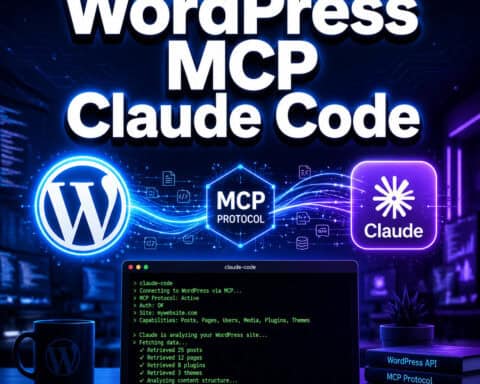
Automattic mcp-wordpress-remote is a server implementation of Anthropic’s Model Context Protocol that acts as a bridge between AI tools and WordPress websites. Instead of logging into your WordPress dashboard to write a post or upload an image, you can ask an AI assistant to do it for you — and the MCP server handles the communication.
Here’s the basic flow:
- You configure your AI client (Claude Desktop, Cursor, Windsurf, etc.) to connect to the MCP server.
- The MCP server authenticates with your WordPress site using OAuth 2.1 via the REST API.
- You give a natural-language instruction to your AI assistant (e.g., “Create a draft post about our Q2 product launch”).
- The AI agent translates your request into WordPress REST API calls, executed through the MCP server.
- You approve the action before it’s committed to your site [6][8].
The key distinction: this targets live, production WordPress sites — both self-hosted installations and WordPress.com sites. It’s not a sandbox or testing tool. That makes the OAuth 2.1 compliance critical for security [1].
If you’re exploring broader AI integration options for WordPress, our guide to AI plugins for WordPress automation covers additional tools worth considering.
Who Should Use Automattic MCP-WordPress-Remote?
This tool is built for developers, agencies, and power users who already work with AI coding assistants and want to extend that workflow to WordPress site management.
Choose mcp-wordpress-remote if you:
- Manage multiple WordPress sites and want to speed up content operations
- Already use Claude Desktop, Cursor, or similar MCP-compatible AI tools
- Need programmatic access to WordPress but prefer natural language over writing REST API calls manually
- Want OAuth 2.1 security rather than storing API keys in plaintext config files
Skip it if you:
- Run a simple personal blog and don’t use AI development tools
- Need a visual, no-code WordPress management interface
- Want a stable, production-hardened tool with formal release versions (it’s still pre-release as of May 2026)
- Aren’t comfortable with command-line setup and JSON configuration
For users looking at WordPress automation without the developer overhead, advanced WordPress strategies for power users may be a better starting point.
How to Set Up Automattic MCP-WordPress-Remote
Setting up the server requires basic familiarity with Node.js and your AI client’s configuration files. Here’s the process based on the GitHub repository documentation [1]:

Step-by-Step Installation
Clone the repository:
git clone https://github.com/Automattic/mcp-wordpress-remote.git
cd mcp-wordpress-remote
Install dependencies:
npm installBuild the project:
npm run buildConfigure your AI client. Add the MCP server to your client’s configuration file. For Claude Desktop, this means editing the
claude_desktop_config.jsonfile to include the server path and your WordPress site URL.Authenticate. On first connection, the server will walk you through OAuth 2.1 authorization with your WordPress site. You’ll approve the connection in your browser.
Common Setup Mistakes
| Mistake | Fix |
|---|---|
| Forgetting to build before running | Always run npm run build after cloning |
| Using HTTP instead of HTTPS for site URL | OAuth 2.1 requires HTTPS on production sites |
| Outdated Node.js version | Use Node.js 18+ for compatibility |
| Skipping the OAuth flow | The server won’t work with basic auth; complete the OAuth handshake |
Tip: If you’re developing WordPress plugins alongside this setup, our guide to WordPress plugin development best practices covers the REST API foundations you’ll need.
What Can AI Agents Actually Do Through MCP-WordPress-Remote?
The server exposes a set of WordPress REST API capabilities as MCP “tools” that AI agents can call. Based on developer analysis and repository documentation [1][8], current capabilities include:
- Content management: Create, read, update, and delete posts and pages
- Media handling: Upload images and other media files to the WordPress media library
- User queries: Look up user information and roles
- Taxonomy operations: Manage categories and tags
- Site information: Retrieve site settings and configuration data
WebDevStudios highlighted in their 2025 analysis that the tool is particularly useful for development workflows — for example, asking Cursor to “create a draft post with placeholder content for testing” without ever opening the WordPress admin panel [8].
CMSWire reported that following the October 2025 read-only launch on WordPress.com, Automattic expanded capabilities to include write operations, responding to thousands of user requests for deeper AI-agent integration [6].
What It Can’t Do (Yet)
- WooCommerce operations aren’t natively supported through this server
- Theme customization and widget management are outside current scope
- Plugin installation or management isn’t available
- Direct database queries are not exposed (by design, for security)
For theme-related work, see our complete guide to WordPress theme customization.
How Does MCP-WordPress-Remote Compare to Alternatives?
Several other MCP servers target WordPress. Here’s how the official Automattic version stacks up:

| Feature | Automattic mcp-wordpress-remote | WP-Playground MCP | Community MCP Servers |
|---|---|---|---|
| Target | Live WordPress sites | Browser-based sandbox instances | Live sites (varies) |
| Auth method | OAuth 2.1 | None (local only) | Usually API tokens |
| Connection | REST API over HTTPS | WebSocket (local) | REST API |
| WooCommerce | Limited | No | Some support it |
| Best for | Production content management | Local testing and development | Quick integrations |
| Security | Strong (OAuth 2.1 spec compliant) | N/A (sandboxed) | Varies widely |
| Maintainer | Automattic (official) | WordPress Playground team | Independent developers |
Decision rule: Choose automattic mcp-wordpress-remote when you need secure, authenticated access to a live WordPress site from an AI agent. Choose WP-Playground MCP when you want a disposable WordPress environment for testing AI-driven development tasks. Choose community servers when you need specific features (like deep WooCommerce support) that the official server doesn’t cover yet.
There are now over 15 community-built WordPress MCP implementations and 72 MCP-related plugins on WordPress.org as of April 2026, so the ecosystem is expanding fast.
Where Does This Fit in Automattic’s AI Strategy?
Automattic published a vision piece in April 2026 positioning WordPress as the “operating system of the agentic web” [4]. The idea: as AI agents become more capable, they need reliable interfaces to interact with web services. WordPress, powering a significant share of the web, becomes a natural platform for these interactions.
The mcp-wordpress-remote server is one piece of this strategy. Others include:
- WordPress MCP Adapter built on WordPress 6.9’s Abilities API [9]
- WordPress.com’s native MCP integration for hosted sites [6]
- Automattic.ai’s MCP hub providing centralized access to Automattic services [10]
The MCP ecosystem itself is growing rapidly. Monthly SDK downloads reached 97 million by March 2026, up from roughly 2 million at the protocol’s November 2024 launch. Remote MCP servers like automattic mcp-wordpress-remote have quadrupled in number since May 2025.
For a broader look at how AI tools are changing content workflows, check out our practical guide to AI-powered content optimization.
Known Limitations and Edge Cases
Be aware of these practical issues before adopting the tool:
- No formal releases. The GitHub repository has no published release tags as of May 2026 [1]. You’re running from the main branch, which means breaking changes can land without warning.
- Remote server reliability. Industry analysis suggests remote MCP servers experience higher downtime compared to local stdio-based servers. Plan for connection interruptions.
- WordPress.com vs. self-hosted differences. Some REST API endpoints behave differently on WordPress.com versus self-hosted WordPress. Test your specific setup.
- Rate limiting. Heavy AI-agent usage can trigger WordPress REST API rate limits, especially on shared hosting.
- Modest community size. With 90 stars and 12 forks on GitHub [1], the community is small. Don’t expect rapid issue resolution or extensive third-party documentation.
If you’re also looking at AI SEO tools for WordPress, many of them now support MCP-based workflows alongside traditional plugin interfaces.
Conclusion
Automattic mcp-wordpress-remote is an early but important tool for anyone who wants AI assistants to interact directly with WordPress sites. It’s the official Automattic-backed option, it uses proper OAuth 2.1 security, and it fits into a larger vision of WordPress as an AI-agent platform.
Your next steps:
- Check compatibility. Confirm you’re using an MCP-compatible AI client (Claude Desktop, Cursor, or Windsurf).
- Clone and test. Set up the server against a staging WordPress site first — not production.
- Monitor the repository. Watch the GitHub repo for updates, since the project is pre-release and evolving.
- Explore the ecosystem. Browse our WordPress category for related guides on automation, AI integration, and advanced site management.
The tool isn’t production-hardened yet, but for developers willing to work with early-stage software, it offers a clear preview of how WordPress site management will work in an AI-agent world.
FAQ
What is the Model Context Protocol (MCP)? MCP is an open protocol created by Anthropic that standardizes how AI assistants connect to external tools and data sources. It defines a common interface so any compatible AI client can use any compatible server [5].
Is automattic mcp-wordpress-remote free to use? Yes. It’s open-source software hosted on GitHub under Automattic’s organization. There are no licensing fees [1].
Does it work with WordPress.com sites? Yes. It connects to any WordPress site that exposes the REST API, including WordPress.com sites and self-hosted installations [6].
Which AI assistants are compatible? Any MCP-compatible client works. As of 2026, that includes Claude Desktop, Cursor, Windsurf, and a growing number of other AI development tools [8].
Can AI agents publish posts without my approval? No. The system is designed so that every write action requires explicit user approval before execution [6].
Is it safe for production sites? The OAuth 2.1 authentication is solid, but the software itself has no formal releases yet. Use it on staging environments first and monitor the GitHub repository for stability updates [1].
How is this different from the WordPress MCP Adapter? The WordPress MCP Adapter (announced with WordPress 6.9) is built into WordPress core via the Abilities API [9]. Mcp-wordpress-remote is a standalone server you run separately. They serve similar goals but with different architectures.
Do I need coding experience to set it up? Yes. You’ll need basic familiarity with Node.js, npm, and editing JSON configuration files. It’s not a plug-and-play WordPress plugin.
Can it manage WooCommerce stores? Not natively in its current form. WooCommerce-specific operations aren’t part of the exposed toolset yet. Some community MCP servers offer better WooCommerce support.
How active is the project’s development? Development activity is centered on the initial codebase from 2025. There are no published releases, but the repository remains under Automattic’s active organization [1].
References
[1] Mcp WordPress Remote – https://github.com/Automattic/mcp-wordpress-remote [4] WordPress Operating System Agentic Web – https://automattic.com/2026/04/21/wordpress-operating-system-agentic-web/ [5] WordPress Mcp – https://github.com/Automattic/wordpress-mcp [6] WordPresscom Enables Ai Agents To Write Manage Content – https://www.cmswire.com/digital-experience/wordpresscom-enables-ai-agents-to-write-manage-content/ [8] Using WordPress Mcp As A Development Tool – https://webdevstudios.com/2025/06/11/using-wordpress-mcp-as-a-development-tool/ [9] From Abilities To Ai Agents Introducing The WordPress Mcp Adapter – https://developer.wordpress.org/news/2026/02/from-abilities-to-ai-agents-introducing-the-wordpress-mcp-adapter/ [10] automattic.ai – https://automattic.ai/mcp/