Last updated: May 13, 2026
Quick Answer: WordPress MCP GitHub refers to a collection of open-source repositories on GitHub that implement the Model Context Protocol (MCP) for WordPress, allowing AI assistants like Claude and Cursor to read, create, and manage WordPress content programmatically. The main projects include Automattic’s original wordpress-mcp plugin [1], the newer official mcp-adapter [2], and several community-built alternatives [7][10].
Key Takeaways
- MCP acts as a translator between AI tools and WordPress, letting AI agents create posts, manage comments, upload media, and more through structured tool calls.
- The official
mcp-adapterfrom WordPress.org is now the recommended production-ready solution, replacing the earlierwordpress-mcpplugin [2]. - WordPress.com added write capabilities in May 2026, with 19 new operations for AI agents across paid plans, requiring human approval for changes.
- Safety options exist: The Stifli Flex MCP plugin offers Git-like undo for AI edits, acting as a safety net for production sites [10].
- No WordPress plugin is required if you use a Node.js-based MCP server that connects directly via the REST API [7].
- Security is enforced through WordPress permissions, OAuth on WordPress.com, and JWT authentication for self-hosted setups.
- Community repos on GitHub provide alternatives for specific needs like WooCommerce integration and WP-CLI access [5][9].

What Is WordPress MCP and Why Does It Matter?
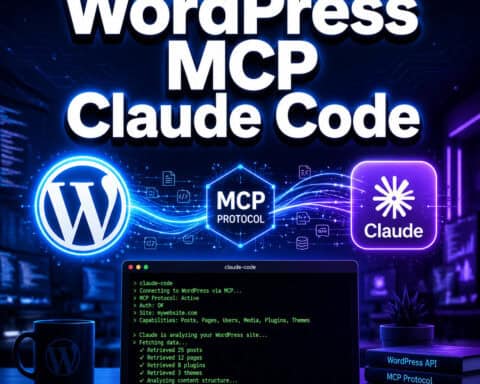
WordPress MCP is an implementation of Anthropic’s Model Context Protocol that exposes WordPress functionality as structured “tools” that AI agents can call. Instead of an AI blindly guessing how to interact with your site, MCP provides a standardized interface with defined inputs, outputs, and permission boundaries.
Think of it this way: the WordPress REST API already lets programs interact with your site. MCP wraps that API in a format that AI assistants natively understand, so you can tell Claude “publish a draft about our Q2 results” and it knows exactly which endpoint to call, what parameters to send, and what permissions it needs.
This matters because it turns WordPress from a tool you operate manually into one that AI agents can operate on your behalf, with guardrails. The GitHub repositories hosting these implementations are where the actual code lives, gets updated, and where developers contribute improvements.
For those already exploring AI-powered WordPress workflows, our guide on AI SEO tools for WordPress covers the broader ecosystem.
Which WordPress MCP GitHub Repositories Should You Know About?
There are several WordPress MCP GitHub projects, each serving different use cases. Here’s a breakdown of the most relevant ones in 2026:
| Repository | Maintainer | Type | Status (May 2026) | Best For |
|---|---|---|---|---|
wordpress-mcp [1] | Automattic | WP Plugin | Deprecated (v0.2.5, July 2025) | Legacy reference only |
mcp-adapter [2] | WordPress.org | WP Plugin | Active, production-ready | Official self-hosted setup |
mcp-wordpress-remote [4] | Automattic | Remote server | Active | WordPress.com sites |
wordpress-mcp-server [7] | stefans71 | Node.js server | Community-maintained | Plugin-free REST API access |
Stifli Flex MCP [10] | Stifli | WP Plugin | Active, free on WP.org | Production sites needing undo |
mcp-wp [5] | mcp-wp org | WP-CLI tools | Active | CLI-based workflows |
Common mistake: Many developers still find and install wordpress-mcp [1] because it ranks well on GitHub. That repo hasn’t been updated in over 60 days and has been officially deprecated in favor of mcp-adapter [2]. Always check the repo’s last commit date before building on it.
How Does the Official mcp-adapter Work?
The mcp-adapter [2] is now the recommended way to connect AI agents to self-hosted WordPress sites. It bridges WordPress’s Abilities API to the MCP standard, meaning any plugin that registers capabilities through the Abilities API automatically becomes available to AI agents.
Here’s what that means in practice:
- Install the
mcp-adapterplugin on your WordPress site from GitHub [2] or via WP-CLI. - Configure authentication using JWT tokens for self-hosted sites or OAuth for WordPress.com.
- Connect your AI client (Claude Desktop, Cursor, or any MCP-compatible tool) by pointing it to your site’s MCP endpoint.
- AI agents discover tools automatically. If you have WooCommerce installed, the adapter exposes WooCommerce REST endpoints as MCP tools without extra configuration.
The adapter enforces WordPress’s native permission system. If a user role can’t edit pages in WordPress, the AI agent authenticated as that user can’t edit pages through MCP either. This is a critical security feature that some community alternatives lack.
For developers building custom plugins that work with MCP, our WordPress plugin development best practices guide covers the fundamentals you’ll need.

How Do You Set Up WordPress MCP GitHub Projects Step by Step?
Setting up varies by which project you choose. Here’s a step-by-step for the two most common paths:
Path A: Official mcp-adapter (self-hosted WordPress)
- Clone or download the
mcp-adapterfrom GitHub [2]. - Upload to your plugins directory (
wp-content/plugins/mcp-adapter). - Activate through the WordPress admin panel.
- Generate a JWT secret and add it to your
wp-config.php. - Configure your AI client. In Claude Desktop, add a new MCP server pointing to
https://yoursite.com/wp-json/mcp/v1. - Test with a read-only command first, like listing recent posts.
- Enable write operations only after confirming permissions work correctly.
Path B: Node.js MCP server (no WordPress plugin needed)
- Clone
stefans71/wordpress-mcp-serverfrom GitHub [7]. - Run
npm installin the project directory. - Create a
.envfile with your WordPress site URL and application password. - Start the server with
node index.js. - Point your AI client to the local MCP server address.
Choose Path A if you want official support, automatic tool discovery, and WordPress-native permissions. Choose Path B if you can’t install plugins on your host or want a lightweight external connection.
If you’re interested in broader WordPress automation strategies, check out our advanced WordPress strategies for power users.
What Can AI Agents Actually Do Through WordPress MCP?
WordPress.com’s May 2026 update added 19 write operations, giving a clear picture of what’s possible. Here’s what AI agents can do through MCP:
Content management:
- Create, update, and delete posts and pages
- Manage draft and publish states
- Add and organize categories and tags
- Upload and attach media files
Community management:
- Read and respond to comments
- Moderate comment queues
- Query user information
Site administration:
- Fetch site settings and configuration
- Access plugin-registered data (WooCommerce orders, ACF fields, etc.)
- Run WP-CLI commands (via
mcp-wptools [5][6])
What it can’t do (yet): MCP doesn’t handle theme editing, direct database queries, or server-level operations. It operates within the boundaries of the REST API and registered Abilities.
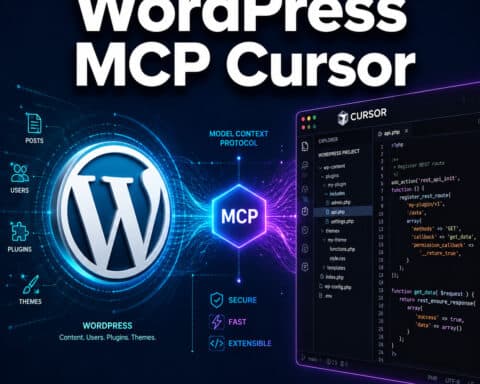
“WordPress MCP enables AI to create drafts, fetch content, query users, and list comments via Claude or Cursor.” — WebDevStudios [8]
Human approval is required for write operations on WordPress.com, which adds a safety layer. On self-hosted sites, you control this through user roles and custom permission filters.
For those looking to pair MCP with AI content tools, our guide to AI-powered content generation is a useful companion resource.
How Does Stifli Flex MCP Compare to the Official Adapter?
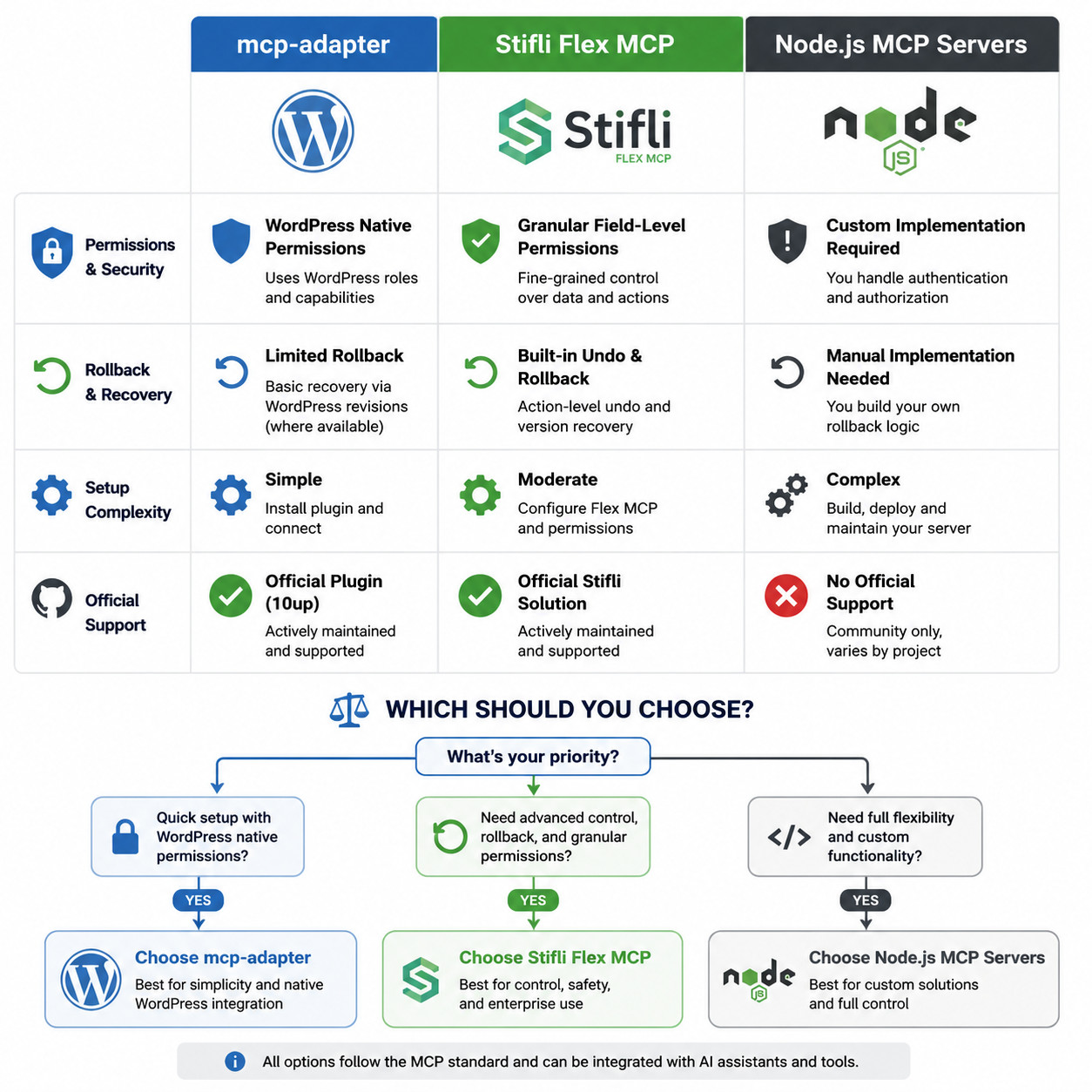
The Stifli Flex MCP plugin [10] takes a different approach by adding a Git-like undo system for every change an AI agent makes. This is particularly valuable for production sites where a bad AI edit could affect live content.
Key differences:
- Rollback capability: Every AI action is logged and reversible. The official
mcp-adapterdoesn’t include built-in undo [2][10]. - Setup complexity: Stifli Flex MCP installs directly from WP.org with no GitHub cloning or Node.js setup required [10].
- Tool discovery: The
mcp-adapterauto-discovers plugin endpoints; Stifli Flex MCP provides a fixed set of tools. - Cost: Both are free. Stifli Flex MCP is fully free on WordPress.org;
mcp-adapteris free on GitHub [2][10].
Choose Stifli Flex MCP if you’re running a production site and want a safety net. Choose mcp-adapter if you need deep integration with WooCommerce, ACF, or other plugins that register REST endpoints.
You can also explore our roundup of best AI plugins for WordPress to see how MCP fits into the broader plugin landscape.
What About WordPress Playground’s MCP Server?
In April 2026, WordPress Playground added an official MCP server via the @wp-playground/mcp package. This lets AI agents manage browser-based WordPress instances over WebSocket, which is useful for:
- Testing AI workflows without risking a live site
- Prototyping plugins that interact with MCP
- Training and demos where you need a disposable WordPress environment
The Playground MCP server runs entirely in the browser, so there’s no hosting cost and no risk to production data. It’s an excellent starting point if you want to experiment with wordpress mcp github projects before committing to a production setup.
What Security Considerations Apply to WordPress MCP?
Security is the most common concern when giving AI agents write access to a WordPress site. Here’s how the major projects handle it:
- Permission enforcement: The
mcp-adaptermaps MCP tool calls to WordPress capabilities, so existing role-based access control applies [2]. - OAuth on WordPress.com: Remote connections use OAuth tokens with scoped permissions [4].
- JWT for self-hosted: The
mcp-adaptersupports JWT authentication, which is more secure than application passwords. - Human-in-the-loop: WordPress.com requires human approval for write operations, and you can implement similar approval workflows on self-hosted sites.
- Audit logging: Stifli Flex MCP logs all AI actions for review and rollback [10].
Edge case to watch for: Community Node.js servers [7] typically authenticate via WordPress application passwords, which grant full REST API access for that user. There’s no per-tool permission scoping unless you add it yourself.
For a broader look at securing AI integrations on WordPress, see our guide on integrating AI-powered chatbots into WordPress.
FAQ
What does MCP stand for in the context of WordPress? MCP stands for Model Context Protocol, an open standard created by Anthropic that lets AI assistants interact with external tools and services through a structured interface.
Is the original Automattic wordpress-mcp plugin still maintained?
No. The wordpress-mcp repository [1] reached v0.2.5 in July 2025 and has been deprecated in favor of the mcp-adapter plugin [2].
Do I need a paid WordPress.com plan to use MCP?
For WordPress.com’s hosted MCP with write capabilities (launched May 2026), yes, you need a paid plan. For self-hosted WordPress, the mcp-adapter [2] and Stifli Flex MCP [10] are both free.
Which AI assistants work with WordPress MCP? Any MCP-compatible client works, including Claude Desktop, Cursor, and other tools that support the Model Context Protocol standard [8].
Can MCP access WooCommerce data on my WordPress site?
Yes, if you use the mcp-adapter [2]. It auto-discovers REST endpoints registered by plugins like WooCommerce and ACF, exposing them as MCP tools.
Is it safe to give AI agents write access to my WordPress site? It can be, with proper setup. Use role-based permissions, require human approval for sensitive operations, and consider Stifli Flex MCP’s rollback feature [10] for production sites.
Can I use WordPress MCP without installing any plugin?
Yes. Node.js-based MCP servers like stefans71/wordpress-mcp-server [7] connect via the REST API externally, requiring no plugin installation on your WordPress site.
What’s the difference between mcp-adapter and mcp-wordpress-remote?
The mcp-adapter [2] is a plugin for self-hosted WordPress. The mcp-wordpress-remote [4] is designed for WordPress.com hosted sites and handles remote authentication.
Does WordPress Playground support MCP?
Yes. As of April 2026, WordPress Playground offers an official MCP server via the @wp-playground/mcp package for browser-based testing.
How do I install mcp-adapter from GitHub?
Clone the repository [2], upload the folder to wp-content/plugins/, activate it in WordPress admin, configure JWT authentication, and connect your AI client to the MCP endpoint.
Conclusion
WordPress MCP GitHub projects are moving fast, and the ecosystem has matured significantly through early 2026. Here’s what to do next:
- Start with WordPress Playground’s MCP if you want to experiment risk-free.
- Install
mcp-adapter[2] for production self-hosted sites that need deep plugin integration. - Use Stifli Flex MCP [10] if rollback safety is your priority.
- Avoid the deprecated
wordpress-mcp[1] repo for new projects. - Set up proper authentication (JWT or OAuth) before enabling any write operations.
The combination of AI agents and WordPress through MCP is practical and available now. The GitHub repositories listed here give you everything needed to get started, whether you’re automating content workflows, building development tools, or managing a network of sites.
References
[1] WordPress Mcp – https://github.com/Automattic/wordpress-mcp [2] Mcp Adapter – https://github.com/wordpress/mcp-adapter [3] Releases – https://github.com/WordPress/mcp-adapter/releases [4] Mcp WordPress Remote – https://github.com/Automattic/mcp-wordpress-remote [5] Mcp Wp – https://github.com/mcp-wp [6] Installation – https://mcp-wp.github.io/docs/wp-cli/installation [7] WordPress Mcp Server – https://github.com/stefans71/wordpress-mcp-server [8] Using WordPress Mcp As A Development Tool – https://webdevstudios.com/2025/06/11/using-wordpress-mcp-as-a-development-tool/ [9] WordPress Mcp – https://github.com/jpollock/wordpress-mcp [10] Free I Built An Mcp Server For WordPress With – https://www.reddit.com/r/WordpressPlugins/comments/1sk5byv/free_i_built_an_mcp_server_for_wordpress_with/