Last updated: May 13, 2026
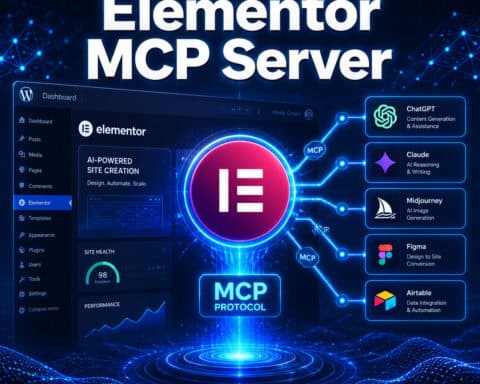
Quick Answer: WordPress Elementor MCP connects AI models like Claude or GPT directly to your Elementor page builder through the Model Context Protocol, letting AI agents read, create, and edit pages on your live WordPress site. Instead of dragging widgets manually, you describe what you want in plain language, and the AI builds it. Multiple open-source MCP servers now expose up to 97 AI-ready tools for programmatic Elementor page design [1].
Key Takeaways
- MCP stands for Model Context Protocol, an open standard that lets AI models interact with external tools and data sources, including WordPress and Elementor.
- WordPress Elementor MCP servers give AI agents the ability to create pages, add sections, insert widgets, manage templates, and edit content without you touching the editor.
- Automattic launched an official WordPress MCP Adapter in February 2026, making Elementor MCP setups more stable and standardized [8].
- Devenia’s MCP Abilities Elementor v2.0.3 added 19 abilities for full template management through AI [7].
- Security matters: research from Noma found that 1 in 4 MCP servers expose AI agents to code execution risks, so governance like allowlisting is essential.
- Competitors like Bricks Builder and Breakdance lack native MCP support, giving Elementor a clear head start in AI-assisted design.
- You don’t need to be a developer to use WordPress Elementor MCP, but you do need to be comfortable with basic terminal commands and API keys.

What Is WordPress Elementor MCP and Why Does It Matter?
WordPress Elementor MCP is the combination of Elementor’s page builder with Model Context Protocol servers that expose Elementor’s functionality to AI agents. Think of MCP as a universal adapter, often described as “USB-C for AI” [2], that lets large language models (LLMs) securely interact with your WordPress site’s data, menus, plugins, and page layouts.
Before MCP, getting AI to build an Elementor page meant copying and pasting generated code or using fragile workarounds. MCP changes that by creating a structured, two-way connection. The AI can:
- Read your existing Elementor pages, templates, and widget configurations
- Write new sections, columns, headings, images, and custom widgets
- Edit existing content based on your natural-language instructions
- Manage templates, global styles, and reusable components [7]
Elementor’s own blog positioned MCP as core to their 2026 AI web design strategy, powering agentic tools like their upcoming Angie plugin [10]. If you’re building WordPress sites professionally, this is the direction the ecosystem is heading.
For a broader look at AI-powered WordPress tools, check out our guide to the best AI plugins for WordPress automation.
How Does the Model Context Protocol Work With Elementor?
MCP works as a standardized communication layer between an AI model (the “client”) and your WordPress site (the “server”). Here’s the simplified flow:
- You install an MCP server on or alongside your WordPress site. This server exposes Elementor’s capabilities as structured “tools” the AI can call.
- You connect an AI client (like Claude Desktop, Cursor, or another MCP-compatible app) to that server using a configuration file.
- You give instructions in plain language. For example: “Create a landing page with a hero section, three feature columns, and a CTA button.”
- The AI calls the appropriate MCP tools to build the page directly in Elementor, then confirms what it did.
The key MCP servers available in 2026 include:
| MCP Server | Tools/Abilities | Key Feature | Source |
|---|---|---|---|
| msrbuilds/elementor-mcp | 97 AI-ready tools | Full programmatic page design | [1] |
| bjornfix/mcp-abilities-elementor | Full Elementor exposure | AI page reading and editing | — |
| Devenia MCP Abilities v2.0.3 | 19 abilities | Template management via AI | [7] |
| Automattic WordPress MCP Adapter | Multi-site switching | Official WordPress connector | [8] |
Elementor 4.2.0 also introduced markdown rendering (?format=markdown) specifically for AI workflows, making it easier for MCP servers to parse and generate Elementor content.
How Do You Set Up WordPress Elementor MCP Step by Step?
Setting up WordPress Elementor MCP requires about 30 to 60 minutes if you’re comfortable with basic command-line tools. Here’s a practical walkthrough:
Prerequisites:
- WordPress site with Elementor Pro (or free Elementor for basic features)
- Node.js installed on your local machine
- An MCP-compatible AI client (Claude Desktop is the most common choice)
- Application passwords enabled in WordPress
Step-by-step setup:
- Clone the MCP server repository. For example:
git clone https://github.com/msrbuilds/elementor-mcp[1] - Install dependencies. Run
npm installin the project directory. - Configure your WordPress credentials. Create a
.envfile with your site URL, WordPress username, and an application password (generated under Users > Application Passwords in wp-admin). - Start the MCP server. Run
npm startor the specified start command. - Connect your AI client. In Claude Desktop, edit the MCP configuration file to point to your running server. Reddit users have confirmed this workflow works well with Automattic’s official connector [4].
- Test with a simple command. Ask the AI to list your existing Elementor pages or create a basic test page.
Common mistake: Forgetting to enable the WordPress REST API or blocking it with a security plugin. MCP servers communicate through the REST API, so it must be accessible.
If you’re new to WordPress plugin configuration, our guide to WordPress plugin development best practices covers the fundamentals.

What Can You Actually Build With WordPress Elementor MCP?
The practical applications go well beyond creating a single page. Based on demonstrations from YouTube creator Jeffrey and community reports, here’s what people are building [3]:
Page creation and layout:
- Full landing pages with hero sections, testimonials, pricing tables, and footers
- Blog post templates with consistent styling
- Multi-section product pages
Content operations:
- Bulk-updating text across multiple pages
- Swapping placeholder content with real copy
- Generating and inserting responsive image galleries
Template management (v2.0.3+):
- Saving page designs as reusable Elementor templates [7]
- Applying global style changes across a site
- Creating widget presets for repeated use
Iterative design: Jeffrey’s workflow, for example, involved directing Claude to add sections one at a time, reviewing each result, then asking for adjustments. This reduced manual widget dragging significantly while keeping creative control [3].
Choose MCP if: You build multiple WordPress sites, manage client projects, or want to prototype layouts quickly without manual drag-and-drop.
Skip MCP if: You build one personal site and enjoy the visual editing process, or you’re uncomfortable with any command-line setup.
For more ways to automate your WordPress workflow, see our advanced WordPress strategies for power users.
Is WordPress Elementor MCP Secure?
Security is the biggest concern with any tool that gives AI agents write access to your live website. The short answer: MCP itself is a protocol, not inherently secure or insecure. Security depends on how you configure it.
Research from Noma (May 2026) found that roughly 1 in 4 MCP servers expose AI agents to code execution risks. Their recommendations apply directly to Elementor MCP setups:
- Allowlist specific tools. Don’t give the AI access to every available MCP tool. Restrict it to only the Elementor-related abilities you need.
- Use read-only mode for testing. Several MCP servers support a read-only flag. Use it until you trust the setup.
- Scope your API tokens. WordPress application passwords can be limited. Don’t use an admin-level account for MCP connections.
- Run on staging first. Never test a new MCP configuration on a production site.
- Monitor REST API logs. Track what the AI agent is actually doing on your site.

“MCP is a powerful connector, but power without governance is risk. Always allowlist, always scope, always monitor.”
For additional security context around AI integrations, our guide on integrating AI-powered chatbots into WordPress covers related authentication and safety practices.
How Does Elementor MCP Compare to Alternatives?
Elementor isn’t the only page builder or design tool in 2026, but it’s currently the only major WordPress builder with active MCP server development. Here’s how the landscape looks:
| Builder/Tool | MCP Support | AI Integration | Performance (PageSpeed) | WordPress Required |
|---|---|---|---|---|
| Elementor + MCP | Native (multiple servers) | Full read/write via AI agents | 60-80 (varies) | Yes |
| Bricks Builder | None | No native AI agent support | 85-92 | Yes |
| Beaver Builder | None | No native AI agent support | 80-88 | Yes |
| Breakdance | None | No native AI agent support | 82-90 | Yes |
| Webflow | None (separate ecosystem) | Built-in AI features | 80-95 | No |
| Framer | None (separate ecosystem) | Built-in AI features | 85-98 | No |
The tradeoff is clear: Elementor with MCP gives you the most flexible AI agent integration within WordPress, but competitors like Bricks and Breakdance often deliver better raw page speed. Webflow and Framer offer AI features without WordPress dependency but lock you into their platforms.
If you’re evaluating non-WordPress options, our comparison of no-coding website design platforms covers the broader landscape.
What Are the Limitations and Edge Cases?
WordPress Elementor MCP is promising but not without rough edges in 2026:
- Complex dynamic content is tricky. MCP tools handle static layouts well, but dynamic content (like WooCommerce product grids or ACF-powered templates) requires more manual intervention.
- AI hallucinations affect output. The AI might generate widget configurations that don’t exist or apply styles incorrectly. Always review before publishing.
- Plugin conflicts are real. Heavy security plugins, caching layers, or custom REST API modifications can break MCP connections.
- No visual preview in the AI client. You describe changes in text, and the AI makes them, but you need to check the result in your browser or Elementor editor.
- Version compatibility. MCP servers are updated independently from Elementor. After a major Elementor update, your MCP server may need updating too.
For tips on managing WordPress theme and plugin compatibility, see our complete guide to WordPress theme customization.
FAQ
What does MCP stand for in WordPress Elementor MCP? MCP stands for Model Context Protocol, an open standard created by Anthropic that lets AI models connect to external tools and data sources, including WordPress and Elementor [10].
Do I need Elementor Pro for MCP to work? No. Basic MCP functionality works with free Elementor, but Pro features (like theme builder templates and global widgets) require Elementor Pro for the AI to access them.
Which AI models work with Elementor MCP? Claude (via Claude Desktop) is the most tested option. Any MCP-compatible client can work, including Cursor and other developer tools that support the protocol [4].
Is WordPress Elementor MCP free? The MCP servers themselves (msrbuilds/elementor-mcp, Devenia’s plugin) are open-source and free. You’ll need your own AI API access, which may have costs depending on the provider [1] [7].
Can MCP break my WordPress site? Yes, if misconfigured. An AI agent with write access can modify or delete content. Always use staging environments for testing and scope permissions carefully.
How is this different from using ChatGPT to generate HTML? ChatGPT generates code you then paste into WordPress. MCP lets the AI directly interact with Elementor’s data structures, creating native Elementor pages with proper widget configurations rather than raw HTML.
Does Automattic officially support Elementor MCP? Automattic released a WordPress MCP Adapter in February 2026 that improves compatibility between AI agents and WordPress generally, which benefits Elementor MCP setups [8].
Can I use MCP with other WordPress page builders? As of May 2026, Elementor has the most developed MCP ecosystem. Bricks, Beaver Builder, and Breakdance do not have native MCP servers.
What happens if the MCP server goes down while the AI is editing? Partial edits may be saved to your WordPress database. Elementor’s revision history can help you roll back, but this is another reason to work on staging first.
Is WordPress Elementor MCP suitable for client projects? Yes, especially for agencies building multiple sites. The time savings on layout creation and content updates can be significant, but always review AI-generated output before client delivery.
Conclusion
WordPress Elementor MCP represents a genuine shift in how WordPress sites get built. By connecting AI agents directly to Elementor through the Model Context Protocol, you move from manual drag-and-drop to conversational page design. The ecosystem is still maturing, with multiple open-source servers offering different levels of capability, but the foundation is solid and actively developed.
Your next steps:
- Try it on a staging site. Clone one of the MCP server repos [1], connect it to Claude Desktop, and build a test page.
- Lock down security first. Scope your API tokens, use read-only mode initially, and monitor REST API activity.
- Start small. Use MCP for layout prototyping before trusting it with production content.
- Stay updated. Follow the GitHub repos and Elementor’s blog for compatibility updates as both Elementor and MCP servers evolve.
The builders who learn this workflow now will have a meaningful speed advantage as AI-assisted design becomes standard across the WordPress ecosystem.
References
[1] Elementor Mcp – https://github.com/msrbuilds/elementor-mcp [2] Make Your Website Ai Ready With Mcp – https://elementor.com/blog/make-your-website-ai-ready-with-mcp/ [3] Watch – https://www.youtube.com/watch?v=tCRt5m4jsY8 [4] Anyone Experimented With Claude Mcp WordPress Yet – https://www.reddit.com/r/elementor/comments/1qyatef/anyone_experimented_with_claude_mcp_wordpress_yet/ [7] Mcp Abilities Elementor V2 0 3 Released – https://devenia.com/mcp-abilities-elementor-v2-0-3-released/ [8] Ai Weekly Digest Week Of February 5 11 2026 – https://dev.to/alexmercedcoder/ai-weekly-digest-week-of-february-5-11-2026-4aog [10] Mcp Explained For Web Creators – https://elementor.com/blog/mcp-explained-for-web-creators/