Last updated: May 14, 2026
Quick Answer
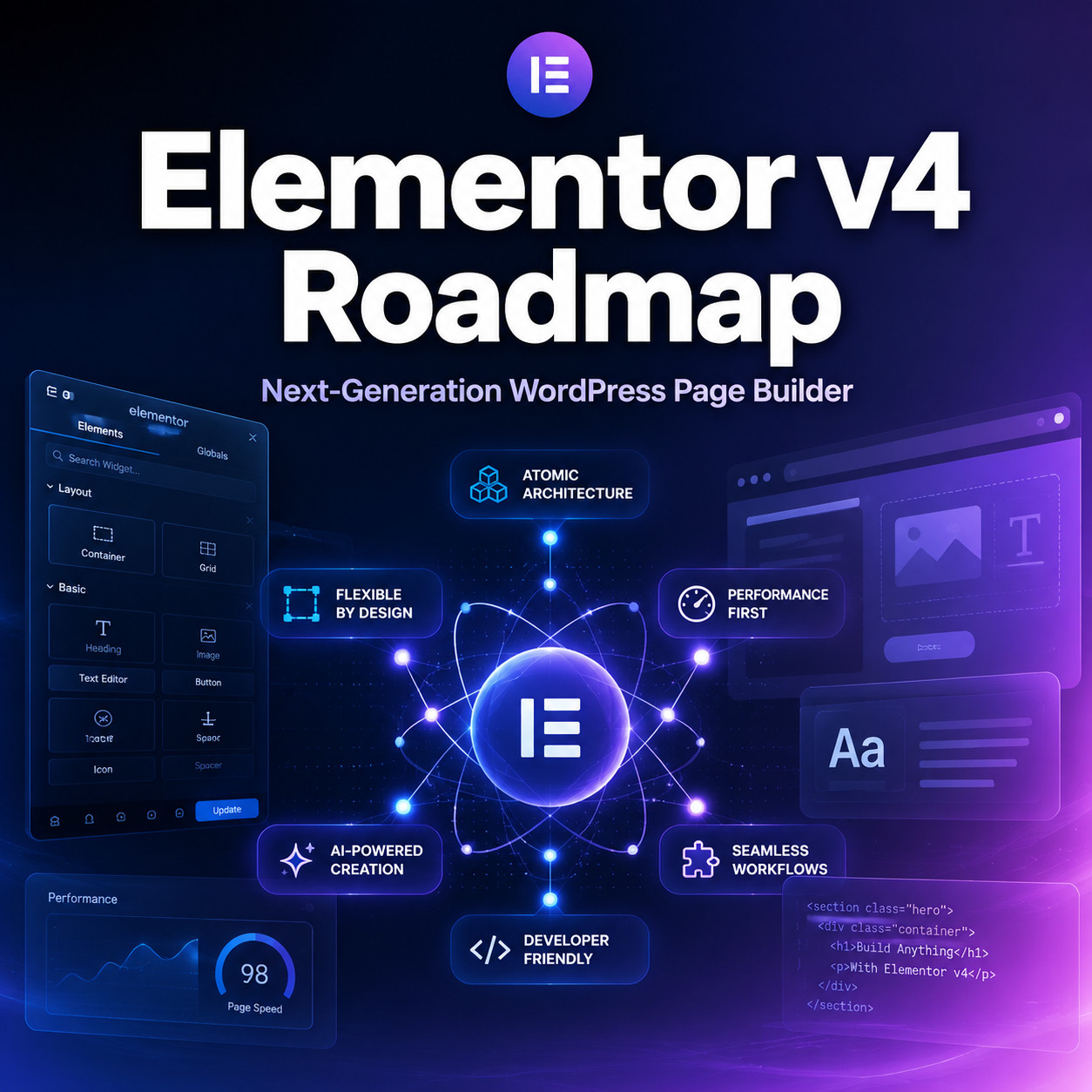
Elementor v4 is a ground-up architectural rewrite of the world’s most popular WordPress page builder. It replaces the old widget-based system with an atomic design framework that separates structure, styling, and content. The v4 line is already shipping (version 4.0.8 released May 12, 2026) [10], with 50+ atomic features live and over 45,000 activations reported on Elementor’s official roadmap [1]. New installations now default to the v4 experience, while existing sites can migrate at their own pace [6].
Key Takeaways
- Elementor v4 is not a feature update; it’s a new architecture. The core rewrite separates structure, styling, and content for better reuse and team collaboration [5].
- The beta launched February 14, 2026, and the stable 4.0.x line is already receiving regular maintenance updates [5][10].
- New sites get v4 by default. Atomic Elements, Variables, Classes, and Components activate automatically on fresh installations as of version 4.0 [6].
- Existing sites can run v3 and v4 features side by side on the same pages during migration [5].
- 50 live atomic features are already available, with Planner, Atomic Loops, and Atomic Grids actively in development [1].
- Performance improvements are real but variable. Cleaner DOM and CSS-first styling reduce browser work, but results depend on page complexity and overall site hygiene.
- Third-party addon developers are adapting. The class-driven styling and cleaner DOM require changes to how extensions integrate with Elementor.
- WordPress 7.0 compatibility is confirmed in the latest 4.0.x releases [10].
What Is Elementor v4 and Why Does It Matter?
Elementor v4 is a structural rewrite of the Elementor page builder, not a cosmetic refresh. The official messaging frames it as a shift to “long-term architecture” that separates structure, styling, and content more clearly than the previous widget-based approach [1][5].
Why this matters for WordPress users:
- Reusability. Styles defined once can apply across your entire site through global classes and variables, instead of being locked inside individual widgets.
- Predictability. A cleaner DOM means fewer unexpected layout shifts and easier debugging when something looks wrong.
- Collaboration. Teams can work with shared design tokens (colors, spacing, typography) that update everywhere when changed once.
- Performance. Less HTML output and CSS-first rendering should improve load times, though the degree depends on how you build your pages.
The v4 approach borrows concepts from modern design systems. If you’ve worked with tools like Figma’s component libraries (see our guide to Figma UI kits and design systems), the mental model will feel familiar: define once, reuse everywhere, update globally.
Who is v4 for? Anyone building or maintaining WordPress sites with Elementor. Freelancers, agencies, and solo site owners all benefit from cleaner architecture, but the gains are most noticeable on sites with 20+ pages or team-based workflows.
Who might want to wait? If your site relies heavily on third-party Elementor addons that haven’t confirmed v4 compatibility, test on staging first.
What Are the Core Features in the Elementor v4 Roadmap?
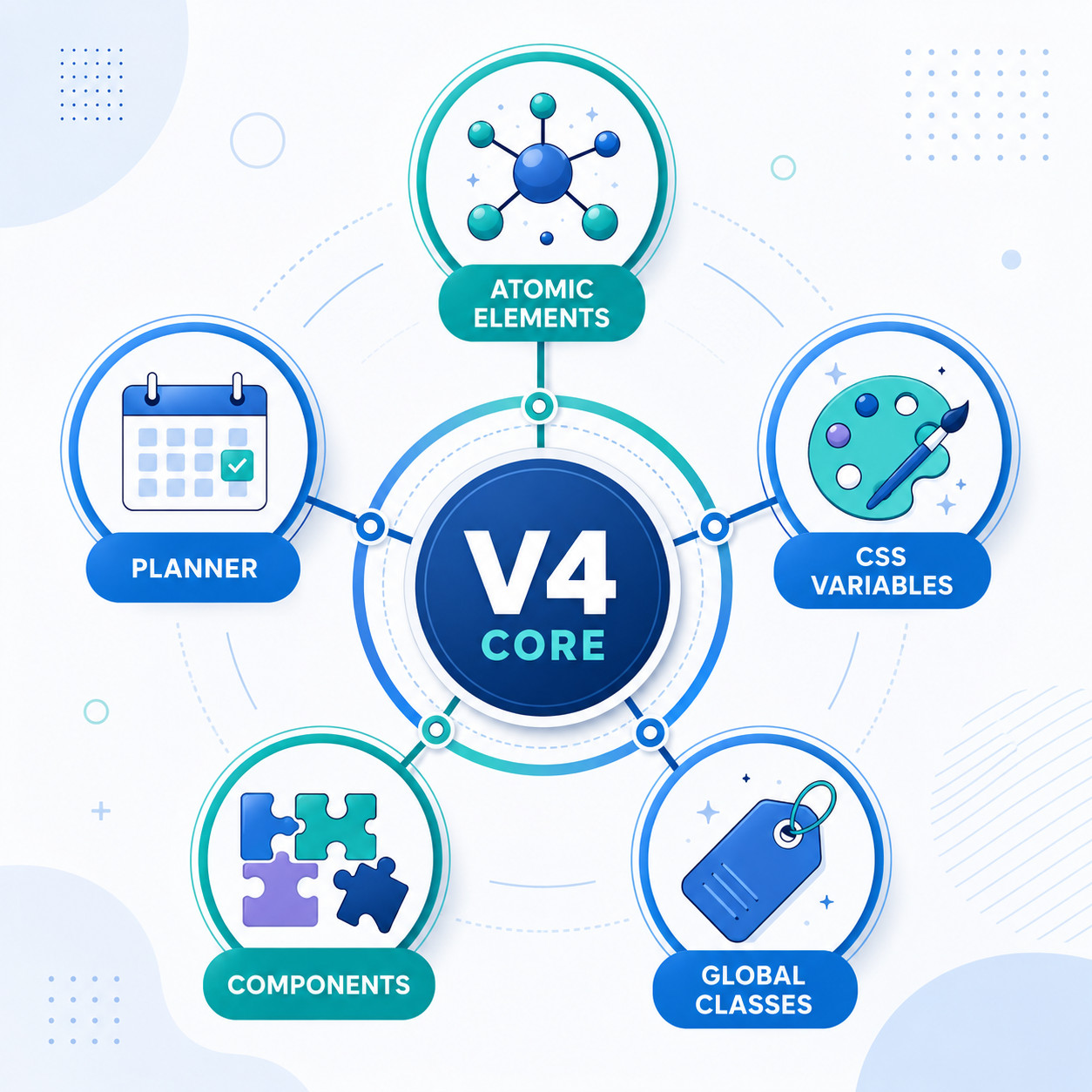
The Elementor v4 roadmap introduces five foundational changes, plus several features still in active development [1][6].
Already Live (50+ Atomic Features)
| Feature | What It Does | Status |
|---|---|---|
| Atomic Elements | Lightweight, modular building blocks that replace heavier legacy widgets | Live on new installs [6] |
| CSS Variables | Design tokens for colors, spacing, and typography that update globally | Live [1] |
| Global Classes | Reusable style sets you apply to any element (like CSS classes, but visual) | Live [1] |
| Components | Reusable element groups that behave like design system components | Live [5] |
| Coexistence Mode | V3 and v4 features work on the same page during migration | Live [5] |
In Active Development
- Planner — a layout planning tool for structuring pages before adding content [1]
- Atomic Loops — dynamic content loops built on the new atomic framework [1]
- Atomic Grids — CSS Grid-based layouts native to the v4 system [1]
What Changed from v3
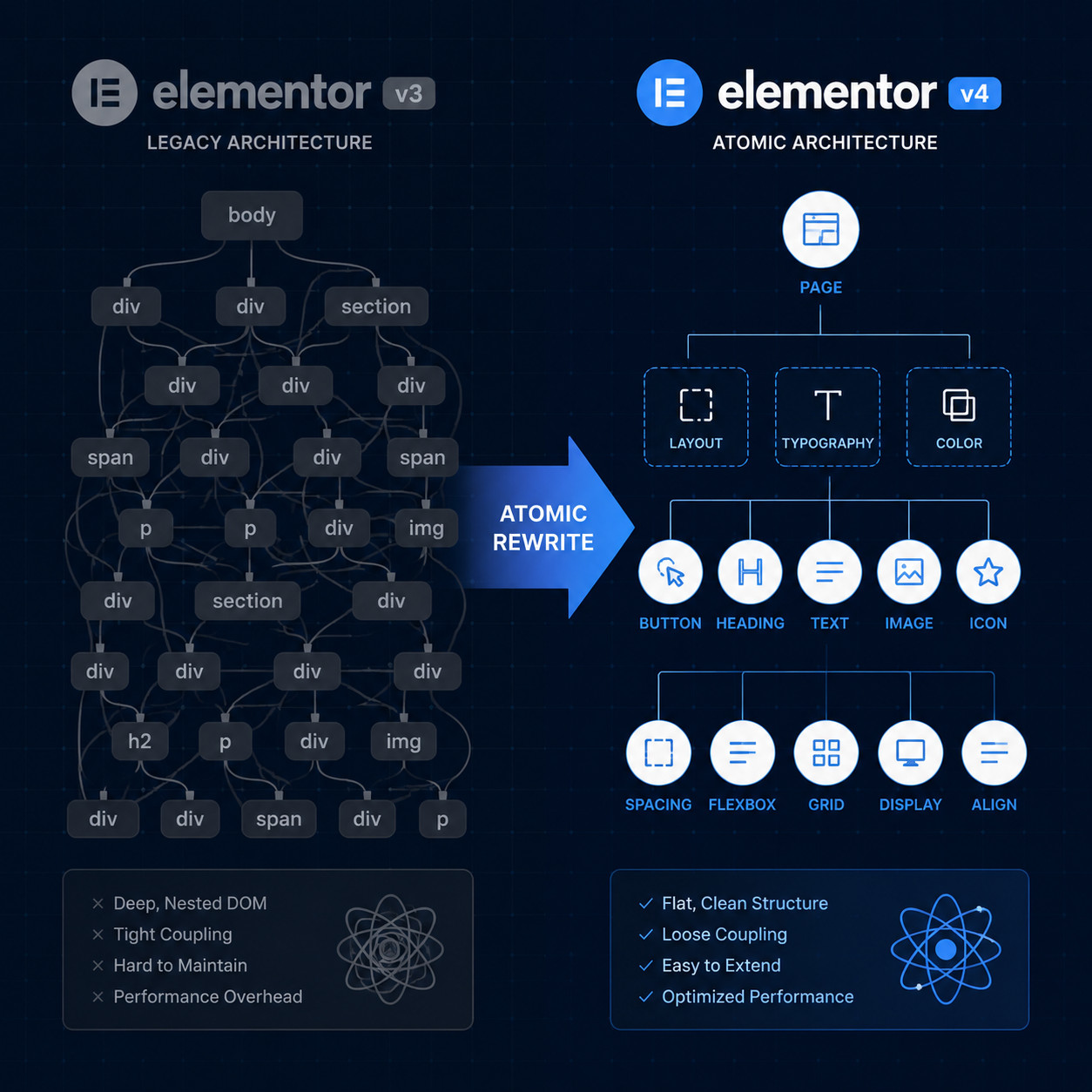
The biggest shift is philosophical. In v3, each widget carried its own styling, structure, and content in a single bundle. In v4, these layers are separated. A heading element in v4 doesn’t carry inline styles; instead, it references a class, which references variables. Change the variable, and every element using it updates.
This is how professional front-end development has worked for years. Elementor v4 brings that discipline to the visual builder experience.
Common mistake: Assuming v4 just adds new widgets. It doesn’t. It changes how styling works at the foundation level. If you’re building a new site, start with v4’s atomic approach from day one rather than mixing old and new patterns unnecessarily.
How Does Elementor v4 Affect Site Performance?
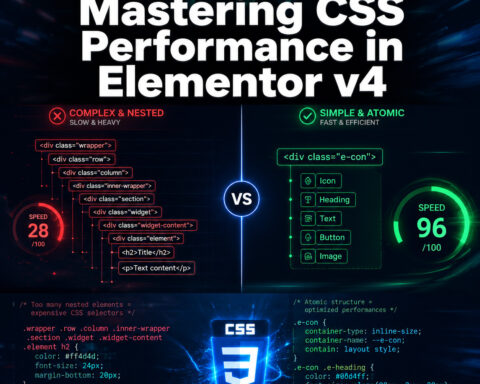
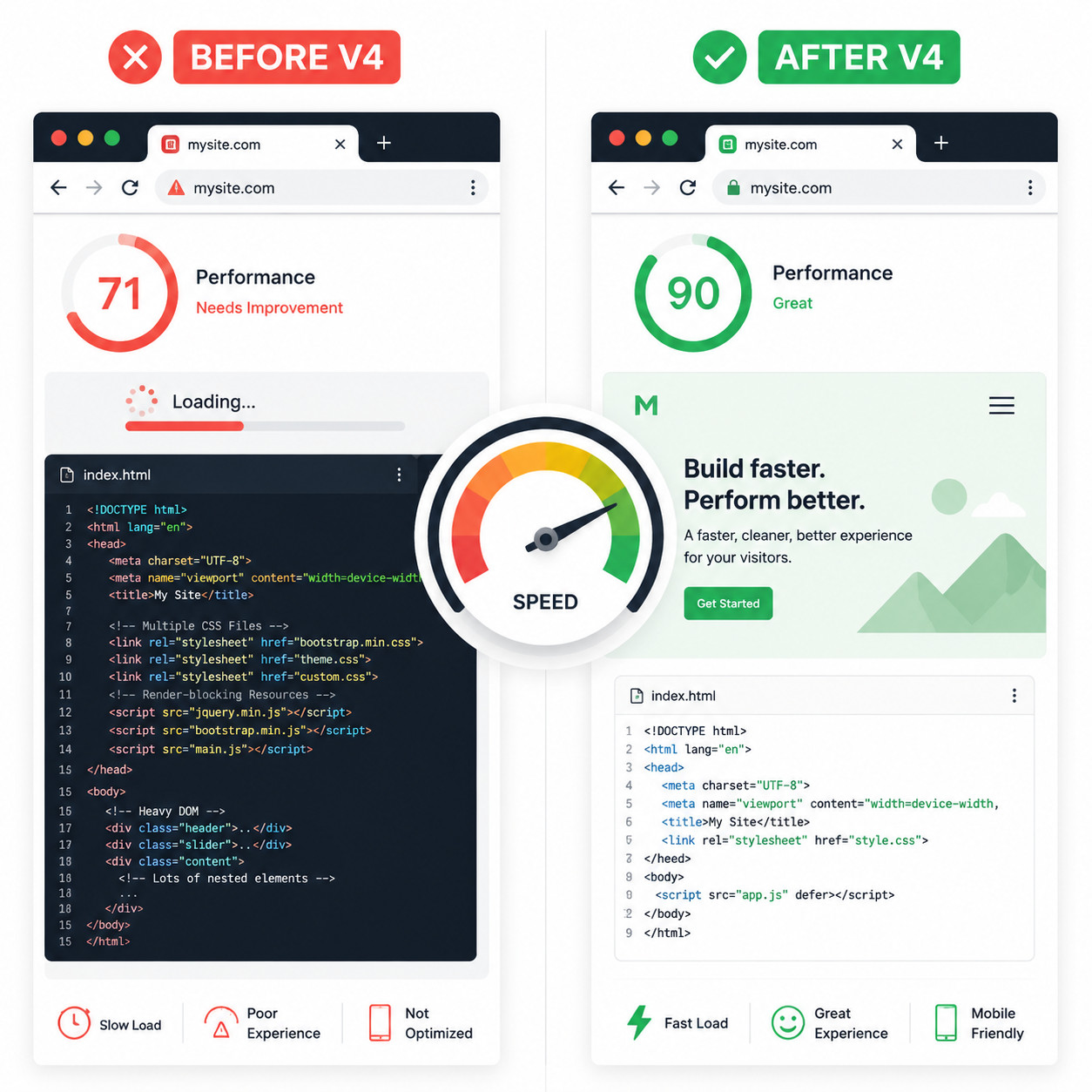
The short answer: v4 produces cleaner HTML and relies more on CSS, which reduces the work browsers need to do when rendering pages. But performance is a whole-site concern, not just a plugin concern.
What v4 Improves
- Smaller DOM size. Atomic elements generate less HTML markup than legacy widgets, which means fewer nodes for the browser to parse.
- CSS-first styling. Instead of inline styles on every element, v4 uses CSS custom properties (variables) and classes. This produces smaller, more cacheable stylesheets.
- Reduced JavaScript dependency. Some visual effects that previously required JS can now be handled through CSS alone.
What v4 Doesn’t Fix on Its Own
A May 2026 community talk made an important point: layout structure, widget choices, images, fonts, and restraint matter more than micro-optimizations [3]. You can build a slow site with v4 if you load unoptimized images, use 15 custom fonts, and stack unnecessary sections.
One LinkedIn test reported Core Web Vitals improving from 71 to 90 after a v4 rebuild, but the same tester noted v4 is “a step forward, but not a complete game changer yet.” That’s a fair summary. V4 raises the floor, but your choices still determine the ceiling.
Decision rule: If your current Elementor site scores below 75 on PageSpeed Insights, v4 alone won’t fix it. Address images, hosting, and layout complexity first. V4 will then amplify those improvements.
For broader WordPress performance strategies, our advanced WordPress strategies for power users covers complementary techniques.
How Do You Migrate from Elementor v3 to v4?
Migration is designed to be gradual, not all-or-nothing. Elementor built a coexistence mode that lets v3 and v4 features run on the same pages [5].
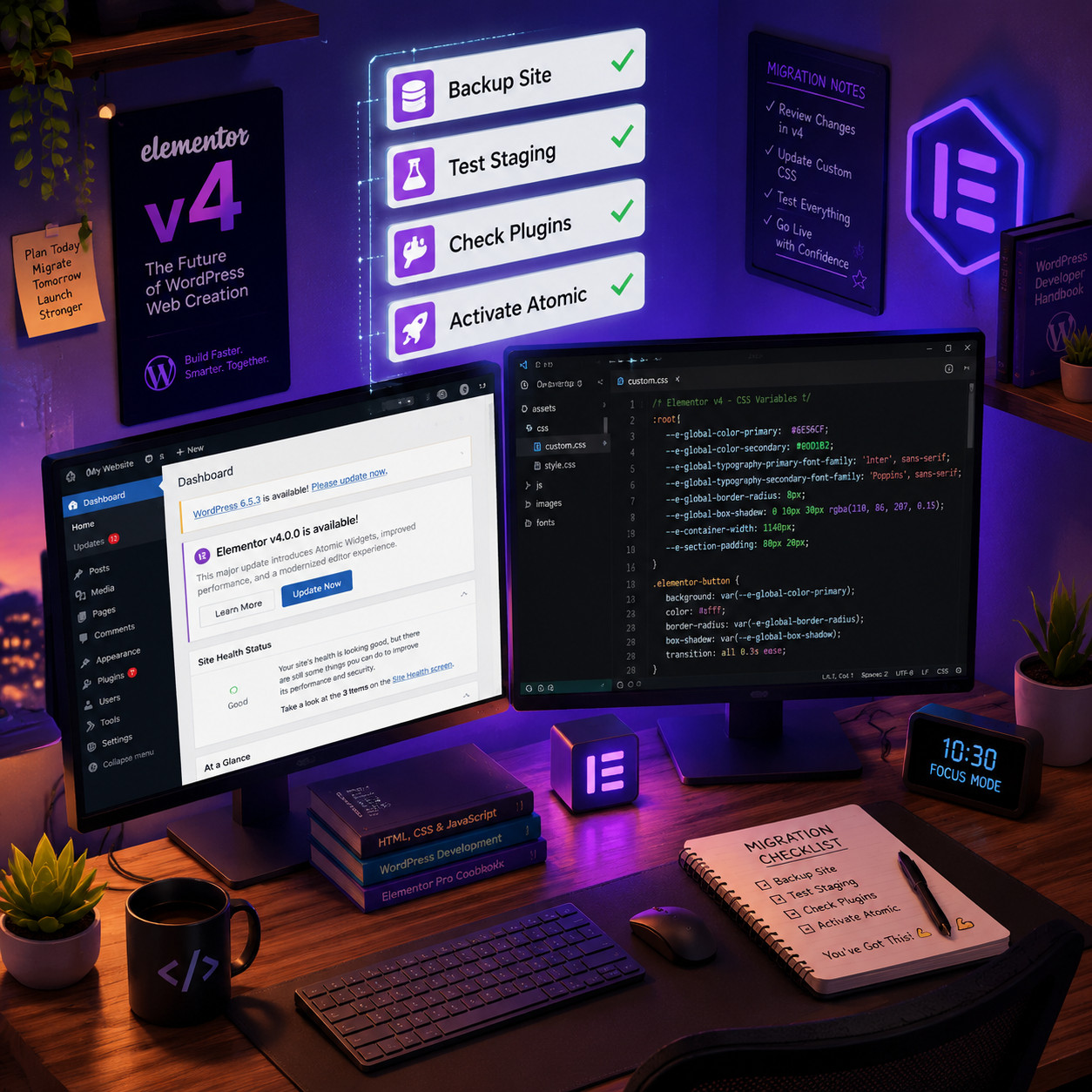
Step-by-Step Migration Checklist
- Back up your site completely. Use a reliable backup plugin or your host’s snapshot feature before touching anything.
- Set up a staging environment. Never test major architecture changes on a live site.
- Update to the latest 4.0.x release. As of May 2026, that’s version 4.0.8 [10].
- Check third-party addon compatibility. Contact addon developers or check their changelogs for v4 support statements.
- Enable atomic features on staging. For existing sites, v4 features aren’t forced on. You activate them through Elementor’s settings.
- Rebuild or convert one page at a time. Start with a simple page to learn the new workflow before tackling complex layouts.
- Test thoroughly. Check responsiveness, dynamic content, forms, and any custom CSS you’ve written.
- Push to production. Once staging looks good, replicate the changes on your live site.
Common Migration Pitfalls
- Custom CSS that targets old widget classes. V4’s cleaner DOM means some class names change. Audit your custom CSS early.
- Third-party widgets that inject inline styles. These may conflict with v4’s class-based system. Test each addon individually.
- Assuming everything converts automatically. Coexistence mode keeps old pages working, but you won’t get v4’s benefits until you actively rebuild or convert elements.
Edge case: Sites using Elementor’s Theme Builder with heavily customized templates may need more extensive rework. The template system itself is evolving alongside v4, so check Elementor’s developer documentation [6] for the latest guidance.
If you’re also considering your broader plugin stack during migration, our guide to WordPress plugin development best practices covers how well-built plugins should handle major platform updates.
How Does Elementor v4 Compare to Other Page Builders in 2026?
Elementor v4’s atomic architecture puts it in a different category than most drag-and-drop builders. Here’s how it stacks up.
| Feature | Elementor v4 | Gutenberg (Block Editor) | Bricks Builder | Divi |
|---|---|---|---|---|
| Architecture | Atomic/component-based | Block-based (core WP) | Class-based | Module-based |
| Global Design Tokens | Yes (Variables + Classes) | Limited (theme.json) | Yes (classes) | Partial (presets) |
| DOM Cleanliness | Much improved in v4 | Clean (native) | Very clean | Heavy |
| Learning Curve | Moderate (new concepts) | Low-moderate | Moderate-high | Low |
| Third-Party Ecosystem | Largest (adapting to v4) | Growing | Smaller | Large |
| Price (Pro) | From $59/year | Free (core) | From $79/year | From $89/year |
| Full Site Editing | Yes (Theme Builder) | Yes (native) | Yes | Yes |
Choose Elementor v4 if…
- You already use Elementor and want to stay in the ecosystem while gaining modern architecture.
- You need the largest third-party addon ecosystem for WordPress page builders.
- Your team benefits from visual design token management (variables, classes, components).
Consider alternatives if…
- You want the lightest possible output and are comfortable with code. Bricks or native Gutenberg may suit you better.
- You’re starting from scratch with no Elementor investment. Evaluate all options before committing.
For a broader comparison of visual builders, see our review of the best drag-and-drop website builders in 2026.
What’s Next on the Elementor v4 Roadmap?
The roadmap page shows active development beyond what’s already shipped [1].

Confirmed Upcoming Features
- Atomic Loops. Dynamic content repeaters built on the atomic framework. This will change how blogs, portfolios, and product listings are built in Elementor.
- Atomic Grids. Native CSS Grid support within the atomic system, giving designers more layout flexibility than the current flexbox-based approach.
- Planner. A pre-build planning tool that lets you sketch page structure before committing to specific elements.
Longer-Term Direction
Elementor describes v4 as “long-term architecture [1], which signals this isn’t a one-time update but an ongoing platform shift. Based on the developer update [6] and roadmap patterns, expect:
- Deeper AI integration for content and layout suggestions (Elementor AI features are already expanding; for related tools, see our guide to AI plugins for WordPress)
- More granular responsive design controls using the atomic system
- Enhanced collaboration features for agencies and teams
- Continued WordPress core compatibility (v4.0.8 already supports WordPress 7.0) [10]
The Ecosystem Response
Third-party developers are treating v4 as a platform shift. The Plus Addons team, for example, announced v4 compatibility as a priority, acknowledging that class-driven styling and cleaner DOM require changes to how extensions integrate. This is a healthy sign — it means the ecosystem is taking the migration seriously rather than ignoring it.
What to watch for: The pace of third-party v4 adoption over the next 6 months will determine how smooth the transition feels for users who rely on addon widgets. Before purchasing any new Elementor extension, confirm it explicitly supports v4.
Should You Switch to Elementor v4 Right Now?
If you’re building a new site: Yes. New installations default to v4 [6], and there’s no reason to start with legacy architecture in 2026.
If you have an existing site: It depends on complexity. Here’s a quick decision framework:
| Your Situation | Recommendation |
|---|---|
| Simple site (under 10 pages, few addons) | Migrate now on staging, push when tested |
| Medium site (10-50 pages, some addons) | Start migrating page by page; check addon compatibility first |
| Complex site (50+ pages, many addons, custom code) | Wait until all critical addons confirm v4 support; migrate in phases |
| Agency managing multiple client sites | Standardize new projects on v4; schedule existing site migrations quarterly |
The coexistence mode [5] removes the urgency of an all-or-nothing switch. Use it. There’s no deadline to complete migration, and Elementor has been clear that v3 features continue to work alongside v4.
For teams working on custom themes alongside Elementor, our guide to WordPress theme customization covers how theme-level decisions interact with page builder choices.
Pros and Cons of Elementor v4
Pros
- Cleaner, more maintainable code output
- Global design tokens (variables, classes) save time on multi-page sites
- Component reuse reduces repetitive work
- Coexistence mode makes migration low-risk
- Active development with regular maintenance updates [10]
- WordPress 7.0 compatibility confirmed [10]
Cons
- Learning curve for users comfortable with v3’s widget-based workflow
- Some third-party addons haven’t confirmed v4 compatibility yet
- Performance gains, while real, aren’t dramatic enough to fix fundamentally slow sites
- Migration of complex existing sites takes time and testing
- The ecosystem is still in “active migration mode” rather than full stability
Frequently Asked Questions
Is Elementor v4 free or paid? The core Elementor v4 is free, just like v3. Atomic Elements, Variables, Classes, and Components are available in the free version. Elementor Pro features (Theme Builder, WooCommerce widgets, etc.) still require a paid license.
Will my existing Elementor pages break when I update to v4? No. Elementor built coexistence mode specifically for this. Your v3 pages continue to work, and v4 features are activated separately on existing sites [5].
Is Elementor v4 stable enough for production sites? Yes. The 4.0.x line has received multiple maintenance updates, with 4.0.8 shipping on May 12, 2026 [10]. It’s past the beta stage and actively maintained.
Do I need to rebuild my entire site for v4? No. You can migrate page by page. However, you won’t get v4’s full benefits (cleaner DOM, design tokens) on pages that still use legacy widgets.
How does v4 affect SEO? Cleaner HTML and faster rendering can improve Core Web Vitals, which are a ranking factor. But v4 alone isn’t an SEO strategy. For WordPress-specific SEO techniques, see our guide to AI SEO tools for WordPress.
Will my Elementor Pro license work with v4? Yes. Elementor Pro is compatible with v4 and receives its own updates aligned with the v4 architecture.
What WordPress version does Elementor v4 require? The latest 4.0.8 release confirms compatibility with WordPress 7.0 [10]. Check Elementor’s plugin page for minimum version requirements.
Can I use v4 with my current WordPress theme? In most cases, yes. V4’s changes are primarily within the Elementor editor and output. However, themes with heavy Elementor-specific customizations should be tested on staging first. Our guide to custom WordPress theme development covers theme-builder interactions in detail.
How long will Elementor support v3 features? Elementor hasn’t announced a v3 deprecation date. The coexistence mode suggests they plan to support both for an extended period, but new development is focused on v4.
Are there any sites I should NOT migrate to v4? Sites running outdated PHP versions, unsupported WordPress versions, or heavily modified Elementor core files should resolve those issues before attempting migration.
Conclusion
Elementor v4 represents the most significant architectural change to the platform in its history. It’s not a feature bundle; it’s a new foundation that brings design-system thinking (atomic elements, global classes, CSS variables, reusable components) to the visual page builder experience.
Here’s what to do next:
- If you’re starting a new project, build on v4 from day one. It’s the default for new installations and the direction all future development follows [6].
- If you manage existing sites, set up a staging environment this week and test your most important pages with v4 features enabled. Identify any third-party addon conflicts early.
- Bookmark the official roadmap at elementor.com/roadmap to track Atomic Loops, Atomic Grids, and Planner as they move toward release [1].
- Audit your site’s performance baseline before migrating, so you can measure v4’s actual impact on your specific pages.
- Join the conversation. Elementor’s community forums and meetups (like the May 2026 performance talk [3]) are where practical migration knowledge is shared fastest.
The v4 transition is already underway with 45,000+ activations and 50 live features [1]. The question isn’t whether to adopt v4, but when and how quickly your specific situation allows it.
References
[1] Roadmap – https://elementor.com/roadmap/ [3] Watch – https://www.youtube.com/watch?v=jtPUn04kZPI [5] Editor 4 Beta – https://elementor.com/blog/editor-4-beta/ [6] Elementor Editor 4 0 Developers Update – https://developers.elementor.com/elementor-editor-4-0-developers-update/ [10] Elementor – https://wordpress.org/plugins/elementor/