Last updated: May 10, 2026
Quick Answer
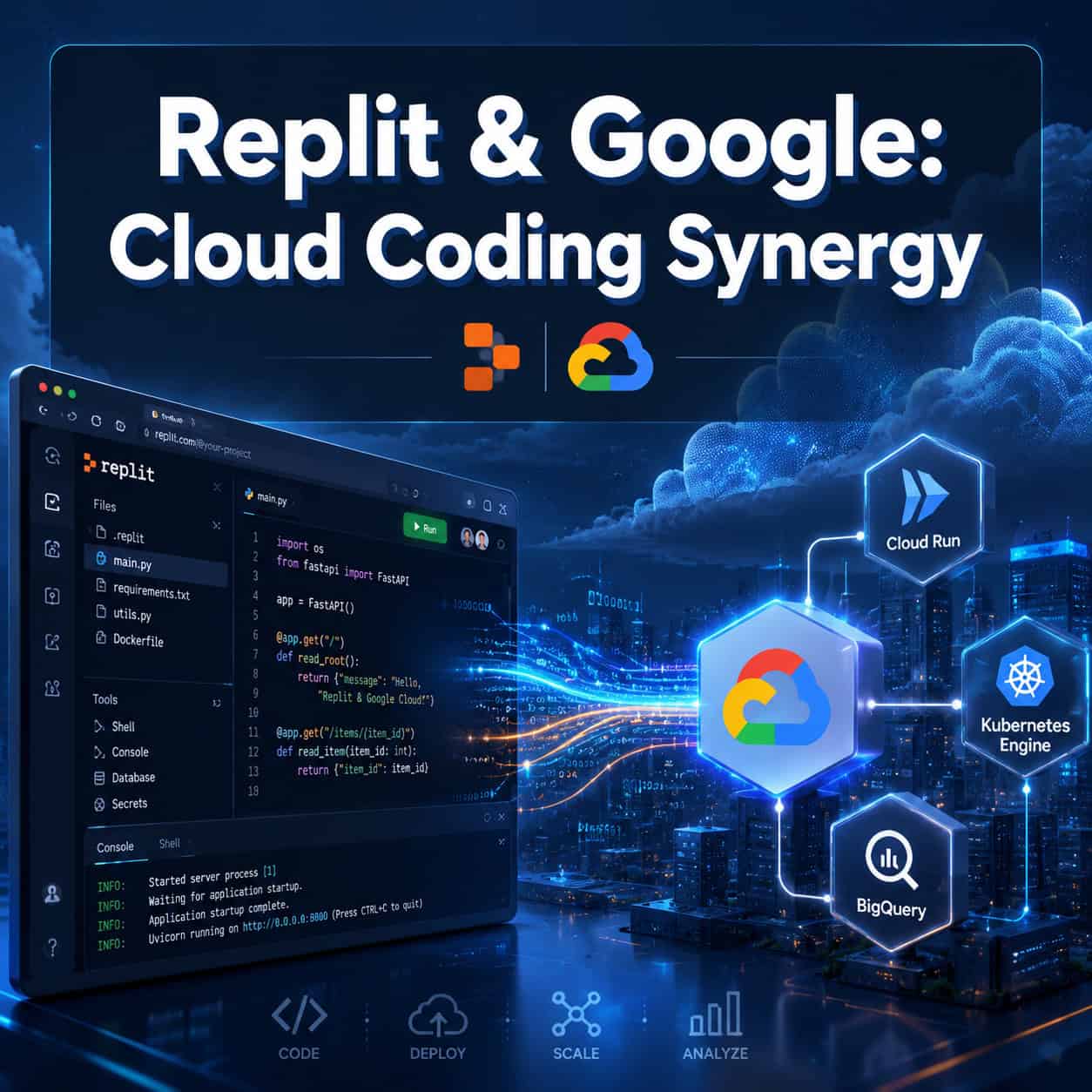
Replit and Google Cloud have formed a deep, multi-year partnership that combines Replit’s browser-based AI coding environment with Google’s cloud infrastructure (Cloud Run, Kubernetes Engine, BigQuery) and Gemini AI models. This means developers can build, deploy, and scale applications entirely from a browser, backed by enterprise-grade Google Cloud services. As of April 2026, Replit was named Google Cloud’s AI Tooling Partner of the Year, and the platform serves over 50 million users including 85% of Fortune 500 companies [1].
Key Takeaways
- Replit runs on Google Cloud infrastructure including Cloud Run, Kubernetes Engine, and BigQuery, with DDoS protection via Cloud Armor [5].
- The partnership integrates Google’s Gemini 3, 2.5 Flash Lite/Flash, and Imagen 4 models directly into Replit’s coding agent [1].
- Replit is available on Google Cloud Marketplace, so enterprise teams can provision it through existing Google billing [5].
- Replit earned Google Cloud’s 2026 AI Tooling Partner of the Year award in April 2026 [2].
- The collaboration targets “the next billion software creators” by making cloud development accessible without local setup [1].
- Real-time multiplayer editing (Google Docs-style) sets Replit apart from competitors like GitHub Codespaces and Cursor.
- Enterprise teams benefit from unified billing, compliance, and managed infrastructure without DevOps overhead.

What Is the Replit and Google Cloud Partnership?
The Replit-Google Cloud partnership is a multi-year collaboration where Replit uses Google’s infrastructure to host and scale its cloud IDE, while integrating Google’s AI models (Gemini family) directly into its coding assistant.
This isn’t a surface-level integration. Replit’s entire deployment stack runs on Google Cloud services:
- Google Cloud Run handles containerized app deployments
- Google Kubernetes Engine manages orchestration at scale
- BigQuery powers data-heavy applications
- Cloud Armor provides DDoS protection for deployed apps [5]
Google Cloud CEO Thomas Kurian stated the partnership “will deliver more capabilities to Replit’s users through deeper integrations… and accelerate vibe coding adoption in the enterprise” [1]. For developers, this means you write code in Replit’s browser IDE, and Google Cloud handles everything from hosting to scaling without you touching a single infrastructure config file.
If you’re exploring other ways to build without traditional coding setups, our guide to no-coding website design platforms covers additional options.
How Does Replit and Google’s Cloud Coding Synergy Work in Practice?
When you build an app in Replit, it deploys directly to Google Cloud infrastructure. You don’t configure servers, set up CI/CD pipelines, or manage Kubernetes clusters yourself.
Here’s the practical workflow:
- Open Replit in your browser — no local installation needed
- Use Replit Agent (powered by Gemini models) to generate, edit, or debug code
- Collaborate in real-time with team members via multiplayer editing
- Deploy with one click — Replit handles the Google Cloud deployment automatically
- Scale automatically — Cloud Run and GKE manage traffic spikes
For enterprise teams, the Google Cloud Marketplace listing (available since September 2025, expanded in 2026) means IT departments can provision Replit Agent through their existing Google billing accounts [5]. Dai Vu, Google Cloud Managing Director, noted this helps customers “deploy, manage, and grow” on trusted infrastructure [5].
The AI integration goes beyond simple code completion. With Gemini 3 and 2.5 Flash models built in, Replit Agent can generate entire applications from natural language prompts, debug complex issues, and even create multimodal apps using Imagen 4 [1].
Who Benefits Most from This Partnership?
This synergy serves three distinct groups, each with different advantages.
Choose Replit + Google Cloud if you are:
| User Type | Primary Benefit | Best Use Case |
|---|---|---|
| Solo developers | Zero-setup cloud environment | Prototyping, side projects, learning |
| Enterprise teams | Unified billing, compliance, managed infra | Production apps at scale |
| Educators/students | Browser-based access, real-time collaboration | Teaching, hackathons, bootcamps |
| Non-technical builders | AI agent handles code generation | Internal tools, MVPs |
Not ideal for: Developers who need offline access, require full VS Code extension ecosystems, or work with highly specialized local hardware (GPU-intensive ML training, for example).
Replit President Michele Catasta described Google as a “foundational partner” for scaling to enterprises, noting the Partner Award reflects their joint success [2]. The platform’s reach — 85% of Fortune 500 companies — confirms enterprise adoption is real, not aspirational [1].
If you’re working on web projects that involve design-to-development workflows, you might also find value in converting Figma designs to code as part of your Replit workflow.

How Does Replit Compare to GitHub Codespaces and Cursor?
Replit’s Google Cloud integration positions it differently from its two main competitors. Here’s an honest breakdown:
| Feature | Replit + Google Cloud | GitHub Codespaces | Cursor |
|---|---|---|---|
| Setup time | Zero (browser-based) | Minutes (container spin-up) | Local install required |
| AI models | Gemini 3, 2.5 Flash, Imagen 4 | GitHub Copilot (GPT-4) | Claude, GPT-4, custom |
| Real-time collaboration | Google Docs-style multiplayer | Limited live share | None (solo-focused) |
| Deployment | One-click to Google Cloud | Requires separate setup | Manual |
| Offline work | No | No | Yes |
| VS Code extensions | Limited | Full support | Full support |
| Pricing (Pro) | $25/month | $0-$39/month | $20/month |
| Best for | Teams, beginners, rapid prototyping | GitHub-heavy workflows | Professional solo devs |
Decision rules:
- Choose Replit if you want zero-config deployment, team collaboration, and don’t need offline access.
- Choose GitHub Codespaces if your team already lives in GitHub and needs full VS Code compatibility.
- Choose Cursor if you’re a professional solo developer who values local performance and offline capability.
A common mistake: developers assume Replit is “just for beginners” because of its browser-based nature. With Google Cloud infrastructure behind it, Replit now handles production workloads for Fortune 500 companies [1]. The ceiling is much higher than many expect.
For teams already using AI-powered content and development tools, Replit’s Gemini integration fits naturally into an AI-augmented workflow.
What Is “Vibe Coding” and Why Does Google Care?
Vibe coding refers to building software through natural language prompts and AI assistance rather than writing every line manually. Google Cloud’s leadership explicitly called out “vibe coding adoption in the enterprise” as a goal of this partnership [1].
Why Google cares: every AI-generated line of code in Replit consumes Gemini API tokens. Millions of Replit users generating code daily creates what analysts describe as a “real-world data feedback loop” for improving Gemini models. Google gains both revenue (token usage) and model improvement data. Replit gains access to cutting-edge AI models without building them in-house.
For developers, this means:
- Describe what you want in plain English
- Replit Agent (powered by Gemini) generates the code
- You review, iterate, and deploy
This approach works well for internal tools, MVPs, and prototypes. It’s less suited for highly specialized systems requiring deep domain expertise or proprietary algorithms that AI models haven’t been trained on.
If you’re interested in how AI tools are changing creative and development workflows more broadly, see our overview of AI-powered content optimization.

How to Get Started with Replit on Google Cloud
For individual developers, getting started takes under two minutes. For enterprise teams, the Marketplace route adds governance and billing controls.
Individual setup:
- Go to replit.com and create a free account
- Start a new Repl (project) in any supported language
- Enable Replit Agent for AI-assisted development
- Build your app — deployment to Google Cloud happens automatically
- Share your live URL immediately
Enterprise setup via Google Cloud Marketplace:
- Navigate to Google Cloud Marketplace and search for Replit
- Subscribe through your existing Google Cloud billing account
- Provision Replit Agent seats for your team
- Configure SSO and compliance settings as needed
- Teams can now collaborate with unified billing and admin controls [5]
Common mistake: Enterprise teams sometimes try to self-host or configure Google Cloud services separately alongside Replit. This defeats the purpose — Replit handles the infrastructure layer automatically. You don’t need to set up Cloud Run or GKE yourself.
What Are the Limitations and Edge Cases?
No platform is perfect. Here’s where the Replit-Google Cloud synergy falls short:
- No offline development — you need an internet connection at all times
- Limited extension ecosystem — if you rely on specific VS Code extensions, you’ll miss them
- Resource caps on free tier — CPU and RAM limits can affect larger applications
- Vendor lock-in concern — your deployments run on Google Cloud; migrating away requires re-architecting
- AI hallucinations — Replit Agent can generate incorrect code, especially for niche frameworks or recent APIs
Edge case: If your organization has strict data residency requirements (e.g., data must stay in a specific country), verify that Replit’s Google Cloud regions align with your compliance needs before committing.
For teams building websites that need specific performance optimization, our guide on Webflow SEO optimization covers complementary strategies for web projects.
What’s Next for the Replit-Google Partnership in 2026?
Based on the trajectory — Marketplace listing in September 2025, partnership expansion in December 2025, and Partner of the Year in April 2026 — expect deeper integrations throughout 2026 [1][2].
Likely directions include:
- More Gemini model variants optimized for specific coding tasks
- Tighter integration with Google Workspace for non-developer stakeholders
- Enhanced enterprise compliance and audit features
- Expanded multimodal capabilities (voice-to-code, image-to-app)
Replit CEO Amjad Masad’s stated goal of reaching “the next billion software creators [1] suggests the platform will continue lowering barriers to entry while simultaneously scaling up enterprise features.
For developers exploring AI-powered website creation tools, Replit represents the more developer-centric end of the spectrum compared to pure no-code builders.
Conclusion
The Replit and Google Cloud partnership represents a practical shift in how developers build and deploy software in 2026. It’s not theoretical — over 50 million users and 85% of Fortune 500 companies are already using it [1].
Your next steps:
- Try it free: Create a Replit account and build a small project to experience the zero-setup workflow
- Test the AI agent: Use Replit Agent with Gemini to generate a simple web app from a natural language description
- Evaluate for your team: If you’re in an enterprise, explore the Google Cloud Marketplace listing for unified billing and governance [5]
- Compare honestly: Spend a day each with Replit, Codespaces, and Cursor before committing your team to one platform
The combination of browser-based development, AI-powered code generation, and enterprise-grade Google Cloud infrastructure makes this partnership worth serious evaluation — whether you’re a solo developer prototyping an idea or an enterprise team shipping production software.
FAQ
Is Replit free to use with Google Cloud? Replit offers a free tier with limited compute resources. Google Cloud infrastructure costs are included — you don’t pay Google separately. Pro plans start at $25/month for more resources and AI agent usage.
Can I deploy Replit apps to my own Google Cloud account? Through the Marketplace listing, enterprise teams can connect Replit to their existing Google Cloud billing. Individual users deploy to Replit-managed Google Cloud infrastructure automatically [5].
Which programming languages does Replit support? Replit supports over 50 languages including Python, JavaScript/TypeScript, Go, Rust, Java, C++, and Ruby. The AI agent works across all supported languages.
Is my code private on Replit? Paid plans include private Repls. Free tier projects are public by default. Enterprise plans add additional access controls and compliance features.
How does Replit Agent differ from GitHub Copilot? Replit Agent (powered by Gemini) can generate entire applications, manage files, install packages, and deploy — it’s an autonomous agent. Copilot primarily offers inline code suggestions within your editor.
Can I use Replit for production applications? Yes. With Google Cloud Run and Kubernetes Engine backing deployments, Replit handles production workloads. Cloud Armor provides DDoS protection [5]. Many Fortune 500 companies use it for production systems [1].
Does Replit work on mobile devices? Replit has a mobile app for iOS and Android, allowing code editing and project management on the go. The full AI agent experience works best on desktop browsers.
What happens if Replit goes down? Deployed apps run on Google Cloud infrastructure independently. If Replit’s IDE experiences downtime, your live applications continue running. You temporarily lose editing access until the IDE recovers.
Can I export my code from Replit? Yes. You can download your project files, push to GitHub, or clone your Repl locally at any time. There’s no code lock-in.
How does the Google Cloud Marketplace billing work? Enterprise teams subscribe to Replit through Google Cloud Marketplace. Charges appear on your existing Google Cloud invoice, simplifying procurement and using committed spend credits [5].
See also: Google Cloud.
References
[1] Google Cloud Partner Award Winner – https://blog.replit.com/google-cloud-partner-award-winner [2] Replit Highlighted As Google Cloud 2026 Ai Tooling Partner Of The Year – https://www.tipranks.com/news/private-companies/replit-highlighted-as-google-cloud-2026-ai-tooling-partner-of-the-year [5] Replit Expands Google Cloud Collaboration With New Google Cloud Marketplace Listing – https://blog.replit.com/replit-expands-google-cloud-collaboration-with-new-google-cloud-marketplace-listing [9] Google Replit Ai Vibe Coding Anthropic Cursor – https://www.cnbc.com/2025/12/04/google-replit-ai-vibe-coding-anthropic-cursor.html