Last updated: May 10, 2026
Quick Answer
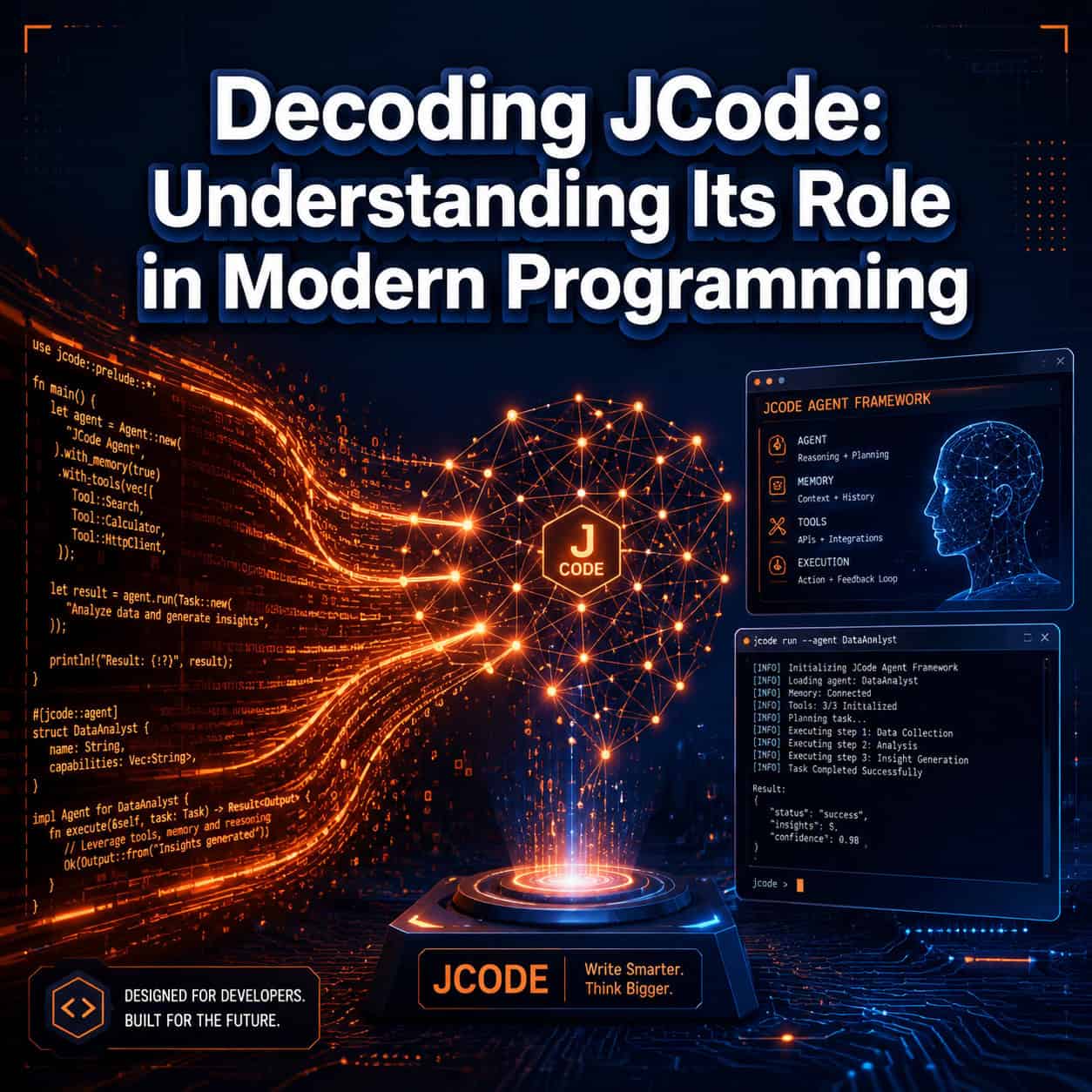
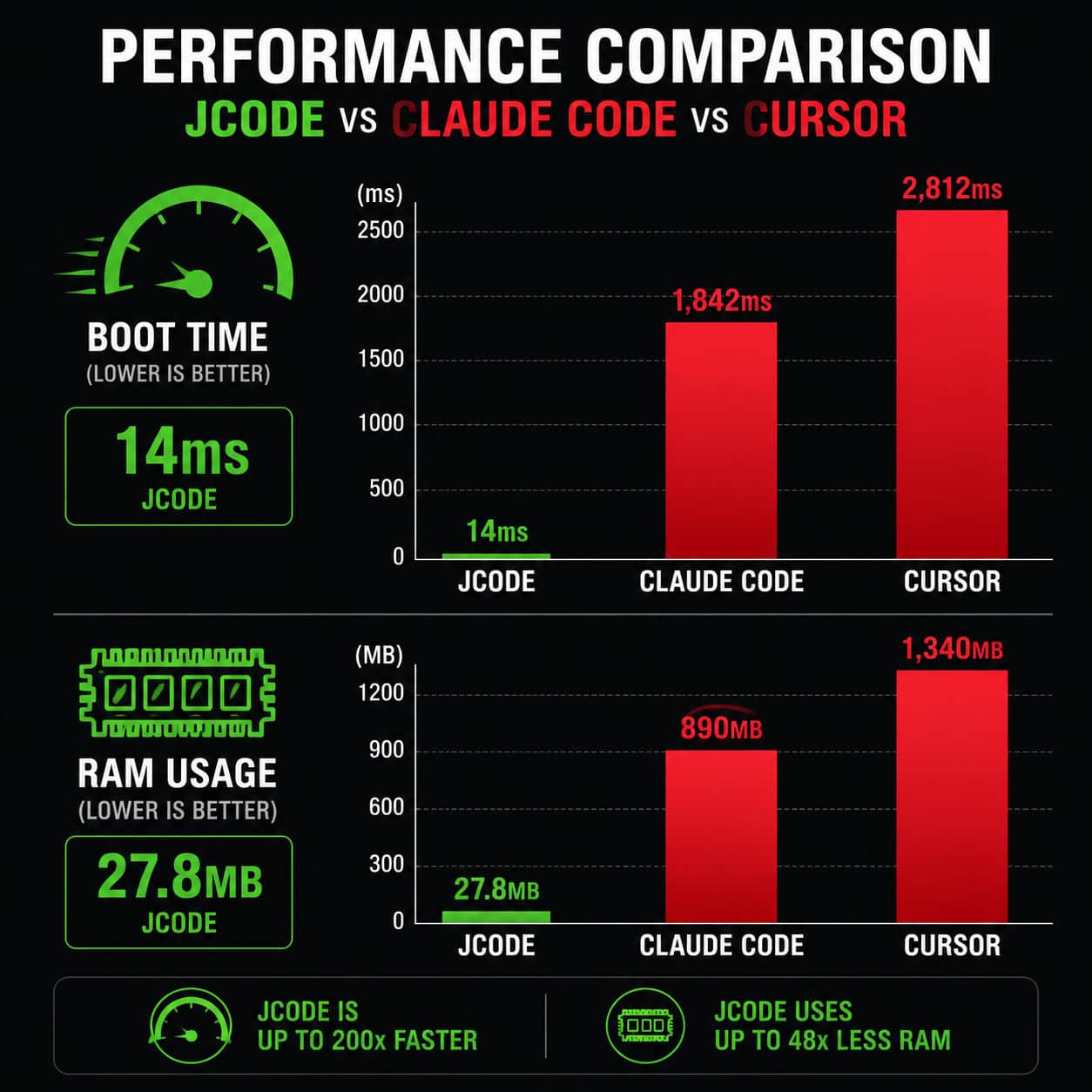
JCode is a programming agent framework built in Rust that enables AI agents to autonomously write, edit, build, and test code across multi-step workflows. Unlike traditional AI code assistants that offer line-by-line suggestions, JCode acts as a scaffold for specialized coding agents that can operate independently or in coordinated swarms. It boots in 14ms (reported as 245x faster than Claude Code), uses just 27.8MB of RAM per session, and supports 30+ LLM providers [2][10].
Key Takeaways
- JCode is a framework, not a code editor. It provides infrastructure for AI programming agents to operate autonomously within sandboxed environments [2].
- Performance is its headline feature. A 14ms boot time and 27.8MB RAM footprint make it one of the lightest agent frameworks available in 2026.
- It supports 30+ LLM providers, giving developers flexibility to swap between models without rewriting integration code [10].
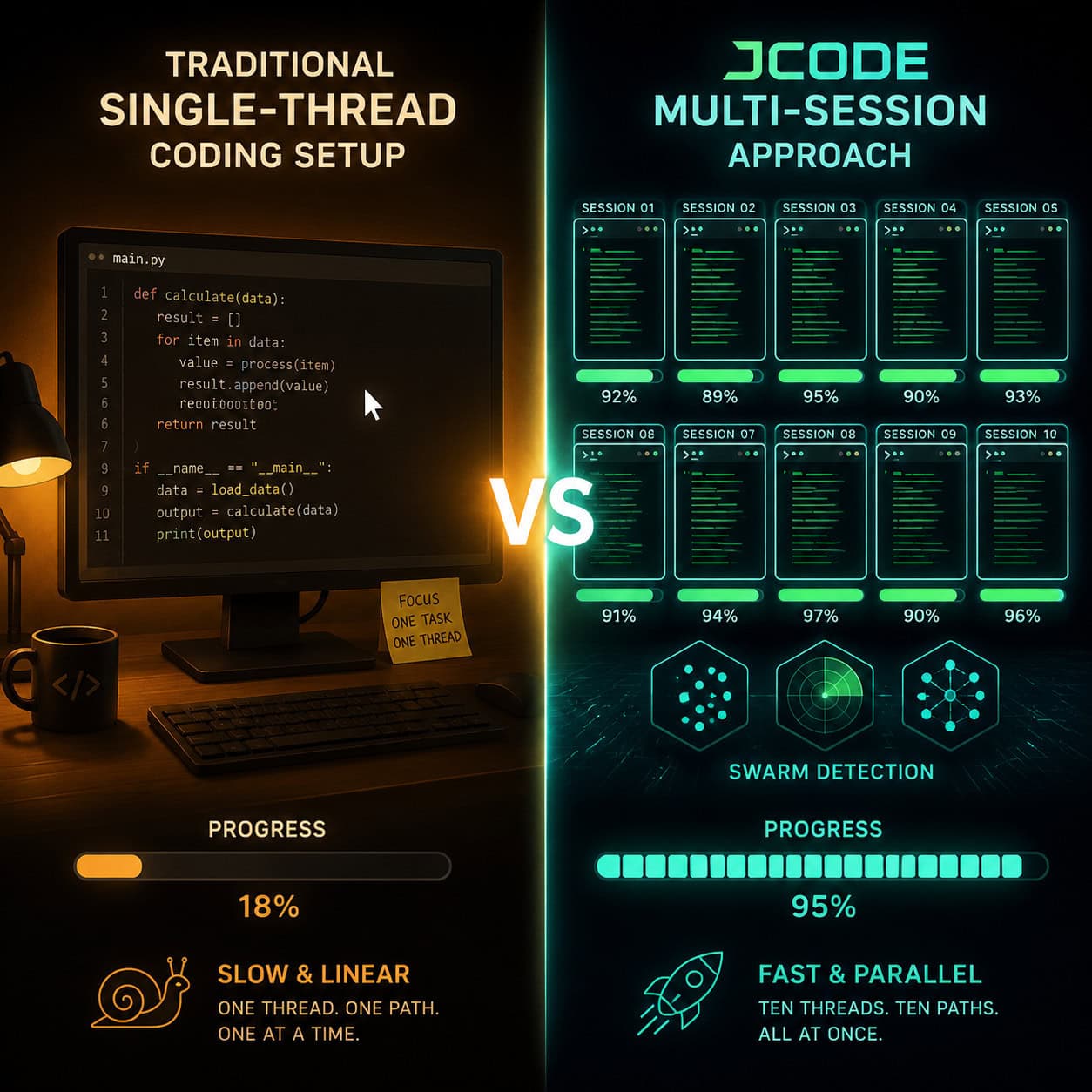
- Multi-session scaling allows up to 10 concurrent agent sessions at approximately 117MB total RAM.
- Self-development mode lets agents edit, build, and test their own code iteratively—a key differentiator from static code completion tools [2].
- Built-in sandboxing addresses safety concerns raised by recent AI agent incidents (like the PocketOS database deletion in April 2026).
- It trended on GitHub on May 6, 2026, signaling rapid community adoption [10].
- Best suited for developers who want production-grade agent orchestration, not for beginners seeking no-code solutions.
- Semantic memory via vector embeddings gives agents context retention across sessions.
- Created by developer 1jehuang, who positions it strictly as a “Programming Agent Framework” (编程智能体框架) [2].
What Is JCode and Why Does It Matter for Modern Programming?
JCode is an open-source programming agent framework written in Rust that shifts AI-assisted coding from passive suggestion to active autonomous execution [2]. Rather than waiting for a developer to accept or reject completions, JCode agents can plan multi-step tasks, execute them, verify results, and iterate without human intervention.
This matters because the software development lifecycle is moving toward agentic automation. Developers in 2026 increasingly need tools that handle repetitive coding tasks end-to-end, not just autocomplete the next line. JCode fills that gap by providing:
- Agent scaffolding: Pre-built infrastructure for deploying specialized coding agents
- Conflict detection: Native swarm coordination so multiple agents don’t overwrite each other’s work
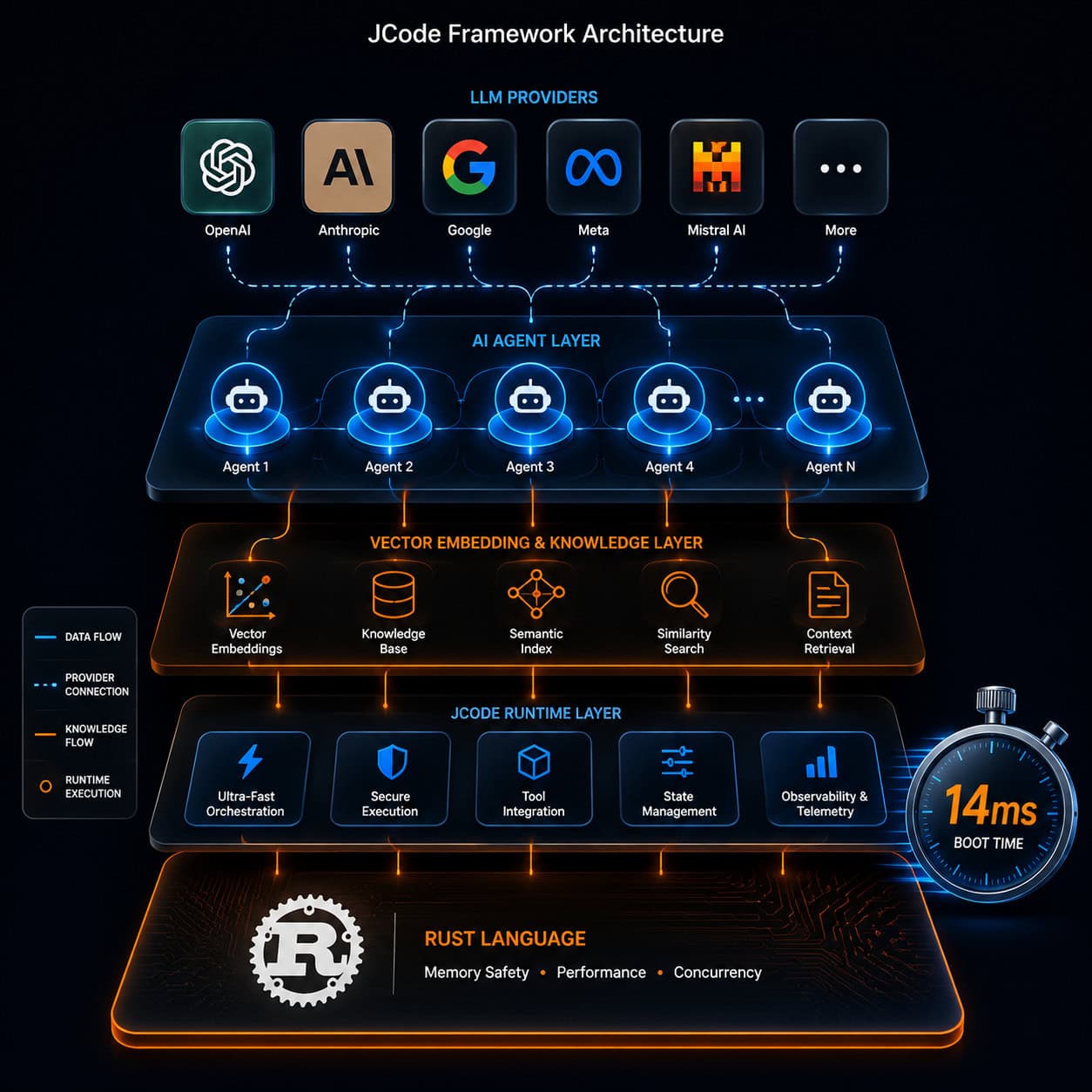
- LLM flexibility: Connect any of 30+ model providers (OpenAI, Anthropic, local models, etc.)
- Semantic memory: Vector embeddings that let agents remember context across sessions [10]
Choose JCode if you need lightweight, fast agent orchestration for production coding environments. Skip it if you want a GUI-based AI coding assistant or you’re not comfortable working with Rust toolchains.
For those exploring AI-powered development tools more broadly, our guide to AI-powered content generation tools covers the wider ecosystem.
How Does JCode Compare to Other AI Coding Tools?
JCode occupies a specific niche: high-performance agent orchestration. Here’s how it stacks up against alternatives developers commonly consider in 2026:
| Feature | JCode | Claude Code | Cursor | Devin/Codegen |
|---|---|---|---|---|
| Boot time | 14ms | ~3.4s (estimated) | ~2s | Variable |
| RAM per session | 27.8MB | ~500MB+ | ~400MB+ | Cloud-based |
| Multi-agent support | Native swarm | Limited | No | Yes |
| LLM providers | 30+ | Claude only | Multiple | Proprietary |
| Self-development mode | Yes | No | No | Partial |
| Sandboxing | Built-in | Limited | No | Cloud sandbox |
| Maturity level | Early stage | Established | Established | Established |
| Best for | Production agents | Quick tasks | IDE integration | Full automation |
Key differences explained:
vs. Claude Code/Claude Agent SDK: Claude’s tools integrate directly with Anthropic’s models and work well for quick coding tasks. But they lack JCode’s Rust-level performance and native multi-agent conflict detection. Claude Agent SDK is better for no-code integration; JCode is better for customizable production agents [10].
vs. Cursor: Cursor excels as an IDE-integrated assistant. JCode isn’t an IDE—it’s infrastructure that runs behind or alongside your editor. They can complement each other.
vs. Devin/Codegen: These tools rank highly for shipping production code autonomously. JCode’s advantage is resource efficiency and multi-session scaling. The counterargument: JCode’s early-stage maturity means fewer battle-tested production deployments compared to established tools.
Common mistake: Treating JCode as a Cursor replacement. It’s not. JCode is the engine; you still need an interface layer for interactive development.
What Makes JCode’s Architecture Different?
The core architectural decisions in JCode reflect a philosophy of minimal overhead and maximum agent autonomy. Understanding these decisions helps you evaluate whether the framework fits your workflow.
Rust as the Foundation
JCode is written entirely in Rust, which explains its performance characteristics. Rust’s memory safety guarantees without garbage collection mean agents can run with predictable latency—critical when you’re orchestrating multiple concurrent sessions. The 14ms boot time isn’t marketing; it’s a direct consequence of Rust’s zero-cost abstractions and ahead-of-time compilation.
Self-Development Mode
As of the May 7, 2026 repository update, JCode agents can edit, build, and test their own framework code [2]. This creates a feedback loop where:
- An agent identifies a limitation in its own tooling
- It proposes and implements a fix
- It builds and tests the change
- If tests pass, the change persists
This is different from agents that only modify user code. Self-development means the framework improves through use.
Semantic Memory via Vector Embeddings
Each agent session generates vector embeddings of its context, decisions, and outcomes. These embeddings persist across sessions, giving agents a form of long-term memory. When an agent encounters a similar problem later, it can retrieve relevant past context without re-processing entire codebases.
Sandboxing and Safety
After the PocketOS incident in April 2026—where an AI agent deleted a production database in 9 seconds—sandboxing became a top priority for agent frameworks. JCode’s built-in sandboxing isolates each agent’s filesystem and network access by default. Agents must explicitly request elevated permissions, and those requests can be gated by human approval.
If you’re building plugins or extensions that interact with production systems, our guide to WordPress plugin development best practices covers safety principles that apply broadly.
How Do You Get Started with JCode?
Getting JCode running requires a Rust toolchain and basic familiarity with terminal-based development. Here’s the step-by-step process:
Prerequisites
- Rust 1.75+ installed (via rustup)
- Git
- An API key for at least one supported LLM provider
- A Unix-like environment (Linux or macOS preferred; Windows support was improved in v0.10.3, released April 24, 2026)
Installation Steps
Clone the repository:
git clone https://github.com/1jehuang/jcode.git
cd jcode
Build the project:
cargo build --releaseConfigure your LLM provider by editing the config file with your API key and preferred model.
Run your first agent:
./target/release/jcode --task "Write unit tests for auth module"Scale to multi-session by launching additional agent instances with different task assignments.
Common Mistakes During Setup
- Forgetting Windows-specific fixes: If you’re on Windows, make sure you’re running v0.10.3 or later. Earlier versions had build issues on Windows that were merged into master by developer 1jehuang.
- Using too many concurrent sessions without monitoring: Start with 2-3 sessions before scaling to 10. Monitor RAM usage to confirm your system handles the load.
- Not setting sandbox boundaries: Default sandboxing is permissive in development mode. For anything touching production, explicitly restrict filesystem paths.
For developers who prefer visual, no-code approaches to building, our roundup of no-coding website design platforms offers alternatives that don’t require Rust knowledge.
Decoding JCode: A Comprehensive Guide to Understanding Its Role in Agentic Workflows
The shift from “AI as assistant” to “AI as agent” represents the most significant change in developer tooling since the IDE. JCode positions itself at the center of this shift by providing the infrastructure layer that agentic workflows require [10].
What Is an Agentic Workflow?
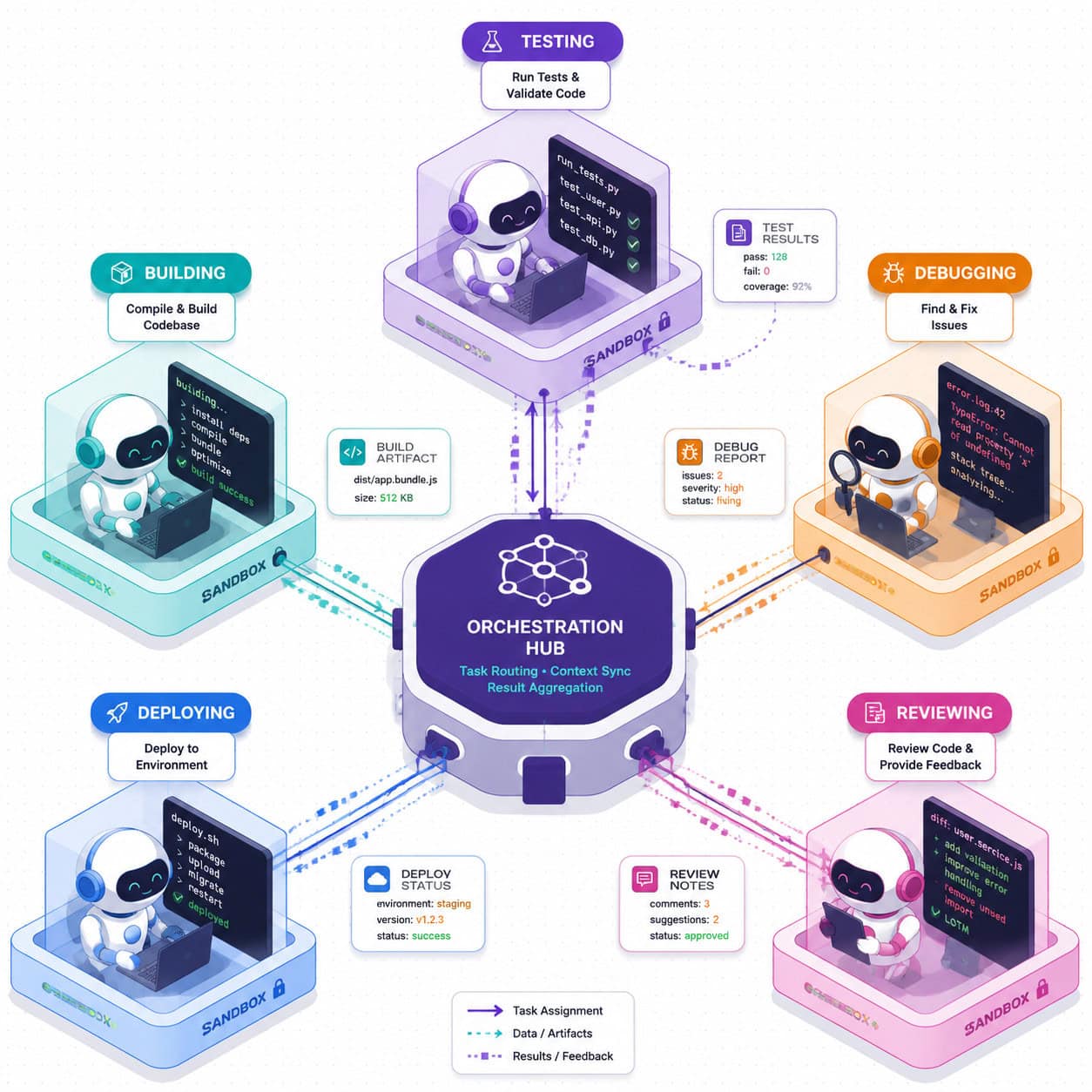
An agentic workflow is one where AI systems don’t just respond to prompts—they plan, execute, verify, and iterate autonomously. In a coding context, this means:
- Planning: The agent breaks a feature request into subtasks
- Execution: It writes code for each subtask
- Verification: It runs tests and checks for errors
- Iteration: It fixes failures and re-verifies
JCode enables all four stages within a single framework, with built-in hooks for human oversight at any stage.
Why JCode’s Approach Works for Teams
For development teams, JCode’s multi-agent coordination solves a real problem: how do you run multiple AI agents on the same codebase without them creating merge conflicts or overwriting each other’s changes?
JCode’s swarm conflict detection monitors which files each agent is modifying. If two agents attempt to edit the same file, the framework pauses the lower-priority agent and notifies the developer. This is handled at the framework level, not left to git merge resolution after the fact.
Edge case to watch: Conflict detection works at the file level, not the function level. Two agents editing different functions in the same file will still trigger a conflict pause. This is conservative by design but can slow down parallel work on large files.
Integration with Existing Development Tools
JCode doesn’t replace your existing stack. It integrates with:
- Version control: Agents commit their changes with descriptive messages
- CI/CD pipelines: Agent output can trigger automated builds and deployments
- Code review tools: Changes can be routed through PR workflows before merging
- IDE extensions: While JCode itself is terminal-based, community extensions exist for VS Code integration
For teams already using design-to-development workflows, our guide on Figma to code plugins shows how visual design tools connect to code generation pipelines.
What Are the Limitations and Risks of Using JCode?
No framework is without trade-offs. Being honest about JCode’s limitations helps you make an informed decision.
Current Limitations
- Early-stage maturity: JCode trended on GitHub only days ago (May 6, 2026) [10]. The community is growing but small compared to established tools like Cursor or GitHub Copilot.
- Rust dependency: If your team doesn’t know Rust, contributing to or debugging the framework itself becomes difficult.
- Documentation gaps: As with many fast-moving open-source projects, documentation lags behind feature development.
- No GUI: Everything is terminal-based. Developers who prefer visual interfaces will find the learning curve steep.
- LLM cost accumulation: Running 10 concurrent agent sessions means 10x the API calls to your LLM provider. Costs can escalate quickly without usage monitoring.
Safety Considerations
The broader AI agent safety discussion applies directly to JCode. While its sandboxing is more robust than many alternatives, the fundamental risk remains: autonomous agents can cause damage if their boundaries are misconfigured.
Decision rule: Use JCode’s self-development mode only in isolated environments. Never enable self-modification on systems connected to production databases or customer-facing services until you’ve verified the sandbox boundaries extensively.
For teams exploring AI integration with existing platforms, our guide to integrating AI-powered chatbots into WordPress discusses safety boundaries in a more accessible context.

Decoding JCode: A Comprehensive Guide to Understanding Its Role in the Broader AI Development Ecosystem
JCode doesn’t exist in isolation. It’s part of a rapidly evolving ecosystem of AI development tools that are reshaping how software gets built in 2026.
Where JCode Fits in the Stack
Think of the AI development tool stack in three layers:
- Model layer: LLMs like GPT-4, Claude, Llama (JCode connects to these but doesn’t provide them)
- Framework layer: Agent orchestration tools (this is where JCode lives)
- Interface layer: IDEs, chat interfaces, visual builders (Cursor, Copilot, etc.)
JCode’s strength is that it’s purely a framework layer tool. It doesn’t lock you into a specific model or interface. This modularity means you can swap models as better ones emerge, or build custom interfaces on top.
The Trend Toward Specialized Agent Frameworks
AIToolly’s analysis describes JCode as a “scaffold for specialized agents” [10]. This framing is important. The industry is moving away from general-purpose AI assistants toward specialized agents that excel at specific tasks:
- Testing agents that write and maintain test suites
- Refactoring agents that improve code quality without changing behavior
- Documentation agents that keep docs in sync with code changes
- Security agents that scan for vulnerabilities continuously
JCode provides the infrastructure for all of these to coexist and coordinate. Each agent type can be configured with different LLM providers, different permission levels, and different memory contexts.
Community and Ecosystem Growth
The May 6, 2026 GitHub trending status [10] and a YouTube video that garnered 39K views in three days [4] indicate strong early interest. The project’s trajectory suggests growing community contributions in the coming months.
For developers interested in how AI tools are changing web development more broadly, our collection of AI-powered design and development resources covers the full spectrum.
Who Should (and Shouldn’t) Use JCode?
JCode is a good fit if you:
- Build production software and want to automate repetitive coding tasks
- Are comfortable with Rust toolchains and terminal-based workflows
- Need multi-agent coordination for complex projects
- Want model-agnostic infrastructure that doesn’t lock you into one LLM provider
- Prioritize performance and low resource usage
JCode is NOT a good fit if you:
- Want a plug-and-play AI coding assistant with a visual interface
- Are a beginner programmer looking for learning tools
- Need a mature, battle-tested framework with extensive documentation today
- Work primarily in no-code or low-code environments
- Can’t tolerate the risk of early-stage software in your workflow
For those in the second group, our guide to AI website creators for building without code offers more accessible alternatives.
Frequently Asked Questions
What programming language is JCode built in?
JCode is built entirely in Rust, which gives it its 14ms boot time and 27.8MB RAM footprint per session [2].
Is JCode free to use?
Yes, JCode is open-source and available on GitHub. However, you’ll need API keys for LLM providers, which have their own costs [2].
How many LLM providers does JCode support?
JCode supports 30+ LLM providers, including OpenAI, Anthropic, and various open-source model hosts [10].
Can JCode run on Windows?
Yes, as of version 0.10.3 (released April 24, 2026), Windows support was significantly improved with bring-up fixes merged into the master branch.
Is JCode safe to use in production?
JCode includes built-in sandboxing, but it’s early-stage software. Use it in production only after thorough testing of sandbox boundaries and with human oversight gates enabled.
How does JCode differ from GitHub Copilot?
Copilot is an IDE-integrated code suggestion tool. JCode is an agent orchestration framework that enables autonomous multi-step coding workflows. They serve different purposes and can be used together.
What is self-development mode?
Self-development mode allows JCode agents to modify, build, and test the framework’s own code, enabling iterative self-improvement [2].
How much RAM does multi-session JCode use?
Running 10 concurrent agent sessions uses approximately 117MB of RAM total, based on the 27.8MB per-session baseline.
Who created JCode?
JCode was created by developer 1jehuang, who maintains the GitHub repository and positions it as a “Programming Agent Framework” [2].
Can JCode replace my entire development team?
No. JCode automates specific coding tasks within defined boundaries. It requires human oversight for architectural decisions, requirements gathering, and safety verification.
Does JCode work with my existing CI/CD pipeline?
Yes. Agent output integrates with standard git workflows, so changes can flow through existing CI/CD pipelines and code review processes.
What happened with the PocketOS incident mentioned in relation to JCode?
In April 2026, an AI agent (not JCode) deleted a production database in 9 seconds. JCode’s sandboxing features are designed to prevent similar incidents by isolating agent access by default.
Conclusion
JCode represents a meaningful step forward in how developers interact with AI coding tools. By shifting from passive code completion to active agent orchestration, it addresses a real gap in the 2026 development toolkit. Its Rust-based performance, multi-agent coordination, and model-agnostic design make it worth watching—and for experienced developers, worth trying today.
Your next steps:
- Evaluate fit: Review the “who should use JCode” section above. If you match the criteria, proceed.
- Set up a test environment: Clone the repo and run your first agent on a non-critical project.
- Start small: Begin with single-agent tasks (test writing, documentation) before attempting multi-agent workflows.
- Monitor costs: Track LLM API usage from day one. Multi-session agents can accumulate costs quickly.
- Join the community: Watch the GitHub repository [2] for updates and contribute issues or fixes as you encounter them.
- Stay informed: Follow developments in AI agent safety. The field is evolving rapidly, and best practices are still being established.
The framework is early-stage, so expect rough edges. But for developers who want to be ahead of the agentic programming curve, JCode offers a lightweight, performant foundation to build on.
References
[1] J (programming Language) – https://en.wikipedia.org/wiki/J_(programming_language) [2] Jcode – https://github.com/1jehuang/jcode [4] Watch – https://www.youtube.com/watch?v=sIv0pwJbxLw [10] 2026 05 06 Jcode A New Programming Agent Framework Emerges As A Trending Project On Github – https://aitoolly.com/ai-news/article/2026-05-06-jcode-a-new-programming-agent-framework-emerges-as-a-trending-project-on-github