
Last updated: May 11, 2026
Quick Answer: Base44 is a binary-to-text encoding scheme that uses a 44-character alphabet specifically designed to fit QR code alphanumeric mode, producing denser and more compact QR codes than Base64. It works by converting binary data into a restricted character set (digits, uppercase letters, and a few symbols), and it’s distinct from the Base44 AI app-building platform that shares the same name. This guide covers both the encoding scheme and the AI platform so you can apply the right knowledge in the right context.
Key Takeaways
- Base44 encoding uses a 44-character alphabet optimized for QR code alphanumeric mode, unlike Base64 which forces QR codes into less efficient byte mode [8].
- The encoding produces smaller QR codes for the same data compared to Base64, because QR scanners handle the 44-character set natively [2].
- Base44 (the AI platform) is a separate no-code app builder that lets you create software from natural language prompts [7].
- Base64 remains the universal standard for general-purpose encoding (email, web APIs, data URIs), while Base44 is a specialist tool for QR-specific use cases [4] [10].
- Decoding Base44 reverses the encoding by mapping characters back to numeric values and reconstructing the original byte sequence [9].
- For most developers, Base64 is the right default choice; pick Base44 only when QR code density matters.
- The Base44 AI platform competes with tools like Lovable, Bolt, and Wix Harmony in the no-code space.
What Is Base44 Encoding and How Does It Work?
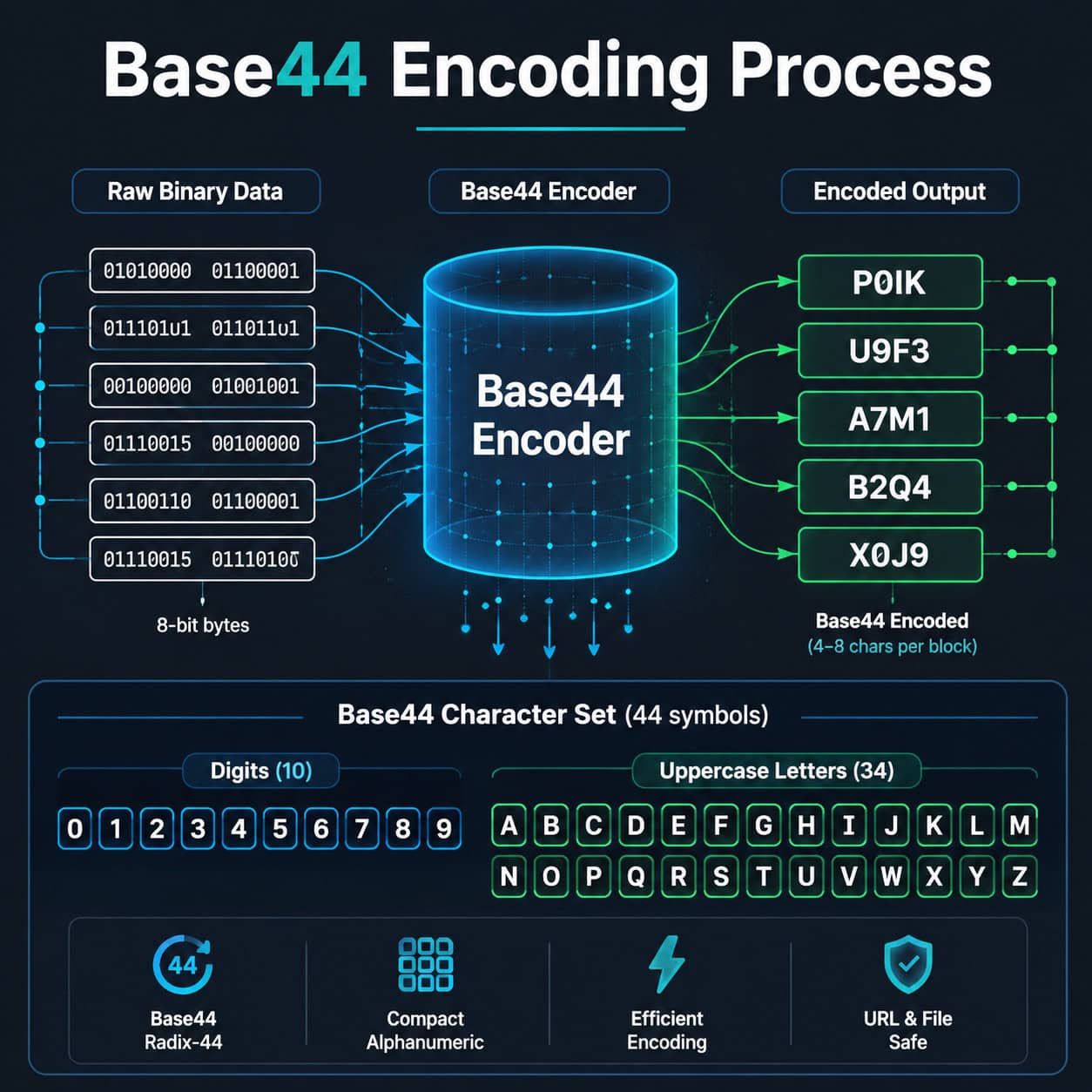
Base44 encoding converts binary data into a text string using exactly 44 characters that align with the QR code alphanumeric character set. This matters because QR codes encode alphanumeric characters more efficiently than arbitrary bytes.
The 44-character alphabet typically includes:
- Digits: 0-9 (10 characters)
- Uppercase letters: A-Z (26 characters)
- Special characters: A small set including space, $, %, *, +, -, ., /, and : (8 characters)
The encoding process groups input bytes, converts them to a numerical value, then divides repeatedly by 44 to produce output characters from this alphabet [2] [8]. The result is a string that QR code generators can encode in alphanumeric mode rather than byte mode, saving significant space.
Common mistake: Confusing Base44 encoding with the Base44 AI app-building platform. They share a name but serve completely different purposes. The encoding scheme is a data format; the platform is a no-code website and app builder.
Why Does Base44 Exist When We Already Have Base64?
Base64 is the universal standard for encoding binary data as text, used everywhere from email attachments to web APIs [4] [5]. But Base64’s character set includes lowercase letters and symbols like +, /, and = that fall outside QR code alphanumeric mode.
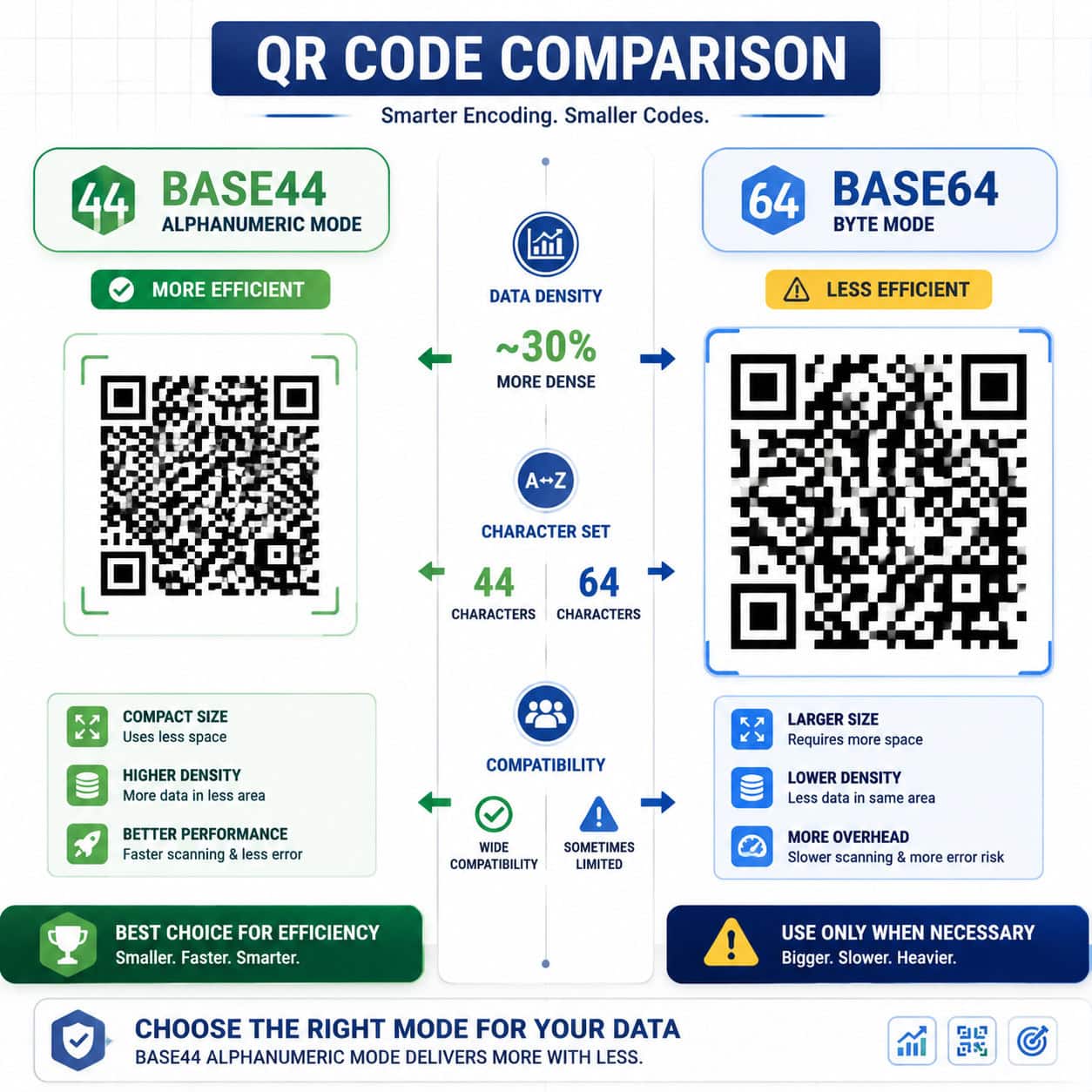
When a QR code encounters Base64-encoded data, it must switch to byte mode, which uses 8 bits per character instead of the 5.5 bits per character available in alphanumeric mode [8]. The result: larger, denser QR codes that are harder to scan.
Base44 solves this by restricting its alphabet to characters QR codes handle natively. According to analysis from Skywork.ai, this design choice means Base44-encoded data produces QR codes that are measurably more compact for the same payload [8].
Choose Base44 if: You’re generating QR codes and need the smallest possible physical size. Choose Base64 if: You need broad compatibility across systems, APIs, browsers, or email.
How Does Base44 Compare to Base64 and Base45?
Here’s a direct comparison of the three encoding schemes:
| Feature | Base44 | Base45 | Base64 |
|---|---|---|---|
| Character set size | 44 | 45 | 64 |
| QR alphanumeric compatible | Yes | Yes | No |
| Data expansion ratio | ~1.5x | ~1.5x | ~1.33x |
| Primary use case | QR code optimization | EU Digital COVID Certificates | General-purpose encoding |
| Browser/API support | Limited | Limited | Universal |
| Standardized (RFC) | No | Yes (RFC 9285) | Yes (RFC 4648) |
| Library availability | Sparse | Growing | Extensive |
Base45 was standardized for EU Digital COVID Certificates and has a formal RFC specification [10]. Base44 is more niche, primarily documented through QR code optimization projects on GitHub [2]. Base64 dominates because it’s been the default for decades and every programming language includes built-in support [4] [1].
Edge case: If you’re working with systems that already expect Base45 (like health credential verification), don’t switch to Base44 for marginal gains. The compatibility cost isn’t worth it.
Step-by-Step: How to Encode Data in Base44
Encoding data in Base44 follows a clear algorithmic process. Here’s how it works at the byte level:
- Read input bytes in groups of two (or one byte for the final group if the input length is odd).
- Convert each pair to a single integer:
value = byte1 * 256 + byte2. - Divide by 44 repeatedly to extract three Base44 digits: the remainder of each division becomes a character index.
- Map each index to the corresponding character in the 44-character alphabet.
- Concatenate all output characters to form the encoded string.
For a single trailing byte, you produce two output characters instead of three [2] [9].
Quick Example
Encoding the bytes [0x48, 0x65] (the ASCII characters “He”):
- Combined value: 72 × 256 + 101 = 18,533
- 18,533 ÷ 44 = 421 remainder 9 → character at index 9
- 421 ÷ 44 = 9 remainder 25 → character at index 25
- 9 ÷ 44 = 0 remainder 9 → character at index 9
The output is three characters from the Base44 alphabet corresponding to indices 9, 25, and 9.
If you’re building tools that handle encoding workflows, you might also find our guide on AI-powered content optimization useful for related automation strategies.
Step-by-Step: How to Decode Base44 Data
Decoding reverses the encoding process. The qr-base44 Rust crate documents this clearly [9]:
- Read encoded characters in groups of three (or two for the final group).
- Map each character back to its numeric index in the 44-character alphabet.
- Reconstruct the integer:
value = c0 + c1 * 44 + c2 * 44²(for a three-character group). - Extract two bytes:
byte1 = value / 256,byte2 = value % 256. - Concatenate all decoded bytes to recover the original data.
Common mistake: Feeding Base64-encoded strings into a Base44 decoder. Because Base64 uses lowercase letters and characters like + and /, the decoder will either crash or produce garbage output. Always verify which encoding was used before decoding.
For developers working with WordPress plugin development, implementing a Base44 encoder/decoder as a utility function is straightforward in PHP or JavaScript.

What About Base44 the AI App Builder?
The name “Base44” also refers to a no-code AI platform that builds web applications from natural language prompts [7]. This is a completely separate product from the Base44 encoding scheme.
As CEO Maor Shlomo stated: “With Base44, you simply describe what you want your agent to do and it starts working for you immediately” [7]. The platform includes:
- Prompt-based app generation from plain English descriptions
- A visual editor for customizing generated interfaces
- Built-in integrations with third-party services
- Security scanning for generated code
Cybernews described Base44 as part of a “new wave of AI-powered, no-code platforms that promise to turn plain English into working software.” However, Zite’s analysis noted it excels at “rapid prototyping” but may fall short for “production-ready apps at scale” due to occasional errors.
If you’re exploring no-code platforms, our comparison of the best drag-and-drop website builders covers several alternatives. You can also explore AI-powered content generation tools that complement these builders.
When Should You Use Base44 Encoding?
Base44 encoding is the right choice in a narrow but important set of scenarios:
- QR code generation where physical size constraints matter (product labels, business cards, event tickets)
- Health certificates and credentials encoded in QR format
- IoT devices with limited display area for QR codes
- Any context where data must pass through QR alphanumeric mode specifically
Don’t use Base44 for:
- Web API payloads (use Base64) [5]
- Email encoding (use Base64 or quoted-printable)
- URL-safe encoding (use Base64url)
- General data serialization (use Base64 or hex)
The tradeoff is clear: Base44 gives you smaller QR codes at the cost of broader compatibility. For anything that isn’t QR-specific, Base64’s universal support makes it the better default [4] [10].
Common Mistakes When Working with Base44
- Mixing up Base44 and Base64 libraries. Double-check your import statements. A Base64 decode function won’t correctly process Base44 data.
- Ignoring padding rules. Base44 handles odd-length inputs differently from Base64. Test with both even and odd byte counts.
- Assuming universal support. Unlike Base64, most languages don’t include Base44 in their standard libraries. You’ll likely need a third-party package [2].
- Confusing the encoding with the AI platform. Search results for “Base44” increasingly return the AI app builder. Add “encoding” or “QR” to your searches.
- Using Base44 where Base45 is specified. Some standards (like EU Digital COVID Certificates) require Base45 specifically. Base44 is not a drop-in replacement [10].
For related development best practices, check out our guide on advanced WordPress strategies which covers similar technical decision-making.
FAQ
What is Base44 encoding used for? Base44 encoding is primarily used to encode binary data for QR codes. Its 44-character alphabet matches QR code alphanumeric mode, producing smaller codes than Base64 [8].
Is Base44 the same as Base64? No. Base44 uses 44 characters optimized for QR codes. Base64 uses 64 characters and is the universal standard for binary-to-text encoding on the web [4].
Can I decode Base44 in Python? Yes, but you’ll need a third-party library. Python’s standard library includes Base64 support but not Base44. Check GitHub for community implementations [2].
What is the Base44 AI platform? Base44 AI is a no-code app builder that generates web applications from natural language prompts. It’s unrelated to Base44 encoding [7].
Is Base44 encoding standardized? No. Unlike Base64 (RFC 4648) and Base45 (RFC 9285), Base44 does not have a formal RFC specification [10].
Should I use Base44 or Base45 for QR codes? If a standard requires Base45 (like EU health certificates), use Base45. If you’re building your own QR system and want maximum density, Base44 is slightly more compact [8] [10].
How much space does Base44 save over Base64 in QR codes? The savings come from QR mode efficiency, not raw encoding size. Base44 data uses 5.5 bits per character in QR alphanumeric mode versus 8 bits per character for Base64 in byte mode [8].
Where can I find a Base44 library?
The qr-base44 crate is available for Rust [9]. For other languages, search GitHub for “base44 encoding” and verify the implementation against known test vectors [2].
Does Base44 encoding work with URLs? It can, but Base64url is a better choice for URL encoding because it’s widely supported and specifically designed for that purpose [4].
Conclusion
Mastering Base44 encoding and decoding techniques comes down to understanding where this encoding fits and where it doesn’t. For QR code optimization, Base44’s alignment with alphanumeric mode gives you measurably smaller codes. For everything else, Base64 remains the right tool.
Here are your next steps:
- Identify your use case. If it involves QR codes and size matters, explore Base44. Otherwise, stick with Base64.
- Find a tested library. Check the
qr-base44crate for Rust [9] or search GitHub for your language [2]. - Test with real data. Encode and decode sample payloads, verify the output, and compare QR code sizes against Base64.
- Don’t confuse the encoding with the AI platform. If you’re looking for no-code app building, that’s a different Base44 entirely [7].
The encoding landscape continues to evolve, but the fundamentals of choosing the right scheme for your context remain constant. Pick the tool that matches your constraints, test it thoroughly, and ship with confidence.
References
[1] base64encode – https://www.base64encode.org [2] Qr Base44 – https://github.com/kookyleo/qr-base44 [4] Base64 – https://en.wikipedia.org/wiki/Base64 [5] Guide Encode Decoded Base64 – https://www.sentinelone.com/blog/guide-encode-decoded-base64/ [7] Base44 Ai App Builder – https://base44.com/blog/base44-ai-app-builder [8] Decoding Base44 The Ai The Encoding And The Red Herring – https://skywork.ai/blog/decoding-base44-the-ai-the-encoding-and-the-red-herring/ [9] Fn.decode – https://docs.rs/qr-base44/latest/qr_base44/fn.decode.html [10] Base45 Vs Base64 – https://ssojet.com/compare-binary-encoding/base45-vs-base64