

Last updated: May 1, 2026
Quick Answer: Downloading and implementing an AI model involves choosing the right model for your use case, sourcing it from a trusted repository (such as Hugging Face or Ollama), setting up your environment, and deploying it either locally or via a cloud API. The full process spans data preparation, model selection, integration, testing, and ongoing monitoring. This guide covers every stage in plain language so developers, product teams, and technically curious readers can follow along.
Key Takeaways
- The global AI market surpassed $184 billion in 2024, growing by nearly $50 billion year-over-year, which reflects how quickly model availability and tooling have matured [2]
- You can run many AI models locally using tools like Ollama, LM Studio, or llama.cpp without any cloud costs
- Data quality is the single biggest factor in whether a model performs well after fine-tuning or integration
- Deployment options include local inference, containerized microservices, and managed cloud APIs — each with different cost and latency tradeoffs
- Models drift over time as real-world data patterns change, so continuous monitoring and retraining are not optional
- Regulatory compliance (GDPR, sector-specific rules) must be built into the pipeline, not added as an afterthought
- Open-source model hubs like Hugging Face host tens of thousands of ready-to-use models across text, image, audio, and code tasks
- AutoML and Edge AI are the two fastest-growing implementation patterns heading into the mid-2020s [1]

What Does “Downloading and Implementing an AI Model” Actually Mean?
Downloading an AI model means obtaining pre-trained model weights — the numerical parameters that define what a model has learned — from a repository or provider. Implementing it means integrating those weights into a working system that can accept inputs and return useful outputs.
This is different from building a model from scratch. Most practitioners today start with a pre-trained model and either use it as-is, fine-tune it on their own data, or connect it to their application via an API. The workflow this guide covers applies to all three approaches.
Who this guide is for:
- Developers integrating AI into web apps, workflows, or products
- Data scientists evaluating models before committing to a training pipeline
- Technical product managers who need to understand the implementation lifecycle
- Hobbyists running local models for personal projects
Who should pause before diving in:
- Teams without any labeled data who expect a model to solve a problem it was never trained for
- Organizations that haven’t assessed their compliance requirements yet
Where Do You Actually Get AI Models?
The most reliable sources for pre-trained AI models are open-source repositories and managed API providers. Each has different tradeoffs for cost, control, and ease of use.
Top model sources in 2026:
| Source | Best For | Cost Model | Access Method |
|---|---|---|---|
| Hugging Face | NLP, vision, audio, multimodal | Free (most models) | Python library or API |
| Ollama | Local LLM inference | Free, open-source | CLI + REST API |
| OpenAI API | GPT-4-class text/code tasks | Pay-per-token | REST API |
| Google Vertex AI | Enterprise-scale deployment | Usage-based | SDK + API |
| Meta AI (Llama models) | Open-weight LLMs | Free weights | Download + local run |
| Replicate | Quick API access to open models | Pay-per-run | REST API |
Choose local deployment if: you have data privacy requirements, want zero ongoing API costs, or need offline capability.
Choose a managed API if: you want to skip infrastructure setup, need guaranteed uptime SLAs, or are prototyping quickly.
“The right model source isn’t the most powerful one — it’s the one that fits your latency, cost, and compliance constraints.”
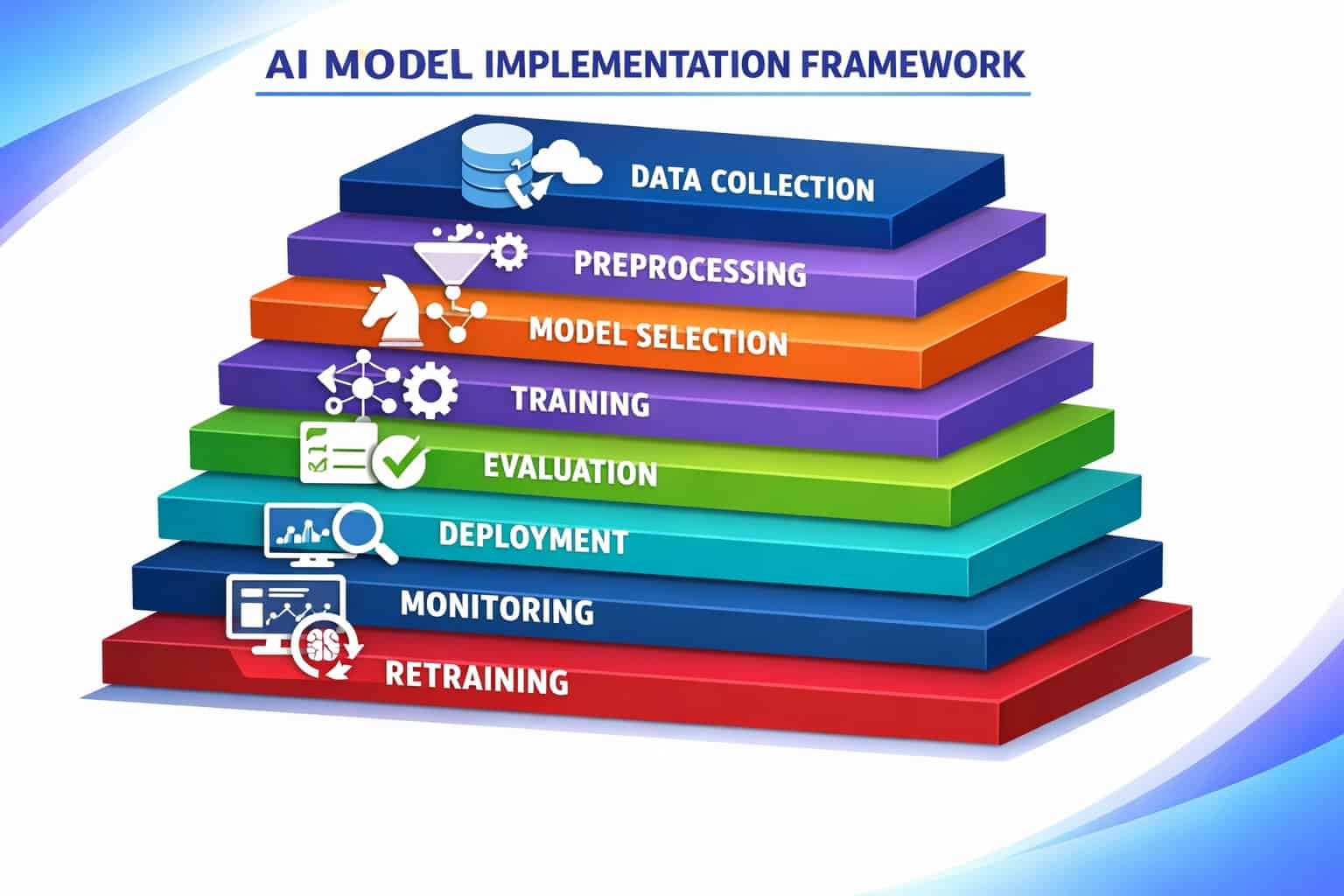
Step-by-Step: How to Download and Implement AI Models
This section is the practical core of this comprehensive guide to downloading and implementing AI models. Follow these steps in order for the cleanest result.
Step 1: Define Your Task and Requirements
Before downloading anything, answer these four questions:
- What is the input? (text, image, audio, tabular data, code)
- What is the expected output? (classification label, generated text, bounding box, numeric prediction)
- What are your latency requirements? (real-time under 200ms vs. batch processing)
- What are your data privacy constraints? (can data leave your servers?)
Skipping this step is the most common reason teams end up switching models mid-project.
Step 2: Select the Right Model
Once you know your task, filter models by:
- Task type (text generation, image classification, object detection, etc.)
- Model size (larger models are more capable but slower and costlier to run)
- License (MIT, Apache 2.0, and CC-BY are generally safe for commercial use; some models have non-commercial restrictions)
- Community adoption (download counts and GitHub stars are reasonable proxies for reliability)
For most NLP tasks, start with a model in the 1B–7B parameter range locally, or use a hosted API for tasks requiring 70B+ capability.
Step 3: Set Up Your Environment
For local deployment, you need:
<code class="language-bash"># Python environment (recommended: Python 3.10+)
python -m venv ai-env
source ai-env/bin/activate

# Core libraries
pip install transformers torch accelerate
</code>
For Ollama (the simplest local LLM setup):
<code class="language-bash"># Install Ollama (macOS/Linux)
curl -fsSL https://ollama.com/install.sh | sh

# Pull a model
ollama pull llama3
</code>
Hardware minimums for local inference:
- 7B parameter model: 8GB RAM (CPU) or 6GB VRAM (GPU)
- 13B parameter model: 16GB RAM or 10GB VRAM
- 70B parameter model: 64GB RAM or 40GB VRAM (or quantized version on less)
Step 4: Download and Load the Model
Using Hugging Face Transformers:
<code class="language-python">from transformers import pipeline

# Downloads model weights automatically on first run
classifier = pipeline("text-classification", model="distilbert-base-uncased-finetuned-sst-2-english")
result = classifier("This implementation guide is genuinely useful.")
print(result)
</code>
The library caches weights locally after the first download, so subsequent loads are fast.
Step 5: Prepare and Clean Your Data
Data quality determines output quality more than model choice does [4]. Before feeding data to any model:
- Remove duplicates and null values
- Standardize formats (date formats, text encoding, units)
- Balance class distributions for classification tasks
- Split into train/validation/test sets if you plan to fine-tune (typically 70/15/15)
Collect data from databases, public datasets, or web scraping, then clean it rigorously to remove inconsistencies [2][4].
Common mistake: Using your test set to make decisions during development. This leaks information and produces optimistic accuracy estimates that don’t hold in production.
Step 6: Fine-Tune (If Needed)
If the base model doesn’t perform well enough on your specific domain, fine-tune it:
<code class="language-python">from transformers import Trainer, TrainingArguments

training_args = TrainingArguments(
    output_dir="./results",
    num_train_epochs=3,
    per_device_train_batch_size=8,
    evaluation_strategy="epoch"
)

trainer = Trainer(
    model=model,
    args=training_args,
    train_dataset=train_dataset,
    eval_dataset=eval_dataset
)

trainer.train()
</code>
Fine-tuning is optional for general tasks but often necessary for specialized domains like legal, medical, or industry-specific language.
Step 7: Test Against Real-World Scenarios
Before deployment, test using datasets that simulate real production inputs [2]. Evaluate:
- Accuracy / F1 / BLEU score (depending on task)
- Latency under load (how does it perform with 10 concurrent requests?)
- Edge cases (unusual inputs, empty strings, adversarial prompts)
- Bias and fairness (does the model perform equally across demographic groups?)
Step 8: Deploy the Model
Deployment options range from simple to complex:
Option A — Local API with FastAPI:
<code class="language-python">from fastapi import FastAPI
from transformers import pipeline

app = FastAPI()
model = pipeline("text-classification", model="your-model")

@app.post("/predict")
def predict(text: str):
    return model(text)
</code>
Option B — Containerized deployment with Docker: Package your model and API into a Docker container for consistent deployment across environments. This supports microservices architecture and scales horizontally [2].
Option C — Managed cloud (Hugging Face Inference Endpoints, AWS SageMaker, Google Vertex AI): Upload your model and let the provider handle scaling, load balancing, and uptime.
For web-based AI applications, you may also want to explore AI-powered content generation tools that sit on top of these model APIs and abstract away much of the infrastructure complexity.
Local vs. Cloud Deployment: Which Should You Choose?

Local deployment and cloud API deployment each suit different situations. Neither is universally better.
Choose local deployment when:
- Data cannot leave your infrastructure (healthcare, legal, finance)
- You have predictable, high-volume inference needs where API costs would be significant
- You need offline or edge capability [1]
- You want full control over model versions
Choose cloud/API deployment when:
- You’re prototyping and want to move fast
- Your inference volume is low or unpredictable
- You lack the hardware for large models
- You need enterprise SLAs and support
Edge AI — running models directly on devices like phones, IoT sensors, or edge servers — is growing fast because it eliminates round-trip latency and keeps data local [1]. Tools like TensorFlow Lite and ONNX Runtime make this practical for smaller models.
Cost estimate (rough):
- Local 7B model inference: ~$0 marginal cost after hardware
- OpenAI GPT-4o API: approximately $0.005 per 1K input tokens (verify current pricing at provider)
- Managed endpoint (Hugging Face): from ~$0.06/hour for small instances
How Do You Handle Data Quality and Preprocessing?
Data quality is the foundational requirement for any AI implementation [2][4]. A well-chosen model will underperform on dirty data, and no amount of fine-tuning fixes a corrupted dataset.

A practical data quality checklist:
- Remove duplicate records
- Handle missing values (impute or drop, document your choice)
- Standardize text encoding (UTF-8 throughout)
- Normalize numerical features (min-max or z-score scaling)
- Validate label consistency (no conflicting annotations)
- Check for class imbalance and address it (oversampling, undersampling, or weighted loss)
- Audit for sensitive or personally identifiable information before training
Data sources to consider:
- Internal databases and CRM exports
- Public datasets (Kaggle, UCI ML Repository, Hugging Face Datasets)
- Synthetic data generation for edge cases
- Web scraping (check terms of service)
If you’re integrating AI into a content workflow, AI-powered content optimization tools often handle some of this preprocessing automatically for text-based tasks.
How Do You Monitor and Maintain a Deployed AI Model?
Post-deployment monitoring is not optional. Models degrade over time as real-world data patterns shift — a phenomenon called model drift [1][2].

What to monitor:
- Prediction accuracy against a labeled holdout set, evaluated on a schedule
- Input data distribution — if the inputs start looking different from training data, performance will drop
- Latency and throughput — infrastructure health affects user experience
- Error rates — sudden spikes often signal upstream data pipeline issues
When to retrain:
- Accuracy drops below a defined threshold
- Input distribution shifts significantly (detectable with statistical tests like KL divergence)
- New labeled data becomes available that covers gaps in the original training set
- Business requirements change
Tools for monitoring:
- MLflow — experiment tracking and model registry
- Evidently AI — data drift and model performance monitoring
- Prometheus + Grafana — infrastructure and latency metrics
- Weights & Biases — training runs and evaluation dashboards
Retraining should be treated as a scheduled process, not a crisis response [2]. Set up automated alerts so you know before users notice a problem.
What Are the Compliance and Legal Requirements?
Legal and regulatory requirements must be addressed during development, not after launch [2]. Compliance is not a checkbox — it affects model design, data handling, and deployment architecture.
Key compliance areas:
- GDPR (EU): Requires lawful basis for processing personal data, right to erasure, and data minimization. Models trained on personal data must support deletion requests.
- CCPA (California): Similar consumer rights for US residents.
- Sector-specific rules: HIPAA for healthcare (US), PCI-DSS for payment data, FTC guidelines for AI-generated content.
- EU AI Act (in force 2026): Classifies AI systems by risk level. High-risk systems (hiring, credit, medical) face mandatory conformity assessments.
Practical steps:
- Classify your AI system’s risk level under applicable regulations
- Document your training data sources and obtain necessary rights
- Implement data access controls and audit logs
- Work with legal counsel to review model outputs for liability exposure
- Build in human oversight for high-stakes decisions
Compliance built into the pipeline from day one costs far less than retrofitting it after a regulatory inquiry.
What Are the Most Common Mistakes When Implementing AI Models?
Even experienced teams make predictable errors. Here are the ones worth avoiding:
1. Choosing the largest available model by default Bigger isn’t always better. A 7B model fine-tuned on your domain often outperforms a 70B general model on your specific task, at a fraction of the cost and latency.
2. Skipping evaluation on held-out data Testing on training data produces inflated accuracy numbers. Always evaluate on data the model has never seen.
3. Ignoring latency until production A model that takes 8 seconds to respond may be academically accurate but practically useless. Test latency early.
4. Treating deployment as the finish line Deployment is the beginning of the operational phase, not the end of the project. Budget time and resources for monitoring and retraining.
5. No version control for models Use a model registry (MLflow, Hugging Face Hub, or DVC) to track which model version is in production and roll back if needed.
6. Overlooking prompt injection for LLM-based systems If your application passes user input directly to an LLM, test for prompt injection attacks where users manipulate the model’s behavior through crafted inputs.
For teams building AI features into web platforms, resources like 12 best AI plugins for WordPress and how to integrate an AI-powered chatbot into WordPress show how these implementation principles apply in specific CMS contexts.
FAQ: Downloading and Implementing AI Models
Q: Do I need a GPU to run AI models locally? A: No, but it helps significantly. Most 7B parameter models run on CPU with 16GB RAM, just more slowly. For real-time inference, a GPU with 8GB+ VRAM is recommended. Apple Silicon Macs handle local inference well via Metal acceleration.
Q: What is the difference between a pre-trained model and a fine-tuned model? A: A pre-trained model has learned general patterns from a large dataset. A fine-tuned model has been further trained on a smaller, task-specific dataset. Fine-tuning adapts the model to your domain without training from scratch.
Q: How long does it take to fine-tune a 7B parameter model? A: On a single consumer GPU (RTX 3090 or 4090), fine-tuning a 7B model with LoRA adapters on a dataset of 10,000 examples typically takes 1–4 hours. Full fine-tuning takes significantly longer and requires more VRAM.
Q: Is Hugging Face safe to use for production applications? A: Hugging Face is widely used in production. For sensitive workloads, download model weights and host them yourself rather than relying on Hugging Face’s inference API, which routes data through their servers.
Q: What is model quantization and should I use it? A: Quantization reduces model precision (e.g., from 32-bit to 4-bit weights), which cuts memory requirements by 4–8x with a modest accuracy tradeoff. For local deployment, 4-bit quantized models (GGUF format with llama.cpp or Ollama) are a practical choice for most tasks.
Q: How do I know when my model needs retraining? A: Set up monitoring for prediction accuracy on a labeled holdout set evaluated weekly or monthly. If accuracy drops more than 5–10% from your baseline, or if input data distributions shift significantly, it’s time to retrain [1][2].
Q: Can I use AI models in a WordPress site? A: Yes. You can connect WordPress to AI model APIs via plugins or custom code. See how to integrate an AI-powered chatbot into WordPress for a practical walkthrough, or browse AI plugins for WordPress for pre-built options.
Q: What is the EU AI Act and does it affect my model? A: The EU AI Act classifies AI systems by risk. High-risk applications (hiring, credit scoring, medical diagnosis) require conformity assessments and documentation. Most general-purpose chatbots and content tools fall into lower-risk categories but still have transparency requirements. Consult legal counsel for your specific use case.
Q: What’s the fastest way to test a model before committing to it? A: Use Hugging Face’s hosted inference widgets (free, no setup) or Ollama locally. Run your actual use-case inputs through the model and evaluate outputs manually before writing any integration code.
Q: Are open-source models as good as GPT-4? A: For many specific tasks, yes. Models like Llama 3, Mistral, and Qwen 2.5 match or exceed GPT-4 on domain-specific benchmarks when fine-tuned. For broad general reasoning and instruction-following, frontier closed models still have an edge as of 2026.
Conclusion: Your Next Steps
This comprehensive guide to downloading and implementing AI models covers the full lifecycle from task definition to post-deployment monitoring. The path forward is clearer than it’s ever been, with mature tooling, accessible model repositories, and a growing body of practical knowledge.
Your immediate action plan:
- Define your task — write down input format, output format, and latency requirements before opening any model repository
- Pick one model to evaluate — start with Hugging Face or Ollama, not the largest available model
- Audit your data — run the data quality checklist before any fine-tuning
- Deploy a minimal version — get something running in a test environment within a week, then iterate
- Set up monitoring from day one — don’t wait until you notice a problem
- Review compliance early — a 30-minute conversation with legal counsel now saves months of rework later
For teams building AI into web products, explore AI-powered content generation tools and AI-powered content optimization to see how these implementation principles translate into production content workflows. If you’re working with no-code platforms, AI website creators and no-code website design platforms increasingly embed AI models directly, reducing the implementation burden significantly.
The barrier to running capable AI models is lower in 2026 than at any prior point. The remaining challenge is implementation discipline — clear requirements, clean data, and a commitment to monitoring what you ship.
References
[1] How To Build An Ai Model – https://www.openxcell.com/blog/how-to-build-an-ai-model/ [2] How To Build Ai Model – https://www.prismetric.com/how-to-build-ai-model/ [4] How To Build An Ai Model – https://shakuro.com/blog/how-to-build-an-ai-model [5] How To Learn Ai – https://www.datacamp.com/blog/how-to-learn-ai [7] Top 5 Local Llm Tools And Models – https://pinggy.io/blog/top_5_local_llm_tools_and_models/ [9] Free Ai Tools – https://www.datacamp.com/blog/free-ai-tools


