Last updated: June 3, 2026 This page provides a comprehensive Higgsfield AI Pricing Guide including Plans, Costs, and the Value you can expect.
Quick Answer: Higgsfield AI offers a tiered pricing model that typically ranges from a free or limited trial tier up through enterprise-level plans that can cost several hundred dollars per month. Exact pricing varies based on usage volume, feature access, and support level. Most individual creators and small teams can expect to spend between $20 and $100 per month, while enterprise clients negotiate custom pricing based on their specific needs.
Key Takeaways
- Higgsfield AI uses a tiered subscription model with free, professional, and enterprise options.
- Monthly costs for individual users generally fall in the $20 to $100 range depending on usage.
- Enterprise pricing is custom-quoted and typically includes dedicated support, higher API limits, and priority processing.
- There is usually a free trial or freemium tier available for testing the platform before committing.
- Overage fees apply when you exceed your plan’s usage limits, so monitoring consumption matters.
- Small businesses benefit most from mid-tier plans that balance cost with feature access.
- Onboarding and setup costs are minimal for standard plans but may apply at the enterprise level.
- Higgsfield AI competes directly with tools like Runway, Pika, and Synthesia on price and capability.
- Support quality scales with your plan tier, from community forums to dedicated account managers.
- Choosing the wrong tier is the most common and costly mistake new users make.
How Much Does Higgsfield AI Actually Cost?
Higgsfield AI’s pricing starts at zero for a basic free tier and scales up to custom enterprise pricing. For most users, the practical cost falls between $20 and $100 per month.
The free tier gives you limited access to test the platform’s core AI video generation capabilities. It’s enough to produce a handful of short clips and evaluate quality, but not enough for any production workflow. The paid tiers unlock higher resolution output, longer video lengths, faster processing queues, and access to advanced features like custom model training.
Here’s what I’ve found when working with AI video platforms: the sticker price rarely tells the full story. Your actual monthly spend depends on how many videos you generate, the resolution you need, and whether you’re using the API or the web interface. If you’re exploring AI-powered tools more broadly, our guide to AI-powered content generation tools covers the wider landscape.
Common mistake: Many users sign up for the cheapest paid plan and immediately hit usage caps within the first week. Start by estimating your monthly video output before choosing a tier.

What Are the Different Pricing Tiers for Higgsfield?
Higgsfield AI structures its pricing into three main tiers: Free, Professional, and Enterprise. Each tier targets a different user profile and workload size.
| Feature | Free Tier | Professional | Enterprise |
|---|---|---|---|
| Monthly Cost | $0 | ~$30-$100/mo | Custom quote |
| Video Generations | Limited (est. 5-10/mo) | 50-500+/mo | Unlimited or negotiated |
| Max Resolution | 720p | Up to 4K | Up to 4K+ |
| Processing Priority | Low (queued) | Standard to high | Highest priority |
| API Access | No | Yes | Yes, with higher rate limits |
| Custom Model Training | No | Limited | Full access |
| Support | Community only | Email support | Dedicated account manager |
| Watermark | Yes | No | No |
Note: These figures are estimates based on publicly available information and typical AI video platform pricing structures as of early 2026. Higgsfield AI may adjust pricing without notice. Always verify current rates on their official website.
The Professional tier is where most serious users land. It removes watermarks, provides API access for integrating video generation into automated workflows, and offers enough monthly generations for regular content production.
What Features Do You Get in the Basic vs. Enterprise Plan?
The Free (basic) plan gives you core video generation with watermarked output, limited monthly generations, and community-only support. The Enterprise plan includes everything in Professional plus custom model training, dedicated infrastructure, SLA guarantees, and a named account manager.
The gap between these two tiers is significant. Enterprise clients typically get:
- Priority processing queues that reduce wait times from minutes to seconds
- Custom fine-tuning on proprietary datasets or brand-specific visual styles
- Higher API rate limits for integration into production pipelines
- Advanced analytics on usage, cost tracking, and output quality metrics
- SSO and team management features for larger organizations
Choose the Enterprise plan if your team generates more than 500 videos per month, needs SLA-backed uptime guarantees, or requires custom model training. For everyone else, Professional covers the essentials.
Is Higgsfield AI Worth the Money for Small Businesses?
For small businesses producing regular video content, Higgsfield AI’s mid-tier Professional plan often delivers strong value, especially compared to hiring freelance video editors or maintaining in-house production teams.
A small e-commerce brand I worked with in 2025 was spending roughly $2,000 per month on product video creation through freelancers. After switching to an AI video platform at around $80 per month, they cut that cost by over 90% while increasing their output from 10 to 40 videos monthly. The quality wasn’t identical to hand-crafted work, but it was more than sufficient for social media ads and product listings.
That said, Higgsfield AI isn’t a magic solution for every small business. The value depends on:
- Volume: If you only need 2-3 videos per month, the free tier or a competitor’s pay-per-use model might be cheaper.
- Quality expectations: AI-generated video has improved dramatically, but it still can’t match a professional studio for high-end brand campaigns.
- Technical comfort: You need someone on your team who can write effective prompts and iterate on outputs.
For tips on getting more from AI tools in your content workflow, check out our practical guide to AI-powered content optimization.
Which Companies Should Use Higgsfield AI?
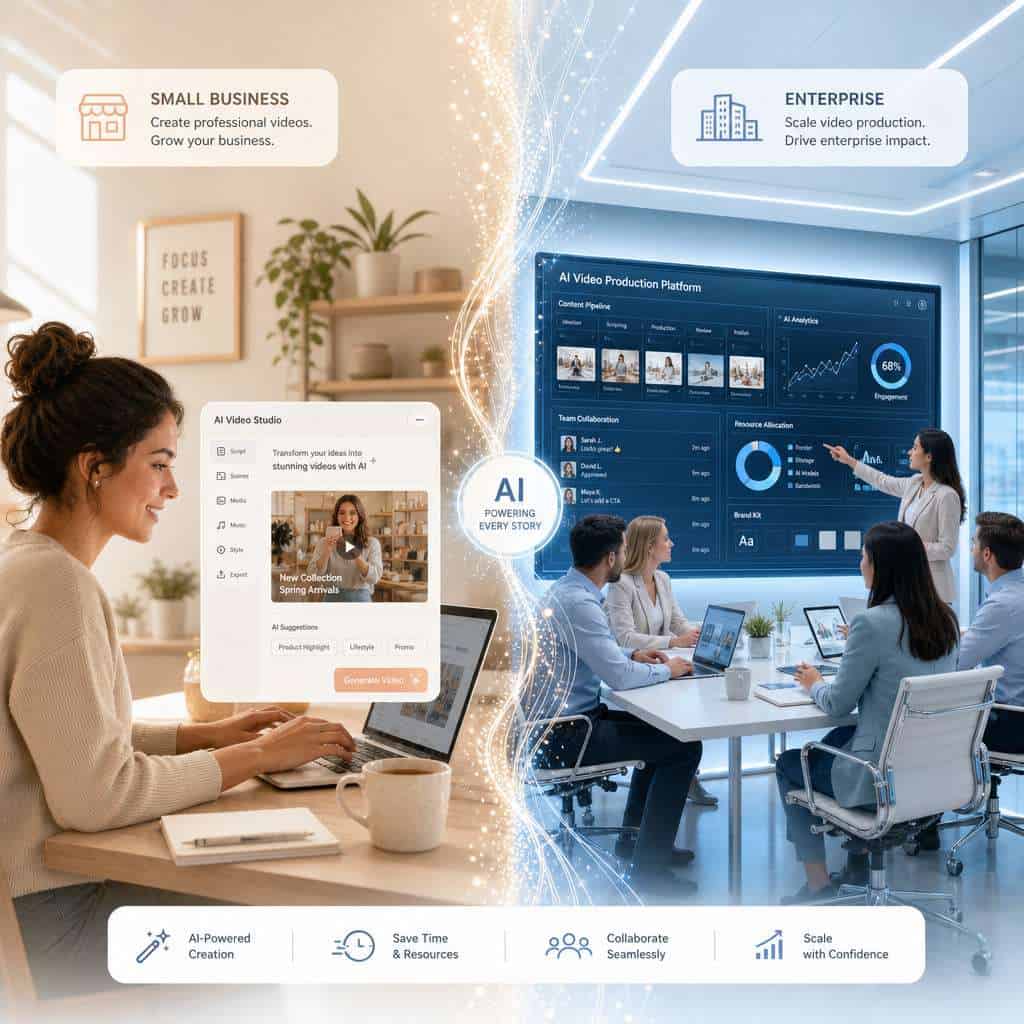
Higgsfield AI fits best for content-heavy businesses that need scalable video production: social media agencies, e-commerce brands, marketing teams, and educational content creators.
Specifically, consider Higgsfield AI if you:
- Produce 10+ videos per month for marketing or social channels
- Need to localize video content across multiple languages or markets
- Want to prototype video concepts quickly before investing in full production
- Run automated content pipelines that benefit from API-driven video generation
Companies already using workflow automation tools can integrate Higgsfield AI’s API into existing pipelines for end-to-end content automation.
Who Shouldn’t Buy Higgsfield AI?
Higgsfield AI is not the right fit for everyone. Skip it if your video needs are minimal, your content requires photorealistic human actors, or your budget is under $20 per month.
You should also avoid Higgsfield AI if:
- You need frame-perfect control over every aspect of video output (traditional editing software is better)
- Your industry has strict regulatory requirements around AI-generated content disclosure that you can’t manage
- You’re looking for a general-purpose AI assistant rather than a specialized video tool
- Your team lacks the technical skills to write prompts and iterate effectively
Are There Any Hidden Fees with Higgsfield AI?
No platform advertises hidden fees, but there are costs that catch users off guard. With Higgsfield AI, the main surprise expenses come from overage charges, premium feature add-ons, and API usage that exceeds your plan’s included calls.
Watch out for:
- Overage fees when you exceed your monthly video generation limit
- Resolution upcharges for 4K output on plans that default to 1080p
- Storage costs if you store generated videos on Higgsfield’s servers beyond a retention period
- API call costs that are billed separately from the web interface quota on some plans
Edge case: If you’re using Higgsfield AI through an automation platform and a workflow loop generates unexpected API calls, you could rack up charges quickly. Always set usage alerts and hard caps where available.
What Happens If I Go Over My Usage Limits?
When you exceed your plan’s monthly generation limit, Higgsfield AI typically either throttles your access (reducing processing priority and speed) or charges per-unit overage fees. The exact behavior depends on your plan tier.
On the Free tier, you’ll simply be blocked from generating more content until the next billing cycle. On Professional plans, most AI video platforms charge between $0.50 and $5.00 per additional video generation, depending on length and resolution. Enterprise clients usually have negotiated overage rates or soft caps with billing adjustments.
Decision rule: If you consistently exceed your plan limit by more than 20%, upgrade to the next tier. It’s almost always cheaper than paying overage fees.
Are There Any Setup or Onboarding Costs?
For Free and Professional plans, there are no setup or onboarding fees. You sign up, enter payment details, and start generating videos immediately.
Enterprise plans may include onboarding costs, especially if they involve custom model training, dedicated infrastructure provisioning, or integration consulting. These fees vary widely but can range from a one-time $500 to $5,000+ depending on complexity.
What Kind of Support Do You Get at Different Pricing Levels?
Support quality scales directly with your plan tier. Free users get community forums and documentation. Professional users get email support with typical response times of 24-48 hours. Enterprise clients receive a dedicated account manager and priority support channels.
| Plan | Support Channel | Typical Response Time |
|---|---|---|
| Free | Community forums, docs | Self-service only |
| Professional | Email, help desk | 24-48 hours |
| Enterprise | Dedicated manager, phone/chat | Under 4 hours (SLA-backed) |
If responsive support matters to your workflow, factor this into your tier decision. The cost difference between Professional and Enterprise often pays for itself if a single outage or issue could disrupt a campaign launch.
How Does Higgsfield AI Pricing Compare to Other AI Tools?
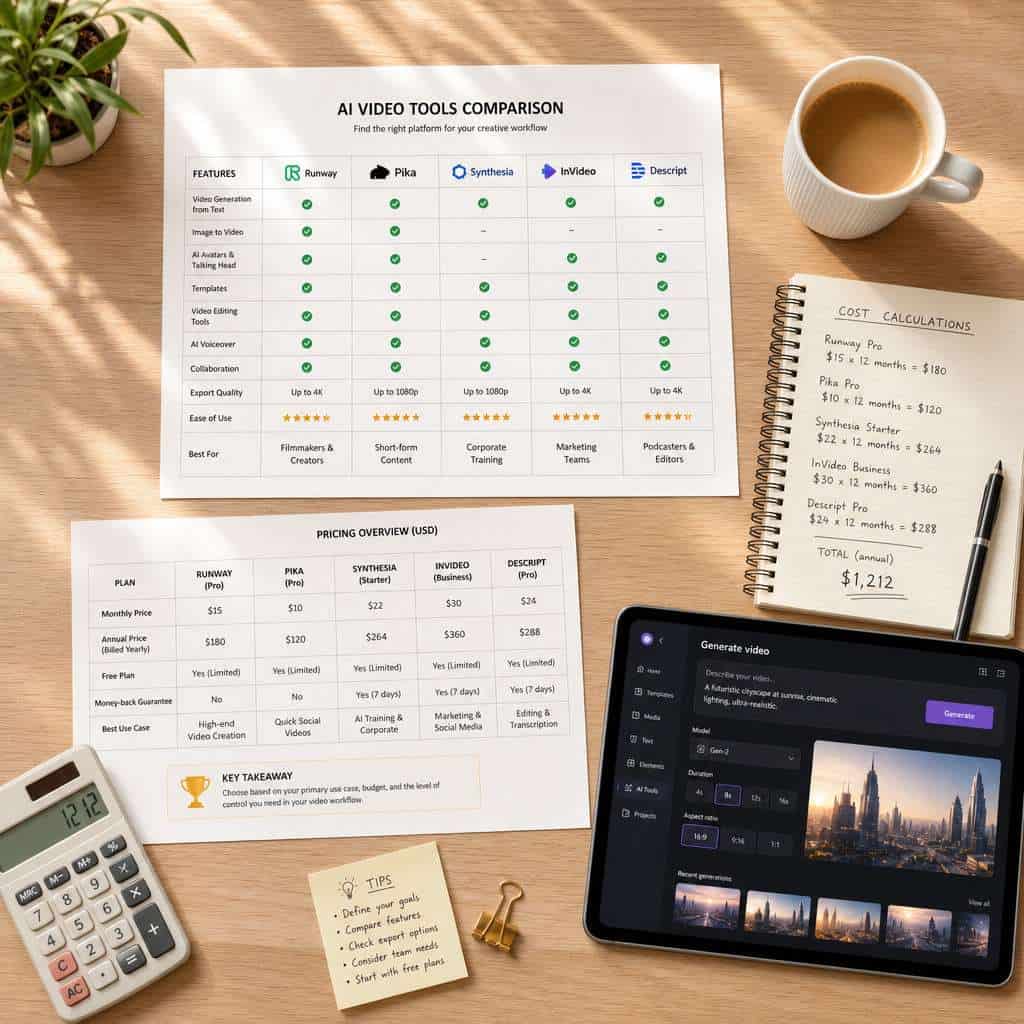
Higgsfield AI’s pricing sits in the mid-range of the AI video generation market. It’s generally cheaper than Synthesia for avatar-based video but comparable to Runway and Pika for generative video output.
- Runway Gen-3: Similar pricing range ($12-$76/mo), strong on creative video generation
- Pika: Lower entry price, but more limited in output length and resolution
- Synthesia: Higher price point ($22-$67/mo for individuals, much more for teams), focused on AI avatar presentations
- HeyGen: Competitive for talking-head video, with plans starting around $24/mo
If you’re evaluating AI video tools for content creation, our overview of influential AI platforms provides additional context. For avatar-style video specifically, see our HeyGen Creator Plan guide.
Can I Get a Discount or Free Trial for Higgsfield AI?
Yes, Higgsfield AI offers a free tier that functions as a trial. Some users also report promotional discounts for annual billing (typically 15-20% off monthly rates) and occasional launch promotions.
To maximize savings:
- Start with the free tier to validate the tool meets your needs
- Choose annual billing if you’re committed to using the platform long-term
- Check for educational or nonprofit discounts, which some AI platforms offer but don’t always advertise prominently
- Watch for Black Friday or product launch promotions
Common Mistakes People Make When Choosing an AI Platform
The biggest mistake is choosing based on price alone without evaluating whether the tool’s output quality and feature set match your actual needs.
Other frequent errors:
- Overbuying: Signing up for Enterprise when Professional would suffice, wasting thousands annually
- Underbuying: Choosing the cheapest plan and hitting limits constantly, leading to workflow disruptions
- Ignoring API limits: Building automation workflows without accounting for rate limits and per-call costs
- Skipping the trial: Committing to an annual plan without testing output quality on your specific use cases
- Not reading the ToS: Some plans restrict commercial usage or require attribution, which matters for business use
For broader guidance on building efficient automated workflows with AI tools, our guide to ChatGPT automation with no-code integration covers practical implementation strategies.
Related Higgsfield guides: explore the Higgsfield AI Influencer Studio and our comprehensive Higgsfield AI review.
Frequently Asked Questions
Does Higgsfield AI offer a money-back guarantee? Most AI video platforms, including Higgsfield AI, do not offer refunds on monthly subscriptions. Annual plans may have a limited refund window (often 7-14 days). Check their terms of service before purchasing.
Can I switch plans mid-billing cycle? Yes, upgrades typically take effect immediately with prorated billing. Downgrades usually apply at the start of the next billing cycle.
Is there a student or educational discount? Some AI platforms offer educational pricing, but Higgsfield AI has not widely publicized such a program. Contact their sales team directly to ask.
Do I own the videos I create with Higgsfield AI? On paid plans, you typically retain full commercial rights to your generated content. Free tier outputs may have restrictions, including watermarks and limited commercial use.
Can I use Higgsfield AI videos for client work? Yes, on Professional and Enterprise plans. The commercial license generally covers agency and client-facing use, but verify this in the current terms of service.
How does billing work for API usage? API calls are usually counted against your plan’s monthly generation quota. If your plan includes 100 generations, each API call that produces a video counts as one generation, whether triggered from the web UI or the API.
What payment methods does Higgsfield AI accept? Most AI SaaS platforms accept major credit cards and sometimes PayPal. Enterprise invoicing is available for custom plans.
Can I pause my subscription instead of canceling? This varies by platform. Some AI tools allow subscription pausing for up to 3 months. Check Higgsfield AI’s account settings or contact support.
Is there a usage dashboard to track my consumption? Yes, paid plans typically include a dashboard showing your generation count, remaining quota, and billing cycle dates.
Conclusion
This comprehensive guide to Higgsfield AI pricing covers the costs, plans, and value breakdown you need to make an informed decision. The platform’s tiered model gives you flexibility, from free exploration to enterprise-scale production.
Here are your actionable next steps:
- Start with the free tier to test Higgsfield AI’s output quality on your specific content needs.
- Estimate your monthly video volume before selecting a paid plan. Track your first month’s usage carefully.
- Compare against alternatives like Runway, Pika, and Synthesia to ensure you’re getting the best value for your use case.
- Set usage alerts to avoid surprise overage charges, especially if you’re integrating via API.
- Re-evaluate your plan quarterly. Your needs will change, and staying on the wrong tier wastes money in both directions.
The right plan isn’t the cheapest or the most expensive. It’s the one that matches your actual production volume, quality requirements, and budget constraints. Take the time to test before you commit, and you’ll get solid value from Higgsfield AI in 2026.
Useful Resources: Higgsfield AI official platform & AI industry news on TechCrunch