Last updated: May 22, 2026
Quick Answer: The HeyGen Creator Plan costs $29/month (or $24/month billed annually) and gives solo creators 600 credits, unlimited standard avatar videos at 1080p, watermark removal, and access to 200+ AI avatars. It’s built for individuals who need consistent video output without a camera, crew, or editing expertise. This guide breaks down exactly what you get, what it costs in practice, and whether it’s the right fit for your content workflow.
Key Takeaways
- The Creator Plan is priced at $29/month or $288/year ($24/month effective), making it HeyGen’s entry-level paid tier for individuals [1].
- You get 600 credits per month, unlimited standard avatar videos, and 1080p export with no watermark [1].
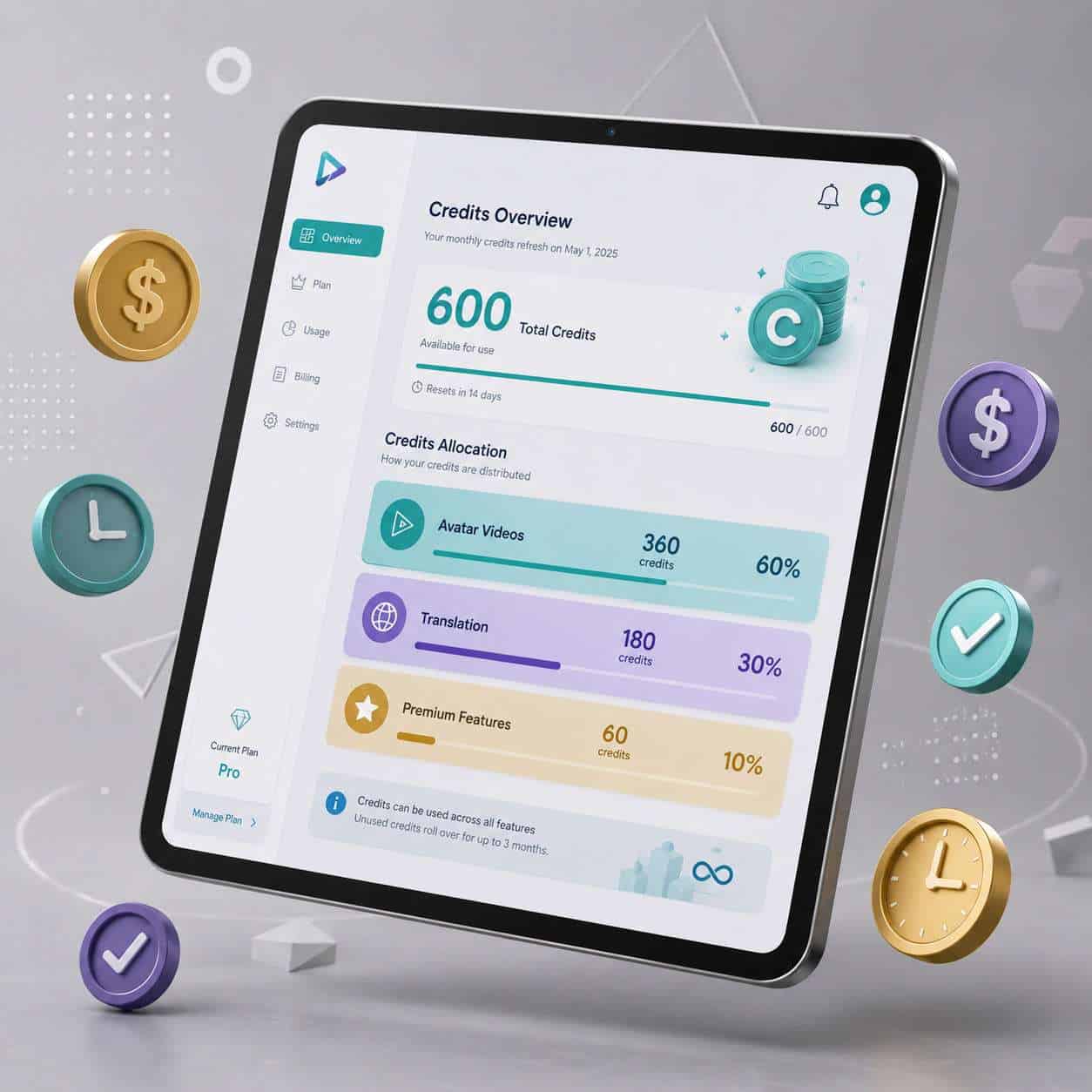
- Credits are the real limiting factor: Avatar IV generation costs roughly 20 credits/minute, and translation runs about 5 credits/minute [8].
- No filming equipment needed. A laptop and internet connection are all that’s required to start producing videos.
- Unused credits roll over for one month on monthly plans and accumulate over the year on annual plans [1].
- The plan supports video translation into 40+ languages, though each translation consumes credits.
- Common mistake: underestimating credit burn when using premium avatars and translation features together.
- HeyGen works well for explainer videos, marketing clips, training content, and social media, but struggles with highly emotional or physical-action content.
- Compared to Synthesia, HeyGen offers more flexible avatar customization and a credit-based system rather than strict per-minute pricing.
What Exactly Comes in the HeyGen Creator Plan?
The Creator Plan bundles everything a solo content maker needs to produce professional-looking AI videos without touching a camera. Here’s what’s included:
| Feature | Creator Plan Details |
|---|---|
| Monthly credits | 600 [1] |
| Video resolution | 1080p [1] |
| Max video length | 30 minutes per video [5] |
| Watermark | Removed [1] |
| Photo avatars | Unlimited [1] |
| Stock avatars | 200+ available |
| Avatar IV access | Yes (uses premium credits) [1] |
| AI video translation | Yes (credit-based) |
| Script assistant | Included |
| Credit rollover | 1 month for monthly; annual accumulates [1] |
The plan also includes access to HeyGen’s template library, text-to-speech in multiple languages, and the integrated script-writing tool. Since HeyGen shifted from a minutes-based model to a credit system in 2025–2026, the real question isn’t “how many videos can I make?” but “how many credits will my workflow burn? [8]
If you’re exploring other AI-powered content generation tools, HeyGen fits squarely in the video-first category alongside platforms like Synthesia and Elai.io.
How Much Does the Creator Plan Actually Cost?
The sticker price is $29/month on a monthly subscription or $24/month when you commit to an annual plan ($288/year) [1]. These prices are consistent across desktop and mobile [5].
But the sticker price isn’t the whole story. The credit system means your effective cost depends on how you use the platform:
- Standard avatar videos (Avatar III): Included in unlimited quantity, minimal credit impact [5]
- Avatar IV/V generation: Approximately 20 credits per minute of video [8]
- Video translation: Approximately 5 credits per minute [8]
- Additional credit packs: Available for purchase if you exceed your 600 monthly credits
Choose Creator if you produce a handful of videos per week using standard avatars and occasionally need translation. Choose Pro if you rely heavily on Avatar IV for every video or translate content into multiple languages weekly, since buying add-on credit packs on Creator can quickly exceed the Pro plan’s price [8].
Are There Any Hidden Costs in the Creator Plan?
No hidden fees exist in the subscription itself, but credit consumption can surprise new users. The 600 credits feel generous until you start stacking premium features. A single 5-minute video using Avatar IV burns 100 credits. Add translation into three languages, and that’s another 75 credits. One video, 175 credits gone.
Watch out for these credit drains:
- Avatar IV/V generation (the most realistic avatars)
- Multi-language translation on the same video
- Motion effects and advanced editing features
- Video Agent automation (higher credit burn per task)
Credits that go unused roll over for one billing cycle on monthly plans. Annual subscribers accumulate credits across the year, but everything expires if you cancel [1]. This rollover policy is designed to reward consistency rather than sporadic use.
Is HeyGen Better Than Synthesia for YouTube Videos?
For YouTube creators specifically, HeyGen offers more flexibility in avatar customization and a lower entry price. Synthesia’s comparable tier tends to cost more per month and uses a stricter per-minute pricing model. HeyGen’s credit system, while more complex, lets you produce unlimited standard videos without worrying about a minute cap [1].
Where HeyGen wins:
- Unlimited photo avatars (upload your own photo to create a custom presenter)
- Credit-based flexibility rather than hard minute limits
- Built-in translation for reaching multilingual audiences
- Mobile app with full Creator Plan access [5]
Where Synthesia may win:
- Slightly more polished enterprise templates
- Stronger compliance and brand-safety features for corporate use
- More established in the corporate training space
Both platforms sit in a similar price band for creator-level tiers [8]. If you’re making YouTube explainers, tutorials, or commentary content, HeyGen’s avatar variety and translation tools give it an edge. For corporate training at scale, Synthesia’s enterprise features might matter more.
Can I Use HeyGen for Professional Marketing Videos?
Yes, and this is one of the Creator Plan’s strongest use cases. HeyGen is well-suited for explainer videos, product demos, social media ads, and email marketing content [7]. The 1080p export quality meets the standard for most digital marketing channels, and watermark removal means your brand stays clean.
A CyberNews review from 2025 specifically highlights HeyGen’s strength in marketing content, noting that non-specialists can create professional videos using avatars, text-to-speech, and templates without specialized equipment [7].
For creators building marketing funnels, HeyGen pairs well with broader content optimization strategies and social media marketing workflows.
Quick example: I’ve seen solo marketers use HeyGen to produce a weekly product update video in under 30 minutes: write the script using the built-in assistant, pick an avatar, generate the video, and post directly to LinkedIn. No filming, no editing software, no second takes.
How Do I Know If I’m the Right Kind of Creator for HeyGen?
The Creator Plan works best for individuals who need consistent video output and don’t want to appear on camera every time, or at all. It’s designed for solo creators, not teams or agencies [1].
You’re a good fit if you:
- Publish educational, explainer, or how-to content regularly
- Want to repurpose written content (blog posts, newsletters) into video
- Need multilingual video content but can’t afford voice actors
- Run a personal brand and want a consistent “presenter” without filming
- Create marketing content for your own products or services
You’re probably not a good fit if you:
- Need 4K export (that’s Pro tier and above)
- Run a team that needs shared workspaces and collaboration tools
- Produce content that requires real human emotion, physical demonstrations, or live-action footage
- Need more than 600 credits worth of premium features monthly
If you’re building a broader content creation stack, our guide to AI-powered content generation tools covers how video tools like HeyGen fit alongside writing and design platforms.
What Kind of Content Can’t I Make with HeyGen?
HeyGen excels at talking-head and presentation-style videos but falls short in several areas. You can’t create content that requires physical movement, real-world demonstrations, or genuine human emotion. AI avatars don’t walk, cook, exercise, or react authentically to surprising situations.
Content types that don’t work well:
- Physical product unboxings or hands-on reviews
- Fitness or cooking demonstrations
- Emotional storytelling that requires authentic facial expressions
- Live event coverage or interviews
- Content requiring real-time audience interaction
Also, HeyGen’s terms of service prohibit creating deepfake content, impersonation of real people without consent, or misleading political content. The platform has built-in safeguards, but creators should understand these boundaries before investing.
Do I Need Video Editing Skills to Use HeyGen?
No. HeyGen is specifically built so that people without video production experience can create polished content [7]. The workflow is closer to writing a document than editing a video: you write or paste a script, choose an avatar, select a template, and the platform generates the final video.
That said, having basic design sense helps. Knowing how to write a concise script, choose appropriate backgrounds, and structure a video for your audience will improve your results significantly. The platform handles the technical production, but creative decisions still matter.
For creators who also work with visual design tools, our Canva AI design guide covers complementary skills for creating thumbnails and social graphics to pair with your HeyGen videos.
What Equipment Do I Need to Get Started with HeyGen?
A laptop or desktop computer with a stable internet connection. That’s it. HeyGen runs entirely in the browser, so there’s no software to install and no minimum hardware specs beyond what you’d need to stream a YouTube video. The platform also has a mobile app with full Creator Plan functionality [5].
Optional but helpful:
- A decent microphone if you want to clone your own voice (available as a feature)
- A well-lit photo of yourself if you want to create a custom photo avatar
- A quiet space for voice recording if using voice cloning
You don’t need a camera, lighting kit, green screen, or editing software. This is one of the primary appeals for creators who want to build professional content without complex setups.
How Fast Can I Actually Produce Videos with HeyGen?
A standard 2–3 minute video using a stock avatar and pre-written script takes roughly 10–15 minutes from start to rendered output. The generation time itself is usually 3–8 minutes depending on video length and server load. If you’re writing the script from scratch using HeyGen’s assistant, add another 10–15 minutes.
Realistic production timeline for a weekly content schedule:
- Script writing: 10–20 minutes
- Avatar and template selection: 5 minutes
- Video generation: 5–10 minutes
- Review and minor adjustments: 5–10 minutes
- Total: 25–45 minutes per video
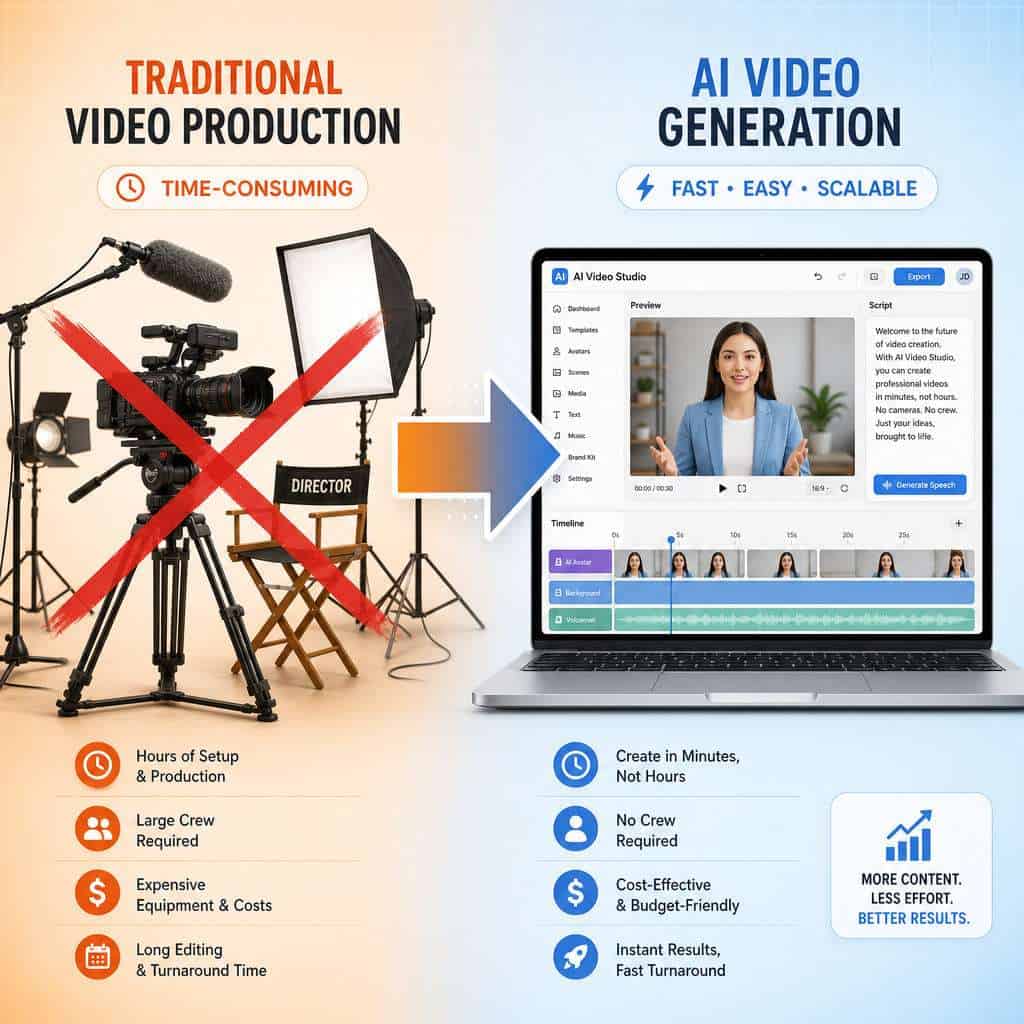
Compare that to traditional video production, where filming, editing, and rendering a similar video might take 3–5 hours. The speed advantage is real, especially for creators who need to maintain a consistent publishing schedule.
Can HeyGen Translate Videos into Multiple Languages?
Yes. HeyGen’s AI video translation feature can convert your videos into 40+ languages, including lip-sync adjustments so the avatar’s mouth movements match the translated audio. This feature is available on the Creator Plan, but it consumes credits at approximately 5 credits per minute of translated video [8].
Practical example: A 3-minute English video translated into Spanish, French, and German would cost about 45 credits (3 minutes × 5 credits × 3 languages). That’s manageable within the 600-credit monthly allowance, but it adds up fast if you’re translating every video into multiple languages.
For creators targeting global audiences, this is one of HeyGen’s strongest differentiators. Few competing platforms offer integrated translation with lip-sync at this price point.
What Common Mistakes Do People Make When Starting with AI Video Generation?
The biggest mistake is treating AI video like a magic button. Creators often skip the script-writing step, paste in rough notes, and expect a polished result. The output quality is directly tied to your script quality.
Top mistakes to avoid:
- Writing scripts that are too long. AI avatars work best with concise, conversational scripts. Aim for 150 words per minute of video.
- Ignoring credit budgeting. Using Avatar IV for every video burns through 600 credits fast. Reserve premium avatars for high-priority content.
- Choosing the wrong avatar for the audience. A casual avatar for corporate training (or a formal avatar for TikTok) creates a disconnect.
- Skipping the preview. Always preview before final rendering to catch pronunciation errors or awkward pauses.
- Not optimizing the surrounding content. A great AI video still needs a strong thumbnail, title, and description. Our content optimization guide covers this in detail.
- Expecting AI to replace all video types. Use HeyGen for what it does well (talking-head, explainer, training) and film real footage when the content demands it.
Conclusion
The HeyGen Creator Plan is a practical, affordable entry point for solo content makers who want to produce consistent video without the overhead of traditional production. At $29/month with 600 credits, it handles explainer videos, marketing content, multilingual translations, and social media clips well. The key to getting value from it is understanding the credit system and matching your usage patterns to the plan’s strengths.
Your next steps:
- Assess your needs. Count how many videos you’ll produce weekly and whether you need premium avatars or translation.
- Start with annual billing if you’re committed, saving $60/year.
- Budget your credits by reserving Avatar IV for flagship content and using standard avatars for routine videos.
- Write your scripts first. The quality of your input determines the quality of your output.
- Explore the full AI content stack. Check out our comprehensive guide to AI-powered content generation tools to see how HeyGen fits alongside other platforms in your workflow.
AI video generation isn’t a replacement for all video production, but for the right creator with the right use case, the Creator Plan removes the biggest barriers to consistent, professional video content.
FAQ
How many videos can I make per month on the Creator Plan? Unlimited standard avatar videos (Avatar III). The limiting factor is your 600 monthly credits, which are consumed by premium features like Avatar IV and translation [1].
Can I use my own face as an avatar? Yes. The Creator Plan includes unlimited photo avatars, so you can upload a photo of yourself and create a digital presenter based on your likeness [1].
Does the Creator Plan include a free trial? HeyGen offers a free tier with limited features. You can test the platform before committing to the Creator Plan, though free-tier videos include a watermark and have shorter length limits.
Can I cancel my Creator Plan anytime? Yes, but unused credits expire upon cancellation. Monthly subscribers lose any rolled-over credits, and annual subscribers forfeit remaining credits [1].
Is 1080p good enough for YouTube? For most YouTube content, 1080p is the standard and looks professional. If you specifically need 4K, you’ll need to upgrade to the Pro plan.
How does the credit rollover work? Monthly subscribers can roll over unused credits for one billing cycle. Annual subscribers accumulate unused credits throughout the year, but all credits expire if the subscription is canceled [1].
Can I use HeyGen videos commercially? Yes. The Creator Plan includes commercial usage rights, so you can use generated videos in marketing, on your website, or in paid content.
Does HeyGen work on mobile? Yes. The mobile app supports the full Creator Plan at the same pricing, including avatar video generation and the 30-minute maximum duration [5].
What languages does HeyGen support for translation? HeyGen supports 40+ languages for video translation, with lip-sync adjustments included. Each translation consumes approximately 5 credits per minute of video [8].
Is the Creator Plan enough for a full-time content creator? It depends on your volume and feature usage. Creators producing 3–5 standard videos per week will find it sufficient. Heavy users of Avatar IV and translation may need the Pro plan or additional credit packs [8].
References
[1] Pricing – https://www.heygen.com/pricing [5] HeyGen Mobile Pricing Plans – https://help.heygen.com/en/articles/11759416-heygen-mobile-pricing-plans [7] HeyGen Review – https://cybernews.com/ai-tools/heygen-review/ [8] Pricing – https://checkthat.ai/brands/heygen/pricing [9] HeyGen Release Update Tracking – https://www.heygen.com/blog/heygen-release-update-tracking