Over 1.09 billion websites exist on the internet today — yet most small business owners still spend weeks (and thousands of dollars) building theirs from scratch. That gap is exactly where AI website builders step in and change everything.
This guide to AI Website Builders: The Ultimate Guide to Effortless Web Design in 2026 breaks down how these smart tools work, which platforms lead the pack, and how you can launch a professional site in a fraction of the time it used to take.
Key Takeaways 🎯
- AI website builders can generate a fully functional, professional website in minutes using simple text prompts.
- Top platforms like Hocoos, Wix, 10Web, Framer, and Hostinger each offer unique strengths for different use cases.
- Built-in AI copywriting, SEO automation, and responsive design are now standard features — not premium add-ons.
- Pricing is accessible, with plans starting as low as $10–$17/month across leading platforms.
- You don’t need any coding skills to build, launch, and maintain a high-quality website in 2026.
Comparing the Best AI Website Builders: The Ultimate Guide to Effortless Web Design in 2026
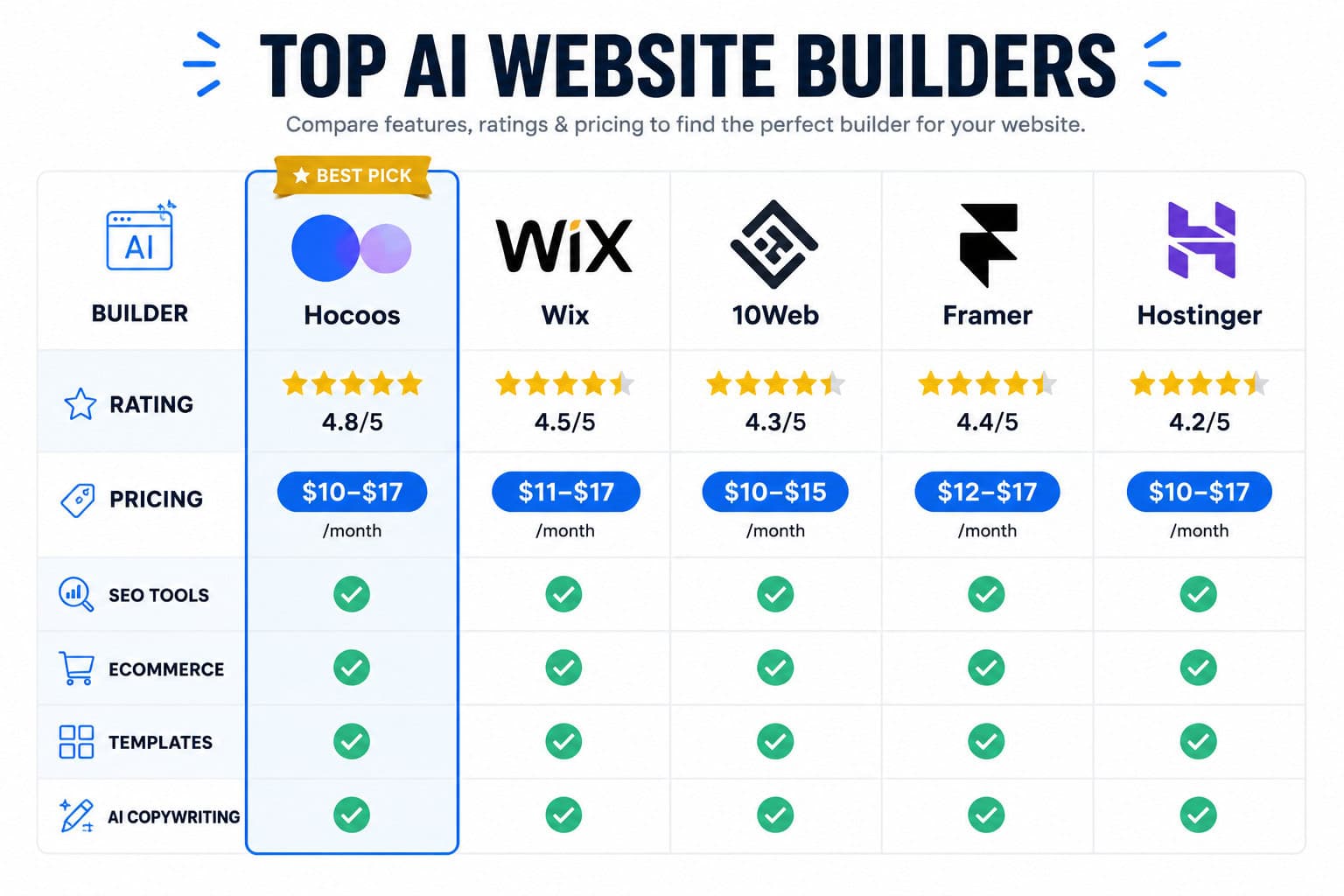
Not all AI builders are created equal. Here’s a clear breakdown of the top contenders based on features, pricing, and overall performance.
🏆 Top AI Website Builder Platforms at a Glance
| Platform | Starting Price | Best For | Score |
|---|---|---|---|
| Hocoos | $12.50/mo (annual) | All-around performance | 40/40 |
| Wix | $17/mo | Versatility & templates | ⭐⭐⭐⭐½ |
| 10Web | Reasonable premium | WordPress AI sites | 38/40 |
| Framer | $10/mo per site | Prompt-based design | ⭐⭐⭐⭐ |
| Hostinger | Budget-friendly | Speed & simplicity | ⭐⭐⭐⭐ |
Hocoos earns the “Best Overall Pick” designation with a perfect score of 40/40 across utility, features, ease of use, and value for money, with plans starting at just $12.50/month billed annually [2]. That’s a remarkable combination of power and affordability.
Wix remains one of the most versatile options, offering nearly 1,000 customizable, industry-specific templates paired with AI-powered tools for content creation, logo generation, image editing, SEO, email marketing, and full ecommerce functionality [1]. Its free tier (with Wix branding) makes it easy to test before committing to a paid plan starting at $17/month [5].
10Web scores an impressive 38/40 and stands out for its layout extraction capability — you can literally paste a competitor’s URL and extract a blank layout to build from, complete with AI-generated copy and personalized SEO suggestions [4]. It’s a powerhouse for WordPress-based projects. Speaking of WordPress, our ultimate guide to custom WordPress theme development pairs perfectly with 10Web’s capabilities.
Framer takes a different approach, generating unique page templates from simple text prompts with real-time responsive previews across desktop, mobile, and tablet [1]. At $10/month per site (free with Framer branding for hobby projects), it’s ideal for designers who want speed without sacrificing creativity [5].
Hostinger focuses on rapid deployment — its AI Designer tools, drag-and-drop editor, and built-in SEO features allow you to complete a website in just minutes [3]. Perfect for entrepreneurs who need to move fast.
💡 Pro tip: If you’re unsure which platform fits your needs, start with a free tier on Wix or Framer. You can always migrate or upgrade once your requirements become clearer.
How AI Website Builders Actually Work: Core Features Explained

Understanding the technology behind these tools helps you use them more effectively. Here’s what’s powering modern AI website builders under the hood.
🤖 Natural Language Generation (NLG) for Content
AI copywriting is no longer a bonus feature — it’s standard. Modern platforms use Natural Language Generation (NLG) technology to analyze datasets and create optimized blog content, product descriptions, and marketing copy automatically [3]. You describe your business, and the AI writes your pages.
This connects directly to SEO automation. The same AI engines generate meta tags, schema markup, and keyword recommendations without you needing to understand technical SEO at all. For deeper SEO strategy, pairing an AI builder with dedicated tools covered in our guide on how to use AI SEO tools for WordPress to improve site rankings can amplify your results significantly.
⚡ Performance Optimization Built-In
Speed matters. Google’s Core Web Vitals directly impact search rankings, and AI builders address this automatically through:
- File compression to reduce page weight
- Responsive design implementation for all screen sizes
- Multimedia content optimization to minimize load times [3]
This means you get a fast, mobile-friendly site without manually configuring anything. If you want to go deeper on responsive layouts, our Figma mobile grid design guide offers excellent foundational principles.
🎨 Template Generation and Design Intelligence
Rather than choosing from static templates, platforms like Framer generate custom layouts based on your specific prompt [1]. You type “I need a landing page for a fitness coaching business targeting women over 40,” and the AI produces a relevant, styled layout instantly.
For those who want even more control over visual branding, tools like the best AI graphic design tools for creative workflows complement AI builders beautifully.
📦 Built-In Business Features
The best platforms bundle essential business tools directly into the builder:
- Ecommerce (product listings, cart, checkout)
- Appointment scheduling
- Event management
- Email marketing integration
- Analytics dashboards
Wix, in particular, excels here — offering a full business suite alongside its AI tools [1]. For no-code enthusiasts exploring all available options, our roundup of 11 best no-coding website design software platforms for 2026 provides an excellent broader comparison.
Who Should Use AI Website Builders? Actionable Next Steps
AI website builders aren’t just for beginners. They serve a surprisingly wide range of users — each with different goals and starting points.
👤 Ideal Users
| User Type | Why AI Builders Work |
|---|---|
| Small business owners | Fast launch, no technical skills needed |
| Freelancers & consultants | Professional portfolio in hours |
| Ecommerce entrepreneurs | Built-in store features, AI product copy |
| Agencies | Rapid client site prototyping |
| Bloggers & creators | SEO-ready content from day one |
If you’re already using platforms like Wix and want to maximize your results, our guide on how to optimize your Wix site for better SEO performance is a must-read companion resource.
✅ Step-by-Step: Launch Your First AI Website
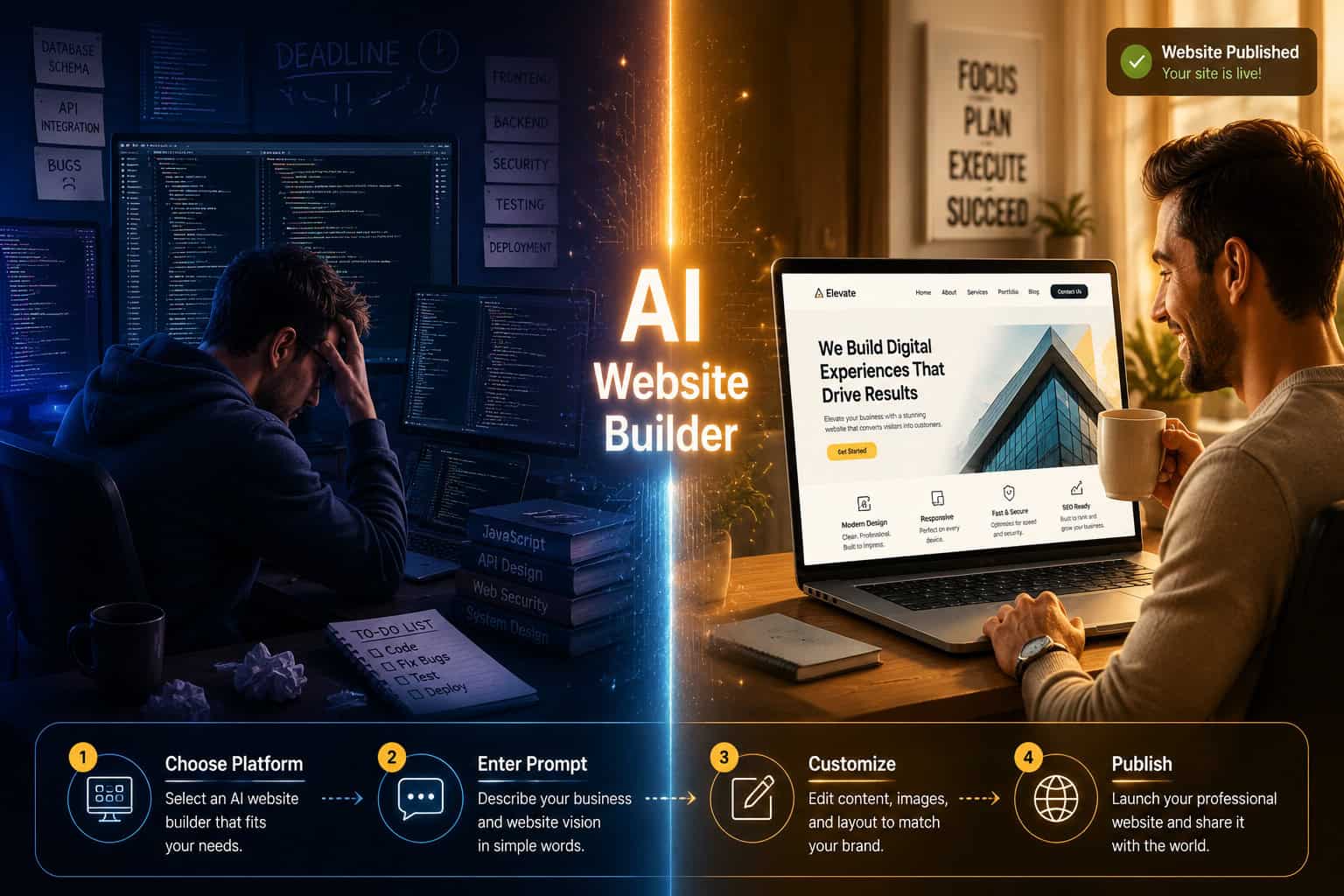
- Choose your platform — Match your needs to the comparison table above.
- Enter your business details — Name, industry, goals, target audience.
- Let the AI generate your site — Review the auto-created layout, copy, and images.
- Customize — Adjust colors, fonts, sections, and content to match your brand.
- Optimize for SEO — Review AI-generated meta tags and keyword suggestions.
- Test across devices — Confirm mobile, tablet, and desktop views look great.
- Publish and monitor — Go live, then track performance through built-in analytics.
For those who want to build more advanced sites beyond AI-generated templates, exploring an AI website creator for professional sites without code offers a natural next step in your web design journey.
⚠️ Limitations to Know
AI builders are powerful, but they’re not perfect. Keep these in mind:
- Customization ceilings — Deep custom functionality may still require developer help.
- Template similarity — AI-generated designs can sometimes look generic without manual refinement.
- Platform lock-in — Migrating away from some builders can be complex.
- Content accuracy — Always review AI-generated copy for factual correctness.
Conclusion: Your Effortless Web Design Journey Starts Now
The era of spending months and thousands of dollars on a basic business website is over. AI website builders have democratized professional web design — putting tools that once required entire agencies into the hands of anyone with a browser and a business idea.
In 2026, the question isn’t whether to use an AI website builder — it’s which one fits your specific goals. Here’s your action plan:
- 🎯 Start today — Sign up for a free tier on Hocoos, Wix, or Framer.
- 🔍 Test two platforms — Compare the AI outputs side by side before committing.
- 📈 Layer in SEO — Use built-in AI SEO tools from day one, not as an afterthought.
- 🎨 Brand consistently — Customize colors, fonts, and imagery to stand out from AI defaults.
- 📊 Track and iterate — Use analytics to refine your site over the first 90 days.
The best website is the one that actually gets built. AI website builders make sure that happens — fast, affordably, and without a single line of code.
References
[1] Ai Website Builder – https://www.oberlo.com/blog/ai-website-builder
[2] The 12 Best Ai Website Builders 2024 – https://hocoos.com/blog/the-12-best-ai-website-builders-2024/
[3] 10 Best Ai Website Builders To Check Out In 2024 – https://invisiosolutions.com/10-best-ai-website-builders-to-check-out-in-2024/
[4] 11 Best Ai And Chatgpt Website Builders For 2024 – https://www.pineapplebuilder.com/blog/11-best-ai-and-chatgpt-website-builders-for-2024
[5] Best Ai Website Builder – https://zapier.com/blog/best-ai-website-builder/