Last updated: May 7, 2026
Quick Answer: AI website builders let you create a fully functional, professionally designed website by answering a few questions or typing a prompt — no coding required. The best platforms in 2026 include Wix ADI, Squarespace AI, Hostinger Horizons, and Framer AI. Most users can launch a basic site in under 30 minutes, with paid plans starting around $10–$17/month.
Key Takeaways
- AI website builders generate layouts, copy suggestions, and design choices automatically based on your inputs.
- You don’t need to write a single line of code to build and publish a professional site.
- The best AI builders in 2026 offer free tiers, with premium plans typically ranging from $10 to $40/month.
- These tools work best for small businesses, freelancers, portfolios, and early-stage startups.
- AI-generated sites can rank in search engines — but you still need to apply basic SEO practices after launch.
- The main trade-off is customization depth: AI builders are fast but less flexible than custom-coded sites.
- Choosing the right platform depends on your use case (e-commerce, blog, portfolio, service business).
- Most platforms include mobile-responsive templates, hosting, and a free subdomain out of the box.
What Are AI Website Builders and How Do They Actually Work?

AI website builders are platforms that use machine learning and generative AI to automate the design and content process. Instead of manually placing elements on a canvas, you answer a short questionnaire or type a description of your business, and the AI produces a complete website draft — layout, color scheme, fonts, placeholder content, and all.
Here’s the basic process most platforms follow:
- You describe your site — business type, goals, style preferences.
- The aI generates a draft — a full multi-page layout with relevant sections.
- You customize — swap images, edit text, add or remove sections using a visual editor.
- You publish — connect a domain and go live.
The AI component handles the decisions that used to require a designer: which layout works for a restaurant versus a law firm, what color combinations are readable, how to structure a homepage for conversions.
“The shift isn’t just about speed. It’s about removing the knowledge barrier entirely — someone with no design background can now produce a site that looks like it was built by a professional agency.
This is why AI website builders have become the go-to starting point for non-technical founders, freelancers, and small business owners. For a deeper look at building without code, see this guide on AI website creation for professional sites without code.
Which AI Website Builders Are Worth Using in 2026?
Not all AI builders are equal. Some are better for e-commerce, others for portfolios or service businesses. Here’s a breakdown of the top platforms available in 2026:
| Platform | Best For | Free Plan | Starting Paid Price | AI Strength |
|---|---|---|---|---|
| Wix ADI | Small businesses, general use | ✅ Yes | ~$17/month | Layout + content generation |
| Squarespace AI | Creatives, portfolios | ❌ No (trial) | ~$16/month | Design polish, copywriting |
| Hostinger Horizons | Beginners, budget users | ❌ No | ~$10/month | Full site from text prompt |
| Framer AI | Designers, startups | ✅ Yes (limited) | ~$15/month | Interactive, animation-ready |
| Durable | Freelancers, service businesses | ✅ Yes (limited) | ~$12/month | Speed (site in 30 seconds) |
| 10Web | WordPress users | ✅ Yes | ~$10/month | WordPress + AI combo |
Choose Wix ADI if you want the most established platform with the largest app marketplace and the most flexibility after AI generation.
Choose Hostinger Horizons if you’re on a tight budget and want the fastest path from idea to published site.
Choose Framer AI if you’re design-savvy and want a site with modern animations and interactivity without writing code.
Choose 10Web if you already use WordPress and want AI to handle the design layer while keeping WordPress’s content management power. You can also explore the best drag-and-drop website builders for a broader comparison including non-AI options.
How Do You Build a Website with an AI Builder? (Step-by-Step)

Building a site with an AI website builder takes most people 15 to 45 minutes for a basic launch. Here’s a practical walkthrough using a typical platform:
Step 1: Sign Up and Choose Your Starting Point
Create a free account. Most platforms ask whether you want to use AI assistance or start from a blank template. Choose AI.
Step 2: Answer the Onboarding Questions
You’ll typically be asked:
- What type of business or project is this?
- What’s the main goal of your site? (Sell products, get leads, share a portfolio, etc.)
- What’s your brand name?
- Do you have a preferred style? (Modern, classic, bold, minimal)
Some platforms like Hostinger Horizons let you skip the form entirely and just type a description: “A bakery in Austin that specializes in custom wedding cakes, warm and elegant style.”
Step 3: Review the AI Draft
The platform generates a full site — usually 3 to 5 pages — in seconds. Review the structure, colors, and placeholder content.
Step 4: Customize with the Visual Editor
Click on any element to edit it. Swap images, update text, add your logo, and rearrange sections. Most editors are drag-and-drop, so no code is involved. For platforms built on WordPress, check out no-coding website design software platforms for additional options.
Step 5: Set Up Key Pages
At minimum, make sure you have:
- Homepage — clear headline, what you do, call to action
- About page — builds trust
- Contact page — form or email link
- Services or Products page — what you offer and pricing if relevant
Step 6: Connect Your Domain and Publish
Most platforms include a free subdomain (yoursite.platform.com). For a professional look, connect a custom domain. Then hit publish.
Common mistake: Skipping the mobile preview before publishing. Always check how your site looks on a phone — AI builders are usually responsive, but text sizes and image crops sometimes need manual adjustment.
AI Website Builders vs. Traditional Website Builders: What’s the Real Difference?
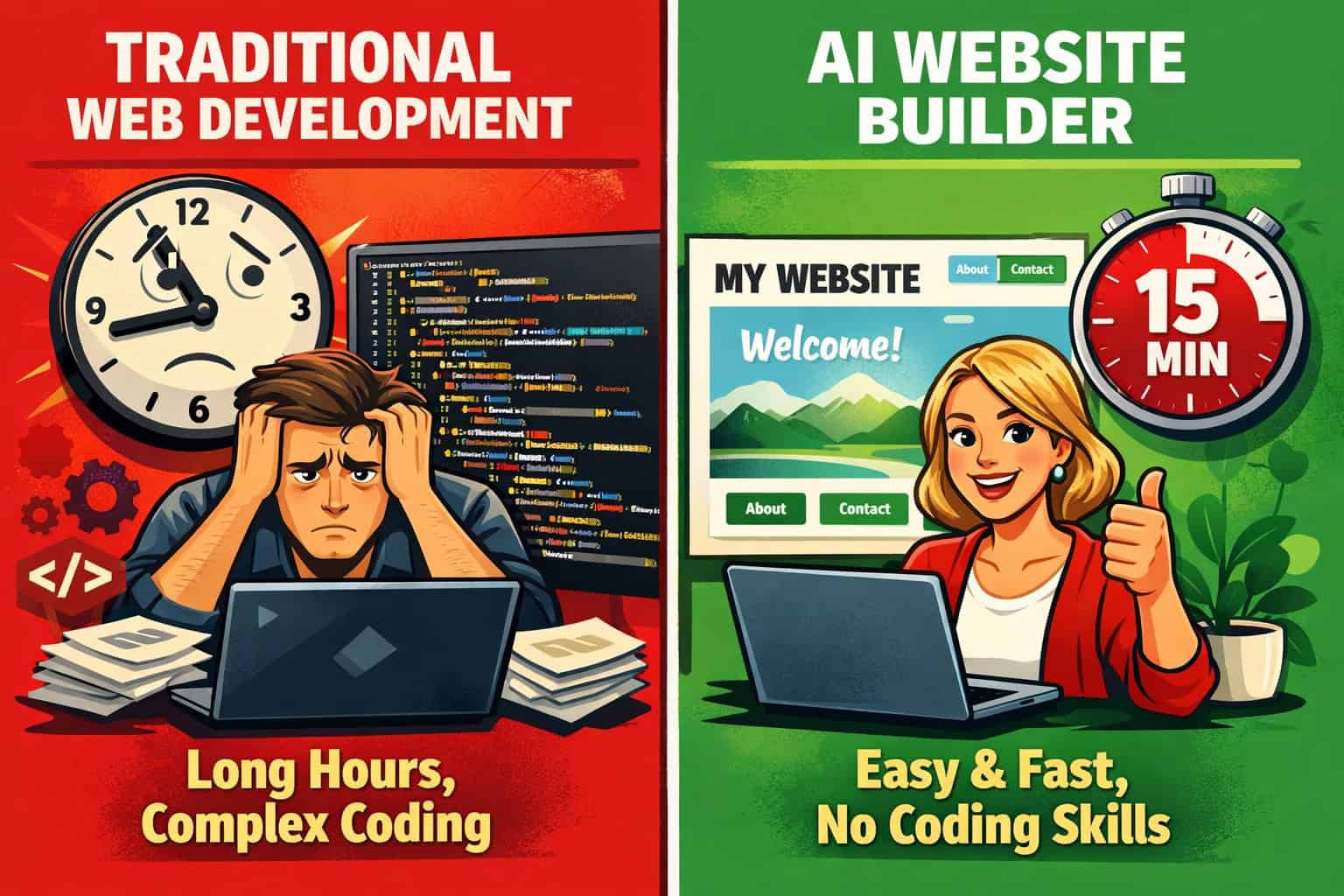
The core difference is the starting point. Traditional website builders (like older versions of Wix or Squarespace) give you a blank canvas or a static template. You make every design decision yourself. AI builders make those decisions for you first, then let you adjust.
Here’s how they compare across the factors that matter most:
| Factor | AI Website Builder | Traditional Builder | Custom Coded Site |
|---|---|---|---|
| Setup time | 15–45 minutes | 2–8 hours | Days to weeks |
| Design skill needed | None | Some | High |
| Flexibility | Medium | Medium-High | Maximum |
| Cost | $0–$40/month | $10–$50/month | $2,000–$20,000+ |
| SEO capability | Good (with effort) | Good | Excellent |
| Maintenance | Minimal | Low | High |
Who AI builders are NOT for:
- Large e-commerce stores with complex inventory and custom checkout flows
- Enterprises needing deep integrations with internal systems
- Sites requiring highly specific custom functionality (booking engines, marketplaces)
- Developers who want full control over performance and architecture
For those cases, a platform like Webflow with custom development, or a fully custom-coded site, makes more sense. You can explore Webflow SEO optimization if you’re considering that route.
How Much Do AI Website Builders Cost in 2026?

AI website builders are generally affordable, especially compared to hiring a developer or agency. Here’s what to expect at each price tier:
Free Plans
Most platforms offer a free tier with:
- A subdomain (yoursite.wixsite.com, etc.)
- Platform branding/ads on your site
- Limited storage and bandwidth
- Basic AI features
Free plans are fine for testing, but not for a professional business presence.
Entry-Level Paid Plans ($10–$17/month)
This tier typically includes:
- Custom domain connection
- No platform ads
- Basic e-commerce (on some platforms)
- Standard AI features
- SSL certificate (HTTPS)
This is the sweet spot for most small businesses and freelancers.
Mid-Tier Plans ($20–$40/month)
Adds:
- Advanced e-commerce features
- More storage and bandwidth
- Priority support
- Advanced AI tools (AI copywriting, SEO suggestions, analytics)
What’s usually NOT included at any price:
- Premium stock photos (often sold separately or via subscription)
- Advanced SEO tools (may require third-party integrations)
- Custom AI training on your brand voice
Budget tip: Annual billing typically saves 20–40% compared to monthly billing on most platforms.
Can AI-Built Websites Actually Rank on Google?
Yes — but the AI does the design work, not the SEO work. An AI website builder gives you a technically sound, mobile-responsive site, which is a good foundation. But ranking on Google still requires deliberate SEO effort.
Here’s what AI builders handle automatically:
- Mobile-responsive design (a ranking factor)
- HTTPS/SSL (a ranking signal)
- Basic meta title and description fields
- Clean URL structures on most platforms
- Fast load times on hosted platforms (generally)
Here’s what you still need to do yourself:
- Write original content with relevant keywords
- Add meta titles and descriptions for every page
- Build backlinks from other sites
- Submit your sitemap to Google Search Console
- Optimize images with descriptive alt text
For Wix users specifically, there’s a detailed guide on Wix SEO performance optimization that covers the platform-specific steps. If you’re using WordPress as your base, AI SEO tools for WordPress can significantly speed up the optimization process.
Edge case: If you’re in a highly competitive niche (personal injury law, insurance, real estate), an AI-built site alone won’t be enough. You’ll need a serious content strategy and link-building effort regardless of which platform you use.
What Are the Biggest Mistakes People Make with AI Website Builders?
Most problems with AI-built sites come from the same handful of errors. Knowing them upfront saves a lot of rework.
Mistake 1: Using all the AI-generated placeholder content as-is AI builders often generate generic filler text. It reads well but says nothing specific about your actual business. Always replace placeholder copy with real information about what you do, who you serve, and why customers should choose you.
Mistake 2: Ignoring mobile layout AI builders are responsive by design, but “responsive” doesn’t always mean “optimized.” Check every page on a real phone, not just a browser preview.
Mistake 3: Skipping the About page Many first-time site owners skip this page to save time. It’s actually one of the highest-traffic pages on most small business sites because people want to know who they’re dealing with before they contact or buy.
Mistake 4: Not connecting Google Analytics You can’t improve what you don’t measure. Set up Google Analytics (free) and Google Search Console (also free) before you launch, not after.
Mistake 5: Choosing a platform based on price alone The cheapest plan isn’t always the best fit. If you plan to sell products, make sure the platform’s e-commerce features match your needs before you commit.
Mistake 6: Forgetting to update the favicon and browser tab title These small details affect how professional your site looks when someone has multiple tabs open. Most AI builders let you set these in the site settings.
FAQ: AI Website Builders in 2026
Q: Do I need any technical skills to use an AI website builder? No. AI website builders are designed for people with zero coding or design experience. If you can fill out a form and click a mouse, you can build a site.
Q: How long does it take to build a website with AI? A basic 4–5 page site can be ready to publish in 30–60 minutes. A more polished site with custom images, real copy, and SEO setup typically takes 2–4 hours.
Q: Can I move my site to a different platform later? This is the biggest lock-in risk. Most AI builders don’t let you export your site to another platform. You’d need to rebuild from scratch. Choose carefully before investing significant time in customization.
Q: Are AI-built websites secure? Yes, for standard use. Hosted AI builders handle security updates, SSL certificates, and server maintenance automatically. You don’t need to manage patches or backups manually.
Q: Can I add a blog to an AI-built site? Yes. All major AI website builders include blogging functionality. The AI can even suggest post topics and generate draft content, though you should always edit AI-generated blog posts before publishing.
Q: What happens if I cancel my subscription? Your site goes offline. Unlike self-hosted WordPress, AI builder sites live on the platform’s servers. Always download any content you want to keep before canceling.
Q: Can AI builders create e-commerce sites? Yes, but with limits. Wix, Squarespace, and Hostinger all support online stores. For large catalogs (500+ products), complex shipping rules, or advanced inventory management, a dedicated e-commerce platform like Shopify is a better fit.
Q: Is the AI-generated design unique to my site? Not entirely. AI builders work from templates and design patterns. Your site will look professional, but it may share structural similarities with other sites on the same platform. Adding your own photos, brand colors, and custom copy makes it feel distinct.
Q: Do AI website builders include email hosting? Usually not. Most platforms let you connect a professional email address ([email protected]) through Google Workspace or Microsoft 365, but email hosting itself is a separate paid service.
Q: Can I use my own domain name? Yes. All paid plans on major AI builders let you connect a custom domain. You can buy the domain through the platform or use one you already own from a registrar like Namecheap or Google Domains.
Conclusion: The Right Way to Get Started with AI Website Builders in 2026
AI website builders have genuinely changed what’s possible for non-technical people. A freelancer, a local business owner, or a creator can now launch a professional-looking website in an afternoon — without hiring an agency or learning to code. That’s a real shift, not marketing hype.
But “AI-generated” doesn’t mean “done.” The platforms handle the design scaffolding. You still need to bring the real content: your story, your offer, your photos, and your keywords.
Here’s a practical action plan to get started:
- Define your goal first — leads, sales, portfolio, or information? Your goal determines which platform fits best.
- Pick one platform and test the free tier — don’t overthink the comparison. Try Wix ADI or Hostinger Horizons for a quick first build.
- Replace all placeholder content before you publish anything publicly.
- Set up Google Analytics and Search Console on day one.
- Check mobile layout on a real device, not just a desktop preview.
- Upgrade to a paid plan once you’re ready to connect a custom domain and remove platform branding.
- Add SEO basics — meta titles, descriptions, and at least one page of original, keyword-relevant content.
The barrier to having a professional web presence is lower in 2026 than it has ever been. The tools are ready. The only thing left is to start.
For more resources on building and optimizing your site, explore the website design and AI tools archive for guides covering everything from platform comparisons to advanced SEO strategies. For official platform documentation, visit Wix Help Center, Webflow University, Framer Learn, Squarespace Help, or Hostinger Tutorials.