Last updated: May 1, 2026
Quick Answer: Squarespace Blueprint AI Builder is an AI-guided website creation tool that generates a fully customized, professional website starting point in under 10 minutes by asking users a short series of questions about their business, style, and goals. It offers over 1.4 billion possible design combinations and gives users full creative control throughout the process, making it one of the most practical AI website builders available in 2026.
Key Takeaways
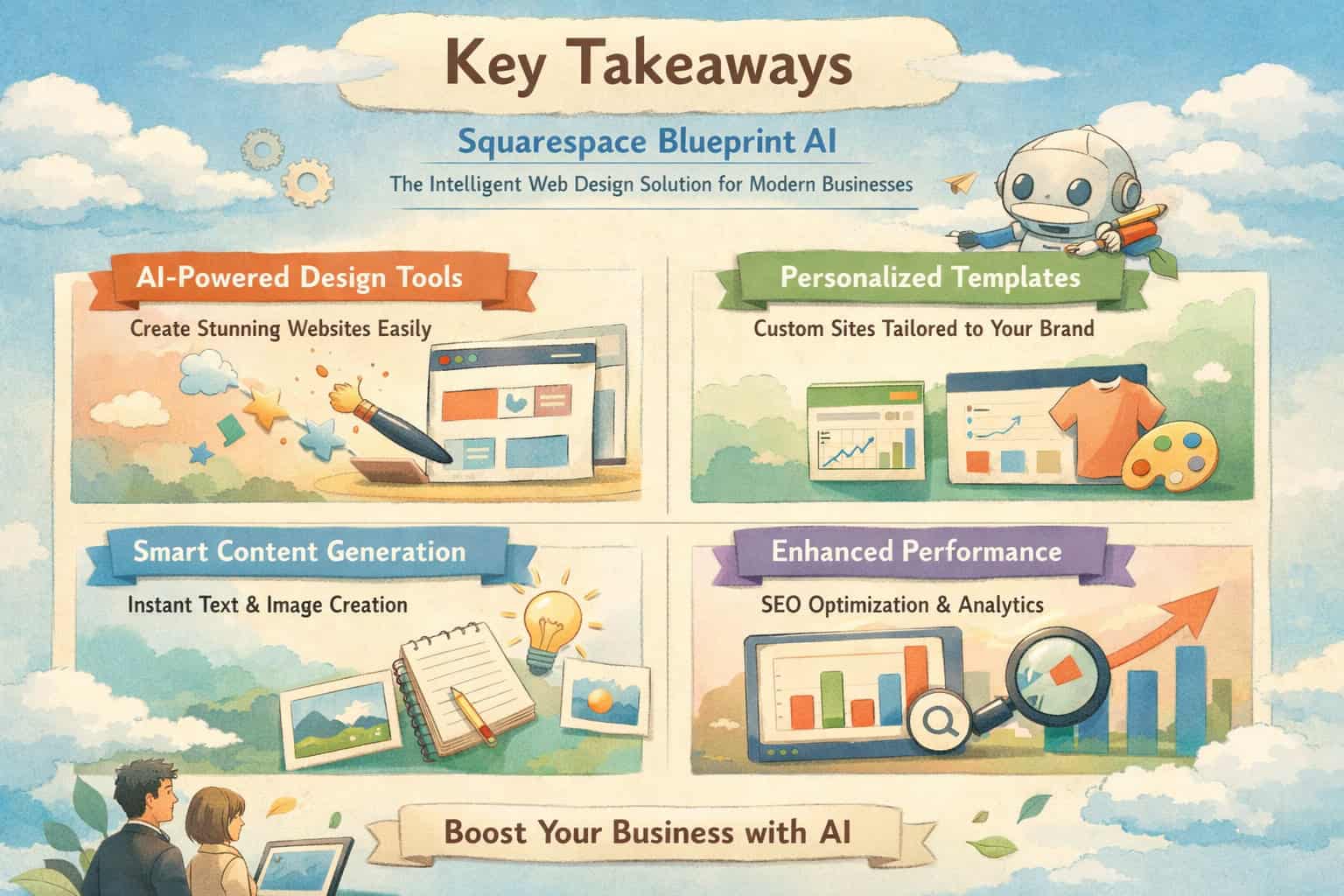
- Blueprint AI Builder (formerly called Blueprint AI) is part of Squarespace’s Design Intelligence ecosystem, launched in September 2024 [1]
- The tool draws from 1.4 billion+ possible design combinations to produce a unique starting point tailored to your business [1]
- Most users complete the guided setup in under 10 minutes, eliminating the blank-page problem common with traditional builders [1]
- Unlike fully automated AI builders, Blueprint keeps you in control — the AI recommends, you decide [1]
- After setup, you get full access to Squarespace’s Fluid Engine editor for deep customization [1]
- The tool currently works on desktop only for initial setup, though generated sites are fully mobile-responsive [1]
- Blueprint integrates with ChatGPT (via Squarespace GPT) and has a partnership with Perplexity/Comet for expanded AI support [1]
- The broader Design Intelligence suite includes Beacon AI (business assistant) and an AIO Scanner for SEO auditing [1]
What Exactly Is Squarespace Blueprint AI Builder?
Squarespace Blueprint AI Builder is an AI-powered website creation tool that guides users through a structured setup process to generate a professional, customized website in minutes. It is not a fully autonomous AI that builds your site without input — instead, it acts as an intelligent design partner that narrows down billions of possible configurations based on your answers.
The tool was originally called “Blueprint AI” but Squarespace renamed it to “Blueprint AI Builder” in 2026 to better reflect what it actually does [1]. If you’ve seen older articles referencing “Blueprint AI,” they’re describing the same product.
Here’s what makes it different from other AI website builders:
- Most AI builders make all design decisions for you and hand you a finished product
- Blueprint AI Builder presents curated options at each step and lets you choose
- You stay in the driver’s seat while the AI handles the heavy lifting of design logic
This approach matters because it produces a site that genuinely reflects your brand, not just a generic template with your logo swapped in.
Blueprint AI Builder sits inside Squarespace’s broader Design Intelligence platform, which launched in September 2024 and combines more than 20 years of Squarespace’s accumulated design expertise with modern AI capabilities [1][6]. Think of Design Intelligence as the umbrella, and Blueprint AI Builder as its flagship feature.
Who Should Use Squarespace Blueprint AI: The Intelligent Web Design Solution for Modern Businesses?
Blueprint AI Builder works best for small business owners, freelancers, and entrepreneurs who need a professional website quickly and don’t want to hire a web designer or spend weeks learning a complex platform.
Best fit for:
- 🏪 Small business owners (restaurants, boutiques, service providers)
- 📸 Creative professionals (photographers, designers, musicians)
- 💼 Consultants and freelancers building a portfolio or lead-generation site
- 🛒 E-commerce sellers launching an online store
- 🌱 Startups that need a credible web presence fast
Less ideal for:
- Developers who want full code-level control (Webflow or custom WordPress may suit them better — see our guide to no-coding website design software platforms for a broader comparison)
- Businesses with highly complex, custom functionality requirements
- Users who need to manage the setup process from a mobile device (desktop required for initial setup) [1]
Choose Blueprint aI Builder if you want a polished, brand-consistent website without a steep learning curve, and you’re comfortable making style decisions through a guided questionnaire rather than building from scratch.
How Does the Blueprint AI Builder Setup Process Work?
The setup process takes most users fewer than 10 minutes from start to a working website draft [1]. Here’s how it flows:
Step 1: Describe your business You answer questions about your business type, industry, and primary goals. The AI uses this to filter relevant layouts and features.
Step 2: Choose your style Blueprint presents curated color palettes, font pairings, and visual styles. You pick what fits your brand. The AI doesn’t guess — it shows you options drawn from its 1.4 billion+ design combinations [1].
Step 3: Select your pages You choose which pages your site needs (Home, About, Services, Contact, Shop, Blog, etc.). Blueprint builds a logical page structure around your choices.
Step 4: Preview and refine A full website draft appears. You can review the layout, check how content sections are organized, and make adjustments before committing.
Step 5: Enter the Fluid Engine editor Once you accept the draft, you gain complete access to Squarespace’s Fluid Engine editor. From here, you can change layouts, add or remove pages, write your actual content, add custom CSS, and connect third-party integrations [1].
💡 Pro tip: Don’t stress over getting every style choice perfect during setup. The Fluid Engine editor gives you full control afterward, so the initial blueprint is just your starting point — not a locked-in design.
One important limitation: The guided setup experience is desktop-only. You can’t run through Blueprint AI Builder on a phone or tablet. However, once your site is generated, it’s fully mobile-responsive, and you can make edits through the Squarespace mobile app [1].

What Features Come With the Design Intelligence Ecosystem?
Squarespace Blueprint AI Builder is the entry point, but the Design Intelligence suite includes several additional tools that extend its value well beyond initial site creation [6].
Beacon AI: Your 24/7 Business Assistant
Beacon AI is an AI-powered business assistant built directly into the Squarespace dashboard [1]. It helps with:
- Generating business reports
- Managing tasks and reminders
- Answering questions about your site’s performance
- Streamlining day-to-day workflow from one central location
For small business owners who wear many hats, Beacon AI acts like a lightweight operations assistant — without the overhead of additional software.
AIO Scanner: AI-Powered Site Auditing
The AIO Scanner reviews your website and identifies opportunities for improvement [1]. It integrates with Squarespace’s SEO dashboard, which means you can spot technical issues, content gaps, and optimization opportunities without leaving the platform. This is especially useful if you’re not an SEO expert but want your site to perform well in search results.
For more advanced SEO strategies beyond the built-in tools, our guide on AI-powered content optimization covers practical techniques that pair well with Squarespace’s native features.
ChatGPT and Perplexity Integrations
Blueprint AI Builder connects with external AI platforms in two notable ways:
- Squarespace GPT: Users can describe their business in ChatGPT, which generates a site preview and then transfers them directly into Blueprint AI Builder to finalize the design [1]
- Perplexity/Comet partnership (launched October 2025): Squarespace partnered with Perplexity to provide website-building support through Perplexity’s browser environment [1]
These integrations mean you can start the website creation process from tools you may already use, then land in Blueprint AI Builder to complete it.
How Does Blueprint AI Builder Compare to Other AI Website Builders?
Blueprint AI Builder stands out primarily because of its user-directed design philosophy. Most competing AI builders automate the entire process and deliver a finished site. Blueprint gives you structured choices at every step.
| Feature | Squarespace Blueprint AI | Wix ADI | Webflow AI | WordPress + AI plugins |
|---|---|---|---|---|
| Setup time | Under 10 minutes | Under 10 minutes | Longer learning curve | Variable |
| Design combinations | 1.4 billion+ [1] | Template-based | Template-based | Theme-dependent |
| User control during setup | High (guided choices) | Low (mostly automated) | Very high (technical) | High (but complex) |
| Post-setup editing | Fluid Engine (visual) | Wix Editor | Full code + visual | Full code access |
| AI business tools | Beacon AI, AIO Scanner | Wix AI tools | Limited | Plugin-dependent |
| Desktop-only setup | Yes [1] | No | No | No |
| Best for | SMBs, creatives | Beginners | Developers | Power users |
The honest tradeoff: Blueprint AI Builder is not the most powerful option for developers or businesses with complex custom needs. But for the target audience — small businesses, freelancers, and creatives — it hits a sweet spot between ease of use and design quality that competitors rarely match.
If you’re evaluating broader options, the 10 best drag-and-drop website builders reviewed in 2026 provides a thorough comparison across platforms.

What Are the Real Strengths and Limitations of Squarespace Blueprint AI: The Intelligent Web Design Solution for Modern Businesses?
Understanding both sides honestly will help you decide if this tool fits your situation.
Strengths
✅ Speed without sacrifice: Getting from zero to a professional-looking website draft in under 10 minutes is genuinely useful, especially for business owners who’ve been putting off building a site for months [1].
✅ Design quality: Squarespace has always been known for visual polish. Blueprint AI Builder inherits that reputation — the generated sites look professional out of the box, not like generic templates.
✅ User control: The guided-choice model means you’re not just accepting whatever the AI decides. You pick colors, fonts, page structure, and layout style. The result feels intentional.
✅ 1.4 billion combinations: This isn’t marketing fluff — the sheer number of possible configurations means two businesses in the same industry can end up with distinctly different sites [1].
✅ Integrated ecosystem: Beacon AI, the AIO Scanner, and third-party AI integrations (ChatGPT, Perplexity) make Blueprint part of a broader business management environment, not just a one-time setup tool [1][6].
Limitations
❌ Desktop-only setup: You can’t run the initial Blueprint AI Builder experience on mobile. For users who primarily work from phones or tablets, this is a real friction point [1].
❌ No conversational chat (yet): Squarespace has hinted at a future feature where you could describe your vision in natural language and the AI would respond conversationally. As of 2026, this isn’t available [1].
❌ Squarespace pricing applies: Blueprint AI Builder is part of Squarespace’s subscription model. It’s not a free standalone tool — you’ll need a Squarespace plan to publish and maintain your site.
❌ Limited for complex builds: If your business needs custom database functionality, complex membership systems, or highly specific integrations, Blueprint AI Builder’s output will require significant additional development work.
How Does Blueprint AI Builder Handle SEO and Content?
Blueprint AI Builder generates the structural foundation of your site — layouts, sections, and page hierarchy — but it doesn’t write your final content for you. You’ll add your actual copy, images, and product details after the initial generation.
For SEO, the Design Intelligence suite’s AIO Scanner helps identify improvement areas once your site is live [1]. Squarespace also provides built-in SEO tools including:
- Customizable meta titles and descriptions per page
- Automatic sitemap generation
- Clean URL structures
- SSL certificates included on all plans
- Mobile-responsive design (which Google’s algorithm rewards)
Common mistake: Many users complete the Blueprint setup and then publish their site with placeholder content still in place. Always replace every placeholder text block and image before going live. Search engines index placeholder content, which can hurt your rankings and credibility.
For a deeper look at how AI tools can support your content strategy beyond site setup, our comprehensive guide to AI-powered content generation tools is worth reading alongside Blueprint’s built-in features.
If you’re also exploring how AI can support your broader design workflow, tools like Canva’s AI design assistant and Figma AI workflow automation complement Blueprint well for creating supporting visual assets.

What Does the Future of Squarespace Blueprint AI Look Like?
Squarespace is actively expanding the Design Intelligence ecosystem, and Blueprint AI Builder is central to that roadmap.
Confirmed or strongly signaled developments:
- Conversational chat interface: Squarespace has publicly teased a natural language mode where users describe their vision in plain text and the AI responds dynamically. This would be a significant upgrade from the current guided-questionnaire model [1]
- Perplexity/Comet integration (live since October 2025): This partnership extends Blueprint’s reach into AI-native browsing environments, letting users start the website creation process from within Perplexity’s browser [1]
- Continued Design Intelligence expansion: Squarespace’s September 2024 launch of Design Intelligence positioned it as an ongoing platform, not a one-time feature release. Expect regular additions to Beacon AI and the AIO Scanner [1][6]
The broader trend in AI website building is moving toward more conversational, context-aware tools. Blueprint AI Builder’s current guided approach is strong, but the addition of natural language input would make it accessible to an even wider audience.
For context on where AI-assisted design is heading more broadly, our coverage of the best AI graphic design tools for creative workflows tracks parallel developments across the design tool landscape.
Step-by-Step Checklist: Getting the Most from Blueprint AI Builder
Use this checklist before, during, and after your Blueprint AI Builder setup to get the best result.
Before you start:
- Gather your brand colors (hex codes if you have them) and any existing logo files
- Write a one-paragraph description of your business and target audience
- List the pages you need (Home, About, Services, Portfolio, Contact, Shop, etc.)
- Collect 5-10 high-quality images that represent your brand
During setup:
- Answer business-type questions specifically — the more precise, the better the AI’s recommendations
- Take time on the style selection step; this shapes the entire visual direction
- Choose only the pages you actually need — you can add more later
- Review the full preview before accepting the draft
After generation:
- Replace all placeholder text with your real content
- Upload your actual brand images (remove all stock placeholders)
- Set custom meta titles and descriptions for every page
- Connect your domain
- Run the AIO Scanner to identify any immediate improvement opportunities
- Test the site on multiple devices before publishing

Frequently Asked Questions
Q: Is Squarespace Blueprint AI Builder free to use? A: The Blueprint AI Builder setup tool is accessible during Squarespace’s trial period, but publishing and maintaining your site requires a paid Squarespace subscription plan. Pricing varies by plan tier.
Q: How is Blueprint AI Builder different from a regular Squarespace template? A: Templates give you a fixed starting layout that you customize manually. Blueprint AI Builder generates a personalized starting point based on your specific business type, goals, and style preferences — drawing from 1.4 billion possible combinations rather than a fixed template library [1].
Q: Can I use Blueprint AI Builder on my phone? A: No. The initial guided setup is desktop-only. However, once your site is generated, it’s fully mobile-responsive and you can make edits through the Squarespace mobile app [1].
Q: Does Blueprint AI Builder write my website content for me? A: No. It generates the layout, structure, and design framework. You write and add your actual content — text, images, and product details — after the initial generation.
Q: What is Beacon AI, and is it included with Blueprint? A: Beacon AI is a 24/7 business assistant integrated into the Squarespace dashboard. It’s part of the Design Intelligence ecosystem, the same platform that includes Blueprint AI Builder [1]. Availability depends on your Squarespace plan.
Q: Can I switch templates after using Blueprint AI Builder? A: Squarespace’s Fluid Engine editor gives you extensive layout control after generation, but switching to a completely different design system would require starting over. It’s best to get your style preferences right during the Blueprint setup.
Q: What is the AIO Scanner? A: The AIO Scanner is an AI-powered audit tool within Design Intelligence that reviews your website and surfaces improvement opportunities, integrating with Squarespace’s SEO dashboard [1].
Q: How does the ChatGPT integration work? A: Through Squarespace GPT, you describe your business in ChatGPT, which generates a site preview. You’re then transferred directly into Blueprint AI Builder to finalize and customize the design [1].
Q: Is Blueprint AI Builder good for e-commerce sites? A: Yes. Squarespace has strong e-commerce capabilities, and Blueprint AI Builder can generate an online store structure as part of the setup process. You’ll add your actual products and payment settings afterward.
Q: What happened to the original “Blueprint AI” name? A: Squarespace renamed it to “Blueprint AI Builder” in 2026 to better reflect its functionality. The product is the same [1].
Q: Can I use Blueprint AI Builder if I already have an existing Squarespace site? A: Blueprint AI Builder is primarily designed for new site creation. If you have an existing site, you’d use the Fluid Engine editor directly for modifications rather than running through the Blueprint setup again.
Q: How does Blueprint AI Builder compare to building a site with Webflow or WordPress? A: Blueprint is significantly faster and easier for non-technical users. Webflow and WordPress offer more customization depth and code-level control, but both have steeper learning curves. Blueprint is the right choice if speed and ease matter more than maximum technical flexibility.
Conclusion: Should You Use Squarespace Blueprint AI Builder in 2026?
Squarespace Blueprint AI: The Intelligent Web Design Solution for Modern Businesses delivers on its core promise — getting a professional, brand-aligned website off the ground fast, without requiring design expertise or technical skills.
The 1.4 billion design combinations, sub-10-minute setup, and user-directed approach make it genuinely useful for small businesses, freelancers, and creatives who need a credible web presence without a large budget or timeline [1]. The integration with Beacon AI, the AIO Scanner, and external platforms like ChatGPT and Perplexity adds real ongoing value beyond the initial build [1][6].
Actionable next steps:
- Start a free Squarespace trial and run through the Blueprint AI Builder setup — it costs nothing to see what it generates for your business
- Prepare your brand assets (logo, colors, key images) before you begin so the setup goes smoothly
- Use the AIO Scanner after publishing to catch SEO and performance issues early
- Explore Beacon AI for day-to-day business task management from your dashboard
- Keep an eye on the conversational chat feature — when it launches, it will make the setup process even more intuitive
Blueprint AI Builder isn’t the right tool for every situation. Developers and businesses with complex custom needs will outgrow it quickly. But for the majority of small businesses that just need a great-looking, functional website without the headaches — it’s one of the strongest options available right now.
References
[1] Squarespace Blueprint AI Builder Review – https://www.feisworld.com/blog/squarespace-blueprint-ai-builder-review [2] Watch – https://www.youtube.com/watch?v=vvxA4t7uDF0 [3] Using Squarespace AI – https://support.squarespace.com/hc/en-us/articles/16282290976013-Using-Squarespace-AI [4] Refresh – https://www.squarespace.com/refresh [5] AI Website Builder – https://www.squarespace.com/websites/ai-website-builder [6] Design Intelligence – https://www.squarespace.com/design-intelligence [7] Squarespace Blueprint AI Short – https://www.youtube.com/shorts/fefvtKFQVtM
Related: AI Magic: Crafting the Perfect Christmas Photo with ChatGPT's Creative Tools