Last updated: May 1, 2026
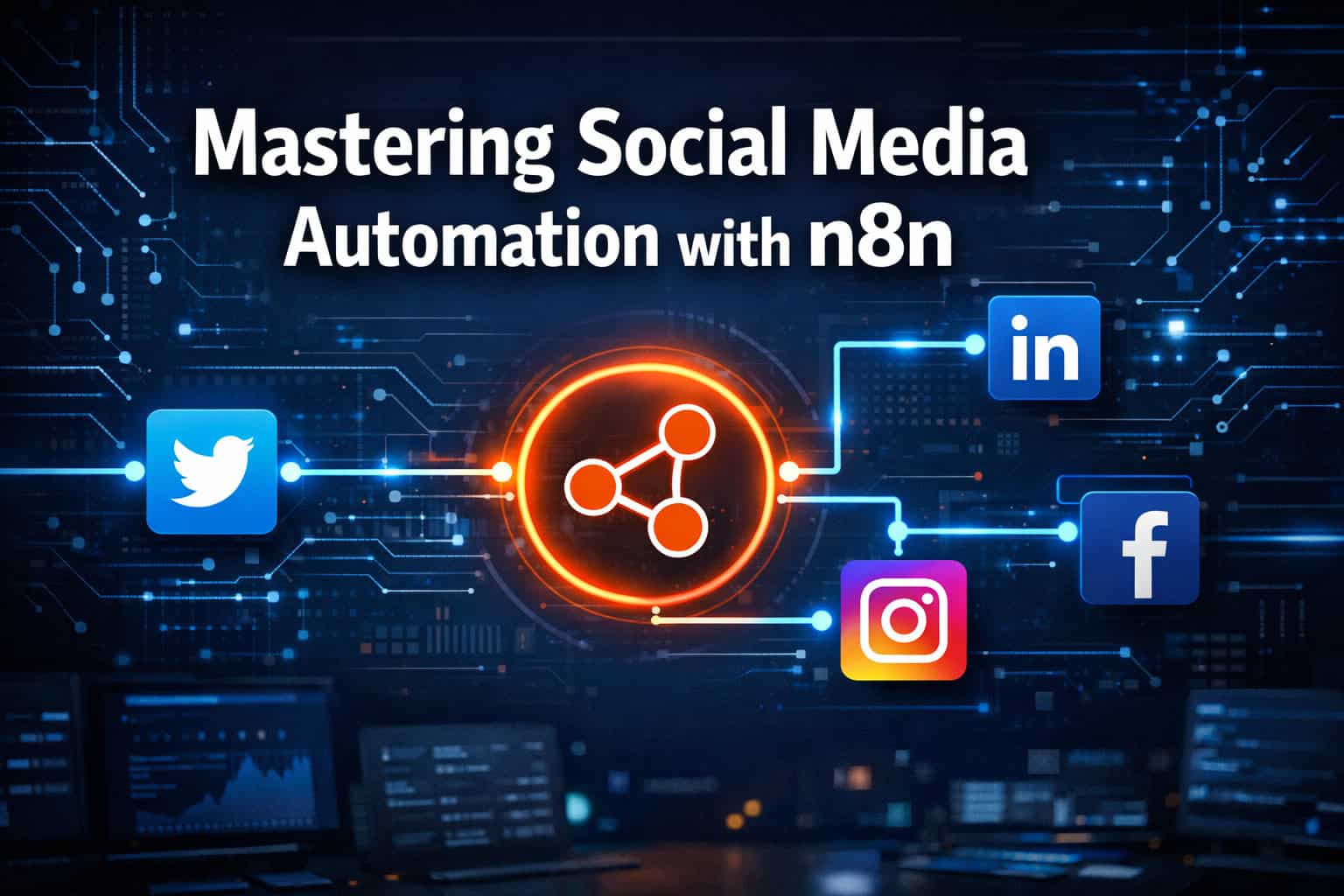
Quick Answer: n8n is a free, open-source workflow automation tool that lets marketers schedule, generate, and publish social media content across multiple platforms without writing complex code. By connecting triggers, AI tools like Google Gemini, and platform APIs, you can build a fully automated social media pipeline in a few hours. This guide covers setup, workflow design, AI content generation, and common mistakes to avoid.
Key Takeaways
- n8n is free to self-host and has a growing library of pre-built marketing workflow templates [5]
- A basic social media automation workflow needs four components: a trigger, a content generator, an approval step, and a posting action
- n8n can post to Twitter/X, LinkedIn, Facebook, and Instagram from a single workflow [8]
- AI tools like Google Gemini can generate captions and images inside n8n workflows [4]
- You don’t need coding skills to build most workflows, but understanding JSON helps
- Self-hosting n8n gives you full data control; the cloud version is easier to start with
- Common mistakes include skipping error handling, ignoring platform rate limits, and posting without a human review step
- n8n’s community template library is a fast shortcut for marketers new to automation [5]

What Is n8n and Why Should Marketers Care About It?
n8n is an open-source, node-based workflow automation platform that connects apps, APIs, and AI tools without requiring deep programming knowledge. For marketers, it means you can automate repetitive social media tasks, from scheduling posts to generating AI captions, without paying per-task fees that tools like Zapier charge at scale.
Why it stands out for social media work:
- Self-hostable: Run it on your own server and keep full control of your data and credentials
- Free at its core: The community edition costs nothing; you pay only for cloud hosting if you choose that route
- Flexible integrations: Native nodes exist for major platforms, and HTTP Request nodes cover anything else
- AI-ready: n8n connects directly to OpenAI, Google Gemini, Anthropic, and other AI APIs [4]
Choose n8n if you manage multiple social accounts, want to avoid per-task pricing, or need custom logic that drag-and-drop tools can’t handle. Stick with simpler tools (Buffer, Later) if you just need a scheduling calendar and don’t want to manage any infrastructure.
How Does a Social Media Automation Workflow Actually Work in n8n?
A working n8n social media workflow has four core stages that run in sequence. Understanding this structure is the foundation of Mastering Social Media Automation: The Ultimate n8n Tutorial for Marketers in 2026.
The four stages:
- Trigger — Something starts the workflow. This is usually a Schedule Trigger (e.g., every Monday at 9 AM) or a Webhook that fires when a new blog post is published.
- Content generation — An AI node (Google Gemini, OpenAI) creates captions, hashtags, or even images based on a prompt or source content.
- Approval (optional but recommended) — A human review step via email or Slack before the post goes live. Skip this only for low-risk, evergreen content.
- Posting action — HTTP Request nodes or native platform nodes send the content to Twitter/X, LinkedIn, Facebook, and Instagram [8].
Common mistake: Skipping the approval step to save time. Even a 30-second Slack notification that lets you cancel a bad post is worth building in, especially when AI is generating the copy.
The best automation workflows aren’t the ones that run the fastest — they’re the ones that fail gracefully and keep a human in the loop at the right moment.
Setting Up n8n for the First Time: Self-Host vs. Cloud
Direct answer: Most marketers should start with n8n Cloud (n8n.io) to avoid server setup friction. If you process sensitive client data or need to scale to hundreds of workflow runs per day, self-hosting on a VPS is the better long-term choice.
Self-Hosting Setup (Quick Steps)
- Provision a VPS (DigitalOcean, Hetzner, or AWS Lightsail work well — budget $6–12/month)
- Install Docker on the server
- Run the official n8n Docker image:
docker run -it --rm --name n8n -p 5678:5678 n8nio/n8n - Set environment variables for your database, encryption key, and webhook URL
- Point a domain to your server and enable HTTPS via Let’s Encrypt
n8n Cloud Setup (Easier Start)
- Sign up at n8n.io
- Choose a plan (Starter plan covers most small marketing teams)
- Access your workflow editor immediately — no server needed
For WordPress-based marketers, pairing n8n with your existing site is straightforward. You can also explore auto-sharing WordPress blog posts to social media as a complementary approach that works alongside n8n workflows.
Building Your First Multi-Platform Posting Workflow
This is the practical core of mastering social media automation. Here’s a step-by-step build for a workflow that posts to Twitter/X, LinkedIn, and Facebook from a single trigger [8].
Step 1: Create a New Workflow and Add a Schedule Trigger
- Open your n8n editor and click New Workflow
- Search for and add the Schedule Trigger node
- Set your preferred interval (daily, weekly, or custom cron expression)
Step 2: Add a Google Sheets or Airtable Node (Content Source)
- Connect a spreadsheet that holds your content queue: post text, platform targets, image URLs
- The node reads the next unpublished row each time the workflow runs
Step 3: Add an AI Node for Caption Generation
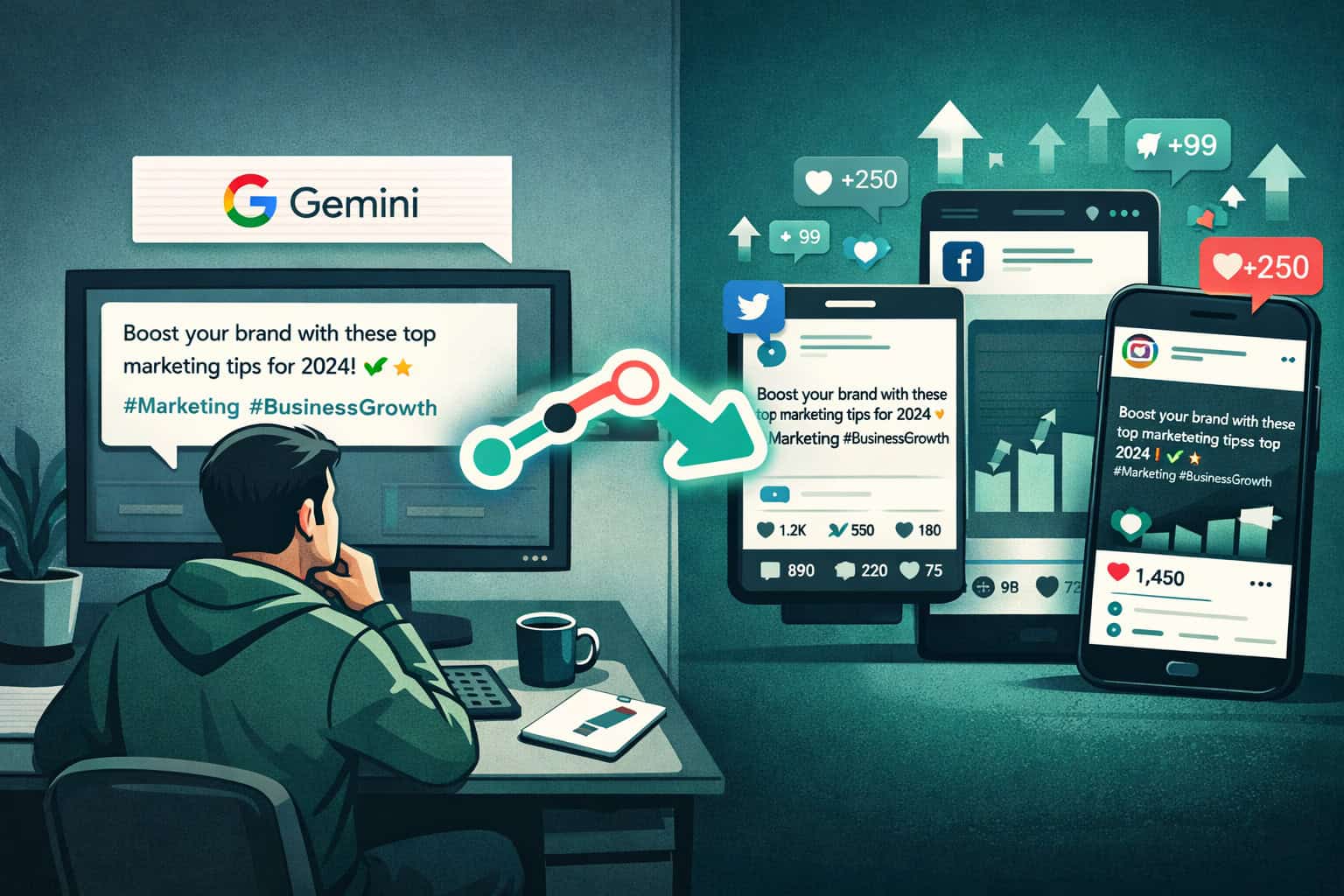
- Add a Google Gemini or OpenAI node [4]
- Pass your topic or raw notes as input
- Prompt example: “Write a 280-character Twitter post and a 150-word LinkedIn post about [topic]. Include 3 relevant hashtags for each.”
- Use a Structured Output Parser node to split the AI response into separate fields for each platform [1]
Step 4: Add Platform Posting Nodes
- Twitter/X: Use the Twitter node or an HTTP Request to the X API v2
- LinkedIn: Use the LinkedIn node (requires a LinkedIn Developer App and OAuth credentials)
- Facebook: Use the Facebook Graph API node with a Page Access Token
- Instagram: Instagram requires a Facebook Business account and the Graph API — post via HTTP Request [6]
Step 5: Add Error Handling
- Add an Error Trigger workflow that sends you a Slack or email alert when any node fails
- Set retry logic on HTTP Request nodes (2–3 retries with a 30-second delay)
Step 6: Test With Static Data Before Going Live
- Use n8n’s “Execute Node” feature to test each node individually
- Check the output panel to confirm the API response looks correct before activating the full workflow
For teams that also handle design assets, pairing this workflow with a solid visual creation process matters. See our guide on mastering graphic design for social media marketing success for tips on building a repeatable visual content system.
Using AI to Generate Social Media Content Inside n8n
AI content generation is what separates a basic scheduler from a genuinely powerful automation system. This is a key concept in Mastering Social Media Automation: The Ultimate n8n Tutorial for Marketers in 2026.
Direct answer: Connect Google Gemini or OpenAI to n8n using API credentials, then pass topic briefs or RSS feed items as input. The AI returns platform-specific captions, which you route to the correct posting node.
Practical AI Workflow Patterns
Pattern 1: Topic-to-Post
- Input: A keyword or topic from your content calendar
- AI output: Captions for Twitter, LinkedIn, and Facebook in one call
- Best for: Evergreen content, product announcements
Pattern 2: Article-to-Post (Content Repurposing)
- Input: A blog post URL or RSS feed item
- AI summarizes the article and writes platform-specific posts [4]
- Best for: Driving traffic back to long-form content
Pattern 3: Trend-Responsive Posting
- Input: A trending topic pulled from a Google Trends API or RSS feed
- AI generates a timely post with relevant hashtags
- Best for: News-adjacent brands, thought leadership accounts
Important constraint: AI-generated content still needs a style guide baked into the prompt. Without specific instructions about tone, brand voice, and what NOT to say, the output will be generic. Always include 3–5 brand voice rules in your system prompt.
For marketers who also use AI tools in their design process, AI-powered content optimization covers how to apply similar principles to written content performance.
What Are the Best n8n Workflow Templates for Social Media?
n8n’s official template library includes dozens of marketing-specific workflows that you can import and customize [5]. Starting from a template cuts setup time significantly compared to building from scratch.
Top template categories for social media marketers:
- Auto-post from RSS feed — Monitors a blog or news feed and posts updates automatically
- Content calendar automation — Reads from Google Sheets and posts on schedule
- AI caption generator — Takes a topic and returns multi-platform captions
- Engagement monitor — Tracks mentions and DMs, then alerts you via Slack
- Cross-platform repurposing — Takes a LinkedIn post and reformats it for Twitter and Instagram [1]
How to import a template:
- Go to n8n.io/workflows/categories/marketing
- Click a template and select “Use this workflow”
- Add your own API credentials to each node
- Test with sample data before activating
The community also shares free templates via YouTube tutorials [6], which often include more niche use cases like Instagram Story automation or LinkedIn newsletter scheduling.
Common Mistakes and How to Avoid Them
Even experienced marketers run into predictable problems when building social media automation workflows. Here are the ones that cause the most wasted time.
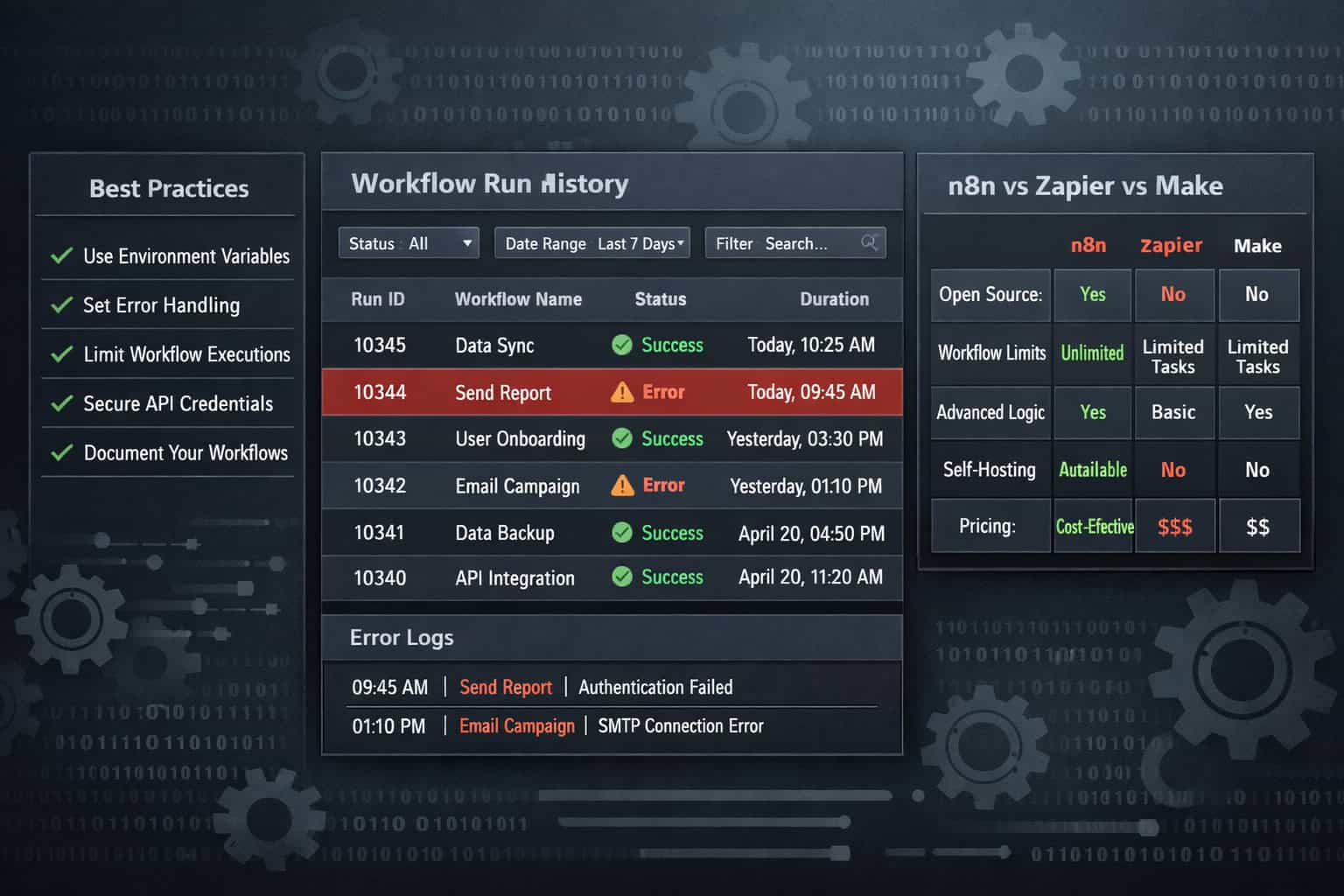
Mistake 1: Not handling API rate limits Twitter/X, LinkedIn, and Facebook all enforce rate limits. If your workflow fires too frequently, posts will fail silently. Add a Wait node between posting actions and check each platform’s current API documentation for limits.
Mistake 2: Hardcoding credentials in nodes Never paste API keys directly into node fields. Use n8n’s built-in Credentials manager, which encrypts and stores keys securely.
Mistake 3: No error notification system A workflow that fails at 2 AM won’t tell you unless you build an alert. Set up an Error Trigger workflow that sends a Slack message with the error details and the workflow name.
Mistake 4: Posting identical content across all platforms Copy-pasting the same text to Twitter, LinkedIn, and Instagram ignores each platform’s character limits, tone expectations, and algorithm preferences. Use the AI node to generate platform-specific variations from a single brief.
Mistake 5: Skipping the test phase Always run your workflow with test data before activating it. n8n’s “Execute Workflow” button lets you run it once manually and inspect every node’s input/output before it goes live.
For teams running automation alongside broader WordPress-based marketing stacks, advanced WordPress strategies for power users covers complementary automation approaches worth reviewing.
n8n vs. Zapier vs. Make: Which Should Marketers Choose?
Direct answer: For social media automation at scale, n8n wins on cost and flexibility. Zapier is better for non-technical users who need simple two-step automations. Make (formerly Integromat) sits in the middle.
Choose n8n if: You run more than 1,000 automation tasks per month, need AI-generated content, or want to self-host for data privacy.
Choose Zapier if: Your team has no technical resources and you need something working in under an hour.
Choose Make if: You want a visual workflow builder with moderate complexity and don’t want to manage a server.
For marketers exploring broader automation options beyond social media, the Automation Archives on WebAiStack covers tools and strategies across the full marketing stack.
Frequently Asked Questions
Q: Do I need coding skills to use n8n for social media automation? No. Most social media workflows use drag-and-drop nodes with no code required. Basic JavaScript knowledge helps for edge cases, like parsing unusual API responses, but it’s not a requirement for 80% of use cases. [10]
Q: Is n8n really free? The self-hosted community edition is free with no usage limits. The cloud version has a free trial, then paid plans starting around $20/month. You’ll also pay for your own server if you self-host (typically $6–15/month).
Q: Can n8n post images to Instagram automatically? Yes, but it requires a Facebook Business account, a connected Instagram Professional account, and access to the Instagram Graph API. The process is more involved than Twitter or LinkedIn, but it works reliably once set up. [6]
Q: How do I keep my API keys secure in n8n? Use n8n’s built-in Credentials system. Never paste keys directly into node fields. The Credentials manager encrypts keys and lets you reuse them across multiple workflows without exposing the raw values.
Q: What happens if a posting node fails mid-workflow? Without error handling, the workflow stops and you won’t know. With an Error Trigger workflow configured, you’ll get an immediate alert. You can also set individual nodes to retry automatically 2–3 times before throwing an error.
Q: Can I use n8n to respond to comments or DMs automatically? Yes, with Webhook triggers and platform API nodes. However, auto-responding to DMs carries risk (spam violations, tone mismatches). Most marketers use n8n to alert a human when a DM arrives, rather than responding automatically.
Q: How many social accounts can one n8n workflow handle? Technically unlimited, but each account needs its own set of credentials. A single workflow can loop through multiple accounts using an n8n Split In Batches node combined with account-specific credential variables.
Q: Where can I find pre-built n8n templates for social media? The official template library at n8n.io/workflows/categories/marketing has curated marketing workflows [5]. Community creators also share templates via YouTube tutorials [1][6].
Q: Is n8n suitable for agency use with multiple clients? Yes. n8n’s self-hosted version lets you manage multiple client workflows on one instance. Use separate credentials and clearly named workflows per client. Consider n8n’s enterprise plan if you need role-based access control.
Q: How does n8n compare to Buffer or Hootsuite? Buffer and Hootsuite are scheduling tools with simple interfaces. n8n is a workflow automation platform — it’s more complex but far more flexible. Use Buffer if you just need a content calendar; use n8n if you want AI generation, multi-step logic, and custom integrations.
Conclusion: Your Next Steps for Social Media Automation with n8n
Mastering social media automation with n8n is a realistic goal for any marketer willing to invest a few hours in setup. The payoff — consistent posting, AI-generated content, and zero manual copy-pasting — compounds over time.
Your immediate action plan:
- This week: Sign up for n8n Cloud (free trial) and complete the intro tutorial [10]
- Days 2–3: Import a pre-built social media template from the marketing library [5] and connect your first platform
- Days 4–5: Add an AI content generation node and test it with 5 sample posts
- Day 6: Build your error notification workflow before going live
- Week 2: Activate the workflow, monitor the first 10 runs, and adjust based on what you see
Start with one platform and one content source. Add complexity only after the basic loop is working reliably. The marketers who get the most from n8n aren’t the ones who build the most elaborate workflows on day one — they’re the ones who build simple, reliable systems and expand them gradually.
For related reading, the Social Media Archives on WebAiStack covers platform-specific strategies, and the Automation Archives has broader workflow guides to complement what you’ve built here.
References
[1] Automate Social Media Posts with n8n – https://www.youtube.com/watch?v=lZ-OiJHAdd8 [2] Watch – https://www.youtube.com/watch?v=-Oc_HfreJJE [3] Watch – https://www.youtube.com/watch?v=jPOYxQF25ws [4] How To Automate Your Social Media with AI + n8n – https://www.youtube.com/watch?v=21NbDScIhaM [5] n8n Marketing Workflow Templates – https://n8n.io/workflows/categories/marketing/ [6] N8N Instagram Automation Guide – https://www.youtube.com/watch?v=m02TeQ9kHVo [7] Watch – https://www.youtube.com/watch?v=AURnISajubk [8] Get PROFESSIONAL Results with N8N Social Media Automation – https://www.youtube.com/watch?v=ILn6FIl25rw [9] Watch – https://www.youtube.com/watch?v=bKX8t3QA04s [10] n8n Advanced AI Intro Tutorial – https://docs.n8n.io/advanced-ai/intro-tutorial/
Related: Revolutionize Your Email Marketing: Mastering Newsletter Creation with ChatGPT
Related: ChatGPT Accuracy Unveiled: A Comprehensive Analysis of AI Language Model Performance
Related: Mastering ChatGPT Prompts: The Ultimate Guide to Unlocking AI's Full Potential
Related: 5 Game-Changing Claude AI Plugins to Transform Your Team's Workflow
Related: Mastering the Claude API: A Comprehensive Guide for Developers in 2026