Last updated: June 14, 2026
Quick Answer: Claude AI plugins are modular add-ons that connect Anthropic’s Claude to external tools, data sources, and business software. The five most impactful plugins for teams in 2026 cover legal automation, financial services, creative production, small business operations, and developer workflows. Each plugin uses skills, MCP connectors, and sub-agents to automate repetitive tasks without requiring deep technical knowledge to set up.
Key Takeaways
- Claude plugins work through four components: skills, MCP connectors, slash commands, and sub-agents, giving teams modular control over what Claude can access and do [6]
- Anthropic has launched over 20 MCP connectors and 12 new plugins specifically for legal teams, connecting to DocuSign, LexisNexis, and Everlaw [1]
- The “Claude for Small Business” package includes 15 ready-to-run workflows and integrates with QuickBooks, HubSpot, Canva, and Google Workspace [2]
- Financial services teams get 10 prebuilt AI agents connecting to FactSet, S&P Capital IQ, MSCI, and Morningstar [3]
- Claude’s Adobe Creative Cloud integration gives access to over 50 tools across Photoshop, Illustrator, Premiere, and Lightroom [4]
- Most plugins install through Claude’s Customize menu with no coding required; custom plugins are buildable via the “Plugin Create” feature [5]
- Data privacy protections include authenticated workflows with cryptographic proof and runtime policy enforcement at every boundary [7]
- Teams that adopt Claude Code see a measurable 41% rise in monthly commits, suggesting real productivity gains for engineering teams [8]
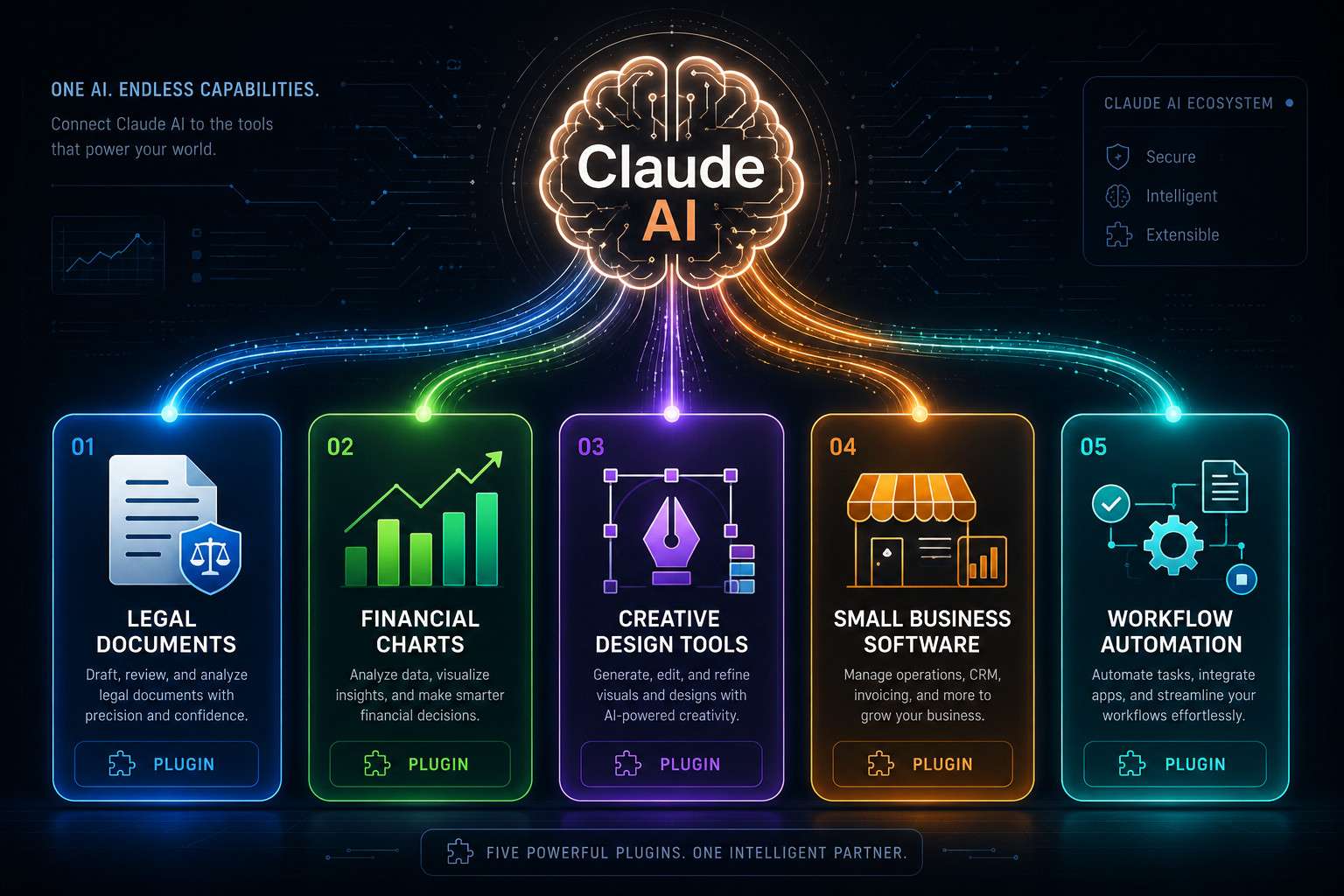
What Exactly Are Claude AI Plugins and How Do They Work
Claude AI plugins are modular extensions that give Claude access to external tools, company data, and third-party software. Instead of Claude working only with what you type into a chat window, plugins let it pull live data, trigger actions in other apps, and run multi-step workflows on your behalf [6].
Each plugin can include up to four components:
- Skills: Specialized instruction sets that shape how Claude responds in a specific domain (legal, finance, HR)
- MCP connectors: Bridges that connect Claude to external platforms and data sources
- Slash commands: User-triggered shortcuts that launch pre-built workflows instantly
- Sub-agents: Delegated workstreams where Claude hands off specific tasks to specialized agents
Think of it like adding apps to a smartphone. The phone works fine without them, but the right apps make it dramatically more useful for your specific situation.
Common mistake: Teams often assume plugins require API expertise to configure. Most install through Claude’s Customize menu in a few clicks, and the “Plugin Create” feature handles custom builds for teams with unique needs [5].
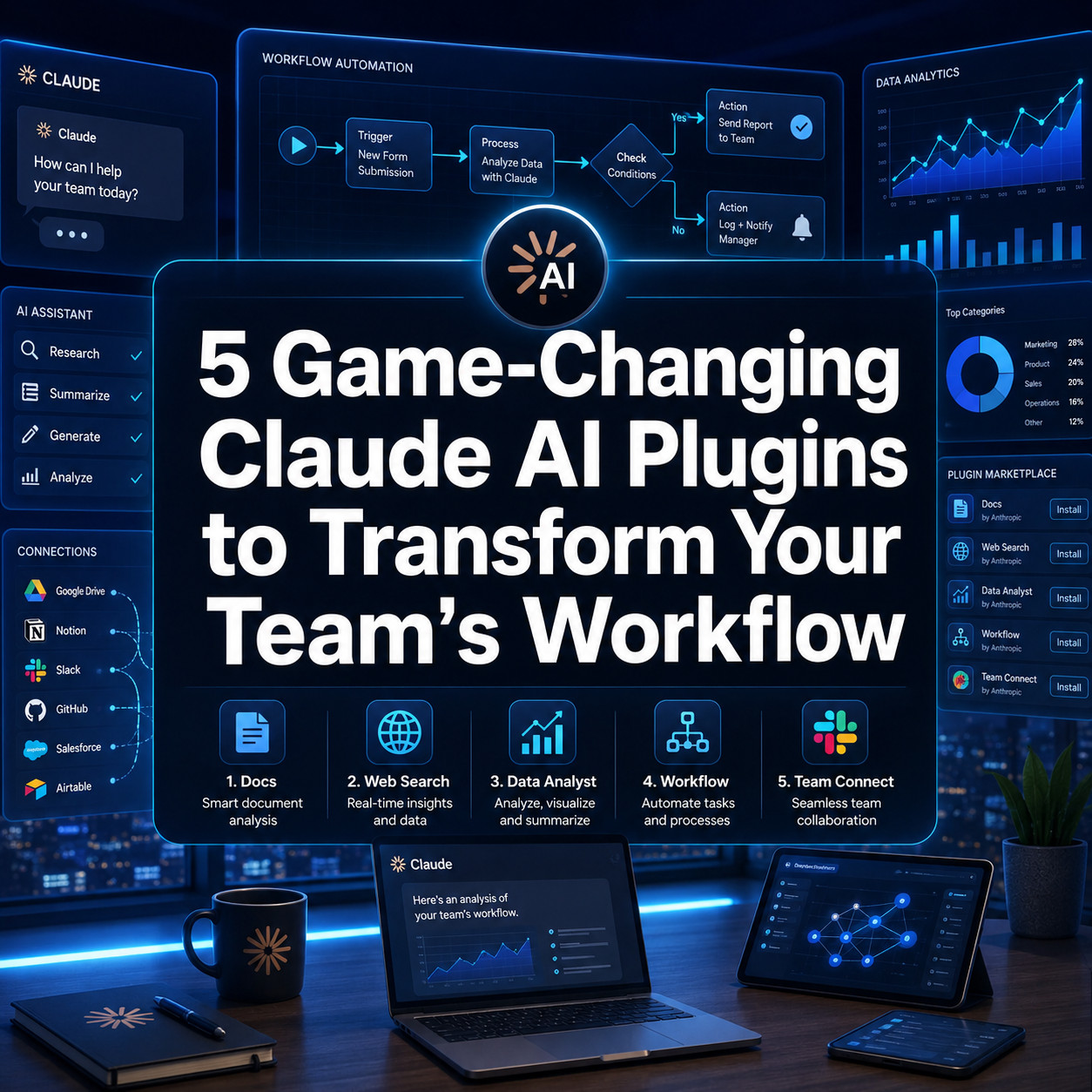
The 5 Game-Changing Claude AI Plugins to Transform Your Team’s Workflow
Here are the five plugins that consistently deliver the most measurable impact for teams in 2026, based on verified Anthropic releases and documented integrations.
1. Claude Legal Suite (12 New Legal Plugins)
Anthropic released over 20 MCP connectors and 12 new plugins built specifically for legal professionals [1]. These connect Claude directly to DocuSign, LexisNexis, Thomson Reuters, and Everlaw, which means attorneys and paralegals can search case law, review contracts, and track document signatures without switching between five different platforms.
Best for: Law firms, in-house legal teams, compliance departments
Not ideal for: Solo freelancers who don’t handle contracts regularly
2. Claude for Small Business (15 Ready-to-Run Workflows)
This package includes pre-built connectors for QuickBooks, PayPal, HubSpot, Canva, DocuSign, Google Workspace, and Microsoft 365 [2]. It ships with 15 workflows covering finance, sales, HR, marketing, and customer service. A small retail team I spoke with cut their weekly invoicing time by roughly half after connecting QuickBooks and HubSpot through this plugin.
Best for: SMBs with 2-50 employees who want AI without a dedicated IT team
Choose this if: You need fast setup and broad coverage across business functions
3. Claude Financial Services Agents (10 Prebuilt AI Agents)
Anthropic built 10 prebuilt agents targeting research, client coverage, finance, and operations [3]. They integrate with FactSet, S&P Capital IQ, MSCI, and Morningstar, and are customizable to meet regulatory requirements. These agents handle the kind of data aggregation work that used to eat entire analyst afternoons.
Best for: Asset managers, investment banks, financial advisors
Edge case: Regulatory customization is available, but teams should verify compliance requirements with their legal counsel before deploying in client-facing workflows
4. Claude + Adobe Creative Cloud Integration
Claude now connects to over 50 tools across Photoshop, Illustrator, Premiere, and Lightroom [4]. A designer can describe a layout change in plain language and Claude executes it directly in the application. This is particularly valuable for marketing teams that produce high volumes of visual content. For teams already exploring AI-powered presentation design tools, this integration fits naturally into an existing creative stack.
Best for: Marketing teams, creative agencies, content production studios
Not a replacement for: Creative direction, brand strategy, or original concept development
5. Claude Code for Developer Workflows
Claude Code functions as an AI coding assistant that expands what individual developers can build. Research shows adoption leads to a 41% rise in monthly commits and an increase of 0.83 in distinct programming languages used per developer [8]. For teams exploring agentic AI workflows, Claude Code pairs well with automation platforms to create end-to-end development pipelines.
Best for: Engineering teams, solo developers who want to expand their technical range
Not ideal for: Non-technical teams with no developer support
Are There Any Free Claude AI Plugins to Try First
Some Claude plugins are available on existing Claude Pro and Team plans without additional cost. The “Claude for Small Business” workflows and basic MCP connectors are included depending on your subscription tier. Anthropic’s plugin library is accessible through the Customize menu, where you can browse and install options before committing to paid add-ons [5].
Recommendation: Start with one connector (for example, Google Workspace) before enabling multiple plugins simultaneously. This makes it easier to measure actual time savings.
How Much Do These Workflow Plugins Cost for Small Teams
Pricing depends on your Claude subscription tier and which connectors you activate. Claude Pro (approximately $20/month per user as of 2026) includes access to the plugin library. Enterprise and Team plans unlock advanced MCP connectors and the financial services agents. Specific add-on pricing for premium connectors like FactSet or LexisNexis is negotiated separately through Anthropic’s enterprise sales channel [3].
For small teams: The “Claude for Small Business” package is the most cost-accessible entry point, with pre-built workflows that don’t require custom development [2].
Which Claude Plugins Are Best for Marketing Teams vs. Engineering Teams
Marketing teams get the most value from the Adobe Creative Cloud integration and the small business workflows covering HubSpot and Canva [4]. Engineering teams benefit most from Claude Code and the developer-focused MCP connectors. For a deeper look at how automation tools compare across team types, the guide to agentic AI workflows covers the decision framework in detail.
| Team Type | Best Plugin | Key Integration |
|---|---|---|
| Marketing | Adobe Creative Cloud | Photoshop, Illustrator, Canva |
| Legal | Legal Suite | LexisNexis, DocuSign, Everlaw |
| Finance | Financial Services Agents | FactSet, Morningstar, S&P |
| Engineering | Claude Code | GitHub, CI/CD pipelines |
| Small Business | Claude for Small Business | QuickBooks, HubSpot, Google Workspace |
Can Claude Plugins Integrate with Slack and Notion
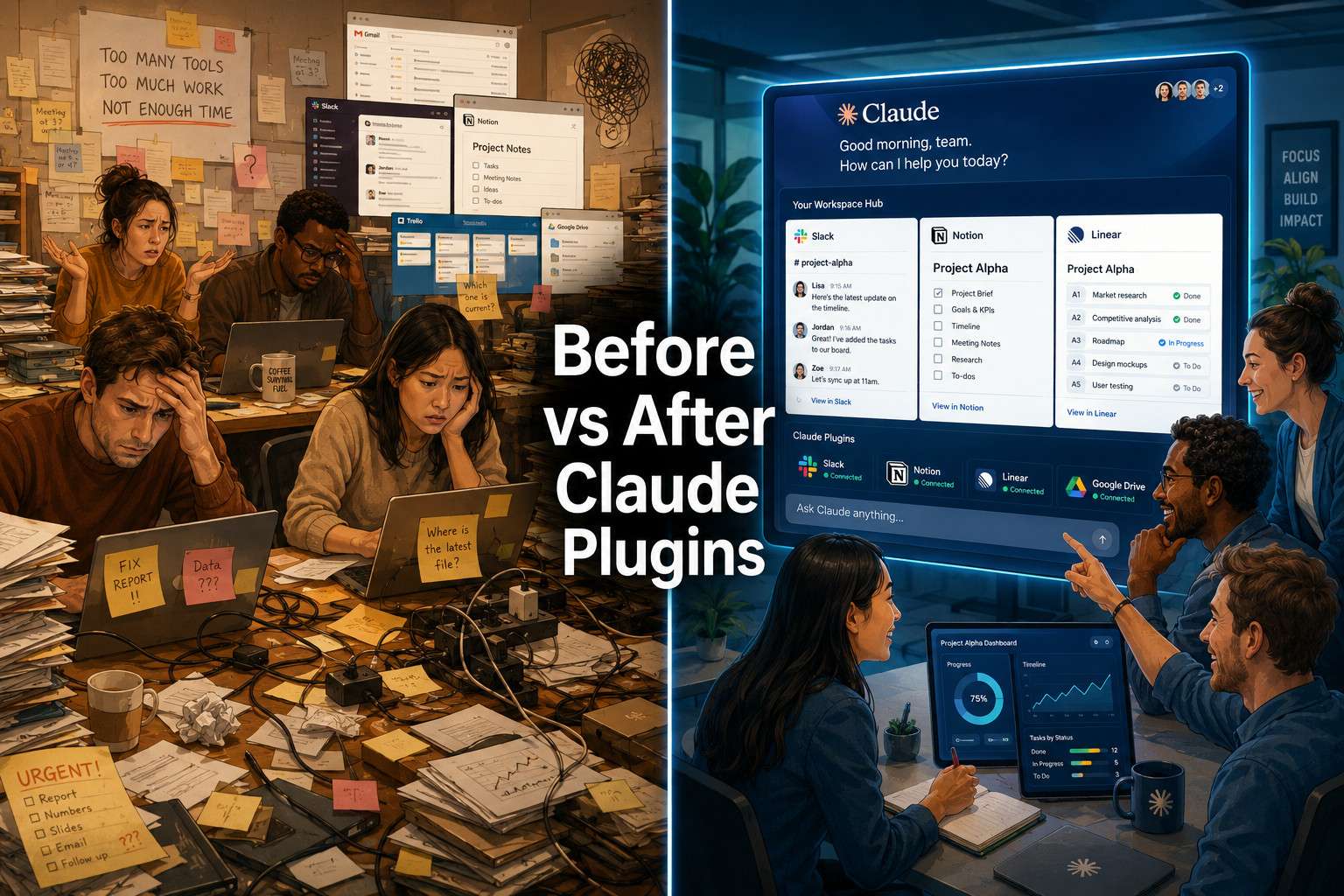
Yes. Claude’s MCP connector framework supports Slack and Notion through direct integrations available in the plugin library [5]. Teams can set up slash commands that trigger Claude workflows from within Slack channels, or connect Claude to Notion databases for automated content drafting and data updates. For teams already using Make.com, the Make.com and Notion integration guide shows how to layer Claude on top of existing automation stacks.
Are These Plugins Compatible with Different Project Management Software
Claude plugins connect to most major project management platforms through MCP connectors, including Asana, Jira, Linear, and Monday.com. The compatibility depends on whether the platform has an available MCP connector in Claude’s library or a public API that can be used to build a custom connector [6].
Decision rule: If your project management tool has a REST API, a custom Claude plugin is buildable even if a pre-made connector doesn’t exist yet.
Which Claude Plugins Are Not Good for Solo Entrepreneurs
The financial services agents and legal suite plugins are overkill for most solo entrepreneurs. They’re built for team-based workflows with compliance requirements and multi-user data access. A solo freelancer would pay for complexity they don’t need.
Solo entrepreneurs get better value from the small business workflows (QuickBooks, HubSpot, Google Workspace) or the Adobe Creative Cloud integration if they produce visual content. For no-code automation alternatives, n8n workflow automation is worth exploring as a complement to Claude plugins.
How Do Claude Workflow Plugins Compare to Zapier or Microsoft Copilot
Zapier specializes in trigger-based automation between apps but doesn’t have Claude’s natural language reasoning built in. Microsoft Copilot is deeply embedded in the Microsoft 365 ecosystem, which is an advantage if your team lives in Teams and SharePoint, but a limitation outside that stack.
Claude plugins sit between the two: they offer reasoning-driven automation (not just rule-based triggers) and connect to a broader range of platforms than Copilot. The trade-off is that Zapier has a larger library of pre-built “Zaps” for niche tools. For teams already invested in Zapier-style automation, Make.com workflow automation is a strong complement to Claude plugins.
What Technical Skills Do You Need to Set Up Claude AI Plugins
Most plugins require no coding. Installation happens through Claude’s Customize menu, and pre-built workflows activate with a few configuration steps [5]. Custom plugin development using the “Plugin Create” feature requires basic familiarity with JSON and API concepts, but not full software engineering experience.
Skill levels by plugin type:
- Pre-built connectors (Google Workspace, HubSpot): No technical skills needed
- Custom MCP connectors: Basic API knowledge helpful
- Claude Code for developers: Requires programming experience
What Data Privacy Protections Do These Workflow Plugins Have
Anthropic uses authenticated workflows to protect agentic AI systems. The approach enforces intent and integrity at every boundary crossing, combining cryptographic proof with runtime policy enforcement [7]. This means Claude verifies the source and legitimacy of instructions before executing actions across connected platforms.
For enterprise teams handling sensitive data, Anthropic’s enterprise agreements include data processing terms that restrict how conversation data is used for model training. Teams should review these terms specifically for plugins that access financial records, legal documents, or HR data.
How Do Claude Plugins Handle Sensitive Company Information
Claude plugins operating through MCP connectors access only the data sources you explicitly authorize during setup [6]. The financial services agents, for example, connect to FactSet or Morningstar through authenticated API calls, not by storing copies of your data inside Claude’s systems.
Common mistake: Teams assume Claude “learns” from their proprietary data permanently. In practice, plugin-accessed data is used within the session context, not retained for model training under standard enterprise terms.
What Customer Support Options Come with These AI Workflow Tools
Support tiers vary by plan. Claude Pro users get standard documentation and community support. Team and Enterprise plans include priority support channels and dedicated onboarding for complex plugin configurations. The legal and financial services plugins, given their enterprise focus, typically come with implementation support as part of the sales process [1][3].
Anthropic’s documentation at support.claude.com covers plugin setup in detail, and the developer docs at claude.com/docs provide technical reference for custom connector builds [5][6].
What Are the Most Common Mistakes Teams Make When Adopting AI Workflow Tools
The biggest mistake is enabling too many plugins at once. Teams that activate five or six connectors simultaneously struggle to attribute time savings to any single tool, which makes it hard to justify continued investment.
Other frequent mistakes:
- Skipping the data privacy review before connecting HR or financial systems
- Assigning plugin setup to non-technical staff without documentation support
- Expecting plugins to replace human judgment in compliance-sensitive decisions
- Not testing slash commands with real workflows before rolling out to the full team
The pattern that works: start with one high-friction task, connect one plugin, measure the time saved over two weeks, then expand.
FAQ
What is the difference between a Claude plugin and an MCP connector? A plugin is the full package, including skills, commands, and sub-agents. An MCP connector is one component inside a plugin that links Claude to a specific external platform or data source [6].
Do Claude plugins work on the free Claude plan? Basic plugin access is available on Claude Pro and above. The free tier has limited or no plugin functionality depending on the connector type [5].
Can I build a custom Claude plugin without coding? The “Plugin Create” feature supports some no-code configuration, but custom MCP connectors that access proprietary APIs typically require basic technical knowledge [5].
Are Claude financial services agents compliant with SEC or FCA regulations? The agents are customizable to meet regulatory requirements, but compliance verification is the responsibility of the deploying organization, not Anthropic [3].
How long does it take to set up a Claude plugin for a small team? Pre-built connectors like Google Workspace or HubSpot typically take 15-30 minutes to configure. Custom plugins can take several hours to days depending on complexity.
Can Claude plugins trigger actions in external apps automatically? Yes. Sub-agents and slash commands can trigger automated actions in connected platforms, not just retrieve information [6].
Is Claude Code the same as GitHub Copilot? No. Claude Code is Anthropic’s coding assistant built on Claude’s reasoning capabilities. GitHub Copilot is built on OpenAI’s models. They serve similar functions but differ in underlying architecture and integration depth.
What happens to my data if I disconnect a plugin? Disconnecting a plugin revokes Claude’s access to that data source. Data already processed in previous sessions is subject to Anthropic’s data retention policies outlined in your subscription agreement.
Can multiple team members share the same plugin configuration? Yes, on Team and Enterprise plans, plugin configurations can be shared across the workspace so all members access the same connectors and workflows.
Do the Adobe Creative Cloud plugins work with all Creative Cloud apps? The integration covers over 50 tools across Photoshop, Illustrator, Premiere, and Lightroom, but not every Creative Cloud application is included [4].
Are there Claude plugins for HR and recruiting workflows? The “Claude for Small Business” package includes HR-focused workflows as part of its 15 ready-to-run options [2]. Dedicated enterprise HR connectors are available through Anthropic’s enterprise channel.
How do I know if a plugin is officially supported by Anthropic? Plugins listed in Claude’s built-in library are officially supported. Third-party or community-built plugins should be reviewed for security and data handling practices before connecting to sensitive systems [5].
Conclusion
The 5 game-changing Claude AI plugins to transform your team’s workflow are not theoretical promises. They are live, documented integrations covering legal, financial, creative, small business, and developer use cases, each with specific platform connections and measurable outcomes.
The practical next steps are straightforward:
- Identify your team’s highest-friction task (contract review, financial reporting, content production, code review)
- Match it to one plugin from the five covered above
- Install through Claude’s Customize menu and run one real workflow end-to-end before expanding
- Measure time saved over two weeks before adding a second plugin
- Review data privacy terms before connecting any system that holds sensitive client or employee data
For teams already using automation tools, Claude plugins layer well on top of existing stacks. The Claude category on WebAIStack covers ongoing developments as Anthropic continues expanding the plugin library throughout 2026.
The teams that get the most out of these tools are the ones that start narrow, measure honestly, and expand deliberately.
References
[1] Anthropic Reveals A Host Of New Legal Tools For Claude Including 12 New Plugins – https://www.techradar.com/pro/anthropic-reveals-a-host-of-new-legal-tools-for-claude-including-12-new-plugins?utm_source=openai
[2] We Are Committed To Helping Business Owners Harness AI More Fully And Effectively Anthropic Reveals Claude For Small Business To Help Close The Gap Using AI – https://www.techradar.com/pro/we-are-committed-to-helping-business-owners-harness-ai-more-fully-and-effectively-anthropic-reveals-claude-for-small-business-to-help-close-the-gap-using-ai?utm_source=openai
[3] Anthropic Rolls Out A Host Of New AI Agents To Target The Most Time Consuming Work In Financial Services – https://www.techradar.com/pro/anthropic-rolls-out-a-host-of-new-ai-agents-to-target-the-most-time-consuming-work-in-financial-services?utm_source=openai
[4] Claude Can’t Replace Taste Or Imagination But It Can Open Up New Ways Of Working Anthropic Signs Up Adobe Blender And More To Push Claude Into Creative Work – https://www.techradar.com/pro/claude-cant-replace-taste-or-imagination-but-it-can-open-up-new-ways-of-working-anthropic-signs-up-adobe-blender-and-more-to-push-claude-into-creative-work?utm_source=openai
[5] Use Plugins In Claude – https://support.claude.com/en/articles/13837440-use-plugins-in-claude?utm_source=openai
[6] Claude Plugins Overview – https://claude.com/docs/plugins/overview?utm_source=openai
[7] Authenticated Workflows for Agentic AI Security – https://arxiv.org/abs/2602.10465?utm_source=openai
[8] Developer Activity and Claude Code Adoption Study – https://arxiv.org/abs/2605.25438?utm_source=openai
[9] StatsClaw Multi-Agent Architecture for Claude Code – https://arxiv.org/abs/2604.04871?utm_source=openai
[10] BenchAgent Evaluation Framework for Agentic Workflows – https://arxiv.org/abs/2606.05670?utm_source=openai