Last updated: May 22, 2026
Quick Answer
Open source language model notebooks are interactive coding environments (like Jupyter, Google Colab, and self-hosted RAG tools) that let developers build, fine-tune, and deploy large language models without paying for proprietary platforms. They’ve become the primary way individual developers and small teams work with AI in 2026, offering full transparency, community-driven improvements, and zero licensing fees for the core tools. If you want to experiment with LLMs without vendor lock-in, these notebooks are where you start.
Key Takeaways
- Open source AI notebooks combine executable code, documentation, and model outputs in a single shareable file
- You can get started for $0 using Google Colab’s free tier or a local Jupyter installation
- Python is the dominant language, but Julia and R also work in notebook environments
- Open source LLMs like LLaMA 4, Qwen 3, and Mistral now rival closed models on many benchmarks [8]
- Common beginner mistakes include ignoring GPU memory limits and skipping data preprocessing
- Enterprise teams should evaluate governance, audit trails, and compliance before adopting notebook-only workflows
- Self-hosted RAG notebook tools (NotebookLM alternatives) give you full data privacy
- April 2026 was called “one of the best months” for open model releases [3]
- You need basic Python skills and familiarity with terminal commands to be productive
- Performance issues usually trace back to memory management, not the notebook tool itself
What Exactly Are Open Source Language Model Notebooks?
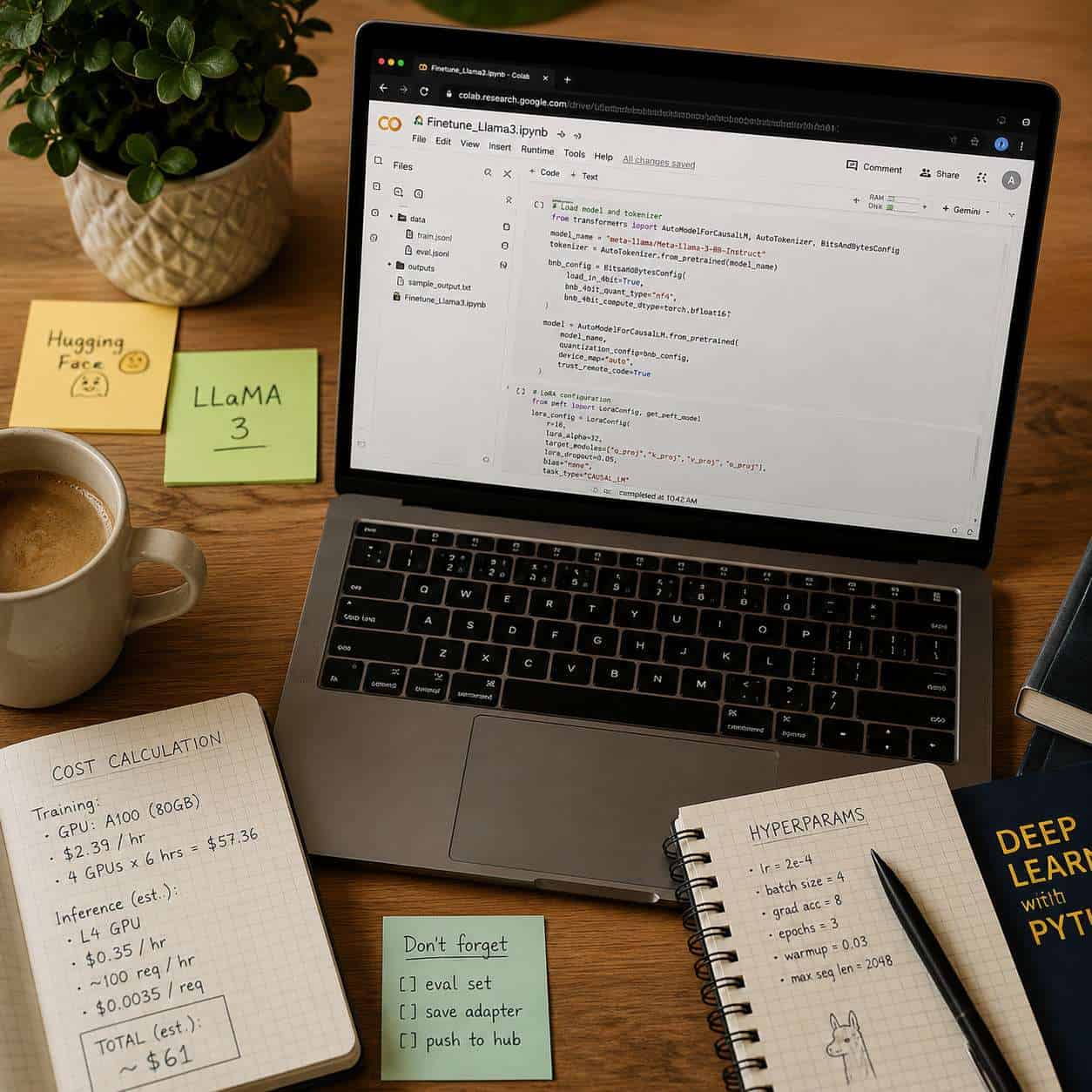
Open source language model notebooks are interactive documents that mix live code, rich text, and AI model outputs in one place. They let you write a prompt, run inference on a language model, see the result, and iterate — all without leaving the environment.
The most common examples include:
- Jupyter Notebooks (.ipynb files) — the original open source notebook format, used across data science and AI research
- Google Colab — a hosted Jupyter environment with free GPU access (Google’s product, but runs open source notebooks)
- Self-hosted RAG notebooks — tools like AnythingLLM or open source NotebookLM alternatives that let you build retrieval-augmented generation pipelines locally
- VS Code Notebooks — Microsoft’s notebook support inside Visual Studio Code
These notebooks became central to AI development because they lower the barrier to experimentation. You don’t need to set up a full production pipeline to test a hypothesis. A researcher at DeepLearning.ai’s community noted that notebook-based LM tools are becoming “the first source” for exploring language model capabilities [5].
If you’re already comfortable with AI-powered content generation tools, notebooks are the next step toward understanding what happens under the hood.

How Do These Notebooks Compare to Closed Source AI Development Tools?
Open source notebooks give you full visibility into model weights, training code, and data pipelines. Closed source tools like OpenAI’s API or Anthropic’s Claude console hide those details behind an endpoint.
Here’s a practical comparison:
| Feature | Open Source Notebooks | Closed Source Platforms |
|---|---|---|
| Cost | Free (compute costs vary) | Per-token or subscription pricing |
| Model transparency | Full access to weights and code | Black box |
| Customization | Fine-tune anything | Limited to API parameters |
| Data privacy | Self-hosted option available | Data sent to third-party servers |
| Setup effort | Medium to high | Low (managed service) |
| Community support | Forums, GitHub issues | Official support tickets |
| Enterprise compliance | You manage it | Provider handles some |
Choose open source notebooks if you need to fine-tune models on proprietary data, require full audit trails, or want to avoid recurring API costs. Choose closed source if you need a working prototype in hours, not days, and don’t need model-level control.
The gap is narrowing fast. As of early 2026, open models like Qwen 3 and LLaMA 4 Maverick perform competitively with closed alternatives on standard benchmarks [6][8]. Nature reported that open source AI models are increasingly matching proprietary ones in capability [7].
How Much Does It Cost to Get Started with Open Source AI Notebooks?
The software itself costs nothing. Your real expense is compute — specifically GPU time for training or running large models.
Free options:
- Google Colab free tier: T4 GPU, limited session time
- Local CPU inference: works for small models (under 7B parameters) on a modern laptop
- Kaggle Notebooks: free GPU access with weekly limits
Budget options ($10–$50/month):
- Google Colab Pro: faster GPUs, longer sessions (~$10/month)
- Cloud GPU instances (Lambda, Vast.ai): spot pricing starts around $0.30/hour for an A10G
Serious work ($100+/month):
- Multi-GPU cloud instances for fine-tuning 70B+ parameter models
- Dedicated servers with A100 or H100 GPUs
A common mistake is renting expensive GPUs before confirming your code works. Always debug on a free tier or CPU first, then scale up. If you’re exploring AI tools for website automation, you can often test integrations locally before committing to paid compute.
Which Programming Languages Work Best for AI Model Notebooks?
Python is the clear default. Over 90% of open source AI libraries (PyTorch, Hugging Face Transformers, LangChain) are Python-first. If you’re starting from scratch, learn Python.
Other options that work in notebook environments:
- Julia — faster execution for numerical computing, growing ML ecosystem, but smaller community
- R — strong for statistical analysis and visualization, limited for LLM work
- JavaScript (via Deno or Node kernels) — niche use for web-integrated AI demos
Decision rule: Use Python unless you have a specific reason not to. The ecosystem support, documentation, and community answers you’ll find are overwhelmingly Python-based.
Who Should Use Open Source Language Model Notebooks?
These notebooks are ideal for ML engineers, data scientists, researchers, students, and hobbyists who want hands-on control over language models. They’re also valuable for small teams building AI features without enterprise budgets.
Good fit:
- Researchers publishing reproducible experiments
- Developers building custom chatbots or RAG systems
- Students learning ML concepts interactively
- Startups prototyping AI products before committing to infrastructure
Not a good fit (without additional tooling):
- Teams needing real-time production serving at scale
- Organizations requiring SOC 2 compliance out of the box
- Non-technical stakeholders who need a GUI-only experience
If you’re a web developer exploring AI integration, notebooks pair well with projects like building AI-powered chatbots for WordPress — you prototype in the notebook, then deploy the model as an API.
Which Notebooks Are Not Recommended for Enterprise AI Projects?
Standard Jupyter notebooks lack built-in version control, access management, and audit logging — all critical for enterprise use. Using raw .ipynb files in production without additional governance tools is a common anti-pattern.
Specific concerns for enterprise teams:
- No native access control: Anyone with the file can run any cell
- Reproducibility gaps: Hidden state (running cells out of order) causes inconsistent results
- No built-in CI/CD integration: You need external tools like Papermill or nbconvert
- Compliance risks: Self-hosted notebooks require you to manage data residency, encryption, and logging yourself
What to use instead for enterprise: Platforms like Databricks Notebooks, SageMaker Studio, or JupyterHub with enterprise extensions add the governance layer. You still get the notebook experience, but with role-based access and audit trails.
What Technical Skills Do I Need to Use These AI Notebooks Effectively?
You need basic Python proficiency, comfort with command-line tools, and a conceptual understanding of how language models work. You don’t need a PhD.
Minimum skills checklist:
- Write and debug Python functions
- Use pip or conda to install packages
- Navigate a terminal (cd, ls, ssh basics)
- Understand what tokens, embeddings, and model parameters mean conceptually
- Read error messages and search for solutions independently
Helpful but not required:
- Git version control
- Basic Linux system administration
- Understanding of GPU memory and CUDA
- Familiarity with Docker containers
For those coming from a design or no-code background, consider exploring AI-powered content optimization first to build context before diving into notebooks.
Common Mistakes Beginners Make When Using AI Development Notebooks
The most frequent beginner mistake is loading a model that’s too large for available memory, then wondering why the kernel crashes.
Top mistakes and fixes:
- Loading full-precision models on free-tier GPUs: Use quantized versions (4-bit or 8-bit) instead. Libraries like bitsandbytes make this straightforward.
- Running cells out of order: Notebooks maintain hidden state. Restart the kernel and run all cells sequentially before sharing.
- Hardcoding file paths: Use relative paths or environment variables so notebooks work across machines.
- Ignoring data preprocessing: Garbage in, garbage out. Clean your training data before fine-tuning.
- Not pinning package versions: Your notebook breaks when a library updates. Use
requirements.txtwith exact versions. - Skipping documentation: Add markdown cells explaining what each code block does. Future you will thank present you.
Best Open Source Alternatives to Popular AI Development Platforms
Several open source tools now replicate features of commercial platforms like OpenAI’s Playground, Google’s NotebookLM, or Anthropic’s Workbench.
| Commercial Platform | Open Source Alternative | Key Strength |
|---|---|---|
| Google NotebookLM | AnythingLLM, Open WebUI | Self-hosted RAG with document upload |
| OpenAI Playground | Oobabooga Text Generation WebUI | Run any open model locally |
| ChatGPT Plus | LM Studio, Ollama + Open WebUI | Desktop LLM chat with no API costs |
| Hugging Face Pro Inference | vLLM + Jupyter | High-throughput local inference |
| Weights & Biases | MLflow + Jupyter | Experiment tracking, model registry |
The open source LLM ecosystem expanded significantly in early 2026. Community members on Reddit described April 2026 as “one of the best months” for open model releases, citing new versions of Qwen, LLaMA, and Mistral [3]. Instaclustr’s 2026 ranking highlights LLaMA 4 Scout (109B parameters) and Qwen 3 as top open source options [8].

How to Troubleshoot Performance Issues in AI Development Notebooks
Most performance problems in AI notebooks come from memory constraints, not the notebook software itself. Start by checking GPU memory usage with nvidia-smi.
Step-by-step troubleshooting process:
- Check available memory: Run
!nvidia-smiin a notebook cell. If memory usage is near 100%, you need to reduce your model’s footprint. - Reduce batch size: Cut it in half. This is the single fastest fix for out-of-memory errors.
- Use model quantization: Load models in 4-bit precision using bitsandbytes or GPTQ formats.
- Clear unused variables: Call
del variable_nameandtorch.cuda.empty_cache()to free memory. - Restart the kernel: Hidden state accumulates. A fresh restart often resolves mysterious errors.
- Check disk space: Large model downloads can fill up Colab’s temporary storage. Use
!df -hto verify. - Profile your code: Use
%%timemagic commands to identify slow cells.
Edge case: If you’re running on Apple Silicon (M1/M2/M3), use the MPS backend for PyTorch instead of CUDA. Performance is good for inference but can be unpredictable during training.
Edge Cases and Limitations of Current Open Source Language Model Notebooks
Open source notebooks are powerful, but they have real boundaries that affect production use.
- Long-running training jobs: Notebook sessions time out on free platforms. Use scripts for jobs exceeding a few hours.
- Multi-node training: Notebooks are single-machine by default. Distributed training requires additional orchestration (Horovod, DeepSpeed).
- Reproducibility across hardware: A notebook that runs on an A100 may fail on a T4 due to memory differences. Always document your hardware requirements.
- Security in shared environments: JupyterHub instances need careful configuration to prevent users from accessing each other’s files or escalating privileges.
- Model licensing nuances: “Open source” doesn’t always mean “use however you want.” LLaMA models, for example, have acceptable use policies that restrict certain applications [1]. BentoML’s guide to open source LLMs provides helpful context on navigating these licensing differences.
The White House’s 2026 AI policy framework also highlights the importance of understanding open model governance, particularly around safety evaluations and deployment standards [10].
Conclusion
Open source language model notebooks have become the practical foundation for AI experimentation in 2026. They give you transparency, flexibility, and cost control that closed platforms can’t match — but they also require you to manage your own compute, security, and governance.
Your next steps:
- Start free: Open Google Colab and run a Hugging Face tutorial notebook with a small model (Phi-3 or Qwen 3-0.6B)
- Learn the basics: Get comfortable with Python, pip, and reading error messages before attempting fine-tuning
- Pick a project: Build something specific — a document Q&A bot, a text classifier, or a summarizer — rather than exploring aimlessly
- Scale when ready: Move to Colab Pro or a cloud GPU only after your code works on free resources
- Stay current: Follow communities like r/LocalLLaMA and Hugging Face’s model hub for new releases
For broader AI tool exploration, check out our comprehensive guide to AI-powered content generation tools and learn how to use AI SEO tools to put your models to practical use.
Frequently Asked Questions About AI Development Notebooks
What is the difference between a Jupyter notebook and Google Colab? Jupyter is the open source software that defines the notebook format. Google Colab is a hosted service that runs Jupyter notebooks on Google’s servers with free GPU access. You can export Colab notebooks as standard .ipynb files.
Can I run large language models on my laptop? Yes, if you use quantized models. A 7B parameter model in 4-bit quantization needs roughly 4–6 GB of RAM. Models above 13B parameters typically require a dedicated GPU or Apple Silicon Mac with 16+ GB unified memory.
Are open source LLMs safe to use in production? They can be, but you’re responsible for safety testing, content filtering, and compliance. Closed API providers handle some of this for you. The White House’s 2026 AI framework emphasizes that deployers of open models should conduct safety evaluations [10].
How do I share my notebook with someone else?
Export it as an .ipynb file and share via GitHub, or use Google Colab’s sharing feature. For reproducibility, include a requirements.txt file listing all package versions.
What’s the best open source model to start with in 2026? For beginners, Qwen 3 (smaller variants) and Microsoft’s Phi-3 offer strong performance with modest hardware requirements. For more capable work, LLaMA 4 Scout is a top choice [8].
Do I need to know machine learning math to use these notebooks? Not for basic usage like running inference or using pre-built fine-tuning scripts. Understanding concepts like loss functions and learning rates helps when things go wrong, but you can start without deep math knowledge.
Can notebooks replace a full ML pipeline? For prototyping and research, yes. For production systems serving thousands of users, no. Notebooks lack built-in monitoring, scaling, and reliability features that production pipelines need.
How often do open source models get updated? Frequently. Major releases happen monthly. April 2026 saw significant updates across multiple model families [3]. Following Hugging Face’s trending models page is the easiest way to stay current.
What’s the biggest advantage of open source over closed AI tools? Data privacy and customization. With open source, your data never leaves your infrastructure, and you can modify every aspect of the model’s behavior.
Is Google NotebookLM open source? No. Google NotebookLM is a proprietary product. However, open source alternatives like AnythingLLM and Open WebUI offer similar document-grounded chat functionality that you can self-host.
References
[1] Navigating The World Of Open Source Large Language Models – https://www.bentoml.com/blog/navigating-the-world-of-open-source-large-language-models [3] Open Models April 2026 One Of The Best Months Of – https://www.reddit.com/r/LocalLLaMA/comments/1t06y43/open_models_april_2026_one_of_the_best_months_of/ [5] community.deeplearning.ai – https://community.deeplearning.ai/t/notebook-lm-as-the-first-source-language-model/823414 [6] Top 5 Llms For March 2026 Benchmarks Pricing Picks – https://alphacorp.ai/blog/top-5-llms-for-march-2026-benchmarks-pricing-picks [7] D41586 025 04106 0 – https://www.nature.com/articles/d41586-025-04106-0 [8] Top 7 Open Source Llms For 2026 – https://www.instaclustr.com/education/open-source-ai/top-7-open-source-llms-for-2026/ [10] 03.20.26 National Policy Framework For Artificial Intelligence Legislative Recommendations – https://www.whitehouse.gov/wp-content/uploads/2026/03/03.20.26-National-Policy-Framework-for-Artificial-Intelligence-Legislative-Recommendations.pdf