Last updated: May 11, 2026
Quick Answer
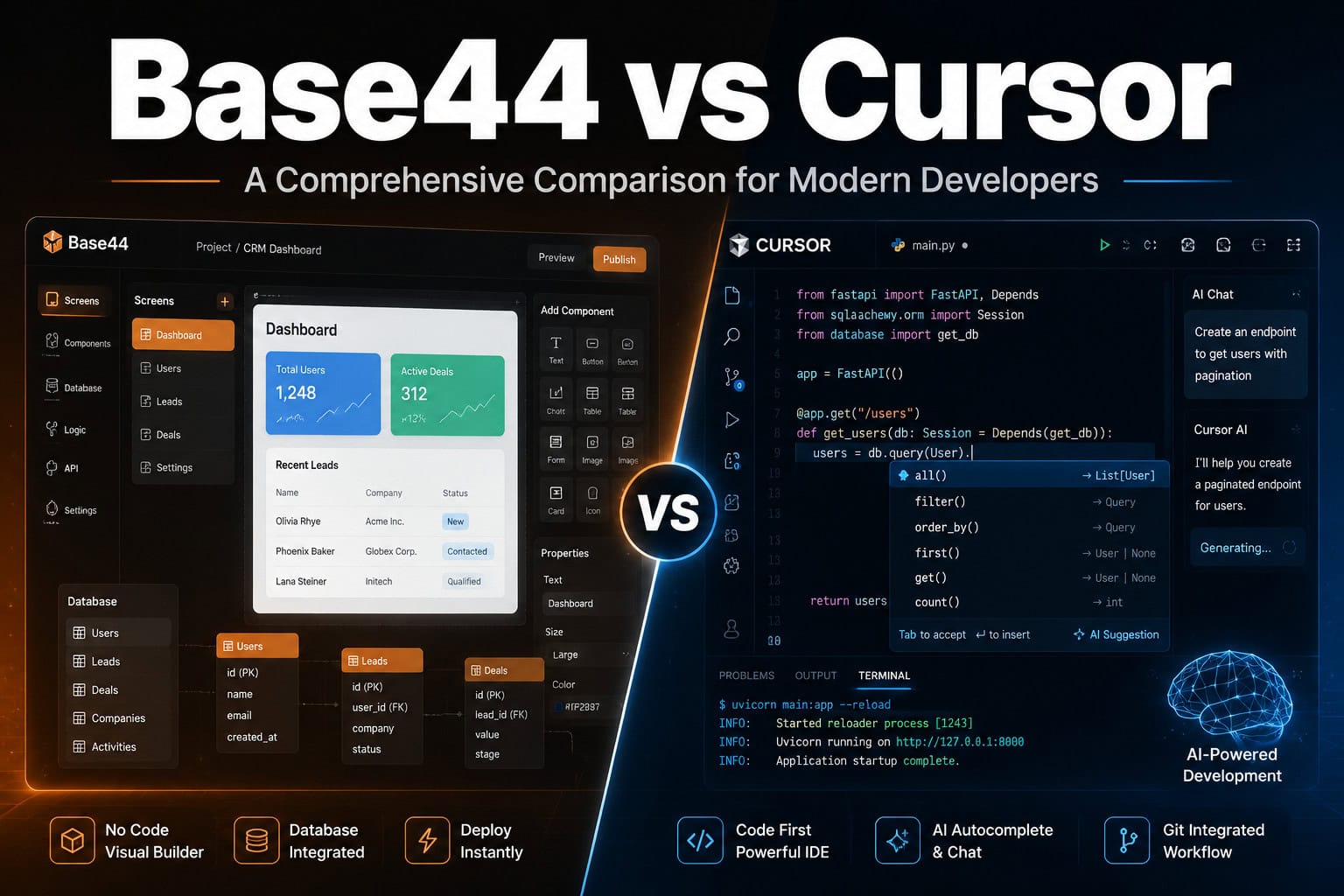
Base44 is a no-code AI app builder that generates full-stack applications (UI, database, authentication) from natural language prompts in minutes. Cursor is an AI-powered code editor forked from VS Code that helps developers write, edit, and debug real code faster. Choose Base44 if you need a working prototype without writing code. Choose Cursor if you need full control over a production codebase. They solve fundamentally different problems, and many teams get the best results by using both.
Key Takeaways
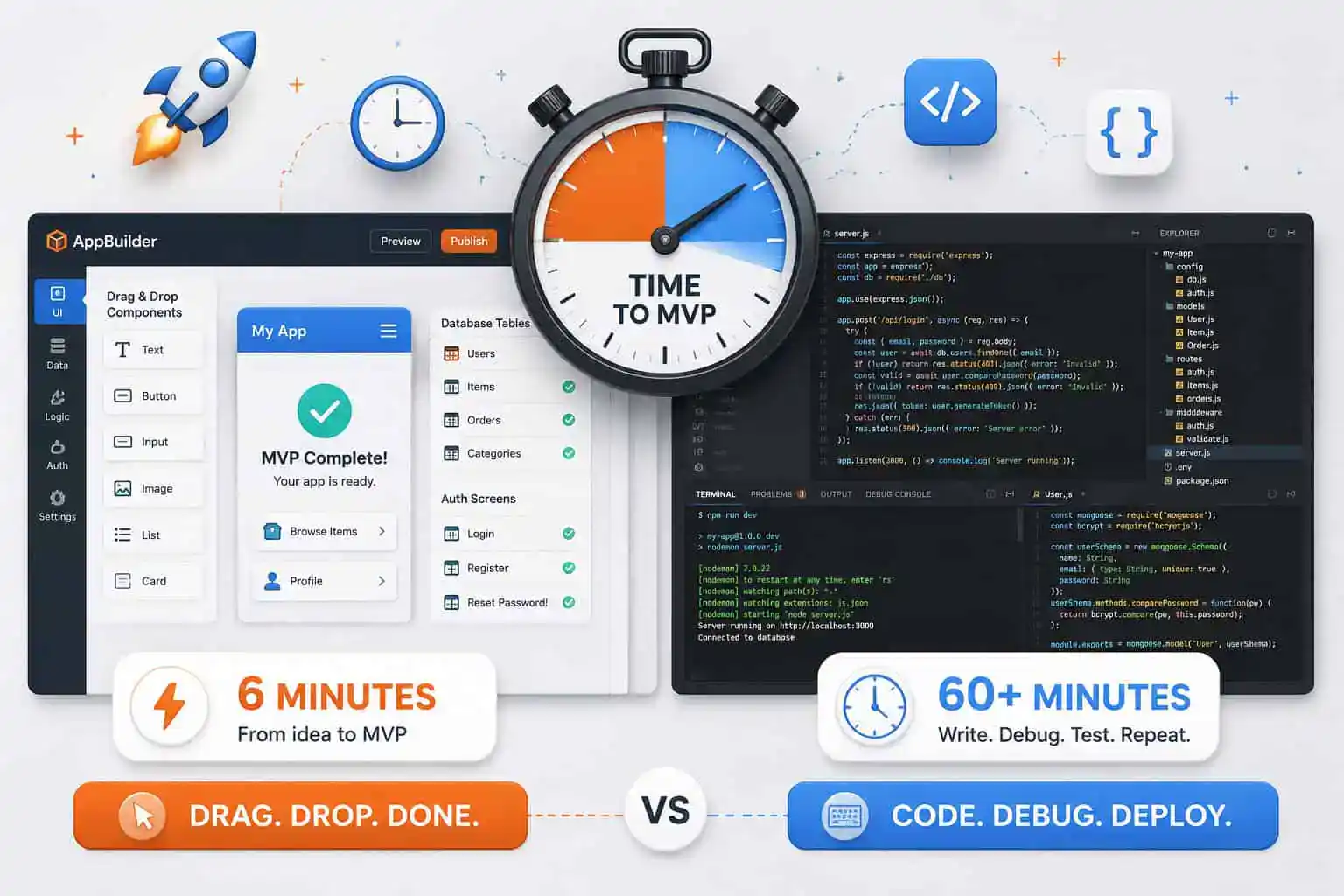
- Base44 can build and deploy a functional app in roughly 6 minutes; Cursor-based projects typically take 60+ minutes but produce flexible, maintainable code [7].
- Base44 requires zero coding knowledge. Cursor assumes you can read and write code, then accelerates your workflow with AI autocomplete and multi-file edits [6].
- Cursor version 3.3 (May 2026) introduced parallel agent execution, PR review threads, and patched a critical Git vulnerability [8][9].
- Base44 hits a “complexity ceiling” for apps that need custom logic, third-party integrations, or non-standard architectures [1][5].
- A hybrid workflow (prototype in Base44, then export and refine in Cursor) is increasingly popular among solo developers and small teams.
- Base44 apps run on a managed backend with Wix-like infrastructure, which limits migration options [5].
- Cursor works with any language, framework, or repo, making it suitable for enterprise and open-source projects [6].
What Are Base44 and Cursor, and Who Are They For?
Base44 is an AI app builder that turns plain-English descriptions into deployed web applications. You describe what you want (“a project management tool with user login, task boards, and a dashboard”), and Base44 generates the frontend, backend, database schema, and authentication layer automatically [4][10]. It’s built for founders validating ideas, business teams needing internal tools, and anyone who wants a working app without hiring a developer.
Cursor is a code editor that embeds AI directly into the development workflow. Built on VS Code, it offers intelligent autocomplete, inline chat, multi-file editing via “Composer” mode, and as of May 2026, parallel agent execution that can run multiple coding tasks simultaneously [8][6]. It’s built for software engineers, full-stack developers, and technical teams who want to write better code faster.
Choose Base44 if you have no coding experience and need a functional app quickly. Choose Cursor if you’re a developer who wants AI assistance inside a real codebase.
If you’re exploring other ways to build without code, our guide to no-coding website design platforms covers additional options worth considering.
How Does Speed Compare Between Base44 and Cursor?
Base44 is dramatically faster for initial builds. In a HostAdvice test, Base44 produced a deployed app in approximately 6 minutes, while a Cursor-based approach took over 60 minutes for comparable functionality [7]. That speed difference matters most during early validation, when you’re testing whether an idea has legs before investing serious development time.
However, speed at the start doesn’t always mean speed overall. Base44’s rapid generation works well for standard patterns (CRUD apps, dashboards, forms), but slows down when you need custom behavior. Cursor’s initial setup takes longer, but iterating on complex features, debugging edge cases, and refactoring code is faster because you have direct access to the source [7].
| Factor | Base44 | Cursor |
|---|---|---|
| Time to first deploy | ~6 minutes | 60+ minutes |
| Learning curve | Minimal (natural language) | Moderate (requires coding skills) |
| Iteration on standard features | Fast | Moderate |
| Iteration on custom logic | Slow/limited | Fast |
| Debugging | Limited visibility | Full control |
Where Does Base44 Excel Over Cursor?
Base44 wins in three specific scenarios:
Non-technical founders building MVPs. If you can’t write code, Base44 lets you go from idea to working product in a single sitting. The AI handles the full stack: UI components, database tables, user authentication, and deployment [4][10].
Internal business tools. Need a simple inventory tracker, employee directory, or approval workflow? Base44 generates these without requiring a developer’s time. For teams already exploring AI-powered tools for workflow automation, Base44 fits naturally into that ecosystem.
Rapid prototyping for client pitches. Agencies and freelancers can build clickable, functional prototypes to show clients before committing to full development.
Base44 uses natural language processing to interpret prompts and generates code behind the scenes. As their own blog explains, the AI handles “NLP, code generation, and automated full-stack architecture” so the user never touches code directly [4].
Common mistake: Assuming Base44 can replace a development team for complex products. It works well for validation but struggles with apps that need custom integrations, complex business logic, or specific performance requirements [1][5].

Where Does Cursor Excel Over Base44?
Cursor is the stronger choice whenever you need control, scalability, or code ownership. Here’s where it pulls ahead:
- Multi-file editing and refactoring. Cursor’s Composer mode lets you make coordinated changes across an entire codebase, something impossible in Base44’s interface [7].
- Any language, any framework. Cursor works with Python, TypeScript, Rust, Go, or whatever your project uses. Base44 generates apps within its own stack [6].
- Version control and collaboration. Cursor integrates with Git natively. The May 2026 update added inline PR review threads, commit history views, and quick-action pills for faster code review [8].
- Parallel agent execution. The new
/multitaskcommand lets Cursor spin up multiple AI agents working on different parts of your codebase simultaneously [8]. This is a significant productivity boost for larger projects. - Security patching. Cursor version 2.5 patched a critical Git RCE vulnerability that could have allowed malicious repositories to trigger arbitrary code execution via AI agents. No in-the-wild exploits were reported [9].
For developers already working with design-to-code workflows, Cursor pairs well with tools like Figma-to-code plugins that generate initial component code you can then refine with AI assistance.
Edge case to watch: Cursor’s AI agents are described as “semi-autonomous teammates” by some analysts, which means you still need to review their output carefully, especially after the security vulnerability disclosure [9].
What Is the “Complexity Ceiling” Problem with Base44?
This is the most important consideration in the Base44 vs Cursor comparison for modern developers who plan to scale. Base44 generates working apps quickly, but multiple users report hitting a wall when their requirements grow beyond standard patterns [1][5].
The complexity ceiling shows up in several ways:
- Custom business logic that doesn’t fit Base44’s generated patterns requires workarounds or isn’t possible at all.
- Third-party API integrations beyond what Base44 natively supports can be difficult or impossible to add.
- Migration costs are high because Base44 apps run on managed infrastructure with a Wix-like backend. Moving to a custom stack later means rebuilding significant portions [5].
- Performance tuning and database optimization aren’t accessible when you don’t control the underlying code.
One Reddit user summarized it bluntly: Base44 is excellent for getting something working, but “the moment you need something it doesn’t support, you’re stuck” [1].
Cursor doesn’t have this ceiling because you’re writing real code in a real repository. The tradeoff is that you need the skills to write that code in the first place.
Can You Use Base44 and Cursor Together?
Yes, and this hybrid approach is increasingly common. The workflow looks like this:
- Prototype in Base44. Build a working version of your app in minutes to validate the concept with real users.
- Gather feedback. Use the Base44 prototype to identify which features matter and which don’t.
- Rebuild in Cursor. Once you know what to build, use Cursor’s AI-assisted coding to create a production-quality version with full code ownership.
This approach gives you the speed of no-code validation with the flexibility of a custom codebase. It’s especially useful for solo developers and small startups who can’t afford to spend weeks building something nobody wants.
If you’re interested in how AI tools can accelerate other parts of your workflow, our guide to AI-powered content generation tools covers the content side of the equation.

How Do Pricing and Ecosystem Compare?
Both tools offer free tiers, but their pricing models reflect different use cases.
Base44 charges based on app usage and features. The free tier is sufficient for testing, but production apps with custom domains, more storage, and higher traffic require paid plans. Because apps run on Base44’s infrastructure, you’re also paying for hosting implicitly [5][10].
Cursor offers a free tier with limited AI completions, a Pro plan (around $20/month as of early 2026) with more completions and access to advanced models, and a Business plan for teams [6]. You handle your own hosting and deployment separately.
Ecosystem considerations:
- Base44 is a self-contained platform. Your app lives within their ecosystem, similar to how Wix sites operate within Wix’s infrastructure.
- Cursor plugs into the broader developer ecosystem: GitHub, npm, Docker, CI/CD pipelines, any cloud provider. It also supports MCP (Model Context Protocol) for connecting AI agents to external tools [8].
For teams building websites specifically, comparing these AI-assisted approaches with traditional platforms like Webflow or WordPress with AI plugins can help clarify which tool fits your project type.
What Are the Main Alternatives?
The AI development tool space is crowded in 2026. Here are the most relevant alternatives:
- Lovable: Collaborative AI development platform, positioned between Base44 and Cursor in terms of code access.
- Replit: Cloud-based IDE with AI features, good for learning and small projects.
- Bubble: Established no-code platform with more mature plugin ecosystem than Base44, but steeper learning curve.
- Bolt.new / Rocket.new: AI app generators similar to Base44 but with different trade-offs in customization.
- GitHub Copilot (in VS Code): The most direct Cursor competitor, though Cursor’s multi-file editing and agent features currently go further [5].
For a broader look at AI-powered building tools, check out our AI website creator guide.
Conclusion
The Base44 vs Cursor comparison for modern developers comes down to a clear decision framework:
Pick Base44 when:
- You don’t code and need a working app fast
- You’re validating an idea before investing in development
- Your app follows standard patterns (CRUD, dashboards, forms)
Pick Cursor when:
- You’re a developer who wants AI to accelerate your existing workflow
- You need full code ownership and the ability to scale
- Your project requires custom logic, specific integrations, or performance optimization
Use both when:
- You want to prototype quickly, then build properly
- You’re a solo founder who can code but wants to validate before committing
The smartest move for most teams in 2026 is to stop thinking of these as competing tools. Base44 answers “does this idea work?” Cursor answers “how do I build this well?” Start with the first question, then graduate to the second.
FAQ
Is Base44 free to use? Base44 offers a free tier for testing and building simple apps. Production apps with higher usage, custom domains, and more storage require a paid plan [5][10].
Can I export code from Base44? Base44 generates code behind the scenes, but the platform is designed as a managed environment. Exporting and running the code independently is limited compared to tools where you write code directly [5].
Does Cursor work with languages other than JavaScript? Yes. Cursor supports any programming language that VS Code supports, including Python, TypeScript, Rust, Go, Java, C++, and more [6].
Is Cursor safe to use after the Git vulnerability? The vulnerability was patched in version 2.5 (May 2026), and no in-the-wild exploits were reported. Keeping Cursor updated is essential, as with any development tool [9].
Can a non-developer use Cursor? Cursor requires the ability to read and understand code. While its AI can generate code from natural language prompts, you need coding knowledge to review, debug, and maintain the output [6].
How does Base44 handle databases? Base44 automatically generates database schemas based on your app description. It creates tables, relationships, and basic queries without manual configuration [4][10].
What is Cursor’s parallel agent feature?
Introduced in May 2026, the /multitask command lets Cursor run multiple AI coding agents simultaneously on different tasks within your project, speeding up complex workflows [8].
Which tool is better for a startup MVP? For initial validation with non-technical founders, Base44 is faster. For technical founders who want a production-ready codebase from day one, Cursor is the better choice [7].
Can I use Base44 for mobile apps? Base44 primarily generates web applications. While these can be mobile-responsive, it doesn’t produce native iOS or Android apps [10].
Does Cursor replace GitHub Copilot? Cursor includes its own AI completions and goes further with multi-file editing, agent mode, and parallel execution. Many developers have switched from Copilot to Cursor for these additional capabilities [6][8].
References
[1] Honest Review On Base44 And An Unpopular Opinion – https://www.reddit.com/r/Base44/comments/1pnwv7l/honest_review_on_base44_and_an_unpopular_opinion/ [4] How Does An Ai App Builder Work – https://base44.com/blog/how-does-an-ai-app-builder-work [5] What Is Base44 Is It Worth Trying In 2026 – https://wavespeed.ai/blog/posts/what-is-base44-is-it-worth-trying-in-2026/ [6] What Is Cursor A – https://uibakery.io/blog/what-is-cursor-a [7] Base44 Vs Cursor – https://www.makerpad.co/compare/base44-vs-cursor [8] Changelog – https://cursor.com/changelog [9] Cursor News May 2026 – https://blog.mean.ceo/cursor-news-may-2026/ [10] What Is Base44 Ai App Builder And How Does It Work – https://www.certifiedcode.us/resources/article/what-is-base44-ai-app-builder-and-how-does-it-work