Last updated: May 13, 2026 With Divi 5 for WordPress, you can build stunning sites with zero coding skills required.
Quick Answer
Divi 5 is a complete architectural rebuild of the popular Divi page builder for WordPress, launched on February 26, 2026. It uses a modern React-based framework that makes visual website building faster and more intuitive than ever, requiring absolutely no coding knowledge. With 40+ modules, 370+ pre-made layout packs, and new AI-powered features, it’s designed for beginners, freelancers, and agencies who want professional results without writing a single line of code.
Key Takeaways
- Divi 5 launched stable on February 26, 2026, after extensive beta testing, and has already received updates through version 5.2 [9][8]
- The entire codebase was rebuilt from scratch using React, resulting in faster editing speeds and a smoother visual builder experience [2]
- Divi 5 includes 40+ content modules and 370+ layout packs you can customize with drag-and-drop [7]
- Pricing remains at $89/year or $249 lifetime for unlimited websites, making it one of the most cost-effective builders available
- “Composable Settings” introduced in Divi 5.2 give you more granular control over design elements without touching code [8]
- AI integration helps generate layouts, write content, and suggest design improvements directly inside the builder
- Plugin compatibility issues exist with some third-party add-ons built for Divi 4, so check compatibility before upgrading
- Performance improvements are measurable but some code bloat concerns remain compared to lighter alternatives

What Is Divi 5 and Why Does It Matter for No-Code Website Building?
Divi 5 is a ground-up rebuild of Elegant Themes’ flagship WordPress page builder, and it represents the biggest change to the platform since its original launch in 2013. WP Zone called it “the most important WordPress update in years” due to its architectural overhaul [2].
Here’s what makes this version different from Divi 4:
- New React-based framework: The entire visual builder now runs on React, which means interactions feel instant rather than laggy
- Rewritten rendering engine: Pages load faster both in the editor and on the front end
- Modern UI: The interface has been redesigned for clarity, reducing what one reviewer described as “rage-quitting by 50%” compared to the old workflow
- Backward compatibility: Your existing Divi 4 sites still work, though some third-party plugins may need updates
For anyone exploring no-coding website design platforms, Divi 5 sits at the premium end of the spectrum. You get a complete theme and builder in one package, which eliminates the need to piece together separate tools.
Who is Divi 5 for?
- Beginners who want professional-looking sites without hiring a developer
- Freelancers and agencies building sites for clients
- Small business owners managing their own web presence
- Bloggers and content creators who want design flexibility
Who might it NOT suit?
- Developers who prefer clean, minimal code output
- Sites where every millisecond of load time matters (e-commerce at scale)
- Users who need a free option (Elementor offers a free tier; Divi does not)
How Do You Install and Set Up Divi 5 on WordPress?
Installation takes about 5 minutes. You need an active Elegant Themes membership, a WordPress installation (version 6.4 or higher recommended), and PHP 8.0+.

Step-by-Step Installation
- Purchase a membership at elegantthemes.com ($89/year or $249 lifetime)
- Download the Divi theme from your Elegant Themes account dashboard
- Log into WordPress and go to Appearance > Themes > Add New > Upload Theme
- Upload the .zip file and click “Install Now”
- Activate the theme and enter your API key (found in your Elegant Themes account)
- Open any page and click “Use Divi Builder” to start editing visually
Upgrading from Divi 4
If you’re already running Divi 4, the update appears in your WordPress dashboard like any theme update. However, I’d recommend these precautions:
- Back up your site completely before upgrading
- Test on a staging site first if possible
- Check third-party plugin compatibility — some Divi 4 add-ons haven’t been updated yet [1]
- Review the official changelog for known issues [1]
The beta testing period ended February 26, 2026, and the stable release has been receiving regular patches since then [9]. As of May 2026, version 5.2 is the latest major release [8].
For broader WordPress setup guidance, our guide to WordPress theme customization covers foundational concepts that apply here.
How Do You Build a Website with Divi 5 Using Zero Coding Skills?
The core of Divi 5 is its visual, front-end editor. You see exactly what visitors will see, and you make changes by clicking, dragging, and typing directly on the page.

The Visual Builder Workflow
Here’s how a typical page build works:
- Choose a starting point: Pick from 370+ pre-made layout packs or start with a blank page [7]
- Add sections: Sections are the largest building blocks (full-width, regular, or specialty)
- Insert rows: Rows go inside sections and define your column structure
- Drop in modules: Modules are the content elements — text, images, buttons, forms, sliders, etc.
- Customize everything visually: Click any element to change colors, fonts, spacing, animations, and more
Key Modules Available (40+)
| Module Category | Examples |
|---|---|
| Content | Text, Image, Video, Blog, Portfolio |
| Navigation | Menu, Tabs, Accordion, Toggle |
| Forms & CTA | Contact Form, Email Optin, Call to Action, Pricing Table |
| Media | Gallery, Slider, Video Slider, Audio |
| Social | Social Follow, Comments, Testimonial |
| Layout | Divider, Sidebar, Map, Countdown Timer |
Composable Settings (New in 5.2)
The Divi 5.2 update introduced “Composable Settings,” which let you mix and match design options in ways that weren’t possible before [8]. For example, you can now apply different hover states, animations, and responsive behaviors to individual parts of a module rather than the module as a whole.
This came alongside 69 bug fixes, showing Elegant Themes’ commitment to rapid post-launch improvement [8].
Using AI Inside Divi 5
Divi AI is built directly into the builder. You can:
- Generate entire page layouts from a text description
- Write and rewrite copy for any text module
- Create images based on prompts
- Get design suggestions based on your existing content
If you’re interested in how AI tools are changing web creation more broadly, check out our guide on building professional sites without code using AI.
Common Mistake: Overloading Pages with Modules
New users often add too many modules to a single page, which hurts load time. A better approach: use Divi’s built-in layout library as a starting point, then remove what you don’t need rather than building from scratch and adding everything.
How Does Divi 5 Compare to Other No-Code WordPress Builders?
Divi 5 isn’t the only option. Here’s how it stacks up against the main alternatives in 2026.

Comparison Table
| Feature | Divi 5 | Elementor Pro | Beaver Builder |
|---|---|---|---|
| Price (annual) | $89 (unlimited sites) | $99 (3 sites) | $99 (unlimited sites) |
| Free tier | No | Yes (limited) | No |
| Modules/Widgets | 40+ | 113 | 30+ |
| Pre-made layouts | 370+ packs | 300+ templates | 50+ templates |
| Theme builder | Included | Included in Pro | Requires Beaver Themer ($147/yr extra) |
| AI features | Built-in | Add-on | None native |
| Performance score | ~82/100 | ~80/100 | ~86/100 |
| Learning curve | Moderate | Low-moderate | Low |
Performance scores are estimates based on typical installations with default settings.
Choose Divi 5 if…
- You build multiple sites (unlimited license is unbeatable value)
- You want AI features built directly into the builder
- You prefer an all-in-one theme + builder solution
- You’re already in the Divi ecosystem
Choose Elementor if…
- You want to try before you buy (free tier available)
- You need the widest selection of widgets (113 vs. Divi’s 40+)
- You prefer a lower learning curve for basic tasks
- Complex, highly custom designs are your priority
Choose Beaver Builder if…
- Raw page speed is your top priority (scores highest in performance benchmarks)
- You prefer a minimal, distraction-free interface
- You’re building simpler sites that don’t need extensive design options
For a broader look at builder options, our review of the best drag-and-drop website builders covers more alternatives including Webflow and Framer.
What About Lighter Alternatives?
If performance is your primary concern, pairing a lightweight theme like Kadence or GeneratePress with a minimal builder can outperform Divi on speed tests. But you sacrifice the visual design flexibility and pre-made layouts that make Divi appealing to non-coders.
How Can You Optimize Divi 5 for Speed and SEO Performance?
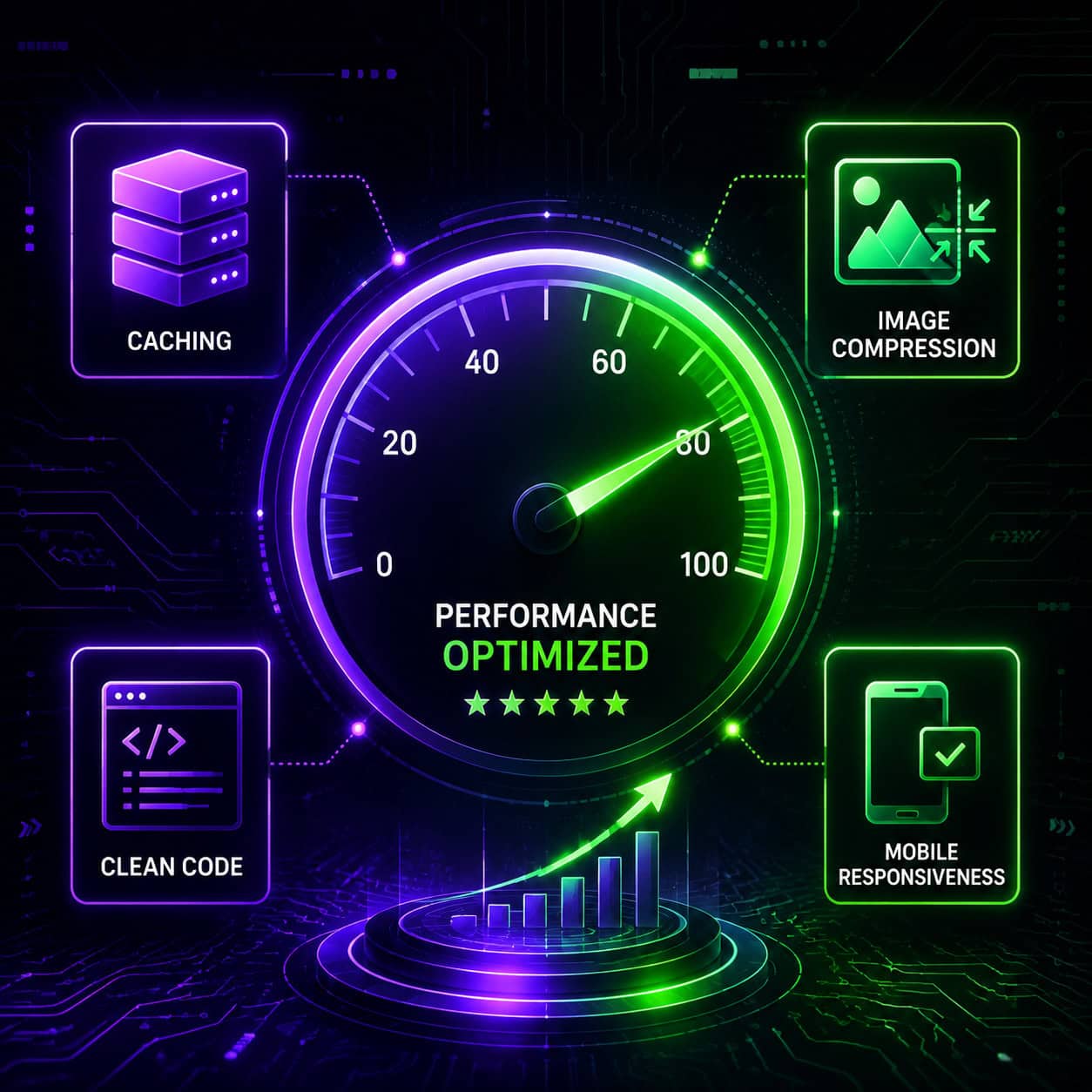
Divi 5’s rebuilt architecture is faster than Divi 4, but it’s still a feature-rich builder that adds weight to your pages. Here’s how to keep things fast.
Performance Optimization Checklist
- Enable Divi’s built-in performance settings: Go to Divi > Theme Options > Performance and enable critical CSS, deferred JavaScript, and minification
- Use a caching plugin: WP Rocket or LiteSpeed Cache work well with Divi
- Compress images before uploading: Use WebP format when possible
- Limit custom fonts: Each custom font adds HTTP requests; stick to 2-3 max
- Avoid unused modules: Divi 5 only loads CSS/JS for modules you actually use on a page
- Use a CDN: Cloudflare’s free tier handles most sites well
- Keep plugins minimal: Every active plugin adds potential bloat
References
[1] Divi 5 Update Status – https://help.elegantthemes.com/en/articles/9973580-divi-5-update-status [2] Why Divi 5 Might Be The Most Important WordPress Update In Years – https://wpzone.co/blog/why-divi-5-might-be-the-most-important-wordpress-update-in-years/ [7] Divi 5 Reboots WordPress Page Building – https://bitskingdom.com/blog/divi-5-reboots-wordpress-page-building/ [8] Divi 5.2 Release Notes – https://www.elegantthemes.com/blog/divi-resources/divi-5-2-release-notes [9] Is Divi 5 Officially Out 20260226 – https://www.reddit.com/r/divi/comments/1rfiqof/is_divi_5_officially_out_20260226/