Last updated: May 1, 2026
Quick Answer: AI website builders have moved from novelty to mainstream. In 2026, platforms like Wix, Hostinger, Framer, and a new wave of prompt-driven tools (Lovable, Bolt, Replit) can generate a complete, publish-ready website in minutes. The best choice depends on your budget, technical skill, and whether you need a simple business site or a custom-coded web app.
Key Takeaways
- Wix leads the established market in 2026 for AI-assisted website building, with a mature platform and pricing from free to $17/month [3].
- Two distinct builder categories now exist: new-generation AI builders (Replit, Lovable, Bolt) and traditional platforms (Wix, Squarespace, Webflow) that have added AI layers [5].
- Prompt-based generation is now standard, with tools accepting plain-language descriptions to build entire sites, including copy and images [1].
- Pricing has consolidated around $10–17/month for paid tiers, with free plans available but typically limited by platform branding [2].
- Niche specialization is accelerating: Relume targets developers, beehiiv targets publishers, Dorik targets multilingual brands, and Framer targets designers [1][4][6].
- Quality varies widely: independent testing of 20+ AI builders found results ranging from unusable to genuinely solid starting points [5].
- Jimdo offers the lowest entry cost among rated platforms, with upgrades starting at $11/month [2].
- AI image generation inside builders (as seen in Dorik) is an emerging differentiator that reduces reliance on stock photo libraries [6].
- The role of the web designer is shifting from builder to director, with AI handling execution and humans handling strategy and brand judgment.

What Is the Future of Web Design: Top AI Website Builders Predicted to Change?
The future of web design is shifting power from developers to anyone with a clear idea. AI website builders are no longer just drag-and-drop tools with a chatbot bolted on. In 2026, the best platforms generate layouts, write copy, source images, and configure SEO settings from a single text prompt.
Here’s what’s actually changing:
- Speed: A site that took a freelancer two weeks now takes two hours to reach a publishable draft.
- Accessibility: Non-technical founders, solopreneurs, and small business owners can build without hiring a developer.
- Iteration: Real-time AI modification means you can type “make the header darker and add a testimonials section” and see it happen instantly [1].
- Quality ceiling: The gap between AI-generated and hand-coded sites is narrowing fast, though complex custom functionality still requires developer input.
The question is no longer whether AI can build a website. It’s whether the site it builds is good enough for your specific purpose.”
Common mistake: Assuming all AI builders produce the same quality. Independent testing of more than 20 platforms found significant variation, with some generating designs that needed complete rebuilds and others producing work that was genuinely usable from the start [5].
Two Categories of AI Website Builder: Which One Fits You?
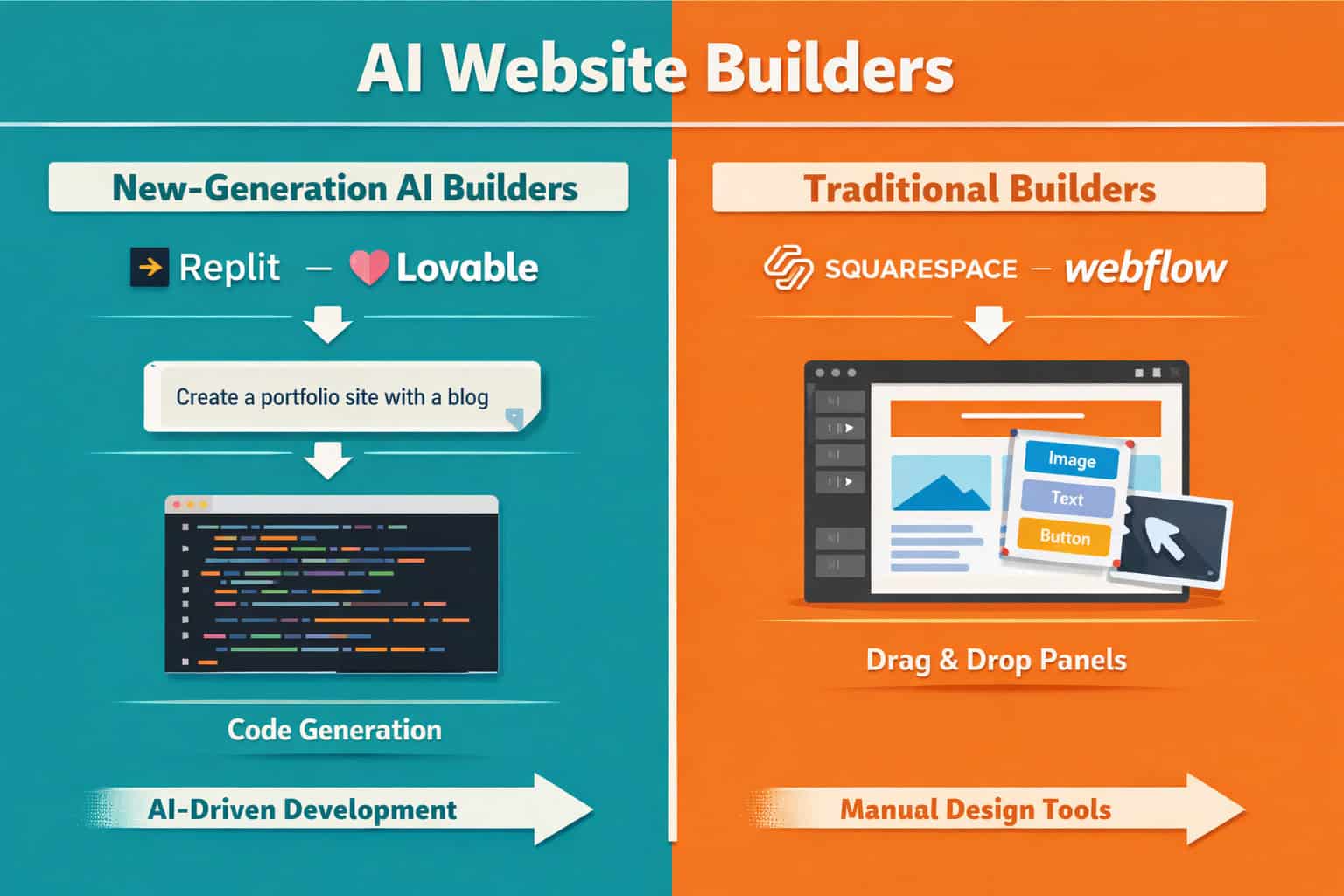
Not all AI website builders work the same way. There are two distinct categories, and choosing the wrong one wastes time and money.
Category 1: New-Generation AI Builders These tools are built AI-first. You describe what you want in a chat prompt, and the system generates code, layout, and content simultaneously. Examples include Replit, Lovable, and Bolt.
- Best for: Developers, technical founders, startups building web apps
- Strength: Deep customization, code ownership, rapid prototyping
- Weakness: Steeper learning curve, less polished out-of-the-box design
Category 2: Traditional Builders with AI Layers Established platforms like Wix, Squarespace, Webflow, and Duda have added AI features on top of their existing infrastructure [5].
- Best for: Small businesses, marketers, non-technical users
- Strength: Mature ecosystems, reliable hosting, extensive templates
- Weakness: AI features can feel like add-ons rather than core functionality
| Builder | Category | Best For | Starting Price |
|---|---|---|---|
| Wix | Traditional + AI | General business sites | Free / $17/mo [3] |
| Hostinger | Traditional + AI | Budget-conscious users | Low-cost paid plans [1] |
| Framer | Designer-focused AI | Visual designers | Free / $10/mo [2] |
| Jimdo | Traditional + AI | Micro-businesses | Free / $11/mo [2] |
| Replit | New-generation AI | Developers | Varies |
| Lovable | New-generation AI | Startups, web apps | Varies |
| Relume | Developer/designer AI | Pro design workflows | Paid tiers [4] |
| Dorik | Traditional + AI | Multilingual brands | Paid tiers [6] |
Decision rule: Choose a new-generation AI builder if you need custom functionality or code ownership. Choose a traditional builder with AI if you need a polished business site fast, with reliable hosting and support.
Which AI Website Builders Lead the Market in 2026?
The future of web design: top AI website builders predicted by reviewers in 2026 share a few consistent leaders, though the rankings shift depending on what you prioritize.
Wix consistently ranks at or near the top across multiple 2026 reviews. It balances AI capabilities with a mature, reliable platform that millions of businesses already trust. Its AI can generate a full site from a business description, and the editing experience remains one of the most intuitive available [3]. For a deeper look at building with Wix, see our guide on how to create a professional Wix website for your clients.
Hostinger stands out for affordability and simplicity. You input a business name and description, and the AI generates a site with copy and stock images ready to publish. It’s a strong pick for users who want speed over customization [1].
Framer and its design-focused peers target a more specific audience: visual designers who want AI to accelerate their workflow without sacrificing creative control. Free plans exist but include branding restrictions; paid tiers start at $10/month [2].
Relume serves professional developers and designers who need SEO optimization and web performance built into the workflow. It’s not for beginners, but for agencies and experienced designers, it’s a serious tool. You can explore Relume AI integration best practices for efficient web design workflows to see how it fits into a professional process.
Dorik differentiates itself with built-in AI image generation, creating photography and illustrations from prompts, plus multilingual support. These are capabilities that most competitors don’t yet offer [6].
Emerging niche builders worth watching include v0, Lovable, Atlas AI, and Relume, each targeting specific segments rather than the general market [4].
How Much Do AI Website Builders Cost in 2026?
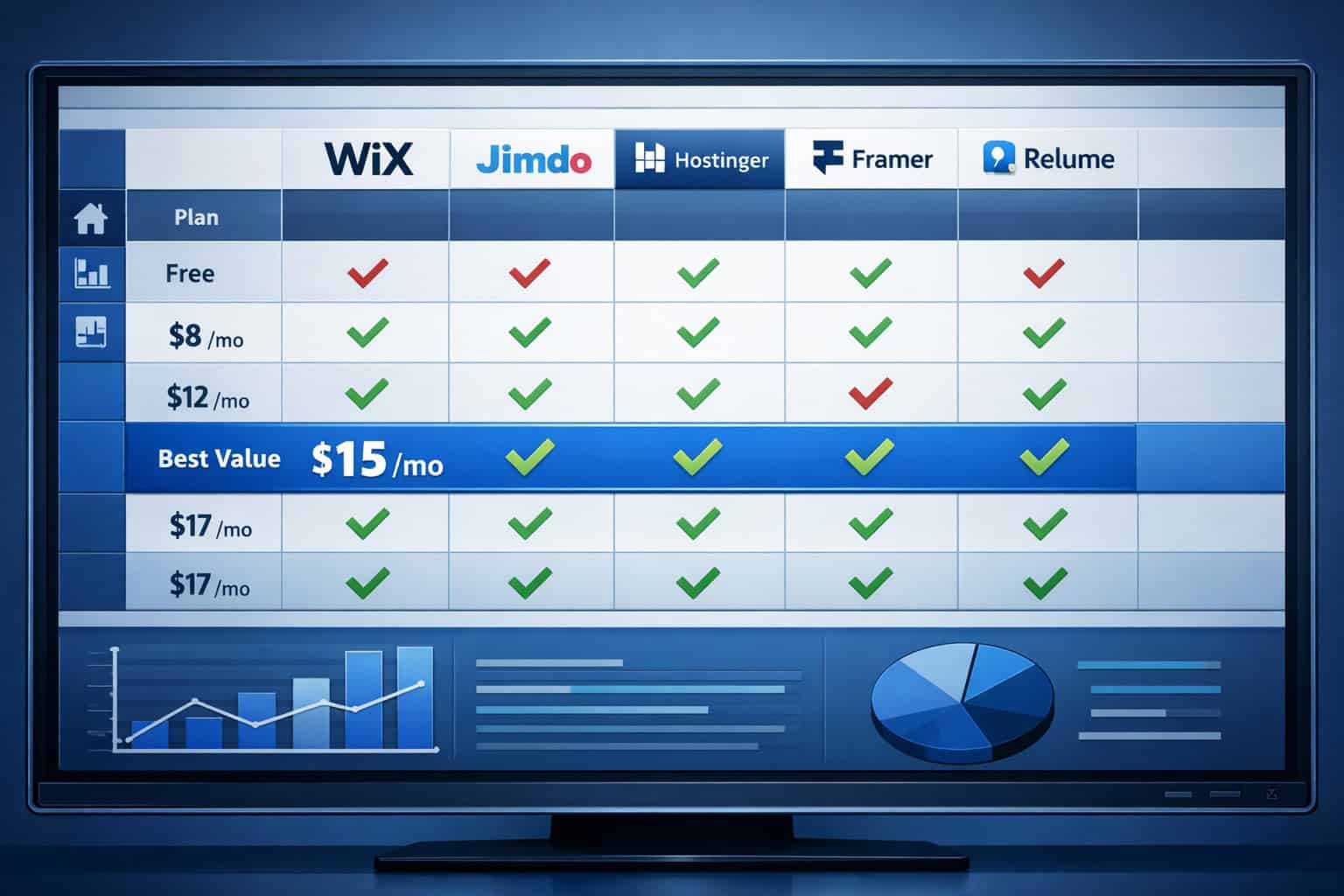
Pricing has consolidated into a predictable range, which makes comparison straightforward. Most serious platforms land between $10 and $17 per month for their core paid tier [2].
What free plans actually include:
- Basic site publishing (with platform branding)
- Limited or no custom domain
- Restricted storage and bandwidth
- Basic AI features, sometimes capped by usage
What paid plans add:
- Custom domain connection
- Removal of platform branding
- Full AI feature access
- E-commerce capabilities (varies by platform)
- Priority support
Pricing snapshot (2026):
| Platform | Free Plan | Paid Entry | Notes |
|---|---|---|---|
| Wix | Yes (with branding) | ~$17/mo | Most feature-complete [3] |
| Jimdo | Yes | ~$11/mo | Most affordable upgrade [2] |
| Framer | Yes (with branding) | ~$10/mo | Designer-focused [2] |
| Hostinger | Limited | Low-cost | Strong value for basics [1] |
| Relume | No | Paid tiers | Pro/agency focus [4] |
Edge case: If you’re building a content or media brand, beehiiv combines newsletter and website functionality in one platform, which can reduce your total tool cost. It’s used by publishers including TIME and TechCrunch, and positions itself specifically for creator and media brands [1].
Mistake to avoid: Don’t choose a platform based on the free plan alone. The features that matter most (custom domain, full AI access, no branding) almost always require a paid tier.
What Are the Predicted Trends Shaping the Future of Web Design?
The future of web design: top AI website builders predicted to dominate will be defined by a few clear trends that are already visible in 2026.
1. Multimodal input Builders are moving beyond text prompts. Expect to upload a sketch, a competitor’s URL, or a mood board image and have the AI generate a site based on that input. Some tools already support this in beta.
2. Autonomous SEO and performance optimization Rather than offering SEO checklists, next-generation builders will handle meta tags, image compression, structured data, and page speed automatically. Relume already moves in this direction for professional users [4]. For WordPress users, AI SEO tools for WordPress are following a similar path.
3. Vertical specialization General-purpose builders will lose ground to platforms built for specific industries: restaurants, law firms, e-commerce, media brands. beehiiv’s publisher focus is an early example of this [1].
4. Real-time collaboration with AI Design tools like Figma are already integrating AI into collaborative workflows. The line between design tool and website builder is blurring. See how Figma AI workflow automation is already changing how teams work.
5. AI-generated visual assets Dorik’s built-in image generation points to a future where you never need to leave the builder to source visuals [6]. This reduces friction and licensing complexity significantly.
6. No-code to low-code spectrum The best platforms are building bridges between no-code simplicity and low-code flexibility. If you want to explore the no-code side of this spectrum, our roundup of no-coding website design software platforms covers the current leaders.
Who Should (and Shouldn’t) Use an AI Website Builder?
AI website builders are genuinely useful for a wide range of users, but they’re not the right tool for every situation.
Good fit:
- Small business owners who need a professional online presence quickly
- Solopreneurs and freelancers building portfolio or service sites
- Marketers who need landing pages without developer dependencies
- Startups validating an idea before investing in custom development
- Non-profits and community organizations with limited budgets
Not a good fit:
- Businesses that need complex custom functionality (membership systems, custom APIs, advanced e-commerce logic)
- Brands with strict design systems that can’t be compromised
- Developers who need full code ownership and deployment control
- Enterprise organizations with complex security or compliance requirements
Edge case: If you’re a designer who wants AI to accelerate your workflow without giving up control, tools like Framer or Relume sit in a middle ground. They’re more capable than general-purpose builders but less restrictive than starting from scratch. For designers working in Figma, the path from Figma to Webflow is also worth understanding as AI makes that conversion faster.
What Should You Look for When Choosing an AI Website Builder?

With dozens of platforms competing for attention, the evaluation criteria matter more than the marketing claims.
Core criteria to evaluate:
- AI quality: Does the generated site actually look good, or does it need a complete redesign? Test with your actual business description before committing.
- Editing flexibility: Can you modify what the AI generates without fighting the platform’s constraints?
- Hosting reliability: Is hosting included? What are the uptime guarantees?
- SEO capabilities: Does the platform support custom meta tags, structured data, and fast page loads?
- E-commerce readiness: If you plan to sell, does the platform support it natively?
- Export and portability: Can you export your site or are you locked in?
- Support quality: Is there live support, or just documentation?
Quick checklist before signing up:
- Test the AI generator with your real business description
- Check whether your desired domain is available on the platform
- Confirm the paid plan price and what it includes
- Review the platform’s SEO tools and performance scores
- Look for user reviews from businesses similar to yours
- Verify whether you can export or migrate your site if needed
Common mistake: Choosing a builder based on a demo site rather than testing it with your own content. AI generators perform very differently depending on the industry and description you provide [5].
How Will AI Change the Role of Web Designers?
The rise of AI website builders doesn’t eliminate web designers. It changes what they do.
In 2026, the most in-demand design skills are shifting toward:
- Brand strategy and creative direction: AI can execute, but it needs direction. Designers who understand brand positioning become more valuable, not less.
- Prompt engineering for design: Knowing how to write prompts that produce useful AI output is a genuine skill.
- Quality control and refinement: AI-generated sites need human review for brand consistency, accessibility, and tone.
- Complex problem-solving: Custom interactions, advanced animations, and unique user experiences still require human expertise.
“AI handles the execution. Designers handle the judgment. That division of labor is becoming the new normal.”
For designers who want to stay ahead, understanding tools like Figma remains essential. Our Figma for web design guide covers the principles and collaborative workflows that remain relevant even as AI takes on more execution tasks.
The platforms that serve professional designers best (Relume, Framer, Figma-integrated tools) are growing precisely because designers aren’t disappearing. They’re moving up the value chain.
What Does the AI Website Builder Landscape Look Like by 2028?
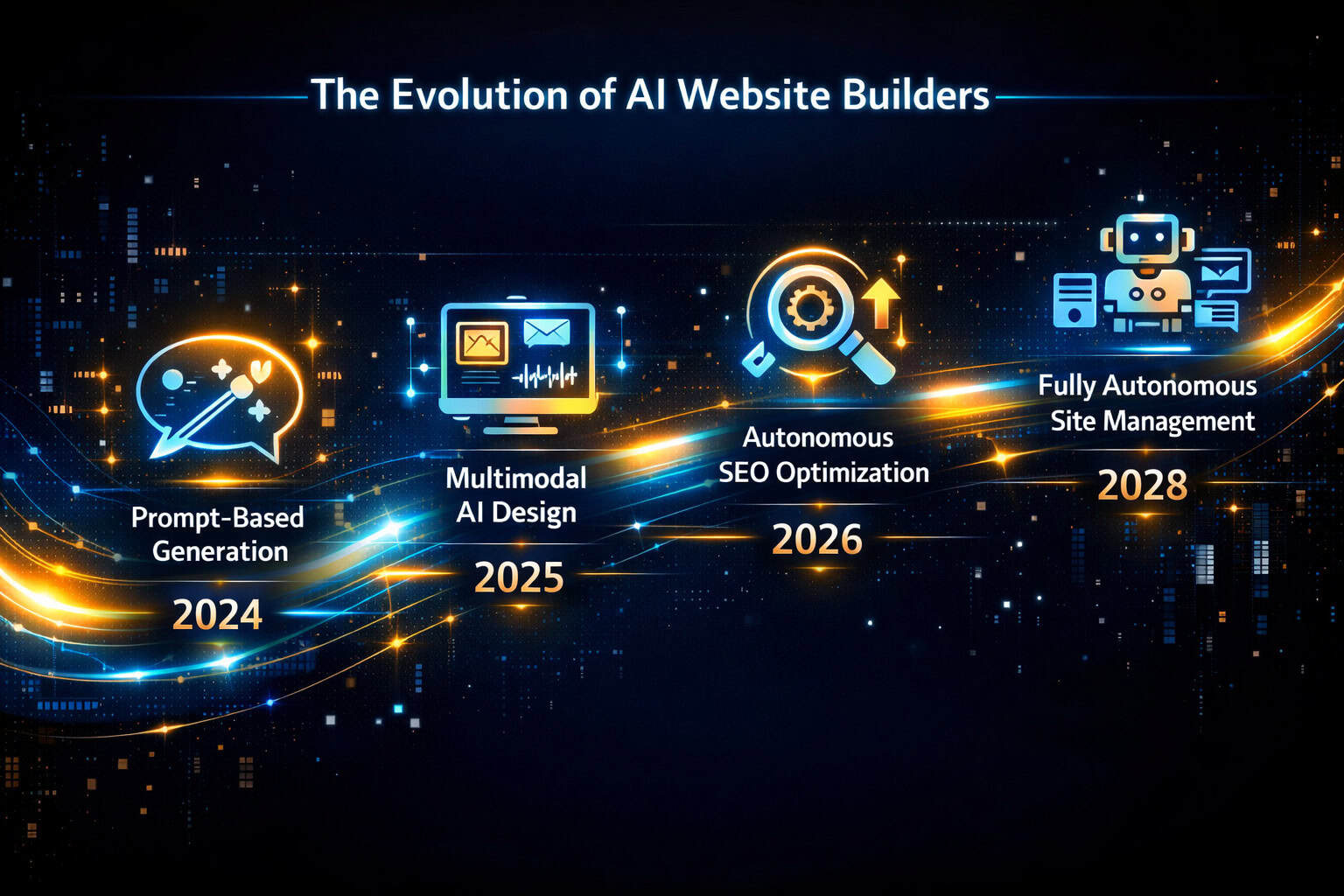
Based on current trajectories, here’s a reasonable forecast for where AI website builders are heading over the next two years.
Near-term (2026–2027):
- Multimodal input (images, URLs, sketches) becomes standard
- AI-generated copy improves enough to reduce editing time significantly
- Pricing pressure increases as more platforms enter the market
- Free plans become more capable as platforms compete for user acquisition
Medium-term (2027–2028):
- Autonomous site maintenance (updating content, refreshing designs, fixing broken links) emerges as a premium feature
- Vertical-specific AI builders gain significant market share in high-value industries
- The line between AI website builder and AI web app builder disappears for many use cases
- Accessibility compliance becomes an AI-handled default rather than a manual checklist
What won’t change:
- The need for clear brand strategy before building anything
- The importance of genuine, useful content (AI can write it, but humans need to validate it)
- The value of fast-loading, accessible, well-structured sites for SEO
The platforms that will lead in 2028 are the ones investing now in AI quality, not just AI speed. The future of web design: top AI website builders predicted to survive long-term are those that make the output genuinely better, not just faster.
Frequently Asked Questions
Q: Can AI website builders replace professional web developers? For standard business websites, landing pages, and portfolios, AI builders can handle most of the work in 2026. For complex web applications, custom integrations, or enterprise systems, professional developers are still necessary.
Q: How long does it take to build a website with an AI builder? A basic publishable site can be generated in 5–15 minutes. Refining it to match your brand and adding all content typically takes 2–8 hours depending on complexity.
Q: Are AI-generated websites good for SEO? It depends on the platform. Wix, Webflow, and Relume offer solid SEO tooling. Some budget builders have limited SEO controls. Always verify that the platform supports custom meta tags, structured data, and fast page loads before committing.
Q: Which AI website builder is best for beginners? Wix and Hostinger consistently rank highest for beginners in 2026 reviews, offering intuitive interfaces and strong AI generation with minimal technical knowledge required [1][3].
Q: Do AI website builders own my content? No. Your content remains yours. However, some platforms restrict your ability to export the site itself. Always check the terms of service for export and portability policies before building.
Q: What’s the cheapest AI website builder with a custom domain? Jimdo offers upgrades starting at $11/month with custom domain support, making it one of the most affordable options for a professional setup [2].
Q: Can I use an AI builder for e-commerce? Yes, several platforms support e-commerce including Wix and Hostinger. Check transaction fees, payment gateway options, and inventory management features before choosing.
Q: How accurate are AI-generated website descriptions and copy? Quality varies significantly. Some platforms produce copy that needs light editing; others generate generic filler text that requires a complete rewrite. Always review and edit AI-generated copy before publishing [5].
Q: Is Webflow considered an AI website builder? Webflow has added AI features to its platform but remains primarily a professional design and development tool. It’s better categorized as a traditional builder with AI capabilities rather than an AI-first builder.
Q: What is Relume used for? Relume is used by professional web designers and developers for rapid wireframing, site mapping, and component generation. It integrates with tools like Figma and Webflow and is not designed for general consumer use [4].
Q: Will AI website builders get cheaper over time? Likely yes. As competition increases and AI generation costs decrease, pricing pressure will push platforms to offer more for less. The current $10–17/month range may compress further by 2028 [2].
Q: Can I switch from one AI builder to another? Sometimes. Platforms with HTML/CSS export options make migration easier. Proprietary platforms with no export function create lock-in. Check portability options before you build.
Conclusion: Actionable Next Steps
The future of web design is already here. AI website builders in 2026 can produce publish-ready sites in minutes, handle copy and images, and increasingly manage SEO and performance automatically. The market has split into two clear camps: new-generation AI builders for technical users and traditional platforms with AI layers for everyone else.
Here’s what to do next:
- Define your goal first. A portfolio site, a business landing page, and a web app have different requirements. Match the tool to the goal, not the other way around.
- Test before committing. Use the free plan or trial of your top two or three candidates with your actual business description. AI output quality varies more than marketing materials suggest [5].
- Check SEO and portability. Confirm the platform supports custom meta tags, fast loading, and ideally some form of site export.
- Budget realistically. Plan for $10–17/month for a professional setup. Free plans are useful for testing, not for serious business use [2].
- Keep humans in the loop. Review all AI-generated copy, images, and structure before publishing. AI accelerates the process; your judgment ensures the result is actually good.
The platforms that will define this space in 2028 are being built and refined right now. Staying informed about which tools are improving, which are stagnating, and which new entrants are worth watching is the best competitive advantage any designer, developer, or business owner can have.
References
[1] AI Website Builder – https://www.beehiiv.com/blog/ai-website-builder [2] Best AI Website Builder – https://zapier.com/blog/best-ai-website-builder/ [3] Best AI Website Builder – https://allaboutcookies.org/best-AI-website-builder [4] Best AI Website Builder – https://www.marketermilk.com/blog/best-ai-website-builder [5] Watch – https://www.youtube.com/watch?v=wbyPMZ6Y6Qw [6] AI Website Builder – https://www.tooltester.com/en/blog/ai-website-builder/