Last updated: May 13, 2026
Quick Answer: An MCP server for WordPress lets AI assistants like Claude, ChatGPT, and other agents interact directly with your WordPress site — creating posts, managing plugins, querying data, and more — through Anthropic’s Model Context Protocol. The primary way to set this up in 2026 is through Automattic’s official mcp-adapter plugin, which connects to WordPress’s REST API and Abilities system [1][2].
Key Takeaways
- MCP (Model Context Protocol) is an open standard that lets AI tools communicate with external services, including WordPress, in a structured way.
- Automattic’s original wordpress-mcp GitHub repo is deprecated; the stable replacement is the mcp-adapter plugin [1].
- WordPress Core versions 6.9 and 7.0 align with the Abilities API that powers MCP integration [2].
- WP Engine offers a managed MCP server tied to its Smart Search AI for hosted customers [9].
- WordPress Playground has its own MCP server (
@wp-playground/mcp) for testing and debugging in browser-based WordPress instances. - You can use MCP to publish posts, edit content collaboratively, scaffold themes, test plugins, and run database queries through natural language.
- Alternatives like FlowMattic focus on no-code automation workflows, while the WordPress.org MCP server handles plugin directory tasks [4].
What Is an MCP Server and Why Does WordPress Need One?
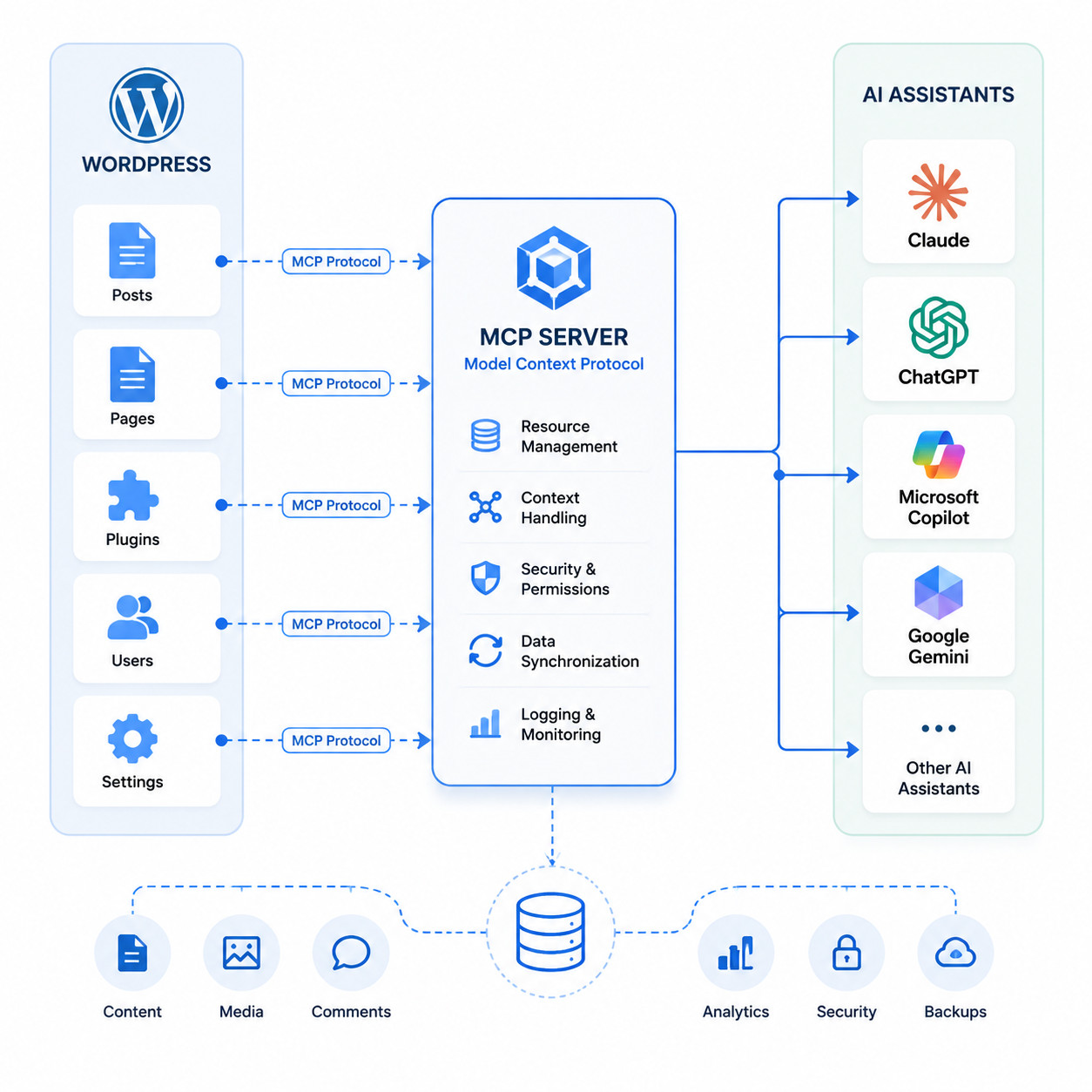
MCP stands for Model Context Protocol, an open standard created by Anthropic. It defines how AI models connect to external tools and data sources. An MCP server acts as the bridge — it exposes specific capabilities (called “tools”) that an AI agent can call.
WordPress needs this because AI assistants can’t natively read your site’s database, create posts, or manage plugins. Without MCP, you’d need custom API scripts for every AI interaction. With an MCP server for WordPress, you configure the connection once, and any compatible AI client can work with your site.
Here’s what becomes possible:
- Content creation: Draft, edit, and publish posts through conversational AI
- Site management: Install plugins, update settings, manage users via natural language
- Debugging: Query your database or test plugin behavior without writing SQL
- Analytics access: Pull real-time site data into AI conversations (especially with WP Engine’s implementation [9])
This fits into the broader trend of AI-powered automation for WordPress that’s reshaping how developers and site owners work.
How Does the MCP Server WordPress Setup Work?
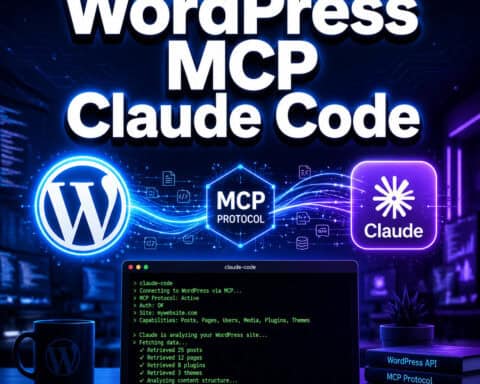
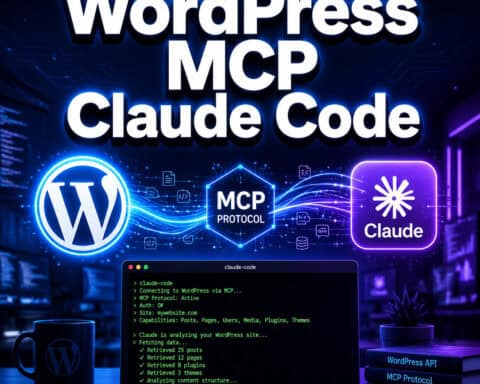
The setup connects three pieces: your WordPress site, an MCP server (running as a plugin or standalone process), and an AI client like Claude Desktop or Claude Code.
Step-by-step process
- Install the mcp-adapter plugin on your WordPress site. This replaces the deprecated
wordpress-mcppackage [1][2]. - Configure authentication. The plugin uses WordPress’s built-in Abilities API to control what the AI agent can and cannot do. You set application passwords or OAuth tokens.
- Point your AI client to the MCP server. In Claude Desktop, for example, you add the server URL to your
claude_desktop_config.jsonfile. - Test the connection. Send a simple command like “list my recent posts” to verify everything works.
WordPress core contributor Weston Ruter detailed this process on April 8, 2026, showing how to add MCP servers to local WordPress development environments using the mcp-adapter plugin and Claude configuration files.
Common mistake
Many developers try using the old wordpress-mcp GitHub repository. That repo is deprecated as of its v0.2.5 release in July 2025 [1]. Always use the mcp-adapter plugin instead — it’s aligned with WordPress Core’s Abilities API and receives active updates.
For those building custom integrations, our guide to WordPress plugin development best practices covers the fundamentals you’ll need.
Which MCP Server WordPress Options Are Available in 2026?
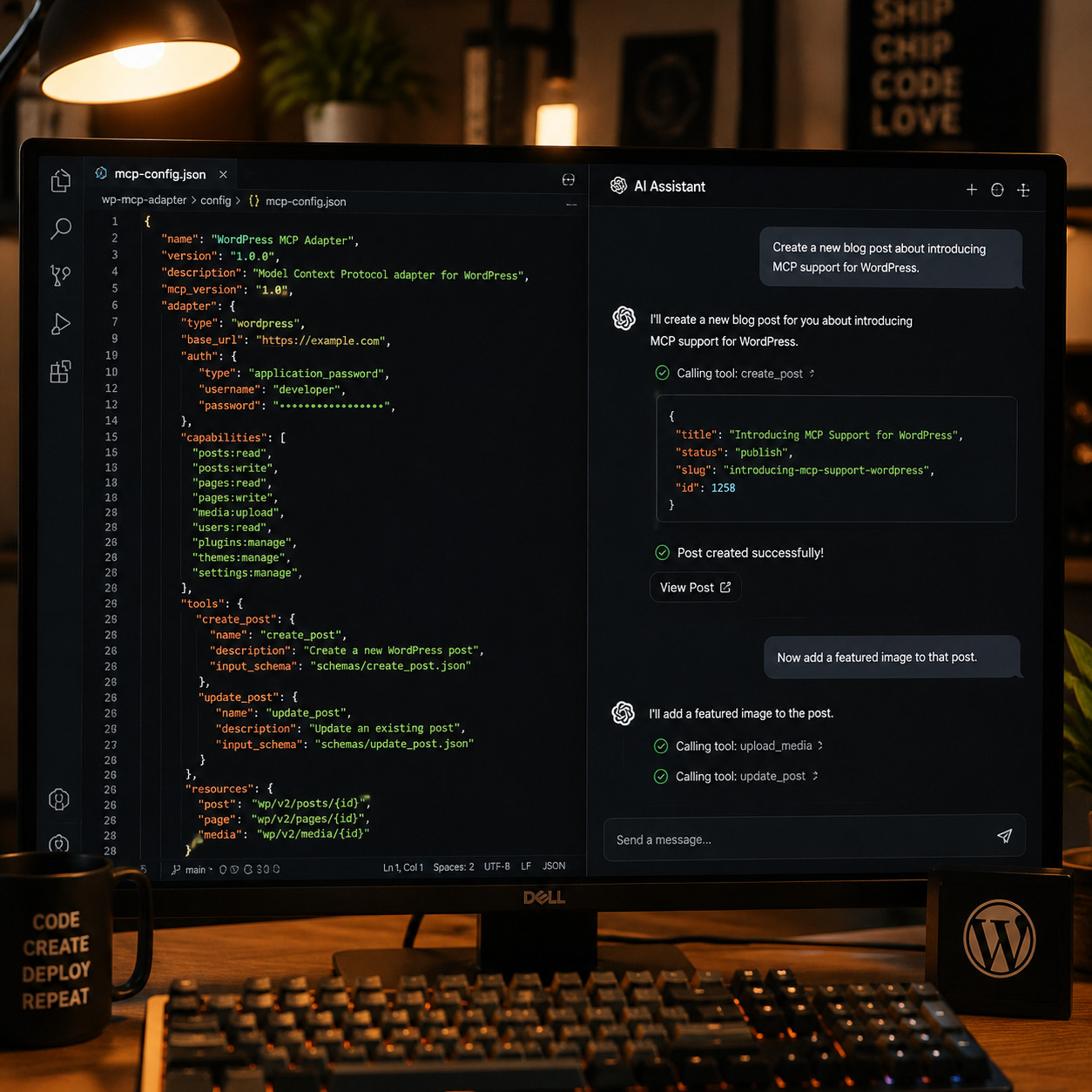
Several MCP server implementations exist, each serving different use cases. Here’s how they compare:
| Feature | Automattic mcp-adapter | WP Engine MCP Server | FlowMattic MCP | WordPress.org MCP |
|---|---|---|---|---|
| Primary use | Core site management | Managed hosting + AI search | No-code automation | Plugin directory tasks |
| Self-hosted | Yes | No (WP Engine only) | Yes | No |
| REST API access | Full | Full + Smart Search AI | Full + third-party APIs | Limited (directory only) |
| Authentication | Abilities API / App passwords | WP Engine account | API keys | WordPress.org account |
| Cost | Free (open source) | Included with hosting | Paid plans | Free |
| Best for | Developers, site owners | WP Engine customers | Automation-heavy workflows | Plugin developers |
Choose Automattic’s mcp-adapter if you want the most flexible, open-source option that works with any hosting provider [2].
Choose WP Engine’s MCP server if you’re already hosted there and want real-time AI access to analytics and search data without extra configuration [9].
Choose FlowMattic if you need deep third-party API integrations and prefer visual workflow builders over code.
Choose WordPress.org MCP if you’re a plugin developer who needs to check submission status, validate readme files, or query the plugin directory [4].
How Can You Use MCP Server WordPress for Content Management?
The most immediate use case is content creation and editing. With an MCP server connected, you can tell your AI assistant to draft a blog post, and it will create the post directly in WordPress — complete with categories, tags, and featured image settings [10].
Real-world examples from the community:
- One Reddit developer built an “Easy MCP AI” plugin that includes audit logs, rate limiting, and a force-draft mode. This means every AI-generated post starts as a draft, preventing accidental publishing [7].
- Gary Pendergast (WordPress core committer) created a “claudaborative-editing” MCP server in April 2026 that enables real-time collaborative editing in Gutenberg using CRDT technology. Multiple AI agents and humans can edit the same post simultaneously.
- Fellyph Cintra demonstrated using Playground’s MCP for AI-driven theme scaffolding and database debugging during Gutenberg Changelog #130.
If you’re exploring AI-driven content workflows, you might also find value in AI-powered content generation tools and AI SEO tools for WordPress.
Decision rule for content workflows
Use MCP for content management when you have a consistent publishing workflow and want to reduce manual WordPress dashboard time. Skip it if your content requires heavy visual editing in Gutenberg — AI agents handle text well but struggle with complex block layouts.
What About WordPress Playground’s MCP Server?
WordPress Playground released an official MCP server via the @wp-playground/mcp npm package in April 2026. This is different from the site management tools above — it creates browser-based WordPress instances that AI agents can control.
Use cases for Playground MCP:
- Testing plugin compatibility before installing on production
- Debugging theme issues in an isolated environment
- Scaffolding new themes with AI assistance
- Running automated test suites through AI agents
The Playground MCP communicates over WebSocket, so AI clients like Claude Code can spin up a fresh WordPress instance, install plugins, run tests, and report results — all without touching your live site.
This is especially useful for developers who want to integrate AI-powered chatbots or test custom theme development in a safe sandbox.
What Are the Risks and Limitations of MCP Server WordPress?
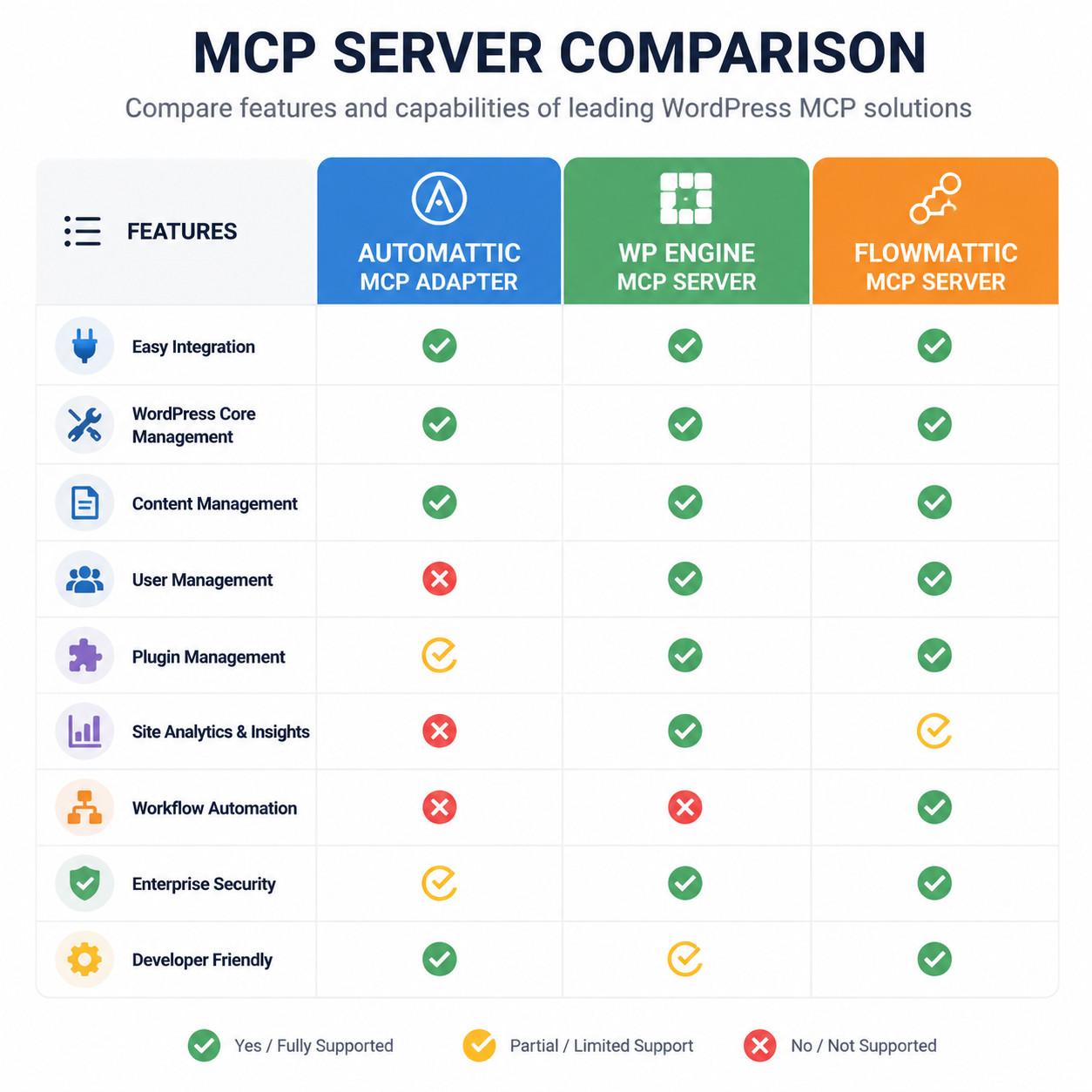
MCP server WordPress setups are powerful, but they come with real trade-offs.
Security concerns:
- An MCP server exposes your WordPress REST API to AI agents. Misconfigured permissions could let an AI delete posts, change settings, or access sensitive data.
- Always use the Abilities API to restrict what tools the AI agent can access [2]. Never grant full admin access to an MCP connection.
Vendor lock-in:
- WP Engine’s MCP server only works on WP Engine hosting [9]. If you build workflows around it and later switch hosts, you’ll need to rebuild those integrations.
Maturity:
- The MCP ecosystem for WordPress is still young. Most implementations launched in early 2026, and breaking changes are possible.
Edge case — multisite:
- MCP server behavior on WordPress multisite installations isn’t well-documented yet. If you run multisite, test thoroughly in a staging environment first.
What MCP won’t replace:
- Visual page building and design work
- Complex WooCommerce store management (partial support at best)
- Tasks requiring human editorial judgment on sensitive content
Should You Use MCP Server WordPress or an Alternative CMS?
If you’re starting fresh and your primary goal is AI-first content management, headless CMS platforms like Strapi, Ghost, or Payload CMS offer native API-first architectures. They don’t need an MCP layer because AI agents can hit their APIs directly.
But if you already run WordPress — and most of the web does — adding an MCP server is far simpler than migrating to a new CMS. The mcp-adapter plugin installs in minutes and works with your existing content, plugins, and themes [2].
Choose MCP + WordPress if: You have an existing WordPress site, use Gutenberg, and want AI assistance without changing platforms.
Consider alternatives if: You’re building a new project from scratch, need maximum API flexibility, and don’t depend on WordPress’s plugin ecosystem.
For a broader look at the best AI plugins for WordPress automation, we’ve compiled a detailed comparison.
Conclusion
MCP server WordPress integration is one of the most practical AI developments for WordPress users in 2026. It lets AI assistants directly manage your site — from publishing posts to debugging plugins — through a standardized protocol.
Your next steps:
- Install the mcp-adapter plugin from WordPress.org on a staging site [2].
- Configure application passwords and set appropriate capability restrictions.
- Connect your preferred AI client (Claude Desktop is the most tested option).
- Start with low-risk tasks: listing posts, creating drafts, checking plugin status.
- Gradually expand to more complex workflows as you build confidence.
The technology is new but stable enough for development and content workflows. Just keep security tight, stay on the official mcp-adapter plugin, and test changes in staging before production.
FAQ
What does MCP stand for in WordPress context? MCP stands for Model Context Protocol. It’s an open standard by Anthropic that defines how AI assistants communicate with external services like WordPress [2].
Is the Automattic wordpress-mcp GitHub repo still maintained? No. It was deprecated in favor of the mcp-adapter plugin as of the v0.2.5 release in July 2025 [1]. Use the mcp-adapter plugin instead.
Which AI assistants work with MCP server WordPress? Claude Desktop, Claude Code, and any AI client that supports the Model Context Protocol. Support is expanding across other AI platforms throughout 2026.
Do I need coding skills to set up MCP server WordPress? Basic familiarity with JSON configuration files helps, but the mcp-adapter plugin handles most of the complexity. FlowMattic offers a no-code alternative for non-developers.
Is MCP server WordPress free? The Automattic mcp-adapter plugin is free and open source [2]. WP Engine’s MCP server is included with their hosting plans [9]. FlowMattic has paid tiers.
Can MCP server WordPress handle WooCommerce? Partially. Basic product and order queries work through the REST API, but complex store management (inventory rules, dynamic pricing) isn’t well-supported yet.
Is it safe to give AI agents access to my WordPress site? It can be, with proper configuration. Use the Abilities API to restrict permissions, enable audit logging, and use force-draft mode to prevent accidental publishing [7].
What’s the difference between WordPress.org MCP and the mcp-adapter? The WordPress.org MCP server is specifically for plugin directory operations — checking submission status, validating readme files [4]. The mcp-adapter is for managing your actual WordPress site [2].
Does MCP server WordPress work with multisite? It’s not officially documented for multisite yet. Test in a staging environment before deploying on a multisite network.
Can I use MCP to manage multiple WordPress sites from one AI client? Yes. You can configure multiple MCP server connections in your AI client’s config file, each pointing to a different WordPress site.
References
[1] WordPress Mcp – https://github.com/Automattic/wordpress-mcp [2] From Abilities To Ai Agents Introducing The WordPress Mcp Adapter – https://developer.wordpress.org/news/2026/02/from-abilities-to-ai-agents-introducing-the-wordpress-mcp-adapter/ [4] Using The Mcp Server – https://developer.wordpress.org/plugins/wordpress-org/using-the-mcp-server/ [7] I Built A WordPress Mcp Server And Its Changed – https://www.reddit.com/r/mcp/comments/1sbcwx7/i_built_a_wordpress_mcp_server_and_its_changed/ [9] Mcp Server – https://wpengine.com/mcp-server/ [10] Mcp For WordPress Write And Publish Posts From Your Ai Assistant Lmb – https://dev.to/rnaga/mcp-for-wordpress-write-and-publish-posts-from-your-ai-assistant-lmb