
}
Last updated: May 1, 2026
Quick Answer
Developers using AI coding assistants write 12–15% more code and report a 21% increase in productivity compared to those who don’t [2]. The 15 game-changing AI tools that will revolutionize web development span code generation, UI design, automated testing, SEO, and content creation. Choosing the right combination depends on your stack, team size, and where you lose the most time today.
Key Takeaways
- AI coding assistants like GitHub Copilot and Cursor can meaningfully cut the time spent on boilerplate and repetitive code [2]
- AI tools now cover the full development lifecycle: design, coding, testing, deployment, and SEO
- Design judgment, architecture decisions, and complex problem-solving still require human expertise — AI works best as a collaborator, not a replacement [2]
- The strongest productivity gains come from pairing AI tools with a clear workflow, not from adopting every tool at once
- Free tiers exist for most tools on this list, making it practical to test before committing to a paid plan
- Tools like Tabnine and Claude integrate directly into existing editors and workflows with minimal setup [2][5]
- AI-assisted testing and visual regression tools reduce manual QA effort significantly [2]
- Picking 3–5 tools that cover your biggest bottlenecks beats using 15 tools poorly

Why Are AI Tools Becoming Essential for Web Developers?
AI adoption in web development has moved well past the experimental phase — these tools are now embedded across professional development stacks worldwide [2]. The core reason is simple: AI handles the repetitive, time-consuming parts of development so developers can focus on the work that actually requires human judgment.
Specifically, AI tools are automating:
- Code generation — writing functions, components, and boilerplate from natural language prompts
- Testing — running automated checks, catching visual regressions, and flagging performance issues
- Design-to-code conversion — turning Figma mockups into working components
- Content and copy — generating placeholder text, meta descriptions, and documentation
- SEO optimization — analyzing page structure, keyword gaps, and technical issues
The productivity numbers back this up. Developers using AI assistants report writing 12–15% more code and a 21% increase in overall productivity [2]. That’s not a marginal gain — it’s the difference between shipping a feature this sprint or next month.
Who this is for: Freelancers, agency developers, and in-house teams who want to move faster without sacrificing code quality. If you’re already comfortable with your stack, AI tools layer on top of what you know — they don’t replace it.
The 15 Game-Changing AI Tools That Will Revolutionize Web Development
Here is the full list, organized by category so you can quickly identify what fits your workflow.

🖥️ Code Generation & Completion
1. GitHub Copilot Built by GitHub in partnership with OpenAI, Copilot uses machine learning to suggest code and generate entire functions based on natural language prompts [3]. It works inside VS Code, JetBrains IDEs, and Neovim. Best for developers who write a lot of JavaScript, Python, or TypeScript and want inline suggestions without switching context.
2. Cursor Cursor is an AI-powered code editor built on VS Code that goes beyond autocomplete [1]. You can highlight a block of code and ask it to refactor, explain, or rewrite it. It also supports multi-file edits, which makes it useful for larger refactoring tasks. Choose Cursor if you want an AI-native editor rather than a plugin added to an existing one.
3. Tabnine Tabnine focuses on AI code completion that reduces keystrokes and cuts repetitive work [2]. Unlike Copilot, Tabnine offers a self-hosted option, which matters for teams with strict data privacy requirements. It supports over 30 programming languages and integrates with most major IDEs.
4. Claude (by Anthropic) Claude is used for code writing, debugging, and process automation [5]. Its long context window makes it particularly good at reviewing large files, writing documentation, or working through multi-step logic problems. Developers often use Claude alongside a code editor rather than inside one.
5. ChatGPT (GPT-4o) ChatGPT remains one of the most versatile tools on this list. It handles code generation, debugging, writing API documentation, and explaining complex concepts in plain language. It’s especially useful for developers who are learning a new framework and need quick, conversational explanations.
🎨 Design & Prototyping
6. Figma with AI Plugins Figma has integrated AI features and supports a growing ecosystem of AI plugins that automate layout suggestions, content population, and component generation [1]. For teams that work from design to code, pairing Figma with tools like the Figma to code plugin workflow can cut handoff time significantly. You can also explore Figma AI workflow automation to push this further.
7. Visily Visily uses computer vision to convert screenshots, sketches, or wireframes into editable UI components [3]. It’s built for rapid prototyping and works well for non-designers who need to produce UI mockups quickly. The AI handles object detection and image recognition so you can skip the blank-canvas problem.
8. Framer AI Framer’s AI can generate entire website layouts from a text prompt. It produces responsive, interactive pages that you can then customize. For teams that need to go from brief to prototype fast, Framer is one of the most capable options. See how Framer project management templates can further streamline professional workflows.
9. Relume AI Relume generates website sitemaps and wireframes from a text description, then exports them directly to Figma or Webflow. It’s purpose-built for web design workflows and cuts the early planning phase from hours to minutes. Learn more about Relume AI integration best practices to get the most out of it.
🧪 Testing & Quality Assurance
10. Testim Testim uses AI to create and maintain automated UI tests. When your UI changes, Testim’s AI adapts the tests rather than breaking them — which is the main pain point with traditional test automation. Good for teams that ship UI updates frequently.
11. Applitools Applitools runs visual regression testing using AI to detect unintended UI changes across browsers and screen sizes. It compares screenshots intelligently, ignoring irrelevant differences like font rendering while catching real layout breaks. AI-driven tools like this reduce manual testing effort substantially [2].
🌐 Website Building & No-Code
12. Wix ADI / Wix AI Wix’s AI builder generates complete websites from a short questionnaire. It handles layout, content, and imagery automatically. Best for clients or small businesses that need a functional site quickly without a development budget. For a deeper look at no-code options, the 11 best no-coding website design software platforms is a solid reference.
13. Webflow AI Webflow has added AI features for generating layouts and copy directly inside its visual editor. Combined with its CMS and hosting, it’s one of the most complete AI-assisted website building platforms for professional designers who don’t want to write CSS from scratch.
📈 SEO & Content
14. Surfer SEO Surfer SEO analyzes top-ranking pages and gives you a content score based on keyword usage, structure, and length. It integrates with Google Docs and WordPress, making it practical for content teams. For WordPress users, pairing Surfer with the right plugins is covered in detail in our guide on AI SEO tools for WordPress.
15. Jasper AI Jasper generates marketing copy, blog posts, and product descriptions at scale. It’s trained on marketing-specific content and includes templates for common formats. For teams producing high volumes of web content, it works well alongside a human editor. For a broader look at this category, see our comprehensive guide to AI-powered content generation tools.
How Do These AI Tools Fit Into a Real Development Workflow?
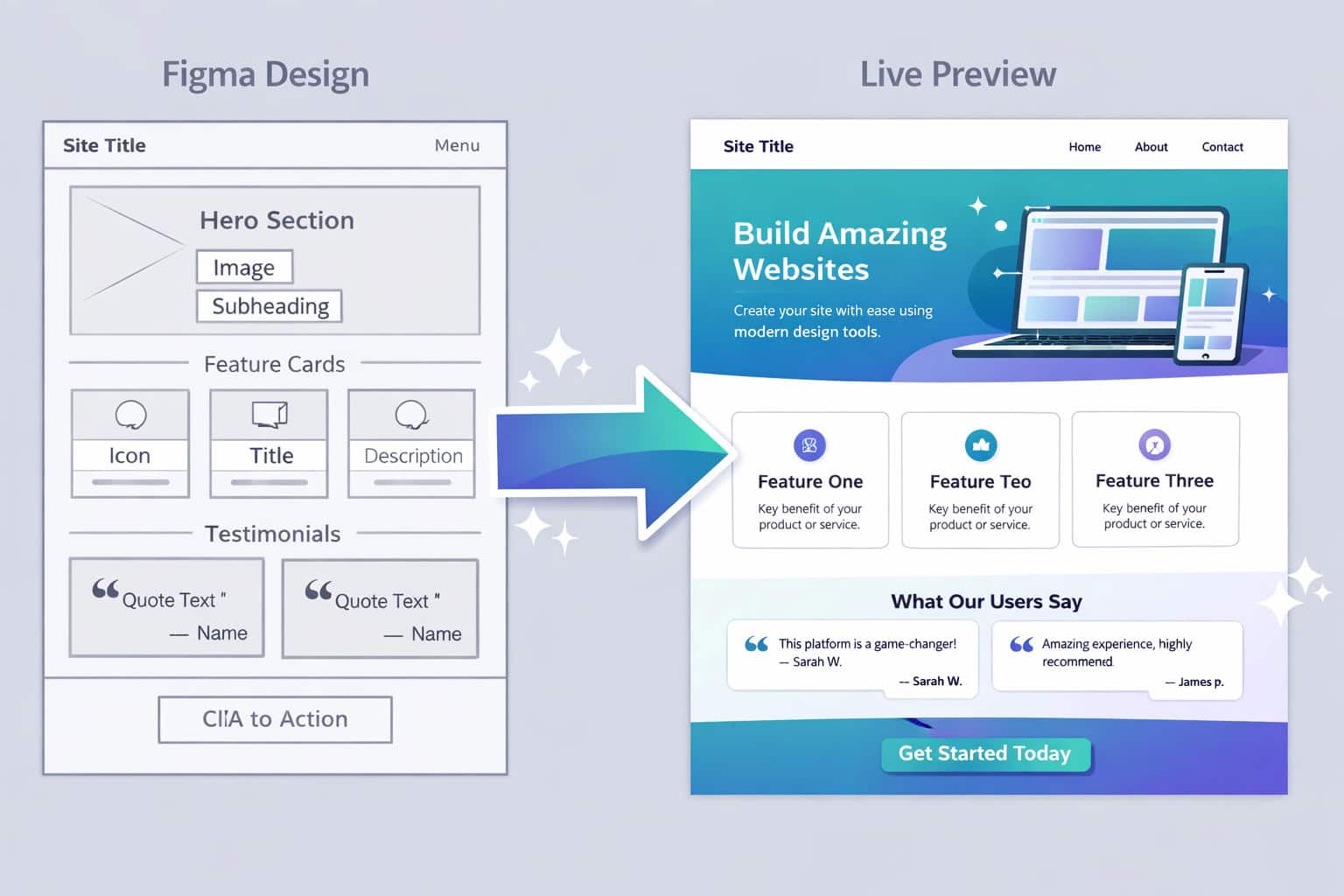
The 15 game-changing AI tools that will revolutionize web development work best when mapped to specific stages of your workflow rather than used randomly.
Here’s a practical workflow map:
| Stage | Recommended AI Tool(s) | What It Handles |
|---|---|---|
| Planning & Sitemap | Relume AI, ChatGPT | Sitemaps, user flows, content outlines |
| Design & Prototyping | Figma AI, Visily, Framer AI | Wireframes, UI components, layouts |
| Coding | GitHub Copilot, Cursor, Tabnine | Code generation, completion, refactoring |
| Debugging & Review | Claude, ChatGPT | Code review, logic errors, documentation |
| Testing & QA | Testim, Applitools | UI tests, visual regression, cross-browser checks |
| Content & Copy | Jasper AI, ChatGPT | Page copy, meta descriptions, blog posts |
| SEO Optimization | Surfer SEO | Keyword targeting, content scoring |
| Site Building | Wix AI, Webflow AI | Rapid site generation for clients |
Common mistake: Developers often adopt an AI coding assistant first and stop there. The bigger gains come from covering multiple stages — especially testing and SEO, which are traditionally the most time-consuming parts of a project.
What Should You Consider Before Choosing an AI Tool?
Not every tool on this list is right for every team. Here’s how to narrow it down.
Choose based on your role:
- Solo freelancer: Copilot or Cursor + Surfer SEO covers most of your day
- Agency team: Relume + Figma AI + Testim covers design, handoff, and QA
- In-house developer: Claude + Tabnine + Applitools for code quality and testing focus
- Content-heavy site: Jasper + Surfer SEO + a WordPress AI plugin handles production at scale
Key questions to ask before paying for any tool:
- Does it integrate with my existing editor or CMS?
- Is there a free tier I can test with real work?
- Does it handle my primary language or framework?
- What are the data privacy terms — especially if I work with client code?
Edge case to watch: If your team uses a private codebase with sensitive data, self-hosted options like Tabnine are worth the extra setup cost. Cloud-based AI tools send code snippets to external servers, which may conflict with NDAs or compliance requirements.
How Do AI Tools Change the Human Developer’s Role?

AI tools accelerate technical functions, but design judgment, architectural decision-making, and complex problem-solving still require human expertise [2]. The developer’s role shifts rather than shrinks.
What AI handles well:
- Boilerplate and repetitive code patterns
- Generating first drafts of components or copy
- Catching obvious bugs and style inconsistencies
- Running tests and flagging regressions
What still needs a human:
- Deciding on system architecture and data models
- Evaluating trade-offs between performance and maintainability
- Understanding client requirements and translating them into technical specs
- Reviewing AI-generated code for security vulnerabilities
“AI acts as a collaborative assistant rather than a replacement.” [2]
This is the most important framing for developers worried about job security. The developers who will benefit most from this shift are those who learn to direct AI tools effectively — treating them like a fast junior developer who needs clear instructions and code review.
Are There Risks or Limitations to Using AI in Web Development?

Yes, and being aware of them upfront saves a lot of frustration. The 15 game-changing AI tools that will revolutionize web development are powerful, but they come with real limitations that affect how you should use them.
Key limitations to know:
- AI-generated code can contain bugs and security vulnerabilities. Always review AI output before merging, especially for authentication, data handling, or payment-related code.
- Context limits. Most AI tools lose track of your full codebase. They work on what you show them, not your entire project.
- Hallucinated APIs. AI tools sometimes suggest functions or libraries that don’t exist. Verify anything unfamiliar before using it.
- Licensing questions. Code generated by tools trained on public repositories may carry licensing implications. Check your organization’s policy.
- Over-reliance risk. Developers who skip understanding the code AI generates can end up with technical debt they can’t maintain.
Decision rule: Use AI-generated code as a starting point, not a final product. Treat it the same way you’d treat a code snippet from Stack Overflow — useful, but requiring review and adaptation.
Frequently Asked Questions
Q: Will AI tools replace web developers? No. AI tools handle repetitive and generative tasks, but architectural decisions, client communication, and complex problem-solving still require human developers [2]. The role evolves; it doesn’t disappear.
Q: Which AI tool is best for beginners learning web development? ChatGPT (GPT-4o) is the most accessible starting point. It explains concepts conversationally, helps debug errors, and generates simple code without requiring IDE integration.
Q: Is GitHub Copilot worth the subscription cost? For developers who write code daily, yes. The productivity gains in boilerplate reduction and function generation typically justify the monthly cost within the first week of use [2].
Q: Can I use multiple AI tools together? Yes, and most professionals do. A common stack is Copilot or Cursor for coding, Figma AI for design, and Surfer SEO for content — each covering a different part of the workflow.
Q: Are AI-generated websites good enough for client projects? Tools like Framer AI and Webflow AI produce strong starting points, but client projects almost always need customization. Use AI to generate the structure, then refine manually.
Q: What’s the difference between Cursor and GitHub Copilot? Copilot is a plugin that adds AI suggestions to your existing editor. Cursor is a full AI-native editor built on VS Code. Cursor offers more control over multi-file edits and refactoring; Copilot is easier to add to an existing setup [1].
Q: Do AI tools work with WordPress? Yes. Several tools on this list integrate with WordPress directly, including Jasper and Surfer SEO. For a broader look at automation options, see our guide on AI plugins for WordPress.
Q: Is Tabnine safer than Copilot for private code? Tabnine’s self-hosted option keeps your code on your own servers, which makes it the stronger choice for teams with strict data privacy requirements. Copilot sends code snippets to GitHub’s cloud infrastructure.
Q: How do I evaluate whether an AI tool is actually saving me time? Track your time on specific tasks (writing components, fixing bugs, writing tests) for two weeks before adopting a tool, then two weeks after. If the time drops meaningfully, the tool earns its place.
Q: What’s the best AI tool for non-developers building a website? Wix AI or Framer AI. Both generate complete, functional websites from a short text description with no coding required.
Conclusion: Your Next Steps
The 15 game-changing AI tools that will revolutionize web development are already in active use by developers and teams who are shipping faster and spending less time on repetitive work. The opportunity is real — but only if you approach adoption strategically.
Here’s what to do next:
- Identify your biggest time sink — coding, design, testing, or content — and pick one tool from that category to trial first.
- Start with a free tier. Most tools on this list offer free plans. Test with real work before paying.
- Review everything AI generates. Treat AI output as a draft, not a finished product.
- Build a small stack gradually. Add a second tool once the first is part of your routine.
- Stay current. This space moves fast. Check the AI category at WebAiStack regularly for updates on new tools and integrations.
The developers who will benefit most from this shift are those who learn to direct AI tools effectively — not those who use the most tools, but those who use the right ones well.
See also: GitHub Copilot.
References
[1] 10 AI Tools To Replace Your Dev Team Almost – https://javascript.plainenglish.io/10-ai-tools-to-replace-your-dev-team-almost-feaa60cadeff
[2] AI Tools Web Development – https://codewave.com/insights/ai-tools-web-development/
[3] List Of Generative AI Tools – https://labs.lamatic.ai/p/list-of-generative-ai-tools/
[5] AI Tools – https://www.synthesia.io/post/ai-tools