

Last updated: May 22, 2026
A single 15-second webcam clip can now produce a digital twin that speaks 175 languages, matches your facial micro-expressions, and sounds nearly indistinguishable from the real you. That’s not a research demo — it’s what HeyGen shipped to paying customers in April 2026 with its Avatar V release [4]. HeyGen AI voice cloning is revolutionizing digital communication and content creation by collapsing what once required studios, voice actors, and weeks of post-production into a workflow that takes minutes. Whether you’re a solo YouTuber, a B2B marketing team, or someone exploring accessibility tools, this guide covers exactly how HeyGen works, what it costs, where it excels, and where to watch out.
Key Takeaways
- HeyGen can clone your voice and face from as little as 15 seconds of video, then generate presenter-style content in 175+ languages [4].
- Entry-level voice cloning across platforms like HeyGen and ElevenLabs requires only 30 seconds to 2 minutes of audio [1].
- Avatar V solves “identity drift,” preserving your facial expressions and lip geometry even in long videos [4].
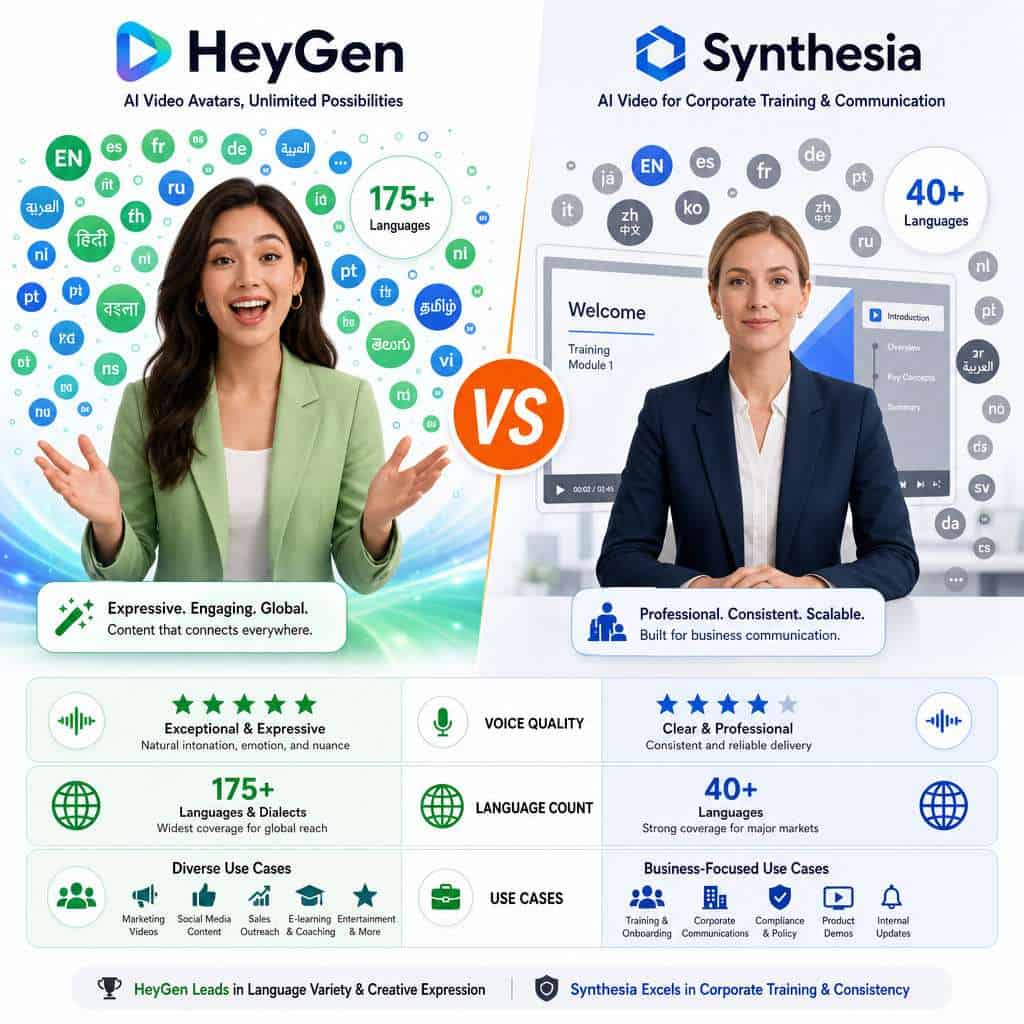
- Synthesia supports 40+ languages for personal voice cloning; HeyGen covers 175+, with reviewers noting stronger emotional range [6].
- HeyGen’s Seedance 2.0 adds cinematic scene generation directly inside the same studio [9].
- Privacy and consent policies were updated in May 2026, emphasizing data handling and content authenticity.
- Professional-tier clones (longer recordings, paid plans) produce noticeably more natural speech with better intonation [1].

What Exactly Is HeyGen AI Voice Cloning and How Does It Work?
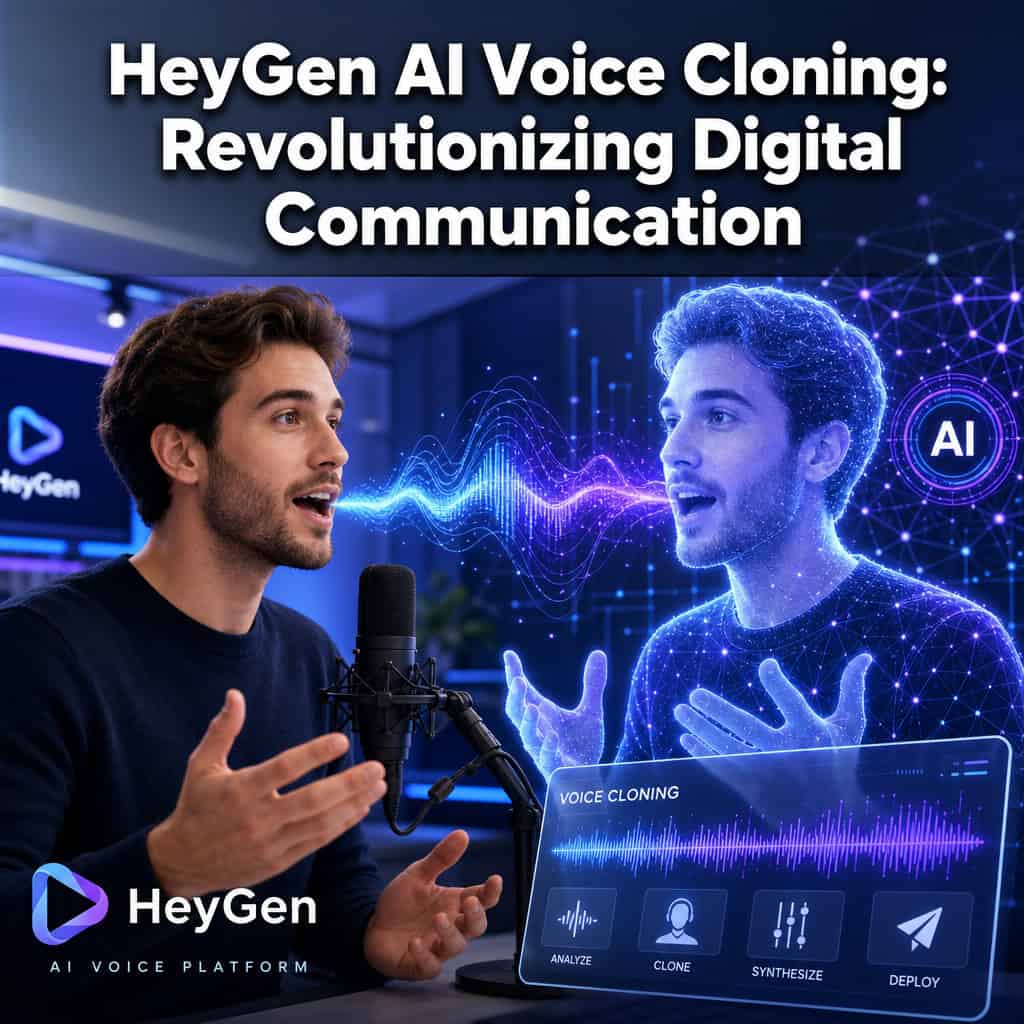
HeyGen AI voice cloning uses deep learning to analyze a short audio or video sample of your voice, then generates a synthetic version that can speak any script you type. When paired with HeyGen’s avatar system, the result is a video of a digital presenter who looks and sounds like you — or like a stock avatar with a custom voice.
Here’s the simplified workflow:
- Record a sample. Upload 15 seconds to 2 minutes of clear audio or video [1][4].
- AI processes your voice. The system maps your pitch, cadence, intonation, and tonal patterns.
- Generate speech from text. Type or paste a script, and HeyGen renders audio in your cloned voice.
- Sync with an avatar. Avatar V matches lip movements, facial expressions, and gestures to the generated speech [4].
- Export or iterate. Download the video or tweak the script for another take — no re-recording needed.
The January and February 2026 platform updates simplified script editing inside AI Studio, so you can do multi-take iterations without leaving the interface [3]. If you’re exploring other AI-powered content generation tools, HeyGen stands out because it bundles voice, video, and avatar into one platform.
Can I Clone My Own Voice or Only Use Preset Voices?
Yes, you can clone your own voice. HeyGen supports both custom voice cloning from your recordings and a library of preset AI voices. Custom cloning is the core feature that separates HeyGen from basic text-to-speech tools.
What you need to know:
- A basic clone requires roughly 30 seconds to 2 minutes of clean audio [1].
- Professional-quality clones benefit from longer recordings (some users report best results with 5+ minutes of varied speech).
- HeyGen requires consent verification — you must confirm you have the right to clone the voice being uploaded [7].
- Preset voices are available for users who don’t want to clone their own voice or need a neutral narrator.
Common mistake: Recording in a noisy room or using a low-quality microphone. Background noise degrades clone accuracy significantly. Use a quiet space and a decent USB microphone at minimum.
How Accurate Is HeyGen at Mimicking Human Speech Patterns?
HeyGen’s voice clones in 2026 handle intonation, pacing, and emotional tone well enough that reviewers describe the output as looking and sounding like the real person [6]. Avatar V specifically addresses “identity drift” — the tendency of earlier AI systems to lose resemblance over longer clips [4].
That said, accuracy varies:
- Best results: Native English speakers with clear recordings on paid plans [1].
- Good results: Major European and Asian languages with sufficient training data.
- Uneven results: Less common languages or speakers with very distinctive accents may see reduced naturalness.
A 2026 analysis in The Quantum Record notes that synthetic speech performance remains uneven across speakers and languages, and that governance frameworks are still catching up to the technology’s capabilities.
“For brands relying on a human presenter connection, HeyGen is the best investment in 2026 because it makes ‘faking it’ look entirely, undeniably real.” — WeShop.ai review [6]
What Languages and Accents Does HeyGen Support?
HeyGen supports voice cloning and avatar lip-sync across 175+ languages, making it one of the broadest multilingual AI video platforms available in 2026 [4][6]. This includes major languages like Spanish, Mandarin, Hindi, Arabic, French, German, Japanese, and Portuguese, along with many regional languages.
The DesignRevision comparison from May 2026 specifically highlights HeyGen’s emotional range and tonal accuracy across these languages as a differentiator versus competitors. For content creators targeting global audiences, this means you can produce a single video and localize it into dozens of markets without hiring voice actors for each language.
Choose HeyGen if your content needs to reach audiences in more than 5-10 languages. Choose a simpler tool if you only need English or a handful of major languages.
How Much Does HeyGen Cost Compared to Other Voice AI Platforms?
HeyGen uses a tiered subscription model. While exact pricing changes frequently, the general structure as of 2026 includes a free tier with limited credits, a Creator plan for individual users, a Business plan for teams, and Enterprise pricing for large organizations [10].
| Feature | HeyGen | Synthesia | ElevenLabs |
|---|---|---|---|
| Voice cloning | Yes (included in paid plans) | Yes (40+ languages) | Yes (professional tier) |
| Avatar video | Yes (Avatar V) | Yes | No (voice only) |
| Languages | 175+ | 40+ | 29+ |
| Free tier | Limited credits | Limited | Limited |
| Best for | Creators, marketers, multilingual content | Corporate training, internal content | Pure voice quality, API integration |
ElevenLabs’ professional voice clone tier recommends roughly 1–1.5 hours of clean audio for top-tier results and requires a live verification script. Many creators actually pair an ElevenLabs professional clone with HeyGen avatars via API, using ElevenLabs as the voice engine and HeyGen as the visual layer.
For teams looking to optimize their content workflows with AI, HeyGen’s bundled approach often reduces total cost compared to stitching together separate voice and video tools.
What Are the Best Use Cases for HeyGen Voice Cloning?
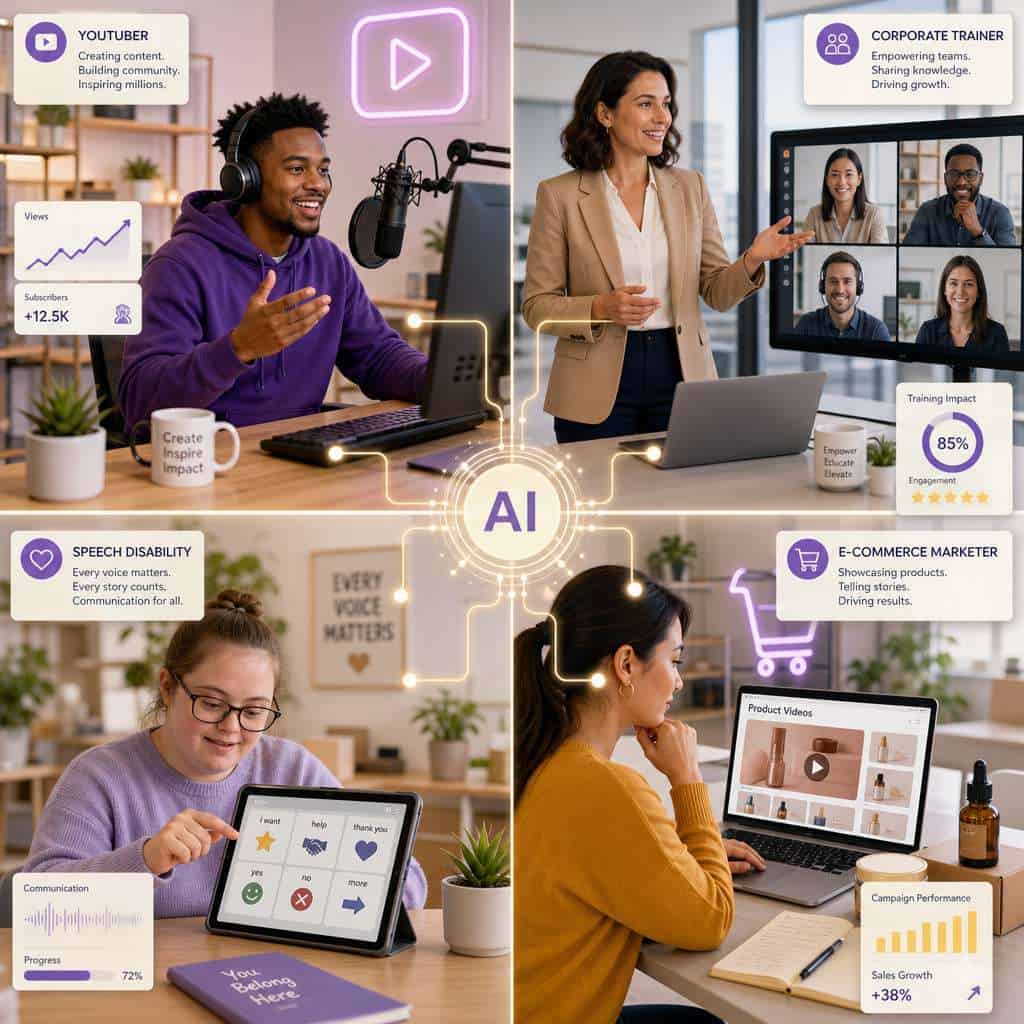
HeyGen voice cloning works best when you need a consistent human presenter across multiple videos, languages, or formats without re-filming each time. The strongest use cases include:
- YouTube and social media content: Clone yourself once, then produce videos for multiple channels and languages. Pair this with graphic design tools for social media to build a complete content pipeline.
- B2B SaaS product videos: Marketing teams can set up an avatar and voice once, then produce product explainers and training content at scale without depending on constant human recording.
- E-learning and corporate training: Standardized presenter-led modules that can be updated by changing the script, not re-shooting.
- E-commerce product demos: Localized product walkthroughs for international markets.
- Personal branding: Coaches, consultants, and thought leaders who want to scale their presence.
Seedance 2.0, released in April 2026, extends these use cases by letting users generate cinematic B-roll and full scenes from a single prompt, all integrated with voice and avatar inside HeyGen’s AI Studio [9].
What Kind of Content Creators Would Benefit Most from HeyGen?
Solo creators and small marketing teams who produce regular video content but lack the budget or time for professional production benefit most. Specifically:
- YouTubers who want to localize content into multiple languages without recording each version.
- Course creators who need to update training materials frequently.
- Marketing teams at companies with 2-50 employees who can’t afford a full video production crew.
- Agencies producing client videos at scale.
If you’re already using AI tools to build websites without code, adding HeyGen to your stack lets you create video content with the same efficiency.
HeyGen is less ideal for: Filmmakers seeking full creative control over cinematography, voice actors who need real-time performance nuance, or anyone producing content where 100% authenticity verification is required.
Can HeyGen Help People with Speech Disabilities Communicate?
Yes, and this is one of the most meaningful applications of AI voice cloning. People who have lost their voice due to ALS, stroke, laryngeal cancer, or other conditions can create a voice clone from existing recordings of their speech — even short clips — and use it to communicate through text-to-speech.
The technology works best when recordings from before the disability are available. Even 30 seconds to 2 minutes of clear audio can produce a usable clone [1]. This means a person’s family, colleagues, and friends can hear communication in a voice they recognize, rather than a generic robotic voice.
Edge case: If no prior recordings exist, preset voices or voices modeled on family members (with consent) can serve as alternatives, though they won’t replicate the individual’s original voice.
Is HeyGen Legal to Use for YouTube and Commercial Content?
HeyGen is legal to use for YouTube and commercial content, provided you have the rights to the voice and likeness being cloned. HeyGen’s terms of service, updated in May 2026, require users to confirm consent for any voice or face used in cloning.
Key legal considerations:
- Your own voice and face: Fully permitted.
- Someone else’s voice or face: You need their explicit consent.
- Public figures or celebrities: Cloning without permission likely violates right-of-publicity laws in most jurisdictions.
- YouTube monetization: YouTube does not prohibit AI-generated content, but requires disclosure of synthetic media in certain contexts under its 2024-2026 AI content policies.
Common mistake: Assuming that because the technology allows it, you have legal permission. Always document consent, especially for commercial use.
Are There Any Privacy Risks with AI Voice Technology?
Yes. Voice is increasingly recognized as a biometric identifier, and cloning it creates real risks. Your voice clone could theoretically be misused for fraud, impersonation, or unauthorized content if the platform’s data is compromised or if someone obtains your voice sample.
HeyGen’s May 2026 privacy policy update addresses data handling and content authenticity [3]. But platform policies alone don’t eliminate risk. Practical steps to protect yourself:
- Only clone your voice on platforms with clear data retention and deletion policies.
- Use strong account security (two-factor authentication).
- Monitor where your cloned voice appears — set up Google Alerts for your name plus “AI” or “clone.”
- Be cautious about sharing high-quality voice recordings publicly.
For broader context on AI tool safety, our AI content archives cover related privacy topics across multiple platforms.
How Does HeyGen Compare to Synthesia and Other AI Voice Platforms?
HeyGen leads on multilingual breadth (175+ languages vs. Synthesia’s 40+) and emotional expressiveness in voice cloning [6]. Synthesia is often better for standardized corporate training where consistency matters more than creative flexibility.
Choose HeyGen if:
- You need 50+ languages.
- You want expressive, brand-specific avatars.
- You’re a creator or marketer who values personality in video.
Choose Synthesia if:
- Your primary use case is internal corporate training.
- You need a more structured, enterprise-focused workflow.
- Language coverage beyond 40 isn’t critical.
Choose ElevenLabs if:
- You only need voice (no avatar video).
- You want the highest possible voice fidelity and are willing to invest 1+ hours of recording.
- You need API-level integration for custom apps.
Many power users combine tools — for example, using ElevenLabs for the voice clone and HeyGen for the avatar and video layer. If you’re building a broader AI-powered creative workflow, mixing tools based on their strengths is a valid strategy.
What Equipment Do I Need to Get Started with HeyGen?
You need surprisingly little. The minimum setup:
- A computer or smartphone with a webcam (for Avatar V, a 15-second webcam clip is enough [4]).
- A quiet room — this matters more than expensive equipment.
- A decent microphone — a $30-50 USB condenser microphone dramatically improves clone quality over a laptop’s built-in mic.
- A HeyGen account — free tier available, paid plans for full voice cloning features.
Optional but helpful:
- Ring light or good natural lighting (for avatar face capture).
- A pop filter to reduce plosive sounds in voice recordings.
- A script prepared in advance so your recording sample is clean and natural.
Common mistake: Over-investing in equipment before testing the platform. Start with what you have, evaluate the output, then upgrade your microphone if you commit to the platform.
What Are Common Mistakes People Make When Using AI Voice Cloning?
Most mistakes happen before the AI even processes your voice. Here are the ones I see most often:
- Poor recording quality. Background noise, echo, and low-quality microphones are the top reasons clones sound robotic.
- Too little variation in the sample. Reading in a monotone gives the AI less to work with. Vary your pitch and pace naturally.
- Skipping consent documentation. Even for your own voice, keeping records protects you legally.
- Expecting perfection from the free tier. Professional-quality output typically requires paid plans with longer recordings [1].
- Not iterating on scripts. HeyGen’s updated script editor makes multi-take iteration fast [3] — use it. Your first draft rarely sounds best.
- Ignoring cultural context in translations. A voice clone speaking Japanese with English pacing sounds unnatural. Review localized output with native speakers when possible.
Conclusion
HeyGen AI voice cloning is revolutionizing digital communication and content creation by making it practical for individuals and small teams to produce multilingual, presenter-led video at a scale that previously required enterprise budgets. The April 2026 Avatar V release and Seedance 2.0 represent a meaningful leap in quality and usability [4][9].
Your next steps:
- Try the free tier. Create a HeyGen account and test a basic voice clone with your webcam.
- Record a clean 2-minute sample. Use a quiet room and a decent microphone.
- Generate one video in your primary language, then test a localized version.
- Compare output against Synthesia or ElevenLabs if you’re evaluating multiple platforms.
- Document consent for any voice or likeness you clone, and review HeyGen’s updated privacy terms.
The technology is here, it’s accessible, and it’s improving fast. The creators and teams who learn to use it well in 2026 will have a significant advantage in content production efficiency and global reach. Explore more AI and content generation resources to build out your full workflow.
FAQ
How long does it take to clone a voice on HeyGen? The initial clone can be generated from as little as 15 seconds to 2 minutes of audio. Processing typically takes a few minutes after upload [1][4].
Is HeyGen’s voice cloning free? Basic features are available on the free tier with limited credits. Full voice cloning capabilities require a paid subscription [10].
Can I use my HeyGen voice clone on other platforms? You can export videos with your cloned voice and use them anywhere. However, the voice clone itself lives within HeyGen’s platform unless you use API integrations.
Does HeyGen work on mobile? Yes. A February 2026 update added one-tap social video editing on iOS, and the platform is accessible via mobile browsers [3].
How does HeyGen prevent unauthorized voice cloning? HeyGen requires consent verification when uploading voice samples. Their May 2026 terms update emphasizes consent and data handling policies.
Can I clone someone else’s voice with HeyGen? Only with their explicit consent. HeyGen’s terms require you to confirm you have authorization to clone any voice you upload [7].
What audio format does HeyGen accept for voice cloning? HeyGen accepts common audio and video formats. For best results, use WAV or MP4 with minimal background noise.
How many languages can my voice clone speak? Your cloned voice can generate speech in 175+ languages, though quality may vary for less common languages [4][6].
Is there a risk my cloned voice could be stolen? Any digital asset carries some risk. Use strong account security, enable two-factor authentication, and review HeyGen’s data retention policies.
Can I use HeyGen for podcasts? Yes. You can generate audio-only output from your voice clone, though HeyGen’s primary strength is video with synchronized avatars.
Does HeyGen integrate with other tools? HeyGen offers API access and integrates with workflows including ChatGPT-assisted content creation added in early 2026 [3].
What’s the difference between Avatar V and older HeyGen avatars? Avatar V captures facial micro-expressions, lip geometry, and your presenting style from a 15-second clip, solving the identity drift problem that made earlier avatars look less natural over time [4].
References
[1] Elevenlabs Heygen Ai Voice Cloning – https://www.aitoolssme.com/blogs/elevenlabs-heygen-ai-voice-cloning [3] Blog – https://www.heygen.com/blog [4] Latest Ai Heygen Avatar V Clones Faces In 15 Seconds – https://crypto.news/latest-ai-heygen-avatar-v-clones-faces-in-15-seconds/ [6] Heygen Review 2026 The Ultimate Ai Video Suite For The Avatar Economy – https://www.weshop.ai/blog/heygen-review-2026-the-ultimate-ai-video-suite-for-the-avatar-economy/ [7] Clone Your Voice For Ai – https://www.heygen.com/blog/clone-your-voice-for-ai [9] Seedance 2 – https://www.heygen.com/apps/seedance-2 [10] Heygen Ai Review – https://avatar-video-ai.com/blog/heygen-ai-review





