Last updated: May 22, 2026
Quick Answer
HeyGen is an AI video generation platform that turns text prompts, scripts, or structured inputs into studio-quality videos featuring realistic digital avatars and synthetic voices. It supports over 140 languages, offers 230+ avatar options, and now includes developer tools like a CLI and open-source rendering framework. In 2026, HeyGen was named one of Fast Company’s Most Innovative Companies for its role in transforming how businesses create and localize video content [6].
Key Takeaways
- HeyGen converts text or prompts into finished videos with AI avatars, no camera or studio required.
- The platform supports 140+ languages with lip-synced translations, making it a strong choice for global content teams.
- Pricing follows a subscription SaaS model with a free tier, and paid plans start around $24/month (as of early 2026).
- HeyGen’s April 2026 release shipped 15 product launches in 30 days, including a CLI for developers, open-source HyperFrames, and agent-based video creation [1].
- A ChatGPT integration launched in February 2026 lets users generate videos without leaving the chat interface [5].
- The platform is best suited for marketing teams, corporate trainers, e-commerce sellers, and educators who need consistent, scalable video output.
- Lip-sync accuracy has improved significantly but still shows occasional artifacts on extreme close-ups or unusual phonemes.
- HeyGen competes directly with Synthesia and D-ID, each with different strengths depending on use case.
- No video editing experience is needed; the interface is template-driven and beginner-friendly.
What Exactly Is HeyGen and How Does It Work?

HeyGen is a cloud-based AI video platform that generates professional-looking videos using digital avatars and synthetic voices. You provide a script or prompt, choose an avatar and voice, and HeyGen renders a finished video, often in under five minutes.
Here’s how the core workflow breaks down:
- Input your content. This can be a written script, a natural-language prompt, or structured JSON (for developers using the new CLI) [1].
- Select an avatar. Choose from 230+ stock avatars or create a custom one from your own footage.
- Pick a voice and language. HeyGen offers voices in 140+ languages with automatic lip-sync.
- Customize the layout. Add backgrounds, screen recordings, text overlays, images, or branded elements.
- Render and export. The platform handles editing, timing, and rendering automatically.
The February 2026 release added a Video Agent that automates the entire pipeline from idea to outline, script, asset selection, narration, and final render [8]. And with the April 2026 HeyGen CLI, developers can now pass a prompt and receive a fully rendered video as structured JSON output [1].
For a broader look at how AI tools are changing content workflows, see our comprehensive guide to AI-powered content generation tools.
What Video Types Can HeyGen Actually Generate?
HeyGen handles a wide range of video formats, not just talking-head clips. The platform can produce:
- Spokesperson/explainer videos with a single avatar presenting to camera
- Product demos combining screen recordings with avatar narration
- Training and onboarding videos for internal corporate use
- Social media clips optimized for vertical (9:16), square (1:1), or landscape (16:9)
- News-style segments using the AI news generator tool [9]
- Localized versions of existing videos translated into other languages
- E-commerce product videos with avatar-driven descriptions
The multi-modal pipeline now accepts text, image, and audio inputs to generate videos with captions and animations [9]. This flexibility makes HeyGen useful across departments, from marketing to HR to customer support.
How Much Does HeyGen Cost Compared to Other AI Video Tools?
HeyGen uses a subscription-based SaaS pricing model. As of early 2026, the tiers look roughly like this:
| Plan | Approximate Monthly Cost | Credits/Minutes | Key Features |
|---|---|---|---|
| Free | $0 | Limited (1-3 videos) | Watermarked, basic avatars |
| Creator | ~$24/month | ~15 minutes/month | No watermark, 100+ avatars, 1080p |
| Business | ~$72/month | ~30 minutes/month | Custom avatars, brand kits, priority render |
| Enterprise | Custom pricing | Unlimited/negotiated | API access, SSO, dedicated support |
Note: Pricing may vary; check HeyGen’s website for current rates.
Compared to Synthesia (starting around $22/month for a personal plan) and D-ID (starting around $5.90/month for basic use), HeyGen sits in a similar range but differentiates on developer tools, language breadth, and its new agent-based automation features. D-ID is cheaper at entry level but more limited in avatar quality and customization.
If you’re evaluating AI tools for your broader content strategy, our AI-powered content optimization guide covers how to measure ROI across platforms.
Can HeyGen Create Videos in Multiple Languages?
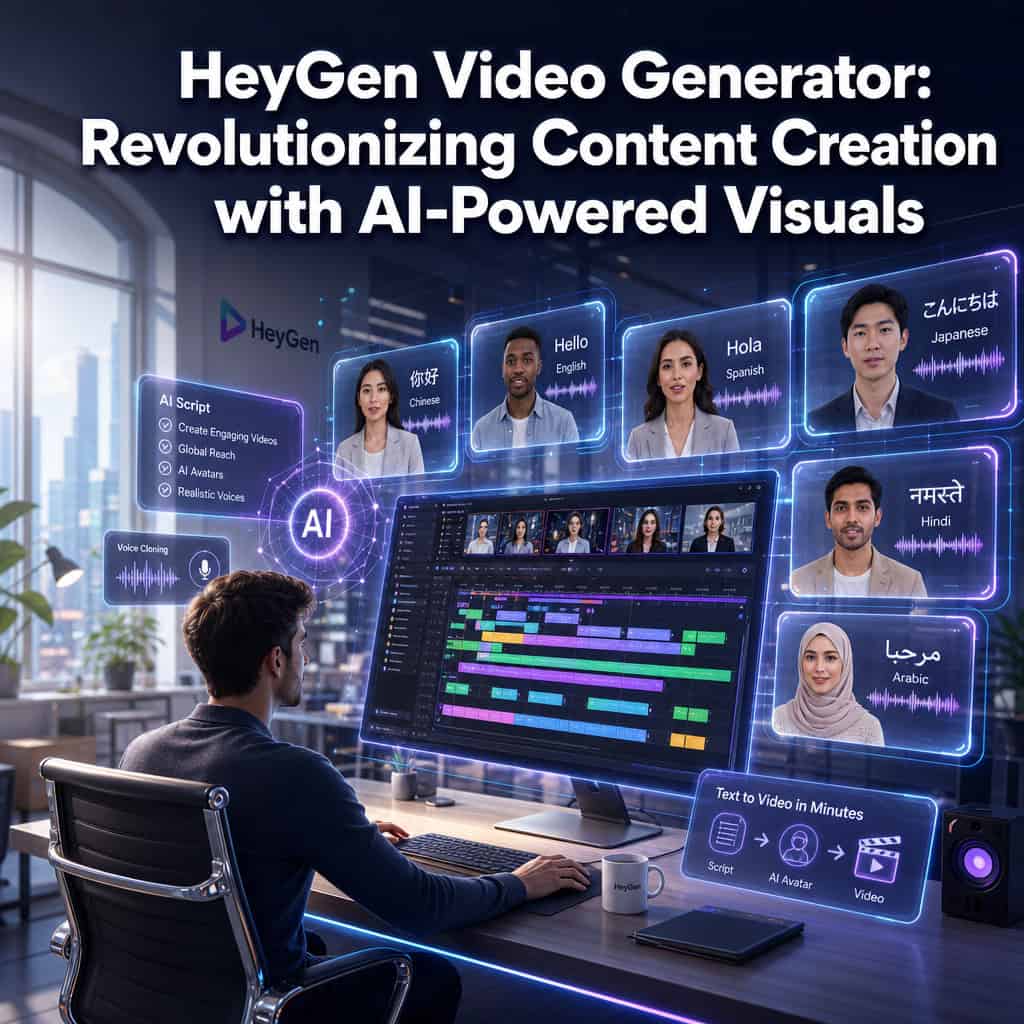
Yes, and this is one of HeyGen’s strongest selling points. The platform supports over 140 languages with voice cloning and automatic lip-sync translation. You can record or upload a video in English, then generate localized versions in Spanish, Mandarin, Hindi, Japanese, Arabic, and dozens more, with the avatar’s mouth movements matched to the new audio.
This capability was a major reason HeyGen earned its Fast Company Most Innovative Companies recognition in 2026, specifically for “transforming how businesses localize and scale video via AI” [6].
When to use multilingual features: Choose HeyGen’s translation if you need consistent branding across markets and don’t have budget for re-shooting with native speakers. Skip it if your content relies heavily on cultural idioms or humor that needs human adaptation beyond translation.
How Does HeyGen Compare to Synthesia or D-ID?

All three platforms generate AI avatar videos, but they serve slightly different audiences.
| Feature | HeyGen | Synthesia | D-ID |
|---|---|---|---|
| Languages | 140+ | 140+ | 30+ |
| Stock avatars | 230+ | 160+ | Limited (photo-based) |
| Custom avatars | Yes (video upload) | Yes (studio recording) | Yes (single photo) |
| Developer API/CLI | Yes (v3 API + CLI) [1] | Yes (API) | Yes (API) |
| ChatGPT integration | Yes [5] | No (as of May 2026) | No |
| Open-source tools | HyperFrames (Apache 2.0) [1] | No | No |
| Starting price | ~$24/month | ~$22/month | ~$5.90/month |
| Best for | Marketing, multilingual, developers | Corporate training, enterprise | Quick photo-to-video, low budget |
Decision rule: Choose HeyGen if you need developer integrations, agent-based automation, or extensive multilingual support. Choose Synthesia if your primary use case is enterprise training with compliance requirements. Choose D-ID if you want the cheapest entry point and only need basic talking-head clips from photos.
What Kind of Content Creators Is HeyGen Best For?
HeyGen works best for creators and teams who need consistent, scalable video output without a production crew. Specifically:
- Marketing teams producing ad variations, product explainers, and social content at volume
- Corporate trainers building onboarding and compliance video libraries
- E-commerce sellers creating product description videos across multiple languages
- Educators and course creators who want a presenter without recording themselves
- Agencies managing video content for multiple clients with different branding
It’s less ideal for filmmakers, vloggers who rely on personal authenticity, or anyone creating content where real human emotion and spontaneity are the core value proposition.
For teams already using AI in their design workflow, HeyGen pairs well with tools like Canva’s AI design assistant for creating thumbnails and supporting graphics.
Can I Use HeyGen for Professional Marketing Videos?
Absolutely. Marketing is HeyGen’s primary use case, and the platform is built around it. You can create ad creatives, product launches, testimonial-style videos, and social media campaigns with branded templates, custom avatars, and consistent voiceover.
HeyGen’s $60M Series A at a valuation exceeding $500M reflected strong investor confidence that AI avatar video would become mainstream in marketing and corporate communications [10]. The platform’s content moderation and consent workflows also address brand safety concerns that matter for professional use.
Common marketing use cases:
- A/B testing video ads with different scripts but the same avatar
- Localizing a single campaign into 10+ languages overnight
- Creating personalized sales outreach videos at scale
- Producing weekly social media content without scheduling shoots
If you’re building marketing content across channels, our guide on graphic design for social media marketing complements HeyGen’s video output with static visual strategies.
Is HeyGen Good for YouTube or Social Media Content?
HeyGen can produce social media content effectively, especially for informational, educational, or promotional formats. It supports standard aspect ratios (16:9 for YouTube, 9:16 for Reels/TikTok/Shorts, 1:1 for feeds), and the one-tap social video editing feature on iOS makes quick edits easy [5].
Where it works well on social: Explainer content, news roundups, product highlights, multilingual clips, and “talking head” educational posts.
Where it falls short: Content that thrives on personality, real reactions, behind-the-scenes authenticity, or trending audio. Audiences on YouTube and TikTok can often detect AI-generated presenters, so transparency matters. Many successful creators use HeyGen for B2B LinkedIn content or supplementary clips rather than as their primary YouTube presence.
Are There Any Limitations with HeyGen’s AI Avatar Generation?

Yes, and understanding them upfront saves frustration:
- Uncanny valley effect. While avatar quality has improved dramatically, some viewers still notice subtle tells, especially in eye movement and micro-expressions during longer clips.
- Custom avatar requirements. Creating a custom avatar requires a high-quality video recording with specific lighting and framing. Poor source footage produces poor results.
- Gesture limitations. Avatars have a limited range of hand gestures and body movements. They can’t interact with physical objects or demonstrate products hands-on.
- Rendering time. Complex videos with multiple scenes can take several minutes to render, and peak usage times may cause delays.
- Content policies. HeyGen enforces consent verification for custom avatars and prohibits deepfake or misleading content, which is a positive safeguard but adds steps to the custom avatar process.
How Accurate Are the Lip-Sync Features in HeyGen Videos?
HeyGen’s lip-sync technology is among the best in the AI video space, particularly for its translation feature. The system analyzes the target language audio and adjusts the avatar’s mouth movements to match phonemes in the new language.
Accuracy is high for major languages like English, Spanish, Mandarin, and French. It’s noticeably less precise for languages with unusual phonetic patterns or for scripts that include many proper nouns. On close-up shots, minor misalignment can sometimes be visible, so I’d recommend using medium or wide framing for translated content.
What Are Some Common Mistakes People Make When Using HeyGen?
After working with the platform and reviewing community feedback, these are the most frequent errors:
- Writing scripts like blog posts. Conversational, short sentences work far better than dense paragraphs. The avatar reads exactly what you write, so stilted writing produces stilted delivery.
- Ignoring aspect ratio. Choosing 16:9 for content destined for Instagram Reels wastes time on re-edits. Set the correct format before you start.
- Skipping the preview. Always preview before final render. Catching a mispronunciation or awkward pause in preview saves credits.
- Using default everything. Stock avatars with default backgrounds look generic. Spend five minutes customizing colors, adding your logo, and choosing a voice that fits your brand.
- Over-relying on AI for creative direction. The Video Agent is powerful, but it works best when you provide clear input. Vague prompts produce vague videos.
- Not checking pronunciation of technical terms. Add phonetic hints in your script for industry jargon or brand names the AI might mispronounce.
What Technical Skills Do I Need to Use HeyGen Effectively?
For basic use, you need zero technical skills. The interface is template-driven, and creating a video is as simple as typing a script and clicking buttons. If you can use Google Docs, you can use HeyGen’s standard editor.
For advanced use, the picture changes. The April 2026 release introduced tools aimed squarely at developers [1]:
- HeyGen CLI requires comfort with command-line tools and JSON
- HyperFrames (open-sourced under Apache 2.0) lets you write video layouts as HTML, which requires basic web development knowledge
- HeyGen Skills integrates with coding agents like Claude Code and Cursor, aimed at developers building automated video pipelines
Choose the standard editor if you’re a marketer, educator, or small business owner. Choose the developer tools if you’re building video into a product, automating at scale, or integrating with existing workflows.
For more on building AI-powered workflows without deep coding knowledge, check out our best AI graphic design tools for creative workflows.
Are There Free Trials or Starter Plans for HeyGen?
Yes. HeyGen offers a free plan that lets you create a small number of videos (typically 1-3) with watermarks. This is enough to test avatar quality, voice options, and the editing interface before committing to a paid plan.
The Creator plan (around $24/month) removes watermarks and provides roughly 15 minutes of video per month, which is a reasonable starting point for individuals or small teams. If you need more volume or custom avatars, the Business tier at approximately $72/month is the next step.
Tip: If you only need a few videos for a specific project, the monthly plan without annual commitment gives you flexibility to cancel after one billing cycle.
Conclusion
HeyGen has moved well beyond a simple “type text, get video” tool. With its 2026 releases, including the Video Agent, CLI, HyperFrames, and ChatGPT integration, it’s become a platform that serves both non-technical creators and developers building video into automated workflows [1][5].
Here’s what to do next:
- Try the free plan to test avatar quality and see if the output matches your brand standards.
- Start with a specific use case like a product explainer or training video rather than trying to replace your entire video strategy at once.
- Write conversational scripts and preview before rendering to avoid wasting credits.
- Explore multilingual features if you serve international audiences; this is where HeyGen delivers outsized value.
- Consider the developer tools if you need to produce videos at scale or integrate video generation into your product.
AI-generated video isn’t a replacement for every type of content, but for consistent, scalable, multilingual video production, HeyGen is one of the most capable platforms available in 2026. Pair it with strong AI-powered content optimization practices and you’ll have a video workflow that would have required a full production team just two years ago.
FAQ
Q: Is HeyGen free to use? A: HeyGen offers a limited free plan with watermarked videos. Paid plans start at approximately $24/month for the Creator tier.
Q: Can I create a custom avatar that looks like me? A: Yes. You upload a high-quality video of yourself, and HeyGen generates a digital avatar. The platform requires consent verification to prevent misuse.
Q: How long does it take to render a HeyGen video? A: Most simple videos render in 2-5 minutes. Complex multi-scene videos or those created during peak usage may take longer.
Q: Does HeyGen work with ChatGPT? A: Yes. A ChatGPT integration launched in February 2026 lets you generate fully produced videos directly within the ChatGPT interface using the Video Agent API [5].
Q: Can I use HeyGen videos commercially? A: Yes. Paid plans include commercial usage rights for videos created with stock avatars. Custom avatar videos are subject to the consent and rights of the person depicted.
Q: What languages does HeyGen support? A: Over 140 languages with voice synthesis and lip-sync translation, including major languages like English, Spanish, Mandarin, Hindi, Arabic, French, and Japanese.
Q: Is HeyGen better than Synthesia? A: It depends on your needs. HeyGen offers stronger developer tools and a ChatGPT integration. Synthesia has a longer track record in enterprise training. Both support 140+ languages at similar price points.
Q: Do I need video editing experience? A: No. The standard editor is template-based and requires no prior editing skills. Developer tools (CLI, HyperFrames) require technical knowledge.
Q: Can HeyGen translate my existing videos? A: Yes. You can upload existing video content and use HeyGen’s translation feature to generate localized versions with lip-synced audio in the target language.
Q: What is HyperFrames? A: HyperFrames is an open-source framework (Apache 2.0 license) released by HeyGen in April 2026 that lets developers write video layouts as plain HTML and render them to MP4 using AI agents [1].
References
[1] HeyGen April 2026 Release – https://www.heygen.com/blog/heygen-april-2026-release [5] HeyGen February 2026 Release – https://www.heygen.com/blog/heygen-february-2026-release [6] HeyGen Fast Company Most Innovative Company 2026 – https://www.heygen.com/blog/heygen-fast-company-most-innovative-company-2026 [8] HeyGen AMA: HeyGen’s 2026 Product Strategy – https://community.heygen.com/public/videos/heygen-ama-heygens-2026-product-strategy-2026-02-24 [9] AI News Generator – https://www.heygen.com/tool/ai-news-generator [10] Announcing Our Series A – https://www.heygen.com/blog/announcing-our-series-a