Last updated: May 10, 2026
Quick Answer: Replit offers tiered support: free users rely on community forums and documentation, while Core and Pro members get private ticket-based support with response times under 24 hours on business days. Knowing which channel to use based on your plan and issue type saves hours of frustration.
Key Takeaways
- Free Replit users cannot submit private support tickets; they must use the Community Hub, docs, or email [email protected]
- Pro plan members receive responses within 24 hours on business days for private tickets [6]
- The Replit AI Agent can resolve many common coding errors automatically, reducing the need for human support [10]
- Community forums often provide faster peer-to-peer answers than official ticket responses for common issues
- Billing, account access, and technical bugs are the three categories covered by official support
- Checking status.replit.com first can save you from filing unnecessary tickets during outages
- Replit’s support policy was last updated February 23, 2026, with no changes announced since
What Support Channels Does Replit Actually Offer?
Replit provides four main support channels, but access depends on your subscription tier. Here’s the breakdown:
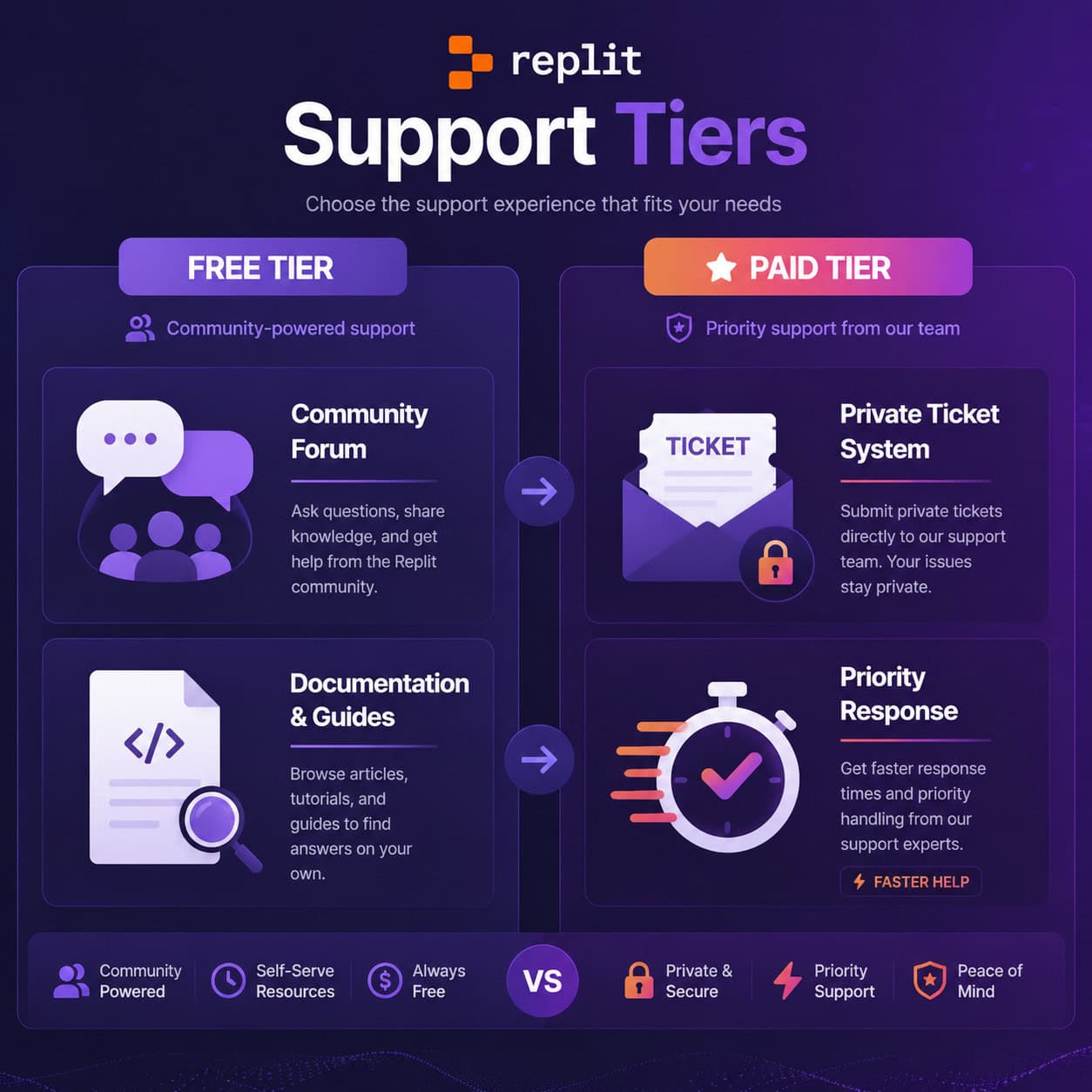
| Channel | Free Users | Core Members | Pro Members |
|---|---|---|---|
| Documentation (docs.replit.com) | Yes | Yes | Yes |
| Community Forum | Yes | Yes | Yes |
| Email ([email protected]) | Limited | Yes | Yes |
| Private Ticket System | No | Yes | Yes (priority) |
| Response Time SLA | None | Best effort | <24 hours (business days) |
Common mistake: Many free users try to submit tickets through the help portal and get confused when they can’t. If you’re on the free plan, head directly to the Replit Community Hub or check the documentation first.
The official support policy covers three categories: billing issues, account problems, and technical bugs [6]. Feature requests and general coding help aren’t handled through official support channels.
How Should Free Users Get Help on Replit?
Free users should start with Replit’s documentation, then move to the community forum for unresolved issues. Direct ticket support isn’t available on free plans.
Here’s the most effective order for free-tier troubleshooting:
- Search docs.replit.com for your specific error message or feature question
- Check status.replit.com to confirm the platform isn’t experiencing an outage
- Search the Community Forum for existing threads about your issue
- Post a new forum thread with your error details, Repl link, and steps to reproduce
- Email [email protected] only for account lockouts or billing errors
A counterargument worth noting: Reddit users have reported that community forums actually produce faster, more helpful responses than official tickets for coding-specific problems. Peer developers who’ve encountered the same issue can often provide working solutions within hours.
Choose the forum if: your issue is about code behavior, deployment errors, or workspace configuration. Choose email if: you’re locked out of your account or have a billing dispute.
If you’re exploring other development platforms that offer different support models, our guide to no-coding website design platforms covers several alternatives with varying support structures.
How Do Paid Plans Change the Support Experience?
Core and Pro members get private, ticket-based support that covers billing, accounts, and technical issues. Pro members specifically receive responses within one business day [6].
The practical differences between free and paid support:
- Privacy: Paid tickets are private; forum posts are public (relevant if your issue involves sensitive project details)
- Accountability: Tickets create a paper trail with assigned support staff
- Scope: Support staff can access your account details to diagnose issues faster
- Escalation: Complex bugs can be escalated internally through the ticket system
Edge case: If you’re a free user working on a time-sensitive project and hit a blocking bug, upgrading to Pro temporarily gives you immediate access to priority support. Some developers use this strategically during critical deployment windows.
Till Freitag noted in a March 2026 analysis that Replit works well as an all-in-one platform for solo developers, but enterprise teams with complex needs may find the support structure insufficient [7]. For teams building production applications, this is worth considering before committing fully to the platform.

What Are the Most Common Issues That Require Support?
Based on community forum patterns and official documentation, these issues generate the most support requests:
Deployment and hosting problems:
- Apps going offline after deployment
- Custom domain configuration errors
- SSL certificate issues
Account and billing:
- Subscription charges after cancellation
- Account access recovery
- Plan upgrade/downgrade confusion
Workspace errors:
- Repls not loading or crashing
- Package installation failures
- Git integration conflicts
The May 2026 changelog introduced App monitoring for published apps [6], which helps developers catch uptime issues before users do. This feature alone should reduce a significant portion of deployment-related support tickets.
For developers working with AI-powered tools alongside Replit, our guide to AI-powered content generation tools provides context on how these integrated systems work together.
How Does Replit’s AI Agent Reduce Support Needs?
Replit’s integrated AI Agent can auto-debug common errors directly in your workspace, handling issues that would otherwise require a support ticket or forum post. Analysis from 2026 suggests this reduces support dependency by approximately 40% through automated error resolution [10].
The AI Agent helps with:
- Syntax errors: Identifies and suggests fixes inline
- Package conflicts: Resolves dependency issues automatically
- Runtime errors: Provides explanations and fix suggestions
- Configuration problems: Detects misconfigured environment settings
Decision rule: Try the AI Agent first for any coding error. If it can’t resolve the issue after two attempts, then escalate to community forums or official support.
This approach aligns with how other platforms are integrating AI assistance. Similar to how AI-powered content optimization reduces manual editing work, Replit’s AI reduces manual debugging time.

How Does Replit Support Compare to Other Development Platforms?
Replit’s browser-based support is convenient but more limited than what you’d find with traditional IDEs. Here’s an honest comparison:
| Platform | Free Support | Paid Support | Community Size | AI Assistance |
|---|---|---|---|---|
| Replit | Forums + docs | Tickets (<24hr) | Medium | Built-in Agent |
| GitHub/VS Code | Issues + Stack Overflow | Enterprise plans | Very large | Copilot (separate) |
| Glitch | Forums + docs | No paid tier | Small | None |
| CodeSandbox | Forums + docs | Team plans | Medium | Limited |
Replit’s advantage: Everything is integrated. You don’t need to switch between Stack Overflow, GitHub Issues, and your IDE. The AI Agent, documentation, and community are all accessible from your workspace.
Replit’s limitation: Free users have no private support channel. With VS Code, you can always post on Stack Overflow or GitHub Issues regardless of what you’ve paid.
For developers considering alternative platforms for specific use cases, our review of drag-and-drop website builders covers options that may suit different project types.
What Should You Do When Replit Support Is Slow?
If your ticket hasn’t received a response within the expected timeframe, follow this escalation path:
- Check status.replit.com — if there’s a platform-wide issue, support queues will be backed up
- Reply to your existing ticket with additional context (don’t open duplicates)
- Post on the community forum for peer help while waiting
- Try Reddit’s r/replit — community members and occasionally staff respond there
- Document workarounds — if you find a temporary fix, note it for when support responds
Important context: Replit’s support policy specifies business days only. A ticket submitted Friday evening won’t receive a response until Monday at the earliest. Plan accordingly for weekend deployments.
Developers building WordPress sites alongside Replit projects can find additional troubleshooting resources in our WordPress plugin development guide, which covers similar debugging methodologies.
Tips for Writing Effective Support Tickets
A well-written ticket gets resolved faster. Include these elements every time:
- Repl link: Always share the specific Repl URL where the issue occurs
- Steps to reproduce: Number each step clearly
- Expected vs. actual behavior: What should happen vs. what does happen
- Error messages: Copy the full text, not just a screenshot
- Browser and OS: Especially relevant for rendering or performance issues
- What you’ve already tried: Prevents support from suggesting things you’ve done
Quick example of a good ticket:
“My Python Flask app at [repl-link] returns a 502 error after deployment. Steps: 1) Click Run, 2) App deploys successfully, 3) After ~5 minutes, accessing the URL returns 502. Expected: App stays running. Tried: Restarting the Repl, checking memory usage (within limits), reviewing logs (no errors visible). Browser: Chrome 124, macOS.”
This format gives support staff everything they need to investigate without back-and-forth emails.
For those also working with design-to-code workflows, our Figma to code plugins guide covers similar principles of clear communication between design and development phases.
Conclusion
Navigating Replit support effectively comes down to three things: knowing your tier’s available channels, using self-service resources first, and writing clear tickets when you need human help.
Your action steps:
- Bookmark docs.replit.com and status.replit.com right now
- Join the Community Forum before you need it (so you can search existing solutions quickly)
- If you’re on a free plan and hitting regular blockers, evaluate whether Pro’s <24-hour support justifies the cost for your workflow
- Use the AI Agent as your first line of defense for coding errors
- Keep a template for support tickets so you never forget critical details
The platform continues to evolve — the May 2026 updates around App monitoring and workspace security [6] show Replit is investing in reducing the need for support in the first place. But when you do need help, knowing exactly where to go and what to include makes the difference between a quick resolution and days of waiting.
FAQ
Can free Replit users submit support tickets? No. Free users must use the community forum, documentation, or email [email protected] for account-specific issues. Private ticket support requires a Core or Pro plan.
What is Replit’s response time for paid support? Pro members receive responses within 24 hours on business days. Core members get best-effort responses without a specific SLA guarantee [6].
Does Replit offer phone or live chat support? No. As of May 2026, Replit does not offer phone support or live chat. All support is asynchronous through tickets, email, or forums.
What issues does Replit support actually cover? Official support handles billing questions, account access problems, and technical platform bugs. They don’t provide general coding help or feature implementation assistance.
Is the Replit community forum useful for getting help? Yes. Many developers report faster responses on the forum than through official tickets, especially for common coding issues where peers have encountered the same problem.
How do I check if Replit is having an outage? Visit status.replit.com for real-time platform status. Always check this before submitting a support ticket about connectivity or loading issues.
Can Replit’s AI Agent replace human support? For coding errors and common bugs, often yes. The AI Agent handles syntax fixes, package conflicts, and configuration issues effectively [10]. It can’t help with billing, account access, or complex platform bugs.
What’s the best way to contact Replit support? For paid users: submit a ticket through the help portal. For free users: post on the community forum for coding issues, or email [email protected] for account/billing problems.
Does upgrading my plan give me retroactive support for old issues? Yes. Once you upgrade, you can submit tickets about existing problems. Some developers upgrade temporarily during critical project phases specifically for support access.
References
[6] Changelog – https://docs.replit.com/updates/2026/05/08/changelog [7] Replit 2026 Platform En – https://till-freitag.com/en/blog/replit-2026-platform-en [10] Replit Ai Features Rapid Development 2026 – https://www.builtthisweek.com/blog/replit-ai-features-rapid-development-2026