Last updated: May 10, 2026
Quick Answer
Replit is a browser-based development environment that combines a code editor, AI coding agent, hosting, database, and deployment into a single tab. It now serves over 50 million users globally and supports 50+ programming languages with no local setup required [1]. For developers who want to go from idea to deployed app without managing infrastructure, Replit is the most integrated option available in 2026.
Key Takeaways
- Replit runs entirely in the browser—no installation, no environment configuration, no DevOps overhead
- Agent 4 (released May 2026) enables “vibe coding” where you describe what you want in plain English and AI builds it [1]
- The platform serves 85% of Fortune 500 companies and won Google Cloud’s 2026 AI Tooling Partner of the Year Award [1]
- Free tier available; paid plans start at approximately $25/month for Starter, scaling to enterprise pricing [6][9]
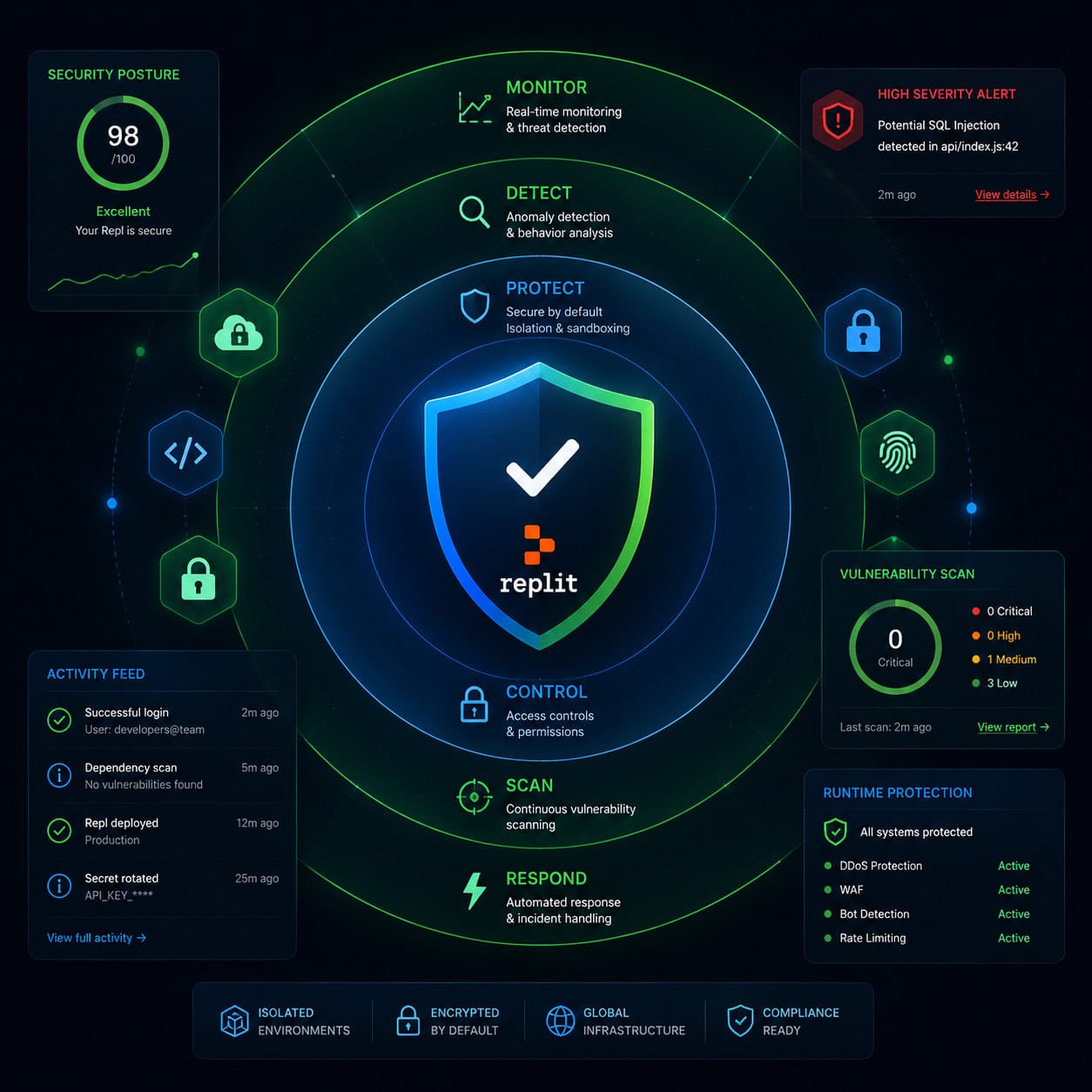
- Built-in security features (Auto-Protect, Security Agent, Security Center 2.0) handle vulnerability detection and patching automatically [1]
- App Monitoring sends email alerts when published apps go down and lets the AI agent diagnose failures [1]
- Best suited for prototypes, solo developers, learners, and small teams; enterprise teams with complex CI/CD needs may prefer alternatives [5]
- Supports real-time multiplayer collaboration, similar to Google Docs for code

What Is Replit and Why Does It Matter in 2026?
Replit is a cloud-based integrated development environment (IDE) founded by Amjad Masad in 2016 with a simple principle: “Software creation should be as easy as using software” [5]. It eliminates the traditional friction of setting up development environments by putting everything—editor, terminal, package manager, database, hosting, and now AI agent—inside a single browser tab.
What makes this a Replit Unveiled: The Ultimate Cloud-Based Coding Platform for Developers and Learners story in 2026 specifically is the AI layer. The platform has moved beyond being just a cloud IDE. With Agent 4, released May 7, 2026, Replit now functions as a full AI-powered development partner that can build production-ready applications from natural language descriptions [1].
Who it’s for:
- Beginners learning to code (zero setup means zero barriers)
- Solo developers shipping MVPs and side projects
- Educators running coding courses or bootcamps
- Small teams prototyping quickly
- Non-technical founders who want to build apps via “vibe coding”
Who it’s not for:
- Large engineering teams needing custom CI/CD pipelines
- Projects requiring specific hardware or GPU access
- Organizations with strict data residency requirements
If you’re exploring platforms that let you build without traditional coding complexity, you might also find value in our guide to no-coding website design software platforms.
How Does Replit’s AI Agent Work?
Replit Agent 4 lets you describe an application in plain English, and the AI builds it—writing code, installing dependencies, creating databases, and deploying the result. This is what the industry calls “vibe coding” [2].
Here’s the typical workflow:
- Open Replit and start a new project
- Describe what you want (e.g., “Build a task management app with user authentication and a PostgreSQL database”)
- Agent 4 generates the code, sets up the environment, and creates the database schema
- Review the output, make adjustments via conversation or direct editing
- Click deploy—your app is live with a URL
Common mistake: Treating the agent as a finished product generator. Agent 4 is fast and capable, but you still need to review its output, especially for security-sensitive features like authentication and payment processing.
The AI capabilities extend beyond code generation. Replit’s App Monitoring feature (launched April 2026) allows the agent to diagnose production failures by analyzing logs and databases when your app goes down [1].
For those interested in how AI is reshaping creative and development workflows more broadly, see our comprehensive guide to AI-powered content generation tools.
What Security Features Does Replit Offer?
Replit has invested heavily in security throughout early 2026, releasing four major security features in rapid succession. Here’s what’s available:
| Feature | Release Date | What It Does |
|---|---|---|
| Auto-Protect | April 21, 2026 | Automatically detects critical CVEs in dependencies and prepares one-click patches [1] |
| Security Agent | April 20, 2026 | Reviews entire codebases in under an hour using Semgrep and HoundDog.ai [1] |
| Security Center 2.0 | May 6, 2026 | Bulk vulnerability remediation across all projects simultaneously [1] |
| App Monitoring | April 22, 2026 | Email alerts when apps go down; AI diagnoses failures from logs [1] |
Daghan Atlas, Head of Product at Semgrep, described the Security Agent as “a great example of what’s possible when you pair the contextual reasoning of LLMs with the determinism and program analysis capabilities of Semgrep” [1].
Decision rule: If you’re a solo developer or small team without a dedicated security engineer, these automated tools fill a critical gap. If you’re an enterprise with an existing security operations center, you’ll likely want to supplement Replit’s tools with your own scanning pipeline.
How Much Does Replit Cost?
Replit offers a tiered pricing model. The free tier works for learning and experimentation, while paid plans unlock more compute, storage, and features.
Approximate pricing structure (as of 2026):
- Free: Limited compute cycles, public projects only, basic AI access
- Starter (~$25/month): Private repos, more compute, Private Publishing access [1][6]
- Core (~$30/month): Higher compute limits, priority AI access, all security features [9]
- Pro/Teams: Enhanced collaboration, more storage, priority support
- Enterprise: Custom pricing, SSO, compliance features
Recent change worth noting: Private Publishing, previously limited to Pro and Enterprise users, expanded to Core and Starter plans in April 2026. External Access Tokens are now available for all private apps [1].
Choose Starter if you’re a solo developer shipping side projects. Choose Core if you need consistent AI agent access and security scanning. Choose Enterprise if you need SSO, audit logs, or compliance documentation.
For context on how other platforms handle pricing for web development tools, our review of the best drag-and-drop website builders covers several alternatives.
Replit Unveiled: The Ultimate Cloud-Based Coding Platform for Developers and Learners — How Does It Compare to Alternatives?
Industry analyst Till Freitag describes Replit as “the only platform that combines a code editor, AI agent, hosting, database, and deployment in a single browser tab [5]. But it’s not the only cloud IDE. Here’s how it stacks up:
| Platform | Best For | AI Agent | Built-in Hosting | Free Tier |
|---|---|---|---|---|
| Replit | All-in-one development + deployment | Yes (Agent 4) | Yes | Yes |
| GitHub Codespaces | Teams already on GitHub | Copilot (separate) | No | Limited |
| CodeSandbox | Frontend prototyping | Limited | Preview only | Yes |
| Gitpod | Custom dev environments | No native agent | No | Limited |
| Cursor | Local AI-assisted coding | Yes | No | Trial |
Key differentiator: Replit’s integration depth. You don’t need to connect separate services for hosting, databases, or deployment. Everything lives in one place. The tradeoff is less flexibility for teams that need custom infrastructure [5][7][10].
Edge case: If your project requires specific system-level dependencies or custom Docker configurations, Gitpod or Codespaces give you more control over the environment.
If you’re evaluating tools that bridge design and development, our guide on Figma to code plugins covers another approach to streamlining workflows.
What Can You Actually Build on Replit?
Replit supports 50+ programming languages and frameworks. Here’s what developers commonly build:
- Web applications (React, Next.js, Flask, Django, Express)
- APIs and backends (Node.js, Python, Go)
- Discord bots and automation scripts
- Database-driven apps (built-in PostgreSQL support)
- Mobile app backends
- AI/ML prototypes (Python with common ML libraries)
- Static sites and portfolios
The Replit Animation feature, which generated over 10 million organic impressions in February 2026, demonstrates the platform’s reach beyond traditional coding into creative and educational content [1].
Practical example: A non-technical founder could describe a customer feedback dashboard to Agent 4, get a working prototype deployed in under an hour, share the URL with stakeholders, and iterate based on feedback—all without writing a single line of code manually.
For those building websites specifically, you might also explore AI website creators that build professional sites without code.

What Are the Limitations and Common Criticisms?
No platform is perfect. Here are the real constraints:
Performance: Cloud-based execution means latency depends on your internet connection. Complex builds can feel slower than local development.
Vendor lock-in: While you can export code, the deployment and database integrations are Replit-specific. Moving a mature project off-platform requires migration work.
Pricing concerns: Some users on community forums have expressed concern about long-term pricing sustainability and value relative to self-hosted alternatives [4].
Enterprise readiness: Till Freitag notes that while Replit is ideal for prototypes and solo developers, “enterprise teams have better alternatives” for production workloads requiring complex orchestration [5].
Uptime dependency: Your development environment and deployed apps both depend on Replit’s infrastructure. The new App Monitoring feature helps, but you’re still reliant on a single provider.
How to Get Started with Replit in 2026
- Sign up at replit.com (free account works to start)
- Choose your path: Start with a template, import from GitHub, or describe your app to the AI agent
- Explore the workspace: Editor on the left, console/shell on the right, AI chat accessible from the sidebar
- Build something small first: A to-do app or personal portfolio helps you learn the interface
- Deploy when ready: One-click deployment gives you a live URL
- Enable monitoring: Turn on App Monitoring for any production app to get downtime alerts
Pro tip: Use the AI agent for scaffolding and boilerplate, then switch to manual editing for business logic and security-critical code. This hybrid approach gives you speed without sacrificing control.
If you’re interested in combining AI tools with your broader web development workflow, check out our coverage of AI-powered content optimization and AI plugins for WordPress.
FAQ
Is Replit free to use? Yes, there’s a free tier with limited compute and public-only projects. Paid plans start around $25/month for private projects and more resources [6][9].
Can I use Replit for professional/production applications? Yes. With 85% of Fortune 500 companies using the platform and built-in security scanning, it handles production workloads—though complex enterprise deployments may need additional infrastructure [1].
What programming languages does Replit support? Over 50 languages including Python, JavaScript, TypeScript, Go, Rust, Java, C++, Ruby, and many others.
Do I need coding experience to use Replit? Not necessarily. Agent 4’s “vibe coding” feature lets you describe apps in natural language. However, coding knowledge helps you review and refine the AI’s output [2].
Can I collaborate with others on Replit? Yes. Replit supports real-time multiplayer editing, similar to Google Docs. Multiple people can code in the same file simultaneously.
Is my code private on Replit? On the free plan, projects are public. Starter plans and above support private repositories and Private Publishing [1].
How does Replit handle security vulnerabilities? Auto-Protect detects CVEs automatically and prepares patches. Security Agent reviews entire codebases. Security Center 2.0 enables bulk fixes across all projects [1].
Can I export my code from Replit? Yes. You can download your project files or connect to GitHub for version control. However, Replit-specific deployment configurations won’t transfer directly.
What is “vibe coding”? A development approach where you describe what you want in natural language and an AI agent builds it. Replit is considered central to this movement [2].
Does Replit work offline? No. Replit requires an internet connection since all computation happens in the cloud.
Conclusion
Replit in 2026 is no longer just a cloud IDE—it’s a complete software creation platform where the barrier between idea and deployed application has nearly disappeared. With Agent 4, automated security, and one-click deployment, it delivers genuine value for learners, solo developers, and small teams who want to ship fast without managing infrastructure.
Your next steps:
- Create a free account and build one small project to test the workflow
- Try Agent 4 with a specific project description to see how vibe coding works for your use case
- If you’re shipping to production, enable App Monitoring and run the Security Agent before going live
- Evaluate whether the Starter or Core plan fits your needs based on compute usage after your first week
The platform isn’t right for every team or every project, but for its target audience—people who want to create software without fighting tooling—it’s the most complete single-tab solution available today.
References
[1] Changelog – https://docs.replit.com/updates/2026/05/01/changelog [2] Changelog – https://docs.replit.com/updates/2026/03/13/changelog [4] Replit Might Not Survive 2026 – https://www.reddit.com/r/replit/comments/1q6tbnm/replit_might_not_survive_2026/ [5] Replit 2026 Platform En – https://till-freitag.com/blog/replit-2026-platform-en [6] Replit Pricing – https://www.superblocks.com/blog/replit-pricing [7] Best Alternative To Replit For Building Apps – https://www.rocket.new/blog/best-alternative-to-replit-for-building-apps [9] Replit Pricing Explained – https://www.lowcode.agency/blog/replit-pricing-explained [10] Replit Alternative 2026 – https://www.nxcode.io/resources/news/replit-alternative-2026