Last updated: May 22, 2026
Quick Answer
HeyGen Video Agents are AI-powered tools that turn a simple text prompt into a fully produced video, complete with avatar presenter, script, visuals, and editing. They eliminate the need for cameras, studios, or video editing skills. As of 2026, HeyGen’s Video Agent API costs roughly $2 per minute of generated content, making it dramatically cheaper than traditional video production. The platform supports 175+ languages and lets users create custom digital twin avatars that look and sound like them.
Key Takeaways
- HeyGen Video Agents convert plain text prompts into complete, multi-scene videos automatically, handling scripting, avatar selection, layout, and assets [5].
- API pricing starts at about $2 per prompted minute, with advanced Avatar IV models at roughly $4 per 1080p minute [5].
- Users can create personal digital twin avatars by uploading a short video of themselves, cloning both appearance and voice.
- The platform supports over 175 languages and accents, making it viable for global businesses.
- HeyGen was named one of Fast Company’s Most Innovative Companies of 2026 for its AI avatar and Video Agent capabilities.
- The open-source HyperFrames project (Apache 2.0) lets developers write videos as HTML and compile them into MP4s via HeyGen’s rendering backend [5].
- Brand Systems (launched March 2026) enforce consistent fonts, colors, layouts, and avatar usage across all generated videos [3].
- Video Agents work for sales outreach, marketing, education, training, and customer support — not just one use case.
- No technical skills are required for basic use; the API and CLI tools serve developers who want programmatic control [5].
What Exactly Are HeyGen Video Agents and How Do They Work?
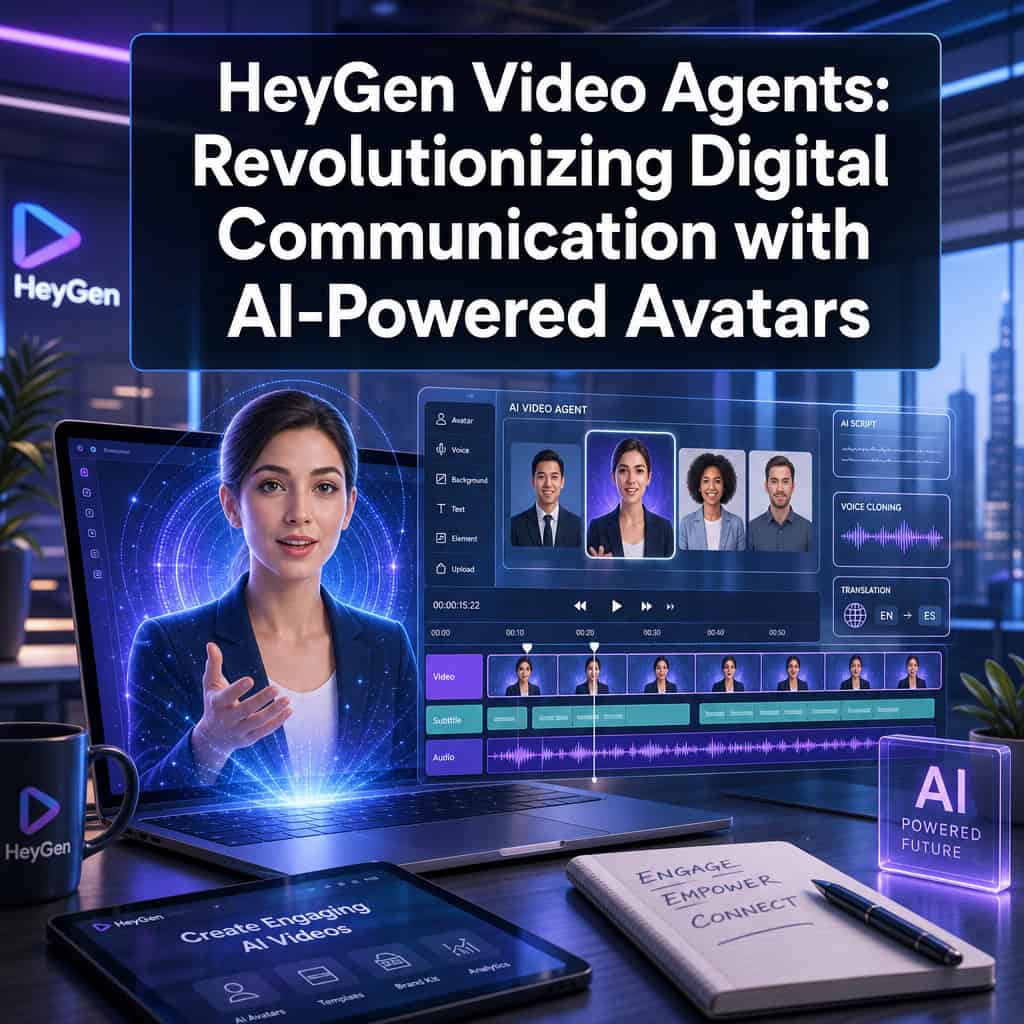
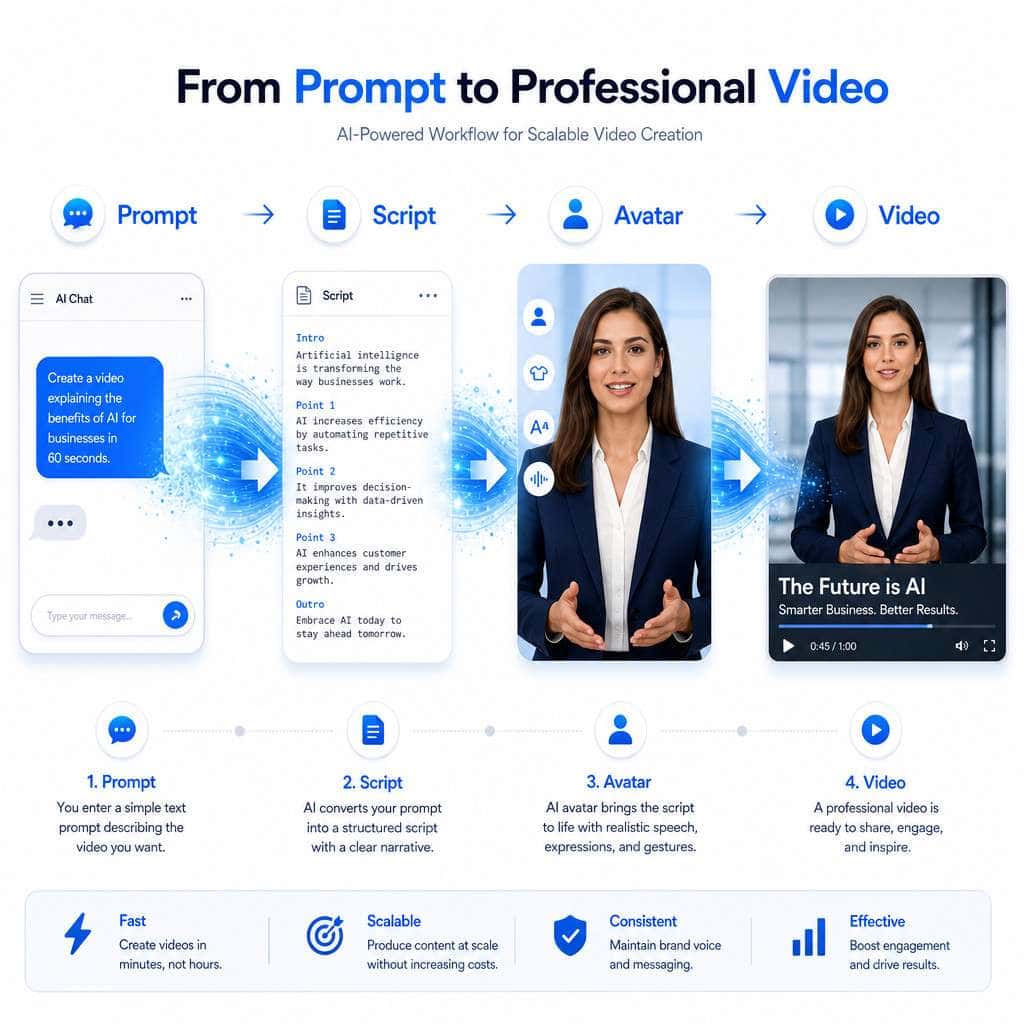
HeyGen Video Agents are AI systems that act as an automated video production crew. You type a description of the video you want, and the agent handles everything: writing the script, choosing an avatar, selecting layouts, adding visuals, generating narration, and producing a finished video file.
Here’s how the process works in practice:
- You write a prompt. This can be as simple as “Create a 2-minute product demo for our new CRM feature aimed at small business owners.”
- The Video Agent plans the video. It generates a structured outline with sections, pacing, script, and visual direction [4].
- Avatar and voice are assigned. The agent picks from HeyGen’s library of stock avatars or uses your custom digital twin.
- The video renders. Multi-scene production happens automatically, including captions, transitions, and on-screen text.
- You review and publish. Edits can be made before final export.
For developers, HeyGen exposed a dedicated POST /v3/video-agents endpoint in its API, making Video Agents a programmable model rather than just a UI feature [5]. The CLI tool lets you pass either a simple text prompt (letting the agent decide everything) or a full JSON specification for granular control over every element.
The February 2026 release positioned this Video Agent API as the core engine behind integrations like ChatGPT video creation, where users describe a video in natural language inside ChatGPT and HeyGen handles the rest [1].
Common mistake: Giving the agent a vague, one-line prompt and expecting a polished result. The more context you provide — audience, tone, key points, desired length — the better the output.
How Much Does HeyGen Cost Compared to Hiring a Real Video Presenter?
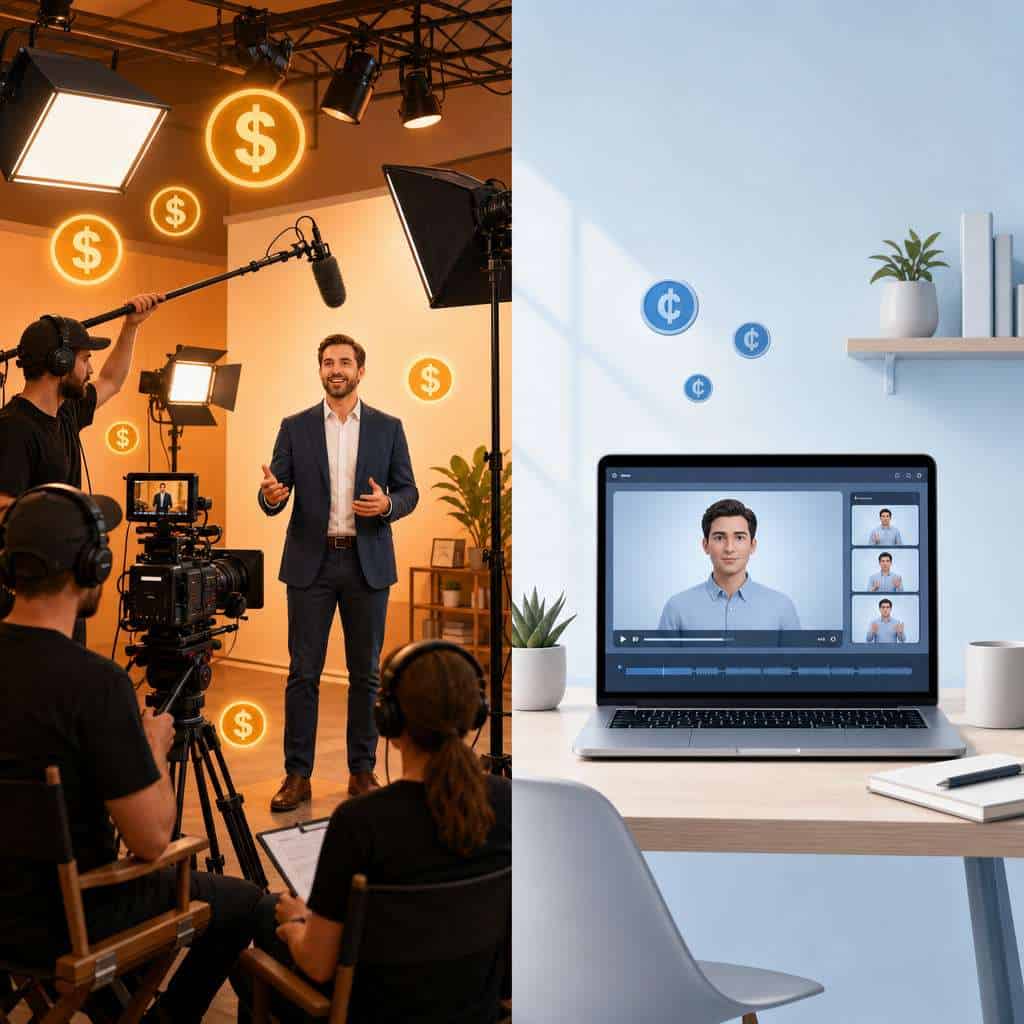
HeyGen’s Video Agent costs approximately $2 per minute of generated video at standard quality, and about $4 per minute for Avatar IV at 1080p resolution [5]. A 5-minute video runs roughly $10–$20 depending on avatar quality.
Compare that to traditional video production:
| Cost Factor | Traditional Video | HeyGen Video Agent |
|---|---|---|
| Presenter/talent | $200–$2,000+ per session | Included in per-minute cost |
| Studio rental | $100–$500/hour | Not needed |
| Camera operator | $50–$150/hour | Not needed |
| Video editor | $50–$100/hour | Automated |
| Script writing | $100–$500 per script | Automated |
| Turnaround time | Days to weeks | Minutes to hours |
| Per-minute total (estimate) | $500–$3,000+ | $2–$4 |
HeyGen no longer offers free API credits as of February 2026 [5]. Subscription plans for the web platform start at lower tiers for individual creators, with enterprise pricing for teams that need Brand Systems and advanced features.
Choose HeyGen if you need to produce video at scale (dozens or hundreds of videos per month) and can’t justify hiring presenters for each one. Stick with human presenters if your content requires nuanced emotional delivery, physical product demonstrations, or live audience interaction.
If you’re exploring other AI tools to streamline your content workflow, our comprehensive guide to AI-powered content generation tools covers the broader landscape.
Can HeyGen Avatars Sound and Look Like Me Personally?
Yes. HeyGen lets you create a “digital twin” avatar that replicates your appearance and voice. You upload a short video of yourself (typically 2–5 minutes of footage), and HeyGen’s AI builds a custom avatar that mimics your facial expressions, lip movements, and vocal patterns.
The result is an avatar that speaks in your voice, with your face, wearing whatever you wore in the source video. According to independent reviewers, the realism has improved significantly with the Avatar IV model, though close inspection can still reveal subtle tells like slightly unnatural eye movement or micro-expression timing [7].
Edge case: If your source video has poor lighting, background noise, or inconsistent framing, the resulting avatar quality drops noticeably. Record your source footage in a quiet, well-lit environment with a plain background for best results.
What Languages and Accents Can HeyGen Video Agents Speak?
HeyGen supports over 175 languages and a wide range of regional accents [7]. This includes major global languages like English, Spanish, Mandarin, Arabic, Hindi, Japanese, French, German, and Portuguese, along with less commonly supported languages.
The platform’s translation feature can take an existing video and re-render it in a different language while maintaining lip sync with the avatar. This is particularly useful for companies that need to localize training materials, product demos, or marketing content across multiple markets.
Decision rule: If you need videos in 3+ languages, HeyGen’s automated translation is dramatically faster and cheaper than re-shooting or hiring voice actors for each language. For single-language content where accent authenticity is critical (e.g., regional dialect marketing), test the output quality first.
Are HeyGen Avatars Good for Sales Videos or Just Marketing?
HeyGen Video Agents work well for both sales and marketing, but the use cases differ in important ways.
For sales outreach:
- Personalized prospecting videos where the avatar addresses a specific lead by name
- Product walkthroughs tailored to a prospect’s industry
- Follow-up videos after demos or meetings
- Scaled outreach campaigns where recording individual videos isn’t practical
For marketing:
- Social media content across platforms
- Product launch announcements
- Explainer videos and how-to content
- Testimonial-style presentations
The Video Agent Challenge held in early 2026 showcased creative uses including personalized outreach and content repurposing, with winners highlighted for using Video Agents as their “default” video creation method [3].
Sales teams benefit most when they integrate HeyGen with their CRM via the API, automatically generating personalized videos for each prospect in a pipeline. For tips on integrating AI tools into your existing workflows, check out our guide on AI-powered content optimization.
What Are the Main Differences Between HeyGen and Other AI Video Tools?
HeyGen’s primary differentiator in 2026 is its Video Agent architecture — the prompt-to-video pipeline that handles the entire production process, not just avatar animation [4]. Here’s how it compares to common alternatives:
| Feature | HeyGen | Synthesia | D-ID | Colossyan |
|---|---|---|---|---|
| Prompt-to-full-video agent | Yes | No (template-based) | Limited | No |
| Custom digital twin | Yes | Yes | Yes | Yes |
| Open-source dev tools | Yes (HyperFrames) | No | No | No |
| Languages supported | 175+ | 140+ | 30+ | 70+ |
| API-first architecture | Yes (v3 API) | Yes | Yes | Limited |
| Brand Systems | Yes | Partial | No | Partial |
| 4K output | Yes (March 2026+) | No | No | No |
HeyGen’s open-source HyperFrames project is unique: it lets developers write videos as HTML that AI coding agents like Claude Code or Cursor can compile into MP4s [5]. No other major AI video platform offers this level of developer integration.
Choose HeyGen if you want an agent that handles end-to-end video creation from a prompt. Choose Synthesia if you prefer a more template-driven approach with less AI autonomy. Choose D-ID if your primary need is simple talking-head clips rather than full productions.
Is HeyGen Legal to Use for Business Presentations and Marketing?
Yes, HeyGen is legal to use for business purposes, and the platform includes consent verification for custom avatars. When you create a digital twin, HeyGen requires you to confirm that you have the right to use that person’s likeness, including a consent video from the individual.
Key legal considerations:
- Consent requirements: You cannot create an avatar of someone without their explicit permission. HeyGen enforces this through its upload process.
- Disclosure norms: Some jurisdictions and platforms require disclosure when content is AI-generated. Check your local regulations and platform terms of service.
- Commercial usage rights: Paid HeyGen plans include commercial usage rights for generated content.
- Deepfake laws: Several countries and U.S. states have enacted or are considering legislation around synthetic media. Using HeyGen responsibly and transparently keeps you on the right side of these laws.
Common mistake: Using a stock avatar that closely resembles a real public figure, or failing to disclose AI-generated content in contexts where transparency is expected (like financial advice or healthcare communications).
What Kind of Companies or Professionals Benefit Most from HeyGen?
HeyGen delivers the highest ROI for organizations that need to produce video content at scale, across multiple languages, or with limited production resources.
Best-fit profiles:
- SaaS companies creating product tutorials, onboarding videos, and feature announcements
- E-learning providers building course content in multiple languages
- Sales teams running personalized video outreach campaigns
- Marketing agencies producing client content without booking studios
- HR departments creating training and compliance videos
- Solo creators and consultants who want professional video without a production team
Not ideal for: Live event coverage, content requiring physical product interaction, highly emotional storytelling that depends on genuine human expression, or any context where audiences would feel deceived by an AI presenter.
If you’re building a broader digital presence alongside video content, our guide on the best AI graphic design tools covers complementary tools for visual content creation.

What Are Common Mistakes People Make When Creating AI Video Agents?
The biggest mistake is treating the Video Agent like a magic box. Garbage in, garbage out still applies.
Frequent errors:
- Vague prompts: “Make a video about our product” produces generic results. Specify audience, tone, key messages, length, and call to action.
- Ignoring Brand Systems: HeyGen’s March 2026 Brand Systems feature exists to maintain consistency [3]. Skipping brand setup leads to videos that look disconnected from your other materials.
- Overloading a single video: Trying to cover too many topics in one video. Keep each video focused on one clear message.
- Skipping review: Auto-generated scripts sometimes include awkward phrasing or factual errors. Always review before publishing.
- Poor source footage for digital twins: Low-quality input video creates a low-quality avatar.
- Not testing across devices: A video that looks great on desktop may have readability issues on mobile, especially with on-screen text.
Can HeyGen Avatars Handle Complex Technical or Educational Content?
Yes, but with caveats. HeyGen Video Agents can deliver technical content effectively when the prompt includes clear, well-structured information. The agent will script, pace, and present the material, but it doesn’t independently verify technical accuracy.
For educational content, the platform works well for:
- Step-by-step tutorials with on-screen visuals
- Concept explanations with supporting graphics
- Multi-module course content with consistent avatar presentation
- Compliance and safety training videos
Limitation: The avatar won’t perform live demonstrations, draw on a whiteboard in real time, or interact with physical objects. For content that requires those elements, you’ll need to combine HeyGen output with screen recordings or other footage.
For teams building educational websites alongside video content, our guide to building professional sites without code covers complementary no-code tools.
Are There Any Limitations to What HeyGen Video Agents Can Do?
Every tool has boundaries, and HeyGen is no exception.
Current limitations:
- No real-time interaction: Avatars can’t participate in live video calls or respond to audience input in real time (yet).
- Emotional range: While improving, avatars still lack the full emotional depth of a skilled human presenter, particularly for grief, humor, or spontaneity [6].
- Physical interaction: Avatars exist from roughly the chest up. They can’t hold products, gesture at physical objects, or move through a space.
- Rendering time: Complex, multi-scene videos can take several minutes to render, though simple clips are faster.
- Uncanny valley risk: Some viewers, especially in B2C contexts, may find AI avatars off-putting. Test with your target audience.
- API cost at scale: At $2–$4 per minute, producing thousands of videos monthly adds up. Budget accordingly.
How Realistic Do HeyGen Avatars Actually Look and Sound?
HeyGen’s Avatar IV model (released in 2026) represents a significant quality jump. Independent reviewers describe the output as “convincingly human at first glance,” with natural lip sync and realistic voice cloning [7]. The 4K enhancement option introduced in March 2026 further improves visual fidelity [3].
That said, realism varies based on:
- Avatar type: Custom digital twins look more natural than stock avatars because they’re trained on real footage of you.
- Video length: Longer videos sometimes show subtle repetition in gestures or expressions.
- Language: English and major European languages tend to have the best lip sync quality. Less common languages may show slight misalignment.
Most viewers won’t notice the avatar is AI-generated in short-form content (under 2 minutes). In longer formats, small inconsistencies become more apparent.
What Technical Skills Do I Need to Create a HeyGen Video Agent?
None for basic use. HeyGen’s web interface is designed for non-technical users. You type a prompt, adjust settings if you want, and click generate. The learning curve is comparable to using a presentation tool like Canva — for more on visual design tools, see our guide to Canva’s professional design capabilities.
For advanced use:
- API integration requires basic programming knowledge (Python, JavaScript, or any language that can make HTTP requests) [5]
- CLI usage requires comfort with command-line tools
- HyperFrames requires HTML knowledge and familiarity with AI coding agents [5]
- Brand Systems setup requires understanding of your brand guidelines (fonts, colors, tone)
Quick-start checklist for beginners:
- Create a HeyGen account and choose a plan
- Browse stock avatars or upload footage to create your digital twin
- Write a detailed prompt describing your first video
- Review the generated output and make edits
- Export and publish
For those looking to integrate AI video into a broader marketing strategy, our guide to graphic design for social media marketing covers how video fits into a multi-format content approach.
Conclusion
HeyGen Video Agents represent a genuine shift in how businesses and creators produce video content. The prompt-to-video pipeline eliminates most of the friction, cost, and time associated with traditional production. At $2–$4 per minute of output, the economics make sense for anyone producing video at scale.
Your next steps:
- Try a free or low-tier plan to test avatar quality with your specific use case before committing to a paid subscription.
- Record high-quality source footage if you plan to create a digital twin — good lighting, clear audio, plain background.
- Write detailed prompts that specify audience, tone, key messages, and desired length.
- Set up Brand Systems early to ensure consistency across all your generated videos.
- Test with your audience before going all-in. Some audiences respond well to AI avatars; others prefer human presenters.
- Explore the API if you need to generate videos programmatically or integrate with your existing tools.
The technology isn’t perfect — emotional range, physical interaction, and the occasional uncanny valley moment remain real limitations. But for the vast majority of business video needs in 2026, HeyGen Video Agents deliver professional results at a fraction of the traditional cost and timeline. If you’re still recording every video with a camera crew, it’s worth asking whether that’s the best use of your resources.
FAQ
Q: How long does it take HeyGen to generate a video? A: Simple talking-head videos render in 1–5 minutes. Complex multi-scene videos with custom visuals can take 10–20 minutes depending on length and resolution.
Q: Can I edit a video after HeyGen generates it? A: Yes. You can modify the script, swap avatars, adjust pacing, and re-render. The platform also supports scene-level editing.
Q: Does HeyGen own the videos I create? A: No. Paid plan users retain full commercial rights to their generated content.
Q: Can I use HeyGen videos on YouTube, LinkedIn, and social media? A: Yes. Generated videos can be exported as standard MP4 files and uploaded to any platform.
Q: Is there a free trial available? A: HeyGen offers limited free credits for new users to test the platform, though free API credits were removed in February 2026 [5].
Q: How does HeyGen handle data privacy for digital twin avatars? A: HeyGen requires consent verification for custom avatars and stores source footage securely. Review their privacy policy for specifics on data retention and processing.
Q: Can multiple team members use the same avatar? A: Yes. Enterprise plans support shared avatar libraries and Brand Systems that multiple team members can access [3].
Q: What video resolutions does HeyGen support? A: Standard output is 1080p. The March 2026 update added 4K enhancement as an option [3].
Q: Can I integrate HeyGen with ChatGPT? A: Yes. The February 2026 Video Agent API powers a ChatGPT integration where you describe a video in natural language and HeyGen generates it [1].
Q: What file formats can I export from HeyGen? A: MP4 is the primary export format, compatible with virtually all platforms and editing software.
References
[1] Heygen February 2026 Release – https://www.heygen.com/blog/heygen-february-2026-release [3] Product Updates – https://www.heygen.com/blog/category/product-updates [4] Heygen January 2026 Release – https://www.heygen.com/blog/heygen-january-2026-release [5] Heygen April 2026 Release – https://www.heygen.com/blog/heygen-april-2026-release [6] Heygen 2026 Tested 4 Things Does Well 3 Reasons Pick Something Else – https://bigvu.tv/blog/heygen-2026-tested-4-things-does-well-3-reasons-pick-something-else/ [7] Heygen Ai Avatar Video Generator Complete Review 2026 Best Ai Video Generation Tool – https://bigvu.tv/blog/heygen-ai-avatar-video-generator-complete-review-2026-best-ai-video-generation-tool/