Last updated: May 7, 2026
Quick Answer: The 15 game-changing no-code AI tools that will transform your business cover content creation, workflow automation, website building, customer service, video production, and data analytics — all without writing a single line of code. These platforms give small teams the same capabilities that once required dedicated engineering departments, and many offer free tiers to get started today.
Key Takeaways
- No-code AI tools let business owners, marketers, and solo entrepreneurs build and automate complex processes without developer help.
- Organizations using no-code platforms report 40–60% faster deployment cycles compared to traditional development approaches [1].
- The 15 tools in this guide span six core business functions: content, design, automation, customer service, analytics, and web building.
- Most platforms use drag-and-drop builders, pre-trained AI models, and native integrations with CRMs, email tools, and databases [1].
- Free plans exist across most categories, making entry-level adoption low-risk for small businesses.
- Choosing the right tool depends on your primary use case — not the longest feature list.
- No-code AI agents can enhance CRM, project management, and knowledge workflows without any coding requirements [9].
- The biggest mistake most businesses make is adopting too many tools at once instead of solving one bottleneck first.

What Exactly Are No-Code AI Tools and Who Are They For?
No-code AI tools are software platforms that embed artificial intelligence capabilities inside visual, point-and-click interfaces. You don’t write code — you configure logic, connect data sources, and deploy AI-powered features through menus, drag-and-drop canvases, or simple prompts.
Who benefits most:
- Small business owners who can’t justify hiring a full-time developer [1]
- Marketing teams that need to produce content, ads, and campaigns faster
- Operations managers looking to automate repetitive tasks like data entry or report generation
- Freelancers and consultants who want to offer more services without more overhead
- Startups that need to test ideas quickly before committing engineering resources
Who should be cautious: Enterprises with highly regulated data environments (healthcare, finance) need to verify each platform’s compliance certifications before connecting sensitive data. No-code doesn’t mean no-risk.
Core characteristics shared by the best platforms include drag-and-drop visual builders, pre-trained machine learning models, real-time deployment monitoring, and direct integration with business apps like CRMs and email platforms [1].
Why Are Businesses Switching to No-Code AI Platforms in 2026?
The main driver is speed. Traditional software development involves scoping, design, development, testing, and deployment cycles that can take months. No-code platforms compress that timeline significantly — organizations report deployment cycles that are 40–60% faster [1].
Cost is the second driver. Hiring a developer in the US costs, on average, well over $100,000 per year in salary alone. No-code platforms typically run $30–$300 per month for business-tier plans, making them accessible to companies of almost any size [1].
The third driver is flexibility. When a business process changes, a no-code workflow can be updated in hours rather than weeks. That matters in fast-moving markets where waiting on a development sprint is a competitive disadvantage.
“No-code AI tools don’t just save money — they shift decision-making power back to the people who understand the business problem.
The 15 Game-Changing No-Code AI Tools That Will Transform Your Business in 2026
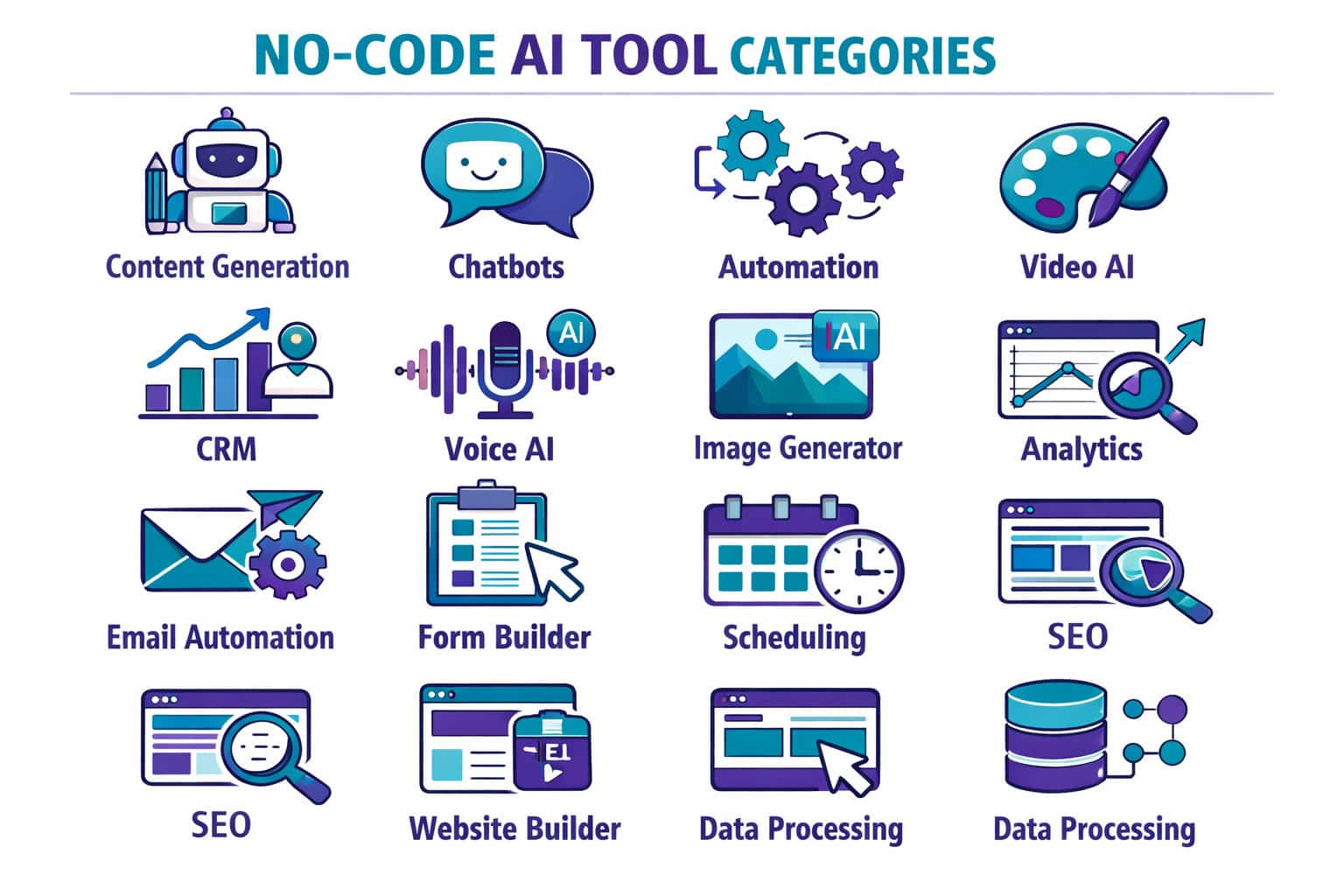
Here is a curated breakdown of 15 platforms, organized by primary business function. Each has been selected based on documented use cases, active user communities, and verified platform capabilities [2][5].
🖊️ Content Creation & Copywriting
1. ChatGPT (OpenAI) The most widely used AI writing assistant. You can generate blog posts, email sequences, product descriptions, and social captions through a simple chat interface. The API connects to other no-code tools like Zapier and Make. Best for: teams that need high-volume written content fast.
2. Jasper AI Built specifically for marketing teams, Jasper includes brand voice settings, campaign templates, and a document editor. It integrates with SurferSEO for content optimization. For a deeper look at AI content tools, see our comprehensive guide to AI-powered content generation tools.
3. Copy.ai Focused on short-form copy: ad headlines, product descriptions, email subject lines. It includes a workflow builder that chains multiple AI tasks together without any coding.
🎨 Design & Visual Content
4. Canva AI Canva’s AI suite now includes Magic Write (text generation), Magic Design (template creation from a prompt), and background removal. It’s the go-to for non-designers who need professional visuals fast. Explore more in our guide to the best AI graphic design tools for creative workflows.
5. Adobe Firefly Adobe’s generative AI model is embedded directly in Express and Creative Cloud apps. It generates images, vectors, and text effects from plain-language prompts. Firefly is trained on licensed content, which matters for commercial use.
🌐 Website Building
6. Framer AI Framer generates entire website layouts from a text prompt, then lets you edit everything visually. It’s particularly strong for landing pages and portfolio sites. No hosting setup required.
7. Wix ADI Wix’s AI Design Intelligence builds a complete website after asking a few questions about your business. For clients who need a professional result quickly, see our guide on how to create a professional Wix website for your clients.
For a broader comparison of platforms, our list of 11 best no-coding website design software platforms covers additional options worth considering.
⚙️ Workflow Automation
8. Zapier (with AI features) Zapier connects over 6,000 apps and now includes AI steps that can summarize data, classify emails, or generate content mid-workflow. No coding required. Best for: businesses already using multiple SaaS tools that need them to talk to each other [3].
9. Make (formerly Integromat) More visual than Zapier, Make uses a canvas-based flow builder. It handles complex, multi-branch logic well and is often cheaper at scale. Ideal for operations teams managing multi-step processes [3].
10. n8n Open-source and self-hostable, n8n is the choice for teams that need full data control. It includes AI nodes powered by OpenAI and Anthropic. Best for: technically-comfortable teams in regulated industries [3].
💬 Customer Service & Chatbots
11. Tidio Tidio combines live chat with an AI chatbot called Lyro. Lyro reads your existing support content and answers customer questions automatically. Setup takes under an hour. Best for: e-commerce and service businesses with repetitive support queries [9].
12. Intercom (Fin AI) Intercom’s Fin agent handles complex multi-turn conversations and escalates to human agents when needed. It integrates with help desk tools, CRMs, and knowledge bases. Best for: mid-market companies with established support workflows [9].
📊 Data & Analytics
13. Obviously AI Upload a spreadsheet, and Obviously AI builds a predictive model — churn prediction, sales forecasting, lead scoring — in minutes. No data science background needed [2]. Best for: sales and marketing teams that want predictive insights without hiring an analyst.
14. Akkio Similar to Obviously AI but with stronger reporting and a chat-based interface for querying your data. It connects directly to Google Sheets, HubSpot, and Salesforce [2].
🎬 Video & Audio
15. Synthesia Synthesia generates professional AI avatar videos from a text script. You pick an avatar, type your script, and get a polished video in minutes — no camera, no studio [10]. Used by training departments, marketing teams, and HR for onboarding content. Best for: businesses that need frequent video content without video production costs.
How Do These Tools Compare? A Quick Reference Table
| Tool | Primary Use | Free Plan | Best For |
|---|---|---|---|
| ChatGPT | Content writing | ✅ Yes | High-volume written content |
| Jasper AI | Marketing copy | ❌ Trial only | Brand-consistent campaigns |
| Copy.ai | Short-form copy | ✅ Limited | Ad copy, email subjects |
| Canva AI | Visual design | ✅ Yes | Non-designers, social media |
| Adobe Firefly | Image generation | ✅ Limited | Commercial-safe visuals |
| Framer AI | Website building | ✅ Yes | Landing pages, portfolios |
| Wix ADI | Website building | ✅ Yes | Small business sites |
| Zapier | Automation | ✅ Limited | Multi-app integrations |
| Make | Automation | ✅ Yes | Complex workflows |
| n8n | Automation | ✅ Self-hosted | Data-sensitive workflows |
| Tidio | Customer service | ✅ Yes | E-commerce support |
| Intercom Fin | Customer service | ❌ Paid only | Mid-market support teams |
| Obviously AI | Predictive analytics | ❌ Trial only | Sales forecasting |
| Akkio | Data analytics | ❌ Paid only | CRM-connected insights |
| Synthesia | Video generation | ✅ Limited | Training and HR video |
What Are the Most Common Mistakes When Adopting No-Code AI Tools?

The single biggest mistake is tool sprawl — subscribing to eight platforms in the first month and using none of them well. Start with one bottleneck and solve it completely before adding another tool.
Other common mistakes:
- Skipping the integration check. Before committing to any platform, verify it connects to the tools you already use (your CRM, email platform, or project management tool). A tool that doesn’t fit your stack creates more work, not less.
- Ignoring data privacy terms. Free tiers on some platforms use your data to train their models. Read the terms before connecting customer data.
- Expecting zero learning curve. No-code doesn’t mean instant mastery. Budget 2–4 hours of setup and testing for each new tool.
- Not setting a success metric. Define what “working” looks like before you start. Is it 5 hours saved per week? 30% faster content output? Without a benchmark, you can’t evaluate ROI.
Decision rule: Choose a no-code AI tool based on the one process it will replace first. If that process involves customer communication, start with a chatbot. If it involves content production, start with a writing tool. Don’t buy a platform because it has the most features.
How Do No-Code AI Tools Handle Workflow Automation Specifically?
No-code workflow automation tools work by connecting triggers (an event that starts a process) to actions (what happens next), with AI steps in between that can classify, summarize, generate, or route data [3].
A simple example: A customer fills out a contact form (trigger) → Zapier sends the data to ChatGPT to generate a personalized reply draft (AI step) → the draft lands in your Gmail as a pre-written response (action). Total setup time: about 20 minutes.
More advanced use cases documented across platforms include [2]:
- Churn prediction: flag at-risk customers based on usage patterns
- Financial forecasting: generate monthly projections from historical data
- Document processing: extract key fields from invoices or contracts automatically
- Lead scoring: rank inbound leads by likelihood to convert
- Social media scheduling: generate and queue posts from a content brief
For teams already using WordPress, our guide on 12 best AI plugins for WordPress to automate your website management covers automation options specific to that platform.
What Should You Look for When Evaluating No-Code AI Platforms?

The right platform depends on three factors: your use case, your existing tech stack, and your team’s comfort with new software.
Evaluation checklist:
- ✅ Does it integrate natively with your CRM, email, or project management tool?
- ✅ Is there a free trial or free tier to test before committing?
- ✅ Does the vendor publish clear data privacy and security documentation?
- ✅ Is the interface genuinely usable by a non-technical team member?
- ✅ Does it have an active user community or support channel?
- ✅ Can it scale — will pricing stay reasonable as your usage grows?
- ✅ Are there pre-built templates for your specific industry or use case?
Edge case to watch: Some platforms advertise “AI-powered” features that are simply rule-based automation with a chatbot layer. Ask vendors specifically whether their AI uses machine learning models or just if/then logic. The difference matters for complex tasks like predictive analytics or natural language understanding [5].
No-code AI agents — tools that can take multi-step actions across apps based on a goal rather than a fixed script — are the next evolution. Platforms like Zapier Central and Make AI Agents are already offering early versions of this capability [9][6].
How Much Do No-Code AI Tools Actually Cost?
Most platforms use tiered subscription pricing. Here’s a realistic cost breakdown by category:
| Category | Entry-Level Cost | Business Tier | Enterprise |
|---|---|---|---|
| Content writing (Jasper, Copy.ai) | $0–$49/mo | $99–$149/mo | Custom |
| Design (Canva, Firefly) | $0–$15/mo | $30–$55/mo | Custom |
| Website builders (Framer, Wix) | $0–$15/mo | $25–$45/mo | Custom |
| Automation (Zapier, Make) | $0–$20/mo | $69–$99/mo | Custom |
| Chatbots (Tidio, Intercom) | $0–$29/mo | $99–$299/mo | Custom |
| Analytics (Obviously AI, Akkio) | $0 trial | $99–$199/mo | Custom |
| Video (Synthesia) | $0 limited | $67–$89/mo | Custom |
The total cost for a small business using 3–4 tools typically runs $100–$300 per month — a fraction of what a part-time developer or agency retainer would cost [1].
What Business Results Can You Realistically Expect?
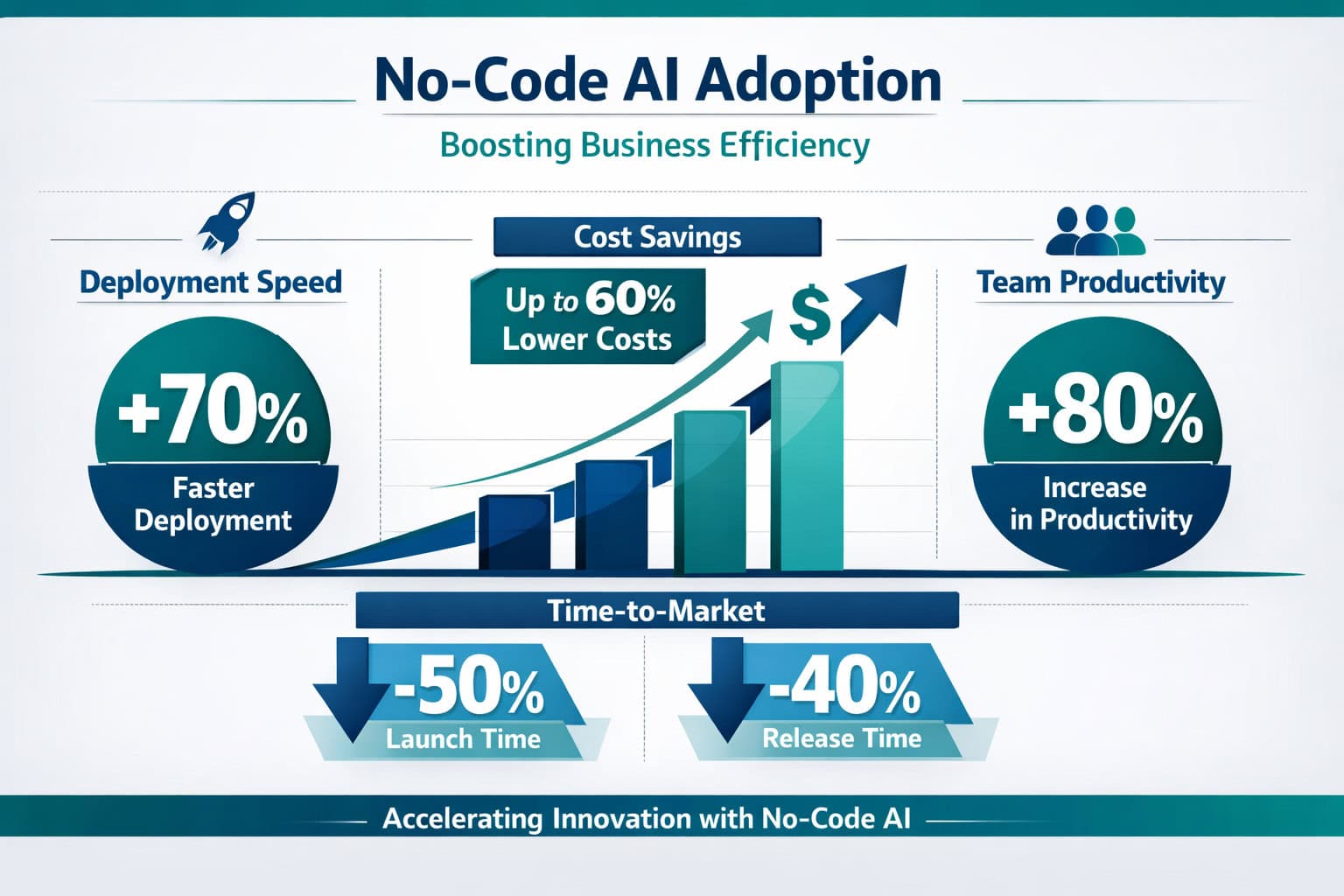
Realistic expectations depend on which process you’re automating and how well you implement the tool. Here’s what’s documented across business categories:
- Content teams using AI writing tools report producing first drafts 3–5x faster (estimate based on platform-reported user data; individual results vary).
- Customer service teams using AI chatbots typically resolve 30–50% of tier-1 queries without human involvement, according to vendor case studies [10].
- Operations teams using workflow automation tools like Zapier or Make report saving 5–15 hours per week on manual data tasks [3].
- Deployment speed across no-code platforms is documented at 40–60% faster than traditional development [1].
These numbers assume proper setup, staff training, and a clear use case. A poorly configured chatbot or an automation that breaks frequently won’t deliver those results.
Practical benchmark: If a no-code AI tool doesn’t save you measurable time or money within 60 days of proper implementation, either the tool is wrong for your use case or the implementation needs revisiting.
For content teams specifically, pairing a writing tool with an AI-powered content optimization workflow can compound the efficiency gains significantly.
FAQ: No-Code AI Tools for Business
Q: Do I need any technical skills to use no-code AI tools? No. Most platforms are designed for non-technical users. Basic computer literacy — knowing how to use a browser, manage files, and follow step-by-step instructions — is enough to get started with the majority of tools on this list.
Q: Are no-code AI tools safe for sensitive customer data? It depends on the platform. Look for SOC 2 Type II certification, GDPR compliance documentation, and clear data processing agreements. Avoid connecting sensitive data to free-tier plans without reviewing the terms first.
Q: Can no-code AI tools replace a developer entirely? For standard business functions — content, automation, customer service, basic websites — yes, in many cases. For custom software, complex integrations, or proprietary systems, a developer is still needed.
Q: Which no-code AI tool is best for a complete beginner? Canva AI for design and ChatGPT for writing are the most accessible starting points. Both have generous free tiers and large communities of tutorials and templates.
Q: How long does it take to see ROI from a no-code AI tool? For simple use cases like content generation or basic automation, most users see measurable time savings within the first week. More complex deployments like predictive analytics or custom chatbots may take 4–8 weeks to configure and optimize properly.
Q: Can I use multiple no-code AI tools together? Yes, and that’s where they become most powerful. Zapier or Make can connect tools that don’t have native integrations, allowing you to build multi-tool workflows — for example, generating content in Jasper, scheduling it in a social media tool, and logging performance data in a spreadsheet automatically.
Q: Are there free no-code AI tools that are actually useful? Yes. ChatGPT’s free tier, Canva’s free plan, Framer’s free tier, and Make’s free plan all offer genuine utility without payment. Oxford Home Study Centre has documented over 100 free AI tools available for business use [4].
Q: What’s the difference between no-code and low-code AI tools? No-code tools require zero programming. Low-code tools offer visual builders but allow optional code for advanced customization. If you have a developer on staff, low-code gives more flexibility; if you don’t, no-code is the practical choice [8].
Q: Will these tools still be relevant in a few years? The specific tools will evolve, but the category is growing. No-code AI platforms are increasingly being adopted at the enterprise level [7], which suggests long-term investment and development from vendors.
Q: Is Synthesia good for all types of video content? Synthesia works well for structured, script-driven content: training videos, product demos, explainers, and HR communications. It’s not suited for creative storytelling, live events, or content that requires authentic human emotion and spontaneity [10].
Q: How do no-code AI tools handle multiple languages? Many platforms — including ChatGPT, Jasper, and Synthesia — support 30+ languages. Synthesia, for example, offers AI avatars that speak in multiple languages from the same script [10]. Always test output quality in your target language before deploying.
Q: What’s the biggest risk of relying on no-code AI tools? Vendor dependency. If a platform shuts down, changes pricing dramatically, or removes a feature you rely on, your workflow breaks. Mitigate this by keeping your data exportable and documenting your processes so they can be rebuilt on another platform if needed.
Conclusion: Where to Start With No-Code AI in 2026
The 15 game-changing no-code AI tools covered in this guide represent a genuine shift in how businesses operate. The barrier to using AI in your business is no longer technical skill or budget — it’s knowing which problem to solve first.
Actionable next steps:
- Identify your biggest time drain. Is it content creation, customer support, data entry, or something else? That’s your starting point.
- Pick one tool from the relevant category in this guide and sign up for the free tier.
- Set a 30-day success metric — a specific, measurable outcome you want to achieve.
- Document your workflow before and after implementing the tool so you can measure the actual impact.
- Add a second tool only after the first one is running smoothly. Tool sprawl is the fastest way to waste both time and money.
No-code AI isn’t a magic solution. It’s a practical toolkit that, used deliberately, can give a two-person team the output of a much larger one. Start small, measure everything, and build from there.
References
[1] Best No Code Ai Tools – https://www.hostingseekers.com/blog/best-no-code-ai-tools/ [2] No Code Ai Tools – https://buildfire.com/no-code-ai-tools/ [3] No Code Ai Workflow Automation Tools Guide – https://www.vellum.ai/blog/no-code-ai-workflow-automation-tools-guide [4] Top Free Ai Tools – https://www.oxfordhomestudy.com/OHSC-Blog/top-free-ai-tools [5] No Code Ai Platforms – https://catdoes.com/blog/no-code-ai-platforms [6] Top Ai Agent No Code Platforms In 2026 – https://www.konverso.ai/en/blog/top-ai-agent-no-code-platforms-in-2026 [7] No Code Company – https://kissflow.com/no-code/no-code-company/ [8] Top Low Code Ai Workflow Automation Tools – https://www.vellum.ai/blog/top-low-code-ai-workflow-automation-tools [9] Best Nocode Ai – https://routine.co/blog/posts/best-nocode-ai [10] Ai Tools – https://www.synthesia.io/post/ai-tools
Related: Decoding ChatGPT API Pricing: A Comprehensive Guide for Developers and Businesses