}
Last updated: May 1, 2026
Quick Answer: The best AI tools to boost productivity in 2026 span six core categories: AI chatbots, coding assistants, writing tools, design platforms, meeting intelligence, and workflow automation. Choosing the right combination depends on your role, budget, and the specific tasks eating most of your time. This Ultimate Guide: Top 50 AI Tools to Supercharge Your Productivity covers all 50 tools with clear recommendations for who each one suits best.
Key Takeaways
- AI chatbots like ChatGPT Plus, Claude 3.5 Sonnet, and Google Gemini handle research, drafting, and analysis — each with distinct strengths.
- Coding assistants (GitHub Copilot, Cursor, Tabnine) cut development time significantly by suggesting and completing code in real time. [2]
- Writing and content tools (Jasper, Copy.ai, Grammarly Business) reduce drafting time for marketers and content teams.
- Design AI tools (Canva AI, Midjourney, Adobe Firefly) let non-designers produce professional visuals without hiring an agency.
- Meeting intelligence tools (Otter.ai, Fellow) automatically capture action items and summaries, so you stop losing decisions in your notes. [3]
- Workflow automation platforms (Zapier Agents, Make, n8n) connect your apps and run multi-step tasks without manual input. [4]
- Project management AI (ClickUp Brain, Hive) generates full project plans from a single prompt and automates task assignments. [4]
- Most tools offer free tiers — start there before committing to a paid plan.
- The biggest productivity gains come from combining tools across categories, not from using one tool for everything.
- Avoid tool overload: pick 3–5 tools that address your actual bottlenecks, then expand.
What Makes an AI Tool Actually Worth Using?
An AI tool is worth using when it saves you measurable time or improves output quality on tasks you do repeatedly. The key criteria are: does it fit your existing workflow, does it have a reasonable learning curve, and does the free or entry-level plan give you enough to evaluate it properly?
Before diving into the full list in this Ultimate Guide: Top 50 AI Tools to Supercharge Your Productivity, here’s the filtering framework I use:
- Frequency test: Does this tool help with something I do daily or weekly?
- Replacement test: Does it replace a tool I’m already paying for?
- Output test: Is the AI output good enough to use with light editing, or does it need heavy rework?
- Integration test: Does it connect with the apps I already use (Slack, Google Workspace, Notion, etc.)?
If a tool fails two or more of these, skip it regardless of the hype.
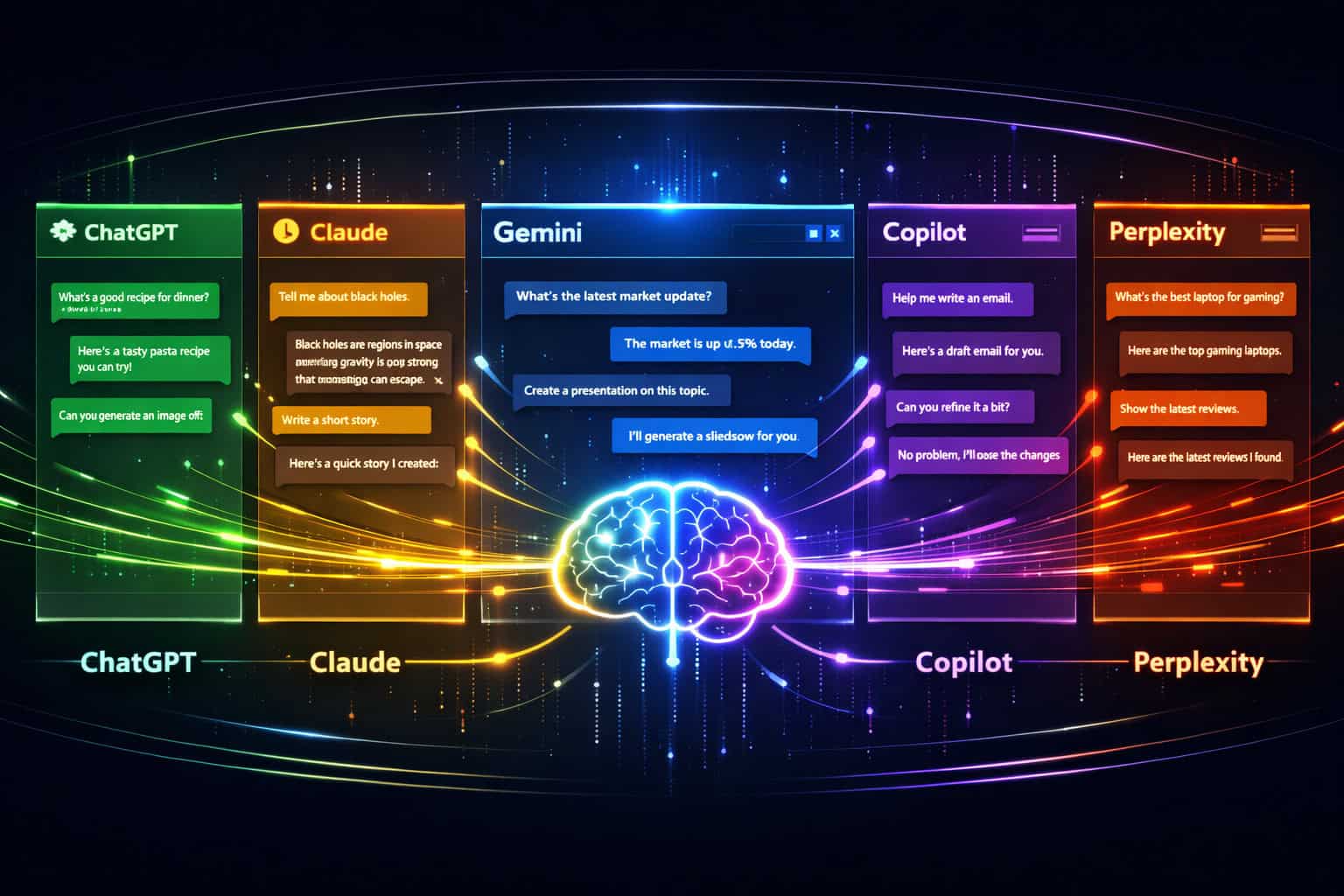
The Top 50 AI Tools: Full Category Breakdown
This section covers all 50 tools organized by category. Each entry includes what it does, who it’s best for, and a pricing note.
🤖 Category 1: AI Chatbots and Research Assistants (Tools 1–8)
These are your general-purpose AI tools. They handle drafting, research, summarization, brainstorming, and data analysis. [3]
| Tool | Best For | Free Tier | Starting Price |
|---|---|---|---|
| ChatGPT Plus | Complex analysis, coding, web browsing | Yes (GPT-4o limited) | $20/mo |
| Claude 3.5 Sonnet | Long-form writing, nuanced reports | Yes | $20/mo |
| Google Gemini | Gmail/Drive integration, multimodal tasks | Yes | $19.99/mo |
| Microsoft Copilot | Excel, Word, Teams integration | Yes (Bing) | Included in M365 |
| Perplexity AI | Real-time research with citations | Yes | $20/mo |
| Komo Search | Fast, ad-free AI search | Yes | Free |
| Brave Leo | Private AI browsing assistant | Yes | Free |
| Poe by Quora | Access multiple AI models in one place | Yes | $19.99/mo |
ChatGPT Plus now includes web browsing, image generation via DALL-E 3, and data analysis with code execution — making it the most versatile single tool on this list. [3]
Claude 3.5 Sonnet produces noticeably more human-like prose for reports and long documents, which makes it the better choice for writers who need minimal editing. [3]
💡 Choose ChatGPT Plus if you need an all-in-one tool for research, coding help, and content drafting. Choose Claude if your primary use case is writing polished long-form content.
💻 Category 2: AI Coding and Development Tools (Tools 9–18)
AI coding tools are now standard in professional development workflows. The best ones go beyond autocomplete — they understand context across your entire codebase. [2]

GitHub Copilot remains the dominant tool for intelligent code suggestions and function generation. It integrates directly into VS Code, JetBrains IDEs, and Neovim, and it handles everything from boilerplate to complex algorithm suggestions. [2]
Cursor is an AI-native IDE built on VS Code. Unlike Copilot (which is a plugin), Cursor is the entire editor — it can reference multiple files simultaneously and make large-scale edits across a project with a single prompt.
Tabnine offers context-aware multi-language support with a privacy-first model that can run locally, which matters for teams working on proprietary codebases. [2]
Claude Code is a terminal-based agent that executes multi-step coding tasks across multiple files without manual intervention — useful for refactoring and debugging sessions. [3]
DeepCode (now part of Snyk) uses AI to identify bugs and security vulnerabilities early in the development cycle, with actionable fix recommendations. [2]
Additional coding tools worth noting:
- Replit Ghostwriter — AI pair programmer built into Replit’s browser IDE
- Amazon CodeWhisperer — strong for AWS-specific development
- Codeium — free alternative to Copilot with solid autocomplete
- PyTorch — Facebook-developed framework for flexible deep learning model development [2]
- Keras — high-level neural network API popular for rapid ML prototyping [2]
For developers building AI-enhanced websites, check out how to use AI SEO tools for WordPress to improve site rankings and the 12 best AI plugins for WordPress to automate your website management.
✍️ Category 3: AI Writing and Content Tools (Tools 19–26)
AI writing tools are most useful for teams producing high volumes of content — blog posts, ad copy, email sequences, and social media. For occasional writing, a good AI chatbot may be enough.
| Tool | Best For | Standout Feature |
|---|---|---|
| Jasper | Marketing copy at scale | Brand voice training |
| Copy.ai | Ad copy, product descriptions | Workflow automation |
| Grammarly Business | Team writing consistency | Style guide enforcement |
| Writesonic | SEO blog posts | Surfer SEO integration |
| Rytr | Budget-friendly content drafting | 40+ use case templates |
| Hemingway Editor | Readability improvement | Grade-level scoring |
| Wordtune | Sentence-level rewriting | Tone adjustment |
| Quillbot | Paraphrasing and summarizing | Academic-friendly |
Common mistake: Using AI writing tools to publish content without editing. These tools produce solid first drafts, but factual accuracy still requires human review — especially for technical or regulated topics.
For deeper coverage of content creation workflows, see this comprehensive guide to AI-powered content generation tools and the guide to AI-powered content optimization for better performance.
🎨 Category 4: AI Design and Visual Tools (Tools 27–34)
AI design tools have lowered the barrier to professional visuals significantly. Non-designers can now produce social media graphics, presentation decks, and marketing assets without agency budgets.
Canva AI integrates text-to-image generation, background removal, and Magic Write directly into its familiar drag-and-drop interface — making it the easiest entry point for non-designers. For a deeper look at Canva’s capabilities, see Canva features for creating professional digital and print designs.
Midjourney produces the highest-quality AI-generated images for creative and editorial use, but it requires prompt engineering skill to get consistent results.
Adobe Firefly is the safest choice for commercial use because it’s trained on licensed content, reducing copyright risk.
Figma AI (built into Figma) now suggests layouts, generates placeholder content, and assists with design system consistency. For teams using Figma, the guide on supercharging your design process with Figma AI workflow automation is worth reading alongside this guide.
Other notable design AI tools:
- DALL-E 3 (via ChatGPT) — fast image generation for quick concepts
- Stable Diffusion — open-source, fully customizable, runs locally
- Remove.bg — instant background removal
- Runway ML — AI video editing and generation
For a broader look at design AI, see the best AI graphic design tools for creative workflows.
📅 Category 5: AI Meeting, Scheduling, and Email Tools (Tools 35–42)
These tools target the productivity drain that most knowledge workers feel most acutely: meetings that produce no clear outcomes, inboxes that never reach zero, and calendars that schedule themselves poorly.
Otter.ai automatically transcribes meetings and extracts action items, so you don’t need to take notes during calls. It integrates with Zoom, Google Meet, and Microsoft Teams. [3]
Fellow integrates with your calendar to build meeting agendas, track goals, and follow up on action items automatically. [3]
Motion automatically rebuilds your daily schedule when meetings run over or priorities shift — it’s essentially an AI chief of staff for your calendar. [3]
Superhuman AI sorts your inbox by importance and drafts replies based on your writing patterns, cutting email time significantly. [3]
Additional tools in this category:
- Reclaim.ai — protects focus time by auto-blocking your calendar
- Calendly AI — smart scheduling with buffer time and routing logic
- Fireflies.ai — meeting transcription with CRM integration
- Loom AI — auto-summarizes video messages you record
💡 Edge case: Motion and Reclaim.ai can conflict if both are managing the same calendar. Use one or the other, not both.
⚙️ Category 6: AI Workflow Automation and Project Management (Tools 43–50)
Workflow automation tools deliver the highest ROI for teams because they eliminate repetitive manual steps across multiple apps. [4]
Zapier Agents can handle multi-step actions across 8,000+ apps autonomously — not just simple “if this, then that” triggers, but multi-step reasoning tasks. [4]
Make (formerly Integromat) offers more complex visual workflow building with better error handling than Zapier, at a lower price point.
n8n is the open-source alternative — self-hostable, highly flexible, and free if you run it yourself.
ClickUp Brain AI provides task summarization, workflow automation, and can answer questions about your projects using your actual project data. [4]
Hive’s Project-from-a-Prompt generates complete project plans from a single sentence description — useful for project managers who need to spin up new initiatives quickly. [4]
Taskade enables autonomous workflow management for teams, combining task management with AI agents that can execute subtasks. [5]
Additional automation tools:
- Notion AI — converts messy notes into structured databases and generates project briefs [4]
- Airtable AI — adds AI summarization and categorization to your databases
How to Choose the Right AI Tools for Your Role
The right set of AI tools depends on your job function, not on which tools are most popular. Here’s a practical decision guide:
| Role | Priority Tools | Secondary Tools |
|---|---|---|
| Content Marketer | Jasper, Grammarly, Perplexity | Canva AI, Otter.ai |
| Software Developer | GitHub Copilot or Cursor, Claude Code | ChatGPT Plus, DeepCode |
| Project Manager | ClickUp Brain, Motion, Otter.ai | Zapier Agents, Notion AI |
| Designer | Canva AI, Midjourney, Figma AI | Adobe Firefly, Runway ML |
| Executive / Manager | Superhuman, Motion, Microsoft Copilot | Fellow, Perplexity |
| Solopreneur | ChatGPT Plus, Zapier, Canva AI | Writesonic, Reclaim.ai |
Choose X if: You’re a developer who wants the fastest setup — GitHub Copilot installs in under 5 minutes and works inside your existing IDE. If you want deeper AI integration into your entire coding environment, switch to Cursor instead.

What Does This Ultimate Guide: Top 50 AI Tools to Supercharge Your Productivity Leave Out?
This guide focuses on tools available to individuals and small-to-medium teams in 2026. It deliberately excludes:
- Enterprise-only platforms with custom pricing and sales-gated demos (e.g., Salesforce Einstein, IBM Watson)
- Highly specialized vertical tools (e.g., AI tools built specifically for radiology or legal discovery)
- Tools in closed beta with no public access
If you work in a large enterprise, most of the tools listed here still apply — but your IT and security teams will need to evaluate data handling policies before deployment.
Common Mistakes When Adopting AI Productivity Tools
- Adopting too many tools at once. Pick one tool per category, use it for 30 days, then evaluate before adding more.
- Skipping the free tier. Almost every tool on this list has a free or trial version. Use it before paying.
- Treating AI output as final. AI tools produce drafts and suggestions — human review is still required for accuracy and brand voice.
- Ignoring data privacy settings. Check whether your inputs are used to train the model, especially for tools that handle client data or proprietary code.
- Using AI for tasks that don’t repeat. AI tools pay off on repetitive, high-volume tasks. One-off tasks often aren’t worth the setup time.
FAQ: Ultimate Guide to AI Productivity Tools
Q: What is the single best AI tool for general productivity? ChatGPT Plus is the most versatile single tool for most people in 2026 — it handles research, writing, coding help, and data analysis in one interface. [3]
Q: Are free AI tools good enough, or do I need to pay? Free tiers are good enough to evaluate a tool and handle light use. For daily professional use, paid plans typically offer higher usage limits, better models, and priority access.
Q: Which AI tool is best for coding? GitHub Copilot is the most widely used coding assistant, but Cursor is gaining ground fast because it operates as a full AI-native IDE rather than a plugin. [2]
Q: Can AI tools replace human writers or designers? No — at least not in 2026. AI tools accelerate output and reduce blank-page anxiety, but they require human direction, editing, and quality control to produce work that meets professional standards.
Q: How much should I budget for AI tools per month? A practical stack for a solopreneur or small team costs $50–$150/month: one AI chatbot ($20), one writing or design tool ($20–$40), and one automation tool ($20–$50). Many teams find that AI tools replace other software costs, making the net increase smaller.
Q: Is Zapier still worth it when there are cheaper alternatives like Make or n8n? Zapier is worth it if you value ease of setup and support. Make is better for complex workflows at lower cost. n8n is best if you’re technical and want full control with no per-task pricing. [4]
Q: What AI tool is best for meeting notes? Otter.ai is the most accessible option for automatic transcription and action item extraction. Fireflies.ai is better if you need CRM integration. [3]
Q: Do AI design tools require design skills? Canva AI requires no design skills. Midjourney and Stable Diffusion benefit from prompt engineering knowledge to get consistent, high-quality results.
Q: Which AI tools work best together? Strong combinations: ChatGPT Plus + Zapier + Notion AI (for knowledge workers), GitHub Copilot + Claude Code + DeepCode (for developers), Canva AI + Jasper + Otter.ai (for marketing teams).
Q: Are there AI tools that work offline? Tabnine and Stable Diffusion can run locally without an internet connection, which matters for privacy-sensitive environments.
Q: How do I avoid AI tool overload? Audit your biggest time drains first. Pick one AI tool that addresses your top bottleneck. Master it before adding a second tool.
Q: Is it safe to use AI tools with client data? Check each tool’s data processing agreement. Tools like Tabnine (local mode), n8n (self-hosted), and enterprise tiers of ChatGPT and Claude offer options that don’t use your data for model training.
Conclusion: Build Your AI Stack Intentionally
The point of this Ultimate Guide: Top 50 AI Tools to Supercharge Your Productivity isn’t to use all 50 tools — it’s to identify the 3–5 that will have the biggest impact on your specific workflow.
Your actionable next steps:
- Identify your top 3 time drains this week (meetings, writing, coding, email, design, admin).
- Pick one tool from the relevant category in this guide and sign up for the free tier.
- Use it daily for 30 days before evaluating whether to upgrade or add another tool.
- Reassess quarterly — the AI tool landscape moves fast, and better options emerge regularly.
The teams and individuals winning with AI in 2026 aren’t the ones using the most tools. They’re the ones who’ve matched the right tools to the right problems and built consistent habits around them.
See also: OpenAI.
References
[2] Best 50 AI Tools Supercharge Your Workflow In 2024 – https://enhencer.com/blog/best-50-ai-tools-supercharge-your-workflow-in-2024 [3] Top 50 AI Tools List – https://www.sevenmentor.com/top-50-ai-tools-list [4] Best AI Productivity Tools – https://zapier.com/blog/best-ai-productivity-tools/ [5] AI Productivity Tools – https://vibe.us/blog/ai-productivity-tools/