Last updated: May 8, 2026
Quick Answer: Zapier automation strategies help marketing teams eliminate repetitive manual tasks by connecting apps like HubSpot, Mailchimp, Facebook Ads, and Google Sheets through trigger-based workflows called Zaps. When set up correctly, these workflows move leads, sync data, trigger email campaigns, and track ad conversions automatically, freeing marketers to focus on strategy rather than data entry.
Key Takeaways
- Zaps run on a trigger-action model: one event in one app automatically starts an action in another, with no coding required.
- Automated lead routing from form submissions to your CRM removes the need for manual CSV exports entirely. [2]
- Zapier’s Filters and Paths allow conditional logic, so different leads follow different workflows based on criteria like company size or behavior. [4]
- AI integrations (such as ChatGPT via Zapier) can score, enrich, and segment leads before they even reach your sales team. [2]
- Email marketing workflows in Mailchimp and ActiveCampaign become behavior-driven when connected through Zapier. [1]
- Ad platform integrations send conversion data back to Google Ads and Facebook Ads automatically, improving attribution. [2]
- Data consistency across your marketing stack is maintained without manual syncing between disconnected tools. [3]
- Zapier Agents accept plain-English instructions, enabling AI-powered decision-making inside your automated workflows. [4]
What Is Zapier and How Does It Work for Marketing?
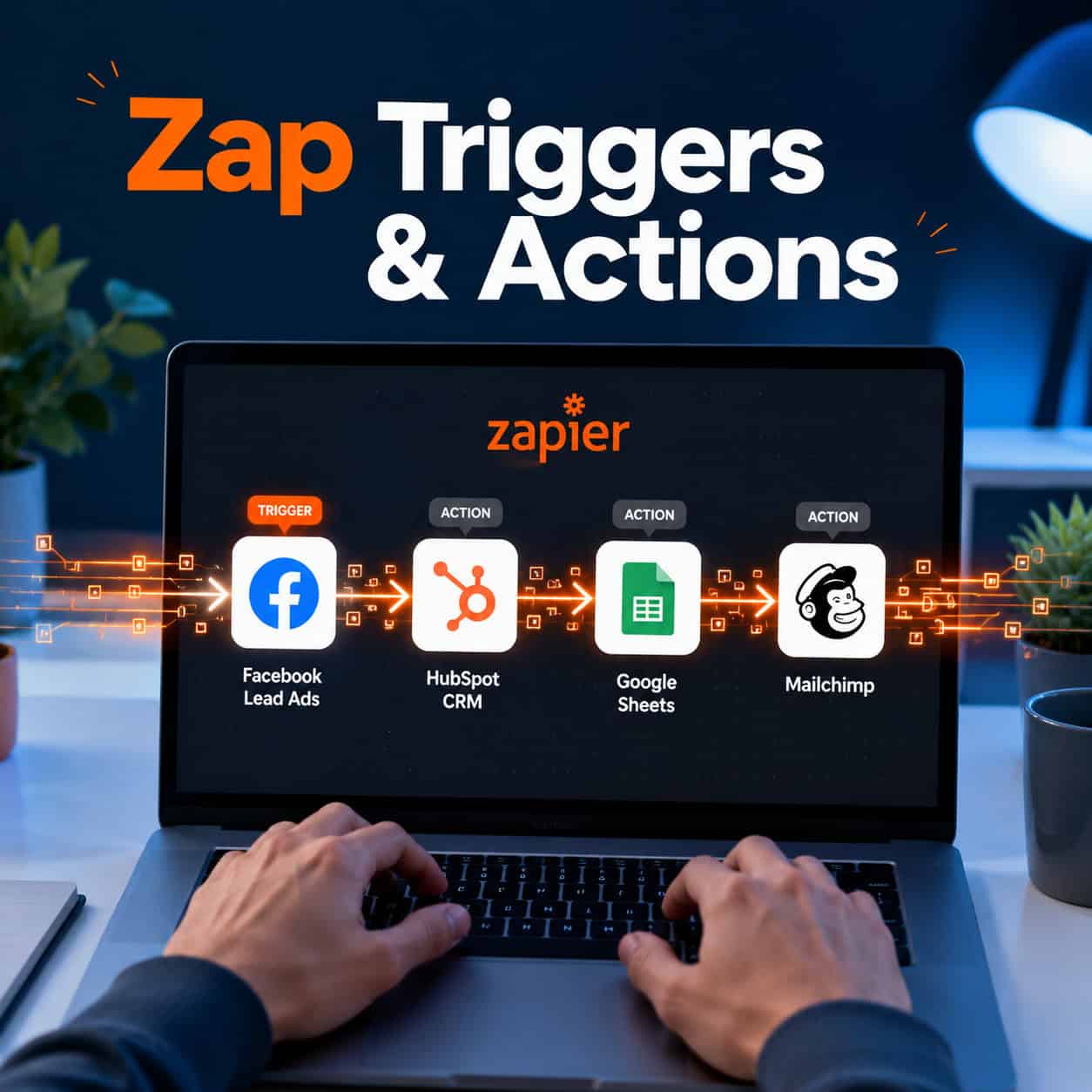
Zapier is a no-code automation platform that connects over 6,000 apps through workflows called Zaps. Each Zap follows a simple structure: a trigger (something that happens in one app) causes an action (something that happens in another app). For marketers, this means tasks that once required manual effort, like copying lead data from a form into a CRM, happen instantly and automatically.
Here’s the basic anatomy of a Zap:
| Component | What It Does | Example |
|---|---|---|
| Trigger | Detects an event in App A | New form submission in Typeform |
| Filter | Checks if conditions are met | Only if “Company Size” > 50 |
| Action | Performs a task in App B | Creates contact in HubSpot |
| Path | Splits workflow by condition | Small vs. enterprise lead routing |
Who it’s for: Marketing teams of any size who use multiple SaaS tools and spend time on repetitive data tasks. It’s especially valuable for teams without a dedicated developer.
Who it’s not ideal for: Teams with highly complex, real-time data requirements may need more advanced platforms like Make (formerly Integromat) or custom API integrations.
How Do You Build Your First Zap for Lead Generation?
Building your first Zap takes about 10 minutes. The key is starting with a high-impact, simple workflow before adding complexity.
Step-by-step: Connect a lead form to your CRM
- Log into Zapier and click “Create Zap.”
- Choose your trigger app (e.g., Facebook Lead Ads, Typeform, or your website form tool).
- Select the trigger event (e.g., “New Lead” or “New Submission”).
- Connect your CRM as the action app (HubSpot, Salesforce, or Pipedrive).
- Map the form fields to the correct CRM fields (name, email, company).
- Test the Zap with a sample submission.
- Turn it on.
Once active, every new lead flows directly into your CRM without any manual export. [2] This alone saves marketing teams hours each week and eliminates the risk of lost or delayed leads.
Common mistake: Skipping the test step. Always run a live test with real data before activating a Zap in production. Mismatched field mapping is the most frequent cause of broken workflows.
What Are the Most Effective Zapier Automation Strategies for Marketing?
The most effective Zapier strategies for marketing fall into four categories: lead management, email automation, ad tracking, and cross-platform data sync. Choosing the right strategy depends on where your team currently loses the most time.
Lead Management Automation
When a prospect fills out a form, subscribes to a newsletter, or submits details through Facebook Lead Ads, Zapier sends that data straight to your CRM. [2] No CSV downloads, no copy-pasting. You can also use Filters to route leads differently based on attributes:
- Enterprise leads (company size > 200) go to a senior sales rep in Salesforce.
- SMB leads go into a Mailchimp drip sequence automatically.
- Leads from specific ad campaigns get tagged for ROI tracking.
Email Segmentation and Drip Campaigns
Zapier connects signup forms to email platforms and segments subscribers based on their actions. [5] For example:
- A webinar registrant gets added to a specific Mailchimp list and receives a tailored onboarding sequence.
- A user who downloads a pricing guide gets tagged “high intent” and enters an ActiveCampaign behavior-driven campaign. [1]
- Post-purchase buyers receive a congratulatory email and enter a loyalty nurture track automatically.
For teams already focused on content distribution, pairing Zapier with automated social sharing (see our guide on how to auto-share WordPress blog posts to social media) creates a fully connected publishing and nurture workflow.
Ad Platform ROI Tracking
Zapier sends lead conversion events back to Google Ads, Facebook Lead Ads, and LinkedIn Ads automatically. [2] This closes the attribution loop: you can see which ad campaigns produce actual customers, not just clicks, and adjust your spend accordingly.
How Does Conditional Logic Make Zapier More Powerful?
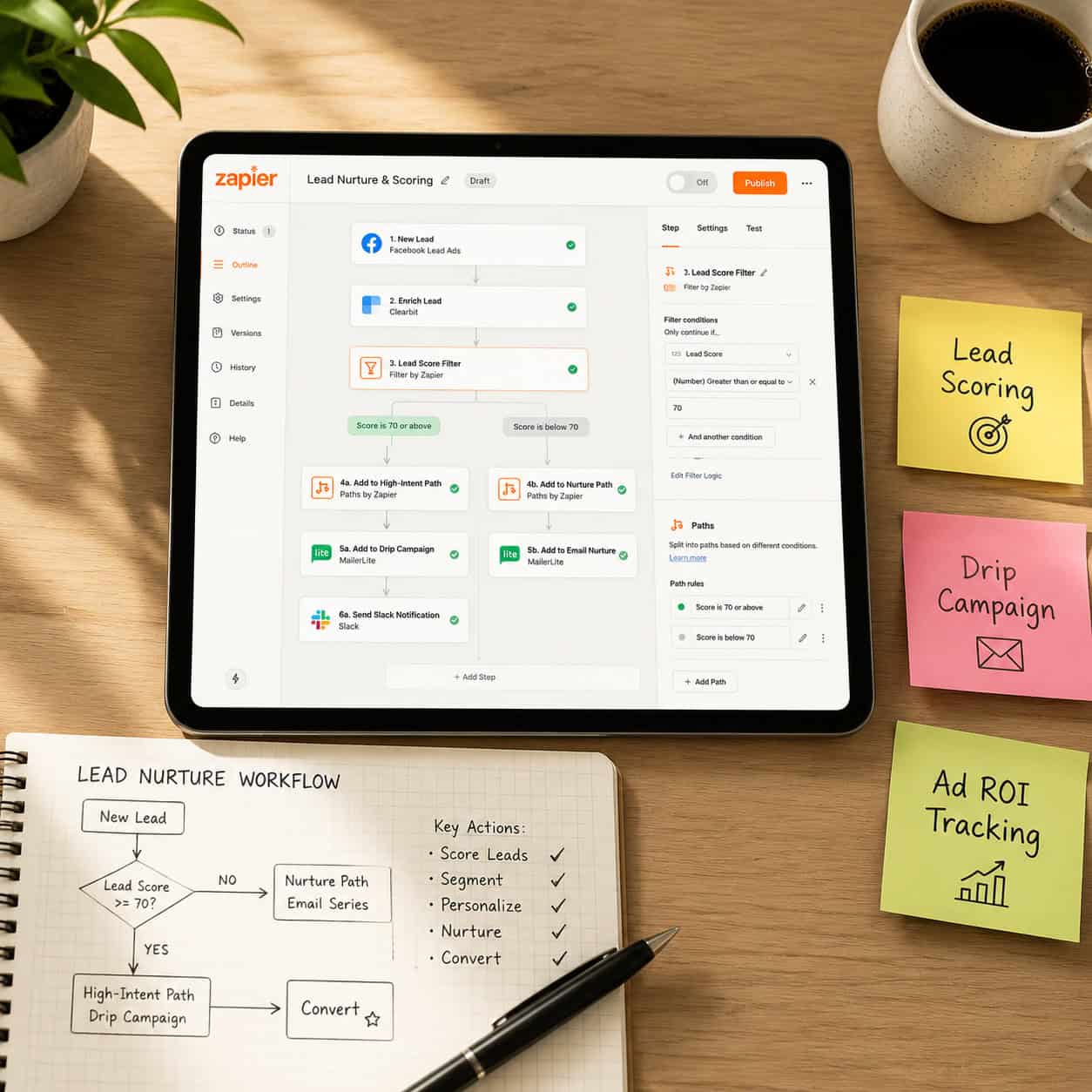
Conditional logic, through Zapier’s Filters and Paths features, turns simple two-step Zaps into sophisticated, branching workflows. This is where Zapier moves from “helpful” to genuinely strategic.
Filters stop a Zap from running unless specific conditions are met. For example, a Zap only fires if a lead’s job title contains “Director” or above.
Paths split a single Zap into multiple branches, each with its own set of actions. [4] A single lead form submission can:
- Path A: Route enterprise leads to Salesforce and notify the sales team in Slack.
- Path B: Add SMB leads to a Mailchimp welcome sequence.
- Path C: Flag incomplete submissions for manual review.
💡 Choose Paths if your marketing funnel treats different audience segments differently. Choose Filters if you simply want to exclude certain records from a workflow.
This level of specificity means your automation matches your actual marketing logic, not a simplified version of it.
How Can AI Tools Enhance Your Zapier Marketing Workflows?
Zapier’s integration with AI tools like ChatGPT adds a decision-making layer that goes beyond simple data transfer. Zapier Agents accept plain-English instructions such as “Summarize this email” or “Determine the sentiment of this customer feedback,” allowing workflows to handle tasks that previously required human judgment. [4]
Practical AI-enhanced workflows include:
- Lead scoring: A new CRM contact triggers a ChatGPT step that analyzes job title, company size, and industry, then assigns a score and routes the lead accordingly. [2]
- Content personalization: Incoming form data triggers an AI step that drafts a personalized follow-up email, which is then sent via your email platform.
- Sentiment routing: Customer support tickets are analyzed for sentiment; negative feedback triggers an urgent Slack alert to the customer success team.
Teams already using AI for content creation can extend this further. Our comprehensive guide to AI-powered content generation tools covers the best platforms to connect into these workflows. You can also explore AI-powered content optimization for ideas on how automated content fits into a broader marketing strategy.
What Are the Best Zapier Integrations for Marketing Teams?
The most valuable Zapier integrations for marketing depend on your existing stack. Here are the highest-impact connections, based on common marketing workflows:
| Integration | Best For | Key Workflow |
|---|---|---|
| HubSpot + Zapier | Lead management | Auto-create contacts from any form tool |
| Mailchimp + Zapier | Email automation | Sync subscribers, segment by behavior [3] |
| ActiveCampaign + Zapier | Behavior-driven campaigns | Trigger sequences based on CRM events [1] |
| Google Ads + Zapier | Attribution tracking | Send conversion events from CRM [2] |
| Slack + Zapier | Team notifications | Alert reps when a hot lead comes in |
| Google Sheets + Zapier | Reporting | Auto-log leads and campaign data |
| ChatGPT + Zapier | AI enrichment | Score and summarize leads automatically [4] |
Mailchimp workflows worth building now: direct ad targeting toward specific subscriber segments, auto-saving new subscribers to Google Sheets for backup, and syncing Mailchimp data with Zoho CRM, all without code. [3]
For WordPress-based marketing sites, pairing Zapier with AI plugins for WordPress automation creates an end-to-end automated content and lead workflow.
How Do You Keep Data Consistent Across Marketing Platforms?
Data inconsistency, where your CRM says one thing and your email platform says another, is one of the most common and costly marketing problems. Zapier solves this by acting as the connective layer between tools that don’t natively talk to each other. [3]
Key data sync workflows:
- When a contact’s email is updated in HubSpot, Zapier updates the same contact in Mailchimp automatically.
- When a deal is marked “Closed Won” in Pipedrive, Zapier adds the customer to a post-sale nurture list and removes them from prospect sequences.
- When a subscriber unsubscribes in Mailchimp, Zapier updates their status in your CRM to prevent re-sending.
Edge case to watch: Zapier runs on a polling model for most triggers (checking for new data every 1–15 minutes depending on your plan). For true real-time sync, use Zapier’s webhook triggers where available, or consider whether your use case needs a more real-time integration tool.
For teams managing content-heavy sites, automation also extends to design and publishing workflows. See how Figma AI workflow automation can connect design handoffs to your broader marketing pipeline.
What Are Common Mistakes to Avoid with Zapier Marketing Automation?
Even well-intentioned Zapier setups break down in predictable ways. Knowing the failure points in advance saves significant time and prevents data loss.
Most common mistakes:
- Not testing with real data. Sample data in Zapier doesn’t always reflect edge cases in live submissions.
- Over-automating too early. Build simple Zaps first, confirm they work, then add complexity.
- Ignoring error notifications. Zapier sends email alerts when Zaps fail. Set up a dedicated inbox filter so these don’t get missed.
- Duplicate records. If multiple Zaps create contacts in the same CRM, you’ll get duplicates. Use a “find or create” action step to check first.
- No documentation. Name your Zaps clearly (e.g., “FB Lead Ads > HubSpot > Slack Alert”) and keep a simple log of what each one does. Teams change; undocumented automations become mystery black boxes.
- Ignoring task limits. Zapier plans have monthly task limits. High-volume workflows can exhaust your quota faster than expected. Monitor usage in your dashboard.
Conclusion: Your Next Steps to Supercharge Your Marketing Efficiency
This guide to Zapier automation strategies gives you a practical foundation, but the real value comes from implementation. Here’s how to move forward:
Start this week:
- Identify your single most repetitive marketing task (usually lead data entry or email list management).
- Build one Zap to automate it. Keep it simple: one trigger, one action.
- Run it for two weeks, check the error log, and confirm data accuracy.
Build from there:
- Add conditional logic with Filters once your basic Zaps are stable.
- Introduce AI enrichment steps (ChatGPT scoring, sentiment analysis) for high-value lead workflows.
- Connect your ad platforms to close the attribution loop on campaign ROI.
For ongoing learning: Browse the Automation Archives at WebAiStack for practical guides on extending these workflows across your full marketing stack. If your team also manages social media content, our guide to graphic design for social media marketing covers how to pair creative workflows with the automation systems you’ve built here.
Marketing automation with Zapier isn’t a one-time setup. It’s an ongoing practice of identifying friction, building a solution, and refining it. Start small, stay consistent, and the efficiency gains compound quickly.
FAQ
What is a Zap in Zapier?
A Zap is an automated workflow that connects two or more apps. It runs when a trigger event occurs in one app and performs one or more actions in another app automatically.
Does Zapier require coding skills?
No. Zapier is a no-code platform. You build workflows through a visual interface by selecting apps, triggers, and actions from dropdown menus.
How much does Zapier cost for marketing teams?
Zapier offers a free plan with limited tasks and two-step Zaps. Paid plans start at around $19.99/month (billed annually) and scale based on task volume and feature access, including multi-step Zaps and Paths.
What’s the difference between Zapier Filters and Paths?
Filters stop a Zap from running unless a condition is met (a gate). Paths split a Zap into multiple branches so different conditions trigger different actions (a fork in the road). [4]
Can Zapier integrate with AI tools like ChatGPT?
Yes. Zapier has a native ChatGPT integration and supports Zapier Agents, which accept plain-English instructions to handle complex decision-making steps inside workflows. [4]
How does Zapier help with email marketing?
Zapier connects form tools, CRMs, and email platforms like Mailchimp and ActiveCampaign. It automates subscriber segmentation, triggers drip campaigns based on user behavior, and keeps contact lists synced across platforms. [3]
Is Zapier suitable for small marketing teams?
Yes. Small teams often benefit most because they lack the developer resources to build custom integrations. Zapier’s no-code setup means a single marketer can automate workflows that would otherwise require engineering support.
How do I track ad ROI with Zapier?
Connect your CRM to Google Ads, Facebook Lead Ads, or LinkedIn Ads via Zapier. When a lead converts to a customer in your CRM, Zapier sends the conversion event back to the ad platform, improving attribution accuracy. [2]
What happens if a Zap fails?
Zapier sends an email notification when a Zap encounters an error. You can review the error log in your dashboard, identify the failed step, fix the issue, and replay the failed tasks.
Can Zapier sync data between two CRMs?
Yes. You can build Zaps that update a contact in CRM B whenever a record changes in CRM A. Use “find or create” action steps to prevent duplicate records from being created.
References
[1] Best Zapier Integrations – https://voiso.com/articles/best-zapier-integrations/
[2] Marketing Automation Use Cases – https://zapier.com/blog/marketing-automation-use-cases/
[3] Using Zapier For Marketing Automation – https://elandz.com/blog/martech/using-zapier-for-marketing-automation/
[4] Zapier Automates Your Tasks – https://www.keywordsearch.com/blog/zapier-automates-your-tasks
[5] Marketing Automation With Zapier – https://agilespace.digital/resource/marketing-automation-with-zapier/