Last updated: May 7, 2026
Quick Answer: N8N is an open-source, fair-code workflow automation tool that connects your CRM to hundreds of other apps using a visual node-based editor. By building automated workflows, sales and marketing teams can eliminate manual data entry, respond to leads faster, and keep CRM records accurate without writing complex code. This guide covers everything from basic setup to advanced CRM automation patterns.
Key Takeaways
- N8N offers over 400 native integrations, including major CRMs like HubSpot, Salesforce, and Pipedrive [5]
- Responding to leads within one hour increases qualification likelihood by approximately 7x compared to slower responses, and n8n automation makes that speed achievable [2]
- Batch processing in n8n can update 1,000 customer records in minutes instead of hours [2]
- N8N supports self-hosting, giving teams full control over their data and compliance requirements [5]
- You can extend n8n workflows with custom JavaScript or Python when built-in nodes aren’t enough [6]
- Email-to-CRM automation using NLP can extract lead data directly from inboxes without manual input [3]
- N8N’s fair-code license means the core product is free to self-host, with paid cloud plans available [6]
- Common CRM automation wins include lead routing, follow-up sequences, deal stage updates, and cross-platform data sync

What Is N8N and Why Does It Matter for CRM Automation?
N8N is a fair-code licensed workflow automation platform that lets you connect apps, transform data, and trigger actions based on events, all without needing a developer for most tasks [6]. For CRM users specifically, it fills the gap between what your CRM does natively and what your actual sales process requires.
Most CRMs handle storage well. They’re less good at the connective tissue: pulling in lead data from five different sources, updating records when a deal moves stages, or firing off a Slack message when a high-value contact goes cold. N8N handles all of that.
Who it’s for: Sales operations teams, marketing automation managers, and growth engineers who want more control than Zapier offers but don’t want to build custom integrations from scratch.
Who it’s not ideal for: Teams with zero technical appetite. N8N has a low barrier to entry, but setting up complex workflows still requires some logical thinking and occasional troubleshooting.
Key reasons teams choose n8n for CRM work:
- Visual workflow editor with drag-and-drop nodes
- Over 400 pre-built integrations covering CRMs, email, databases, and communication tools [5]
- Custom code support via JavaScript or Python nodes for edge cases [6]
- Self-hosting option for data-sensitive industries like finance or healthcare [5]
- AI-powered workflow support for intelligent data processing and routing [1]
How to Get Started: Setting Up N8N for Your CRM
Getting n8n connected to your CRM takes less time than most people expect. The core setup involves three steps: installing n8n, authenticating your CRM, and building your first trigger-based workflow.
Step 1: Choose your deployment method
| Option | Best For | Cost |
|---|---|---|
| N8N Cloud | Teams who want managed hosting | Paid plans from ~$20/month |
| Self-hosted (Docker) | Data compliance, full control | Free (infrastructure costs apply) |
| Self-hosted (npm) | Developers, local testing | Free |
Step 2: Connect your CRM
N8N supports direct OAuth or API key authentication for most major CRMs. Navigate to Credentials > Add Credential, search for your CRM (e.g., HubSpot, Salesforce, Zoho), and follow the prompts. Most connections take under five minutes [6].
Step 3: Build a trigger node
Every workflow starts with a trigger. For CRM automation, common triggers include:
- A new contact is created in your CRM
- A form submission arrives from your website
- A webhook fires from a third-party app
- A scheduled time interval (useful for batch jobs)
Common mistake: Skipping credential testing before building a full workflow. Always use the “Test” button on each node before connecting downstream steps. It saves hours of debugging later.
The Core Techniques to Supercharge Your CRM: A Complete Guide to N8N Automation Techniques
This is where the real value lives. The following automation patterns address the most common CRM pain points teams face in 2026.
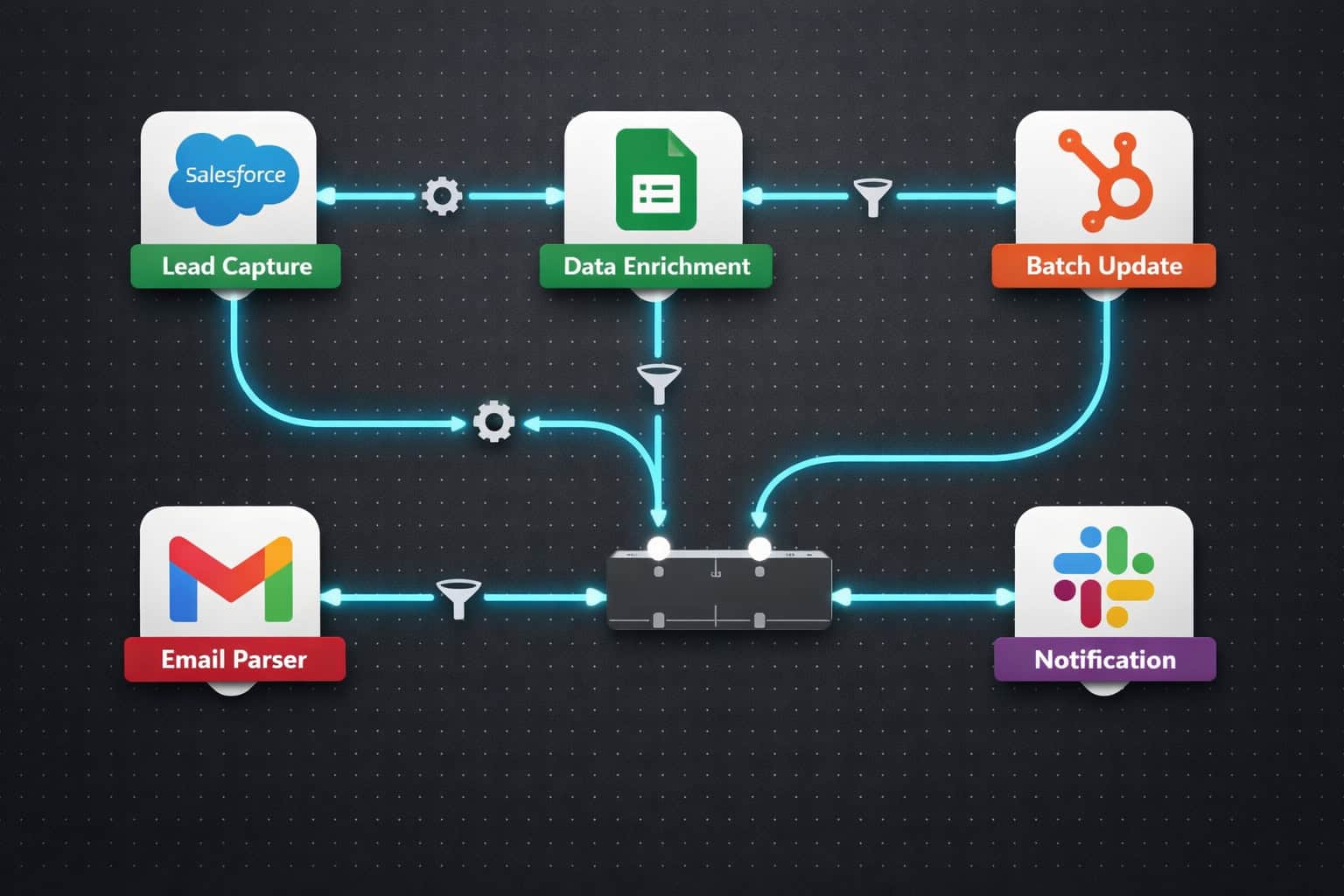
1. Automated Lead Capture and Routing
When a lead fills out a form on your website, n8n can capture that submission, enrich the contact data, score the lead based on predefined rules, and route it to the right sales rep, all within seconds [2].
A basic lead routing workflow looks like this:
- Webhook node receives form data
- HTTP Request node calls an enrichment API (e.g., Clearbit or Hunter)
- IF node scores the lead based on company size, industry, or source
- CRM node creates or updates the contact record
- Slack or email node notifies the assigned rep
Responding to leads within one hour increases the likelihood of qualification by approximately 7x compared to waiting longer [2]. Manual processes rarely hit that window consistently. Automated routing does it every time.
2. Email-to-CRM Automation with NLP Parsing
N8N can monitor an inbox, parse incoming emails using natural language processing, and push structured data directly into your CRM [3]. This is especially useful for:
- Support teams logging customer issues automatically
- Sales teams capturing inbound inquiries without manual entry
- Operations teams processing vendor or partner communications
The workflow typically uses an Email Trigger node connected to an AI/NLP node (such as an OpenAI integration) that extracts key fields like name, company, request type, and urgency before writing to the CRM.
3. Batch Record Updates
Updating 1,000 customer records one by one through individual API calls can take hours. N8N’s batch processing completes the same job in minutes [2].
Use a Google Sheets or database node as your data source, feed records into a Split in Batches node, then process each batch through your CRM’s update API. This pattern is ideal for:
- Syncing territory reassignments after a team restructure
- Updating lifecycle stages after a marketing campaign
- Cleaning and standardizing field values across your entire database
4. Cross-Platform Data Sync
Many teams run Salesforce for enterprise deals but use Google Sheets for quick analysis and sharing. N8N can automate that sync so both stay current without manual exports [3].
A scheduled workflow can pull lead, contact, and opportunity data from Salesforce on a set interval and push it to a shared Google Sheet, formatted and ready for the team to use. No CSV downloads, no version confusion.
For teams also managing content and web workflows, pairing CRM automation with tools like AI-powered content optimization can help align marketing signals with CRM data in real time.
What Are the Most Valuable N8N CRM Workflows to Build First?
Start with the workflows that save the most time and have the clearest ROI. For most CRM teams, that means focusing on three areas first: lead management, follow-up automation, and reporting.
Priority 1: Lead capture and assignment This is the highest-impact starting point. Every minute a new lead sits unassigned is a minute your competitor might be talking to them.
Priority 2: Automated follow-up sequences When a deal sits in a stage for more than X days with no activity, n8n can trigger a reminder to the rep or send an automated check-in email. This prevents deals from going cold silently.
Priority 3: CRM-to-reporting sync Sales managers need visibility. Automating the flow of CRM data into dashboards or spreadsheets means reports are always current without anyone having to pull them manually.
Choose this workflow if:
- You’re losing leads to slow response times → build lead routing first
- Your pipeline has stale deals → build activity-based follow-up triggers
- Your team wastes time on manual reporting → build the data sync workflow
Teams managing WordPress-based marketing sites alongside their CRM can also benefit from automating blog post distribution to social media, which feeds lead generation back into the CRM pipeline automatically.
How Does N8N Compare to Other CRM Automation Tools?
N8N sits in a specific position in the automation market. It’s more flexible than Zapier but requires more setup than native CRM automation features.
| Feature | N8N | Zapier | Make (Integromat) | Native CRM Automation |
|---|---|---|---|---|
| Pricing model | Free self-hosted / paid cloud | Per-task pricing | Per-operation pricing | Included (limited) |
| Custom code support | Yes (JS + Python) | Limited | Yes (limited) | Rarely |
| Self-hosting | Yes | No | No | No |
| AI workflow support | Yes | Limited | Limited | Varies |
| Integration count | 400+ | 6,000+ | 1,000+ | CRM-specific |
| Learning curve | Medium | Low | Medium | Low |
The honest trade-off: Zapier has more integrations and is easier for non-technical users. N8N wins on cost (especially at scale), flexibility, and data control. If your team runs sensitive customer data and needs self-hosting, n8n is the clear choice [5].
For teams already using no-code tools across their stack, exploring no-code website design platforms alongside n8n can create a fully automated, code-light business operation.
Advanced Techniques: Using AI and Custom Code in N8N CRM Workflows
Once you’ve mastered the basics, n8n’s AI and code capabilities open up significantly more powerful automation patterns [1].
AI-Powered Lead Scoring
Connect an OpenAI or Claude node to your lead intake workflow. Feed the lead’s data (job title, company size, message content) into a prompt that returns a score and a recommended action. The CRM record gets updated automatically with the AI’s assessment.
Custom JavaScript for Complex Logic
When built-in nodes can’t handle your specific business rules, drop in a Code node and write the logic yourself. Common uses include:
- Custom date calculations for follow-up timing
- Complex field mapping between systems with different data structures
- Deduplication logic before writing to the CRM
Webhook-Based Real-Time Triggers
Instead of polling your CRM on a schedule, configure webhooks so n8n reacts the moment something changes. This is faster, uses fewer API calls, and keeps your downstream systems more current [6].
Teams building AI-driven workflows across their business can also explore AI-powered content generation tools that integrate with n8n to automate content creation alongside CRM updates.
Common Mistakes to Avoid When Automating Your CRM with N8N
Even well-designed workflows fail when these issues aren’t addressed upfront.
Mistake 1: Not handling errors Every workflow that touches an external API will eventually hit a rate limit or timeout. Build Error Trigger nodes into your workflows so failures get logged and your team gets notified rather than data silently disappearing.
Mistake 2: Over-automating too fast Automating a broken process just makes it break faster. Map your current CRM workflow manually first, identify the actual bottlenecks, then automate those specific steps.
Mistake 3: Ignoring data quality If your CRM has duplicate records or inconsistent field values, automation will amplify those problems. Run a data audit before building workflows that write back to your CRM.
Mistake 4: Hardcoding credentials Never paste API keys directly into nodes. Use n8n’s Credentials manager so keys are stored securely and can be updated in one place [6].
Mistake 5: Skipping documentation N8N workflows can grow complex quickly. Add sticky notes to your canvas explaining what each section does. Future you (or your teammate) will be grateful.
For teams also automating their WordPress ecosystem, the best AI plugins for WordPress can complement n8n by handling on-site automation while n8n manages the backend CRM logic.
How to Supercharge Your CRM: A Complete Guide to N8N Automation Techniques in Practice
Putting this all together means building a layered automation system, not just a single workflow.
Here’s a practical implementation roadmap:
Week 1: Foundation
- Deploy n8n (cloud or self-hosted)
- Connect your CRM credentials
- Build and test one lead capture workflow
Week 2: Core automation
- Add lead scoring logic
- Build deal stage update triggers
- Set up error handling and notifications
Week 3: Advanced workflows
- Implement batch processing for record updates
- Add AI-powered data enrichment
- Build cross-platform sync (CRM to Sheets or BI tool)
Week 4: Optimization
- Review workflow execution logs
- Identify bottlenecks or failures
- Refine scoring rules based on real conversion data
Teams managing their automation alongside broader digital marketing operations can also benefit from advanced WordPress automation strategies that align with n8n’s CRM workflows for a unified growth stack.

FAQ: N8N CRM Automation
Q: Is n8n free to use? N8N is free to self-host under its fair-code license. Cloud-hosted plans start at approximately $20/month. There are no per-task fees, which makes it significantly cheaper than Zapier at scale [6].
Q: Do I need to know how to code to use n8n? No, but basic logical thinking helps. Most CRM workflows can be built using the visual node editor without writing any code. Custom JavaScript or Python is only needed for complex edge cases [6].
Q: Which CRMs does n8n support natively? N8N has native nodes for HubSpot, Salesforce, Pipedrive, Zoho CRM, Copper, and several others. For CRMs without a dedicated node, you can use the HTTP Request node to connect to any REST API [5].
Q: How secure is n8n for customer data? Self-hosted n8n gives you complete control over where data is stored and processed. Cloud-hosted plans use standard encryption. For GDPR or HIPAA-sensitive data, self-hosting is the recommended approach [5].
Q: Can n8n replace my CRM’s native automation features? Not entirely. N8N is best used to extend your CRM’s native automation, not replace it. Use your CRM’s built-in tools for in-CRM logic and n8n for cross-platform workflows and complex data transformations [1].
Q: How long does it take to build a basic n8n CRM workflow? A simple lead capture and notification workflow typically takes 30–60 minutes to build and test. More complex workflows with AI enrichment and multi-step routing can take a few hours [4].
Q: What happens if an n8n workflow fails? By default, failed executions are logged in n8n’s execution history. You can add an Error Trigger node to send alerts via email or Slack when a workflow fails, so nothing breaks silently [6].
Q: Can n8n handle high-volume CRM data? Yes. Batch processing nodes and queue-based execution make n8n suitable for high-volume operations. Self-hosted deployments can be scaled horizontally for enterprise workloads [6].
Q: Is n8n better than Make (Integromat) for CRM automation? Both are capable. N8N has an advantage in self-hosting, custom code support, and cost at scale. Make has a larger template library. Choose n8n if data control and flexibility matter most; choose Make if you need a faster start with less configuration [4].
Q: Can I use AI models inside n8n workflows? Yes. N8N has native integrations with OpenAI, Anthropic, and other AI providers. You can use AI nodes for lead scoring, email parsing, sentiment analysis, and content generation within CRM workflows [1].
Conclusion: Build Your CRM Automation Stack in 2026
The gap between teams that automate their CRM workflows and those that don’t is widening fast. Manual data entry, slow lead response, and disconnected tools are problems that n8n solves directly, without requiring a full engineering team to implement.
Your actionable next steps:
- Audit your current CRM process this week. Write down every manual step your team takes to manage leads, update records, or pull reports.
- Deploy n8n using the cloud trial or a self-hosted Docker instance. Get your CRM credentials connected.
- Build your first workflow targeting the highest-impact pain point from your audit (usually lead routing or follow-up triggers).
- Add error handling before you consider any workflow “done.” Every production workflow needs a failure notification.
- Expand incrementally. Add one new workflow per week rather than trying to automate everything at once.
For teams looking to extend their automation beyond the CRM, explore the automation resources at WebAiStack for workflows covering content, social media, and web publishing that complement your n8n CRM setup.
The tools are mature, the learning curve is manageable, and the ROI on well-built CRM automation is measurable within weeks. Start with one workflow and build from there.
References
[1] Supercharge Your CRM – https://n8n.io/supercharge-your-crm/ [2] N8N Workflow Automation Examples – https://scaleupally.io/blog/n8n-workflow-automation-examples/ [3] 15 N8N Workflow Examples 2025 Real Automation Templates Implementation Analysis – https://latenode.com/blog/low-code-no-code-platforms/n8n-setup-workflows-self-hosting-templates/15-n8n-workflow-examples-2025-real-automation-templates-implementation-analysis [4] N8N For Workflow Automation – https://hatchworks.com/blog/ai-agents/n8n-for-workflow-automation/ [5] Streamline Your Marketing Tasks With N8N Automation Workflows – https://interruptmedia.com/streamline-your-marketing-tasks-with-n8n-automation-workflows/ [6] docs.n8n – https://docs.n8n.io