Last updated: May 7, 2026
Quick Answer
n8n is an open-source, node-based workflow automation platform that connects apps, services, and APIs through a visual drag-and-drop interface. It lets you automate repetitive tasks, route data between tools, and build complex multi-step processes without writing much (or any) code. Organizations using n8n have reported up to a 90% reduction in manual data entry after deploying automation workflows. [4]
Key Takeaways
- n8n is free and self-hostable, giving you full data control and no per-task pricing limits that tools like Zapier impose.
- Over 1,000 pre-built workflow templates let you start automating in minutes rather than building from scratch. [2]
- Non-developers can build and maintain workflows using the visual no-code interface, while developers can extend nodes with custom JavaScript. [3]
- Built-in error handling, retries, and version control make n8n production-ready for business-critical processes. [2]
- Automation projects that once took weeks can be completed in hours using n8n’s pre-built integrations. [3]
- Conditional logic, branching, and scheduling are all native features, so your workflows can handle real-world complexity. [1]
- Self-hosting via Docker is the most popular deployment method for teams that need privacy or enterprise-grade control.
- AI integration is built in, allowing you to chain LLM calls, process data with AI nodes, and build intelligent automation pipelines.
What Is n8n and Why Does It Matter for Workflow Automation?
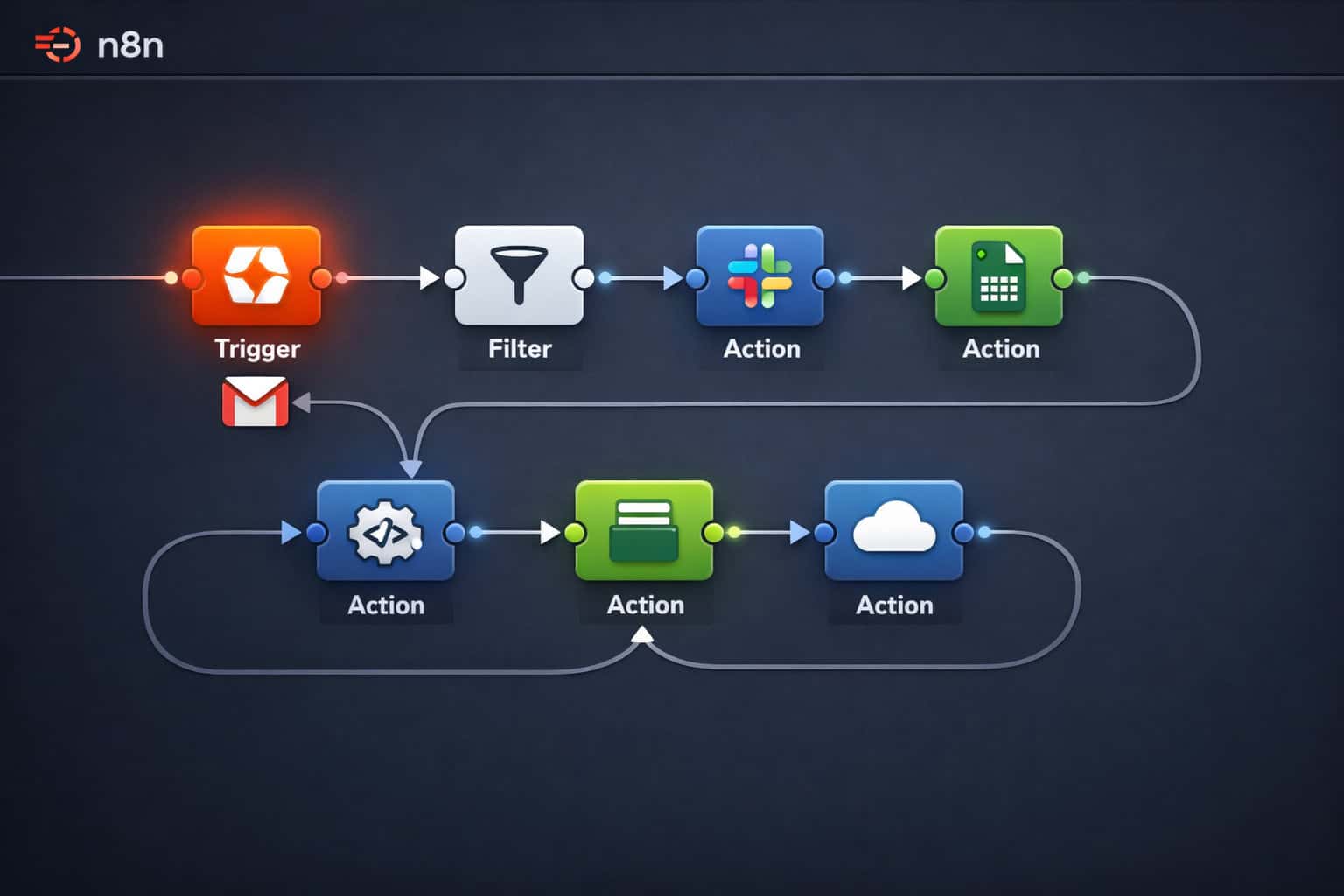
n8n is an open-source, node-based workflow automation platform that connects apps, services, and APIs through visual workflows. [1] Each “node” in a workflow represents one action or integration, and you connect nodes together to build automated processes. Think of it as a flowchart that actually runs.
It matters because automation used to require a developer, a budget, and weeks of build time. n8n changes that equation in three ways:
- Cost: The core platform is free and open-source. You pay only for hosting (or use the cloud plan), not per workflow run.
- Control: Self-hosting means your data never leaves your infrastructure, which matters for GDPR compliance, healthcare, and finance. [1]
- Flexibility: Unlike simpler tools, n8n supports conditional routing, branching logic, error handling, and custom code in the same visual canvas. [1]
Who it’s for: Small teams, solo operators, developers, and enterprises that want automation without vendor lock-in or escalating per-task fees.
Who it’s not ideal for: Someone who needs a fully managed, zero-setup tool and doesn’t want to think about infrastructure. In that case, a managed SaaS tool might be a better starting point.
How Does n8n Compare to Zapier and Other Automation Tools?
n8n provides significantly greater flexibility and lower long-term costs compared to alternatives like Zapier. [1] Here’s a practical breakdown:
| Feature | n8n | Zapier | Make (Integromat) |
|---|---|---|---|
| Pricing model | Free (self-hosted) / Cloud plans | Per task/month | Per operation/month |
| Self-hosting | ✅ Yes | ❌ No | ❌ No |
| Custom code | ✅ JavaScript nodes | Limited | Limited |
| Error handling | ✅ Native | Basic | Basic |
| Version control | ✅ Built-in | ❌ No | ❌ No |
| AI/LLM nodes | ✅ Native | Via integrations | Via integrations |
| Templates | 1,000+ | 6,000+ | 1,000+ |
| Learning curve | Moderate | Low | Moderate |
Choose n8n if: You need data privacy, complex logic, or you’re running high-volume workflows where per-task pricing would get expensive.
Choose Zapier if: You want the fastest possible setup with minimal technical involvement and you’re running low-volume, simple workflows.
Common mistake: Teams switch to n8n expecting it to be as plug-and-play as Zapier. It’s close, but the self-hosted version requires some initial server setup. Budget 1-2 hours for that step.
Getting Started: How Do You Install and Set Up n8n?
You can run n8n in three ways: via the cloud (n8n.cloud), via Docker (most common for self-hosting), or via npm. [7] The Docker method is recommended for most teams because it’s stable, portable, and easy to update.
Option 1: n8n Cloud (Fastest Start)
- Go to n8n.cloud and create an account.
- Choose a plan (a free trial is available).
- Your instance is live immediately — no server setup needed.
Option 2: Self-Host with Docker (Recommended for Control)
<code class="language-bash">docker run -it --rm
  --name n8n
  -p 5678:5678
  -v ~/.n8n:/home/node/.n8n
  n8nio/n8n
</code>
Then open http://localhost:5678 in your browser.
Option 3: Install via npm
<code class="language-bash">npm install n8n -g
n8n start
</code>
After setup, do these three things first:
- Set up your owner account and secure it with a strong password.
- Connect your first credential (e.g., Gmail OAuth or a Slack API token).
- Browse the template library and activate one pre-built workflow to see how it works before building your own. [2]
💡 Pro tip: If you’re self-hosting for a team, use Docker Compose with a PostgreSQL database instead of the default SQLite. It handles concurrent users and larger workflow histories much better.
What Are the Core Building Blocks of an n8n Workflow?
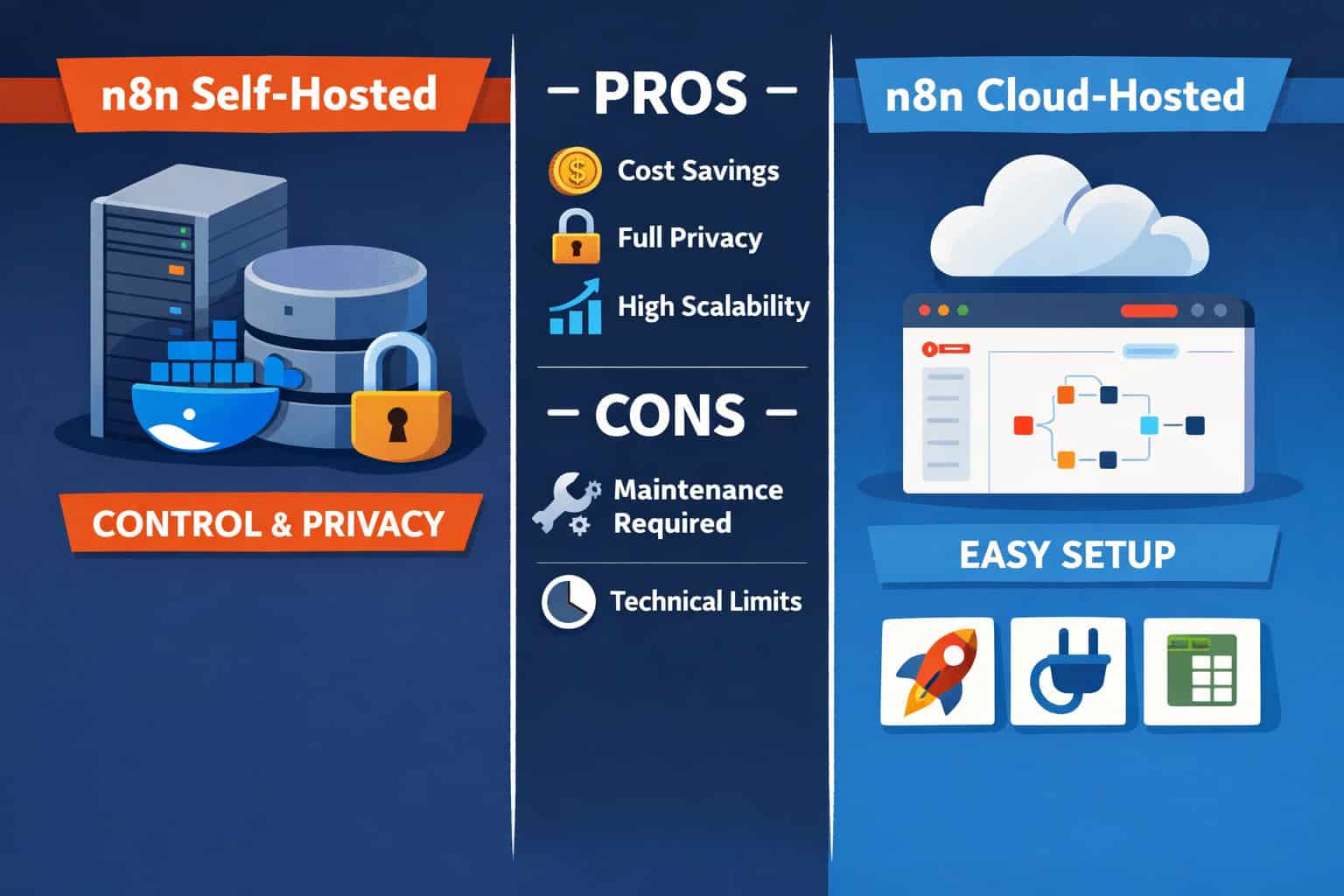
Every n8n workflow is made up of nodes, and each node does one specific job. [1] Understanding the node types is the foundation of mastering n8n automation and streamlining your workflow effectively.
The Main Node Types
🔵 Trigger Nodes — Start the workflow. Examples:
- Webhook (receives an HTTP request)
- Schedule (runs at a set time or interval)
- Email trigger (fires when a new email arrives)
- App-specific triggers (new row in Airtable, new message in Slack)
🟢 Action Nodes — Do something. Examples:
- Send an email via Gmail
- Create a record in a database
- Post a message to Slack
- Make an HTTP request to any API
🟡 Logic Nodes — Control flow. Examples:
- IF node: Routes data down different paths based on a condition
- Switch node: Multiple conditional branches
- Merge node: Combines data from two branches
- Loop node: Iterates over a list of items
🔴 Data Nodes — Transform data. Examples:
- Set node: Creates or modifies fields
- Code node: Runs custom JavaScript
- Function node: Processes items with code
How Data Flows Between Nodes
Each node receives items (JSON objects), processes them, and passes the result to the next node. This is important: n8n processes data as arrays of items, so one workflow run can handle hundreds of records at once without extra configuration.
How Do You Build Your First Workflow in n8n?
Building a workflow in n8n follows a clear five-step process that applies whether you’re automating a simple notification or a multi-system data pipeline. [2]
Step-by-Step: Build a “New Form Submission → Slack Notification” Workflow
Step 1: Add a Trigger Node
- Click the “+” button on the canvas.
- Search for “Webhook” and add it.
- Copy the webhook URL it generates.
Step 2: Add an Action Node
- Click “+” after the trigger.
- Search for “Slack” and add the “Send a Message” action.
- Connect your Slack credentials (OAuth or bot token).
- Set the channel and message text using data from the trigger (e.g.,
{{ $json.name }}submitted a form).
Step 3: Configure Logic (Optional)
- Add an IF node between the trigger and Slack if you only want to notify for certain form types.
Step 4: Test the Workflow
- Click “Execute Workflow” and trigger it manually or send a test webhook.
- Inspect the output of each node to confirm data is flowing correctly.
Step 5: Activate
- Toggle the workflow to “Active” in the top-right corner.
- It will now run automatically every time the trigger fires.
Common mistake: Forgetting to activate the workflow after testing. A workflow in “inactive” state won’t run on its own — it only runs when you manually execute it.
For teams that also automate content publishing, pairing n8n with tools like auto-sharing WordPress blog posts to social media can create a fully hands-off publishing pipeline. For the visual side of your content, explore n8n social media automation for marketers and how to pair it with engaging carousel designs in Canva for a complete end-to-end content workflow.
How Do You Handle Errors and Debug Workflows in n8n?
n8n includes built-in error-handling features such as retries and error-catching nodes, along with detailed execution logs for debugging. [2] This is one area where n8n clearly outpaces simpler tools.
Error Handling Options
- Retry on fail: Set any node to retry 1–5 times before marking it as failed. Useful for API calls that occasionally time out.
- Error Workflow: Designate a separate workflow that triggers automatically when any workflow fails. Use this to send yourself a Slack alert or log the error to a spreadsheet.
- Continue on fail: Allow the workflow to keep running even if one node fails, processing the remaining items.
Debugging Tips
- Use the execution log (left sidebar) to see every past run, its status, and the exact data at each node.
- Pin data on a node during testing so you don’t have to re-trigger the workflow every time you make a change.
- Use the “Set” node to add debug fields to your data, making it easier to trace where values come from.
💡 n8n also has version control for workflows, so if a change breaks something, you can roll back to a previous version without losing work. [2]

What Are the Best Practical Use Cases for n8n Automation?
Mastering n8n automation and streamlining your workflow becomes much easier when you start with high-value, well-defined use cases rather than trying to automate everything at once. [3] Here are the categories where n8n delivers the fastest return:
🏢 Business Operations
- Lead routing: New CRM lead → enrich with Clearbit → assign to sales rep → send welcome email
- Invoice processing: New invoice email → extract data → create record in accounting tool → notify finance team
- Employee onboarding: New hire in HR system → create accounts in Slack, Notion, and Google Workspace
📊 Data & Reporting
- Daily reports: Pull data from multiple sources at 8am → format → send summary to Slack
- Database sync: Keep two systems in sync when records are created or updated
- Spreadsheet automation: New row in Google Sheets → trigger a multi-step process
🤖 AI-Powered Workflows
- Content summarization: New article URL → fetch content → send to OpenAI → save summary to Notion
- Support ticket triage: New ticket → classify with AI → route to correct team → draft a reply
- Sentiment analysis: Customer feedback → analyze tone → tag and route accordingly
For teams building AI-assisted content pipelines, pairing n8n with a solid understanding of AI-powered content generation tools can dramatically speed up content operations.
You can also explore the Automation Archives on WebAiStack for more workflow ideas across different tools and platforms.
How Do You Scale n8n for Teams and Production Use?
Scaling n8n beyond personal use requires a few infrastructure and organizational decisions. [1] The good news: n8n was designed with production use in mind.
Infrastructure Checklist for Production
- Use Docker Compose with PostgreSQL (not SQLite) for the database
- Set up a reverse proxy (Nginx or Caddy) with SSL/HTTPS
- Configure environment variables for credentials and secrets (never hardcode them)
- Enable execution data pruning to prevent the database from growing indefinitely
- Set up automated backups for your n8n database and workflow files
- Use n8n’s queue mode (with Redis) for high-volume workflows that need parallel processing
Team Workflow Best Practices
- Name workflows clearly: Use a format like
[Team] Action - Trigger(e.g.,[Marketing] Send Email - New Lead). - Use tags to organize workflows by department or project.
- Document each workflow with a sticky note node explaining what it does and who owns it.
- Use credentials sharing carefully — assign credentials at the team level, not per-user, to avoid broken workflows when someone leaves.
Teams managing complex WordPress-based operations alongside n8n workflows may also find value in advanced WordPress automation strategies to round out their automation stack.
What Are the Most Common n8n Mistakes to Avoid?
Even experienced users run into the same set of problems when building n8n workflows. Knowing these in advance saves significant debugging time.
Top 5 Mistakes
Not handling pagination in API calls. Many APIs return paginated results. If you only fetch the first page, your workflow silently misses data. Use n8n’s loop or pagination settings in HTTP Request nodes.
Hardcoding credentials in nodes. Always use n8n’s credential manager. Hardcoded tokens break when you rotate keys and create security risks.
Ignoring error workflows. A workflow that silently fails is worse than one that fails loudly. Set up an error workflow from day one.
Building monolithic workflows. One 40-node workflow is hard to debug and maintain. Break large processes into smaller sub-workflows that call each other.
Not testing with real data. n8n’s test data feature is convenient, but real API responses often have edge cases (null values, unexpected formats) that only show up in production.
For teams that also manage website automation, the 12 best AI plugins for WordPress can complement n8n workflows that interact with WordPress sites.
Mastering n8n Automation: Advanced Features Worth Knowing
Once you’ve covered the basics, these advanced features are what separate a good n8n user from a great one. This is the part of mastering n8n automation and streamlining your workflow that most guides skip. [2]
Sub-Workflows (Execute Workflow Node)
Call one workflow from inside another. This lets you build reusable “modules” — for example, a standard “send notification” workflow that dozens of other workflows can call without duplicating logic.
Custom Nodes
If n8n doesn’t have a node for a specific tool, you can build one using the n8n CLI and publish it to npm. This is a developer-level feature but gives you unlimited integration potential.
AI Agent Nodes 🤖
n8n has native LangChain-based AI agent nodes that let you build autonomous agents — workflows where an AI decides which tools to call based on the task. This is useful for:
- Customer support bots that look up order data
- Research agents that search and summarize
- Code review assistants that check PRs
Webhook Authentication
Secure your webhook triggers with header authentication, JWT validation, or basic auth to prevent unauthorized workflow triggers.
n8n’s Template Library
With over 1,000 ready-to-use templates, you rarely need to start from scratch. [2] Browse by category (CRM, marketing, DevOps, AI) and import a template as a starting point, then customize it for your needs.
For teams that also use AI in their design and content workflows, exploring AI-powered content optimization strategies alongside n8n can create end-to-end automated content pipelines.
Conclusion: Your Next Steps for Mastering n8n Automation
Mastering n8n automation and streamlining your workflow is a process, not a single event. The platform rewards people who start small, test carefully, and build confidence before tackling complex multi-system pipelines.
Here’s a practical action plan to move forward:
- This week: Install n8n (cloud trial or Docker) and activate one template from the library. Get comfortable with the canvas and how data flows between nodes.
- Week 2: Build your first custom workflow around a real pain point — a notification, a data sync, or a report you currently do manually.
- Week 3-4: Add error handling and an error workflow to everything you’ve built. This is what makes automation reliable rather than fragile.
- Month 2: Explore sub-workflows to modularize your automations, and look into the AI agent nodes if you want to add intelligence to your pipelines.
- Ongoing: Browse the n8n template library and the n8n community forum regularly. Most problems you’ll encounter have already been solved.
The teams that get the most from n8n aren’t the ones with the most technical skill — they’re the ones who document their workflows, handle errors proactively, and treat automation as an ongoing practice rather than a one-time project.
FAQ
What is n8n used for? n8n is used to automate repetitive tasks by connecting apps, APIs, and services through visual workflows. Common uses include lead routing, data syncing, report generation, AI-powered pipelines, and notification systems.
Is n8n free to use? Yes. The core n8n platform is open-source and free to self-host. n8n also offers paid cloud plans for users who don’t want to manage their own server.
Is n8n better than Zapier? n8n offers more flexibility, self-hosting, and lower long-term costs than Zapier. Zapier is easier to start with but becomes expensive at scale and doesn’t support complex logic as well. [1]
Do I need to know how to code to use n8n? No. Non-developers can build and maintain workflows using the visual no-code interface. [3] Coding knowledge is helpful for advanced use cases but not required for most automations.
How many integrations does n8n support? n8n supports 400+ native integrations and can connect to any app or service with an API via the HTTP Request node, giving it virtually unlimited integration potential. [7]
Can n8n handle errors automatically? Yes. n8n has built-in retry logic, error-catching nodes, and the ability to trigger a separate “error workflow” when something fails. [2]
What is a trigger node in n8n? A trigger node is the starting point of a workflow. It listens for an event (a new email, a scheduled time, a webhook call) and starts the workflow when that event occurs.
Can n8n run AI workflows? Yes. n8n has native AI and LangChain-based agent nodes that connect to OpenAI, Anthropic, and other LLM providers, enabling intelligent, decision-making automation pipelines.
How do I keep my n8n data private? Self-host n8n on your own server or private cloud. This means your workflow data and credentials never leave your infrastructure. [1]
What’s the best way to learn n8n? Start with the official n8n docs [7], activate a few templates to see how they work, then build a simple workflow for a real task you do manually. The n8n community forum and YouTube tutorials (including Amjid Ali’s comprehensive guide [5]) are also strong resources.
Can multiple team members use n8n together? Yes. n8n supports multi-user environments with role-based access. For team use, self-host with PostgreSQL and configure user permissions through the settings panel.
How do I back up my n8n workflows? Export workflows as JSON files from the n8n UI, or set up automated database backups if you’re self-hosting with PostgreSQL. n8n’s version control feature also lets you track and restore previous workflow versions. [2]
References
[1] N8n Workflow Automation Guide – https://www.digitalocean.com/community/conceptual-articles/n8n-workflow-automation-guide [2] Mastering N8n Automation Guide – https://www.automake.io/blog/mastering-n8n-automation-guide [3] N8n Workflow Automation – https://www.helloroketto.com/articles/n8n-workflow-automation [4] N8n Workflow Automation Guide – https://www.automake.io/blog/n8n-workflow-automation-guide [5] Watch (Amjid Ali: Mastering n8n Complete Guide) – https://www.youtube.com/watch?v=UB0w0vuyMw4 [7] n8n Official Documentation – https://docs.n8n.io