Last updated: May 7, 2026
Quick Answer: n8n is a free, open-source workflow automation platform that lets you connect 400+ apps and automate repetitive tasks at zero licensing cost when self-hosted. Unlike Zapier or Make, which charge per task or workflow, n8n gives you unlimited automations on your own server. It’s the go-to choice for developers, small businesses, and solo operators who want enterprise-grade automation without the enterprise price tag.
Key Takeaways 🔑
- n8n is completely free when self-hosted — no licensing fees, no per-task charges, no usage caps [1]
- Self-hosting on a $5/month VPS is the most cost-effective setup, compared to the cloud plan at $24–$60/month [10]
- 400+ native integrations cover Gmail, Google Sheets, Slack, social media platforms, and more [2]
- Over 9,500 community-built workflows are available as free templates to copy and customize [8]
- Advanced logic features — conditional branching, loops, data merging, error handling — come standard, not locked behind a premium tier [6]
- AI-native capabilities are built in, so you can add AI steps to any workflow without extra tools [7]
- Full data control means you handle your own GDPR/CCPA compliance, which is a major advantage for regulated industries [6]
- No coding required for most workflows — the visual builder uses a box-and-arrow interface [2]
- The open-source codebase is fully inspectable and extensible, with no vendor lock-in [4]
What Exactly Is n8n, and Why Does the Free Model Matter?
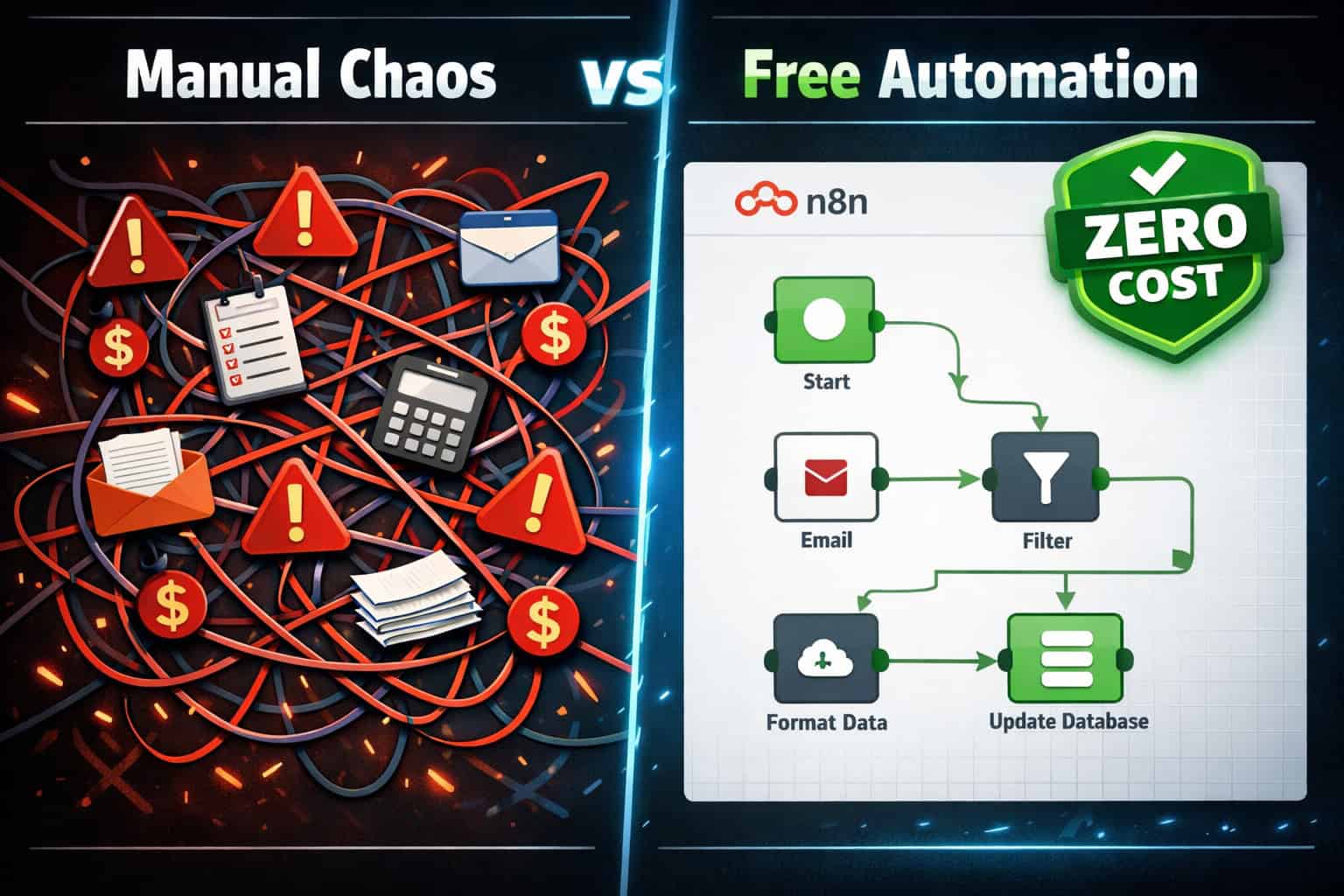
n8n is an open-source workflow automation tool that connects apps, services, and APIs through a visual, node-based editor. The free model matters because it removes the single biggest barrier to automation adoption: cost.
Most automation platforms charge by the task, the workflow, or the user seat. That pricing model works fine for large teams with dedicated budgets, but it prices out freelancers, startups, and small businesses who could benefit the most. n8n flips this by making the core software free to download and self-host, with no restrictions on how many workflows you run or how many tasks they process [1].
Who this is for:
- Developers and technical users comfortable with a VPS or Docker setup
- Small businesses that want to automate without committing to monthly SaaS fees
- Agencies managing multiple client workflows
- Regulated businesses (healthcare, finance, legal) that need data to stay on their own servers
Who this may not suit:
- Non-technical users who want a fully managed, zero-setup experience (the cloud version addresses this, but at a cost)
- Teams that need guaranteed uptime SLAs without managing infrastructure
“The open-source model ensures complete transparency, allowing users to inspect, modify, and extend the source code without vendor restrictions.” [4]
How Does n8n’s Free Tier Actually Work? (Pricing Breakdown)
n8n’s free option is the self-hosted version — you download the software and run it on your own server. There are no licensing fees attached to this model [1].
Here’s how the pricing breaks down across deployment options:
| Deployment Option | Monthly Cost | Workflow Limit | Data Control |
|---|---|---|---|
| Self-hosted (VPS) | ~$5 (server cost only) | Unlimited | Full — your server [10] |
| Self-hosted (local machine) | $0 | Unlimited | Full |
| n8n Cloud (Starter) | ~$24/month | Limited executions | n8n’s servers [5] |
| n8n Cloud (Pro) | ~$60/month | Higher execution cap | n8n’s servers [5] |
The cloud version uses a pay-per-execution model rather than charging per step or user, which is more generous than Zapier’s per-task billing [5]. But if you want truly unlimited automation at near-zero cost, self-hosting is the answer.
Common mistake: Many users assume “free” means limited features. With n8n, the self-hosted version is the full product — every feature, every integration, no artificial caps [6].
What Can You Actually Automate with n8n for Free?
n8n connects with 400+ apps and services, covering most of the tools businesses use daily [2]. The platform also includes AI-native capabilities for handling complex, intelligent tasks [7].
Popular automation categories:
- Marketing: Auto-send email sequences, sync leads from forms to CRMs, post to social media on a schedule. If you’re already automating WordPress blog posts to social media, n8n can extend that logic across multiple platforms simultaneously.
- Sales: Pull data from contact forms, enrich leads via APIs, update Google Sheets or Airtable records automatically
- Content workflows: Trigger AI content generation when a new brief is added to a spreadsheet. Pair this with AI-powered content generation tools for a fully automated content pipeline.
- Operations: Sync inventory data between platforms, send Slack alerts when thresholds are hit, generate weekly reports
- Developer workflows: Webhook listeners, API chaining, database queries, GitHub event triggers
Advanced logic features included at no cost [6]:
- Conditional branching (IF/ELSE logic)
- Loops and iterators
- Data merging from multiple sources
- Error handling and retry logic
- Sub-workflows for modular design
The community has built and shared over 9,535 workflow templates covering these use cases and more [8]. You don’t need to start from scratch.
Step-by-Step: How to Set Up n8n for Free
Setting up n8n’s free self-hosted version takes about 30–60 minutes for someone with basic server experience. Here’s the practical path [1][10]:
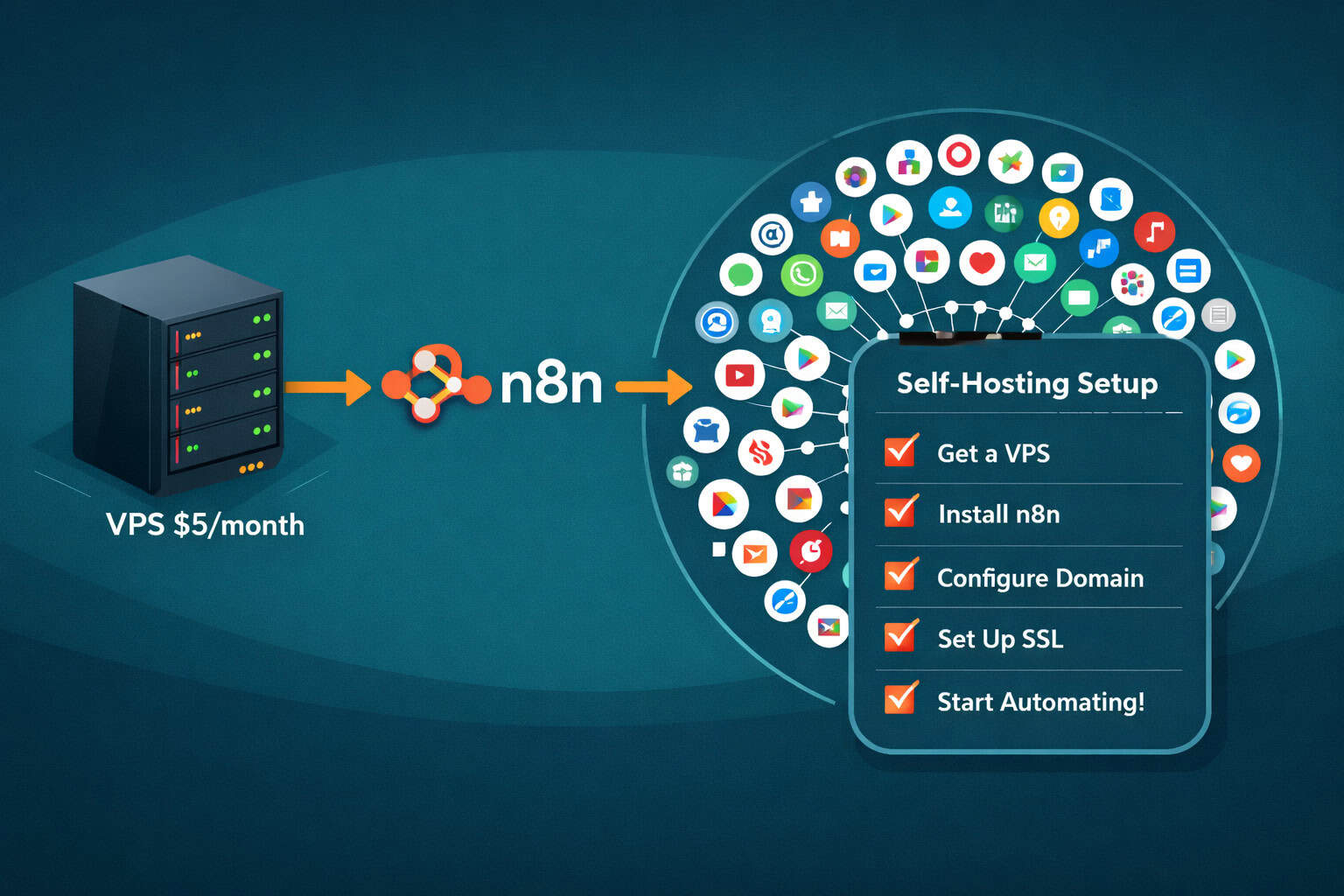
Option A: Self-host on a VPS (recommended for always-on automation)
- Get a VPS — A $5/month server from DigitalOcean, Hetzner, or Vultr works well. Ubuntu 22.04 LTS is the most compatible OS [10].
- Install Docker — n8n’s official Docker image is the cleanest deployment method. Run
docker pull n8nio/n8n. - Configure environment variables — Set your encryption key, timezone, and webhook URL in a
.envfile. - Start the container — Use
docker runordocker-compose upto launch n8n. It runs on port 5678 by default. - Set up a reverse proxy — Use Nginx or Caddy to point a domain to your n8n instance and enable HTTPS.
- Create your admin account — Access the web UI, register, and you’re ready to build.
Option B: Run locally (best for testing)
- Install via npm:
npm install n8n -g, then runn8n start - Access at
http://localhost:5678 - No server costs, but workflows only run when your machine is on
Edge case to watch: If you’re running n8n behind a corporate firewall or on a shared host, webhook triggers may not work correctly. A VPS with a public IP resolves this.
Choose self-hosting if: You want unlimited workflows, full data control, and the lowest possible long-term cost. Choose the cloud plan if: You want zero infrastructure management and can accept execution limits.
How Does n8n Compare to Zapier and Make?
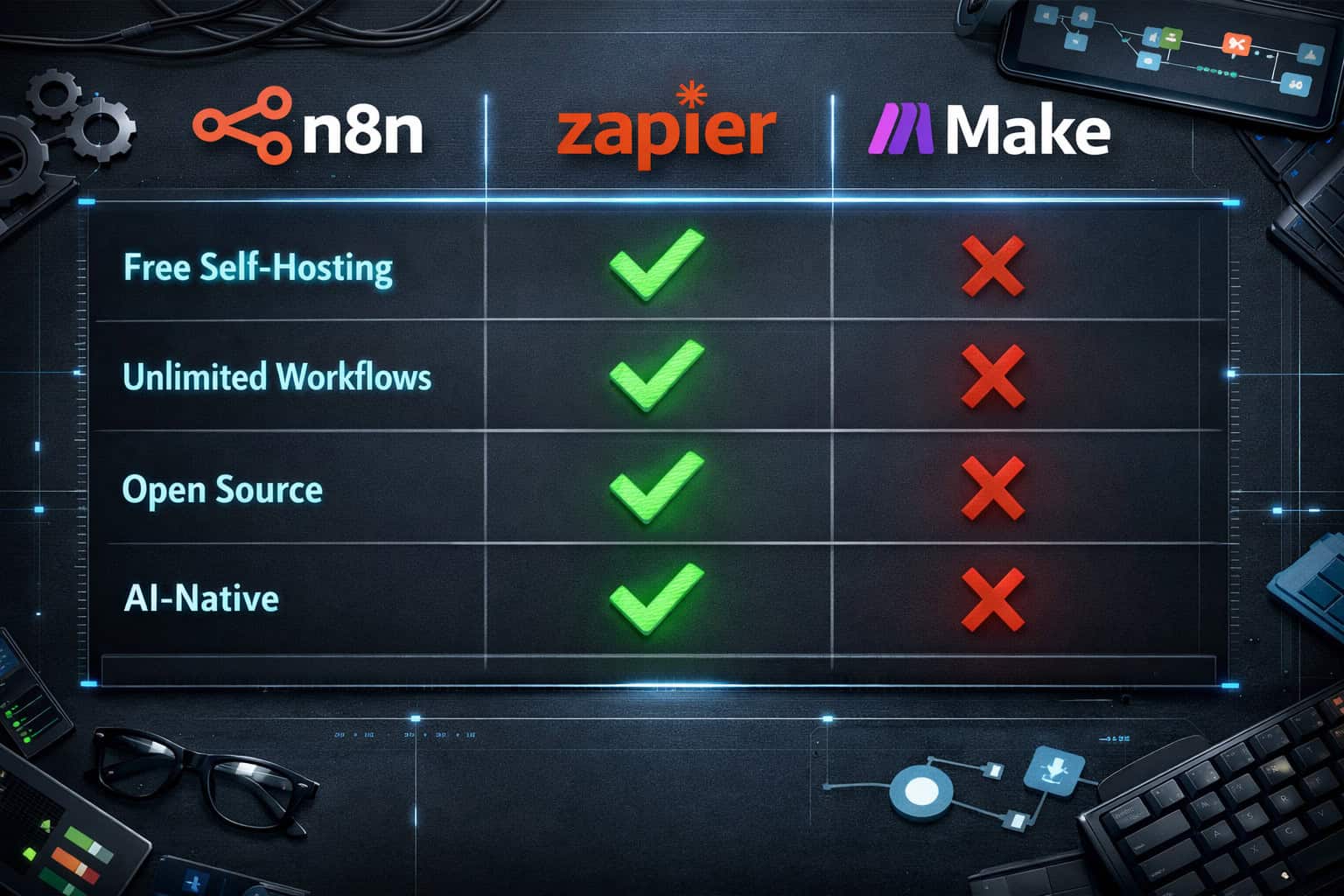
n8n’s self-hosted free tier is genuinely competitive against paid tiers of its closest rivals. Here’s a direct comparison for unlocking free workflow automation as a comprehensive approach:
| Feature | n8n (Self-hosted) | Zapier (Free) | Make (Free) |
|---|---|---|---|
| Monthly cost | ~$5 (server) | $0 | $0 |
| Workflow/scenario limit | Unlimited | 5 Zaps | 2 active scenarios |
| Task/execution limit | Unlimited | 100 tasks/month | 1,000 ops/month |
| Multi-step workflows | ✅ Yes | ❌ Paid only | ✅ Yes |
| Custom code nodes | ✅ Yes | ❌ No | ⚠️ Limited |
| Self-hosting option | ✅ Yes | ❌ No | ❌ No |
| Open source | ✅ Yes | ❌ No | ❌ No |
| AI-native features | ✅ Built-in | ⚠️ Add-on | ⚠️ Add-on |
The honest trade-off: Zapier and Make have more polished onboarding for non-technical users. n8n’s interface is clean, but setting up self-hosting requires comfort with the command line. If you’re technical, n8n wins on value by a wide margin [2][6].
For teams already building advanced WordPress automation workflows, n8n slots in naturally as the automation backbone.
What Are the Best Free n8n Workflow Templates to Start With?
The n8n community has shared over 9,535 ready-to-use workflow templates [8], and a curated collection of 2,053+ workflows has been packaged into a free, searchable open-source resource [3].
High-value starter templates by category:
📧 Email & Communication
- Auto-reply to Gmail based on keywords
- Send Slack notifications when a form is submitted
- Weekly digest email from RSS feeds
📊 Data & Reporting
- Sync Google Sheets with a CRM on a schedule
- Auto-generate reports from database queries
- Pull analytics data into a spreadsheet daily
- Summarize incoming emails with an AI model
- Generate content drafts from a spreadsheet of topics
- Classify customer support tickets automatically
🔗 Social Media & Content
- Cross-post content to multiple platforms from one trigger
- Monitor brand mentions and log them to a sheet
- Auto-schedule posts based on a content calendar
To find templates: go to n8n.io/workflows, filter by category or app, and click “Use workflow” to import directly into your instance [8].
Quick tip: Start with a template that matches a workflow you’re doing manually today. Don’t try to automate everything at once — pick one high-frequency, low-complexity task first.
What Are the Real Limitations of n8n’s Free Setup?
n8n’s free self-hosted model is powerful, but it comes with genuine trade-offs worth knowing before you commit.
Honest limitations:
- You manage the server. Updates, backups, and uptime are your responsibility. If the server goes down, your automations stop.
- No official support on the free tier. You rely on community forums, GitHub issues, and documentation.
- Some integrations require API credentials. n8n connects to 400+ apps, but you’ll need to set up OAuth or API keys for each service yourself [2].
- Learning curve for complex workflows. Basic automations are quick to build. Multi-branch, error-handling workflows take more time to design correctly.
- Webhook reliability depends on your server. A $5 VPS is reliable for most use cases, but it’s not the same as an enterprise-grade managed service.
What doesn’t change: The feature set. Every advanced capability — AI nodes, conditional logic, loops, custom code — is available on the free self-hosted version [6]. You’re not getting a watered-down product.
For teams exploring no-code and low-code tools more broadly, the no-code tools archive covers complementary platforms worth pairing with n8n.
How to Use n8n’s AI Features Without Extra Cost
n8n includes AI-native capabilities built directly into the workflow editor [7]. This means you can add AI processing steps to any automation without subscribing to a separate AI orchestration tool.
What the AI nodes can do:
- Call OpenAI, Anthropic, or other LLM APIs as a workflow step
- Chain prompts across multiple AI calls within one workflow
- Use AI to classify, summarize, extract, or transform data mid-flow
- Build AI agents that take actions based on model outputs
What you’ll still need to pay for: The AI API calls themselves (e.g., OpenAI charges per token). n8n doesn’t mark these up — you pay the provider directly at standard rates. The automation layer is still free.
Practical example: A content team could build a workflow where a new row in Google Sheets triggers n8n to call an AI API, generate a draft, and post it to a staging area — all without manual intervention. Pair this with AI-powered content optimization strategies for a complete hands-off pipeline.
Frequently Asked Questions About n8n’s Free Workflow Automation
Q: Is n8n really free, or is there a hidden cost? The self-hosted version of n8n is genuinely free — no licensing fee, no usage cap. Your only cost is the server you run it on, which can be as low as $5/month [1][10].
Q: Do I need to know how to code to use n8n? No. The visual workflow builder uses a box-and-arrow interface that requires no coding for most automations [2]. You’ll need basic command-line skills only for the initial server setup.
Q: How many apps does n8n connect to? n8n has 400+ native integrations, covering most major business apps [2]. For services without a native node, you can use the HTTP Request node to connect to any REST API.
Q: What’s the difference between n8n and Zapier? Zapier is fully managed and easier to start with, but charges per task and limits multi-step workflows on free/low tiers. n8n is self-hosted, free, open-source, and has no task limits — but requires more setup [2][6].
Q: Can I use n8n for AI automation without paying extra? Yes. n8n has built-in AI nodes [7]. You’ll pay the AI provider (e.g., OpenAI) for API calls, but n8n itself adds no markup or extra charge for using AI features.
Q: Where do I find pre-built workflow templates? The official template library at n8n.io/workflows has over 9,535 community-contributed templates [8]. Browse by app or category and import directly into your instance.
Q: Is n8n secure for sensitive business data? Self-hosting gives you full control over where your data lives, making it well-suited for GDPR and CCPA compliance [6]. You’re responsible for server security, backups, and access controls.
Q: How long does it take to set up n8n on a VPS? Most users complete the initial setup in 30–60 minutes using Docker [10]. Getting your first workflow running typically takes another 15–30 minutes.
Q: Can n8n replace a full-time automation specialist? For straightforward workflows, yes. For complex, mission-critical automation with custom integrations, you’ll still benefit from someone with technical knowledge — but n8n significantly reduces the skill floor.
Q: What happens if n8n releases a breaking update? Because you control the self-hosted version, you choose when to update. You’re never forced into a breaking change, unlike with SaaS platforms that update automatically [4].
Conclusion: Your Next Steps Toward Free Workflow Automation
Unlocking free workflow automation through n8n’s no-cost solution is one of the most practical decisions a small business, agency, or developer can make in 2026. The platform gives you enterprise-grade automation — conditional logic, AI integration, 400+ app connections, unlimited workflows — at the cost of a cheap VPS or nothing at all.
Here’s a concrete action plan to get started:
- Identify one manual task you repeat at least three times a week. That’s your first automation target.
- Choose your deployment: Local machine for testing, VPS for production, cloud if you want zero server management.
- Browse the template library at n8n.io/workflows and find a template close to your use case [8].
- Set up n8n using Docker on a $5/month VPS for always-on automation [10].
- Connect your first two apps — Gmail and Google Sheets are the most common starting point [2].
- Test, iterate, and expand — once one workflow runs reliably, add the next.
The community is active, the documentation is solid, and the cost barrier is as close to zero as any serious automation platform gets. For teams already exploring automation more broadly, the automation tools archive has additional resources to extend what you build with n8n.
The question isn’t whether you can afford to automate. With n8n, the question is just: what do you want to automate first?
References
[1] N8n Workflow Automation Guide – https://www.digitalocean.com/community/conceptual-articles/n8n-workflow-automation-guide [2] N8n Automation Workflows – https://mantraideas.com/n8n-automation-workflows/ [3] Watch – https://www.youtube.com/watch?v=FsG2_ScIYBA [4] N8n Workflow Automation – https://www.helloroketto.com/articles/n8n-workflow-automation [5] Pricing – https://n8n.io/pricing/ [6] N8n Marketing Automation Free Workflows – https://gurkhatech.com/n8n-marketing-automation-free-workflows/ [7] N8n Workflow Automation Guide – https://www.automake.io/blog/n8n-workflow-automation-guide [8] Workflows – https://n8n.io/workflows/ [10] Watch – https://www.youtube.com/watch?v=RNbEqrhSXFM