Last updated: May 7, 2026
Quick Answer: N8N is a fair-code, open-source workflow automation platform that connects 400+ apps and services through a visual node-based editor. It lets teams automate repetitive tasks without writing code, while also supporting JavaScript and Python for advanced logic. Whether you self-host it for free or use the managed cloud, n8n is one of the most flexible automation tools available in 2026.
Key Takeaways
- N8N offers 400+ native integrations and supports both no-code visual building and full JavaScript/Python scripting in the same workflow [1]
- Over 2,000 ready-to-use templates are available in community repositories, so you rarely need to start from scratch [2]
- Self-hosting n8n is free with unlimited workflows; the cloud plan adds managed infrastructure at a monthly cost [4]
- Workflows scale from 2 steps to 20+ steps, including parallel branches and conditional logic [4]
- N8N is best for developers, small-to-medium businesses, and technical teams who want control over their automation stack
- Common use cases include lead management, content publishing, data sync, AI agent pipelines, and customer notifications
- The biggest mistake beginners make is building complex workflows before testing simple ones first
- N8N integrates natively with AI models (OpenAI, Anthropic, etc.), making it a strong choice for AI-powered automation pipelines [6]
What Is N8N and Who Is It Actually For?
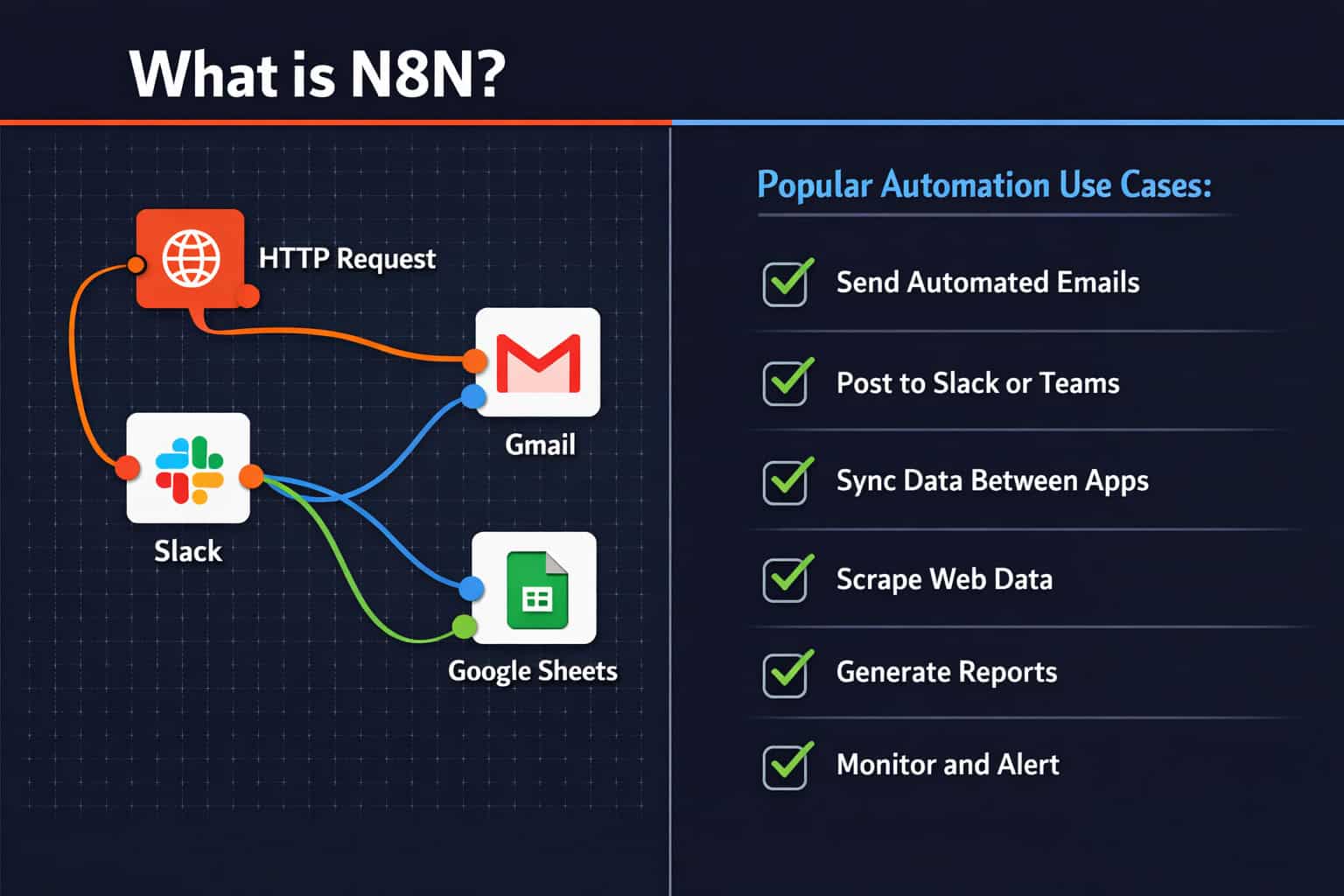
N8N is a workflow automation platform that connects apps, APIs, and services through a visual drag-and-drop editor. It runs on a fair-code license, meaning the source code is open and free to self-host, but commercial use on the cloud version requires a paid plan [1].
Who benefits most from n8n:
- Developers and technical teams who want to write custom code inside automation workflows
- Small and mid-sized businesses looking to cut manual work without paying enterprise software prices
- Agencies managing multiple client workflows from a single instance
- AI builders who want to chain language model calls with real-world app actions [6]
Who should probably look elsewhere:
- Non-technical users who want a fully guided, point-and-click experience with zero learning curve (Zapier may suit them better)
- Large enterprises needing SOC 2 compliance and dedicated support out of the box
“N8N sits in a sweet spot: it’s visual enough for non-developers to get started, but deep enough for engineers to build production-grade pipelines.
How Does N8N Workflow Automation Actually Work?
Every n8n automation is built from nodes connected by edges. A node is a single action (send an email, fetch data from an API, run a script). An edge is the connection that passes data from one node to the next [1].
The basic structure of any n8n workflow:
- Trigger node — starts the workflow (a webhook, a schedule, or a manual click)
- Action nodes — do the work (transform data, call APIs, send messages)
- Output node — delivers the result (write to a database, post to Slack, create a file)
Key features that make n8n different from basic automation tools:
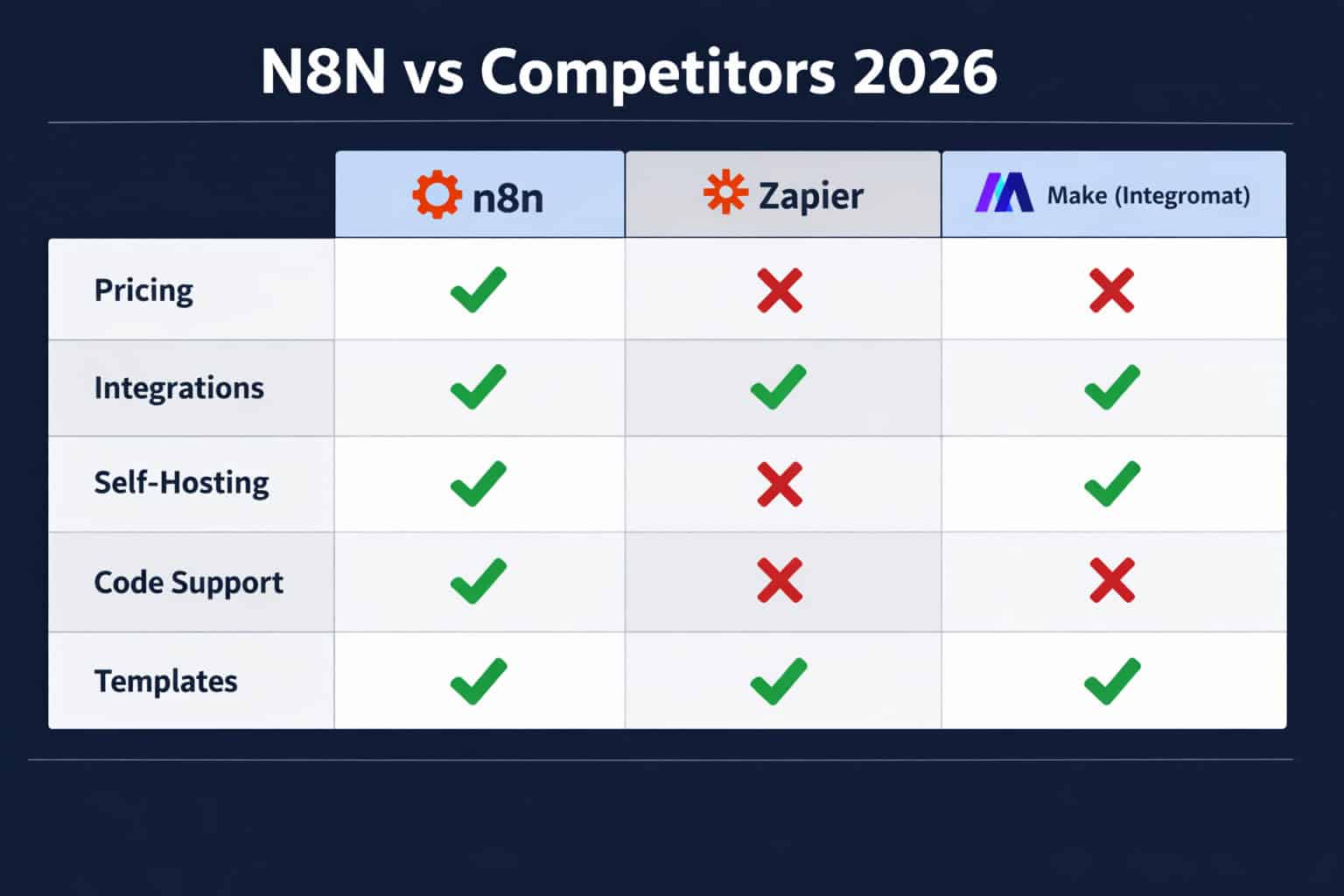
| Feature | N8N | Zapier | Make (Integromat) |
|---|---|---|---|
| Self-hosting | ✅ Free | ❌ No | ❌ No |
| Code in workflows | ✅ JS + Python | ❌ Limited | ⚠️ Limited |
| Native AI nodes | ✅ Yes | ⚠️ Via Zap | ⚠️ Via module |
| Templates library | ✅ 2,000+ | ✅ Yes | ✅ Yes |
| Parallel branches | ✅ Yes | ❌ No | ✅ Yes |
| Pricing model | Free (self-host) | Per task | Per operation |
Common mistake: New users often connect nodes without testing each one individually. Always use the “Execute Node” button to verify each step before running the full workflow.
For teams already using AI tools in their stack, pairing n8n with AI-powered content generation tools can create end-to-end content pipelines that run with minimal human input.
Unleashing Productivity: A Comprehensive Guide to N8N Workflow Automation Strategies for Beginners
Starting with n8n does not require a computer science degree. The platform’s visual editor makes it accessible, and the template library means you can deploy a working workflow in under 30 minutes [2].
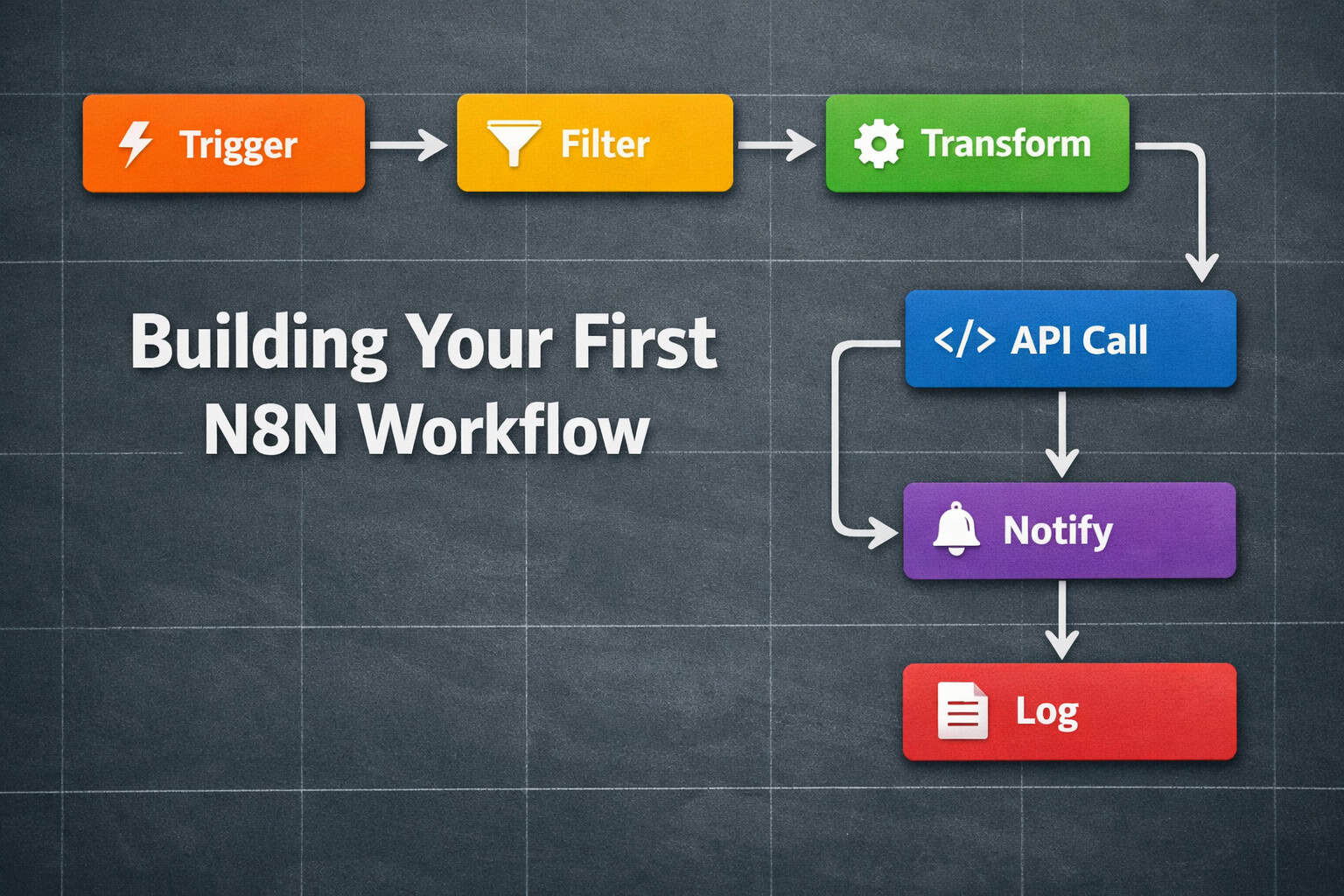
Step-by-step: Build your first n8n workflow
- Sign up or self-host — Create a free account at n8n.io or deploy via Docker on your own server [1]
- Open the workflow editor — Click “New Workflow” on the dashboard
- Add a trigger node — Choose “Schedule Trigger” for time-based runs or “Webhook” for event-based ones
- Add action nodes — Search for your app (Gmail, Slack, Airtable, etc.) and configure credentials
- Map your data — Use the expression editor to pass values from one node to the next
- Test each node — Run nodes individually before activating the full workflow
- Activate — Toggle the workflow to “Active” so it runs automatically
Beginner-friendly workflow ideas to start with:
- Send a Slack message whenever a new row is added to Google Sheets
- Save email attachments automatically to Google Drive
- Post a tweet when a new RSS feed item appears
- Sync new Typeform responses to a CRM
The n8n documentation includes an intro tutorial for AI-powered workflows that walks through building an AI agent from scratch, which is a great next step once you’re comfortable with basic nodes [6].
Edge case to know: If you’re self-hosting, make sure your server has a static IP or a domain with SSL before setting up webhooks. Many webhook providers (Stripe, GitHub, etc.) require HTTPS endpoints.
What Are the Most Effective N8N Automation Strategies for Business?
The most effective n8n strategies focus on eliminating high-frequency, low-complexity tasks first. These are the tasks your team does every day that follow a predictable pattern.
High-ROI automation categories:
1. Lead and CRM management
- Capture leads from web forms → enrich with Clearbit → add to HubSpot → notify sales rep via Slack
- Score leads based on behavior and route them to the right pipeline stage
2. Content publishing pipelines
- Draft blog post in Notion → review trigger → publish to WordPress → share to social media automatically
If you’re running a WordPress site, combining n8n with advanced WordPress automation strategies creates a powerful publishing system. You can also explore how to auto-share WordPress blog posts to social media as a standalone automation.
3. Customer support automation
- New support ticket → classify with AI → assign to agent → send acknowledgment email → log to dashboard
4. Data sync and reporting
- Pull sales data from Stripe → transform → write to Google Sheets → email weekly summary
5. AI agent pipelines
- User submits question via form → n8n calls OpenAI → response is filtered → delivered via email or chat [6]
Decision rule: Choose n8n for automation if the task involves more than two apps, requires conditional logic, or needs custom data transformation. For single-step automations (like “email me when X happens”), a simpler tool may be faster to set up.
How Do You Scale N8N Workflows Without Breaking Them?
Scaling n8n workflows means handling more data, more complexity, and more concurrent executions without errors. N8N supports multi-step workflows with 20+ nodes and parallel execution branches [4].
Strategies for scaling reliably:
- Use sub-workflows — Break large workflows into smaller, reusable child workflows. Call them from a parent workflow using the “Execute Workflow” node
- Add error handling — Connect an “Error Trigger” node to catch failures and send alerts instead of silent failures
- Throttle API calls — Use the “Wait” node or batch processing to avoid hitting rate limits on external APIs
- Log everything — Write execution results to a database or spreadsheet so you can audit what ran and when
- Use queue mode — For self-hosted instances handling high volumes, enable queue mode with Redis to process jobs reliably [1]
Parallel execution example:
<code>Trigger → Split In Batches → [Branch A: Update CRM] + [Branch B: Send Email] → Merge → Log Result
</code>
This pattern cuts execution time significantly when two actions don’t depend on each other.
Common scaling mistake: Putting all logic in a single massive workflow. When something breaks, it’s hard to debug. Modular sub-workflows make troubleshooting much faster.
For teams building automation alongside design and development workflows, Figma AI workflow automation and n8n can work together to trigger design handoff notifications automatically.
Unleashing Productivity: A Comprehensive Guide to N8N Workflow Automation Strategies with AI Integration
N8N has native AI capabilities built directly into the platform, making it one of the stronger choices for teams building AI-assisted workflows in 2026 [6].
What n8n’s AI nodes can do:
- Connect to OpenAI, Anthropic, Google Gemini, and other LLM providers natively
- Build AI agents that use tools (search, code execution, database queries) autonomously
- Chain multiple AI calls with conditional logic between them
- Parse and structure unstructured text output for downstream nodes
A practical AI workflow example:
- Trigger: New customer email arrives in Gmail
- AI node: Classify intent (complaint, question, sales inquiry) using GPT-4
- Switch node: Route based on classification
- Branch A (complaint): Create urgent support ticket in Zendesk + notify manager
- Branch B (sales): Add to CRM + send personalized follow-up template
- Branch C (question): Generate AI answer → send reply email
This kind of workflow replaces hours of manual triage with a system that runs 24/7 [9].
Integrating AI content optimization into these pipelines is another strong use case. For example, n8n can trigger an AI-powered content optimization review process automatically after a draft is created.
Choose n8n for AI workflows if:
- You need to combine AI with real app actions (not just chat)
- You want to self-host your AI pipeline for data privacy
- You need custom logic between AI calls
What Are the Best N8N Templates and Where Do You Find Them?
Over 2,000 ready-to-use n8n workflow templates are available across the official library and community repositories, which dramatically cuts setup time [2].
Where to find n8n templates:
- n8n.io/workflows — The official template library, searchable by category and app
- GitHub community repos — Open-source collections with advanced templates for AI agents, data pipelines, and more [3]
- Intuz and similar blogs — Curated lists of the best templates for specific use cases [10]
Top template categories worth exploring:
| Category | Example Workflow |
|---|---|
| Marketing | New lead → CRM → welcome email sequence |
| E-commerce | New order → inventory update → shipping notification |
| HR | Job application → ATS → interview scheduler |
| Finance | Invoice received → categorize → accounting software |
| AI agents | User query → web search → AI answer → Slack |
How to use a template effectively:
- Import the template JSON into your n8n instance
- Update credentials for each node (API keys, OAuth connections)
- Test with sample data before activating
- Customize the logic to match your exact process
Edge case: Templates from older n8n versions may use deprecated nodes. Always check the node version compatibility before deploying a template in production.
For teams exploring broader automation options, the automation archives on WebAI Stack cover a range of tools and strategies worth comparing.
What Does N8N Cost and Is Self-Hosting Worth It?
N8N’s pricing depends on how you deploy it. Self-hosting is free with no workflow limits. The cloud version charges based on workflow executions per month [1].
Pricing overview (as of 2026):
| Plan | Cost | Workflow Limit | Executions |
|---|---|---|---|
| Self-hosted (Community) | Free | Unlimited | Unlimited |
| Cloud Starter | ~$20/month | 5 active | 2,500/month |
| Cloud Pro | ~$50/month | 15 active | 10,000/month |
| Enterprise | Custom | Unlimited | Unlimited |
Note: Cloud pricing is approximate based on publicly available information and may change. Check n8n.io for current rates.
Self-hosting is worth it if:
- You have basic server management skills (or a developer on the team)
- You handle sensitive data and want it on your own infrastructure
- You need unlimited workflows without per-execution costs
- You’re running high-volume automations that would be expensive on cloud pricing
Cloud is worth it if:
- You want zero infrastructure management
- You’re a solo user or small team with moderate automation needs
- You need n8n running quickly without a DevOps setup
Deployment options for self-hosting: Docker (most common), npm, or a one-click install on platforms like Railway or Render [4].
What Are the Most Common N8N Mistakes and How Do You Avoid Them?
Most n8n failures come from a small set of repeatable mistakes. Knowing them upfront saves hours of debugging.
Mistake 1: Not handling errors Workflows fail silently when there’s no error handling. Add an “Error Trigger” workflow that catches failures and sends a Slack or email alert.
Mistake 2: Hardcoding credentials Never paste API keys directly into node fields. Use n8n’s built-in credentials manager so keys are encrypted and reusable across workflows.
Mistake 3: Skipping node-by-node testing Running a 15-node workflow without testing each step first makes debugging a nightmare. Test every node individually with real data before activating.
Mistake 4: Ignoring rate limits External APIs (Twitter, Salesforce, Google) have rate limits. Add “Wait” nodes or batch your requests to avoid hitting them and triggering errors.
Mistake 5: Building complexity before simplicity Start with the simplest version of a workflow that works. Add conditions, branches, and error handling after the core logic is confirmed.
Mistake 6: Not documenting workflows N8N lets you add sticky notes to the canvas. Use them. Future you (or a teammate) will thank you when the workflow needs updating six months later.
FAQ: N8N Workflow Automation
Q: Is n8n really free? Yes, the self-hosted community edition is free with no workflow or execution limits. You pay only for the cloud-managed version or enterprise support [1].
Q: Does n8n require coding skills? No. The visual editor works without code. But knowing JavaScript or Python lets you add custom logic that the visual nodes can’t handle [1].
Q: How is n8n different from Zapier? N8N is self-hostable, supports code in workflows, and has no per-task pricing on the self-hosted version. Zapier is easier for non-technical users but costs more at scale and offers less flexibility [4].
Q: Can n8n handle AI workflows? Yes. N8N has native nodes for OpenAI, Anthropic, and other LLM providers, plus built-in support for AI agent patterns with tool use [6].
Q: How many apps does n8n integrate with? N8N has 400+ native integrations. It also connects to any REST API or GraphQL endpoint through its HTTP Request node, which covers virtually any modern web service [1].
Q: Where can I find n8n workflow templates? The official template library is at n8n.io/workflows. Community templates are also available on GitHub and covered in curated blog lists [2][10].
Q: Is n8n suitable for enterprise use? Yes, with the enterprise plan. It adds SSO, audit logs, advanced user permissions, and dedicated support [1].
Q: How long does it take to build a basic n8n workflow? A simple 3-5 node workflow (like “form submission → CRM → email”) typically takes 20-45 minutes for someone new to the platform. With templates, it can be under 15 minutes [9].
Q: Can I run n8n on a cheap server? Yes. N8N runs well on a $5-10/month VPS (like a DigitalOcean Droplet or Hetzner instance) for small to medium workloads. High-volume setups need more resources.
Q: What happens if a workflow fails mid-execution? N8N logs the error and stops execution at the failed node. With error handling configured, it can also trigger a separate notification workflow automatically.
Conclusion: Your Next Steps with N8N
This guide to unleashing productivity through N8N workflow automation strategies covers the full picture: what n8n is, how it works, how to build and scale workflows, and how to avoid the most common pitfalls.
Here’s what to do next:
- Start small — Pick one repetitive task you do every week and automate it with a 3-node workflow
- Use a template — Browse n8n.io/workflows for a template close to your use case and adapt it
- Self-host if you can — A $10/month server gives you unlimited automations with full data control
- Add AI when ready — Once basic workflows are running, explore the AI agent nodes for more advanced pipelines
- Document everything — Use sticky notes on the canvas and keep a simple log of what each workflow does
The barrier to automation has never been lower. N8N gives you the tools to build production-grade workflows without enterprise software budgets. The only thing left is to start.
For more automation ideas and strategies, explore the full automation resource library and the no-code tools archive for complementary approaches.
References
[1] N8N Official Platform – https://n8n.io [2] I Discovered This N8n Repo That Actually 10xd My Workflow Automation Efficiency – https://milvus.io/blog/i-discovered-this-n8n-repo-that-actually-10xd-my-workflow-automation-efficiency.md [3] N8N GitHub Repository – https://github.com/n8n-io [4] N8N Workflow Automation – https://www.helloroketto.com/articles/n8n-workflow-automation [6] N8N AI Intro Tutorial – https://docs.n8n.io/advanced-ai/intro-tutorial/ [9] No Code Workflow Automation With N8N – https://hatchworks.com/blog/ai-agents/no-code-workflow-automation-with-n8n/ [10] Best N8N Workflow Templates – https://www.intuz.com/blog/best-n8n-workflow-templates