Last updated: June 9, 2026
Quick Answer: ChatGPT is a large language model built by OpenAI that generates human-like text responses based on your prompts. Mastering ChatGPT means learning how to write better prompts, choose the right model tier, and build it into your daily workflow. Anyone who invests even a few hours learning these skills will get dramatically better results than the average user.
Key Takeaways
- ChatGPT works by predicting the most useful next word or sentence based on your input, so better prompts produce better outputs
- The free tier is useful for casual tasks; ChatGPT Plus (around $20/month) is worth it for professionals who need faster responses, image generation, and advanced reasoning models
- Claude and Gemini are strong alternatives, each with distinct strengths, but ChatGPT remains the most versatile general-purpose option for most users
- The single biggest mistake users make is writing vague, one-line prompts instead of giving context, role, and format instructions
- ChatGPT is excellent for coding assistance, drafting, research summaries, and workflow automation, but it should not handle sensitive personal or financial data
- Students can use ChatGPT ethically for learning and research, but submitting AI-generated work as their own raises serious academic integrity concerns
- Memory, Web Browsing, and Advanced Data Analysis are three features that separate casual users from power users in 2026
- Integrating ChatGPT into tools like n8n or Make.com through the API multiplies its productivity value significantly
What Exactly Is ChatGPT and How Does It Work
ChatGPT is a conversational AI built on OpenAI’s GPT series of large language models. It generates responses by processing your input and predicting the most contextually appropriate text to follow, drawing on patterns learned from vast amounts of text data. It does not “think” the way humans do, but it produces remarkably useful outputs when prompted well.
The model has no persistent memory between sessions by default, though the Memory feature (available in Plus and above) lets it retain facts about you across conversations. In 2026, OpenAI’s lineup includes standard GPT-4o, the reasoning-focused o3 model, and specialized modes for image generation and data analysis. [10]
Key components to understand:
- Tokens: ChatGPT reads and generates text in chunks called tokens. Longer conversations consume more tokens and can cause the model to lose context near the end.
- Temperature: This controls how creative or conservative responses are. Higher settings produce more varied outputs; lower settings stay closer to factual, predictable answers.
- System prompts: In the API and some interfaces, a system prompt sets the AI’s behavior before the conversation starts. This is how developers customize ChatGPT for specific applications.
ChatGPT vs Claude vs Gemini: Which AI Is Better
No single AI is best for every task. ChatGPT leads in versatility and ecosystem integrations, Claude (by Anthropic) excels at nuanced writing and following complex instructions, and Gemini (by Google) has strong multimodal capabilities and tight integration with Google Workspace. [6]

| Feature | ChatGPT (Plus) | Claude (Pro) | Gemini (Advanced) |
|---|---|---|---|
| Best for | General tasks, coding, automation | Long-form writing, analysis | Google Workspace, multimodal |
| Context window | 128K tokens (GPT-4o) | 200K tokens | 1M tokens (Gemini 1.5) |
| Image generation | Yes (DALL-E 3) | No | Yes (Imagen) |
| Price (monthly) | ~$20 | ~$20 | ~$20 (bundled with Google One) |
| API access | Yes | Yes | Yes |
Choose ChatGPT if you want the broadest third-party integrations, strong coding support, and a mature plugin/GPT ecosystem. Choose Claude if your work involves dense documents or nuanced editorial tasks. Choose Gemini if you live in Google Docs and Sheets.
For a broader look at the AI tool landscape, the comprehensive guide to AI-powered content generation tools covers how these platforms compare for content workflows specifically.
How Much Does ChatGPT Plus Cost and Is It Worth It
ChatGPT Plus costs approximately $20 per month as of 2026. For professionals using it daily, the value is clear. For casual users who only need occasional help, the free tier is sufficient.
What Plus adds:
- Access to GPT-4o and the o3 reasoning model
- Faster response times during peak hours
- DALL-E 3 image generation built in
- Advanced Data Analysis (code interpreter) for working with spreadsheets and files
- Memory across conversations
- Web browsing for real-time information
The free tier now includes access to GPT-4o with usage limits, which is a meaningful upgrade from earlier years. [10] The tipping point is this: if ChatGPT saves you one hour of work per week, $20/month is already justified.
Why Isn’t ChatGPT Giving Me Good Answers Sometimes
Poor outputs almost always trace back to poor prompts. ChatGPT is not broken when it gives vague or wrong answers. It is responding to what you actually wrote, not what you meant.
Common reasons for weak responses:
- The prompt lacks context about who you are or what you need
- You asked a compound question that the model partially answered
- The topic requires real-time data that the model doesn’t have (unless web browsing is enabled)
- The conversation has grown too long and the model has lost early context
- You’re using the free tier’s limited model for a complex task
Quick fix: Start a fresh conversation, use a structured prompt (see the prompting section below), and enable web browsing if you need current information.
Top Mistakes People Make When Using ChatGPT
The most common mistake is treating ChatGPT like a search engine and typing short, vague queries. The second most common mistake is accepting the first response without refining it. [1]
Mistakes that consistently hurt results:
- No role or context given: “Write a blog post” vs. “You are a senior content strategist. Write a 600-word blog post for a B2B SaaS audience about reducing churn.”
- Skipping format instructions: Failing to specify length, tone, or structure leads to generic outputs.
- Not iterating: One prompt rarely produces a final result. Follow-up prompts like “make this more concise” or “add a specific example” dramatically improve quality.
- Pasting sensitive data: Entering passwords, social security numbers, or confidential client data into any AI chat interface is a serious privacy risk.
- Trusting all facts unchecked: ChatGPT can state incorrect information with confidence. Always verify statistics and citations from external sources.
How to Write Prompts That Get Amazing ChatGPT Results
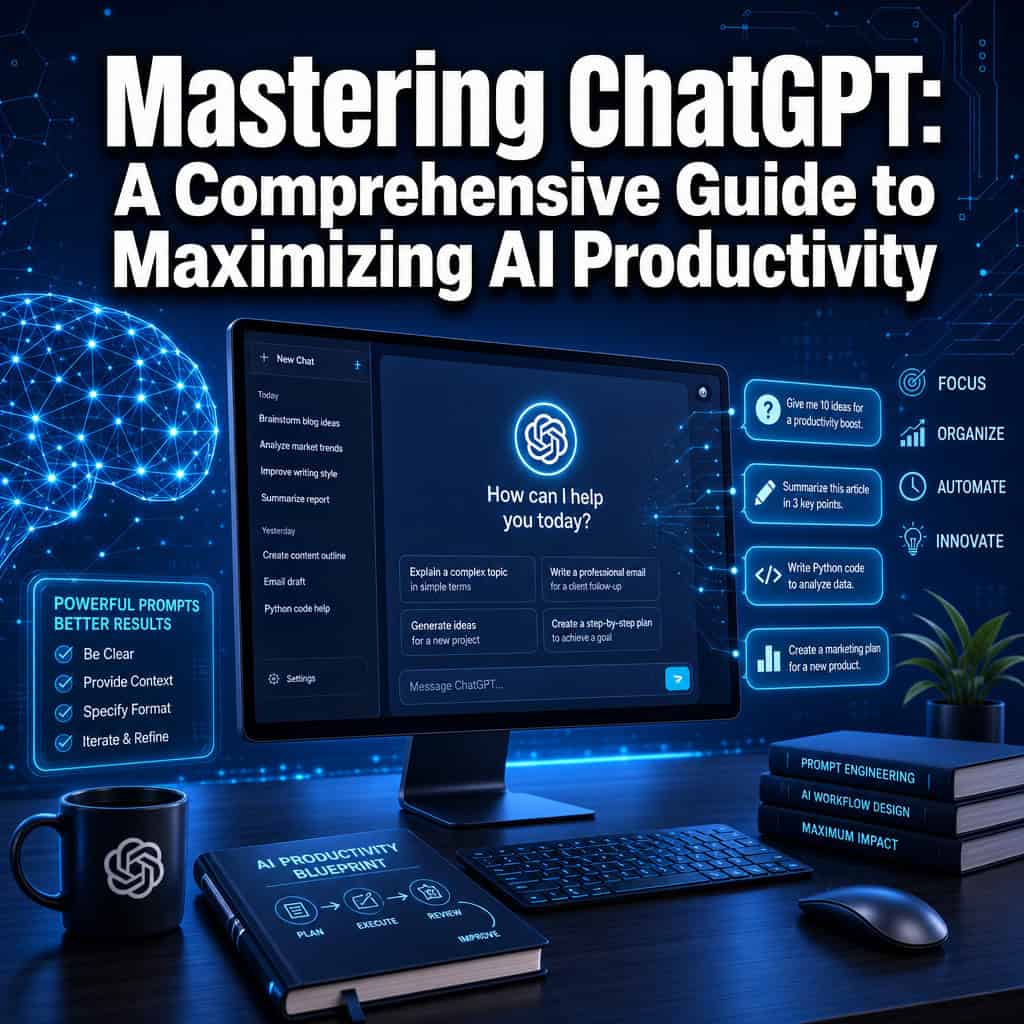
Strong prompts follow a simple framework: Role, Context, Task, and Format. This structure works for nearly any request and consistently produces better outputs than freeform questions. [3]

The RCTF prompt framework:
- Role: “Act as an experienced financial analyst…”
- Context: “…reviewing a startup’s pitch deck for a Series A round…”
- Task: “…identify the three weakest assumptions in their revenue projections…”
- Format: “…and present your findings as a numbered list with one sentence of explanation each.”
Additional prompt techniques:
- Chain-of-thought prompting: Add “think step by step” to get the model to reason through complex problems rather than jumping to an answer.
- Few-shot examples: Show ChatGPT one or two examples of what you want before asking it to produce something.
- Constraints: Tell it what to avoid. “Do not use jargon” or “keep it under 200 words” narrows the output usefully.
For users building automated prompt pipelines, mastering ChatGPT automation with no-code workflow integration shows how to chain these prompts inside tools like Make.com and n8n.
Can ChatGPT Help Me With Coding and Programming Tasks
Yes, ChatGPT is one of the most practical tools available for coding work. It can write, debug, explain, and refactor code across dozens of programming languages. For developers, this is one of the highest-value use cases. [10]
What it does well:
- Generating boilerplate code and starter templates
- Explaining error messages and stack traces
- Converting code from one language to another
- Writing unit tests
- Explaining what unfamiliar code does line by line
Where it struggles: Very large codebases, proprietary frameworks it wasn’t trained on, and tasks requiring live execution (though the Code Interpreter mode handles some of this). For hands-on coding environments, pairing ChatGPT with a platform like Replit works well. The comprehensive guide to Replit as an online coding platform explains how to set that up effectively.
Is ChatGPT Safe to Use for Sensitive Information
ChatGPT is not safe for sensitive data. OpenAI uses conversations to improve its models by default, meaning anything you type could potentially be reviewed. Sensitive personal, financial, legal, or medical information should never be entered into a public AI chat interface. [10]
Safer practices:
- Turn off chat history in Settings to opt out of training data use
- Use the API with a business agreement if your organization needs data privacy guarantees
- Anonymize or redact any real names, account numbers, or confidential details before pasting content
- For enterprise use, OpenAI’s ChatGPT Enterprise tier offers stronger data protection commitments
For teams concerned about platform security in automation workflows, the guide to Make.com security and data protection is a useful companion resource.
Can Students Use ChatGPT for Homework and Research
Students can use ChatGPT ethically as a learning tool, but submitting AI-generated text as their own original work violates academic integrity policies at most institutions. The distinction matters. [1]
Ethical uses for students:
- Explaining difficult concepts in simpler terms
- Generating practice questions for exam prep
- Getting feedback on a draft they wrote themselves
- Brainstorming essay arguments before writing
Uses that cross the line: Having ChatGPT write essays, solve problem sets, or complete assessments that are meant to demonstrate the student’s own understanding.
What Are the Limitations of ChatGPT Right Now
ChatGPT has a knowledge cutoff date, meaning it does not know about events after its training data ends unless web browsing is enabled. It also cannot access private files, databases, or real-time systems without integrations. [6]
Current limitations to know:
- Factual errors presented confidently (often called “hallucinations”)
- No persistent memory by default across new sessions
- Context window limits on very long documents
- Inconsistent performance on highly specialized or niche professional topics
- Cannot take actions in the real world without tool integrations
What Are the Best Alternative AI Tools to ChatGPT
The strongest alternatives to ChatGPT in 2026 are Claude, Gemini, and Microsoft Copilot. Each serves a different primary use case. For a deeper overview of the broader AI tool landscape, see the guide to the most influential AI websites.
- Claude: Best for long documents, nuanced writing, and following detailed instructions
- Gemini: Best for Google Workspace users and multimodal tasks
- Microsoft Copilot: Best for Microsoft 365 users who want AI embedded in Word, Excel, and Outlook
- Perplexity AI: Best for research tasks requiring cited, real-time web sources
- Bolt AI: A strong option for developers building AI-powered applications quickly
Who Should Use ChatGPT for Work and Who Shouldn’t
ChatGPT delivers the most value to knowledge workers who write, research, code, or communicate heavily. It’s less useful for roles that require physical presence, real-time data, or highly regulated professional judgment. [10]
High-value users:
- Content creators, marketers, and copywriters
- Software developers and data analysts
- Project managers drafting documentation
- Customer support teams building response templates
- Entrepreneurs doing early-stage research
Lower-value fit: Surgeons, licensed financial advisors giving regulated advice, roles requiring physical tasks, or anyone whose work requires real-time proprietary data ChatGPT can’t access.
How to Integrate ChatGPT Into My Daily Workflow
The most productive users in 2026 don’t just chat with ChatGPT. They connect it to their existing tools through automation platforms. Start simple, then build. [10]
A practical three-step integration path:
- Start with the interface: Use ChatGPT daily for drafting emails, summarizing documents, and answering questions. Build the habit before adding complexity.
- Enable power features: Turn on Memory, Web Browsing, and Advanced Data Analysis in settings. These three switches alone significantly expand what ChatGPT can do.
- Connect via automation: Use tools like n8n or Make.com to trigger ChatGPT responses based on events, such as summarizing new emails or generating social posts from a content brief.
For teams ready to go deeper, mastering n8n automation for streamlining workflows and AI-powered content optimization for better performance are two practical next steps.
Conclusion
Mastering ChatGPT: A Comprehensive Guide to Maximizing AI Productivity comes down to three things: understanding how the tool actually works, writing prompts that give it real context, and connecting it to the systems where your work already happens. The users getting the most out of ChatGPT in 2026 are not the ones with the most technical knowledge. They are the ones who treat it as a collaborator rather than a search bar.
Actionable next steps:
- Upgrade to ChatGPT Plus if you use it more than 30 minutes per day
- Enable Memory and Web Browsing in your settings today
- Practice the RCTF prompt framework on your next three tasks
- Identify one repetitive workflow (email drafts, reports, summaries) and automate it using the ChatGPT API or a no-code tool
- Review your privacy settings and stop pasting sensitive data into any public AI interface
The gap between a casual ChatGPT user and a power user is smaller than most people think. It mostly comes down to intentional practice and a willingness to iterate.
FAQ
What is the difference between GPT-4o and the o3 model? GPT-4o is optimized for fast, general-purpose responses. The o3 model is a reasoning model that thinks through problems step by step before answering, making it better for complex math, logic, and multi-step tasks.
Can ChatGPT access the internet? Yes, but only when the Web Browsing feature is enabled. Without it, the model relies on training data with a fixed knowledge cutoff date.
Is ChatGPT free to use? Yes, a free tier exists with access to GPT-4o under usage limits. ChatGPT Plus at approximately $20/month removes most limits and adds advanced features.
How do I stop ChatGPT from using my conversations for training? Go to Settings, then Data Controls, and turn off “Improve the model for everyone.” This opts your conversations out of training use.
Can ChatGPT remember things about me? Yes, if the Memory feature is enabled in your settings. You can also manually tell it facts to remember, and it will apply them in future conversations.
Is ChatGPT accurate enough for professional research? It is a useful starting point but not a reliable primary source. Always verify facts, statistics, and citations through authoritative external sources before using them professionally.
What is the best way to use ChatGPT for writing? Use it to draft, then edit the output yourself. Give it a clear role, audience, tone, and length in your prompt. Treat the first output as a rough draft, not a finished product.
Can ChatGPT generate images? Yes, through DALL-E 3 integration in ChatGPT Plus. You can describe an image and it will generate it directly in the chat interface.
How long can a ChatGPT conversation be? GPT-4o supports a context window of approximately 128,000 tokens, which is roughly 96,000 words. Very long conversations may still cause the model to lose track of early details.
What is prompt injection? Prompt injection is a security risk where malicious instructions hidden in content you paste into ChatGPT attempt to override your original instructions. Be cautious when asking ChatGPT to process untrusted external content.
References
[1] ChatGPT For Beginners – https://iide.co/blog/chatgpt-for-beginners/ [3] Mastering ChatGPT Guide – https://www.scribd.com/document/844559756/Mastering-ChatGPT-Guide [6] Mastering ChatGPT 5 Complete Guide – https://thestrategystack.substack.com/p/mastering-chatgpt-5-complete-guide [10] How To Master ChatGPT In 2026 Complete Guide – https://ai44.co.uk/how-to-master-chatgpt-in-2026-complete-guide/