Last updated: May 7, 2026
Quick Answer
N8N is an open-source workflow automation tool that connects your Upwork job search, proposal writing, follow-up messaging, and scheduling into automated pipelines. Freelancers who build even basic n8n workflows report saving 30–60 minutes daily on repetitive tasks like job capture and client reminders [1]. This guide covers the exact workflows, setup steps, and ROI metrics you need to build a lean, automated Upwork business in 2026.
Key Takeaways
- N8N acts as a central hub connecting your inbox, Google Sheets, AI tools, and calendar into one automated system [1]
- Job alert workflows run every 20 minutes during working hours using Apify and MongoDB to filter duplicates and push Slack notifications [4]
- AI proposal generation using Apify + Google Gemini + Google Sheets can take a job from discovery to draft without manual input [3]
- Calendar automation detects scheduling keywords in messages and auto-sends Calendly links, generating an estimated 2–3 extra discovery calls per week [1]
- The hybrid model works best: automate capture, filtering, and follow-up, but keep human judgment on pricing, tone, and high-value proposals [1]
- Track five core metrics: send rate, reply rate, interview rate, closed rate, and customer acquisition cost (CAC) [1]
- Build in 60-minute MVPs: launch one automation at a time, prove ROI, then expand [1]
- Freed-up time compounds: freelancers using automation report capacity for 1–2 inbound leads weekly through LinkedIn and SEO [1]
What Is N8N and Why Should Upwork Freelancers Care?
N8N is a self-hostable, open-source workflow automation platform that connects apps and services through visual “nodes” without requiring much code. For Upwork freelancers specifically, it solves a real problem: the platform does not offer native automation for job filtering, proposal tracking, or follow-up scheduling.
Most freelancers spend a significant chunk of their day on tasks that follow a predictable pattern: check for new jobs, filter by budget and keywords, write a proposal, send a follow-up, schedule a call. Every one of those steps can be partially or fully automated.
Why n8n over Zapier or Make?
| Feature | N8N | Zapier | Make |
|---|---|---|---|
| Pricing model | Free self-hosted / paid cloud | Subscription per task | Subscription per operation |
| Custom code nodes | Yes (JavaScript) | Limited | Limited |
| Self-hosting option | Yes | No | No |
| AI node support | Built-in (LangChain, OpenAI) | Add-on | Add-on |
| Upwork-specific templates | Available [3][4] | Rare | Rare |
For freelancers who want control over their data and costs, n8n’s self-hosted option is hard to beat. The n8n marketplace also has pre-built Upwork-specific workflows you can import and adapt in under an hour [3][4].
Pull quote: “N8N integrates inbox, CRM, calendar, and AI into a unified workflow system — serving as a central automation hub for Upwork freelancers. [1]
How Does N8N Job Capture Automation Actually Work?
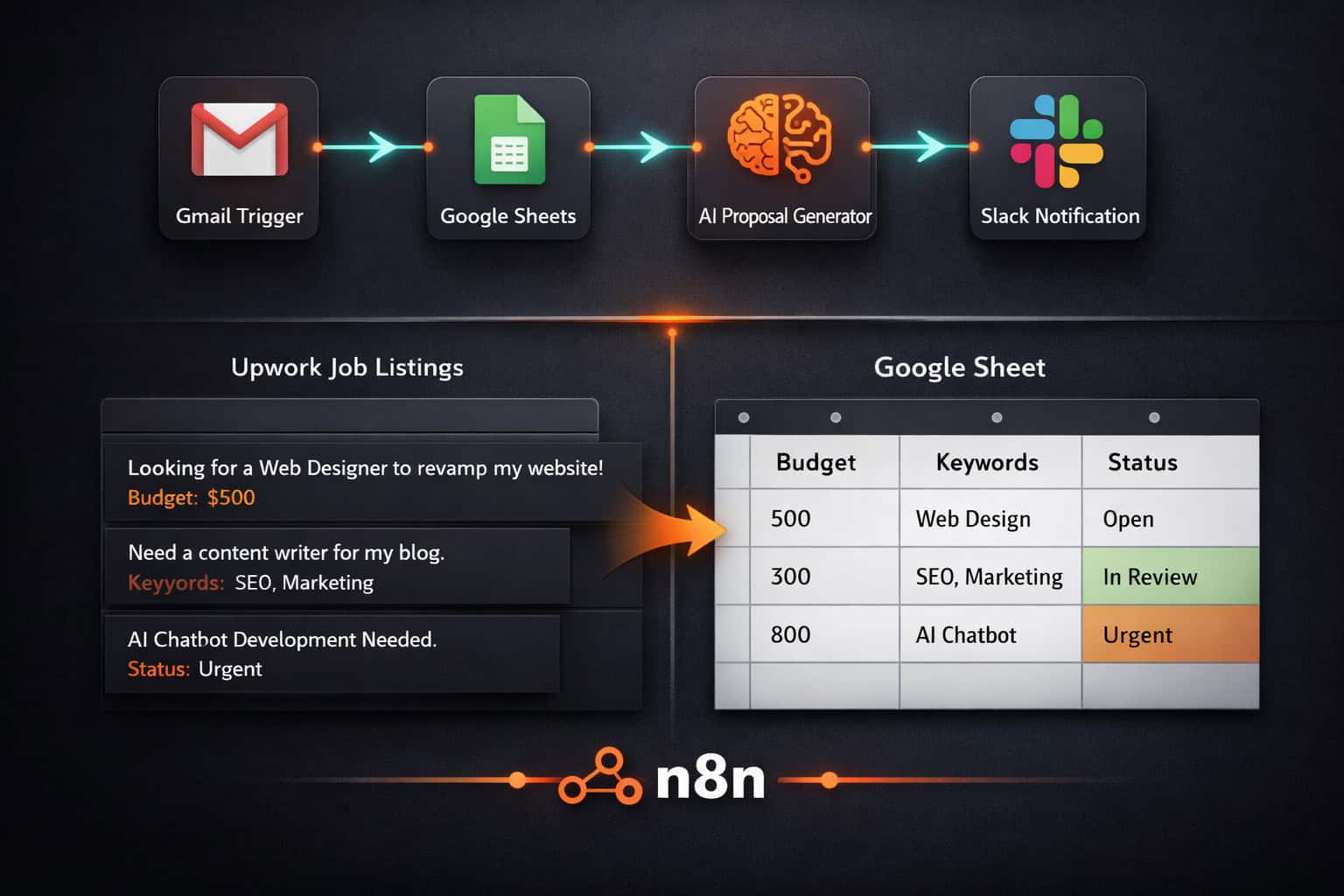
Job capture automation uses a trigger (usually email or a scheduled API call) to pull new Upwork job listings, filter them against your criteria, and log qualified leads to a tracking sheet — all without you opening a browser.
Two main approaches:
1. Gmail/IMAP trigger method
- N8N watches your Gmail inbox for Upwork job alert emails
- A filter node checks for keywords (e.g., “WordPress,” “automation,” “n8n”) and budget floor (e.g., $500+)
- Qualified jobs are appended to a Google Sheet with columns for title, budget, client rating, date, and status
- This setup saves an estimated 30–60 minutes daily [1]
2. Apify + scheduled trigger method
- N8N runs a scheduled workflow every 20 minutes during working hours (9 AM–5 PM) [4]
- Apify scrapes Upwork’s job listings via API
- MongoDB stores job IDs to filter out duplicates before sending notifications [4]
- New, unique jobs trigger a Slack message with the job title, budget, and direct link
Common mistake: Skipping the duplicate filter. Without MongoDB or a similar deduplication step, you’ll get the same job posted to Slack multiple times, which defeats the purpose of real-time alerts.
Choose method 1 if you already use Upwork’s email alerts and want a low-setup entry point. Choose method 2 if you want real-time Slack notifications and more control over filtering logic.
For more automation ideas that pair well with this workflow, the Automation Archives at WebAiStack covers a wide range of no-code and low-code strategies.
Can N8N Write Upwork Proposals Automatically?
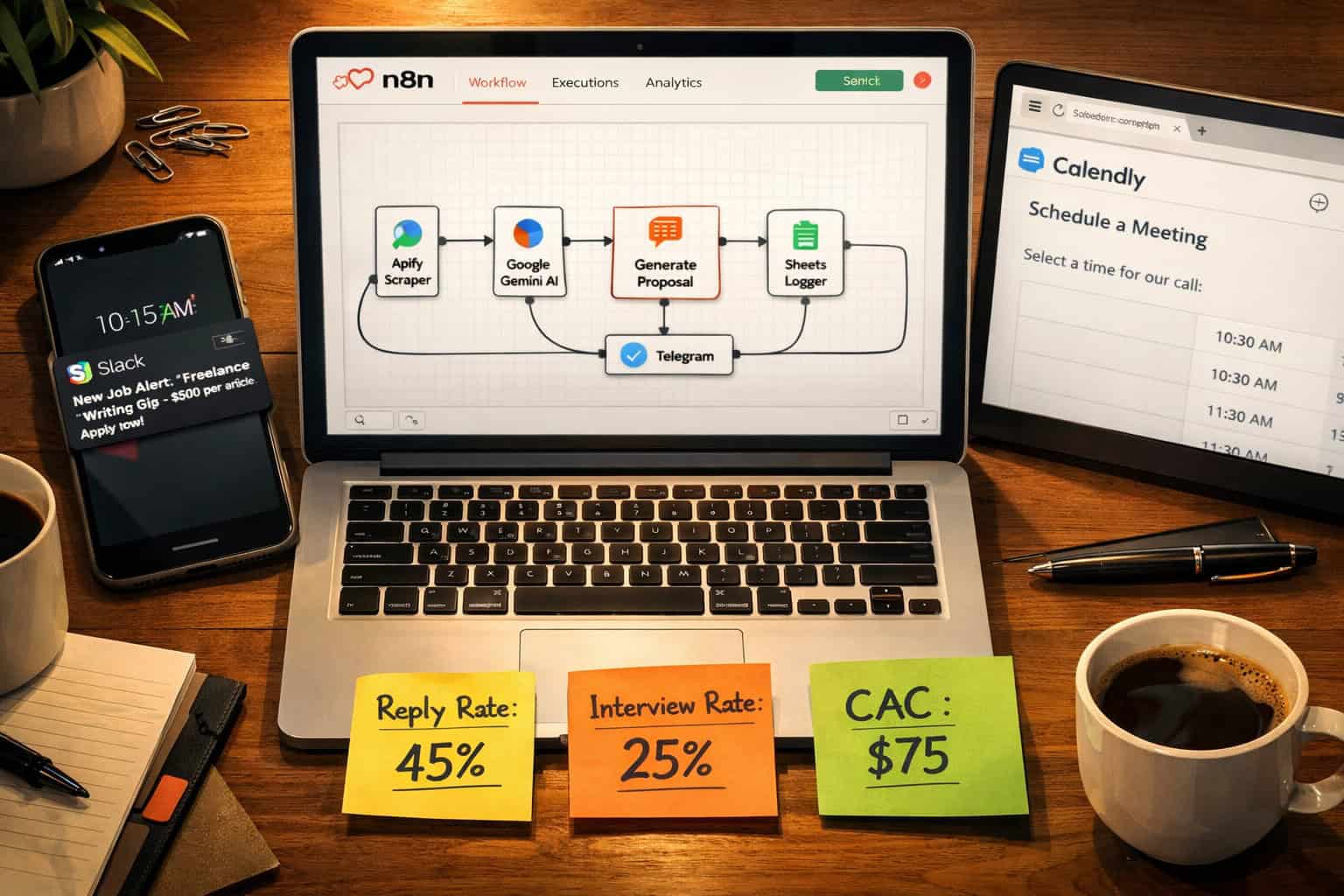
Yes — n8n has a published workflow that combines Apify for job scraping, Google Gemini for AI-generated proposal drafts, and Google Sheets for centralized tracking [3]. The workflow functions as an autonomous agent from job discovery to final draft.
This is where Supercharge Your Upwork Freelancing: A Complete Guide to N8N Automation Strategies gets genuinely interesting, because proposal writing is typically the most time-consuming part of the Upwork process.
How the AI proposal workflow runs:
- Apify scrapes a batch of Upwork jobs matching your saved search criteria
- Google Sheets logs each job with metadata (title, budget, client history, job description)
- Google Gemini receives the job description plus your profile template and generates a tailored proposal draft
- The draft is saved back to Google Sheets (or emailed to you) for review before sending
Recommended proposal structure (based on what converts) [1]:
- Line 1: A one-sentence promise tied to a relevant, specific result (not a generic introduction)
- Lines 2–4: Three-bullet mini-resume covering the tool you used, the result you got, and the timeline
- CTA: Offer a 15-minute call and name one specific next step the client can take
Edge case to watch: AI-generated proposals can sound generic if your Gemini prompt is too vague. Feed it your actual portfolio examples and a few sentences about the client’s industry for better output quality.
If you’re pairing this with content work, this practical guide to AI-powered content generation tools covers how to get better output from AI writing tools in general.
What Scheduling and Follow-Up Automations Save the Most Time?
Calendar automation and follow-up sequences are the two highest-ROI automations after job capture, because they directly affect how many discovery calls you book and how many leads you convert.
Calendar automation setup:
- N8N monitors your Upwork messages for keywords: “call,” “schedule,” “proposal,” “availability,” “chat” [1]
- When a keyword is detected during business hours, n8n sends a personalized reply with your Calendly link
- Estimated result: 2–3 additional discovery calls per week [1]
Follow-up sequence setup:
- After a proposal is sent (logged in Google Sheets), n8n waits 48–72 hours
- If no reply is recorded, it drafts a short follow-up message for your review
- You approve and send, or set it to auto-send if you trust the template
Why this matters: Most freelancers either forget to follow up or do it inconsistently. A structured follow-up doubles your chances of getting a response without requiring any extra mental energy.
Decision rule: Keep auto-send off for follow-ups on proposals over $1,000. For smaller, standardized jobs (logo design, short copy, basic WordPress fixes), auto-send is fine because the stakes and customization needs are lower.
This pairs well with broader workflow thinking — for instance, if you offer WordPress services, advanced WordPress automation strategies for 2026 shows how to automate client deliverables on top of your sales pipeline.
How Do You Measure ROI From N8N Automation?
Tracking ROI from automation is straightforward if you set up the right Google Sheets formulas from the start. The five metrics that matter most for Upwork freelancers are [1]:
| Metric | What It Measures | How to Track |
|---|---|---|
| Send rate | Proposals sent per week | Count rows in Sheets with status = “Sent” |
| Reply rate | Replies ÷ proposals sent | Conditional column + COUNTIF formula |
| Interview rate | Interviews ÷ replies | Same approach |
| Closed rate | Contracts ÷ interviews | Same approach |
| CAC | Total time cost ÷ contracts won | Estimate hourly rate × hours spent |
Once you have these numbers, you can calculate which job categories convert best, which proposal templates perform above average, and whether your automation is actually saving money versus the time you spent building it.
Practical benchmark: If your reply rate is below 10%, the issue is usually the proposal template, not the volume. If your interview rate is below 20% of replies, the issue is usually your portfolio or pricing. Automation amplifies what’s already working — it won’t fix a broken pitch.
What Does the Hybrid Automation Approach Look Like in Practice?
The hybrid approach means automating the repetitive, low-judgment tasks while keeping human control over strategy, tone, and pricing. This is the model recommended for freelancers who want to scale without losing the quality that wins high-value contracts [1].
Automate these:
- Job discovery and filtering
- Duplicate detection
- Slack/email alerts
- Proposal first drafts (for review, not blind sending)
- Follow-up scheduling
- Calendar link replies
- ROI tracking in Google Sheets
Keep human control over these:
- Final proposal review and editing
- Pricing decisions
- Responses to complex or unusual client questions
- Strategy for high-value or long-term contracts
- Tone adjustments for different client types
This is the core principle behind Supercharge Your Upwork Freelancing: A Complete Guide to N8N Automation Strategies — not replacing your judgment, but removing the friction around it.
Pull quote: “Automation amplifies what’s already working. It won’t fix a broken pitch, but it will make a good one scale.”
How Do You Build Your First N8N Workflow Without Getting Overwhelmed?
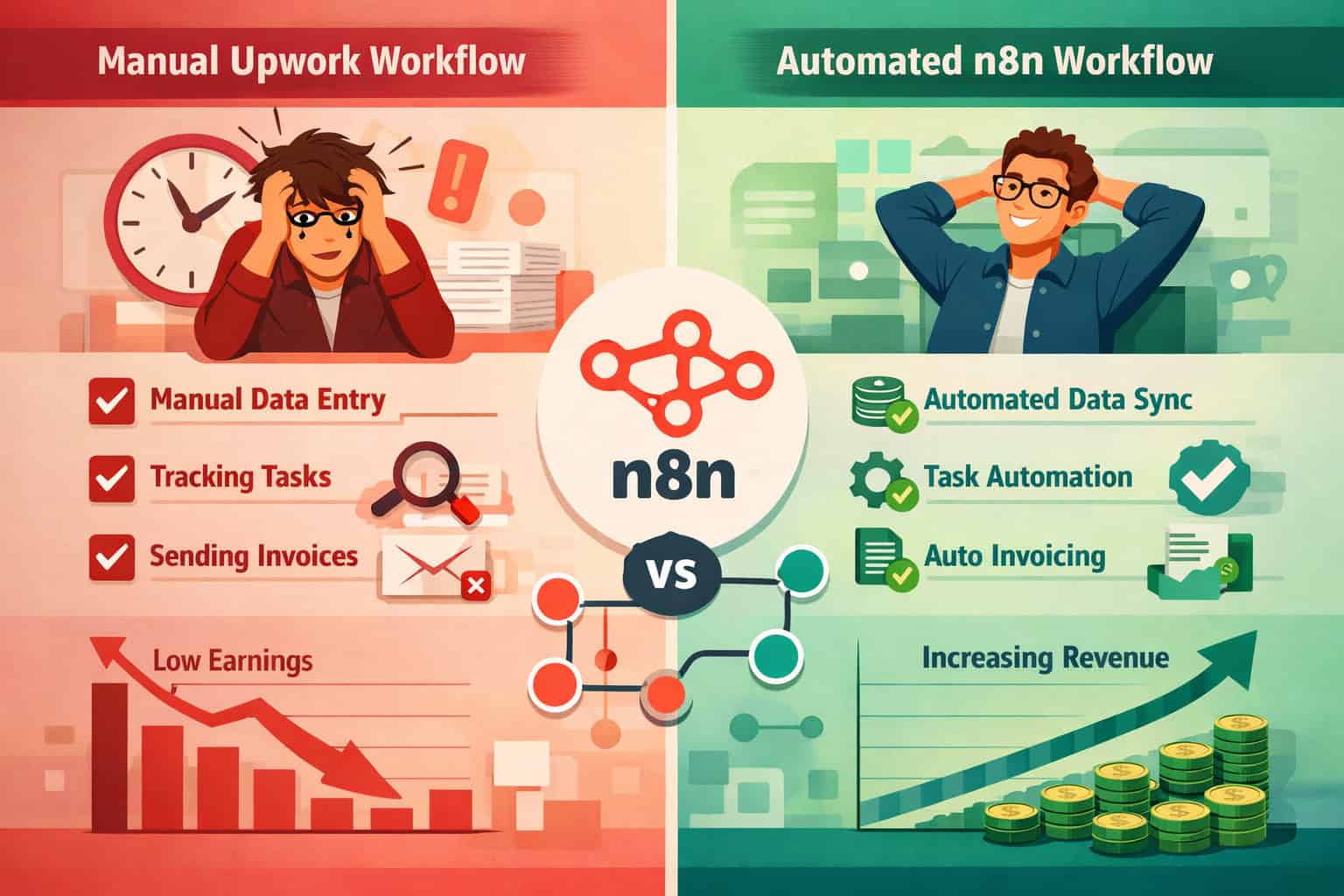
Start with one workflow, build it in 60 minutes or less, and track one metric that proves it’s working [1]. That’s the implementation strategy that prevents most freelancers from abandoning the tool after a week.
Step-by-step starter workflow (Gmail → Google Sheets job capture):
- Create a free n8n account (cloud) or self-host using Docker
- Set up Upwork email alerts in your Upwork account for your target job categories
- In n8n, create a new workflow with a Gmail trigger node set to watch for emails from Upwork
- Add a filter node to check email body for your keywords (e.g., “WordPress,” “$500+”)
- Add a Google Sheets node to append matching jobs with columns: Title, Budget, Date, Status
- Test with a sample email and verify the row appears in your sheet
- Activate the workflow and let it run for one week
- Track one metric: how many qualified jobs were captured vs. how many you would have found manually
Tools you’ll need:
- N8N account (free tier available)
- Google account (Sheets + Gmail)
- Upwork email alerts enabled
- Optional: Apify account for more advanced scraping [3][4]
If you’re also building client websites as part of your freelance services, pairing this automation setup with a solid delivery workflow matters. For example, AI-powered content optimization strategies can help you automate parts of the content work you deliver to clients.
What Are the Most Common N8N Automation Mistakes Upwork Freelancers Make?
Even well-intentioned automation setups fail for predictable reasons. Here are the most common ones and how to avoid them.
Mistake 1: Automating before validating the manual process If your proposals aren’t converting manually, automating them just sends more bad proposals faster. Fix your template first, then automate.
Mistake 2: Skipping deduplication Without a MongoDB or Google Sheets deduplication check, you’ll get flooded with repeat alerts for the same job [4]. This kills trust in the system quickly.
Mistake 3: Auto-sending proposals without review AI drafts are starting points, not finished products. Always review before sending, especially for jobs over $500.
Mistake 4: Building too many workflows at once Start with job capture. Add proposal drafting after that’s working. Add calendar automation third. Each workflow takes time to tune.
Mistake 5: Not tracking metrics Automation without measurement is just busy work. Set up your Google Sheets tracking columns before you activate any workflow [1].
For freelancers who also manage client websites, WordPress AI integration plugins for website automation can extend your automation beyond Upwork into your client delivery process.
Does N8N Automation Help With Inbound Leads Beyond Upwork?
Yes. One of the less obvious benefits of automating your Upwork pipeline is that it frees up time for inbound lead generation through LinkedIn and SEO. Freelancers who implement n8n automation report capacity for 1–2 inbound leads per week through these channels [1].
The logic is simple: if job capture and proposal drafting take 2 hours less per day, that’s 10 hours per week you can redirect toward content creation, LinkedIn posts, or building a portfolio site.
Inbound lead channels that pair well with n8n automation:
- LinkedIn: Post case studies from your Upwork wins; n8n can auto-share new portfolio pieces
- SEO/blog: Write about the problems you solve; n8n can trigger content publishing workflows
- Referrals: N8N can send automated check-in messages to past clients on a schedule
If you’re building a content-driven inbound strategy alongside your Upwork work, AI-powered content generation tools can help you produce that content faster.
FAQ: N8N Automation for Upwork Freelancers
Q: Do I need to know how to code to use n8n? No. N8N’s visual node editor lets you build most workflows by dragging and connecting nodes. JavaScript knowledge helps for edge cases, but it’s not required for the workflows in this guide.
Q: Is n8n free to use? N8N offers a free self-hosted version and a paid cloud version. Self-hosting on a $5–10/month VPS (like DigitalOcean) keeps costs low for most freelancers.
Q: Can n8n directly access the Upwork API? Upwork’s API has restricted access for third-party apps. Most n8n workflows use Gmail triggers (for email alerts) or Apify (for scraping) as workarounds [3][4].
Q: How long does it take to set up the first workflow? The Gmail-to-Google-Sheets job capture workflow takes about 60 minutes to build and test for the first time [1].
Q: Will Upwork ban my account for using automation? Automation that reads your email alerts or generates proposal drafts for your review does not violate Upwork’s Terms of Service. Automating the actual submission of proposals without review is a gray area — always review before sending.
Q: What’s the best first workflow to build? Start with the Gmail trigger → keyword filter → Google Sheets job capture workflow. It’s the fastest to build and immediately proves value by showing you how many relevant jobs you were missing.
Q: Can n8n send Slack notifications for new Upwork jobs? Yes. The Apify + MongoDB + Slack workflow runs every 20 minutes during working hours and sends deduplicated job alerts to any Slack channel [4].
Q: How do I know if my automation is actually saving time? Track your CAC (time cost per contract won) before and after implementing automation. If it drops, the automation is working [1].
Q: Can I use n8n to automate follow-up messages on Upwork? You can automate the drafting and scheduling of follow-ups. Whether you auto-send depends on the job value and how standardized your service is.
Q: What AI models work best with n8n for proposal writing? Google Gemini and OpenAI’s GPT-4 both have native n8n nodes. The published Upwork proposal workflow uses Google Gemini [3].
Q: Is n8n better than Zapier for Upwork automation? For Upwork specifically, yes. N8N has pre-built Upwork-relevant templates, supports self-hosting (lower cost), and has more flexible logic nodes than Zapier’s standard plans.
Q: How many workflows should I run at once? Start with one, prove it works, then add a second. Running three or more workflows simultaneously before any are fully tuned creates debugging complexity that slows you down.
Conclusion: Your Next Steps to Automate Your Upwork Business
Supercharge Your Upwork Freelancing: A Complete Guide to N8N Automation Strategies comes down to one practical principle: automate the repetitive, protect the strategic.
Here’s your action plan for the next two weeks:
Week 1:
- Set up n8n (cloud free tier or self-hosted)
- Enable Upwork email alerts for your top 2–3 job categories
- Build the Gmail → filter → Google Sheets job capture workflow
- Add tracking columns: Title, Budget, Date, Keywords, Status
- Run for 5 days and count how many qualified leads were captured automatically
Week 2:
- Review your proposal template and identify what’s working manually
- Import the Apify + Gemini proposal generation workflow [3]
- Set up Slack notifications using the MongoDB deduplication workflow [4]
- Add calendar keyword detection for auto-Calendly replies [1]
- Calculate your baseline CAC and set a 30-day improvement target
The freelancers who win on Upwork in 2026 aren’t necessarily the most talented — they’re the ones who respond fastest, follow up consistently, and spend their best hours on work that actually requires their expertise. N8N makes that possible without hiring a virtual assistant or burning out.
Start with one workflow. Track one metric. Build from there.
n8n and freelancing resources: n8n Documentation and Upwork Resources.
References
[1] N8n Automations Upwork Freelancers – https://rolandsoftwares.com/content/n8n-automations-upwork-freelancers/ [2] N8n Experts – https://www.upwork.com/hire/n8n-experts/ [3] 8015 Automate Ai Upwork Proposal Generation With Apify Google Gemini And Sheets – https://n8n.io/workflows/8015-automate-ai-upwork-proposal-generation-with-apify-google-gemini-and-sheets/ [4] 2834 Automated Upwork Job Alerts With Mongodb And Slack – https://n8n.io/workflows/2834-automated-upwork-job-alerts-with-mongodb-and-slack/